
GitBook Promo Code: 1 year free Plus
Documentation platform for technical teams, write, collaborate, and publish beautiful docs and knowledge bases.
Free · Opens in new tab
Already have an account? Log in
Deal Highlights
What GitBook Gives a Startup
GitBook is a documentation platform built for technical teams to write, collaborate on, and publish docs and knowledge bases. The deal is one year free on the Plus plan, which gives a startup a full year of GitBook's paid capabilities without cost. That is a meaningful window. Documentation is one of those things every team knows it should do and few do well early, and a year on a real docs platform is enough time to build the habit and see the payoff.
The requirement fits the value cleanly: a startup that needs public or internal docs. Almost every startup does, whether it knows it yet or not. If you ship a product with an API, you need developer docs. If you sell to businesses, you need help articles. If your team is growing past the point where everything lives in a few people's heads, you need an internal knowledge base so context stops walking out the door every time someone is on vacation. GitBook covers all three from one platform, and the free Plus year lets a startup set that up properly instead of scattering knowledge across chat threads and half-finished documents.
The core value is turning knowledge into something durable, findable, and shared. In a small team, information moves by conversation, which works right up until it does not. People forget, repeat questions, and rebuild the same understanding over and over. Documentation converts that transient knowledge into an asset the whole team can draw on. GitBook makes writing and maintaining that asset pleasant enough that it actually happens, and the year of Plus removes cost as a reason to put it off.
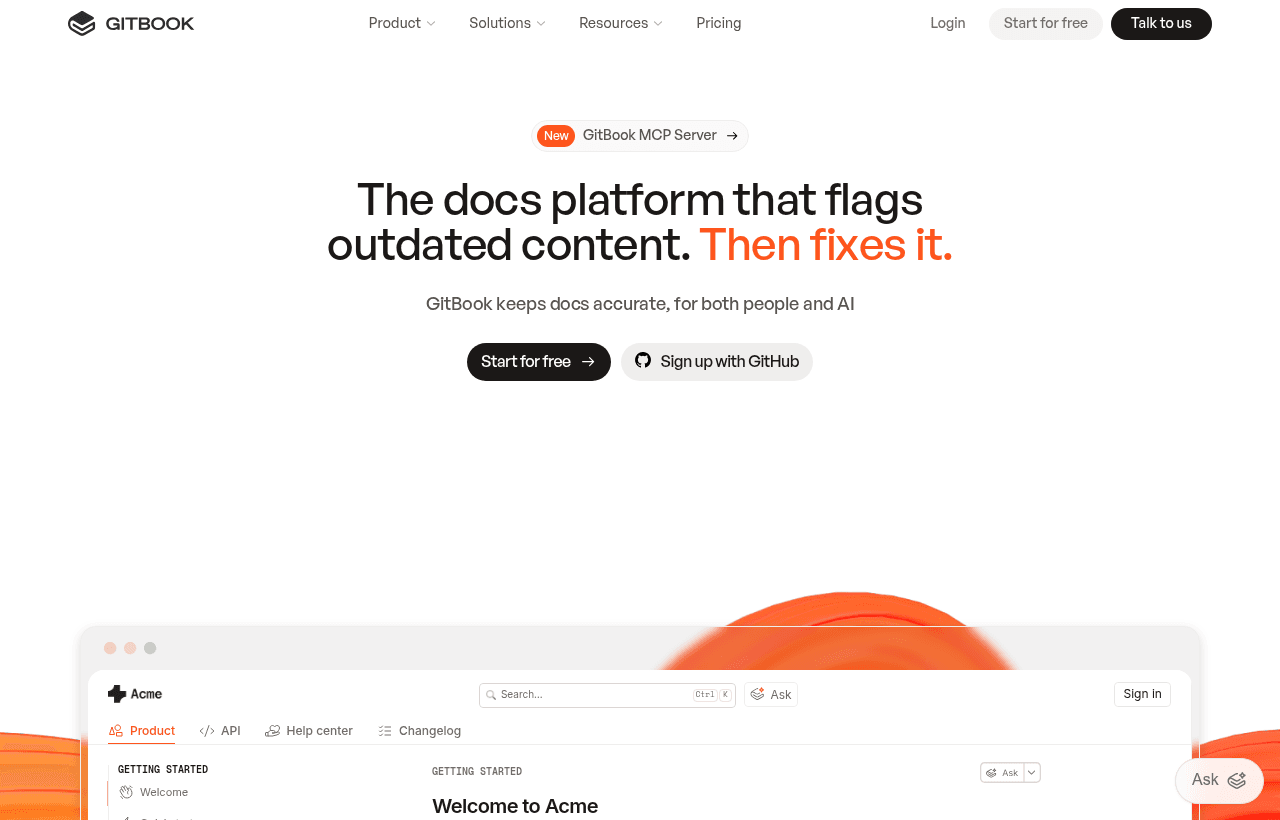
GitBook, one of the tools included in this startup deal.
A Writing and Editing Experience Teams Actually Use
Documentation lives or dies on whether people write it, and people write it when the tool makes writing easy. GitBook's editor is clean and modern, designed so that producing well-structured docs does not feel like a chore. You write in a focused interface, add rich blocks where you need them, and get a professional result without fighting formatting. For a startup where the people documenting things are engineers and founders with limited time, that low friction is what separates docs that get written from docs that stay on the to-do list.
The platform is built for collaboration, which matters because docs are rarely one person's job. Multiple team members can contribute, review, and keep pages current. Knowledge in a startup is distributed across the people who hold it, so a docs tool has to let all of them contribute without stepping on each other. GitBook is designed around that reality, so the engineer who built a feature can document it, the support lead can add the customer-facing explanation, and the whole thing stays coherent.
Structure is the other half of good documentation, and GitBook handles it well. Docs are organized into a clear hierarchy that readers can navigate, with search that helps people find answers fast. A knowledge base is only valuable if people can locate what they need, and GitBook's organization and search make that reliable. A startup building docs on GitBook ends up with something that reads like a real product's documentation rather than a pile of pages nobody can navigate.
Public Docs That Make the Product Credible
For a startup with any kind of technical product, public documentation is part of the product experience. When a developer evaluates an API or a tool, the docs are often the first real test. Good docs signal a serious, well-run company and make the product easy to adopt. Poor or missing docs signal the opposite and quietly cost you customers who never got far enough to see the value. GitBook lets a small team publish public docs that look and work like those of a much larger company.
This matters because documentation is a sales and adoption asset, not just a support cost. A prospect who can read clear docs, understand how the product works, and see how to integrate it is far more likely to move forward. Every question your docs answer is a question your team does not have to field manually, which frees up time as you grow. For a startup selling to technical buyers, investing in public docs early pays back in faster adoption and lighter support load.
GitBook's publishing gives those docs a professional home. They live at your domain, carry your brand, and present cleanly on any device. Readers get fast, searchable, well-organized documentation, which is exactly what builds trust in a technical product. The year of Plus lets a startup stand up that public presence properly rather than settling for a rough README that undersells the product.
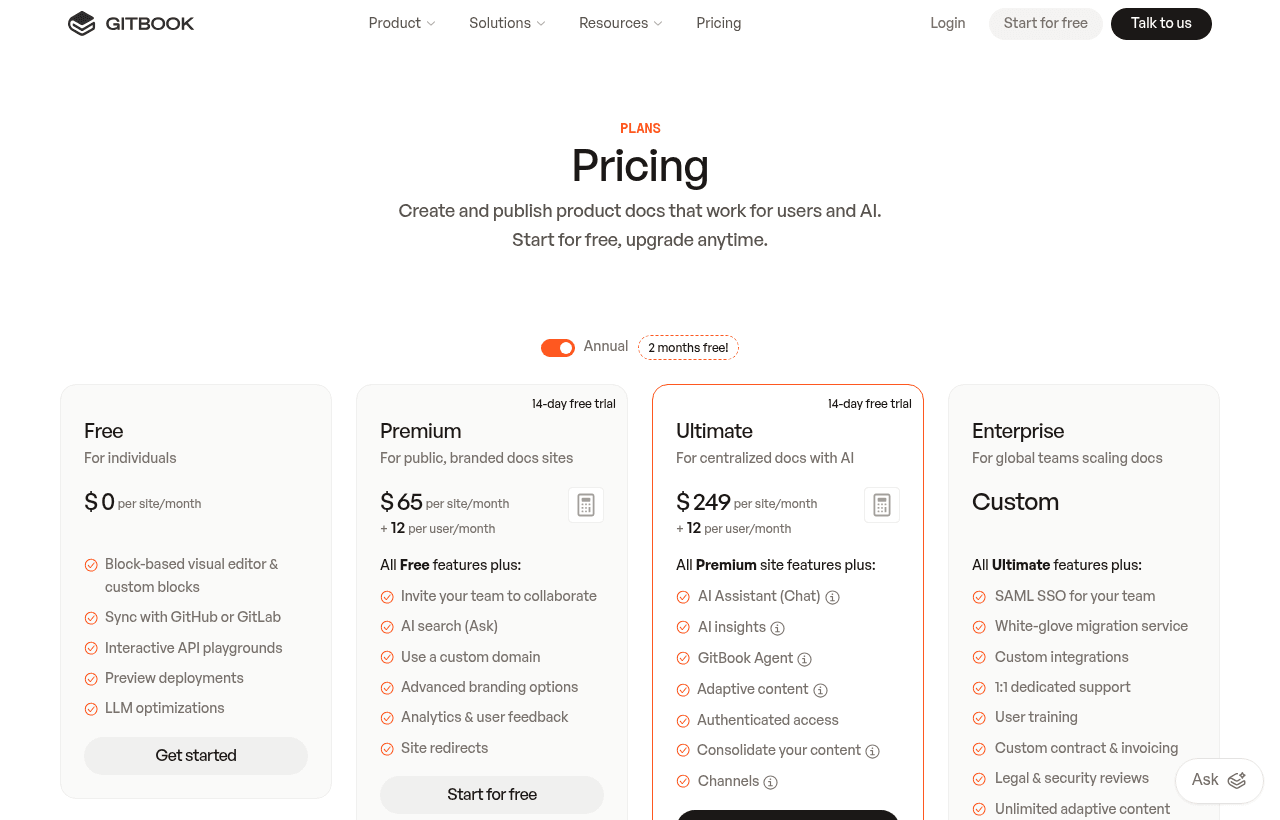
A look at GitBook before the discount, so you can see what the deal saves you.
Internal Knowledge Bases That Keep Context From Walking Out
The internal side of GitBook is just as valuable and often more urgent. As a startup grows past its founding handful, the informal way knowledge moves around starts to break. Onboarding a new hire takes longer because the answers live in people's heads. Decisions get relitigated because no one wrote down why they were made. A team member leaves and takes irreplaceable context with them. An internal knowledge base is the fix, and GitBook is a strong place to build one.
An internal docs base captures the things a team needs but keeps forgetting to write down: how the systems work, why the architecture is the way it is, how internal processes run, what the onboarding steps are, and where the important information lives. Writing these down once and keeping them current means the team stops answering the same questions repeatedly and new people ramp faster. For a startup that is hiring, that faster ramp is worth real money in productive time.
GitBook keeps internal docs private and organized, so the team has a single trusted place to look. That single source of truth is what prevents the drift and duplication that slow growing teams down. When everyone knows the answer lives in the knowledge base, they check the knowledge base, and the knowledge base gets better because people rely on it. The habit compounds: the more the team uses it, the more worth maintaining it becomes.
Why Documentation Is High-Leverage for a Startup
It is easy to treat documentation as overhead, something to get to once the important work is done. That framing is backwards. For a startup, good docs are leverage. They let a small team support more customers, onboard people faster, and preserve the hard-won understanding that would otherwise evaporate. Every hour spent writing a good doc saves many hours of repeated explanation later.
Consider support scale. Without docs, every customer question routes to a person. With good docs, most questions answer themselves and only the genuinely novel ones reach the team. As the customer base grows, that difference is the gap between a support load that scales linearly with customers and one that stays manageable. A startup that documents well can serve far more customers per support hour, which is exactly the efficiency a small team needs.
Consider institutional memory. The knowledge in a startup's early days is fragile because it lives in a few minds. Documentation makes it durable. When the reasoning behind decisions, the shape of the systems, and the way things work are written down, the company can survive turnover, grow its team without losing coherence, and avoid rebuilding understanding it already had. That durability is worth investing in before you feel the pain, because by the time the pain arrives, the context is already gone.
GitBook Compared to Generic Documents and Wikis
The common alternatives are a folder of generic documents or a lightweight wiki bolted onto a chat tool. Those work at the very smallest scale, but they degrade as a team grows. Generic documents scatter, lack a coherent structure, and become impossible to navigate once there are more than a handful. They also tend to go stale silently because nothing about them signals when they are current. GitBook is purpose-built for documentation, so structure, navigation, and search come standard rather than being things you fight to impose.
Against a basic wiki, GitBook wins on writing experience and presentation. Many wikis are functional but ugly and awkward to write in, which discourages the very behavior you want. GitBook makes writing pleasant and publishing clean, so docs get written and look professional when they are. For public docs especially, that polish matters, because a wiki-grade page does not inspire the same confidence in a technical buyer that well-designed documentation does.
The deeper difference is intent. Generic tools treat documentation as one use among many. GitBook treats it as the whole point, which shows up in the details: how docs are organized, how readers navigate, how search behaves, how the published result looks. A startup that runs its docs on a tool built for docs ends up with a better result than one improvising with general-purpose tools, and the year of free Plus makes that better tool cost nothing to adopt.
Making the Free Plus Year Count
A year of free Plus is a runway, and the way to use it is to build the documentation habit while the clock runs. The first move is to decide what to document first based on where the pain is sharpest. If customers keep asking the same questions, start with public help docs. If new hires ramp slowly, start with an internal onboarding base. If you have an API, developer docs are the highest-value public artifact you can create. Pick the area with the most obvious payoff and get a real set of docs live quickly.
The second move is to make documentation part of how work happens rather than a separate project. The teams that succeed with docs write them as they build, not months later. When a feature ships, its docs ship with it. When a decision is made, the reasoning goes in the knowledge base. When onboarding reveals a gap, someone fills it. GitBook's low-friction editor is what makes this realistic, because writing a doc is quick enough to do in the moment. A year is plenty of time to make this a reflex, and once it is a reflex, it survives long after the free period.
The third move is to keep docs current, because stale documentation is worse than none. Assign ownership so pages have someone responsible, review them periodically, and update them when things change. GitBook's collaboration features make shared upkeep practical. A startup that treats its docs as living, maintained assets during the free year ends that year with a knowledge base the whole team trusts, which is exactly the outcome that justifies continuing.
Finally, use the full year to prove the value before you decide about paying. By the end of it, you should be able to point to concrete results: support questions deflected, faster onboarding, a public docs site that helps close technical customers. If those results are there, continuing is an easy call and you will know precisely which capabilities earned it. Treat the free Plus year as a funded experiment in becoming a company that documents well, and let the results make the case.
Growing Into the Platform
GitBook scales with a startup's needs, which means the docs you build in the free year keep serving you as the company grows. A knowledge base that starts with a few core pages becomes a comprehensive resource over time. Public docs that begin as basic guides grow into complete documentation covering every feature and integration. Because it all lives on one organized platform, that growth never requires re-platforming, and the early investment keeps compounding.
The habit is the real asset. A startup that spends its free year learning to document well carries that capability forward regardless of what tools it uses later. Documentation becomes part of the culture, something the team does by default rather than something it has to be reminded about. That cultural shift is worth more than any single feature, and the year of free Plus is a low-risk way to build it while the platform costs nothing.
As the team and the docs both grow, GitBook's structure keeps things navigable. What could become an unmanageable pile of pages stays organized and searchable, so the knowledge base remains useful at ten times its original size. That durability under growth is exactly what you want from documentation infrastructure, because the value of docs is supposed to increase as the company scales, not collapse under its own weight.
Who Should Claim This Deal
This deal fits any startup that needs public or internal documentation, which is nearly all of them. If you ship a technical product that needs developer or help docs, if you are growing a team and feeling the strain of knowledge that lives only in people's heads, or if you keep answering the same questions because there is no written source of truth, GitBook's free Plus year is worth claiming now. It gives you a professional docs platform for a full year, long enough to build the habit and see the payoff.
It suits teams that sell to technical buyers, where documentation is part of the product and part of the sale. Clean, searchable, well-organized public docs make a small company look serious and make the product easy to adopt, and GitBook lets a small team produce docs at that standard. It also suits growing teams that need to preserve institutional knowledge and onboard people faster, since a good internal knowledge base directly addresses both.
It is a less pressing fit for a very early team of a few people who genuinely share all context by conversation and have nothing external to document yet. Even then, starting the habit early is cheap insurance against the knowledge loss that growth brings. For the broad set of startups that have docs to write and want a real platform to write them on for free for a year, GitBook's Plus deal is a clear win. Pick your highest-value docs, build them during the free year, keep them current, and let documentation become one of the ways your small team punches above its weight.
Who Is This Deal For?
Early-Stage Startups
Seed and pre-seed companies looking to move fast without overspending on tools.
Growing SaaS Teams
Series A+ companies scaling their stack and optimizing software costs.
Solo Founders
Indie hackers and bootstrapped founders who need enterprise tools at startup prices.
Get 1 year free Plus off GitBook
Premium deal. Upgrade once, unlock everything.
!Eligibility Requirements
Startup needing public or internal docs
Frequently Asked Questions
Everything you need to know about this startup deal.
GitBook has a free Community plan for open-source projects and personal use. The Plus plan ($8/user/month) adds custom domains, analytics, and advanced collaboration. The 1-year deal saves $96/user.
Get the weekly deals digest
New verified startup deals every week. No spam, ever. Unsubscribe anytime.
Related Offers

Toggl Track
Used by 1,100 members
Free Plan
Simple and intuitive time tracking for teams with reporting and integrations.
View offer
Auth0
Used by 994 members
1 year of B2B Professional free
Get 1 year of the Auth0 B2B Professional plan free, with up to 100,000 monthly active users, SSO, enterprise MFA and SCIM.
View offer
Bugsnag
Used by 471 members
Free Plan
Error monitoring and stability management for web and mobile applications.
View offer
Turborepo
Used by 1,880 members
Free & Open Source
High-performance build system for JavaScript and TypeScript monorepos by Vercel.
View offer
Windmill
Used by 1,501 members
Free Plan
Open-source developer platform for building internal tools, workflows, and scripts.
View offer
Height
Used by 1,442 members
Free Plan
AI-powered project management tool with autonomous task management and workflows.
View offerDeal Summary
Looking for more startup deals?
Browse all offers