

QuickBooks vs Wave for Startups in 2026
Choosing between QuickBooks (50% off for 3 months) and Wave (Free forever) for your startup? This side-by-side comparison covers features, startup deals, pricing, and which tool fits your stack, with verified deals you can claim through SaaSOffers.
Quick Answer
QuickBooks: 50% off for 3 months (New QuickBooks Online customers on a monthly plan). Wave: Free forever (Any small business or startup).

QuickBooks
50% off QuickBooks Online for 3 months for new customers on monthly plans. Accounting from Intuit: invoicing, expenses, payroll and tax prep for US-based startups.

Wave
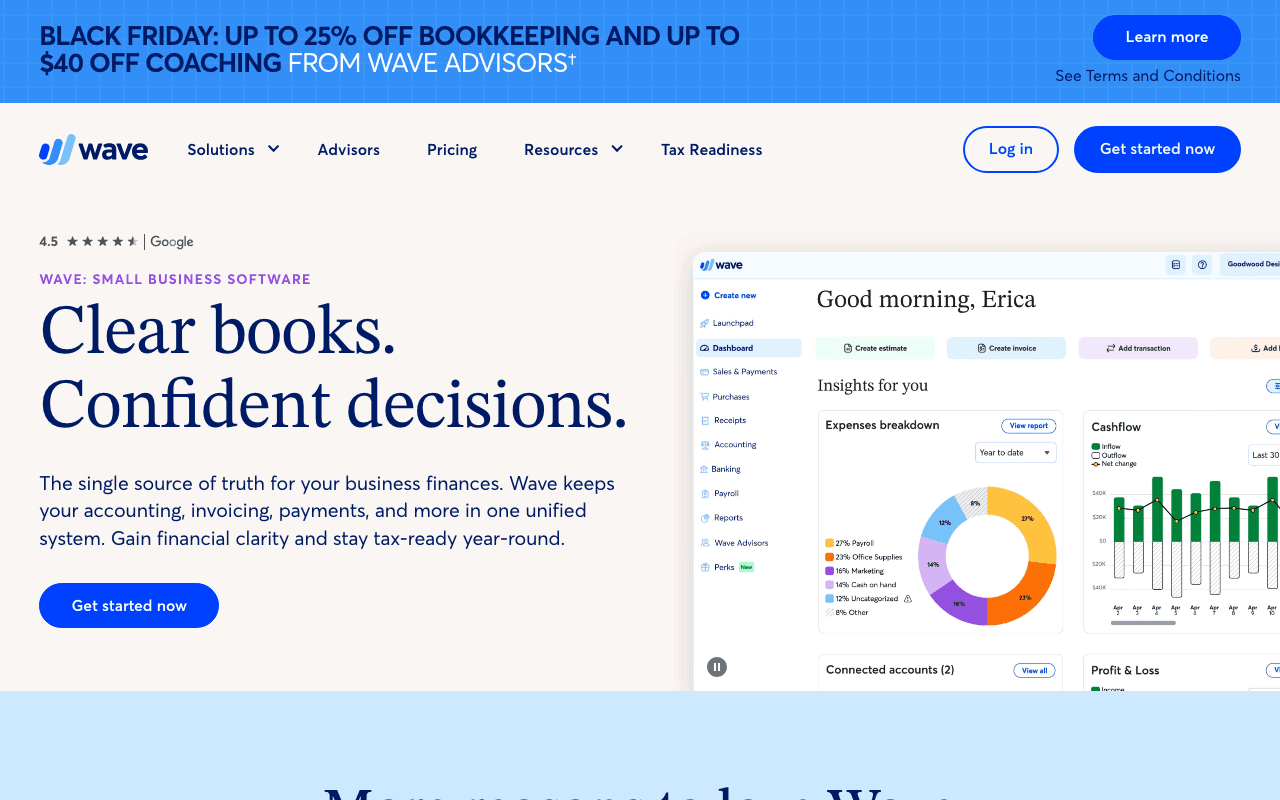
Free accounting and invoicing for small businesses. No monthly fees, ever. Revenue from payment processing.
QuickBooks vs Wave, Detailed Comparison
What's Included in Each Startup Deal
Here is exactly what you get when claiming each deal through SaaSOffers:
QQuickBooks
- 50% off QuickBooks Online for 3 months
- Invoicing and payment tracking
- Expense categorization
- Bank and credit card feeds
- Tax preparation and filing
WWave
- Free accounting software
- Free invoicing
- Free receipt scanning
- Financial reporting (P&L, Balance Sheet)
- Payroll available (paid add-on)
The short verdict
Pick Wave if you are a solo founder or a small service business that mostly sends invoices and wants accounting for $0, or for $19 a month once you want bank feeds. Pick QuickBooks if you need more than one login on a cheap plan, inventory, class and location tracking, budgets, or an accountant who already works in QuickBooks Online. Depth costs money here: Wave's paid plan is $19 a month, while QuickBooks Online lists Simple Start at $38 and Plus, the first plan with inventory, at $140. Both now have a $0 plan, but QuickBooks Free caps you at 2 invoices a month unless you turn on QuickBooks Payments.
Our deals for QuickBooks and Wave
- QuickBooks deal: 50% off for 3 months. Requirements: New QuickBooks Online customers on a monthly plan.
- Wave deal: Free forever. Requirements: Any small business or startup.
Neither deal needs a promo code. We checked both tools' plans and prices against their official pricing and help pages in November 2026.
Both offers are what each vendor gives anyone directly. Intuit shows 50% off for 3 months on every paid QuickBooks Online plan on its own pricing page. Wave's Starter plan is $0 for everyone. Intuit's terms say the discount is for new customers who pick the monthly plan with the 3-month discount option, that it covers the base price only, and that the 30-day free trial is a separate offer you cannot combine with it.
QuickBooks vs Wave at a glance
| Dimension | QuickBooks Online | Wave |
|---|---|---|
| Free plan | QuickBooks Free: 1 user, 2 invoices a month, 1 bank connection | Starter: unlimited invoices, estimates, bills and bookkeeping records |
| First paid plan | Simple Start, $38 a month list | Pro, $19 a month or $190 a year |
| Users on the first paid plan | 1 user plus 2 accountants | Admin, editor and viewer roles, no stated limit |
| Automatic bank feeds | Free plan: 1 bank; paid plans: bank feeds | Pro only, through Plaid |
| Receipt capture | Free plan: 2 receipt uploads a month | Pro, or $8 a month add-on on Starter |
| Multicurrency | Essentials, Plus and Advanced | Foreign currency invoices, bills and bank accounts |
| Inventory | Plus and Advanced | Not on the pricing page |
| Classes and locations | Plus: 40; Advanced: unlimited | Not on the pricing page |
| Card processing | 2.99% per invoice payment | 2.9% + $0.60; Pro waives the $0.60 on the first 10 a month |
| Bank (ACH) payments | 1% | 1%, $1 minimum |
| Payroll | Bundles from $88 + $6.50 per employee | $40 + $6 per employee, tax service in all 50 states |
| Mobile app and integrations | Not on the Free plan | Mobile invoicing on Starter |
Pricing side by side
| Plan | Billed yearly | Billed monthly | Key limits |
|---|---|---|---|
| QuickBooks Free | $0 | $0 | 1 user, 2 invoices a month unless Payments is on, top 3 reports, no app or integrations |
| QuickBooks Simple Start | Not shown | $38 ($19 for 3 months) | 1 user, 2 accountants, bill pay with free ACH |
| QuickBooks Essentials | Not shown | $85 ($42.50 for 3 months) | 3 users, multicurrency, employee time on invoices |
| QuickBooks Plus | Not shown | $140 ($70 for 3 months) | 5 users, inventory, projects, 40 classes and locations |
| QuickBooks Advanced | Not shown | $340 ($170 for 3 months) | 25 users, unlimited classes, workflow automation, Excel sync |
| Wave Starter | $0 | $0 | Unlimited invoices and bills, manual or CSV bank entries |
| Wave Pro | $190 | $19 | Bank import, auto categorization, receipt capture, late payment reminders |
| Wave Advisors | Not shown | From $149 or $199 | Dedicated bookkeeper, monthly statements prepared for you |
Wave Pro is priced per business, so a second company needs its own subscription. QuickBooks bill pay charges $0.50 per standard ACH payment over your monthly allotment. Intuit's offer terms say that after the 3 discounted months you pay the then-current monthly price until you cancel.
Example 1: a solo founder sending 20 invoices a month
You need bank feeds and receipt capture, and you are the only user.
- QuickBooks Free does not fit: 2 invoices a month unless you take payments through QuickBooks Payments.
- QuickBooks Simple Start at list: $38 x 12 = $456 a year.
- With 50% off for 3 months: ($19 x 3) + ($38 x 9) = $57 + $342 = $399 in year one.
- Wave Pro billed monthly: $19 x 12 = $228. Billed yearly: $190.
- Wave Starter: $0, but you enter bank transactions by hand or CSV. Receipt capture alone adds $8 a month ($96 a year), or $72 billed yearly.
Year one, Wave Pro yearly costs $209 less than discounted Simple Start. Year two, the gap is $456 minus $190, or $266.
Example 2: three employees on payroll, one bookkeeping user
Payroll is where the cheap plan stops being cheap, so price it in.
QuickBooks Workforce Payroll + Simple Start:
- List: $88 + (3 x $6.50) = $107.50 a month, $1,290 a year.
- With 50% off the base for 3 months: ($44 x 3) + ($88 x 9) = $132 + $792 = $924 for the base, plus $6.50 x 3 x 12 = $234 per employee. Total: $1,158. Intuit's terms say the discount does not apply to per-employee fees.
Wave Pro + Wave Payroll:
- Pro billed monthly: $228. Payroll: $40 + (3 x $6) = $58 a month, $696 a year. Total: $924.
- Pro billed yearly: $190 + $696 = $886.
Wave comes out $234 to $272 cheaper in year one and $366 to $404 cheaper at full price. Some Intuit pages list the same bundle at $7 per employee instead of $6.50, which adds $18 a year at three employees. Confirm the rate at checkout.
Who does the books: you or an accountant
Every paid QuickBooks Online plan includes 2 accountant seats, and Advanced has 3. Invitations are free and you can remove access at any time. If you plan to hand month-end close or taxes to a firm, ask which software they use before you pick.
Wave handles this with Wave Advisors. It starts at $149 or $199 a month and includes a dedicated bookkeeper, monthly financial statements prepared for you, tax-ready books and onboarding from other software such as FreshBooks. On Starter, you can add a Block Advisors tax pro or a payroll manager as a user for free.
Users, bank feeds and automation
QuickBooks controls price through user counts. Simple Start allows 1 user, Essentials 3, Plus 5 and Advanced 25. A cofounder who wants their own login pushes you from $38 to $85. Advanced adds user permission controls, workflow automation and batch invoices and expenses.
Wave does not state a user limit. On Pro you can add people as admin, editor or viewer. The trade-off is automation. Starter has no automatic bank import, so transactions come in by hand, CSV, or QBO, OFX and QFX files. Pro adds bank import through Plaid, automatic merging and categorization of transactions, and receipt capture. Wave says not every bank is supported by Plaid, so check yours before you pay.
QuickBooks paid plans add AI expense categorization, and Plus adds reconciliation tools, budgets and project profitability. These matter once you have more than a few hundred transactions a month.
Multicurrency, inventory and projects
Both tools invoice in foreign currencies. In Wave you switch the invoice currency before saving, Wave estimates the conversion at xe.com mid-market rates, and it books unrealized gains or losses until the payment lands. You then enter the rate your bank applied. In QuickBooks, multicurrency needs Essentials or higher, and once you turn it on you cannot turn it off.
Inventory is the cleaner dividing line. QuickBooks lists inventory management on Plus at $140 a month. Wave's pricing page lists no inventory feature. A startup selling physical products with stock counts outgrows Wave quickly, while a software or services startup rarely needs inventory at all.
Projects and classes follow the same pattern. QuickBooks Plus tracks project profitability and 40 classes and locations, which lets you report profit by product line or office. Wave's pricing page lists none of these.
Getting paid and payroll
Wave earns its money on payments and payroll. Starter pays 2.9% + $0.60 per card payment and 3.4% + $0.60 for Amex. Pro drops the $0.60 for the first 10 card transactions each month. Bank payments cost 1% with a $1 minimum on both plans. Online payments need approval, including identity verification and a credit review.
QuickBooks Payments charges 2.99% for card invoice payments and 1% for ACH bank payments, with an extra 1% for cards issued outside the US. Instant deposit costs 1.75% more. On $10,000 a month of card invoices in 20 payments of $500, QuickBooks charges $299. Wave Pro charges $290 plus $0.60 on 10 payments, or $296.
Wave Payroll costs $40 a month plus $6 per employee and $6 per contractor paid, and its tax service now covers all 50 states. A limited-access payroll subscription to pause payroll costs $17 a month. QuickBooks sells payroll in Workforce bundles. The Simple Start bundle pays employees the next business day, the Essentials bundle adds same-day direct deposit, and the Premium bundle adds time tracking.
Pick QuickBooks if
- Two or more people need their own login and permissions.
- You sell physical products and need inventory counts.
- You want profit by class, location or project.
- Your accountant or bookkeeper already works in QuickBooks Online.
- You want bill pay with approval workflows or 1099 e-filing on Advanced.
- You are a new customer happy on a monthly plan for at least 3 months, so the 50% off lands in full.
Pick Wave if
- You are a solo founder or freelancer and mostly send invoices.
- You want unlimited invoices for $0, with no cap like QuickBooks Free's 2 a month.
- You are fine with $19 a month, or $190 a year, for bank import and receipt capture.
- You run payroll for a few US employees and want $40 plus $6 per person.
- You bill clients in other currencies but do not need inventory or class tracking.
- You might hand the books to a bookkeeper later and like a fixed monthly price through Wave Advisors.
Switching between them
Moving from QuickBooks to Wave, Wave does not carry over QuickBooks transaction history. Its help center says to recreate unpaid invoices and bills in Wave, then enter your latest QuickBooks trial balance as a journal entry and compare the two trial balances. Customers import by CSV, and you cannot undo a customer upload. Bank statements import as CSV, or more easily as QBO, OFX or QFX files. Wave Connect uploads customers, products, invoices, transactions and journal entries from a Google Sheets template.
Moving from Wave to QuickBooks, Intuit's guidance is to import the chart of accounts first, then customers and vendors, then products and services, then transactions. Files can be CSV, Excel or Google Sheets, up to 2MB or 1,000 rows each. Duplicate names are rejected, so clean your lists first. Opening balances and historical transactions go in separately, usually as a journal entry. Wave lets you download your account data before you leave.
If you are weighing other options, see our Xero deal.
Final take
Wave is the better buy for a solo founder or small services team that needs invoices, simple books and maybe US payroll, at $0 or $19 a month. QuickBooks' cheapest paid plan costs twice Wave Pro, but it buys extra users, inventory, class and project tracking, and the accountant network many US firms expect. Start on Wave if your books are simple today, and move to QuickBooks with Intuit's 50% off for 3 months once a second user, inventory or an outside accountant makes the extra $19 to $121 a month worth it.
Frequently Asked Questions
Common questions about QuickBooks vs Wave for startups.
Can I use both QuickBooks and Wave together?
Yes. There are no restrictions on claiming startup deals from multiple tools. Many startups use both QuickBooks and Wave simultaneously, each serving different needs. Claim both through SaaSOffers for maximum savings.
Which has a better startup deal, QuickBooks or Wave?
QuickBooks offers 50% off for 3 months, while Wave offers Free forever. However, the "better" deal depends on which tool you actually need, a larger credit on a tool you won't use is worth less than a smaller credit on a tool that's essential to your stack.
Is QuickBooks free for startups?
QuickBooks offers 50% off for 3 months through its startup program on SaaSOffers. The deal type is "premium", available to SaaSOffers Premium members ($79/year). New QuickBooks Online customers on a monthly plan
Is Wave free for startups?
Wave offers Free forever through its startup program on SaaSOffers. The deal type is "premium", available to SaaSOffers Premium members ($79/year). Any small business or startup
Does QuickBooks Online have a free plan?
Yes. QuickBooks Free costs $0 with no credit card. It allows 1 user, 2 invoices a month, 1 bank account and the top 3 reports, with no accountant access, mobile app or third-party integrations.
How much do the paid QuickBooks plans cost?
QuickBooks' pricing page lists Simple Start at $38 a month, Essentials at $85, Plus at $140 and Advanced at $340, with 50% off for the first 3 months ($19, $42.50, $70 and $170).
How many users does each QuickBooks plan include?
Simple Start has 1 user, Essentials 3, Plus 5 and Advanced 25. Accountant seats are separate: 2 on the first three plans and 3 on Advanced.
Is Wave's Starter plan really free?
Yes. Wave's pricing page lists Starter at $0 with unlimited estimates, invoices, bills and bookkeeping records. Optional online payments cost 2.9% + $0.60 per Visa, Mastercard or Discover card payment and 3.4% + $0.60 per Amex payment.
How much is Wave Pro and what does it add?
Pro is $19 USD a month or $190 USD a year, which is $38 less than twelve monthly payments. It adds bank auto-import, auto-categorization, unlimited receipt capture, late payment reminders and a discounted card rate on the first 10 transactions each month.
What does Wave charge for payment processing?
Cards cost 2.9% + $0.60 on Starter (Amex 3.4% + $0.60). Bank payments cost 1% with a $1.00 minimum on both plans. Pro drops the $0.60 for the first 10 card transactions each month, so it can save at most $6 a month.
We've helped 10,000+ startup founders unlock $500,000+ in SaaS credits and discounts. Every comparison is based on real deal data from our platform.