
Wave Coupon: Free forever
Free accounting and invoicing for small businesses. No monthly fees, ever. Revenue from payment processing.
Premium: $79/year for unlimited deals
Already have an account? Log in
Deal Highlights
Our Wave listing: free forever for small businesses
Offer: Free forever. Requirements in our listing: any small business or startup. There is no promo code. Wave is a Premium deal on SaaSOffers, so the claim link sits behind the Premium upgrade.
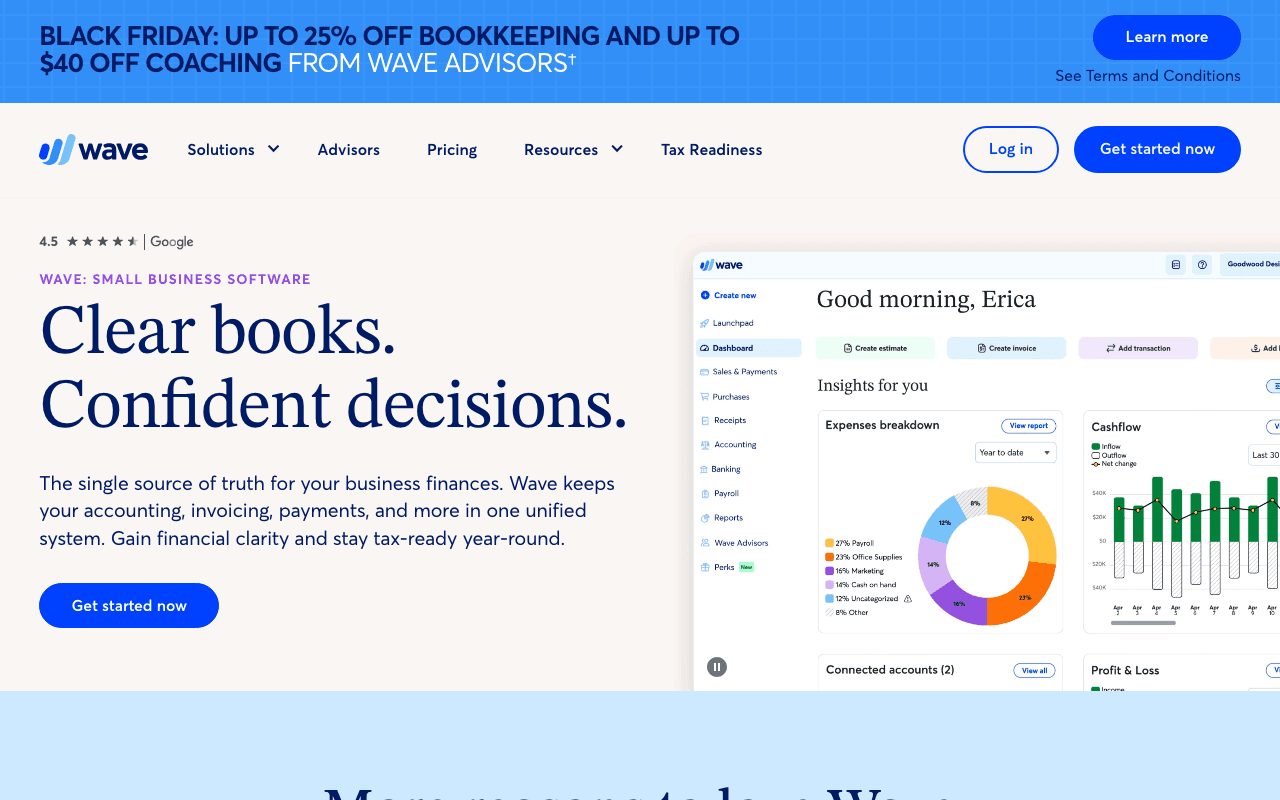
We checked these plans and prices against Wave's official pricing, payments and payroll pages in November 2026.
Wave is accounting and invoicing software for small businesses and freelancers. Starter is free: the Starter plan costs $0 and lets you create unlimited estimates, invoices, bills and bookkeeping records. Wave earns its money from three places: the Pro subscription, payment processing fees, and paid add-ons such as payroll. Anyone can open a Starter account at waveapps.com without a code, so our listing does not give you a price you could not get yourself. What it gives you is a clear map of where the free plan stops and where Wave starts charging.
What the free Starter plan includes
Wave's pricing page lists these items under Starter at $0:
- Unlimited estimates, invoices, bills and bookkeeping records
- The option to accept online payments, at 2.9% + $0.60 per credit card transaction and 3.4% + $0.60 per Amex transaction
- Invoicing from the mobile app
- Cash flow and customers in one dashboard
The pricing page does not put a cap on the number of invoices or customers on Starter. It also does not describe Starter as a trial, so nothing on the page says it expires.
What Starter leaves out
The Pro plan is described as "Everything in Starter, plus", and the plus list is the list of things Starter lacks:
- A discounted online payment rate
- Auto-import of bank transactions
- Auto-merge and categorize of bank transactions
- Unlimited digital receipt capture and expense tracking
- Automated late payment reminders
The bank feed is the one that matters most for day to day bookkeeping. On Starter you enter or upload transactions yourself. Wave's page says automatic import works only if your bank connects through Plaid, the service Wave uses for bank connections, and that not every institution is supported.
Receipts are a separate meter on Starter. The receipts add-on costs $8 USD a month or $72 USD a year ($11 CAD or $96 CAD). Pro's feature list includes unlimited receipt capture, and one comparison table marks receipts as included with Pro.
Starter versus Pro in numbers
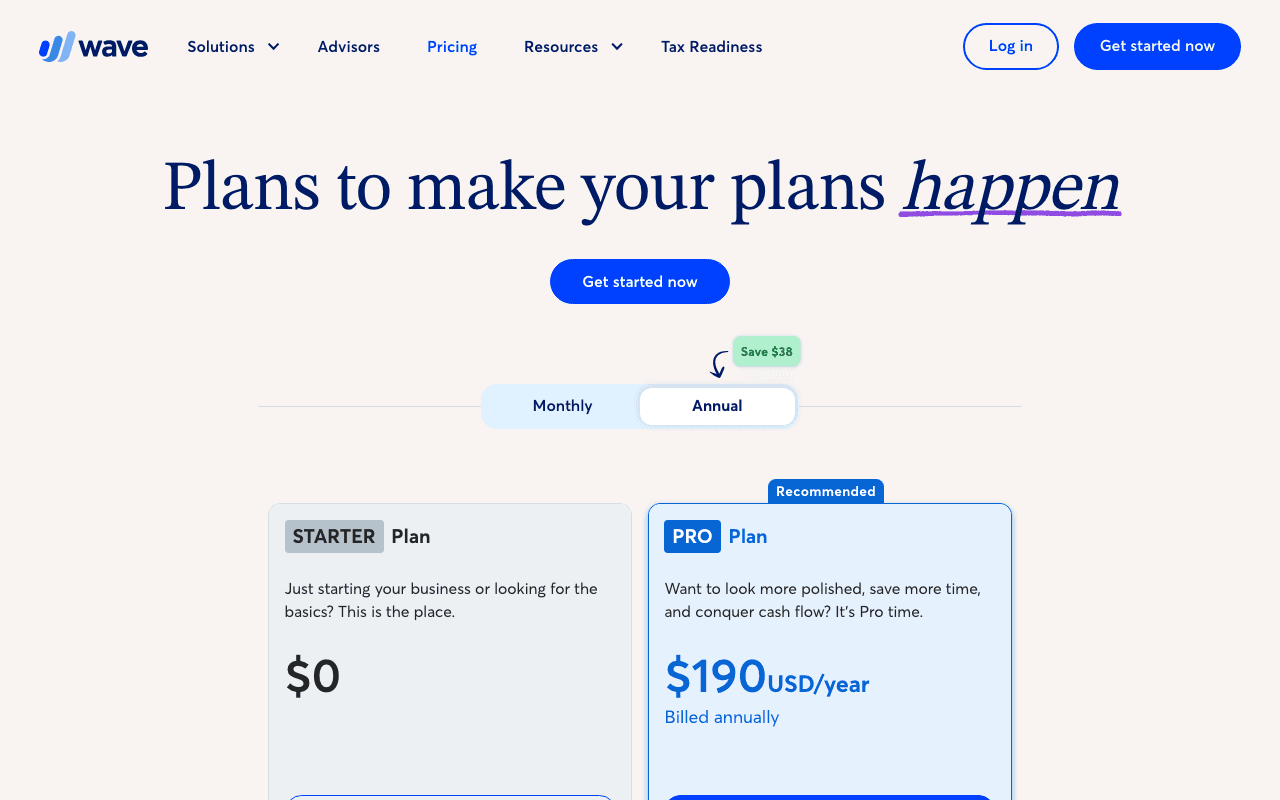
| Plan | Billed yearly | Billed monthly | Card fee (Visa, Mastercard, Discover) | Key limits |
|---|---|---|---|---|
| Starter | $0 | $0 | 2.9% + $0.60 | No bank auto-import, no late payment reminders |
| Pro | $190 a year (about $15.83 a month) | $19 a month | 2.9% + $0 on the first 10 transactions a month, then 2.9% + $0.60 | Bank auto-import, auto-categorize, unlimited receipt capture, reminders |
| Wave Advisors | Not listed | Starting at $149 USD a month ($199 CAD) | Pro features | Dedicated bookkeeper, monthly statements |
The yearly Pro price is $190, against $228 for twelve months at $19. That is a $38 difference, which matches the "Save $38" label on the page. The page also shows Canadian prices of $25 CAD a month or $250 CAD a year.
Wave's page also says the Pro fee is per business, not per owner. If one account holds three businesses and you want all three on Pro, you subscribe each one.
A Pro promo of $9.50 a month for the first 3 months appears on the page, but its own footnote says the offer ran from December 2, 2025 until January 6, 2026. That date has passed, so we do not count it.
Payment fees: what a customer card payment costs you
Payments are optional. When you turn them on, customers get a "Pay now" button on the invoice and can pay by card or Apple Pay. The payments page lists these rates:
| Payment type | Starter | Pro |
|---|---|---|
| Visa, Mastercard, Discover (Discover is US only) | 2.9% + $0.60 | 2.9% + $0 for the first 10 transactions each month, then 2.9% + $0.60 |
| Amex | 3.4% + $0.60 | 3.4% + $0 for the first 10 transactions each month, then 3.4% + $0.60 |
| Bank payment (ACH or EFT) | 1%, $1.00 minimum | 1%, $1.00 minimum |
Payouts land in 1 to 2 business days for cards and 1 to 7 business days for bank payments. Wave warns that cutoff times, third-party delays and risk reviews can change that. An optional instant payout costs 1% of the amount withdrawn with a $1 minimum, on top of normal processing fees. The minimum withdrawal is $25 and the money goes to a linked debit card in up to 30 minutes.
Worked example: does Pro pay for itself through card fees?
Say you bill 20 clients $500 each by Visa in one month, $10,000 in total.
- Starter: each payment costs 2.9% of $500 ($14.50) plus $0.60, so $15.10. Twenty payments cost $302.00.
- Pro: the first 10 payments cost $14.50 each ($145.00). The next 10 cost $15.10 each ($151.00). Total $296.00.
Pro saves $6.00 that month and costs $19. Net, you are $13 worse off if card fees were the only reason you upgraded. The reason is built into the pricing: the discount is $0.60 on at most 10 transactions, so the most it can ever save in a month is $6. Pro has to earn its price from the bank feed, receipts and reminders, not from card fees.
Bank payments are cheaper per dollar. A $2,000 invoice paid by ACH costs $20 (1%). A $50 invoice would cost 50 cents at 1%, so the $1 minimum applies. The minimum equals 1% only at $100.
Payroll add-on: one US price, plus a per-person fee
The payroll page lists a flat base fee, with no setup fees or hidden charges stated:
| Country | Base fee per month | Per active employee | Per contractor paid |
|---|---|---|---|
| United States | $40 | $6 | $6 |
| Canada | $25 CAD | $6 | $6 |
Canadian payroll is available in every province and territory except Quebec. Wave's payroll page says it now offers its tax service in all 50 US states, so the pricing is the same for all states. It adds that the base price rose in states that gained the tax service. If you read older reviews that quote different prices for "self-service" and "full-service" states, those figures describe the earlier structure. The prices on the page apply to customers who signed up after April 2, 2025.
The payroll page says the 30-day free trial starts when you process your first payroll, and you can activate billing at any time.
Included, per the page: 100% payroll accuracy guaranteed, unlimited free direct deposits, integration with Wave accounting, and an employee portal for pay stubs and tax forms. In the US, Wave automatically pays and files state and IRS payroll taxes (1099 filings excluded), and generates W-2, W-3 and 1099-NEC forms. In Canada it remits to the CRA and produces T4 and T4A slips.
Worked examples for payroll
- Solo founder paying themselves as an employee: $40 + $6 = $46 a month, or $552 a year.
- Five US employees: $40 + 5 x $6 = $70 a month, or $840 a year.
- Ten US employees and two contractors: $40 + 12 x $6 = $112 a month, or $1,344 a year.
- Five Canadian employees: $25 + $30 = $55 CAD a month.
If you also run Pro on annual billing, add about $15.83 a month. Five employees plus Pro comes to roughly $85.83 a month, about $1,030 a year. The payroll fee has to be paid on top of any payment processing fees on your invoices.
Advisors and the bookkeeper add-on
Wave Advisors is the hands-off option. The pricing page lists a starting price of $149 USD a month (shown as $134 with a footnoted discount), or $199 CAD (shown as $172 CAD). Both include the Pro features (mobile receipts are not included) and add a dedicated bookkeeper, monthly financial statements, expert support for bookkeeping questions, tax-time readiness and onboarding when you switch from other software. One-on-one coaching packages are optional.
The footnote says annual plans are 20% off and multi-year plans are 25% off, and gives up to $3,800 USD in savings on a two-year bookkeeping plan with 1,000 or more monthly transactions. That figure is Wave's own best case, not an average.
Who it suits
Wave fits a freelancer, consultant or small agency that mostly needs to send invoices, record expenses and get a profit and loss statement without a monthly bill. It also fits a founder in the first months who wants tidy books before there is money for an accountant. Wave lets you invite an accountant or Block Advisors tax pro for free, and it lists admin, editor and viewer roles for Pro.
It also fits a business with a few employees in the US or Canada that wants payroll, accounting and invoicing in one login, since payroll feeds the accounting records directly.
Who Wave is not for
- Anyone who needs inventory, project tracking or a large app marketplace. The pricing page we checked does not list any of these as plan features.
- Businesses with many bank accounts at institutions Plaid does not support, since the auto-import feature depends on that connection.
- Companies that need a custom payment rate. Wave publishes one set of fees.
- Teams that want a bookkeeper doing the books but cannot afford the Advisors tier, which starts at $149 a month.
Wave against three other accounting tools
| Tool | Entry price | Free plan | Notes |
|---|---|---|---|
| Wave | Starter $0, Pro $19 a month | Yes, Starter | Card fee 2.9% + $0.60 on Starter, payroll $40 + $6 per person |
| QuickBooks | Simple Start $38 a month at list | The page lists a Free tier | 1 user on Simple Start, 50% off for 3 months |
| FreshBooks | Lite $23 a month | No | 5 billable clients on Lite |
| Xero | Early $27 a month | No | Billed monthly; 20 invoices and 5 bills on Early |
Against Xero Early, Wave Pro at $19 a month is $8 less than $27 and has no invoice cap on the pricing page. Against FreshBooks Lite at $23 a month, Pro is $4 less, and Wave has no client cap listed. The comparison is not like for like. Those tools differ on features not covered here, and their promotions change often, so use list prices to compare.
Setting Wave up well
- Start on Starter and run your real invoices for a month. That shows you whether you need the bank feed.
- Connect the bank only if Plaid supports it. Otherwise upload statements.
- Decide on online payments per client. Payments are optional, and large invoices cost less by ACH at 1%.
- Switch to annual Pro only after you know you want it. Annual billing is $38 cheaper over twelve months.
- Add payroll only when the first employee starts. The 30-day trial begins with the first payroll you process.
- Invite your accountant early. The page says accountant access is free.
Claiming the Wave offer, step by step
- Upgrade to SaaSOffers Premium, then open this deal's claim link on SaaSOffers.
- Create your Wave account and choose Starter.
- Enter your business details and, if you want it, connect your bank.
- Turn on online payments only if you want them. They carry the fees listed above.
Our listing's "free forever" matches Starter's $0 price on Wave's pricing page. Because anyone can sign up for Starter directly, you do not need our claim link to get the same plan. Wave can change the price or limits at any time, so look at the pricing page when you sign up.
Who Is This Deal For?
Early-Stage Startups
Seed and pre-seed companies looking to move fast without overspending on tools.
Growing SaaS Teams
Series A+ companies scaling their stack and optimizing software costs.
Solo Founders
Indie hackers and bootstrapped founders who need enterprise tools at startup prices.
Get Free forever off Wave
Premium deal. Upgrade once, unlock everything.
!Eligibility Requirements
Any small business or startup
How to get the Wave deal
- The offer: Free forever, for any small business or startup.
- Create a free SaaSOffers account, then upgrade to Premium ($79 a year, or $250 once for lifetime access). Premium unlocks every Premium deal on the site.
- Open the Wave claim page from this deal. It shows the partner link, any promo code and the exact steps Wave asks for.
- Apply or sign up through that link before you pay Wave directly, since most startup offers only apply to new accounts.
Frequently Asked Questions
Everything you need to know about this startup deal.
Get the weekly deals digest
New verified startup deals every week. No spam, ever. Unsubscribe anytime.
Related Offers

Cookiebot
Free plan + 14-day trial
Cookie consent banner and CMP by Usercentrics with auto scanning and Google Consent Mode v2. Free for small sites, 14-day trial on paid plans.
View offer
Tide Business Banking
Used by 1,173 members
£200 cashback
Tide is UK business banking built for founders and small companies, with a business current account, invoicing, expense cards and accounting integrations. Open a current account and an Instant Saver through this link and get £200 cashback.
View offer
Stripe Atlas
Used by 6,540 members
$2,500 Stripe credits + $50K in perks
Stripe Atlas perks: $2,500 in Stripe credits and $50,000+ in partner discounts. Atlas costs $500 one-time to incorporate your startup as a Delaware C-Corp.
View offer
TinCheck
Used by 75 members
First real-time check free
Real-time IRS TIN and name verification from Sovos. Catch a wrong contractor or vendor TIN before it becomes a stacked IRS penalty and a backup-withholding headache.
View offer
Globalfy
20% off company formation (up to $1,000)
Form a US LLC or C Corp from abroad with EIN, registered agent, bank account help and the yearly federal tax return included.
View offer
Paddle
Used by 2,100 members
$500 processing credit
Merchant of record for SaaS. Paddle handles payments, tax, compliance, and billing so you don't have to.
View offerDeal Summary
Looking for more startup deals?
Browse all offers