
Anyscale Startup Credits: Up to $20,000 in Anyscale credits
Platform for scaling AI applications with Ray, distributed computing made simple.
Premium deal
Already have an account? Log in
Deal Highlights
Up to $20,000 in Anyscale credits through the AI Startup Program
Offer: Up to $20,000 in Anyscale credits.
Who qualifies: Anyscale startup program. Credits come with access to field engineers and stack with your cloud provider credits. Anyscale reviews each application.
There is no promo code. This is a premium deal, so you upgrade to SaaSOffers Premium, open the deal's claim link, and then go through Anyscale's application.
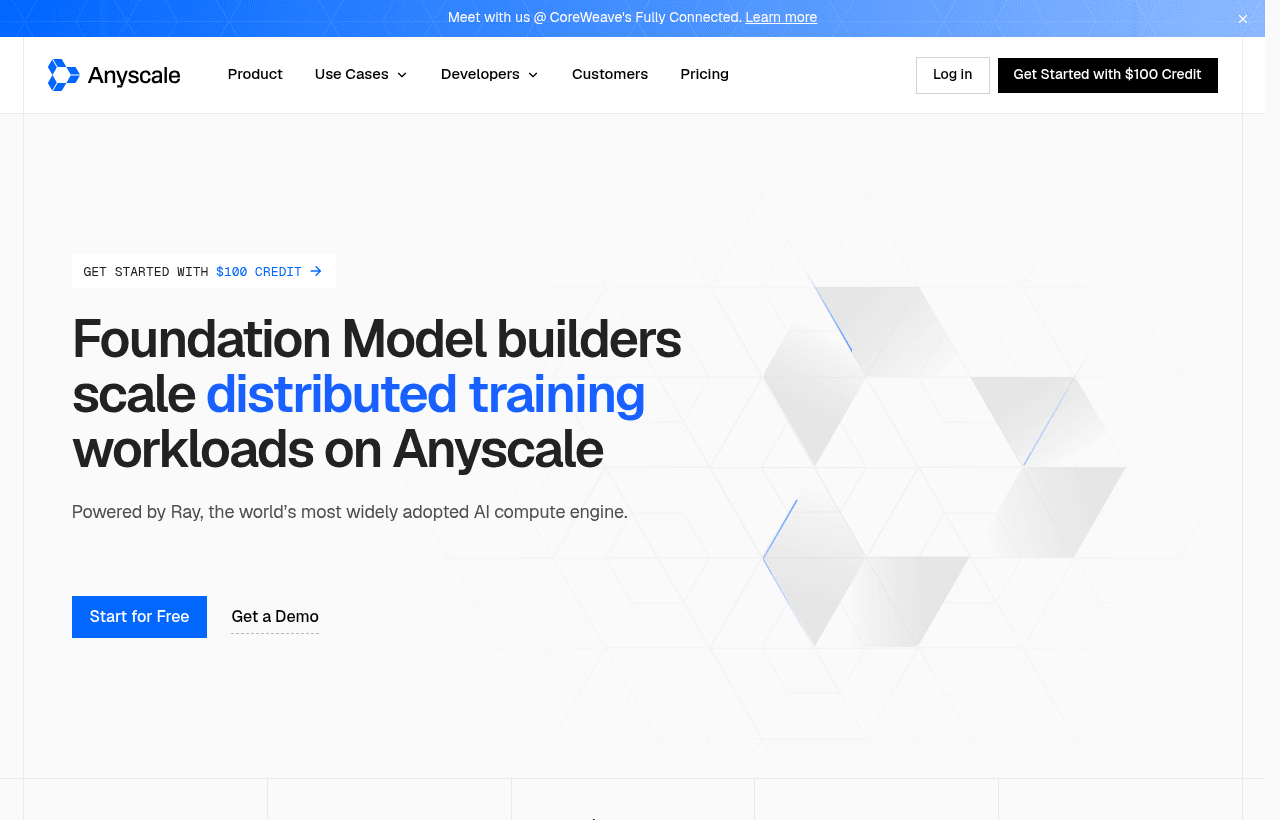
We checked these plans and prices against Anyscale's official pricing and help pages in November 2026.
Anyscale is the managed platform from the company that created Ray, the open-source Python framework for spreading work across many machines. You write Ray code for data processing, training, batch inference or model serving, and Anyscale starts the clusters, scales them and shuts them down. Billing is usage-based. There is no subscription and no monthly fixed fee.
The deal is Anyscale's own AI Startup Program. Anyscale's program page lists up to $20K in Anyscale credits, dedicated field engineers for architecture design and hands-on help, and the Anyscale Runtime. It says you can run on your own cloud and stack the credits with your existing cloud provider credits. Eligibility is "generally open to companies at various stages", and Anyscale reviews each application. The program page does not state how long the credits last, so ask during onboarding. Separately, every new account gets a $100 sign-up credit, which is much smaller.
Ray is free, Anyscale charges for the managed layer
Ray itself is open source. You can run it on your own machines or on Kubernetes at no license cost. Anyscale's pricing FAQ describes what you pay for on top:
- Developer Central for building distributed applications.
- Cluster Controller for managed scaling and monitoring.
- Anyscale Runtime, which Anyscale says gives higher performance per run while keeping APIs compatible with open-source Ray.
Anyscale lists the workloads it supports as multimodal data processing, model training and fine-tuning, batch and online inference, LLM serving and agentic AI, plus any other Python application built on Ray.
There are 2 ways to deploy:
- Hosted. Anyscale runs the compute in its own cloud. This is the default for new organizations and the fastest way to try the product. It runs in limited regions on VMs and is billed by monthly credit card invoices.
- Bring Your Own Cloud (BYOC). Anyscale runs inside your AWS, GCP, Azure, OCI or CoreWeave account, or any Kubernetes environment, including on-prem. Your data stays in your VPC and you can use GPU reservations you already hold. You can be invoiced by Anyscale or through the AWS, Azure or GCP marketplace.
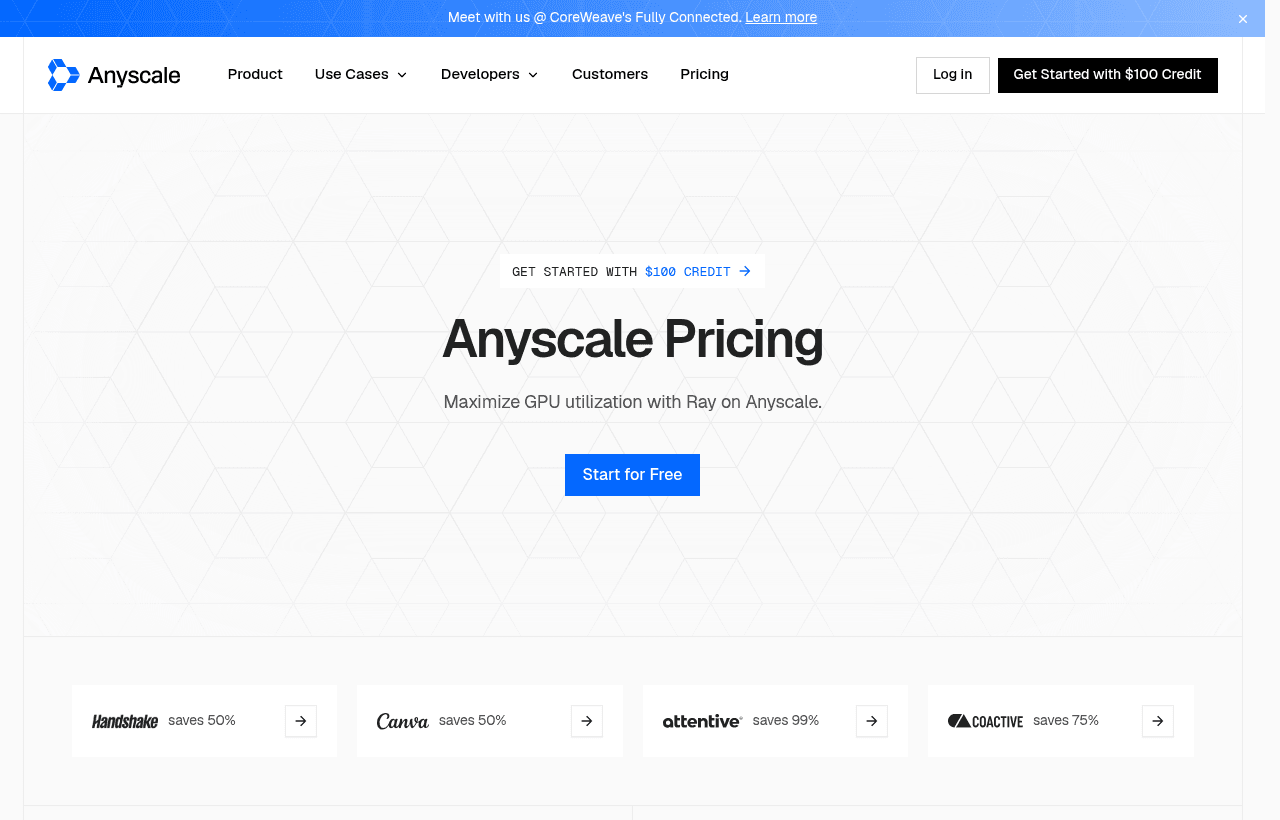
Anyscale prices per hour of compute
Anyscale bills consumption in Anyscale Credits (ACs), charged per minute. The pricing page shows the same AC rate for both deployment types. Its AC/$ switch shows dollar rates as "from" prices: from $4.5916 an hour for an A100 on Hosted, for example. The dollar figures below are those "from" rates, taken from the pricing page's own code.
| Instance containing | AC per hour | Hosted, from $ per hour | BYOC, from $ per hour (Anyscale fee only) |
|---|---|---|---|
| CPU only | 0.0135 | $0.0125 | $0.0025 |
| NVIDIA T4 | 0.5682 | $0.5261 | $0.1052 |
| NVIDIA L4 | 0.9542 | $0.8835 | $0.1767 |
| NVIDIA A10G | 1.3635 | $1.2625 | $0.2525 |
| NVIDIA A100 | 4.9591 | $4.5916 | $0.9184 |
| NVIDIA H, B and GB families | Contact sales | Contact sales | Contact sales |
How to read it:
- Hosted rates include the compute. You pay Anyscale and nothing else.
- BYOC rates are Anyscale's fee only. The machines run in your cloud account, so AWS, GCP or another provider bills you for them separately. That is why BYOC looks about 5 times cheaper on the table: 4.5916 / 0.9184 = 5.0. It is not cheaper in total.
- The page does not say how many GPUs an "instance containing" row assumes, or which A100 memory size it means. Check the instance type in the console before you size a big job.
- At hosted rates, 1 AC is about $0.926 (4.5916 / 4.9591). The sign-up offer is described as "$100 in Anyscale Credits", so watch the usage dashboard in both units.
Committed contracts are the other way to buy. Anyscale offers volume discounts that grow with usage and asks you to talk to sales. Customer logos on the pricing page claim savings of 50%, 75% and 99%, but those are customer stories, not list prices.
What the program does not cover
The program gives credits, not a free plan. Once they are spent, you pay per minute. Some limits apply to the hosted option, and the program page steers startups toward BYOC:
- Support is basic. Hosted accounts get business-hours support and 5 case submissions. BYOC gets enterprise SLAs, 24x7 coverage and unlimited cases.
- GPU access may need a request. Anyscale's docs say to contact support for GPU compute instances on a serverless (hosted) cloud, and for a hosted cloud on Google Cloud.
- Scratch storage is temporary. Hosted clouds keep
$ANYSCALE_ARTIFACT_STORAGEdata for up to 90 days from creation. Save checkpoints and outputs elsewhere. - Idle clouds hibernate. A cloud sleeps after one week with no workloads. Waking takes at least a minute and up to ten minutes, and the API returns a 599 status while it wakes.
- No newest GPUs at list price. H, B and GB family pricing is only through sales.
- No published credit expiry. We found no date on Anyscale's pages for when program credits or the $100 sign-up credit run out. Ask during onboarding if timing matters.
- The amount is a ceiling. The page says "up to $20K". Your award depends on Anyscale's review.
Anyscale also publishes 3 starter projects with a stated cost: an end-to-end multimodal workload for $3, LLM fine-tuning plus batch and online serving for $5, and a PI0.5 VLA fine-tune on a multi-GPU cluster for $5. All 3 together cost $13, a small slice of any program award.
Worked examples with real numbers
These use the "from" dollar rates in the table, so real bills can be higher. They assume the full $20,000 award. Anyscale says "up to $20K", so your amount may be lower.
Example 1: a 2-person team testing a fine-tune on Hosted
A small team fine-tunes a model on an A10G and runs batch inference on T4s during a 2-week trial.
- Fine-tuning: 30 hours on A10G x $1.2625 = $37.88
- Batch inference: 40 hours on T4 x $0.5261 = $21.04
- Data prep: 200 CPU instance-hours x $0.0125 = $2.50
- Total: $37.88 + $21.04 + $2.50 = $61.42
At $61.42 per trial, $20,000 covers about 325 such trials ($20,000 / $61.42). The $100 sign-up credit covers one with $38.58 left. Moving the fine-tune to an A100 changes the math: 30 hours x $4.5916 = $137.75, which alone is more than the sign-up credit.
Example 2: a 10-person startup running production
The team serves a model on 2 L4 instances around the clock for a 30-day month (2 x 720 = 1,440 hours) and retrains nightly on 4 A100 instances for 3 hours (4 x 3 x 30 = 360 hours).
On Hosted:
- Serving: 1,440 x $0.8835 = $1,272.24
- Training: 360 x $4.5916 = $1,652.98
- Monthly total: $2,925.22, or $35,102.64 over 12 months
On BYOC, Anyscale's fee:
- Serving: 1,440 x $0.1767 = $254.45
- Training: 360 x $0.9184 = $330.62
- Monthly Anyscale fee: $585.07, or $7,020.84 over 12 months
- Plus your cloud provider's bill for the same machines, which Anyscale does not set and we did not price here
A $20,000 award would cover about 6.8 months of the Hosted setup ($20,000 / $2,925.22) or about 34 months of the BYOC fee ($20,000 / $585.07), if the credits do not expire first. Anyscale says program credits stack with your existing cloud provider credits, which makes BYOC the better fit if you already hold AWS or GCP credits. A $10,000 award would cut those figures in half.
Anyscale's AI Startup Program
Anyscale publishes these program terms:
- Credits: up to $20K in Anyscale credits.
- Support: dedicated field engineers for architecture design and hands-on help.
- Runtime: workloads run on the Anyscale Runtime.
- Clouds: BYOC on AWS, GCP, Azure, CoreWeave, Nebius or any environment that runs Kubernetes.
Eligibility is "generally open to companies at various stages". Anyscale says it may look at funding, technical maturity and current cloud infrastructure, and asks whether you already have cloud spend or credits from a major provider. After you submit the form, its sales team follows up within 24 to 48 hours. If you qualify, you move to onboarding. If not, Anyscale says it will suggest other ways to keep working with it.
Anyscale reviews each application before approving credits. For a startup that qualifies, the award is worth far more than the $100 sign-up credit.
Teams that fit Anyscale
- Teams already writing Ray code who are tired of running KubeRay or EC2 clusters by hand.
- Startups doing batch inference or embedding jobs over large datasets, where per-minute billing and autoscaling keep idle GPUs off the bill.
- ML teams with cloud credits or GPU reservations. BYOC lets those credits pay for the machines while Anyscale charges only its fee.
- Companies with data residency rules. BYOC keeps data in your own VPC, in any region or on-prem.
- Teams moving a Python prototype to a cluster without rewriting it for a different framework.
Who should skip Anyscale
- Teams that only call hosted model APIs. If you never run your own training or inference, a model API is simpler.
- Single-GPU workloads. If one machine is enough, Ray's overhead adds little and a plain GPU host may cost less.
- Anyone who needs H100s or Blackwell GPUs at a list price today. Those are sales-only.
- Teams that need 24x7 support on day 1 without BYOC. Hosted support is business hours with 5 cases.
Anyscale compared with Modal and Replicate
| Anyscale | Modal | Replicate | |
|---|---|---|---|
| Model | Managed Ray, Hosted or in your cloud | Serverless Python functions on Modal's cloud | Models behind an API, billed per second or per output |
| Free start | $100 sign-up credit | Starter plan, $0 + compute, $30 of credits a month | No free plan listed on the pricing page |
| Paid plan fee | None, usage only | Team $250 a month + compute | None, usage only |
| T4 per hour | $0.5261 hosted | $0.5904 ($0.000164 per second) | $0.81 |
| L4 per hour | $0.8835 hosted | $0.7992 ($0.000222 per second) | Not compared |
| A100 per hour | $4.5916 hosted (memory size not stated) | $2.0988 for 40 GB, $2.4984 for 80 GB | $5.04 for 80 GB |
| Run in your own cloud | Yes, BYOC | No | No |
| Startup credits | Up to $20K through the AI Startup Program | Credits for early-stage startups, no amount published | No public program found |
What the table shows:
- Modal includes $30 of compute every month on its free Starter plan with 3 seats and 10 GPUs at once. Its A100 rates are lower than Anyscale's hosted A100 rate, though Anyscale does not state its A100 memory size, so the rows may not match exactly.
- Replicate suits teams that want a model behind an API rather than a Ray cluster. Its T4 and 80 GB A100 hourly rates are higher than Anyscale's hosted rates.
- Anyscale is the only one of the 3 that can run inside your own cloud account, which matters if you have credits, reservations or data residency rules.
Anyscale setup tips
- Start on Hosted, plan for BYOC. Hosted needs no setup. Move to BYOC with
anyscale cloud registeronce your cloud account is ready. - Ask for GPU access early. The docs say hosted GPU instances may need a support request, so do it before your trial week starts.
- Run one of the $3 or $5 templates first. It shows you real AC consumption on a known workload.
- Set a budget. Anyscale budgets are set in ACs and are soft limits, so they warn you but do not stop jobs. Check the usage dashboard, which can switch from AC to dollars.
- Terminate services you are not using. A running service keeps consuming credit.
- Copy outputs off scratch storage. Hosted scratch data is kept for up to 90 days.
Claiming the Anyscale offer, step by step
- Upgrade to SaaSOffers Premium, then open this deal's claim link on SaaSOffers.
- Go to Anyscale's AI Startup Program page and submit the application form.
- Mention your current cloud provider and any credits you hold. Anyscale asks about both.
- Wait for Anyscale's sales team, which says it follows up within 24 to 48 hours to collect more details.
- If you qualify, you move to onboarding, where Anyscale gives access to the program benefits.
- Set a budget and run a template project before launching larger jobs.
Who Is This Deal For?
Early-Stage Startups
Seed and pre-seed companies looking to move fast without overspending on tools.
Growing SaaS Teams
Series A+ companies scaling their stack and optimizing software costs.
Solo Founders
Indie hackers and bootstrapped founders who need enterprise tools at startup prices.
Get Up to $20,000 in Anyscale credits off Anyscale
Premium deal. Upgrade once, unlock everything.
!Eligibility Requirements
Anyscale startup program. Credits come with access to field engineers and stack with your cloud provider credits. Anyscale reviews each application.
How to get the Anyscale deal
- The offer: Up to $20,000 in Anyscale credits, for anyscale startup program. Credits come with access to field engineers and stack with your cloud provider credits. Anyscale reviews each application.
- Create a free SaaSOffers account, then upgrade to Premium ($79 a year, or $250 once for lifetime access). Premium unlocks every Premium deal on the site.
- Open the Anyscale claim page from this deal. It shows the partner link, any promo code and the exact steps Anyscale asks for.
- Apply or sign up through that link before you pay Anyscale directly, since most startup offers only apply to new accounts.
Frequently Asked Questions
Everything you need to know about this startup deal.
Get the weekly deals digest
New verified startup deals every week. No spam, ever. Unsubscribe anytime.
Related Offers

Replicate
Used by 1,772 members
$500 in credits
Run open-source ML models in the cloud, deploy Llama, Stable Diffusion, and custom models via API without GPU management.
View offer
Consensus
Used by 1,544 members
Free Plan
AI-powered research platform that finds, summarizes, and synthesizes scientific papers.
View offer
Laxis
Used by 2,176 members
Free Plan
AI meeting assistant that records, transcribes, and generates actionable meeting notes.
View offer
ZoomInfo
Used by 2,014 members
Free Trial
B2B data platform for sales and marketing intelligence with contact databases.
View offerDeal Summary
Looking for more startup deals?
Browse all offers