
Asana Promo Code: 6 months free Premium
Get 6 months of Asana Premium free. The project management platform that helps 130,000+ organizations achieve their goals.
Free · Opens in new tab
Already have an account? Log in
Deal Highlights
What Is Asana?
Asana is one of the most widely adopted work management platforms in the world, used by over 139,000 paying organizations including teams at Amazon, Spotify, Japan Airlines, and thousands of fast-growing startups. Founded in 2008 by former Facebook co-founder Dustin Moskovitz, Asana's mission is to help teams organize, track, and manage their work, so nothing falls through the cracks.
In 2026, Asana has evolved from a basic task manager into a full work operating system. Teams use it to manage product roadmaps, marketing campaigns, engineering sprints, hiring pipelines, client deliverables, and company-wide OKRs, all in one place. Asana's flexibility, combined with its deep integrations with tools like Slack, GitHub, Salesforce, and Google Workspace, makes it a central hub for operational coordination across departments.
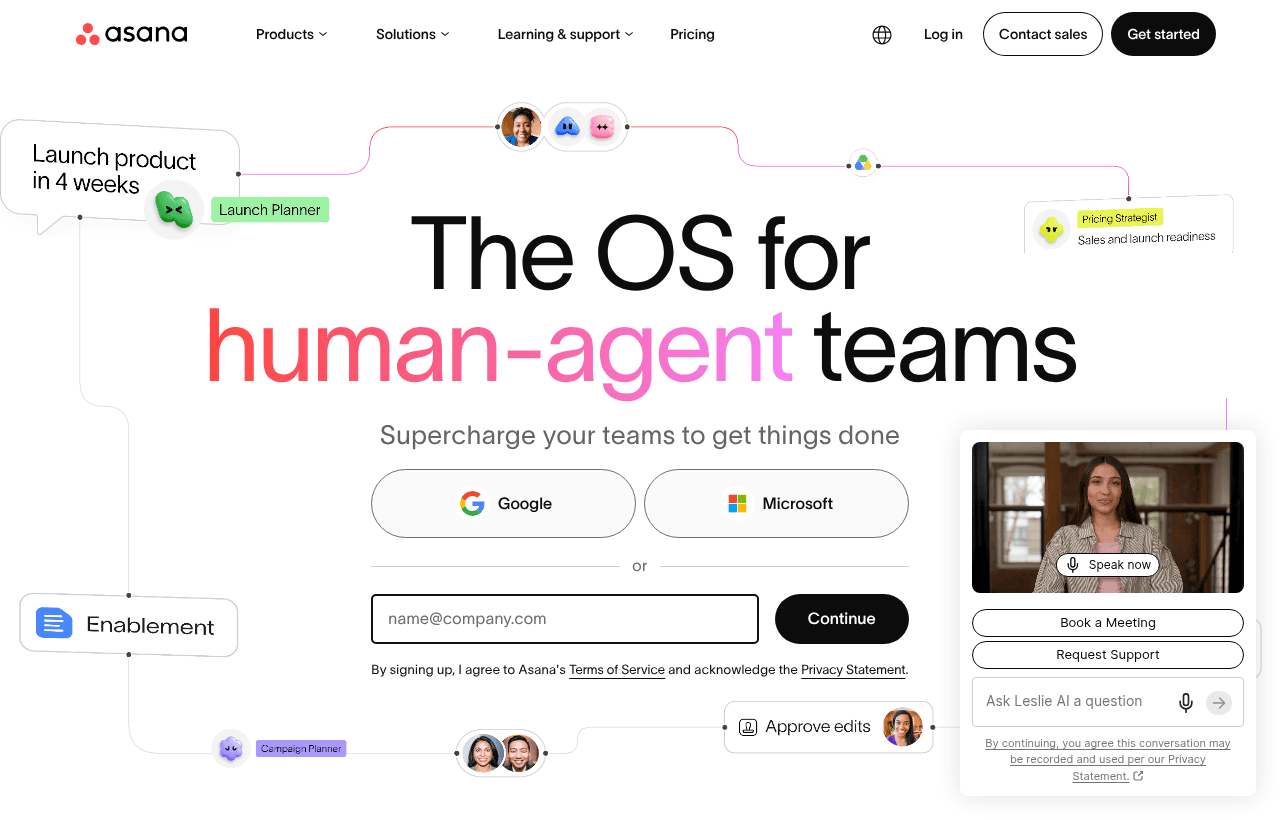
Asana, one of the tools included in this startup deal.
Why This Startup Deal Is Worth Taking
For early-stage startups, operational chaos is a silent killer. Teams move fast, communication happens everywhere, and important tasks get lost in Slack threads or email chains. Asana brings order to that chaos without the overhead of enterprise project management software.
The Asana for Startups deal gives qualifying teams access to Asana Premium or Business at no cost for up to 6 months. In 2026, Asana Premium retails at $13.49/user/month (billed annually), which means a team of 15 saves over $1,200 during the discount period. More importantly, teams that establish good work management habits early scale operations more efficiently as they grow.
What's Included in the Asana Startup Deal
Through SaaSOffers, qualifying startups receive:
- Asana Premium or Business: Free access for up to 6 months depending on eligibility
- Unlimited tasks, projects, and messages: No per-project limits even during the free period
- Timeline view: Gantt-chart-style planning for visualizing project schedules and dependencies
- Dashboards: Real-time reporting on project progress and team workload
- Advanced integrations: Slack, GitHub, Jira, Zoom, Microsoft Teams, Salesforce, and 270+ more
- Admin controls: Workspace permissions, member management, and audit log access
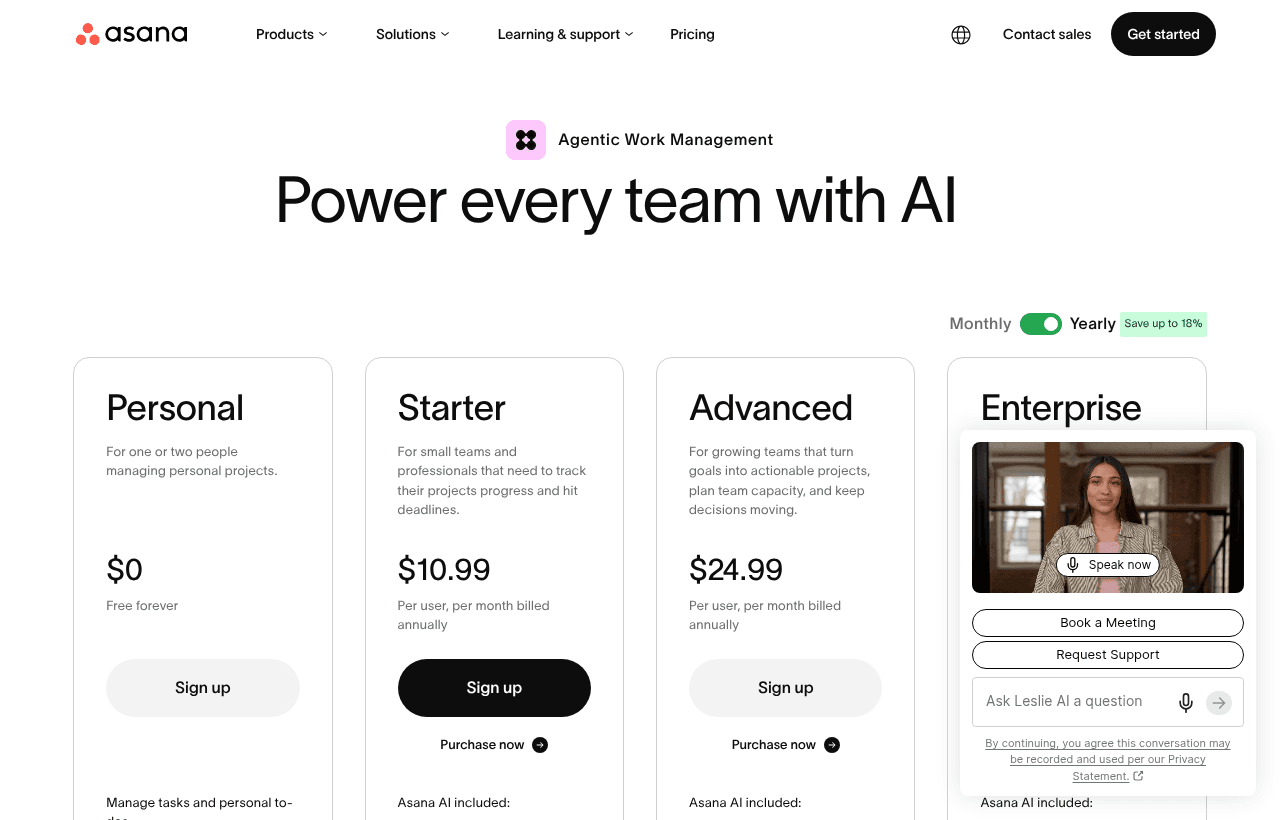
A look at Asana before the discount, so you can see what the deal saves you.
Eligibility Requirements
Asana's startup program requires:
- Pre-Series B or equivalent funding stage
- Fewer than 50 employees
- Not a current Asana paid customer
- A product or service actively in development or launched
Eligibility is verified at the time of application. Asana reviews applications within 3–5 business days and approves or requests additional information.
How to Claim the Asana Startup Deal. Step by Step
Step 1: Create a free account on SaaSOffers at saasoffers.tech. The platform verifies your startup status and gives you access to startup-exclusive deals.
Step 2: Navigate to the Asana offer page on SaaSOffers and click "Get Deal." You'll be directed to the Asana for Startups application page.
Step 3: Complete the application with your company name, team size, funding stage, and a brief description of how your team plans to use Asana.
Step 4: Once approved, create your Asana workspace (or upgrade an existing free workspace) and invite your team members.
Step 5: Choose an Asana template to get started quickly. Asana's template library has ready-made setups for product roadmaps, sprint planning, content calendars, hiring pipelines, and onboarding workflows.
Step 6: Connect Asana to your existing tools. Start with Slack (for task creation from messages), GitHub (for linking PRs to tasks), and Google Drive (for attaching docs directly to tasks).
Step 7: Set up your first company-wide Goals dashboard to align the whole team on quarterly OKRs. This is the highest-leverage use of Asana for early-stage startups, everyone sees how their work connects to company outcomes.
Key Features That Make Asana Effective
Multiple Work Views
Asana lets teams work the way they think. Engineers prefer list view with assignees and due dates. Marketers prefer board view for campaign stages. Executives prefer timeline view to see milestone dependencies. Everyone can switch views without changing the underlying data. The same project works for the whole team.
Workflow Builder and Automation
Asana's no-code Workflow Builder lets you create automated rules: when a task is marked complete, automatically assign a follow-up task to a teammate; when a project status changes, notify a Slack channel; when a task is due in 2 days, send an email reminder. In 2026, this automation layer reduces the manual coordination work that slows most early-stage teams.
Asana Goals (OKR Tracking)
Asana Goals connects company objectives to the actual tasks teams are completing. Instead of tracking OKRs in a separate spreadsheet, Asana shows real-time progress on goals based on linked project status. This gives founders and managers a live view of progress without weekly status meetings.
Reporting and Portfolio Dashboards
Asana Portfolio lets managers see the status of multiple projects at once, which projects are on track, which are at risk, and who is overloaded. For startups managing several initiatives simultaneously, this visibility prevents surprises and allows early course correction.
270+ Native Integrations
Asana connects natively with the tools early-stage teams already use: Slack, GitHub, Jira, Zoom, Figma, Salesforce, HubSpot, Zapier, and hundreds more. Tasks can be created directly from Slack messages. PRs can be linked to engineering tasks. Client deals in HubSpot can trigger onboarding tasks in Asana automatically.
Asana vs. Competitors: Feature Comparison
| Tool | Best For | Free Tier | Automations | Views |
|---|---|---|---|---|
| Asana | Cross-functional project mgmt | 15 users, basic | Yes (Premium+) | List, Board, Timeline, Calendar, Gantt |
| Linear | Engineering sprint tracking | Unlimited members | Yes | Issue list, Cycles, Roadmap |
| Notion | Docs + databases hybrid | Generous | Limited | Table, Board, List, Calendar |
| Monday.com | Visual project boards | 2 seats only | Yes | Board, Gantt, Form, Map |
| Jira | Software development sprints | 10 users | Yes | Board, Backlog, Roadmap |
| Trello | Simple kanban boards | Unlimited | Limited | Board, Timeline (paid) |
Asana leads for cross-functional startup teams managing work across product, marketing, and operations simultaneously. Linear is better for pure engineering workflow management. Notion excels for documentation-heavy teams but lacks native project timeline and dependency features.
Who Is the Asana Startup Deal For?
Founders managing multiple work streams: When you're running product, fundraising, and hiring at the same time, a shared work hub prevents things from falling through the cracks. Asana gives founders visibility across all initiatives without spending the day in Slack and email.
Ops and Chief of Staff: If you're the person responsible for making sure everything happens across the company, Asana is your primary tool. The portfolio view, automation rules, and reporting dashboards are built for exactly this role.
Product and Marketing Teams: Product teams use Asana for roadmap tracking, sprint planning, and feature launch coordination. Marketing teams use it for campaign calendars, content pipelines, and launch checklists. Both teams benefit from the same platform sharing assets, dependencies, and timelines.
Real Startup Use Cases
BuildFlow (B2B construction software, 12-person team): BuildFlow's CEO was managing their entire product roadmap, customer onboarding, and fundraising pipeline in a mix of Google Sheets and Slack. After implementing Asana, they consolidated all three into one workspace, cut status meeting time by 60%, and had a single source of truth to share with new investors.
Meridian Health (health tech startup, Series A): Meridian's cross-functional team of engineers, designers, and clinical advisors used Asana to coordinate product releases with regulatory review cycles. The dependency tracking in Asana's timeline view prevented multiple near-misses where engineering shipped features before compliance approval was complete.
CreatorKit (creator economy SaaS, 8 people): CreatorKit used Asana's marketing calendar and Slack integration to manage a 3-person content team producing 20+ pieces per month. Content requests created from Slack messages, tracked in Asana, and published via a Zapier integration. The entire workflow required zero manual status updates.
Tips to Maximize Your Asana Startup Deal
- Start with templates. Don't build your workspace from scratch. Asana's template library has battle-tested setups for every team type. Start there, then customize to your workflow rather than designing from a blank canvas.
- Make due dates non-negotiable. Asana's value degrades if tasks don't have due dates and owners. Establish a team norm from day one: every task gets an assignee and a deadline before it's considered "real."
- Use sections to represent stages, not projects. A common mistake is creating a new project for every workflow stage. Instead, use sections within a project to represent stages (To Do → In Progress → In Review → Done). This keeps related work together and makes status visible at a glance.
- Connect GitHub to engineering tasks. Engineering teams that link Asana tasks to GitHub PRs get automatic status updates when PRs are merged. This eliminates "is this done?" questions in Slack and keeps product and engineering synchronized effortlessly.
- Review the workload view weekly. Asana's workload view shows you who is overloaded and who has capacity. Review it every Monday. Early-stage teams frequently overload their best performers without realizing it. This view makes it visible before burnout happens.
Asana Alternatives
Looking for Asana alternatives? While Asana is a strong choice for productivity, it is not always the right fit for every team. Compare Asana against the top alternatives in our category. Each with verified startup deals and credits. See all Asana alternatives →
Many startups end up using a combination of tools, and there are no restrictions on claiming multiple deals through SaaSOffers. Whether you need a cheaper option, different features, or a better startup deal, there is an alternative worth considering.
Making Project Management Actually Stick
Asana is a capable project management platform, and the recurring challenge with any such tool is not its features but adoption: teams sign up, use it enthusiastically for a few weeks, and then drift back to scattered messages and mental checklists as the discipline lapses. Getting value from Asana is mostly about the practices that make it stick rather than the capabilities it offers.
The tools that stay in use are the ones woven into how the team actually works, kept current, and simple enough that updating them is not a burden. A project system that is more elaborate than the team needs becomes overhead people avoid, while a lightweight one that genuinely reflects the work gets maintained. Starting simple, one clear structure that mirrors how work really flows, and adding complexity only when a specific need demands it, is what keeps the tool alive rather than abandoned.
Clarity Is the Real Product
The underlying value of project management software is not the software but the clarity it creates: who is doing what, by when, and what depends on what, which is exactly the information that gets lost as a team grows past the point where everyone can hold it in their heads. When work is visible in one place, the constant status-checking and the dropped handoffs that plague a growing team diminish, and that clarity is worth more than any individual feature.
The practical discipline is to make sure tasks have clear owners and due dates, that the tool reflects reality rather than an aspirational plan nobody follows, and that the team has a shared habit of keeping it current, because a project tool is only as truthful as the team's discipline in updating it. Asana works well when that habit exists and is nearly useless when it does not, so the investment that matters is establishing the practice, and the free period is the window to build it while proving whether the tool fits how your team works. A team that gets the clarity right spends less time coordinating and more time doing, which for a growing startup is exactly the efficiency that project management is meant to deliver.
The final point is that project management is ultimately a communication tool, and its value grows precisely at the moment a team gets too large for everyone to simply know what everyone else is doing. Below that threshold the overhead may not be worth it; above it, the shared visibility of who owns what and what is due becomes essential to avoiding the dropped work and constant status-checking that slow a growing team. Recognizing where your team sits on that curve, and adopting the tool when the coordination cost genuinely justifies it, is how you get the value without the overhead, and the free period is the window to establish the habit at the point where it starts to matter.
Who Is This Deal For?
Early-Stage Startups
Seed and pre-seed companies looking to move fast without overspending on tools.
Growing SaaS Teams
Series A+ companies scaling their stack and optimizing software costs.
Solo Founders
Indie hackers and bootstrapped founders who need enterprise tools at startup prices.
Get 6 months free Premium off Asana
Premium deal. Upgrade once, unlock everything.
Frequently Asked Questions
Everything you need to know about this startup deal.
Asana offers a free Basic plan for up to 15 users permanently. The startup deal through SaaSOffers gives qualifying teams access to Asana Premium or Business for free for up to 6 months — unlocking timeline view, automations, dashboards, and advanced reporting that are not available on the free plan.
Get the weekly deals digest
New verified startup deals every week. No spam, ever. Unsubscribe anytime.
Related Offers

Slack
Used by 4,760 members
25% off first year
Get 25% off Slack Pro for your first year. The messaging platform that has replaced email for 750,000+ organizations worldwide.
View offer
Zapier
Used by 2,122 members
$500 in credits
Connect 6,000+ apps and automate workflows without code. The glue that holds your SaaS stack together.
View offer
Monday.com
Used by 3,110 members
6 months free Pro
Get 6 months free on Monday.com Pro, the visual Work OS that powers project management, CRM, dev sprints, and operations workflows for over 225,000 customers worldwide.
View offer
Make
Used by 990 members
10,000 ops free
Get 10,000 free operations on Make. The visual automation platform that connects 1,500+ apps to automate workflows without code.
View offer
Grammarly
Used by 1,637 members
6 months free Business
AI-powered writing assistant for your entire team, catch errors, improve clarity, and maintain brand voice across all communications.
View offer
Loom
Used by 848 members
6 months free Business
Record and share video messages to replace meetings, free Business plan for startup teams.
View offerDeal Summary
Looking for more startup deals?
Browse all offers