
Buffer Discount Code: 50% off for 12 months
50% off any paid Buffer plan for your first 12 months through the Buffer Startup Program. Plan, publish, and analyze posts across LinkedIn, Instagram, X, and more.
Premium: $79/year for unlimited deals
Already have an account? Log in
Deal Highlights
The Buffer Offer
Offer: 50% off for 12 months on any paid Buffer plan, through the Buffer Startup Program. Requirements: Pre-seed to Series A startups, under 50 employees, founded in the last 2 years, no prior paid Buffer plan.
There is no promo code. Buffer approves each startup by hand after you apply. This is Buffer's own public program, so any startup that meets the criteria gets the same 50% whether it comes from SaaSOffers or not. What we add is the checklist below, so your application goes through the first time.
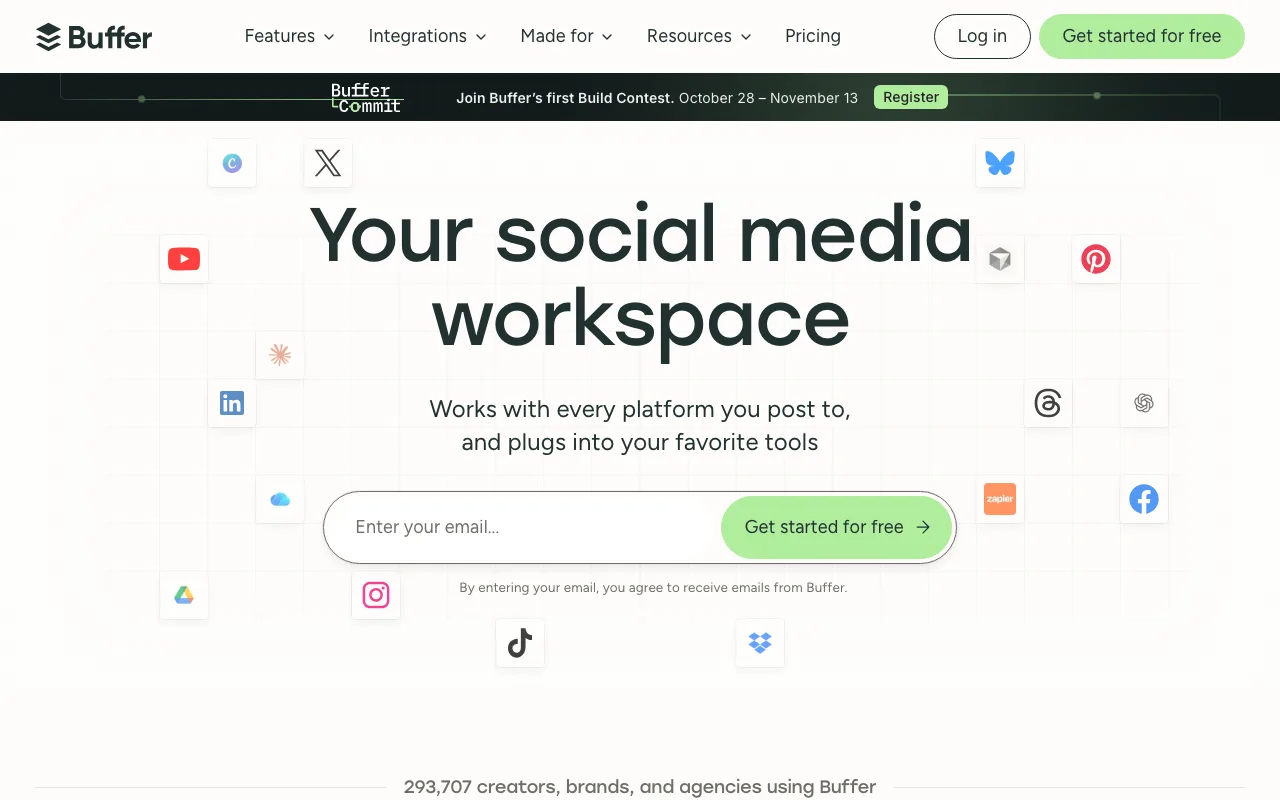
We checked these plans and prices against Buffer's official pricing and help pages in November 2026.
Buffer is a social media scheduler. You write posts once, queue them for each channel, and Buffer publishes them at set times. It also has a comments inbox (Community), analytics, an AI assistant, an ideas board and a link-in-bio page called Start Page. Buffer charges per channel, not per user. A channel is one connected account, so one LinkedIn page, one Instagram account and one X profile are 3 channels.
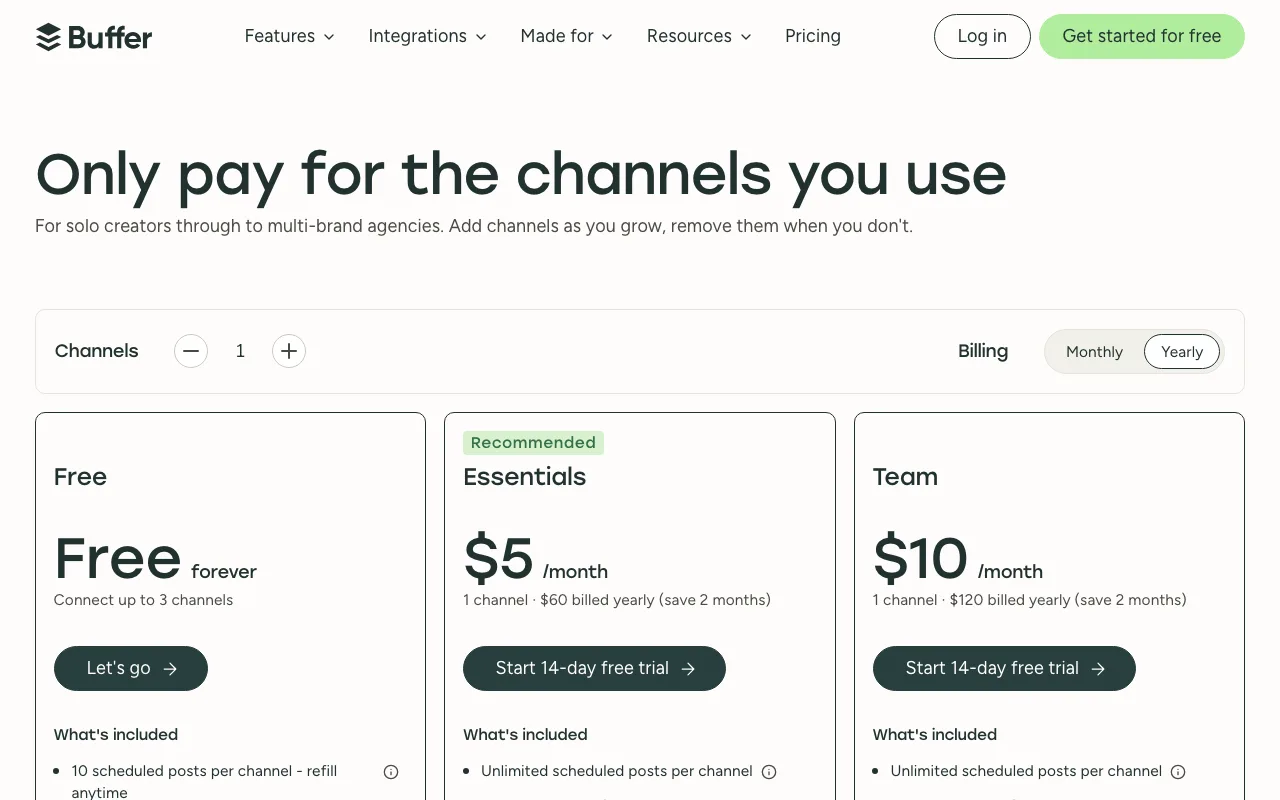
Buffer Pricing in November 2026
Prices are in USD per channel. Buffer says yearly billing saves 2 months.
| Plan | Per channel, billed yearly | Per channel, billed monthly | Key limits |
|---|---|---|---|
| Free | $0 | $0 | Up to 3 channels, 10 scheduled posts per channel, 100 ideas, 3 tags, 1 user, 30 days of insights history |
| Essentials | $60 a year ($5 a month) | $6 a month | Unlimited scheduled posts (fair use cap of 5,000), unlimited ideas, 250 tags, 1 user, unlimited insights history |
| Team | $120 a year ($10 a month) | $12 a month | Everything in Essentials plus unlimited users, approval workflows, custom access and permissions, branded reports |
Volume pricing above 10 channels
Channels 1 to 10 are billed at the standard rate. Channels after that cost less each.
| Channels | Essentials monthly | Essentials yearly | Team monthly | Team yearly |
|---|---|---|---|---|
| 1 to 10 | $6 | $60 | $12 | $120 |
| 11 to 25 | $4 | $40 | $4 | $40 |
| 26 to 50 | $3 | $30 | $3 | $30 |
| 51 and up | $1 | $20 | $2 | $20 |
Above 10 channels, Team costs the same per channel as Essentials, apart from the 51+ monthly tier. A brand that runs many accounts pays most of its bill for the first 10.
API limits by plan
Buffer's API is open on every plan, including Free.
| Plan | API keys | Requests per channel per month | Per 15 minutes / per 24 hours |
|---|---|---|---|
| Free | 1 | 1,000 (up to 3,000) | 150 / 600 |
| Essentials | 3 | 3,000 (up to 30,000) | 450 / 1,800 |
| Team | 5 | 10,000 (up to 100,000) | 1,500 / 6,000 |
What the free plan doesn't include
- More than 3 connected channels at once. Extra channels are locked if you go over.
- More than 10 scheduled posts per channel, or more than 100 ideas.
- A second user. Free and Essentials are both single-user plans.
- First comment scheduling, the hashtag manager, channel groups and custom video covers (Essentials and up).
- Reports, custom analytics, custom UTM parameters and performance overview (Essentials and up).
- Insights history older than 30 days.
- More than 5 AI reply suggestions a week and more than 1 saved reply.
- Approval workflows and permissions (Team only).
Free plan accounts also have a lifetime limit of 8 channel connections per social network. Paid plans do not have that limit.
What the Startup Program Requires
Buffer's help center lists every criterion. You must meet all of them:
- Fewer than 50 employees
- Incorporated 2 years ago or less
- Pre-seed, Seed or Series A stage
- A live company website
- A company LinkedIn page (a linkedin.com/company/ link, not a personal profile)
- A work email on your company domain. Gmail, Yahoo and Outlook addresses are rejected.
- A product or service company. Agencies, marketing consultancies and dev shops are excluded.
- No current or past paid Buffer plan, even under a different account
Buffer's help center also says bootstrapped companies are eligible and no funding is required, so "Pre-seed" includes self-funded startups. The program is open worldwide. Buffer reviews applications manually, usually within 48 hours. If you are turned down, Buffer tells you which criterion failed, and you can reapply when your situation changes.
The discount cannot be combined with other Buffer offers, such as the 50% nonprofit discount.
What the 50% Saves
Buffer's program terms say "any paid Buffer plan" and do not say whether yearly billing is covered. The examples show both, and you should confirm the billing period in your approval email before paying yearly.
Example 1: solo founder, Essentials, 5 channels
LinkedIn profile, LinkedIn page, X, Instagram and Threads.
| Billing | Standard price for 12 months | With 50% off | You save |
|---|---|---|---|
| Monthly | $6 x 5 x 12 = $360 | $180 | $180 |
| Yearly | $60 x 5 = $300 | $150 | $150 |
Example 2: 3-person team, Team plan, 8 channels
A founder, a marketer and a designer posting to two brands across 4 networks each.
| Billing | Standard price for 12 months | With 50% off | You save |
|---|---|---|---|
| Monthly | $12 x 8 x 12 = $1,152 | $576 | $576 |
| Yearly | $120 x 8 = $960 | $480 | $480 |
The second and third user cost nothing extra. Users are unlimited on Team, so a 10-person team on the same 8 channels pays the same standard $1,152 a year on monthly billing.
Example 3: 15 channels on Team
Volume pricing changes the math. Billed monthly, 10 channels at $12 plus 5 channels at $4 is $140 a month, or $1,680 a year. Half of that is $840. Billed yearly, 10 x $120 plus 5 x $40 is $1,400, and half is $700.
Year two
After 12 months the plan renews at Buffer's standard price. Buffer says it emails you before the discount year ends. In Example 2 on monthly billing, the bill goes from $48 a month to $96 a month. You can change plans or drop to Free at any time.
Which Plan Fits a Startup
Free works for testing. Three channels and 10 queued posts per channel cover a founder posting a few times a week. You lose analytics history after 30 days.
Essentials is for one person. You get unlimited scheduling, first comment scheduling for Instagram, reports and UTM parameters for tracking clicks in your analytics. At 50% off, 5 channels on monthly billing cost $15 a month.
Team is for anyone who needs a second login. It adds unlimited users, approval workflows and access levels. If a contractor or an intern writes drafts that you approve, you need Team.
Teams that fit Buffer
- Founders building in public. Queue a week of LinkedIn and X posts on Sunday and let Buffer publish them.
- Small teams with more people than channels. Team pricing is per channel, so adding users costs nothing.
- B2B startups whose growth channel is LinkedIn. Buffer connects LinkedIn Pages and personal profiles, with analytics and comment replies on both.
- Startups that need posting through an API. The API is on every plan, with up to 100,000 requests per channel a month on Team.
- Teams posting to newer networks. Threads, Bluesky, Mastodon and Substack Notes are all supported for publishing.
When Buffer is the wrong pick
- Agencies, consultancies and dev shops. They are excluded from the startup program and pay the standard price.
- Companies older than 2 years or with 50+ staff. You pay the standard price.
- Teams that need social listening or competitor benchmarking. Buffer does not offer either.
- Anyone who already paid for Buffer. Past paid customers are not eligible, even on a new account.
- Teams that live on Facebook Stories and Instagram Reels analytics. Buffer's help center says Facebook Stories and Instagram Reels have no analytics in Buffer, due to API limits.
- Teams that pay by PayPal or bank transfer. Buffer accepts Visa, Mastercard, American Express, JCB, Discover and Diners Club only.
Supported Channels
| Channel | Publishing | Advanced analytics | Comments |
|---|---|---|---|
| Facebook Pages | Yes | Yes | Yes |
| Facebook Groups | Notification publishing | No | No |
| Instagram business or creator | Yes | Yes | Yes |
| Instagram personal | Notification publishing | No | No |
| X profiles | Yes | Yes | Yes |
| LinkedIn Pages | Yes | Yes | Yes |
| LinkedIn profiles | Yes | No | Yes |
| Pinterest business | Yes | No | No |
| TikTok | Notification publishing | No | Yes |
| Google Business Profile | Yes | No | Yes |
| YouTube Shorts | Yes | No | Yes |
| Threads | Yes | No | Yes |
| Bluesky | Yes | No | Yes |
| Mastodon | Yes | No | Yes |
| Substack | Notes only | No | No |
Notification publishing means Buffer sends a reminder to your phone and you finish the post in the app. Personal Facebook profiles and LinkedIn Groups cannot be connected, due to API restrictions. YouTube support covers Shorts only.
Buffer vs Alternatives
| Buffer | Hootsuite | Sprout Social | Later | |
|---|---|---|---|---|
| Free plan | Yes: 3 channels, 1 user | None | None | None |
| Free trial | 14 days on Team | 14 days | 30 days on Professional | 14 days |
| Pricing model | Per channel | Per user | Per seat | Per plan |
| Entry paid plan | $5 a channel a month billed yearly, $6 monthly | Standard, starts at $99 | Essentials $79 a seat billed yearly, $99 monthly | Starter $18.75 a month billed yearly |
| Multi-user plan | Team: unlimited users from $10 a channel a month billed yearly | Professional, starts at $199 | Professional $299 a seat billed yearly | Growth $37.50 a month billed yearly, 2 users |
| Social listening | No | Not compared | Paid add-on on Standard and up | Not compared |
Sprout Social costs far more. Three Sprout Professional seats on yearly billing cost $299 x 3 x 12 = $10,764 a year. Buffer Team on 8 channels is $960 at standard yearly pricing. Sprout earns its price with a shared inbox for DMs, competitor reports and listening as an add-on.
Hootsuite has no free plan and starts at $99 for Standard. Its Standard plan covers 10 social accounts.
Later suits visual brands planning Instagram and TikTok grids. Its Starter plan is $18.75 a month on yearly billing for 1 user and 8 profiles, one per platform.
Buffer setup tips
- Start on Free, then apply. Buffer's help center says to create a free account first, then open the Startup Program page and click "Apply for 50% off."
- Prepare the application fields. Buffer asks for your company website, incorporation date, stage, team size and LinkedIn company page.
- Use your work email from the start. The account email must match your company domain.
- Apply before you pay. The program is for new paid customers only, and a past paid plan disqualifies you. Buffer's free trial runs 14 days on the Team plan, and without payment details the account drops back to Free. Apply on day one and pay only after the approval email arrives.
- Connect only the channels you will pay for. When you upgrade, every connected channel is billed, including ones you used on Free.
- Group channels. Channel groups (Essentials and up) let you post to all accounts of one brand in one go.
- Turn on two-factor authentication. 2FA is available on every plan, including Free.
Steps to get the Buffer deal
- Open the Buffer deal on SaaSOffers and follow the link to Buffer.
- Create a free Buffer account with your company email.
- Go to Buffer's Startup Program page and click "Apply for 50% off."
- Enter your company website, incorporation date, funding stage, team size and LinkedIn company page, then submit.
- Wait for the approval email. Buffer reviews applications by hand, usually within 48 hours.
- Choose Essentials or Team and the number of channels. The 50% applies for your first 12 months, then the plan renews at standard price.
Who Is This Deal For?
Early-Stage Startups
Seed and pre-seed companies looking to move fast without overspending on tools.
Growing SaaS Teams
Series A+ companies scaling their stack and optimizing software costs.
Solo Founders
Indie hackers and bootstrapped founders who need enterprise tools at startup prices.
Get 50% off for 12 months off Buffer
Premium deal. Upgrade once, unlock everything.
!Eligibility Requirements
Pre-seed to Series A startups, under 50 employees, founded in the last 2 years, no prior paid Buffer plan
How to get the Buffer deal
- The offer: 50% off for 12 months, for pre-seed to Series A startups, under 50 employees, founded in the last 2 years, no prior paid Buffer plan.
- Create a free SaaSOffers account, then upgrade to Premium ($79 a year, or $250 once for lifetime access). Premium unlocks every Premium deal on the site.
- Open the Buffer claim page from this deal. It shows the partner link, any promo code and the exact steps Buffer asks for.
- Apply or sign up through that link before you pay Buffer directly, since most startup offers only apply to new accounts.
Frequently Asked Questions
Everything you need to know about this startup deal.
Get the weekly deals digest
New verified startup deals every week. No spam, ever. Unsubscribe anytime.
Related Offers

OmniSEO
Used by 1,361 members
Free Trial
All-in-one SEO platform for keyword research, rank tracking, and site optimization.
View offer
Sprout Social
Used by 947 members
Free Trial
Enterprise social media management platform with analytics and engagement tools.
View offer
SurveyMonkey
20% off Team plans
20% off SurveyMonkey Team plans with code Saasoffers, plus the free Basic plan: unlimited surveys, AI survey building and 200+ integrations on paid plans.
View offer
Planable
Used by 747 members
Free Plan
Social media collaboration platform for planning, approving, and scheduling content.
View offer
ZoomInfo
Used by 2,014 members
Free Trial
B2B data platform for sales and marketing intelligence with contact databases.
View offerDeal Summary
Looking for more startup deals?
Browse all offers