
Cursor Promo Code: 1 year free Pro
The AI-first code editor that understands your entire codebase, free Pro plan for startup developers.
Free · Opens in new tab
Already have an account? Log in
Deal Highlights
What Is Cursor?
Cursor is the AI-first code editor that understands your entire codebase. Built on VS Code's foundation, Cursor adds AI-powered code completion, multi-file editing, codebase-aware chat, and intelligent refactoring, powered by GPT-4 and Claude models running against the full context of your project, not just the open file. In 2026, Cursor has become the default editor for AI-forward engineering teams who want GitHub Copilot-level completions plus codebase-level understanding.
The difference between Cursor and adding Copilot to VS Code: Cursor indexes your entire repository and uses it as context for every AI interaction. When you ask "how does the authentication flow work?" Cursor reads your auth middleware, route handlers, database models, and test files to give an answer grounded in your actual code. Not generic documentation.
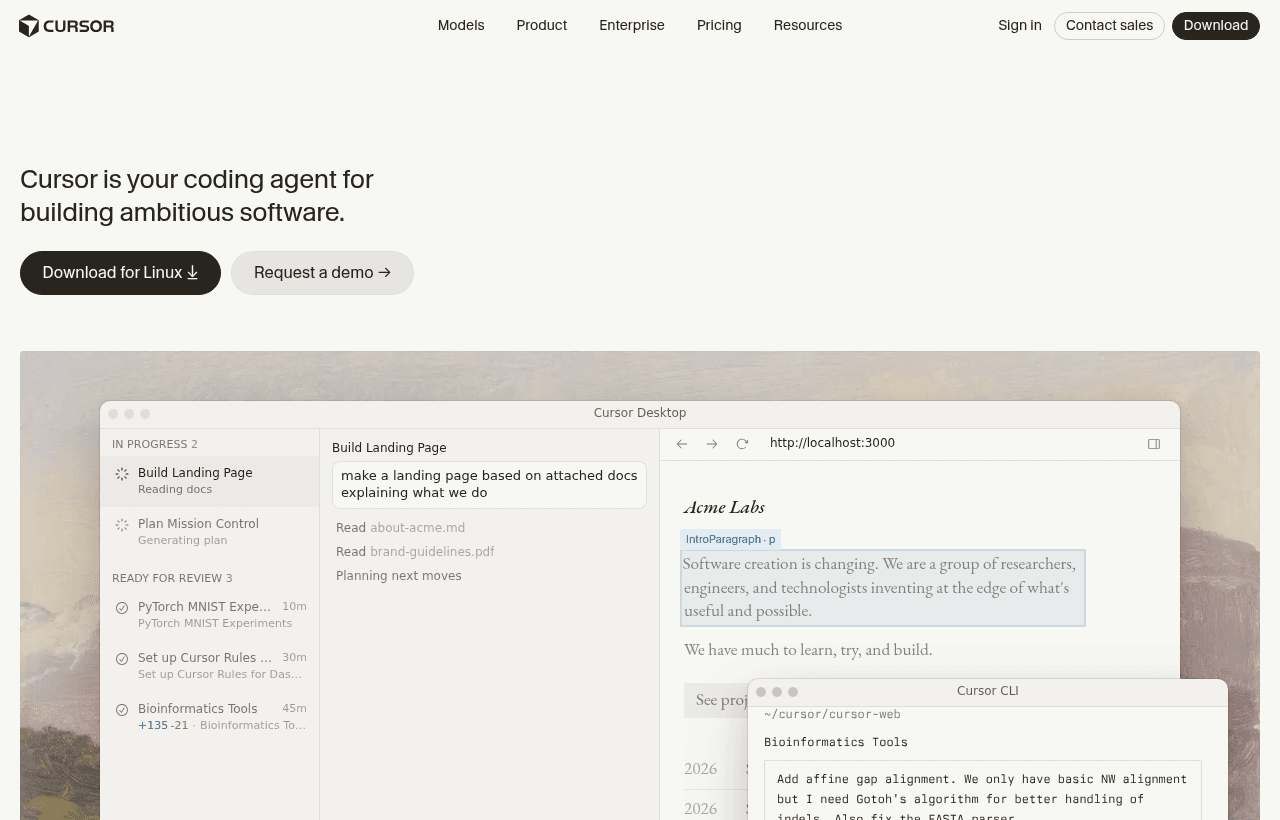
Cursor, one of the tools included in this startup deal.
Why This Deal Matters for Developer Productivity
AI code assistants are no longer experimental, they are productivity multipliers. Engineers using AI-powered editors report 30–50% faster task completion on routine coding work (boilerplate, refactoring, test writing, documentation). Cursor pushes this further by understanding project context, enabling multi-file edits from a single prompt, and providing an AI chat that actually knows your codebase.
The 1-year free Pro plan gives your engineering team the most capable AI coding experience available in 2026 without the $20/user/month Pro subscription cost that adds up across a growing team.
What's Included in the Cursor Startup Deal
Through SaaSOffers, qualifying startups receive:
- 1 year of Cursor Pro plan free
- Unlimited AI code completions powered by GPT-4 and Claude
- Codebase-aware AI chat, ask questions about your code, get answers from your code
- Multi-file editing, describe a change in natural language, Cursor edits across files
- Inline editing, select code, describe the change, Cursor rewrites it
- Codebase indexing, entire repository indexed for context-aware AI
- Custom model selection, choose between GPT-4o, Claude Sonnet, and other models
- Privacy mode, code is not used for training when enabled
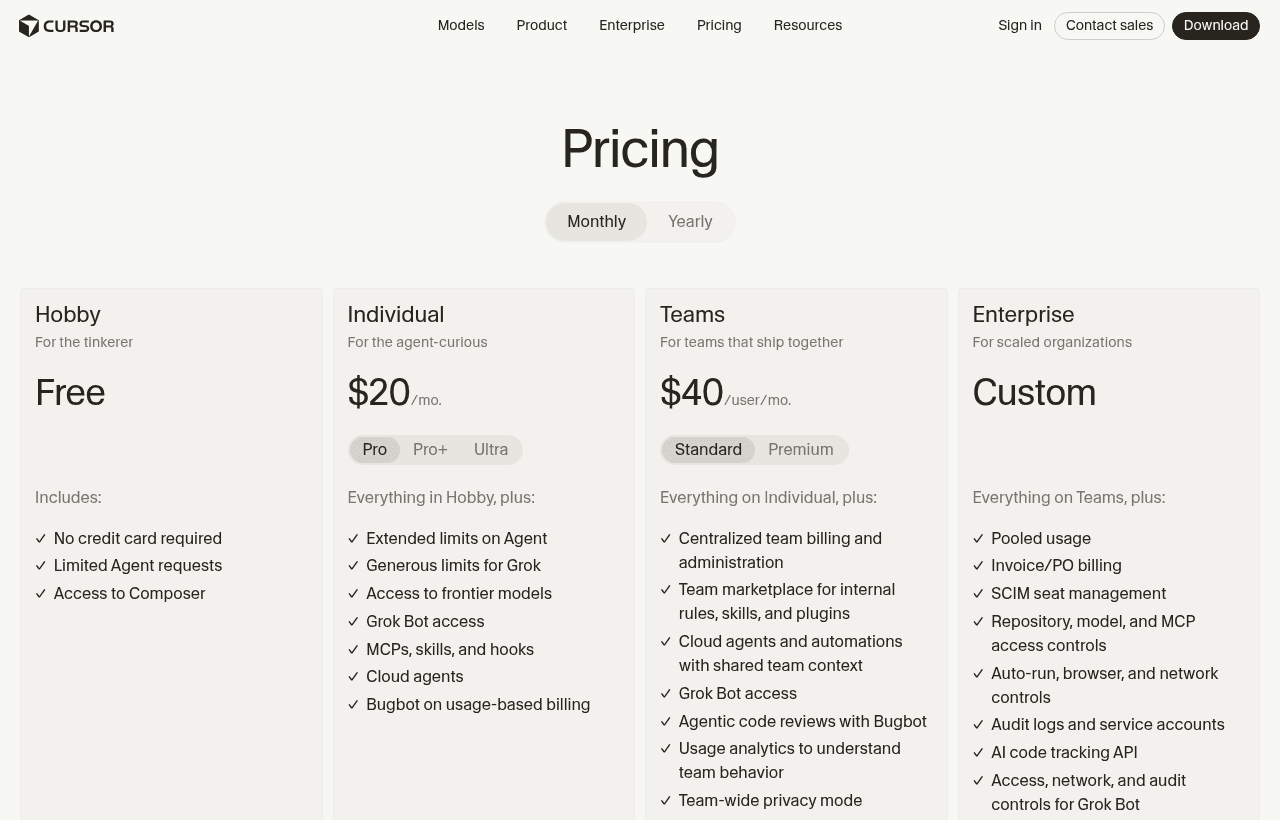
A look at Cursor before the discount, so you can see what the deal saves you.
Eligibility Requirements
- Startup developer or engineering team
- New Cursor account
- Applied through a qualifying startup platform
How to Claim This Cursor Deal. Step by Step
Step 1: Create a free account on SaaSOffers at saasoffers.tech and access the Cursor startup deal.
Step 2: Click "Get Deal" and follow the link to Cursor's startup program.
Step 3: Download Cursor from cursor.com. It installs alongside (not replacing) VS Code. Your VS Code extensions, themes, and keybindings import automatically.
Step 4: Open your project in Cursor and let the codebase indexing complete. Cursor reads and indexes every file in your repository to build a semantic understanding of your codebase.
Step 5: Start coding with AI completions. Cursor suggests multi-line completions as you type. Not just the current line, but entire function bodies, test cases, and implementation blocks based on context from your codebase.
Step 6: Use Cmd+K (inline edit) to select code and describe changes in natural language. "Add error handling to this function" or "Convert this to use async/await". Cursor rewrites the selected code.
Step 7: Use Cmd+L (chat) for codebase questions. "How does the payment webhook handler work?" or "What files would I need to change to add a new API endpoint?". Cursor searches your codebase and provides grounded answers.
Key Features of Cursor for Startups
Codebase-Aware AI. Not Just Autocomplete
Standard AI code assistants (Copilot, Codeium) complete code based on the current file and a few related files. Cursor indexes your entire repository. Every file, every function, every type definition and uses this context for completions, chat answers, and multi-file edits. The result: AI suggestions that are consistent with your codebase's patterns, naming conventions, and architecture.
Multi-File Editing. Describe Once, Change Everywhere
Describe a change in natural language: "Rename the User model to Account across the entire project." Cursor identifies every file that references User, models, controllers, tests, types, migrations and proposes changes across all of them in a single diff. Review and accept the changes file by file, or accept all at once.
Inline Editing (Cmd+K)
Select a block of code, press Cmd+K, and describe what you want changed. "Add input validation" "Convert to TypeScript" "Add unit tests for this function" "Optimize this database query". Cursor rewrites the selected code inline. The original code is shown as a diff, so you see exactly what changed before accepting.
AI Chat with Code Context (Cmd+L)
Ask questions about your codebase in natural language. Cursor's chat searches your indexed codebase, retrieves relevant files, and generates answers grounded in your actual code. This is dramatically more useful than generic AI chat (ChatGPT, Claude) for codebase-specific questions because the AI has read your code.
Privacy Mode
When enabled, privacy mode ensures your code is not stored or used for model training by the AI providers. For startups handling sensitive code (fintech, healthcare, security), privacy mode provides the AI productivity benefits without the data sharing concerns.
Cursor vs VS Code + GitHub Copilot vs JetBrains AI
| Factor | Cursor | VS Code + Copilot | JetBrains + AI |
|---|---|---|---|
| Codebase indexing | Full repo | Partial (open files + neighbors) | Partial |
| Multi-file editing | Yes (natural language) | No | Limited |
| AI chat quality | Excellent (codebase-grounded) | Good | Good |
| Inline editing | Yes (Cmd+K) | No (Copilot Chat) | Limited |
| Model selection | GPT-4o, Claude, custom | GPT-4 (Copilot) | JetBrains AI |
| VS Code compatibility | Full (fork) | Native | N/A (different IDE) |
| Privacy mode | Yes | Enterprise only | Yes |
| Price | $20/user/month (Pro) | $10/user/month | $10/user/month |
| Startup credits | 1 year free | Via GitHub deal | Via JetBrains deal |
Cursor wins on codebase understanding, multi-file editing, and AI interaction quality. Copilot wins on price and native VS Code integration. JetBrains wins for teams committed to IntelliJ-family IDEs. For startups prioritizing maximum AI-assisted development speed, Cursor is the strongest option in 2026.
Who Is the Cursor Deal For?
Full-stack engineering teams (2–15 engineers): Cursor's codebase indexing scales to medium-sized repositories (100K+ lines of code). Teams working on a shared codebase benefit most. Every developer gets AI assistance grounded in the full team's code, not just their own files.
Solo developers shipping fast: A solo founder using Cursor writes code at the speed of a 2-person team. Multi-file editing, inline refactoring, and codebase chat replace the second pair of eyes that a solo developer does not have.
Startups onboarding new engineers: New team members use Cursor's codebase chat to understand unfamiliar code, "What does the middleware in auth.ts do?" "How are database migrations structured in this project?", reducing onboarding time from weeks to days.
Real Startup Use Cases
ShipFast (SaaS, 4 engineers): ShipFast's team adopted Cursor and measured a 35% reduction in time spent on routine coding tasks, writing tests, adding error handling, refactoring patterns, and documenting functions. The multi-file rename feature saved an estimated 4 hours during a large refactoring sprint that renamed 3 core models across 80+ files.
AITools (developer tools, solo founder): The solo founder uses Cursor as a pair programming partner. Codebase chat answers architecture questions that would otherwise require re-reading code written 3 months ago. Inline editing handles boilerplate (API route handlers, database query functions) in seconds instead of minutes. Estimated productivity boost: equivalent to a 0.5 FTE junior developer.
HealthApp (healthcare SaaS, 6 engineers): HealthApp enabled privacy mode for HIPAA compliance concerns. The engineering team uses Cursor for code completion and refactoring without any code being stored by AI providers. Codebase indexing runs locally, and AI interactions are processed without retaining the code after the response is generated.
Tips to Maximize Your Cursor Deal
- Let the codebase index fully before using AI features. First-run indexing takes 5–30 minutes depending on repository size. Wait for indexing to complete before evaluating Cursor's AI quality, unindexed results are dramatically worse than indexed results.
- Use Cmd+K for all routine edits. Adding error handling, converting patterns, writing tests, adding type annotations. These are 10-second Cmd+K operations instead of 5-minute manual edits. The habit of reaching for Cmd+K first becomes the primary productivity multiplier.
- Use chat (Cmd+L) for code understanding, not just generation, "Why does this function exist?" "What calls this API endpoint?" "What would break if I changed this type?", codebase-grounded answers are more accurate than reading code manually for understanding.
- Create .cursorrules for project-specific AI behavior. Add a .cursorrules file to your repository defining coding conventions, framework preferences, and common patterns. Cursor's AI follows these rules for completions and edits, producing code that matches your team's style.
- Enable privacy mode for sensitive codebases. If your code handles financial data, health records, or security-sensitive logic, enable privacy mode. The AI productivity benefit remains; the data retention risk is eliminated.
Cursor Alternatives
Looking for Cursor alternatives? While Cursor is a strong choice for ai tools, it is not always the right fit for every team. Compare Cursor against the top alternatives in our category. Each with verified startup deals and credits. See all Cursor alternatives →
Many startups end up using a combination of tools, and there are no restrictions on claiming multiple deals through SaaSOffers. Whether you need a cheaper option, different features, or a better startup deal, there is an alternative worth considering.
A final practical note for teams adopting AI-assisted coding is to establish norms rather than leaving it to individual habit. Agreeing when AI-generated code needs the same review as any other change, how much to trust its suggestions in sensitive areas, and where it should not be used at all, turns an individual tool into a team practice that captures the speed without accumulating the subtle bugs that unreviewed AI code can introduce. For a startup building a codebase it will live with for years, that discipline is what makes the velocity sustainable rather than a source of technical debt discovered later.
The Skill Is Knowing When to Trust It
As AI coding tools become standard, the differentiating developer skill is shifting from writing every line to knowing precisely when to trust the AI and when not to, and cultivating that judgment is how a team gets the speed without the risk. The AI is reliably good at the routine and the well-trodden, generating boilerplate, translating between patterns it has seen countless times, explaining unfamiliar code, and less reliable on the novel, the subtle, and the security-sensitive, where its confident output can hide real mistakes. A developer who has internalized that distinction moves fast where speed is safe and slows down to verify where it is not, which is exactly the behavior that captures the productivity gain while avoiding the failure modes. For a startup, encouraging that judgment across the team, rather than either banning the tool or trusting it blindly, is how AI-assisted development becomes a durable advantage in shipping speed rather than a source of bugs that surface later, and the tool is most valuable in the hands of developers who have learned where its strengths end.
Looking further ahead, the teams that will benefit most from AI in their development are the ones that build the habits now, while the tools are becoming capable but still require judgment, because those habits, knowing how to prompt effectively, where to trust and where to verify, how to fold AI assistance into review and testing, are themselves a form of accumulated advantage. A startup that adopts these tools thoughtfully and develops a real practice around them is compounding a capability that will matter more over time, not just capturing a one-off speed boost. The credit lowers the cost of building that practice during the period when doing so is most valuable, and the payoff is a team that ships faster and, crucially, ships well, having learned to use a powerful and imperfect tool with the judgment it requires rather than either avoiding it or trusting it uncritically. The tools will only get more capable, and the developers and teams who have learned to work alongside them with sound judgment will be the ones who turn that capability into a lasting advantage rather than a liability, which is why building the practice now, while the credit lowers the cost, is worth the deliberate effort.
Who Is This Deal For?
Early-Stage Startups
Seed and pre-seed companies looking to move fast without overspending on tools.
Growing SaaS Teams
Series A+ companies scaling their stack and optimizing software costs.
Solo Founders
Indie hackers and bootstrapped founders who need enterprise tools at startup prices.
Get 1 year free Pro off Cursor
Premium deal. Upgrade once, unlock everything.
Frequently Asked Questions
Everything you need to know about this startup deal.
Cursor is a fork of VS Code — it uses the same core editor, supports the same extensions, and imports your VS Code settings. The difference: Cursor adds AI features (codebase indexing, multi-file editing, inline AI editing, codebase-aware chat) that are deeper than what VS Code provides with GitHub Copilot. You can run both editors simultaneously.
Get the weekly deals digest
New verified startup deals every week. No spam, ever. Unsubscribe anytime.
Related Offers

Higgsfield
55% off annual Business plan
55% off an annual Higgsfield Business plan. Higgsfield is an AI video and image studio with Seedance, Kling, Veo and more in one account.
View offer
Seedance
55% off annual Business plan
55% off an annual Higgsfield Business plan with Seedance included. Seedance is ByteDance's AI video model for text, image and reference-driven clips.
View offerChromaDB
Used by 306 members
Free & Open Source
Open-source embedding database for building AI applications with semantic search.
View offer
Laxis
Used by 2,176 members
Free Plan
AI meeting assistant that records, transcribes, and generates actionable meeting notes.
View offer
Pictory
Used by 659 members
Free Trial
AI-powered video creation tool, turn text, scripts, and blogs into videos.
View offer
Segment
Used by 2,293 members
$25,000 in credits
Collect, clean, and route customer data to every tool in your stack with the leading customer data platform.
View offerDeal Summary
Looking for more startup deals?
Browse all offers