Most startup websites set tracking cookies before the visitor has agreed to anything. Google Analytics, an ad pixel, a chat widget and an embedded video can all fire on the first page load. If any of your visitors are in the EU or the UK, that is a problem. If you buy Google Ads in Europe, it is also a measurement problem that costs you money.
This guide covers what the rules ask of a normal startup site, why Google Consent Mode v2 matters, how to pick a consent management platform (CMP), and how the main tools compare on price and limits. We feature Cookiebot by Usercentrics first. You can find its free plan and 14-day trial on the Cookiebot deal page on SaaSOffers.
This article is general information, not legal advice. Talk to a lawyer about your own setup.
What the EU rules require
In the EU, the ePrivacy Directive covers the cookie itself. Article 5(3) says storing information on a user's device, or reading information already stored there, is only allowed once the user has given consent after receiving clear and comprehensive information about the purposes. There is an exemption for storage that is strictly necessary to provide a service the user explicitly asked for. A login session cookie or a shopping basket cookie fits. Analytics and advertising cookies do not.
The GDPR then defines what valid consent looks like. The European Commission's guidance boils it down to a short list:
- Freely given. The person must be able to refuse without a downside.
- Specific and informed. You state the purposes in clear, plain language.
- An affirmative act. The EDPB's guide for small businesses says consent needs "a clear affirmative action." A pre-ticked box is not one.
- Provable. You must be able to show that the person consented.
- Easy to withdraw. It has to be as easy to withdraw consent as it was to give it.
In practice, a compliant banner on a startup site does four things. It blocks non-essential scripts until the visitor makes a choice. It offers a real way to refuse. It lets the visitor change their mind later, usually through a small link or icon. And it logs each choice so you can produce proof.
A banner with a single "OK" button does none of those things. Neither does a banner that shows up while Google Analytics is already running underneath it.
What changes for UK visitors
The UK has its own version of the cookie rule in PECR, with UK GDPR setting the standard for consent. The ICO says you cannot set non-essential cookies before the user has consented, and that continuing to use the website is not consent.
The Data (Use and Access) Act 2025 added new exceptions to PECR. The one founders care about covers cookies used only to collect statistics about your service so you can improve it. The ICO's guidance sets tight conditions. The statistical purpose has to be the sole purpose. You must give clear information and a simple, free way to object. Any third party that receives the data can only use it to help improve your service.
The same guidance is blunt about ads: "The statistical purposes exception does not apply to purposes related to online advertising." Tracking individual visitors across sites or devices also still needs consent. So a basic first-party analytics setup may qualify in the UK. Your Meta Pixel and Google Ads tags do not.
What US state laws ask for
US privacy laws mostly work on an opt-out model instead of opt-in. California is the one most startups hit first. According to the California Attorney General, the CCPA applies to for-profit businesses that do business in California and meet any one of three tests:
- Gross annual revenue over $25 million
- Buying, selling or sharing the personal information of 100,000 or more California residents or households
- Making 50% or more of annual revenue from selling California residents' personal information
Plenty of early-stage startups fall below all three. If you are covered, the duties are concrete. A business that sells or shares personal information must offer a clear "Do Not Sell or Share My Personal Information" link. "Sharing" here means cross-context behavioral advertising, which is what most ad pixels do. The business must offer two or more ways to opt out, and it must honor the Global Privacy Control (GPC) browser signal as a valid opt-out request.
Other states have their own laws. Cookiebot, for example, lists Virginia's VCDPA alongside the CCPA. If you expect US scale, pick a CMP that supports GPC and can show different banners by region.
Google Consent Mode v2 and why it matters for ads
Consent Mode is how your banner tells Google tags what the visitor chose. Google's developer documentation lists four consent parameters:
| Parameter | What it controls |
|---|---|
| ad_storage | Advertising cookies and device identifiers |
| analytics_storage | Analytics cookies |
| ad_user_data | Sending user data to Google for advertising |
| ad_personalization | Personalized advertising and remarketing |
The last two were added for EEA traffic. Google's Ads help center says advertisers must collect consent from end users in the EEA and share consent signals with Google to keep using its tags for measurement, ad personalization and remarketing. The requirement also covers Google Analytics data used in Google Ads.
There are two ways to run it. In basic mode, Google tags stay fully blocked until the visitor interacts with the banner, and nothing is sent if they decline. In advanced mode, tags load with consent set to denied by default and send cookieless pings. Google uses those pings to model the conversions it cannot observe. Google's documentation says advanced mode uses an advertiser-specific model, while basic mode relies on a general one. Either way, your tags need enough data to meet Google's threshold before modeling kicks in.
The practical point: if you run Google Ads to Europe without Consent Mode v2, your remarketing and conversion data get thinner. Google's own setup guide recommends working with a partner CMP and enabling Consent Mode in the banner settings. Its list of integrated CMP partners includes Cookiebot, Usercentrics, CookieYes and iubenda, among others. Google also notes that using a partner does not by itself guarantee compliance with its EU User Consent Policy. The banner you show still has to be right.
How to choose a CMP
Start with your own site, not the feature lists.
- 1How is it priced? Some tools charge by pages on your site, some by pageviews or visitors. A blog with 600 posts and low traffic suits a pageview model. A small site with heavy traffic suits a page-count model.
- 2Does it block scripts automatically? Manual blocking means tagging every tracking script by hand. Auto-blocking holds back known trackers until consent. On a marketing site where people add tools often, auto-blocking saves real mistakes.
- 3Does it send Consent Mode v2 signals natively? If you buy Google Ads, this is close to mandatory.
- 4Which regions does it handle? Look for geotargeting, GPC support and IAB TCF if you sell ad inventory.
- 5What does the free plan really cover? Check the language limit, the scan schedule and whether consent logs are included.
Cookiebot by Usercentrics
Cookiebot is the CMP from Usercentrics. Its homepage says it runs on 2.4 million websites and apps and manages 8.8 billion user consents a month. It also describes a Google-certified CMP partnership and appears on Google's list of integrated CMP partners.
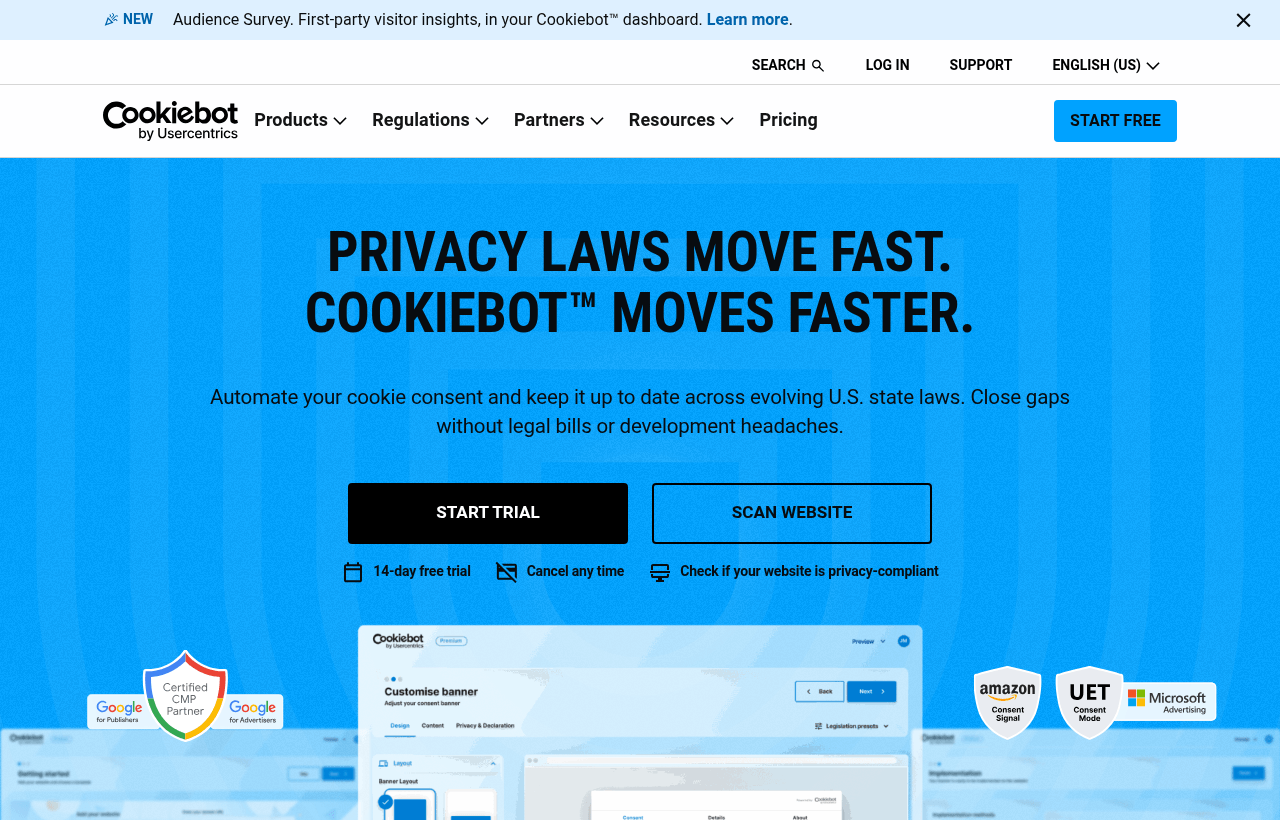
How it works. Cookiebot scans your site for cookies and trackers and sorts them into necessary, preferences, statistics and marketing. The banner then asks the visitor which categories to allow. Blocking is where it does the real work. Cookiebot's help center explains that its auto-blocker checks each script, iframe or image about to load against a list built from your scans and holds back the ones that track before consent. The manual option is also documented: you set a script's type to "text/plain" and add a data-cookieconsent attribute with the category.
Load order is the first thing to get right. The Cookiebot script must load before anything else, and it should not be loaded async or deferred. Anything that loads ahead of it can set cookies without consent. Auto-blocking also cannot stop tracking until the first scan of your domain has finished. Run the scan before you go live.
Pricing. Cookiebot charges per domain by subpage count, not by traffic. Prices on the official pricing page are in euros per month, excluding VAT:
- Free: 1 domain, up to 50 subpages
- Premium Lite: €7 for 1 domain, up to 50 subpages
- Premium Small: €15 per domain, up to 350 subpages
- Premium Medium: €30 per domain, up to 3,500 subpages
- Premium Large: €50 per domain, up to 7,000 subpages
- Premium XLarge: €90 per domain, more than 7,000 subpages
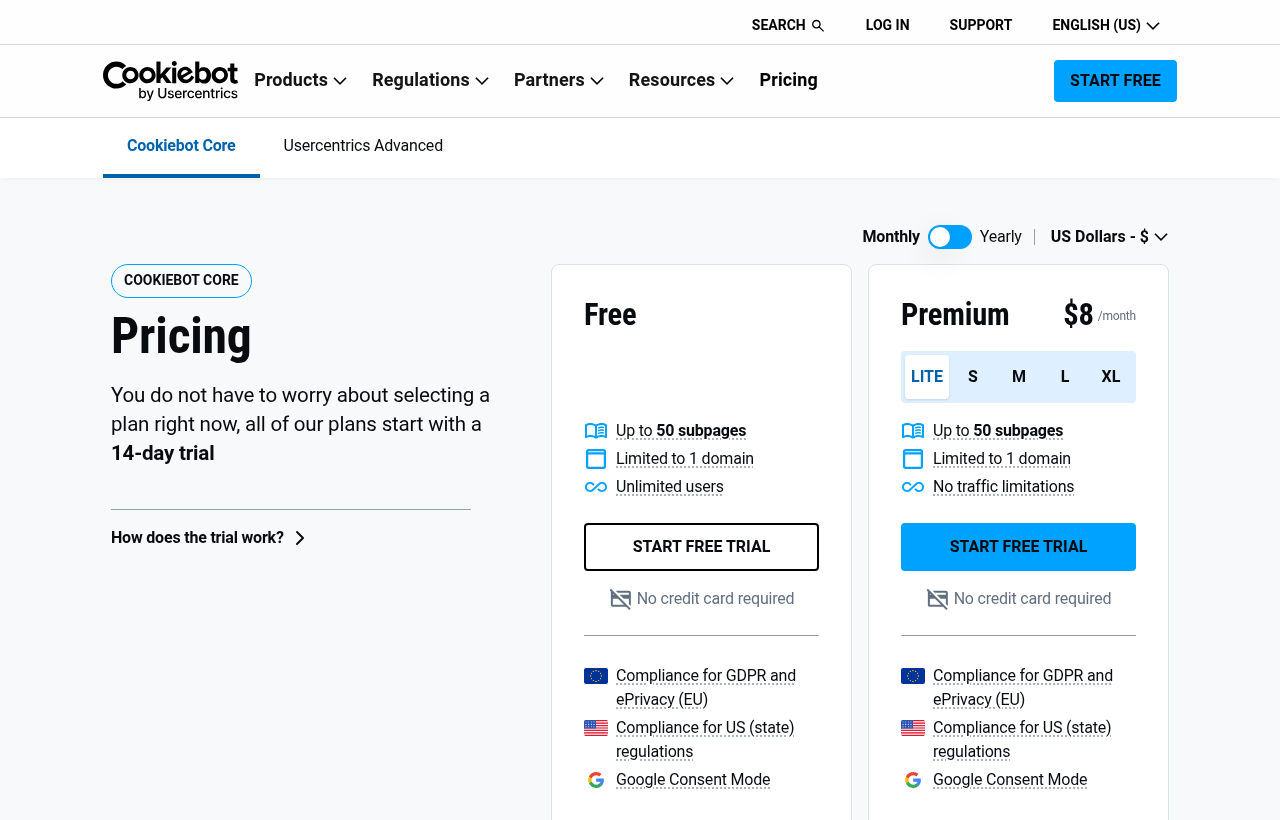
Daily scanning is an add-on at €99 a month. Larger companies can go to Usercentrics Advanced, which is priced by sessions through sales.
What the free plan includes. Google Consent Mode, Microsoft UET Consent Mode, the Amazon consent signal, GPC support and manual blocking. That makes the free tier unusually useful for a founder running Google or Microsoft ads to a small site.
Where the free plan stops. One language. No automatic blocking, geotargeting, IAB TCF, CSV export of consents or custom branding. Consent on the free plan expires after up to one month, so returning visitors see the banner again sooner. Premium plans allow up to 12 months.
The trial. Cookiebot's pricing page lists a 14-day trial of premium features for one domain with no credit card required. Use it to test auto-blocking and Consent Mode on your real site before you choose a tier.
Good fit: startups running Google Ads to EU traffic, sites on WordPress or Wix (both have official integrations), and teams that want a well-known CMP to name in security questionnaires.
Weaker fit: content-heavy sites. Blog posts, docs pages and programmatic pages all count toward the subpage total, so a growing site can move up tiers quickly. Count your URLs first. The Cookiebot offer on SaaSOffers has a fuller breakdown of the plans and setup steps.
Alternatives worth comparing
CookieYes
CookieYes prices by pageviews per domain. The free plan covers 5,000 pageviews a month, 100 pages per scan and 5 scans a month. Basic is $10 a month for 100,000 pageviews, and Pro is $25 for 300,000. Overage on both is $0.30 per 1,000 pageviews. Consent Mode v2 and a consent log are on every plan, including free. IAB TCF, geotargeting and GPC start at Pro. Paid plans have a 14-day trial. It is a good pick for sites with many pages and modest traffic.
Termly
Termly bundles a consent banner with policy generators. The free plan covers one website, 10,000 banner views a month, one basic legal policy and quarterly scans. Starter is $10 a month billed annually or $14 monthly. Pro+ is $15 billed annually or $20 monthly. Termly lists a script auto-blocker on all plans, which is unusual at the free tier. Consent logs, multi-language banners, regional rules and IAB TCF are Pro+ features. Pick Termly if you also need a privacy policy and terms of service written.
iubenda
iubenda is popular with European small businesses and agencies. Essentials costs €4.99 a month per site on yearly billing (€5.99 monthly) and covers 25,000 pageviews a month in one language. Advanced is €19.99 a month yearly with all languages and geotargeting. Its pricing page lists Google Consent Mode v2, IAB TCF, a privacy policy generator and a permanent consent log on every core plan. Extra pageviews cost €0.05 per 1,000. There is a 14-day trial.
Osano
Osano has a free plan for one domain and 5,000 monthly visitors. The next step, Plus, costs $199 a month for 3 domains and 30,000 monthly visitors and adds privacy templates and a UK and GDPR representative. Its pricing page lists GPC and Google Consent Mode support. Osano makes sense for a company that wants consent and broader privacy operations from one vendor.
OneTrust
OneTrust is the enterprise option. Its pricing page shows two consent packages, CMP Base and CMP Suite, both priced on average daily visitors through a sales quote. There is no self-serve plan. It fits a company with a privacy team and many brands. Most seed-stage startups will find it more product and more contract than they need.
Comparison table
| Tool | Free plan | Entry paid plan | Priced by | Consent Mode v2 | Best for |
|---|---|---|---|---|---|
| Cookiebot | 1 domain, 50 subpages | €7/mo (Premium Lite) | Subpages per domain | Yes, on free | Google Ads to EU traffic |
| CookieYes | 5,000 pageviews/mo | $10/mo (Basic) | Pageviews per domain | Yes, on free | Many pages, modest traffic |
| Termly | 1 site, 10,000 banner views/mo | $10/mo yearly (Starter) | Banner views per site | Listed | Banner plus legal policies |
| iubenda | Not detailed on pricing page | €4.99/mo yearly (Essentials) | Pageviews per site | Yes, all core plans | EU small businesses |
| Osano | 1 domain, 5,000 visitors/mo | $199/mo (Plus) | Visitors and domains | Listed on pricing page | Wider privacy program |
| OneTrust | None | Quote only | Average daily visitors | Ask sales | Enterprise privacy teams |
Prices are as listed on each vendor's official pricing page in October 2026. They change, so check before you buy.
A setup checklist for founders
- 1Count your URLs from your sitemap and estimate monthly pageviews. That tells you which pricing model is cheaper for you.
- 2List every tracker on the site: analytics, ad pixels, chat, heatmaps, embeds.
- 3Install the CMP script as the first script in the page head.
- 4Run a scan and classify anything left unclassified.
- 5Turn on auto-blocking, or tag scripts manually.
- 6Enable Consent Mode v2 if you use Google tags.
- 7Test in a private window. Refuse everything and check your browser storage. Then accept and check again.
- 8Add a cookie declaration to your cookie policy and a link that lets visitors reopen their settings.
A CMP covers the consent layer only. You still need an accurate privacy policy and agreements with the vendors who receive your data.
For most startups buying ads in Europe, Cookiebot is a sensible first choice. The free plan includes Consent Mode, and the paid tiers start low. If your site has hundreds of pages and little traffic, run the numbers on CookieYes or iubenda too. To start with Cookiebot, claim the free plan and 14-day trial here, then browse the rest of the 495 hand-checked startup deals on SaaSOffers.

Software engineer and product builder with 13+ years of experience across software engineering, product development, and startup operations. Built SaaSOffers to make every startup deal discoverable and verified for founders worldwide.
Ready to unlock these deals?
Free account. No credit card required.