

ClickUp vs Monday.com for Startups in 2026
Choosing between ClickUp (6 months free Business) and Monday.com (6 months free Pro) for your startup? This side-by-side comparison covers features, startup deals, pricing, and which tool fits your stack, with verified deals you can claim through SaaSOffers.
Quick Answer
ClickUp offers 6 months free Business and is best for startups needing operations & productivity. Monday.com offers 6 months free Pro and is best for operations & productivity. Monday.com provides a higher-value startup deal, but ClickUp may be the better fit depending on your stack. You can claim both through SaaSOffers, there are no restrictions on using multiple startup deals.

ClickUp
Get 6 months free on ClickUp Business, the all-in-one productivity platform that consolidates tasks, docs, goals, whiteboards, chat, and time tracking into a single workspace.

Monday.com
Get 6 months free on Monday.com Pro, the visual Work OS that powers project management, CRM, dev sprints, and operations workflows for over 225,000 customers worldwide.
What Is ClickUp?
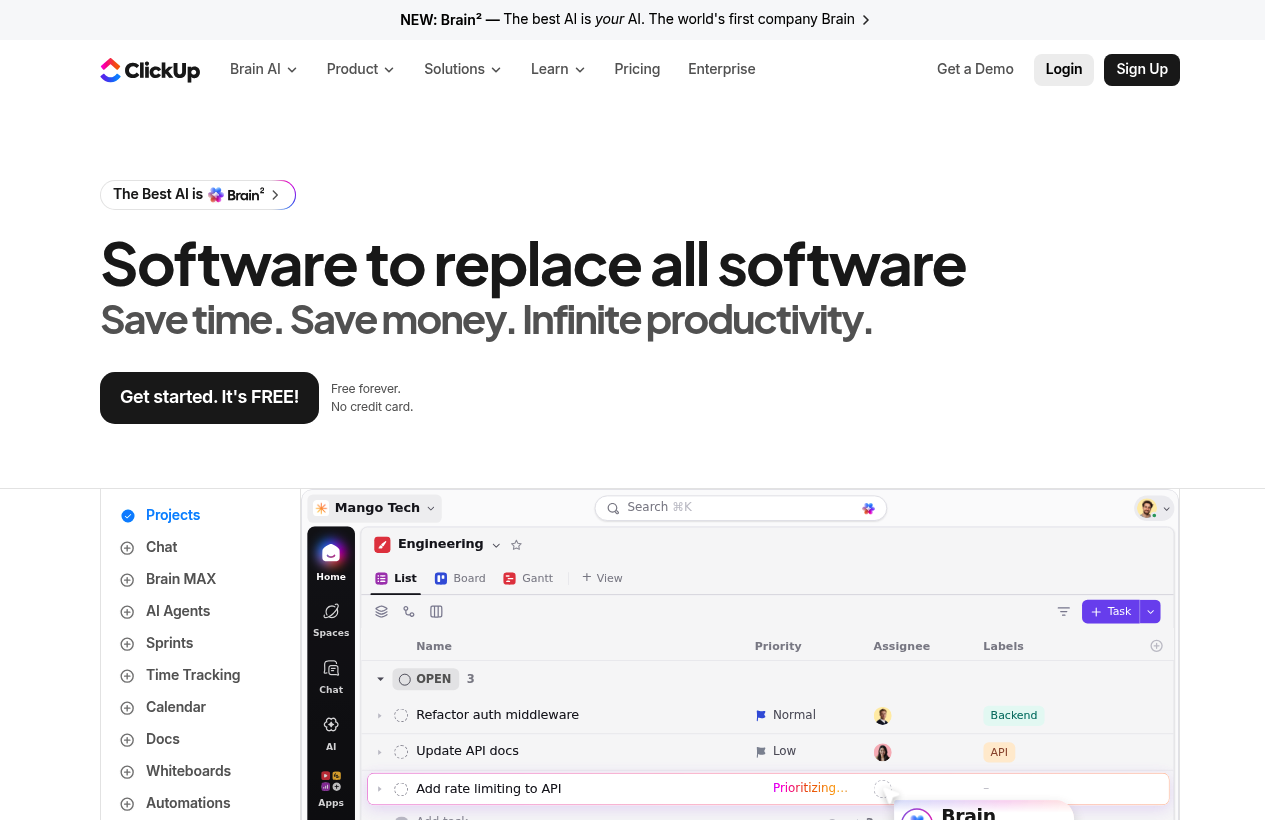
*ClickUp, one of the tools included in this startup deal.*
What Is Monday.com?
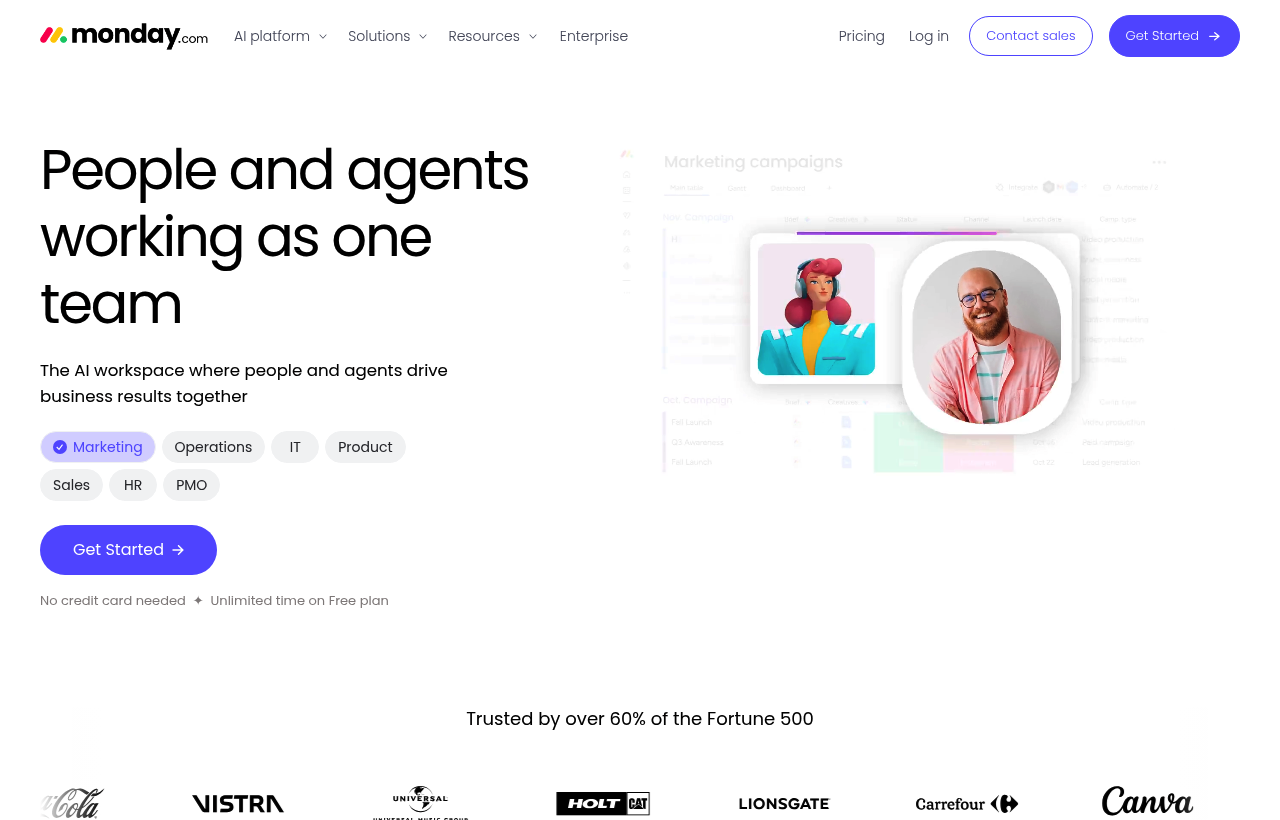
*Monday.com, one of the tools included in this startup deal.*
ClickUp vs Monday.com, Detailed Comparison
What's Included in Each Startup Deal
Here is exactly what you get when claiming each deal through SaaSOffers:
CClickUp
- 6 months of ClickUp Business
- Unlimited tasks and members
- Goals and OKR tracking
- Automations
- Time tracking and dashboards
MMonday.com
- 6 months of Monday.com Pro
- Unlimited boards and items
- Timeline and Gantt views
- Automations and integrations
- Chart and dashboard views
ClickUp and Monday.com are the two most-mentioned work management platforms when teams outgrow simple task tools like Asana or Trello. Both promise flexibility, both offer many view types, both support automations, and both are credible at scale. The difference is in design philosophy, and the choice between them often comes down to which philosophy fits how your team actually thinks about work.
ClickUp's bet: consolidate every productivity tool into one platform with maximum feature density. Replace Asana + Notion + Toggl + Miro + Lattice with a single subscription.
Monday's bet: visual clarity and approachability matter more than feature density. A non-technical team member should be able to configure their own boards in 30 minutes.
Here's the honest comparison.
Side-by-Side Scoring Matrix
| Dimension | ClickUp | Monday.com |
|---|---|---|
| Visual polish | Decent | Excellent |
| Customization depth | Highest | Very high |
| Learning curve | Steep | Moderate |
| Number of views | Most (15+ view types) | Many (10+ view types) |
| Built-in time tracking | Yes (Business tier) | Yes (Pro tier) |
| Built-in goals / OKRs | Yes (ClickUp Goals) | Add-on (limited native) |
| Built-in docs | Yes (ClickUp Docs) | Yes (Workdocs) |
| Built-in whiteboards | Yes (ClickUp Whiteboards) | Limited |
| Built-in chat | Yes (ClickUp Chat) | Limited |
| Built-in CRM | DIY (build with custom fields) | Monday Sales CRM (separate product) |
| AI features | ClickUp Brain | Monday AI |
| Automation actions per month | 25,000+ at Business tier | 25,000 at Pro tier |
| Pricing positioning | Mid-market (slightly higher per-user) | Mid-market |
| Best fit | Tooling consolidation, dense workflows | Visual ops, non-technical users |
The matrix is closer than the marketing suggests. Both platforms have substantially overlapping feature sets. The differentiation is in feel and philosophy, not in raw capability.
Pricing Structure
ClickUp
- Free Forever: Unusually generous, 100MB storage, unlimited tasks, unlimited members, all view types.
- Unlimited: Per-user, unlimited storage, unlimited integrations, unlimited dashboards, basic automations.
- Business: Google SSO, advanced automations, advanced time tracking, workload management, ClickUp AI access.
- Business Plus: Team sharing, custom roles, custom permissions, increased automation limits.
- Enterprise: Custom roles, advanced security (SAML SSO), HIPAA-eligible, dedicated CSM.
Monday.com
- Free: Up to 2 users, 3 boards, basic features. Trial-only realistically.
- Basic: Unlimited free viewers, unlimited items, basic features.
- Standard: Timeline + Gantt views, calendar, automations (250 actions/month), integrations, guest access, dashboards combining 5 boards.
- Pro: Time tracking, formula column, dependency column, private boards, automations and integrations bumped to 25,000 actions/month each, dashboards combining 10 boards.
- Enterprise: Custom roles, advanced security (HIPAA, SAML SSO), dedicated CSM, advanced reporting.
ClickUp's Free Forever is more generous than Monday's Free. At paid tiers, per-user pricing is broadly similar, ClickUp Business and Monday Pro are in the same neighborhood. Monday has a 3-seat minimum at Standard and above, which can affect very small teams.
Visual Polish vs Feature Density
This is the core philosophical split.
Monday.com is meaningfully more visually polished. Color-coded statuses, conditional formatting, at-a-glance board views, Monday makes complex projects legible to non-specialists. Stakeholders who would never open Jira can scan a Monday board and immediately understand status. The aesthetic feels designed.
ClickUp is more feature-dense. Every column type, every view, every automation pattern, every integration, ClickUp has more of it than Monday. The aesthetic feels engineered: powerful but not necessarily beautiful.
For ops and marketing teams with non-technical contributors who need to read and configure boards themselves, Monday's polish is a real productivity multiplier. For engineering-adjacent teams or ops teams willing to invest in training, ClickUp's depth pays back.
Customization Depth
Both platforms are deeply customizable, but ClickUp goes a bit further.
ClickUp customization:
- Custom fields (30+ types including formula, dependency, mirror)
- Custom statuses per workspace
- Custom task types
- Custom views (15+ view types including Mind Map, Workload, Activity)
- Custom dashboards combining data from many lists
- Custom automations with 100+ pre-built recipes
- Custom forms feeding into lists
Monday customization:
- Custom columns (30+ column types)
- Custom statuses per board
- Custom views (10+ view types)
- Custom dashboards combining up to 10 boards
- Custom automations with no-code recipe builder
- Custom forms feeding into boards
The difference is small in practice. ClickUp has slightly more depth on edge-case features (mind maps, mirror columns, custom task types). Monday has slightly more polish on the customization features it does have.
Learning Curve
This is where the philosophies diverge most clearly.
Monday.com's learning curve is moderate. Most non-technical users productive within hours. The board-and-column mental model is approachable for anyone who has used a spreadsheet. Stakeholders can read a Monday board without training.
ClickUp's learning curve is steep. The platform's depth means new users can feel overwhelmed by the number of features, settings, and views. Most users productive within a week of focused use, but reaching the level where you can configure complex workflows takes longer.
For non-technical teams, Monday's gentler curve is often the right choice. For ops-heavy teams willing to invest in proper onboarding, ClickUp's depth pays back.
Adjacent Products and Tool Consolidation
ClickUp goes wider on adjacent products in the same platform. ClickUp Docs, ClickUp Whiteboards, ClickUp Chat, ClickUp Goals, native time tracking, AI assistance, all built into the same workspace. The bet is that consolidating these into one tool reduces SaaS sprawl and tool-switching overhead.
Monday goes wider via separate products on the same platform. Monday Work Management, Monday Sales CRM, Monday Dev (sprint planning), Monday Service (helpdesk). Each is sold separately but built on the same underlying platform. The bet is that specialized products serve specific use cases better than a single all-purpose tool.
For a team consciously consolidating from 5-7 productivity tools to one, ClickUp's all-in-one model is the more realistic candidate. For a team that wants a polished sales CRM specifically, Monday Sales CRM is the more natural fit than building a CRM in ClickUp's custom fields.
Built-In Time Tracking
Both platforms include native time tracking on their mid tiers (ClickUp Business, Monday Pro). For agencies and consultancies billing hourly, this often replaces Toggl or Harvest. The implementations are comparable: timer start/stop, per-task time logging, billable vs non-billable categorization, timesheet reports.
For most use cases, both are sufficient. ClickUp's time tracking integrates more deeply with workload visualization and dashboards. Monday's time tracking is cleaner visually.
Automations and Integrations
Both platforms support visual no-code automation builders with thousands of triggers and actions. Both have native integrations with the major SaaS tools, Slack, Gmail, GitHub, Salesforce, HubSpot, Zoom, Google Workspace, etc.
ClickUp Business: 250,000+ automation actions per month. Monday Pro: 25,000 automation actions per month.
For high-volume automation use cases (large agencies, high-task-count workflows), ClickUp's allowance is meaningfully more generous. For typical SMB usage, both are sufficient, neither hits the cap.
CRM Functionality
Monday Sales CRM is a dedicated product (sold separately from Work Management) covering pipeline management, contact records, activities tracking, deal forecasting, and email integration. For SMB-to-mid-market sales teams, it's a credible Salesforce alternative.
ClickUp CRM doesn't exist as a separate product. You build CRM-style workflows using ClickUp's custom fields and statuses. Functional, but less polished than a purpose-built CRM. Most ClickUp-using teams that need real sales workflows pair ClickUp with HubSpot or Pipedrive rather than running CRM in ClickUp.
For sales teams, Monday Sales CRM is the cleaner answer. For non-sales project management, both work fine.
When ClickUp Wins
- You're consolidating from 5-7 productivity tools to one. ClickUp's adjacent-products model fits this best.
- You need maximum feature density. Mind maps, workload visualization, Activity views, custom task types, ClickUp has more of these.
- High-volume automations matter. 250K+ actions per month vs. 25K on Monday Pro.
- Your team is technical or willing to invest in onboarding. ClickUp's depth rewards investment.
- You want unified docs + tasks + chat + whiteboards in one platform.
When Monday Wins
- Visual polish and stakeholder-facing clarity matter. Monday's UX is meaningfully more polished.
- Non-technical team members will configure boards. Monday's gentler learning curve favors smaller and less technical teams.
- You need a dedicated sales CRM alongside project management. Monday Sales CRM is purpose-built; ClickUp's CRM is DIY.
- You're an ops or marketing team. Monday's visual approach fits these workflows better than ClickUp's feature density.
- Speed-to-value matters. Monday gets a non-technical team productive faster.
Real-World Workflow: Picking Between Them
Scenario 1: A 25-person Series A startup spending $1,200/month across Asana + Notion + Toggl + Miro + Lattice. The pain is tool sprawl, context-switching, and SaaS spend.
- ClickUp wins clearly. Consolidating into one tool eliminates 60-80% of the productivity SaaS spend and cuts cross-tool friction.
Scenario 2: A 20-person marketing agency managing 12 active client engagements. The pain is per-client visibility, time tracking for billing, and client-facing reporting.
- Monday wins. The visual clarity makes per-client boards readable to non-technical stakeholders (including clients via guest access). Time tracking handles billing.
Scenario 3: A 30-person SaaS company needing both project management and sales CRM. The pain is unifying product/marketing/ops project management with sales pipeline tracking.
- Monday wins. Monday Work Management + Monday Sales CRM on the same platform with shared identity. ClickUp would force the team into either a DIY CRM or a separate HubSpot subscription.
Scenario 4: An engineering-adjacent ops team with deep customization needs.
- ClickUp wins. Custom task types, mind maps, workload visualization, formula columns, these matter when your workflows are complex.
Real Cost Comparison Math
For a 25-person team:
- ClickUp Business: ~$475/month
- Monday Pro: ~$475/month (3-seat minimum no longer relevant at this size)
- ClickUp + everything ClickUp replaces (Asana, Notion, Toggl, Miro, Lattice): the consolidation saves $800-$1,200/month
- Monday + add-ons (Sales CRM, Dev): each is sold separately; bundle savings vary
At similar headcount and tier, monthly cost is similar. The cost differentiation comes from what you're consolidating into the platform, ClickUp tends to consolidate more, Monday tends to require more adjacent products.
The Final Take
ClickUp is the right choice when you're consolidating multiple productivity tools and willing to invest in onboarding to get the depth.
Monday.com is the right choice when visual polish, gentle learning curve, and stakeholder-facing clarity matter, especially for ops, marketing, and cross-functional teams with non-technical contributors.
Both are credible at scale. Both have free tiers worth testing. The honest path: try both during their free tiers with a small pilot team running real work, and pick based on which mental model fits how your team actually thinks. Don't pick based on feature lists alone, both will check most of the boxes.
Claim ClickUp →, 6 months free on the Business plan, including ClickUp AI, time tracking, advanced automations (250K+/month), and 10-board dashboards. Long enough to fully migrate from Asana, Notion, and other productivity tools.
Claim Monday.com →, 6 months free on the Pro plan, including time tracking, formula columns, dependency columns, private boards, and 25K automations/month. Long enough to migrate ops, marketing, or cross-functional projects to Monday.
Who Should Use ClickUp vs Monday.com?
The right tool depends on what your startup actually needs day-to-day. Both ClickUp and Monday.com serve different use cases, and many startups use tools from the same category for different purposes. Here is when each makes sense:
Choose ClickUp if:
- You need operations & productivity as a core part of your product or operations
- 6 months free Business in credits covers your usage for 6–12 months
- Your team has experience with ClickUp or similar tools in its category
- You want a free, no-application deal
Choose Monday.com if:
- You need operations & productivity as a core part of your product or operations
- 6 months free Pro in credits covers your usage for 6–12 months
- Your team has experience with Monday.com or similar tools in its category
- You want a free, no-application deal
Can you use both? Yes, there are no restrictions on claiming multiple startup deals. Many startups use ClickUp and Monday.com simultaneously for different needs. Claim both through SaaSOffers.
Startup Deal Comparison: Which Saves More?
Both ClickUp and Monday.com offer startup deals through SaaSOffers. Here is how the deals compare for a typical early-stage startup in 2026:
Frequently Asked Questions
Common questions about ClickUp vs Monday.com for startups.
What is the difference between ClickUp and Monday.com?
ClickUp offers 6 months free Business and is categorized as Operations & Productivity. Monday.com offers 6 months free Pro and is categorized as Operations & Productivity. Both offer startup deals through SaaSOffers. The right choice depends on your specific needs, ClickUp is best for teams needing operations & productivity, while Monday.com excels at operations & productivity.
Can I use both ClickUp and Monday.com together?
Yes. There are no restrictions on claiming startup deals from multiple tools. Many startups use both ClickUp and Monday.com simultaneously, each serving different needs. Claim both through SaaSOffers for maximum savings.
Which has a better startup deal, ClickUp or Monday.com?
Monday.com offers 6 months free Pro, while ClickUp offers 6 months free Business. However, the "better" deal depends on which tool you actually need, a larger credit on a tool you won't use is worth less than a smaller credit on a tool that's essential to your stack.
Is ClickUp free for startups?
ClickUp offers 6 months free Business through its startup program on SaaSOffers. The deal type is "free", available to all users for free. Early-stage startup team
Is Monday.com free for startups?
Monday.com offers 6 months free Pro through its startup program on SaaSOffers. The deal type is "free", available to all users for free. Startup with 3+ team members
How does ClickUp compare to Asana?
Both are general-purpose task management platforms, but ClickUp is significantly broader in scope. Asana focuses on task management with strong polish; ClickUp adds docs, whiteboards, chat, time tracking, goals, and AI as built-in features rather than add-ons. The trade-off: Asana is easier to learn and lighter-weight; ClickUp has a steeper learning curve but covers more use cases in a single tool. For teams using only task management, Asana is often a better fit. For teams running 3-5 different productivity tools, ClickUp's consolidation tends to win on total cost and reduced context-switching.
What is included in the 6-months-free Business plan?
Everything in the Business tier: unlimited storage, advanced automations, advanced time tracking, workload management, advanced reporting and dashboards, ClickUp AI access, Google SSO, custom exporting, and increased automation execution limits. There are no feature gates during the 6-month trial — you get the full Business experience to evaluate fit before paying.
Can ClickUp really replace Notion for documents?
Honest answer: ClickUp Docs is decent but not at Notion's level for pure docs/wiki use cases. If your primary work is collaborative documents, knowledge management, or content publishing, Notion is the more polished tool. ClickUp Docs is best when documents are tightly linked to tasks and projects (meeting notes, SOPs, project briefs) and consolidation matters more than absolute polish. Many teams keep Notion for company wiki and use ClickUp Docs for project-adjacent docs.
How does Monday.com compare to ClickUp?
Both are flexible work-management platforms with broad use-case coverage, but they have different design philosophies. Monday emphasizes visual polish and approachability — boards are colorful, status columns are at-a-glance, and non-technical users can configure their own workflows quickly. ClickUp emphasizes feature density — more views, more column types, more depth, but with a steeper learning curve. For ops and marketing teams with non-technical contributors, Monday tends to win. For engineering-heavy or tooling-consolidation projects, ClickUp tends to win. The honest pattern: try both during free tiers and pick based on which mental model fits your team.
What does the Pro plan unlock vs Standard?
Pro adds: time tracking column (track hours per task), formula column (calculations across columns), dependency column (link tasks that must complete in sequence), private boards (restrict visibility within the workspace), 25,000 automation actions per month (vs 250 on Standard), 25,000 integration actions per month, dashboards combining 10 boards (vs 5 on Standard), advanced analytics, guest user access, and chart view. For a team running real production workflows with cross-functional dependencies and time-tracked work, these features are typically what separate 'evaluating' from 'fully adopted.'
Can I use Monday for sales / CRM?
Yes — Monday has a dedicated Sales CRM product built on the same platform. It includes pipeline management, contact and account records, activities tracking, deal forecasting, email integration, and lead-routing automations. For SMB-to-mid-market sales teams, Monday Sales CRM is a credible alternative to Salesforce or HubSpot at lower cost and faster setup. For enterprise sales orgs with complex territory management, custom objects, and Salesforce-deep ecosystems, the dedicated CRMs remain stronger. Monday Sales CRM is sold separately from Work Management.
The Bottom Line: ClickUp vs Monday.com
Both ClickUp and Monday.com offer genuine value for early-stage startups in 2026. The decision comes down to your specific needs:
ClickUp provides 6 months free Business and is the stronger choice for startups that need operations & productivity. The deal is accessible as a free offer through SaaSOffers.
Monday.com provides 6 months free Pro and is the stronger choice for startups that need operations & productivity. The deal is accessible as a free offer through SaaSOffers.
The best approach for most startups is to claim both deals, there are no restrictions, and each tool serves a different part of your stack. Start by claiming the tool you need first, then add the second when you need it.
We've helped 10,000+ startup founders unlock $500,000+ in SaaS credits and discounts. Every comparison is based on real deal data from our platform.