Most of a calling block is not talking. It is ringing, voicemail and dialing the next number. For a founder who sells between product meetings, that waiting is the real cost of phone outreach.
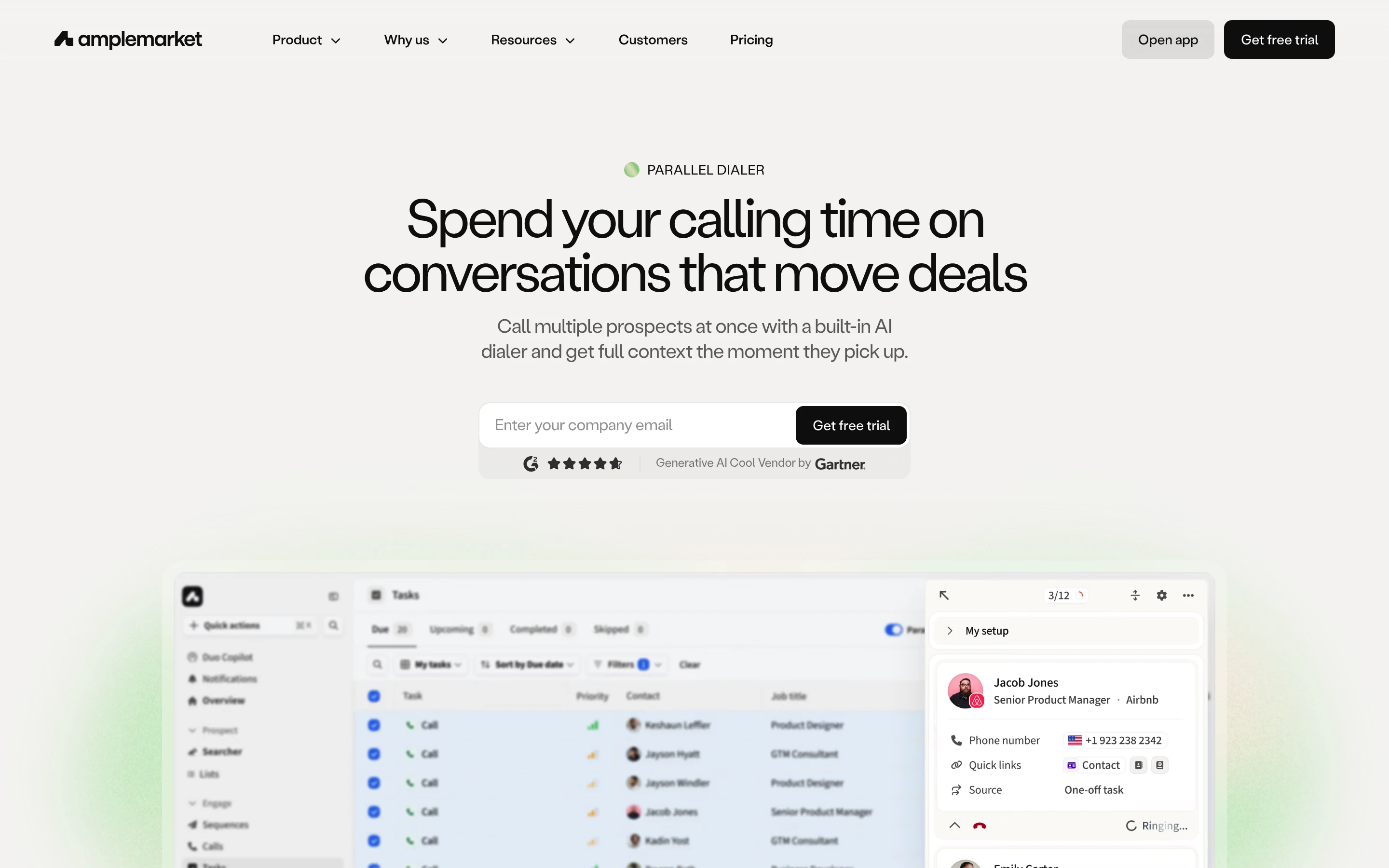
Amplemarket's Parallel Dialer is built to remove most of that wait. It calls several prospects at once and connects you to the first real person who answers. To see it on your own lists, book a demo or start a free trial of Amplemarket.
This guide covers how Parallel Dialer works, setup, a calling-block playbook, a copy-paste calling kit and compliance. It is built from Amplemarket's product page, blog and help center. We have not used Parallel Dialer ourselves, so this is a setup guide, not a review.
What a parallel dialer is, and when a startup needs one
A parallel dialer calls several prospects at the same time. When one person answers, the rep is connected to that call and the others drop.
Amplemarket's blog compares three modes:
| Mode | How it works | Best for |
|---|---|---|
| Click-to-call | You open each record and click the number | Hot leads that deserve research first |
| Power dialing | One line at a time, dialed and logged automatically | Callbacks, warmer prospects, high-pickup lists |
| Parallel dialing | Several lines at once, first live answer wins | Long, lower-connect lists |
A startup needs parallel dialing when phone is a real channel and the list is long.
How Amplemarket's Parallel Dialer works
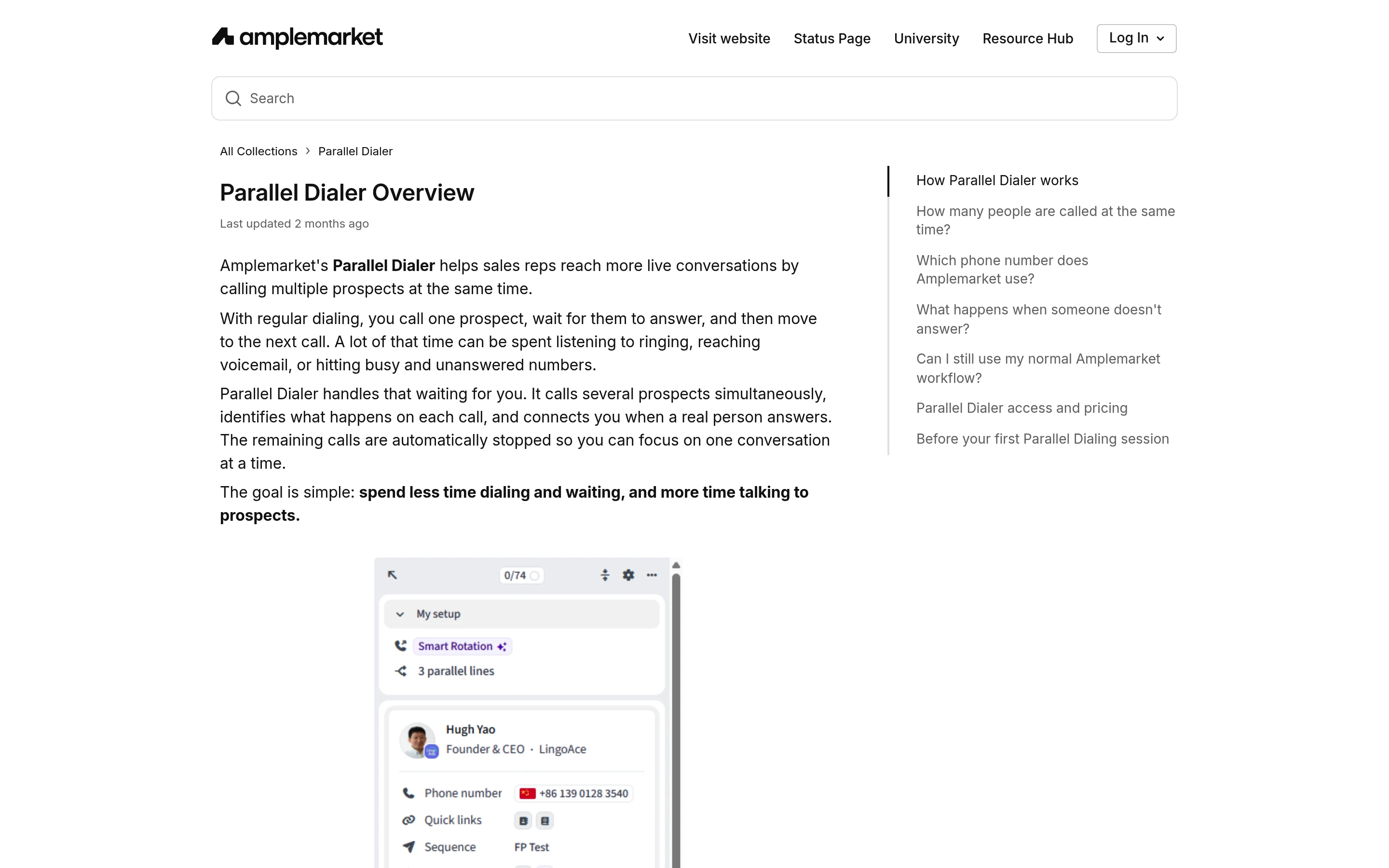
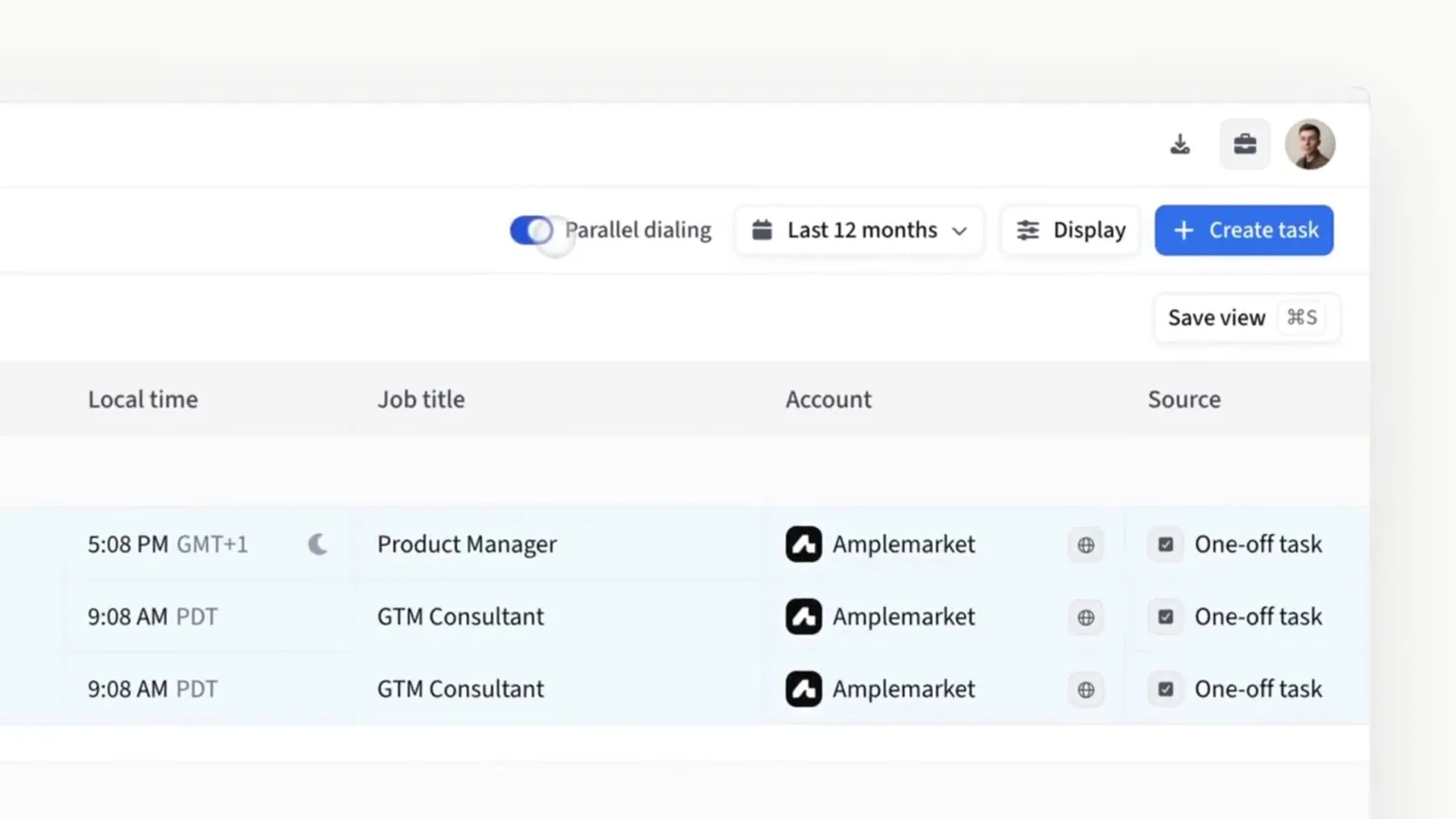
Parallel Dialer runs from your existing Amplemarket call tasks. Amplemarket's help center describes each round like this:
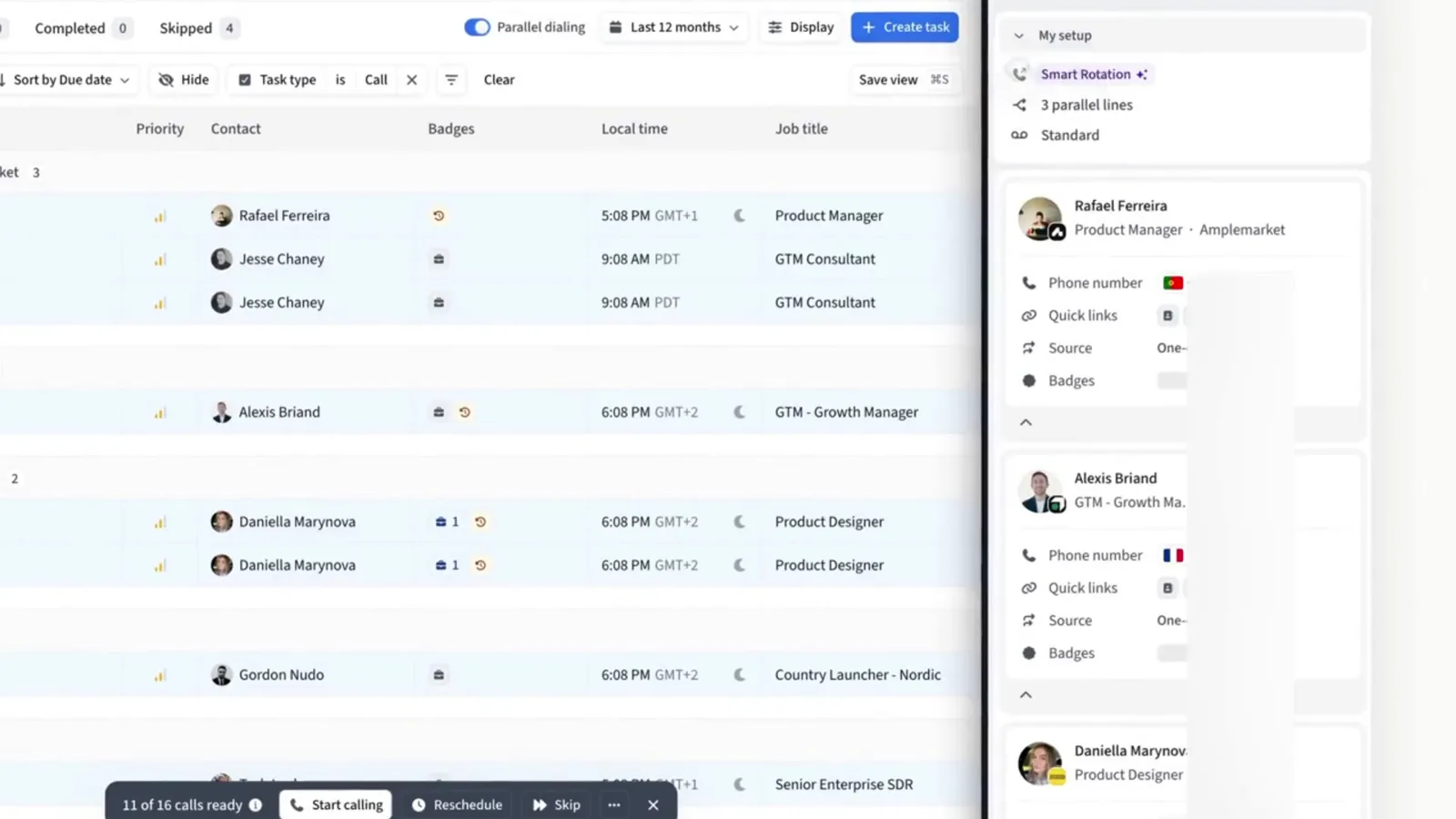
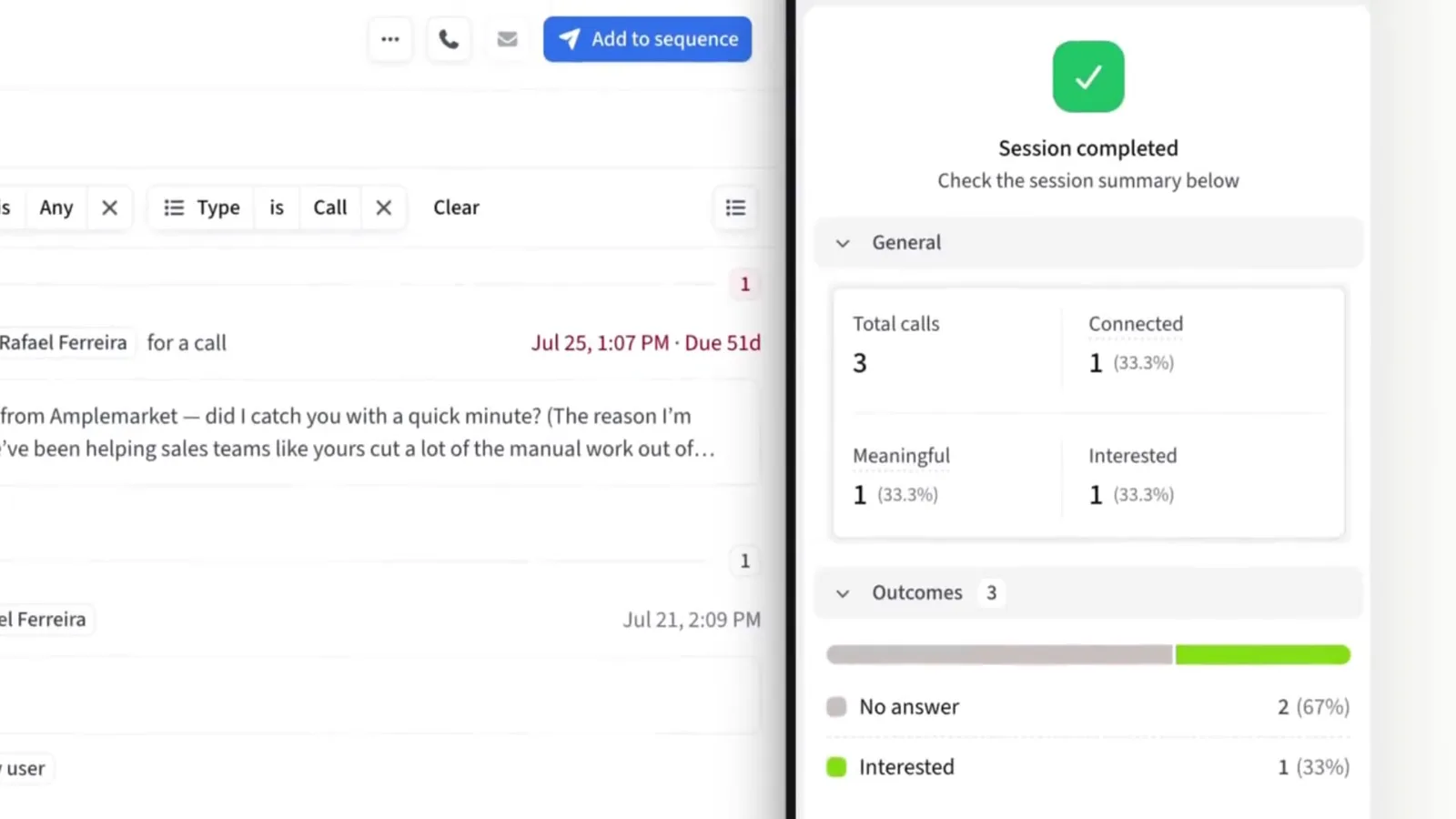
Here is Amplemarket's own demo of one session, from the task list to the session summary.
- 1Multiple prospects are called. Amplemarket takes the eligible call tasks in your queue and dials several at once, based on the number of lines you chose.
- 2Every line is monitored. For each call, Amplemarket works out whether it is ringing, reached voicemail or an answering machine, is busy, failed, or reached a real person. Its own audio model makes the person-or-voicemail call in real time.
- 3A real person answers. That call becomes your active call. The contact's page opens with who they are, their company, their Amplemarket history, buying signals and sequence status.
- 4The other calls are dropped. Every call still in progress stops automatically.
- 5You log the outcome and continue. Log the disposition and notes. If the call needs an email, you can generate a personalized follow-up in one click, written from the transcript and your value proposition. Then the next round starts.
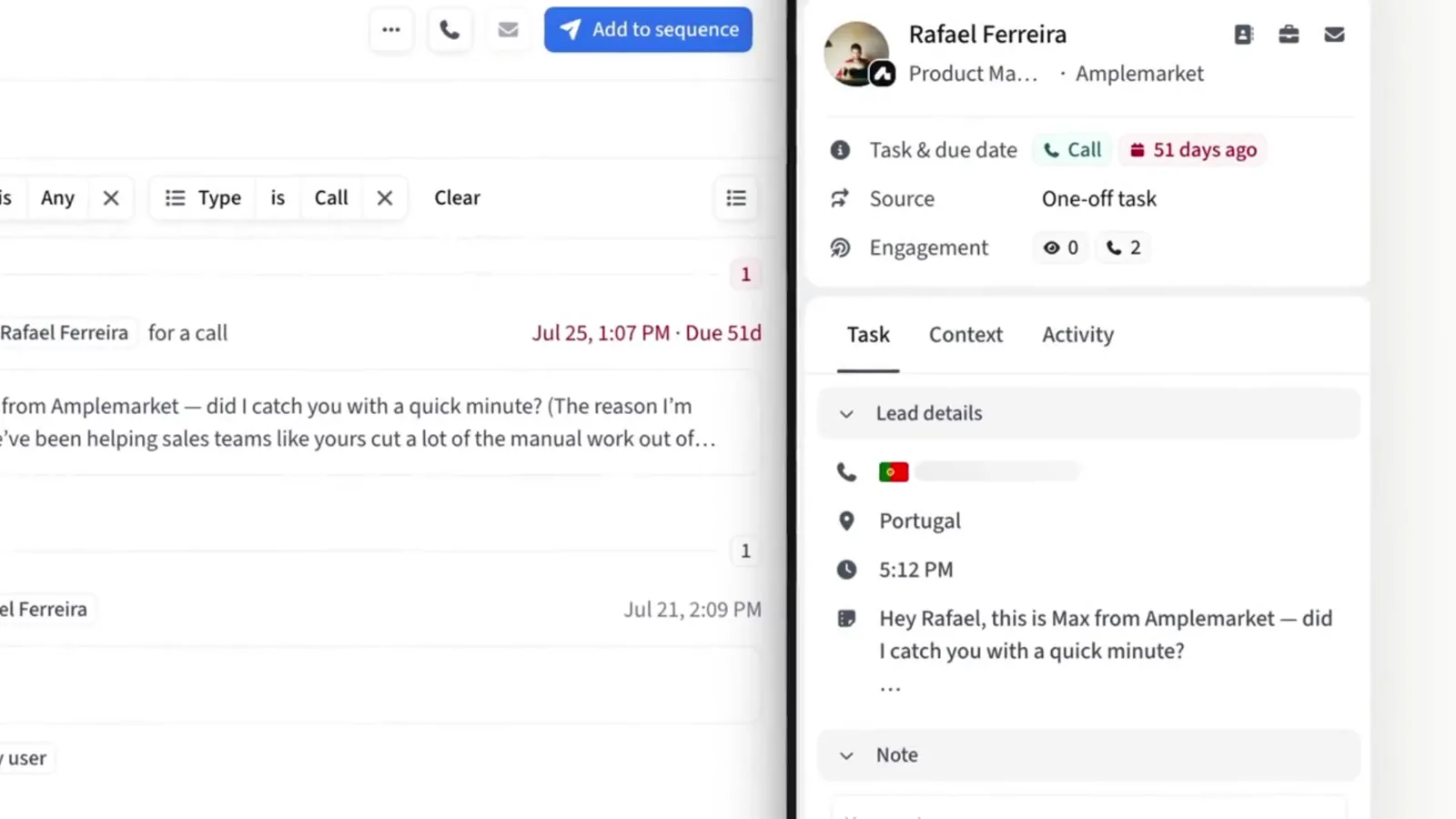
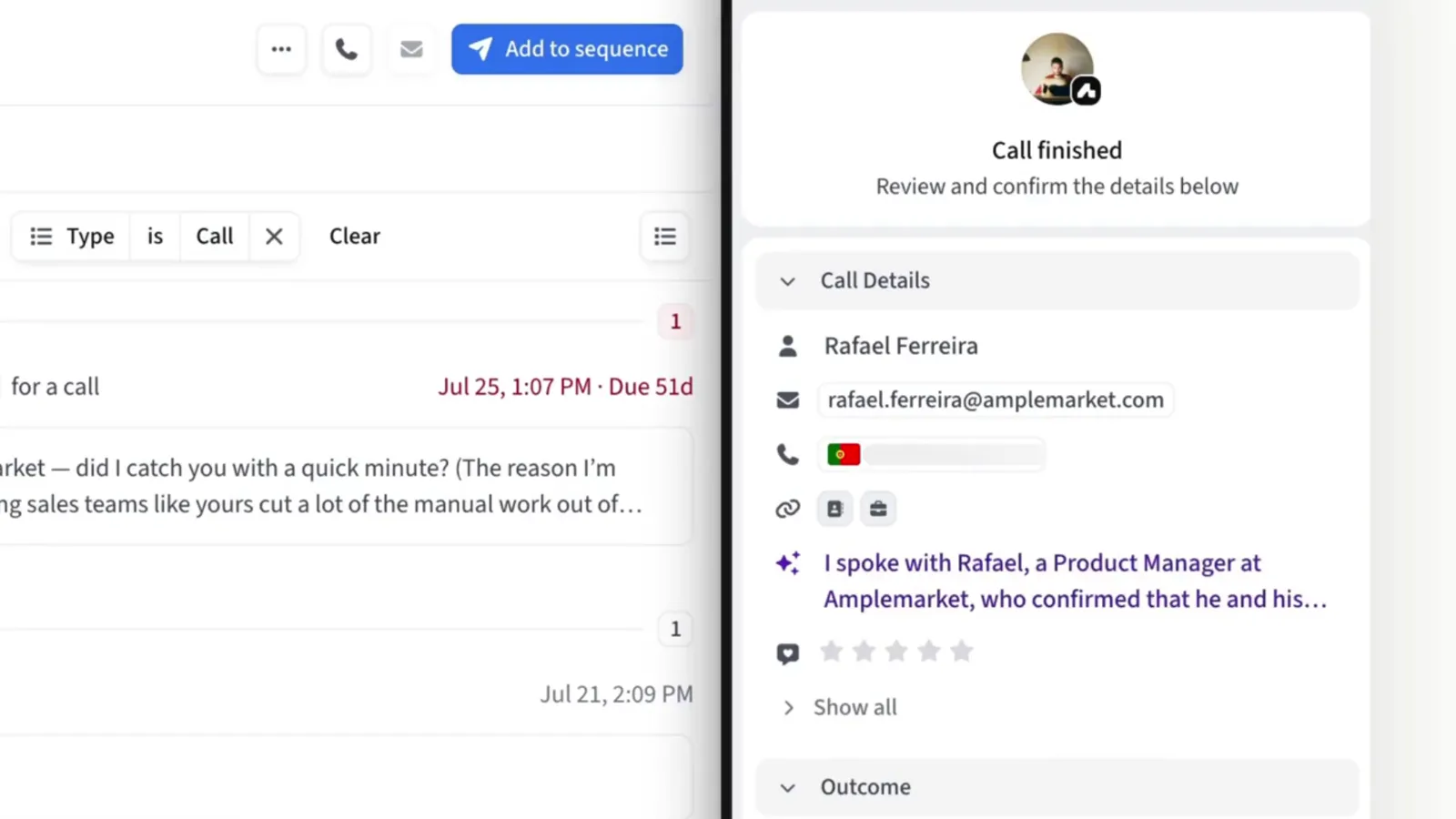
One setting controls the mode. Choose 2 to 5 lines and you are parallel dialing. Choose 1 line and the same feature runs as a power dialer. Set a default in Calls settings and override it per session in the task execution window.
What to judge in any parallel dialer
Amplemarket's blog says the experience to judge is the full one, from the moment a prospect picks up to the moment the rep is ready to speak. Four points matter, and each maps to something Amplemarket documents:
- Answer detection. A weak dialer makes the prospect wait in silence while it decides. Amplemarket uses its own audio model on the live call audio. Ask to see a live pickup in the demo.
- Caller ID health. Parallel Dialer works with Smart Rotation. It picks a number per prospect based on factors such as location and availability, and can spread simultaneous calls across different caller IDs. The product page also lists Local Presence.
- Voicemail handling. With Voicemail Drops on, Parallel Dialer leaves your recorded message after the beep when it detects voicemail.
- Logging. Dispositions, sequences, tasks and call analytics stay in the same workflow, so nothing is exported to another tool.
Setup checklist
The voicemail, recording and rotation items come from Amplemarket's other dialer pages. The rest are its help center basics.
- [ ] Each rep who will dial has a Parallel Dialer seat (it is a paid add-on sold per user, so ask Amplemarket for terms)
- [ ] Calling numbers are set up for the countries you target
- [ ] Calling and Do Not Call settings are configured
- [ ] Microphone and audio devices are tested
- [ ] A voicemail is recorded under Settings > Calls > Advanced features > Voicemail (up to 2 minutes, or an MP3 or WAV file up to 5 MB)
- [ ] Call recording is set by an admin under Dialer → Preferences: Always record, Never record or Let users choose
- [ ] Personal numbers excluded from Smart Rotation if reps want to keep them for 1:1 calls (Settings → Dialer Preferences → Parallel Dialer)
- [ ] Call tasks prepared and filtered for the first block
- [ ] Default set to 2 to 3 lines
A calling-block playbook for a founder or first SDR
This is our suggested routine, built on the settings above and on Amplemarket's cold calling guide in its help center. It is a plan, not a promise of results.
1. Prepare the list the day before. Filter call tasks by sequence, local time or account so only one segment goes into the session. Do not mix cold lists and callbacks in one block.
2. Pick the line count for the list. Amplemarket recommends 2 to 3 lines to start. It warns that dialing too hard can hurt caller-ID reputation and the prospect experience. Use 1 line for callbacks and warm lists.
3. Write a three-part script. Amplemarket's guide suggests an opener of 10 to 15 seconds (name, company, reason for calling, then ask to continue), 60 to 90 seconds of hook and discovery, and a close with a specific next step. Parallel mode leaves little prep time, so keep the opener usable for any contact on the list.
4. Book the block in the prospect's day. The guide points to Tuesday to Thursday, 10 AM to 4 PM in the prospect's time zone, and suggests a 10 to 15 minute break every hour.
5. Pick your voicemail before you dial. You choose it from the Voicemail dropdown in the Parallel Dialer and cannot change it mid-session. Drops cannot include the prospect's name, so record a few versions by persona.
6. Log every call before the next round. Set the disposition, add one line of notes and send the one-click follow-up when it fits. The disposition moves the prospect to the next sequence step.
7. Warm up new numbers. Amplemarket's guide suggests 10 to 15 calls per number per day in week 1, rising to 40 to 60 by week 4, and rotating across several numbers.
Copy-paste calling kit
Example only. The templates below are written for a made-up company, "Northpine", a B2B SaaS tool that helps finance teams at 50 to 500 person companies close the books faster. Replace every detail with your own. The setting names match Amplemarket's help center. The scripts are ours, and they are a starting point, not a promise of results.
1. Session card
Fill this in before every block and keep it next to the task execution window.
| Item | Our example |
|---|---|
| Segment | Controllers at B2B software companies, 50 to 500 employees, US East |
| Source | Call tasks from one sequence only, filtered by local time |
| Mode | Parallel Dialer, 2 lines (1 line for callbacks) |
| Block | Tuesday, 10:00 to 11:00 in the prospect's time zone, then a 10 minute break |
| Voicemail | "Controller, month-end" version, chosen before dialing |
| Recording | As set by the admin, announced where the law requires it |
| Goal for the block | Log every call, book the next step on every real conversation |
2. Opener, 10 to 15 seconds
Parallel mode connects you the moment someone answers, so the opener must work for anyone on the list.
Hi, this is Maya from Northpine. I know I'm calling out of the blue. We help finance teams at software companies close the month faster. Do you have 30 seconds for me to say why I called?
If they say yes:
Thanks. Teams your size usually tell us month-end takes more than a week because of manual reconciliations. Is that close to how it works for you today?
3. Voicemail drops, one per persona
Voicemail Drops cannot include the prospect's name, so record one version per persona and pick it before the session. Keep each under 20 seconds.
Controller version
Hi, this is Maya from Northpine. We help controllers at software companies shorten month-end close. I'll send a short email with one example. If it is relevant, reply there and we can find ten minutes. Thanks.
VP Finance version
Hi, this is Maya from Northpine. We work with finance leaders at growing software companies on a faster, cleaner close. I'll follow up by email with one idea for your team. Have a good day.
4. Notes line to log after each call
One line, same format every time, so the follow-up email generated from the call has something to work with.
Who: Controller. Today: close takes 9 days, 2 people. Pain: bank recs by hand. Next: demo Thu 2 PM their time. Send: recs one-pager.
5. Closing lines for a specific next step
It sounds worth 20 minutes. I have Thursday at 2 PM or Friday at 10 AM your time. Which one works?
Understood, not a priority this quarter. Is it fine if I check back in early January?
6. Number warm-up plan
Amplemarket's cold calling guide gives the two ends of the ramp. The middle weeks are our own even split between them.
| Week | Calls per number per day | Source |
|---|---|---|
| 1 | 10 to 15 | Amplemarket's guide |
| 2 | about 20 to 30 | Our split |
| 3 | about 30 to 45 | Our split |
| 4 | 40 to 60 | Amplemarket's guide |
Compliance notes from Amplemarket's docs
Amplemarket's help center is clear that compliance stays your responsibility.
- DNC screening. An admin can turn on Settings → Safety → "Warn your team when a number is on a Do Not Call list". Numbers are checked against the FTC National Do Not Call Registry, for U.S. numbers only. Flags show in Parallel Dialer before a call. Amplemarket flags these numbers but does not block the call.
- Opt-outs. If someone asks you to stop calling, add them under Settings → Exclusion Lists.
- Recording. Amplemarket's cold calling guide says to announce call recording where the law requires it.
- Wider rules. The same guide lists TCPA (US), GDPR (EU) and CASL (Canada), documenting consent for automated dialing, and calling within local business hours. It is not legal advice.
Who it fits, and who should wait
Good fit: a founder or first SDR who already runs Amplemarket sequences and has a list long enough that waiting on ringing eats the calling block.
Good fit: teams that want calls inside multichannel sequences, without a separate dialer to sync.
Wait: teams that call a handful of warm leads a week. Click-to-call or one-line mode covers that.
Wait: teams with no call script and no clear ideal customer. A faster dialer only reaches the wrong people faster.
Get started with the Parallel Dialer
Prepare one filtered list, record a voicemail and run a first block on 2 lines. To see Parallel Dialer on your own data, book a demo or start a free trial.
FAQ

Software engineer and product builder with 13+ years of experience across software engineering, product development, and startup operations. Built SaaSOffers to make every startup deal discoverable and verified for founders worldwide.
Ready to unlock these deals?
Free account. No credit card required.