

Mailchimp vs ConvertKit for Startups in 2026
Choosing between Mailchimp ($500 in credits) and ConvertKit (20% off annual Creator) for your startup? This side-by-side comparison covers features, startup deals, pricing, and which tool fits your stack, with verified deals you can claim through SaaSOffers.
Quick Answer
Mailchimp: $500 in credits (Early-stage startup, new Mailchimp account). ConvertKit: 20% off annual Creator (New ConvertKit (Kit) account on the annual Creator plan).

Mailchimp
Email marketing and automation platform, free credits to build your audience and convert subscribers to customers.

ConvertKit
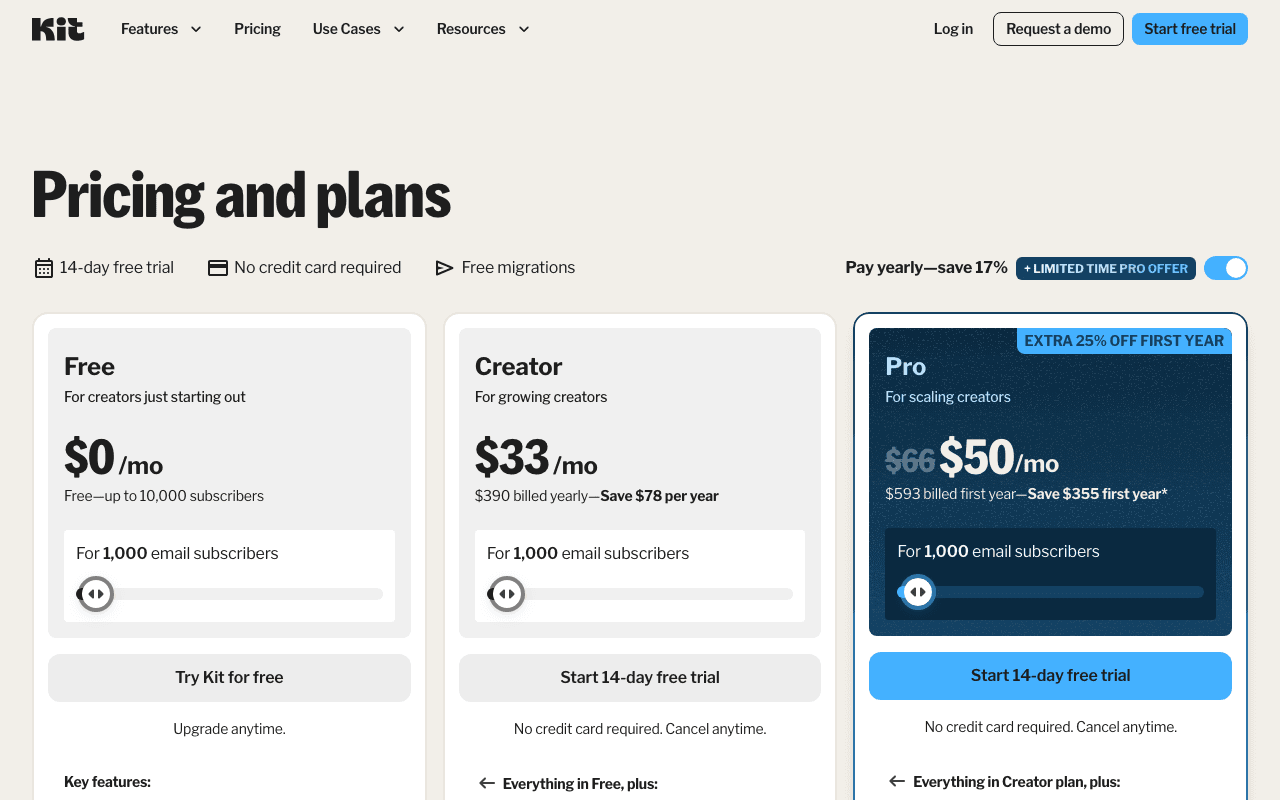
Get 20% off the annual Creator plan on Kit (ConvertKit) for your first year. The email marketing platform built for creators and startups.
Mailchimp vs ConvertKit, Detailed Comparison
What's Included in Each Startup Deal
Here is exactly what you get when claiming each deal through SaaSOffers:
MMailchimp
- $500 in Mailchimp credits
- Email marketing campaigns
- Marketing automation workflows
- Landing pages and signup forms
- Audience segmentation and analytics
CConvertKit
- 20% off the annual Creator plan, first year
- Visual email automation builder
- Landing pages and signup forms
- Subscriber tagging and segmentation
- Commerce features for digital products
The short answer
Pick Mailchimp if email supports a store or a product funnel: it syncs Shopify orders, runs abandoned cart flows by email or SMS, and gives a marketer multiple audiences, multivariate tests and a drag-and-drop builder. Pick Kit (ConvertKit) if you are a founder or creator building one audience around content and digital products: its Free plan holds 10,000 subscribers, and Creator adds unlimited visual automations from $39 a month. The difference that moves the bill most is counting. Mailchimp bills on stored contacts, unsubscribed ones included, and caps sends at 10 to 15 times your tier. Kit bills only on confirmed subscribers and has no sending limit on any plan.
Our deals on Mailchimp and Kit
- Mailchimp deal: $500 in credits. Requirements: Early-stage startup, new Mailchimp account.
- ConvertKit deal: 20% off annual Creator. Requirements: New ConvertKit (Kit) account on the annual Creator plan.
We checked both tools' plans and prices against their official pricing and help pages in November 2026.
Neither offer appears on the vendor's own site. Mailchimp publishes no startup credit program; our listing says $500, so confirm which plan fees it covers when you redeem. Kit's pricing and affiliate pages do not mention a 20% Creator discount for referred users; our listing says 20% off the first annual Creator year, so check the checkout total. Both vendors run their own promotions for anyone: Mailchimp's pricing page shows "Save 50%" for 12 months on paid plans.
Head-to-head
| Dimension | Mailchimp | Kit (ConvertKit) |
|---|---|---|
| Free plan | 250 contacts, 500 sends a month, 250 a day | Up to 10,000 subscribers, 1 user |
| Cheapest paid plan | Essentials, from $13/month for 500 contacts | Creator, $39/month or $390/year for 1,000 subscribers |
| Who counts toward the bill | Subscribed, unsubscribed and non-subscribed contacts | Confirmed subscribers only |
| Send limit | 10x contacts on Essentials, 12x Standard, 15x Premium | None on any plan |
| Automation | Up to 4 flow steps on Essentials, up to 200 flows on Standard | None on Free, unlimited visual automations on Creator and Pro |
| List structure | 1, 3, 5 or unlimited audiences by plan | One list per account, organized by tags and segments |
| Seats | 1 Free, 3 Essentials, 5 Standard, unlimited Premium | 1 Free, 2 Creator, unlimited Pro |
| Testing | A/B from Essentials, multivariate from Standard | 2 subject lines on Free and Creator, 5 plus content tests on Pro |
| Store integration | Shopify sync of customers and orders, abandoned cart flow with email or SMS | Abandon checkout for Shopify, Fourthwall and Wix on Creator and Pro |
| Selling your own products | Not in the plan comparison | Digital products, paid newsletters and subscriptions on all plans, 3.5% + 30c per sale |
| Annual billing | Standard and Premium at 10,000+ contacts, through sales | Self-serve on Creator and Pro, 10 months' price for 12 |
| Trial | 1-month Premium trial for qualified new customers | 14 days of Creator or Pro, no card |
Pricing side by side
| Plan | Billed yearly | Billed monthly | Key limits |
|---|---|---|---|
| Mailchimp Free | $0 | $0 | 250 contacts, 500 sends, 1 seat |
| Mailchimp Essentials, 500 contacts | Not offered | $13 | 5,000 sends, 3 seats |
| Mailchimp Essentials, 1,500 contacts | Not offered | $26.50 | 15,000 sends |
| Mailchimp Standard, 500 contacts | Not offered | $20 | 6,000 sends, 5 seats, 200 flows |
| Mailchimp Standard, 1,500 contacts | Not offered | $45 | 18,000 sends |
| Mailchimp Standard, 10,000 contacts | Sales only | $135 | 120,000 sends |
| Mailchimp Standard, 15,000 contacts | Sales only | $230 | 180,000 sends |
| Mailchimp Premium, 10,000 contacts | Sales only | $350 | 150,000 sends, unlimited seats |
| Kit Free | $0 | $0 | Up to 10,000 subscribers, no automations |
| Kit Creator, 1,000 subs | $390 | $39 | 2 users, unlimited automations |
| Kit Creator, 3,000 subs | $590 | $59 | Same features |
| Kit Creator, 10,000 subs | $1,390 | $139 | Tier 8,001 to 10,000 |
| Kit Pro, 1,000 subs | $790 | $79 | Unlimited users, deliverability reporting |
| Kit Pro, 10,000 subs | $1,890 | $189 | SparkLoop referral plan included |
Mailchimp's plan landing pages give the ongoing starting prices ($13 Essentials, $20 Standard, $350 Premium), and the larger tiers come from the price list behind Mailchimp's pricing calculator. That list jumps from 500 to 1,500 contacts, so a 1,000-contact list prices at the 1,500 tier. Kit's tiers come from the price list its pricing slider loads.
Example 1: a 1,000-subscriber list with a welcome sequence
- Mailchimp: Free stops at 250 contacts. Essentials at the 1,500 tier is $26.50 x 12 = $318 a year, but allows only 4 flow steps. Standard, for full flows, is $45 x 12 = $540. If our $500 credit applies to Standard fees, it covers $500 / $45 = 11 full months, leaving $40 to pay in year one.
- Kit: Free costs $0 but has no sequences or visual automations. Creator billed yearly is $390, or $390 x 0.8 = $312 if our 20% applies at checkout. Billed monthly it is $39 x 12 = $468.
If the Mailchimp credit covers Standard, year one is $40 against Kit's $312. In year two, Mailchimp Standard is $540 and Kit Creator is $390.
Example 2: 10,000 subscribers plus 1,500 past unsubscribes
Weekly issues to 10,000 readers is about 40,000 sends a month.
- Mailchimp counts all 11,500 contacts, which puts you on the 15,000 tier: Standard at $230 x 12 = $2,760 a year, or $2,260 if the credit applies. If you archive the 1,500 unsubscribes first, you drop to the 10,000 tier: $135 x 12 = $1,620, or $1,120 with the credit. Both tiers allow at least 120,000 sends.
- Kit counts only the 10,000 confirmed subscribers. Creator is $1,390 billed yearly, $1,112 if our 20% applies, or $139 x 12 = $1,668 monthly. Kit Free also covers exactly 10,000 if you can live without automations.
Archiving unsubscribes saves more than switching plans: archiving unsubscribes saves $1,140 a year on Mailchimp Standard here ($2,760 minus $1,620).
How each one bills your list
Mailchimp's help center says subscribed, unsubscribed and non-subscribed contacts all count toward your plan. Only archived, cleaned and deleted contacts drop out. Paid plans bill overages automatically, and the Free plan holds sending once you pass 250 contacts. Each plan also caps monthly sends: 10 times your contact tier on Essentials, 12 times on Standard, 15 times on Premium.
Kit's help center says only Confirmed subscribers count. Unconfirmed double opt-in signups, unsubscribes, complaints and hard bounces are free to keep. When you pass a tier, Kit moves you up automatically and keeps sending; on a yearly plan it charges the prorated difference right away. Downgrades are manual and start on the next billing date.
Audiences versus tags
Mailchimp separates contacts into audiences: 1 on Free, 3 on Essentials, 5 on Standard and unlimited on Premium, and the contact total covers every audience you store. That suits a company running separate lists for customers, partners and a newsletter.
Kit keeps everyone in one list and sorts them with tags and segments. Its Mailchimp migration guide says so directly: you will have one list for all subscribers. Kit's importer turns Mailchimp list names, tags and group combinations into tags, so a "Newsletter" list with a "Tech" interest becomes the tag "Newsletter:Tech". For a founder with one audience and several offers, tags keep each person as a single record.
Automation and testing
Mailchimp gives Essentials up to 4 flow steps, which covers a short welcome email and little else. Standard raises that to up to 200 flows with branching points and multiple starting points, adds multivariate testing, and includes generative AI features at no extra cost. Premium adds phone support and unlimited seats.
Kit holds back all automation on Free. Creator adds the visual automation builder, unlimited email sequences, RSS campaigns and a template library. Pro adds 5-way subject tests, content tests, deliverability reporting, engagement scoring and Facebook custom audiences. Kit's builder runs on subscriber behavior, with split paths, so a purchase can add a tag and start a sequence.
Store or creator business
Mailchimp is the stronger store tool. Mailchimp for Shopify syncs customer and order data, and the Abandons cart trigger starts a flow that can send email or SMS. SMS is a paid add-on in select countries. Mailchimp Transactional sends receipts and password resets as an add-on to Standard and Premium, at $20 per block of 25,000 emails.
Kit is built for selling your own work. Every plan, Free included, can sell digital products, paid newsletters, recurring subscriptions and tip jars at 3.5% + 30c per sale, which Kit says includes card processing. Creator adds abandon checkout for Shopify, Fourthwall and Wix, Paid Recommendations (Kit keeps 23.5%) and newsletter sponsorships. Pro adds a free SparkLoop referral plan that Kit values at $99 a month.
Pick Mailchimp if
- You run a Shopify store and want order data and abandoned cart flows with SMS.
- You need separate audiences for customers, partners and a newsletter.
- Your marketer wants multivariate tests and a drag-and-drop builder.
- You want transactional email from the same vendor, at $20 per 25,000 emails.
- Our $500 credit, if it covers plan fees, pays for most of year one on Standard at 1,500 contacts.
Pick Kit (ConvertKit) if
- Your list is under 10,000 and you want to send newsletters for $0.
- Many readers unsubscribe and you do not want to pay to keep their records.
- You sell courses, templates or coaching from the same account.
- You send often and do not want a monthly send cap.
- You want Kit's team to move your list for free on a paid plan.
Switching between them
Kit documents a Mailchimp importer. On the Subscribers page, choose Add Subscribers, then Other provider, then Mailchimp, and enter a Mailchimp API key; a CSV export also works. Merge fields map automatically and lists, tags and groups become tags. Forms, landing pages, templates and automations must be rebuilt, and campaigns become Email Sequences. Paid Kit plans include free migration: Essentials for lists under 10,000 (subscribers, tags, lists and segments in 2 to 5 business days) and Concierge for 10,000 or more, which also rebuilds forms, automation emails, templates and up to 4 integration platforms.
Going the other way, export your Confirmed subscribers in Kit through Bulk Actions, Export; the CSV includes tags by default. Mailchimp imports CSV or TXT files up to 200 MB and will not re-add contacts who already unsubscribed. For a newsletter-first alternative to both, see Mailchimp vs beehiiv.
Final take
Mailchimp fits a startup whose email exists to sell from a store, with separate audiences and purchase-triggered flows; its counting rules mean you should archive unsubscribes before every billing cycle. Kit fits a founder building one audience, with a Free plan to 10,000 subscribers and no send cap. Our Mailchimp listing says $500 in credits and our Kit listing says 20% off annual Creator; neither appears on the vendor's site, so confirm the amount when you redeem.
Frequently Asked Questions
Common questions about Mailchimp vs ConvertKit for startups.
Can I use both Mailchimp and ConvertKit together?
Yes. There are no restrictions on claiming startup deals from multiple tools. Many startups use both Mailchimp and ConvertKit simultaneously, each serving different needs. Claim both through SaaSOffers for maximum savings.
Which has a better startup deal, Mailchimp or ConvertKit?
Mailchimp offers $500 in credits, while ConvertKit offers 20% off annual Creator. However, the "better" deal depends on which tool you actually need, a larger credit on a tool you won't use is worth less than a smaller credit on a tool that's essential to your stack.
Is Mailchimp free for startups?
Mailchimp offers $500 in credits through its startup program on SaaSOffers. The deal type is "premium", available to SaaSOffers Premium members ($79/year). Early-stage startup, new Mailchimp account
Is ConvertKit free for startups?
ConvertKit offers 20% off annual Creator through its startup program on SaaSOffers. The deal type is "premium", available to SaaSOffers Premium members ($79/year). New ConvertKit (Kit) account on the annual Creator plan
Is Mailchimp free?
Yes, up to a point. The Free plan allows 250 contacts, 500 sends a month with a cap of 250 a day, 1 audience and 1 seat. If you pass the contact limit, sending is put on hold until you upgrade or reduce your contacts. Free does not include email scheduling or removal of Mailchimp branding.
What does the $500 credit in our listing cover?
Our listing's term is $500 in credits for an early-stage startup on a new Mailchimp account. Mailchimp's own pricing page does not describe a startup credit, so confirm the amount, expiry and eligible plans when you redeem it. If it applies, $500 covers about 11 months of Essentials at 2,500 contacts ($45 a month) or about 3 months of Standard at 10,000 contacts ($135 a month).
Do unsubscribed contacts count toward the Mailchimp bill?
Yes. Mailchimp's help center says subscribed, unsubscribed and non-subscribed contacts all count toward your contact total. Archived, cleaned and deleted contacts do not count toward the total or the price, so archive people who have left your list.
What is the SaaSOffers Kit (ConvertKit) deal?
20% off annual Creator for your first year. It requires a new ConvertKit (Kit) account on the annual Creator plan. There is no promo code: you sign up through the link on the SaaSOffers deal page. At 1,000 subscribers that takes the first Creator year from $390 to $312.
Is ConvertKit the same as Kit?
Yes. ConvertKit renamed itself Kit in 2024 and moved from ck.page to kit.com. Old ck.page links redirect to kit.com.
How much does Kit cost in November 2026?
Kit's Free plan is $0 for up to 10,000 subscribers. Creator starts at $39 a month or $390 a year for 1,000 subscribers. Pro starts at $79 a month or $790 a year. Yearly billing is 12 months for the price of 10, and prices rise with your subscriber tier, for example Creator at 5,000 subscribers is $89 a month or $890 a year.
We've helped 10,000+ startup founders unlock $500,000+ in SaaS credits and discounts. Every comparison is based on real deal data from our platform.