
Mailchimp Startup Credits: $500 in credits
Email marketing and automation platform, free credits to build your audience and convert subscribers to customers.
Free · Opens in new tab
Already have an account? Log in
Deal Highlights
Mailchimp is the email platform most startups reach for first, and the one many outgrow without realizing what it is costing them. It has the largest template library, the friendliest editor, and integrations with essentially every tool a startup runs. It also has a billing model that quietly charges you for people who already unsubscribed.
This deal puts credit against your Mailchimp bill, which matters most in the window where your list is growing faster than your revenue. Below is what the platform actually costs, where the pricing traps sit, and how it compares to the alternatives founders switch to.
What Is Mailchimp?
Mailchimp is an email marketing and automation platform built for small and mid-sized businesses. It handles list management, campaign design, automated sequences, landing pages, forms, and reporting. Over the last few years it has expanded beyond email into a broader marketing suite with SMS, social posting, and a basic CRM, following its acquisition by Intuit.
For a startup, the appeal is speed. You can import a list, drag together a decent-looking campaign, and send it the same afternoon with no developer involved. The template library and the editor remain the best in the category for non-designers. That accessibility is why Mailchimp still owns the default position in early-stage marketing stacks despite heavy competition on price.
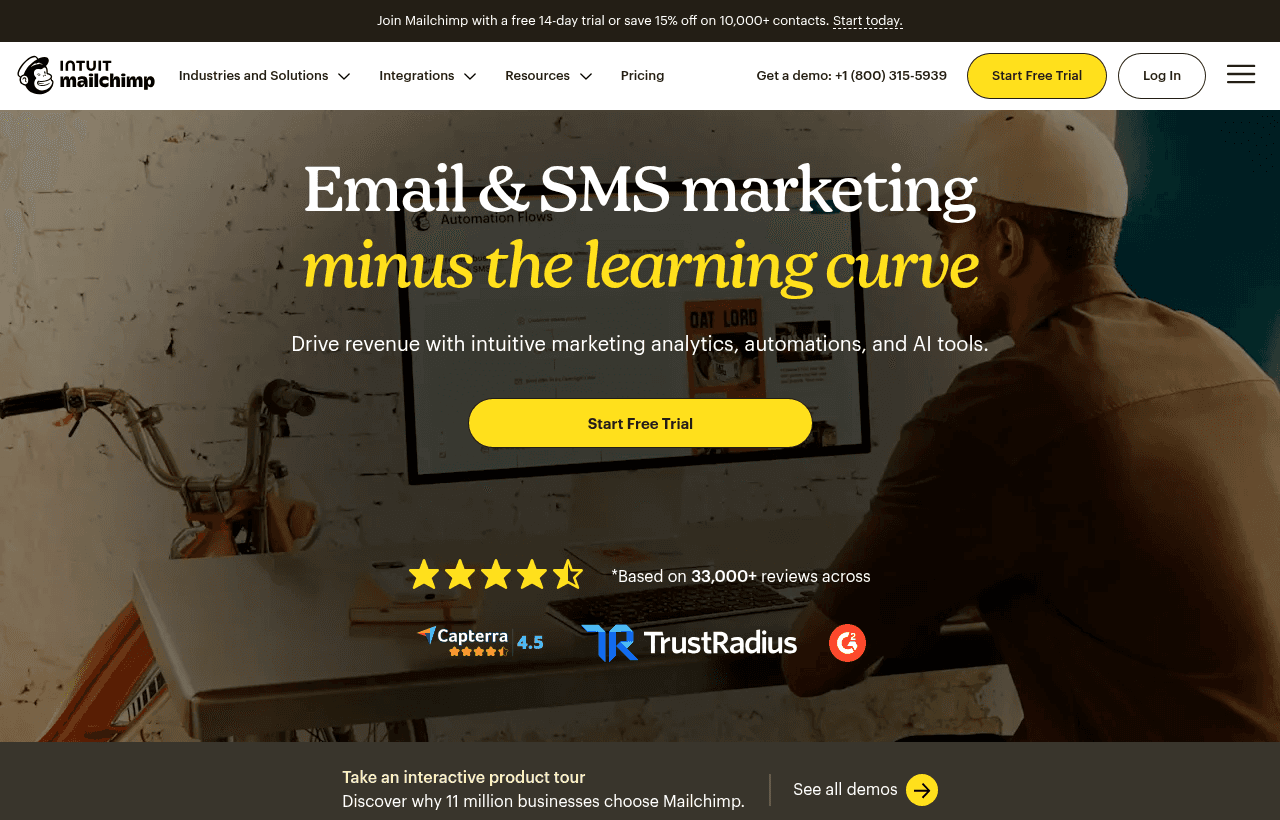
Mailchimp, one of the tools included in this startup deal.
What's Included in This Deal
- Credit applied against your Mailchimp subscription, reducing the cost of a paid plan during your early growth period
- Access to paid-tier features the free plan locks out, including multi-step automations and A/B testing
- Removal of Mailchimp branding from your campaigns, which free-plan senders cannot do
- Full template library and the drag-and-drop editor
- Integrations across ecommerce, CRM, and analytics tools
The practical value is getting onto a paid tier earlier than your budget would otherwise allow. The free plan's limits bite fast, and the features it withholds are precisely the ones that make email a revenue channel rather than a newsletter.
Mailchimp Pricing: What You Pay Without This Deal
Mailchimp prices by contact count, and the cost escalates steeply as your list grows.
| Plan | Entry price | At 5,000 contacts | At 50,000 contacts |
|---|---|---|---|
| Free | $0 (250 contacts, 500 emails/mo) | not available | not available |
| Essentials | from $13/mo (500 contacts) | roughly $75/mo | around $385/mo |
| Standard | from $20/mo (500 contacts) | around $100/mo | higher |
| Premium | from $350/mo (up to 10,000 contacts) | included | scales up |
The Free plan is more restricted than most founders expect. At 250 contacts and 500 emails per month it is a trial, not a tier you can operate on. It also excludes email scheduling, A/B testing, multi-step automations, custom-coded templates, and removal of Mailchimp branding. Those exclusions push nearly every serious user onto Essentials or Standard within weeks.
Standard is the tier most startups actually need, because that is where meaningful automation lives. Premium at $350 a month is aimed at teams with dedicated marketing staff and rarely makes sense before Series A.
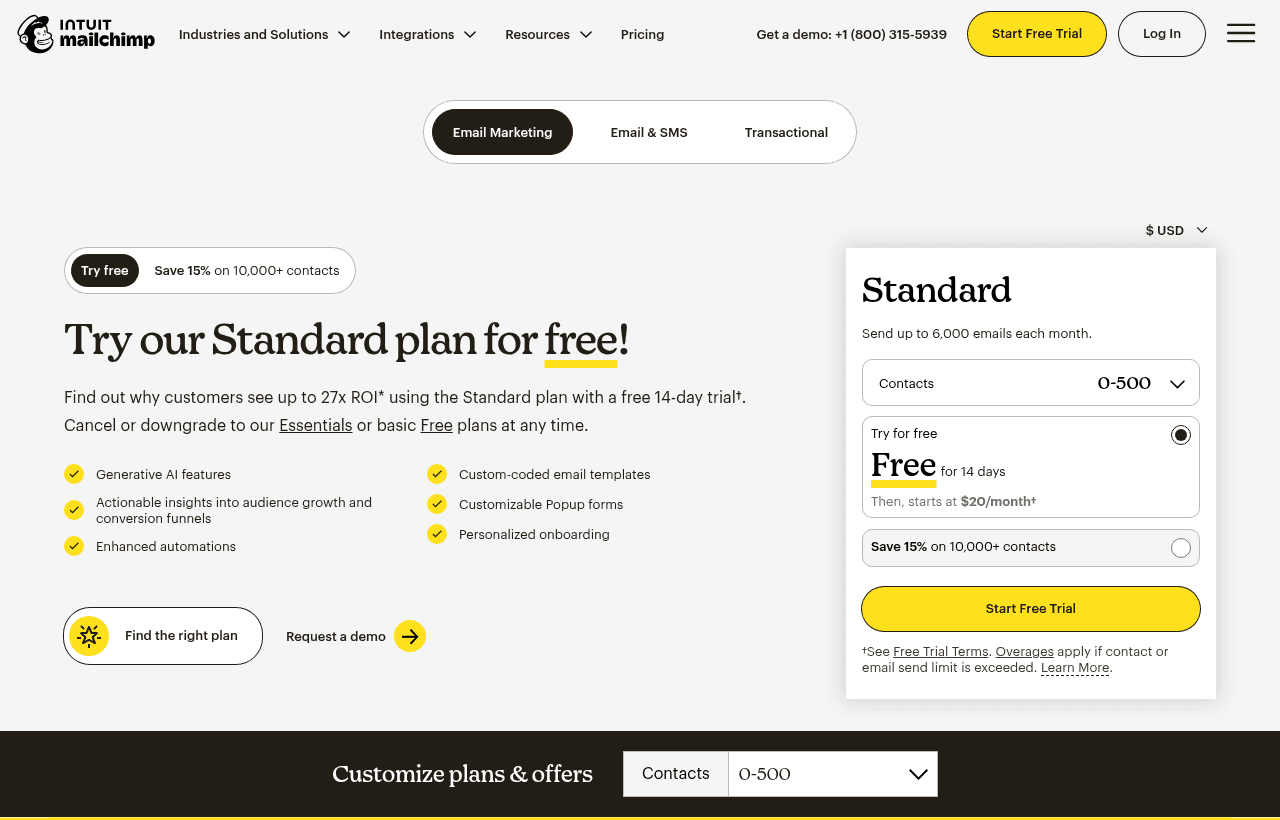
A look at Mailchimp before the discount, so you can see what the deal saves you.
The Contact-Counting Trap
This is the part that surprises founders on their first invoice. Mailchimp bills based on contacts stored, and that count includes people who have already unsubscribed. It also counts the same person more than once if they appear in multiple audiences.
The consequences are real. A startup with three audiences, say product users, newsletter subscribers, and event attendees, may be paying three times for the same person who signed up for all three. Add a year of accumulated unsubscribes still sitting in the account, and a list you believe is 8,000 contacts might be billing as 12,000.
Two habits fix most of this:
- Run one audience, not several. Use tags and segments to separate groups instead of separate audiences. Mailchimp's own architecture pushes you toward multiple audiences; resist it. Segments cost nothing extra.
- Archive or delete unsubscribed and cleaned contacts quarterly. Archiving removes them from your billable count while preserving compliance records of who opted out.
Doing both routinely cuts a Mailchimp bill by 20% to 40% at the same real audience size. That is a larger saving than most discount codes deliver.
Key Features for Startups
Automations and customer journeys. The visual journey builder handles welcome sequences, abandoned-cart flows, re-engagement campaigns, and behavioral triggers. Multi-step automations require a paid plan, and they are the single strongest reason to leave the free tier.
Templates and the editor. The drag-and-drop editor remains the most forgiving in the category. A founder with no design background can produce a campaign that looks professional, which is not true of every competitor.
Segmentation. You can slice your list by behavior, purchase history, engagement, location, and custom fields. Well-used segmentation is what separates a 2% click rate from a 10% one.
Reporting. Opens, clicks, revenue attribution, and comparative reports across campaigns. Adequate for most early-stage needs, though weaker than dedicated analytics tools once you are optimizing seriously.
Integrations. Connects to Shopify, WooCommerce, Stripe, Salesforce, HubSpot, and several hundred other tools. Breadth of integration is one of Mailchimp's genuine structural advantages.
Mailchimp vs Kit vs Brevo vs Klaviyo
The alternatives differ most in how they charge, which changes the economics entirely depending on your list shape.
| Platform | Pricing model | Entry cost | Best for |
|---|---|---|---|
| Mailchimp | Per contact stored | Free tier, then from $13/mo | Generalists wanting templates and integrations |
| Kit (formerly ConvertKit) | Per subscriber | Free to 10,000, then $39/mo at 1,000 paid tier | Creators, newsletters, course sellers |
| Brevo | Per email sent | Free 300 emails/day, then from $9/mo | Large lists with moderate send frequency |
| Klaviyo | Per contact, ecommerce-focused | Free tier available | Ecommerce and DTC with deep store data |
The pricing-model distinction is the whole decision. Brevo charges per email sent rather than per subscriber, which makes it dramatically cheaper if you hold a large list but email it occasionally. A 100,000-contact list that gets one monthly newsletter is expensive on Mailchimp and cheap on Brevo.
Kit is free up to 10,000 subscribers, which is a serious offer for newsletter-led startups and the main reason creators migrate off Mailchimp. Its editor is plainer and its templates fewer, a deliberate trade favoring deliverability and plain-text-feeling email.
Klaviyo wins when your email is driven by store data. If you are running an ecommerce brand and want flows keyed to browsing and purchase behavior, Klaviyo's ecommerce integration depth exceeds Mailchimp's.
Mailchimp's honest position: it is the best generalist and the easiest to start with, and it is rarely the cheapest at scale. Choose it for breadth and speed, and expect to reevaluate around the point your list passes 20,000 contacts.
Deliverability: What Actually Decides Whether Email Works
Platform choice matters less than most founders assume. Deliverability, meaning whether your email reaches the inbox rather than spam, is determined mostly by things you control rather than by your vendor.
Authenticate your domain before the first send. SPF, DKIM, and DMARC records tell receiving servers that you are authorized to send from your domain. Since 2024, Gmail and Yahoo enforce these requirements for bulk senders, and messages failing them get rejected or filtered aggressively. Mailchimp will let you send without full authentication; the mailbox providers will not let those messages land.
Send from your own domain, never a free one. A campaign from founder@yourcompany.com performs far better than one from a gmail.com address, which now fails DMARC alignment outright for bulk sending.
Warm up gradually. A brand-new domain sending 10,000 emails on day one looks exactly like a spammer. Start with your most engaged contacts in small batches and grow volume over a few weeks.
Prune aggressively. Sending to addresses that never open teaches mailbox providers that your mail is unwanted, which harms delivery to everyone else on your list. Suppressing contacts with no engagement in six months typically improves open rates and cuts your bill at the same time, since those contacts are billable.
Watch complaint rates. Gmail expects spam complaints below 0.3%. Crossing it persistently damages your sender reputation in ways that take months to repair. A visible unsubscribe link reduces complaints, because people who cannot find one click "spam" instead.
The uncomfortable truth is that a well-authenticated, well-pruned list on a cheap platform outperforms a neglected list on an expensive one. Fix these fundamentals before optimizing subject lines.
Eligibility and How to Claim
- Follow the link on this page to Mailchimp's startup program page.
- Create your Mailchimp account, or sign in if you already have one, using a company email on your own domain.
- Provide your company details during signup. Startup offers generally require an early-stage company rather than an established business.
- Apply the credit at checkout when you select a paid plan. Confirm it appears on the billing screen before completing the upgrade.
- Verify the credit and expiry date in your billing settings once active.
Most startup offers of this type require you to be a new paid customer, so claim before upgrading rather than after. Applying a credit retroactively is usually not possible.
Who Should Use Mailchimp?
Use it if you need to send good-looking email quickly without a designer or developer, you want the widest integration coverage available, and your list is under roughly 20,000 contacts. Mailchimp's ease of use is genuinely worth paying a premium for at that stage, when your time is scarcer than your budget.
Look elsewhere if you hold a large list you email infrequently, in which case Brevo's per-email pricing will cost a fraction. If you are a newsletter-first business, Kit's free tier to 10,000 subscribers is hard to argue against. If you are ecommerce, Klaviyo's store-data flows will outperform.
Real Startup Use Cases
A B2B SaaS startup ran onboarding email through Mailchimp automations, triggering a five-step sequence when a user signed up but did not activate. Recovering even a modest share of stalled signups paid for the subscription several times over, and none of it required engineering time.
A DTC brand in its first year used Mailchimp for both campaigns and abandoned-cart flows. Once revenue grew and store-behavior targeting became the priority, the team moved flows to Klaviyo and kept Mailchimp only for broadcast newsletters, a common and sensible split.
A bootstrapped newsletter grew past 12,000 subscribers and found the Mailchimp bill climbing faster than sponsorship revenue. Auditing the account revealed roughly 2,000 unsubscribed contacts still being billed and heavy duplication across three audiences. Consolidating to a single audience with tags cut the bill substantially without losing a single real reader.
Tips to Maximize Your Credits
- Consolidate to one audience immediately. Multiple audiences duplicate billable contacts. Tags and segments do the same job at no cost.
- Archive unsubscribed and cleaned contacts every quarter. You are otherwise paying monthly for people who will never receive another email.
- Build the welcome sequence first. It is the highest-return automation, it runs forever once built, and it needs a paid plan.
- Warm up your sending domain. Authenticate with SPF, DKIM, and DMARC before your first large send. Deliverability problems caused by skipping this are far more expensive than plan cost.
- Track the credit expiry. Plan your upgrade so the credit covers the months when your list is growing fastest.
- Reassess at 20,000 contacts. That is roughly where per-contact pricing starts losing to per-email models, and where switching costs are still low enough to be worth it.
- Export your list on a schedule. Keep your own copy of contacts and engagement data. It makes any future migration a one-day job instead of a project, and it protects you if an account issue ever locks you out.
Mailchimp Alternatives
If Mailchimp stops fitting, the migration path depends on why it stopped fitting.
Moving for cost at scale points to Brevo, where per-email billing means a large, infrequently-mailed list costs a fraction of per-contact pricing. Moving because you are newsletter-first points to Kit, free to 10,000 subscribers and built around plain, high-deliverability email that creators prefer. Moving for ecommerce depth points to Klaviyo, whose store-behavior flows and revenue attribution exceed what Mailchimp offers a DTC brand. Teams wanting email bundled with a full CRM tend to land on HubSpot or ActiveCampaign, trading simplicity for automation depth and a higher price.
There is no penalty for claiming several of these startup offers and testing in parallel before committing. Exporting your list from Mailchimp is straightforward, and running a real campaign on two platforms for a month tells you more than any comparison table, including this one.
Who Is This Deal For?
Early-Stage Startups
Seed and pre-seed companies looking to move fast without overspending on tools.
Growing SaaS Teams
Series A+ companies scaling their stack and optimizing software costs.
Solo Founders
Indie hackers and bootstrapped founders who need enterprise tools at startup prices.
Get $500 in credits off Mailchimp
Premium deal. Upgrade once, unlock everything.
Frequently Asked Questions
Everything you need to know about this startup deal.
Mailchimp's free plan supports 500 contacts and 1,000 emails/month with basic features. The Standard plan ($13–$350/month based on contacts) adds automation, A/B testing, and advanced segmentation. The $500 credit covers 3–38 months depending on plan and contact count.
Get the weekly deals digest
New verified startup deals every week. No spam, ever. Unsubscribe anytime.
Related Offers

Drip
Used by 1,080 members
Free Trial
Email marketing automation platform built for e-commerce and direct-to-consumer brands.
View offer
SurveyMonkey
Free plan
Free SurveyMonkey Basic plan: unlimited surveys, 10 questions per survey and AI survey building. Upgrade only when you need more responses.
View offer
Tally
Used by 908 members
Free forever
Free form builder, unlimited forms, responses, and features with no paywall. The anti-Typeform.
View offer
Klaviyo
Used by 3,980 members
Free Plan
Get the Klaviyo Free Plan, the email and SMS marketing platform that powers most of the top Shopify stores, with deep ecommerce data, predictive analytics, and pre-built revenue flows.
View offer
SpyFu
Used by 458 members
Free Trial
Competitive intelligence tool for SEO and PPC, analyze competitor keywords and ads.
View offer
Sprout Social
Used by 947 members
Free Trial
Enterprise social media management platform with analytics and engagement tools.
View offerDeal Summary
Looking for more startup deals?
Browse all offers