
ZoomInfo Coupon: 14-day free trial
B2B data platform for sales and marketing intelligence with contact databases.
Free · No account required
Free · No account required.
Deal Highlights
The SaaSOffers ZoomInfo deal
Offer: Free Trial.
Who qualifies: no extra requirements are listed for this deal. ZoomInfo itself asks for a verified business email to start a trial.
You sign up through the SaaSOffers link. There is no promo code to enter.
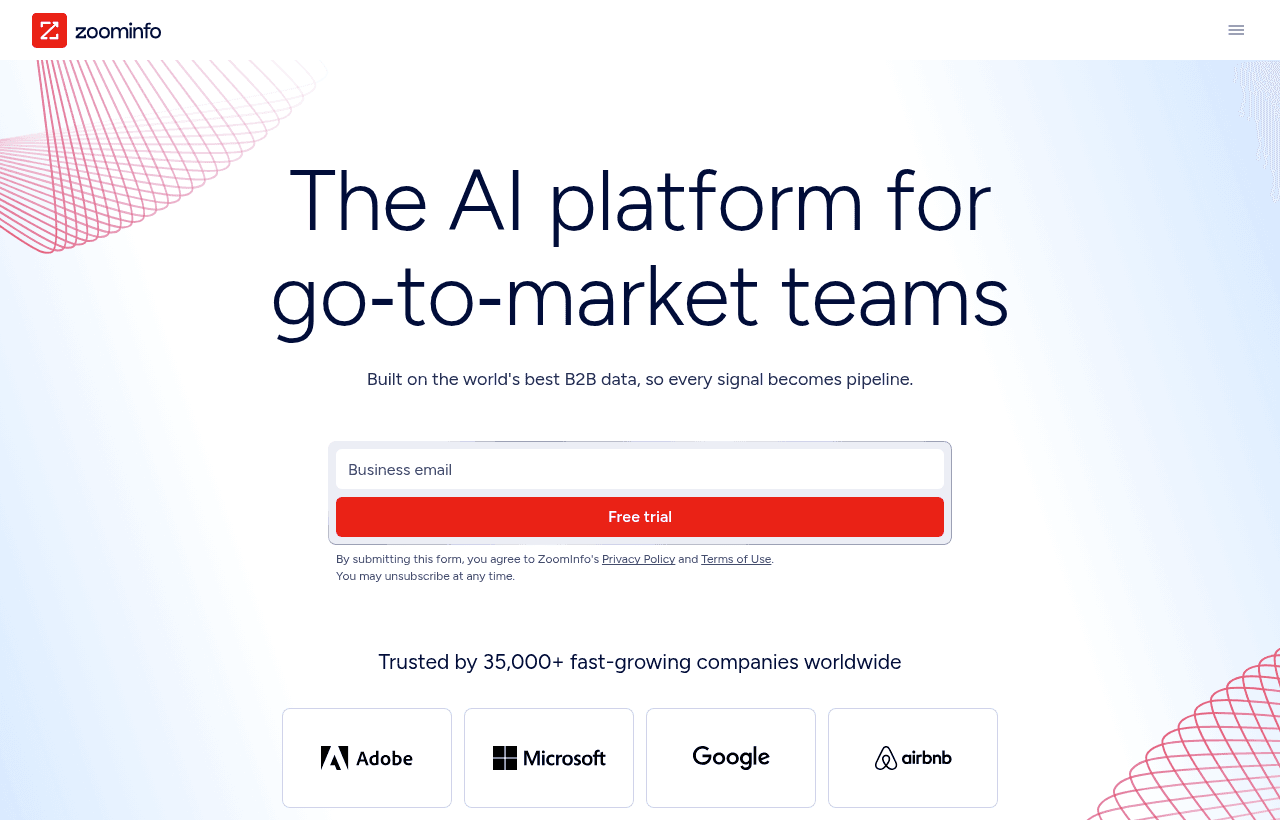
We checked these plans and prices against ZoomInfo's official pricing and help pages in November 2026.
ZoomInfo offers its free trial to new users directly, so the SaaSOffers link does not add a discount on top. The link takes you to ZoomInfo's own free trial page. What this page adds is the context a founder needs before talking to ZoomInfo sales: what the trial covers, what the free ZoomInfo Lite account gives you, how credits work, and what a paid contract looks like.
ZoomInfo is a B2B contact and company database with sales, marketing and recruiting tools on top. ZoomInfo states it covers 500M+ contacts, 100M+ companies, 200M+ verified business email addresses and 120M+ direct-dial phone numbers, and that 300+ human researchers help verify records.
ZoomInfo free trial terms
ZoomInfo's free trial page states these terms:
- Length: ZoomInfo "typically offers a 7-day free trial for new users." The length can change with promotions, company size or industry, whether you work with a sales rep, and the package you choose.
- Credit card: not required to start.
- Eligibility: a business email, verified before the trial begins. The form also asks for your full name and job title.
- What you get: core platform access, including contact and company search, intent signals and email outreach.
- Limits: the trial has usage limits. ZoomInfo does not publish the numbers.
- After the trial: it ends on its own. You are not charged during the trial, and you choose whether to buy a paid plan.
Seven days is short. Plan your trial before you start it. The setup section below lists what to test.

ZoomInfo plans and prices
ZoomInfo does not publish dollar prices for any paid plan. Every paid package goes through a quote. ZoomInfo's own pricing guide says paid plans are annual subscriptions, billed upfront, and that monthly billing is not standard.
| Plan | Billed yearly | Billed monthly | Key limits |
|---|---|---|---|
| ZoomInfo Lite | $0 | $0 | 10 export credits per month (25 with Community Edition); WebSights Lite up to 10 visitor reveals per day; business email required |
| Free trial | $0 | $0 | Typically 7 days; usage limits not published; no credit card |
| Professional | Custom quote | Not standard | Contact and company profiles, mobile numbers, business email, CRM integrations, Chrome extension, AI email generation, AI dialing, standard support |
| Copilot Advanced | Custom quote | Not standard | Everything in Professional plus buyer intent, website visitor data, champion tracking, workflows, Account Fit Score |
| Copilot Enterprise | Custom quote | Not standard | Everything in Advanced plus real-time intent, custom integrations, advanced reporting, Copilot chat, dedicated customer service manager |
| Marketing Demand | Custom quote | Not standard | 75K included credits, 25 intent topics, audience and retargeting tools |
| ABM Lite | Custom quote | Not standard | 100 intent topics, display network up to 10 active campaigns and 10K accounts |
| ABM Enterprise | Custom quote | Not standard | 150K included credits, unlimited intent topics and display campaigns |
Pricing depends on the features you pick, the number of licenses, and credit usage. Add-ons such as Streaming Intent and extra integrations change the price. ZoomInfo's guide says paid plans have a minimum number of seats but does not state the number. It also advises buyers to confirm the auto-renewal notice period and ask for a cap on renewal increases.
You will see older figures for ZoomInfo pricing around the web. We could not confirm any dollar amount on a ZoomInfo page, so this page does not quote one. Ask for a written quote.
Sales packages
Professional is the base sales package. It covers contact and company data with mobile numbers and business emails, connects to your CRM, and includes a Chrome extension so reps can pull contact data while browsing. Copilot Advanced adds signals: buyer intent, who visited your website, and alerts when a past champion changes jobs. Copilot Enterprise adds real-time intent, custom integrations and a dedicated customer service manager.
ZoomInfo now describes Copilot as the AI layer inside GTM Workspace, its seller workspace that integrates with Salesforce, rather than a separate product.
Marketing packages
Marketing Demand, ABM Lite and ABM Enterprise are sold with a demo, not a self-serve trial. They are the only packages where ZoomInfo states a credit count: 75K on Marketing Demand and 150K on ABM Enterprise.
Standalone products
Chorus (call recording and conversation intelligence) and ZoomInfo Chat (website chat) are sold separately. ZoomInfo Talent covers recruiting and candidate search.
How ZoomInfo credits work
Credits control how much data you can take out of ZoomInfo.
- One export costs 1 credit. An export means moving a contact or company profile to a CSV file or another app.
- Searching does not use credits. Only exports do.
- Credits are used by exports from the platform, the Chrome extension, and API calls from integrations.
- On ZoomInfo Lite, credits do not roll over. Your balance refreshes on your last credit grant date.
What the free options don't include
ZoomInfo Lite and the trial are useful for testing, not for running outbound at volume. Here is what you do not get for free:
- Volume. Lite gives 10 exports a month. A single SDR can need that many in an hour.
- Intent data at scale. Buyer intent and website visitor data are features of Copilot Advanced and higher.
- Long evaluation time. The trial typically lasts 7 days.
- Published trial limits. ZoomInfo states the trial has usage limits but not what they are.
- Monthly billing. Paid plans are annual and paid upfront as standard.
- Personal email signups. Lite needs a verified business email. Gmail and Yahoo addresses are not accepted.
What the free options are worth: worked examples
ZoomInfo does not publish paid prices, so these examples measure the free options in credits and compare them with a tool that does publish prices.
Example 1: a founder doing their own outreach
You export 5 contacts every working day for 4 weeks.
- Credits needed: 5 × 20 working days = 100 credits per month
- ZoomInfo Lite gives: 10 credits (25 with Community Edition)
- Shortfall: 90 credits (75 with Community Edition)
Lite covers about 2 working days of this plan at 5 exports a day. Community Edition covers 5 days. For the rest you need a paid plan or a different tool. For comparison, Snov.io Starter costs $39 per month or $29.25 per month billed yearly and includes 1,000 credits.
Example 2: a 5-person SDR team
ZoomInfo's own pricing guide uses a similar case and puts it at roughly 1,000 credits per week. Counting 5 working days, each rep exporting 50 contacts a day uses:
- Credits per week: 5 reps × 50 contacts × 5 days = 1,250 credits
- Credits per month at 4 weeks: 1,250 × 4 = 5,000 credits
- Five separate Lite accounts at 10 credits each: 5 × 10 = 50 credits
At this volume the team needs a paid quote. Use the credit figure to frame that conversation. Ask the rep how many credits per month are included per seat, and what an extra block of credits costs. On Snov.io, 5,000 credits a month is the Pro S plan at $99 per month or $74.25 per month on yearly billing.
Where ZoomInfo fits best
- Sales teams selling into North American mid-market and enterprise accounts. ZoomInfo positions its North American coverage as deeper than Cognism's.
- Teams that need direct dials. ZoomInfo states 120M+ direct-dial numbers.
- Companies on Salesforce, HubSpot or Microsoft Dynamics 365 that want contact data synced into the CRM. ZoomInfo also lists Outreach, Salesloft, Slack and Gmail among 120+ integrations.
- Teams that want intent signals on which accounts are researching their category, on Copilot Advanced and up.
- Recruiters who want candidate data through ZoomInfo Talent.
When ZoomInfo is the wrong pick
- Founders who need a monthly plan. Paid plans are annual and paid upfront as standard.
- Teams that need a price before talking to sales. Every paid package needs a quote.
- Teams selling mainly into one European country. ZoomInfo's own content suggests testing regional coverage first.
- Very small teams with low volume. Snov.io's free Trial plan (50 credits) or Hunter's Free plan (50 credits a month) may be enough to start.
ZoomInfo compared with alternatives
| Tool | Free option | Paid pricing | Notes |
|---|---|---|---|
| ZoomInfo | Lite: 10 credits per month; trial typically 7 days | Custom quote, annual, billed upfront | 500M+ contacts, 120M+ direct dials, intent data from Copilot Advanced |
| Snov.io | Trial plan: 50 credits, 100 recipients, renews every 30 days | Starter $39 per month or $29.25 yearly (1,000 credits); Pro S $99 or $74.25 yearly (5,000 credits) | Email finder and outreach in one tool; published prices |
| Hunter | Free plan: 50 credits per month, 30 AI searches | Starter $49 per month or $34 yearly (2,000 credits); Growth $149 or $104 yearly (10,000 credits) | Credits reset monthly and do not roll over; yearly plans get a full year of credits upfront |
The biggest difference is pricing transparency. Snov.io and Hunter publish every self-serve price. ZoomInfo quotes paid plans through sales. Snov.io and Hunter focus on email finding and outreach, while ZoomInfo adds direct dials, intent data and org-level company data.
For the 5-person SDR team in Example 2 needing 5,000 credits a month, Hunter Growth covers 10,000 credits for $149 per month, or $1,248 a year on yearly billing. Snov.io Pro S covers exactly 5,000 credits for $99 per month, or 12 × $74.25 = $891 a year on yearly billing. Use those numbers as a floor when you compare a ZoomInfo quote, and weigh them against the phone numbers and intent signals ZoomInfo adds.
Getting the most from the trial
- Pick your test accounts before you start. Write down 20 to 30 target companies and the roles you sell to. Search them on day 1 so you can judge coverage, not browse.
- Check data you already know. Look up contacts you have verified yourself and compare emails and phone numbers.
- Connect your CRM early. Professional includes CRM integrations. Test the sync with Salesforce, HubSpot or Dynamics 365 during the 7 days, not after.
- Install the Chrome extension. Exports from the extension use the same credits as the platform, so count them in your test.
- Ask for the quote in writing. Request seat count, credits per seat, the minimum seat number, the renewal notice period and any cap on renewal increases.
- Keep Lite afterwards. If you do not buy, a Lite account gives 10 export credits a month at no cost.
ZoomInfo Lite and Community Edition
Lite is a permanent free account, not a trial. It needs no credit card and does not expire. Community Edition raises the monthly credit allowance to 25. To join, you connect Outlook, Google, Office or a CRM such as Salesforce, Dynamics or HubSpot, and ZoomInfo collects contact data from that account. Outlook users install ZoomInfo's Contact Contributor software. You can revoke access later and drop back to standard Lite, losing the extra credits.
Think about this before connecting a company mailbox. Community Edition shares your contacts with ZoomInfo's database. Check with whoever handles privacy at your company.
Security and privacy
ZoomInfo lists ISO 27001, ISO 27701 and SOC 2 Type II among its certifications, plus TRUSTe validation letters for GDPR and CCPA. Professionals are notified by business email when their data is added and can opt out through the ZoomInfo Privacy Center. ZoomInfo accepts credit or debit card, ACH, wire transfer, EFT and check for invoices.
How to claim the ZoomInfo deal
- Click the Get deal button on this page. It opens ZoomInfo's free trial page through the SaaSOffers partner link.
- Fill in the form with your full name, job title and business email. Personal email addresses are not accepted.
- Verify your business email to start the trial.
- Use the trial days to test coverage, data accuracy and your CRM sync.
- When the trial ends, choose a paid plan through ZoomInfo sales or continue on a free ZoomInfo Lite account.
There is no promo code and no extra requirement for this deal.
Who Is This Deal For?
Early-Stage Startups
Seed and pre-seed companies looking to move fast without overspending on tools.
Growing SaaS Teams
Series A+ companies scaling their stack and optimizing software costs.
Solo Founders
Indie hackers and bootstrapped founders who need enterprise tools at startup prices.
Get 14-day free trial off ZoomInfo
Free for all startups. Claim instantly.
Frequently Asked Questions
Everything you need to know about this startup deal.
Get the weekly deals digest
New verified startup deals every week. No spam, ever. Unsubscribe anytime.
Related Offers

Attio
Used by 1,730 members
$500 in credits
Next-generation CRM built on your data, flexible data model, real-time syncing, and powerful automations.
View offer
Freshsales
Used by 333 members
No deal right now
There is currently no promo code for this product. AI-powered CRM with built-in phone, email, chat, and lead scoring.
View offer
Emailchaser
Free 7-day trial
Cold email software that finds leads, checks every address with two providers and sends follow-ups from unlimited Google and Microsoft mailboxes.
View offer
PartnerStack
Used by 1,303 members
Free Demo
Partner ecosystem platform, manage affiliate, referral, and reseller programs at scale.
View offer
Instantly
Used by 2,530 members
No deal right now
There is currently no promo code for this product. Get 20% off Instantly monthly and annual plans. The cold email outreach platform with unlimited inboxes, built-in warmup, and deliverability tools.
View offer
Phantom Buster
Used by 1,028 members
No deal right now
There is currently no promo code for this product. Cloud-based automation tool for lead generation across LinkedIn, Twitter, and more.
View offerDeal Summary
Looking for more startup deals?
Browse all offers