
Budibase Coupon: Free Plan
Open-source low-code platform for building business apps in minutes.
Premium: $79/year for unlimited deals
Already have an account? Log in
Deal Highlights
The Budibase Offer on SaaSOffers
Free Plan. The listing has no extra eligibility requirements and no promo code. You get Budibase's free plan by creating an account or installing Budibase yourself.
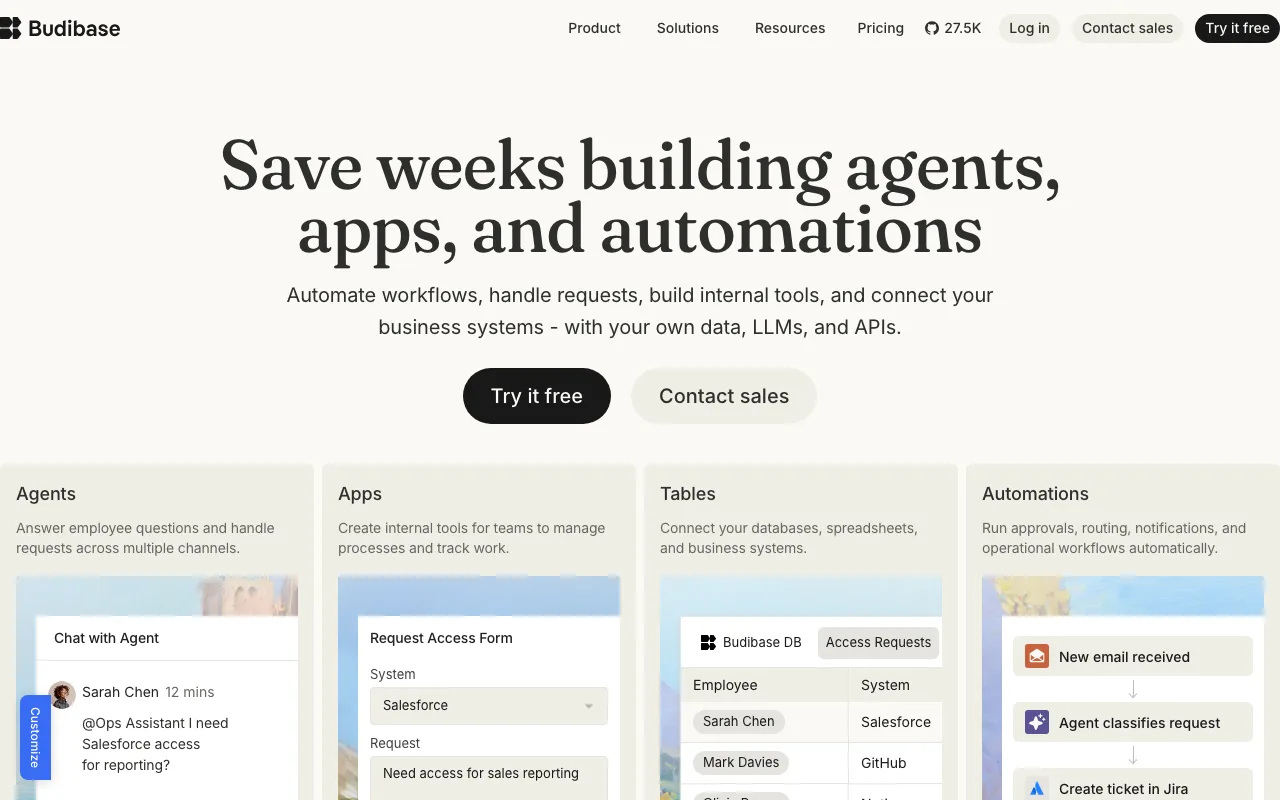
We checked these plans and prices against Budibase's official pricing and help pages in November 2026.
Budibase's only free plan today is the self-hosted Open source plan. You install it on your own server and it stays free with no time limit. Budibase Cloud, the hosted version, has no free tier. Its paid plans start at $19 a month on yearly billing and come with a 14-day free trial. Anyone gets the same free plan and the same trial directly from Budibase. The SaaSOffers listing adds no credit, discount or extra trial days.
Budibase is an open source low-code platform for internal apps, automations and AI agents. You connect a database or API, build screens with a drag-and-drop designer, and add workflows that run on triggers. The company says 300K teams use it, its GitHub repository shows 27.5K stars, and its site lists ISO 27001 certification and GDPR compliance.
What the Free Open Source Plan Includes
- Unlimited apps, automations and agents. No caps on how many you build.
- Unlimited users. Creators (builders) and end users have no seat limit and no per-user fee.
- Unlimited actions. Cloud plans meter "actions." Self-hosting does not.
- Unlimited Budibase DB rows. The built-in database has no row cap when self-hosted.
- SSO. Single sign-on is included, which Budibase Cloud reserves for Premium and above.
- 1 workspace. A workspace groups apps, automations and shared data sources.
- Community support through the Budibase forum, docs and community chat.
What the free plan doesn't include
- Hosting. You run the servers and you pay for them. Budibase's docs warn that self-hosting means you must handle security, maintenance and troubleshooting yourself.
- More than 1 workspace. Multiple workspaces need self-hosted Enterprise.
- Custom branding, backups and restore, environment variables, enforced SSO and user groups. These are in self-hosted Enterprise.
- Audit logs, Active Directory/SCIM and 365-day logs. Enterprise only.
- Long log history. Automation logs on the open source plan are kept for 1 day.
- Paid support or SLAs. Priority support with a 2-business-day SLA is an Enterprise feature.
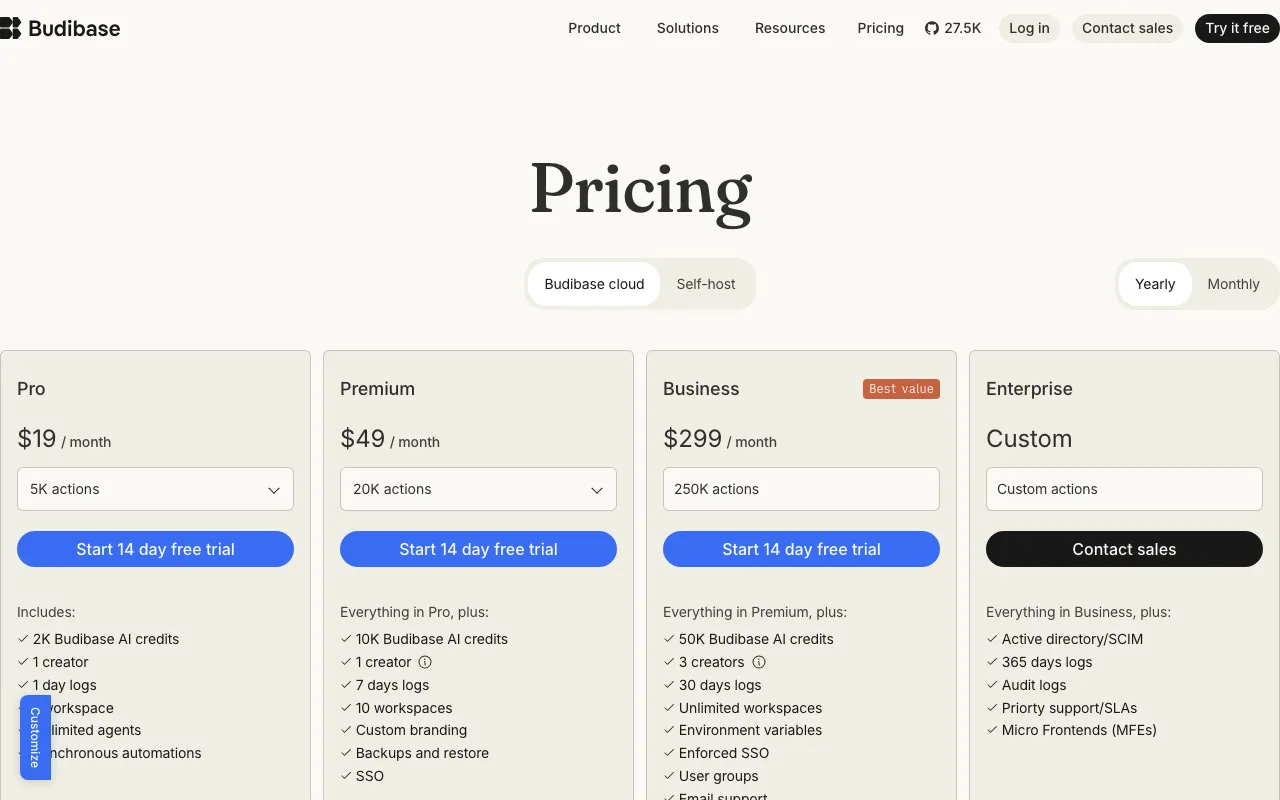
Budibase Pricing Table
Budibase Cloud prices plans by actions per month. An action is an agent tool call, an automation step, or a row created, updated or deleted in Budibase DB or a SQL database. Custom SQL queries and API requests are not counted. Monthly billing is the yearly price plus 20%.
| Plan | Billed yearly (per month) | Billed monthly | Key limits |
|---|---|---|---|
| Open source (self-host) | $0 | $0 | Unlimited actions, apps and users, 1 workspace |
| Pro, 5K actions | $19 | $23 | 1 creator, 1 workspace, 50,000 DB rows, 2K AI credits, 1-day logs |
| Pro, 10K actions | $29 | $35 | Same as Pro 5K |
| Premium, 20K actions | $49 | $59 | 1 creator included, 250,000 rows, 10K AI credits, 7-day logs, backups, SSO |
| Premium, 50K actions | $79 | $95 | Same as Premium 20K |
| Business, 250K actions | $299 | $359 | 3 creators, 500,000 rows, 50K AI credits, 30-day logs |
| Enterprise (cloud or self-host) | Custom | Custom | Unlimited rows, SCIM, audit logs, SLAs |
All paid cloud plans include 0 end users. Each one is an add-on.
Add-ons
- End users: $5 per user per month on yearly billing, on Pro, Premium and Business. Monthly billing adds 20%, so $6.
- Extra creators: $50 per creator per month on yearly billing, on Premium and Business only. Monthly billing makes it $60. Pro is capped at 1 creator.
- Enterprise add-ons: air-gapped deployment, and onboarding and training.
Hard limits, not overages
Actions are hard monthly limits. When you reach your tier's limit, agents and automations stop until you move to a higher tier or plan. Budibase says it chose this over overage billing so costs stay predictable. There are no surprise charges, but a workflow can stop late in the month.
What each cloud plan adds
- Pro: unlimited agents, synchronous automations and Budibase Cloud hosting.
- Premium: custom branding, backups and restore with 7-day backup retention, SSO, and 10 workspaces (the comparison table says unlimited).
- Business: environment variables, enforced SSO, user groups, email support and unlimited workspaces.
- Enterprise: Active Directory/SCIM, 365-day logs, audit logs, priority support and SLAs, and micro frontends for embedding apps in React applications.
Worked Example 1: A 5-Person Ops Team
One person builds the apps. Four colleagues use them to approve refunds and update customer records. The team expects about 4,000 row updates and automation steps a month.
On Budibase Cloud Pro (5K actions):
- Yearly billing: $19 + (4 end users x $5) = $39 a month, or $468 a year.
- Monthly billing: $23 + (4 x $6) = $47 a month, or $564 a year.
- Yearly saves $96 a year over monthly.
On the free Open source plan: $0 in license fees and no action cap. The saving against Pro yearly is $468 a year, minus whatever your server costs. You give up Budibase-managed hosting and take on maintenance.
Worked Example 2: A 10-Person Startup With 2 Builders
Two people build apps and eight people use them. Pro allows only 1 creator, so the cloud option is Premium (20K actions) with 1 extra creator.
- Yearly billing: $49 + $50 (extra creator) + (8 x $5) = $139 a month, or $1,668 a year.
- Monthly billing: $59 + $60 + (8 x $6) = $167 a month, or $2,004 a year.
- Yearly saves: $336 a year over monthly.
Self-hosted Open source: $0 in license fees for all 10 users and both builders, with SSO included. Against Premium yearly, that is $1,668 a year not spent on licenses. If the team later needs audit logs, backups in the product or SCIM, those require Enterprise at a custom price.
What You Can Build With Budibase
Budibase has three builders in one workspace: an app builder, an automation builder and an agent builder. They share the same data sources, so a form, the workflow it triggers and an agent that reads the result all work against the same tables.
Apps
- Screens and components. 40+ pre-built components, including tables, forms, cards, charts, a calendar, a signature field, a barcode and QR scanner, an embedded map and an S3 file upload.
- Design blocks. Form blocks and multi-step form blocks combine several components for common layouts.
- Logic without code. Conditional UI, chained actions, app state and form validation run from the builder.
- JavaScript where you need it. Reusable code snippets work anywhere JavaScript bindings are supported. Custom app scripts and PWAs are marked as paid features in the docs.
- Embedding. Authenticated embeds put a Budibase app inside an iframe and share login with the parent site. Micro frontends, for React apps, are Enterprise only.
- Responsive screens for mobile and desktop, plus translations for interface text.
Automations
- 20+ triggers and actions chained into backend workflows.
- Synchronous automations and webhooks return results directly to the app user or the HTTP caller.
- Trigger types include on-demand app actions, a schedule trigger, webhooks, row triggers when rows are created, updated or deleted, and an email listener. An n8n step can start an n8n workflow.
- Logs show past runs. Retention is 1 day on Pro and open source, 7 days on Premium, 30 days on Business.
Agents
- Tool calling lets you choose which tools an agent can use to read data, write data or trigger actions.
- Knowledge sources attach vector databases and documents for retrieval.
- Evals test agent behavior against set scenarios before production.
- Bring your own AI key to use your own model provider instead of Budibase AI credits.
- Messaging channels for Slack and Microsoft Teams are covered in the docs.
Security and Compliance
- Budibase lists ISO 27001 certification and GDPR compliance, and says it is made in Europe.
- Role-based access control sets tenant and app roles for data and screens.
- SSO supports OpenID Connect, including PKCE OIDC. Google SSO is documented. Enforced SSO starts on Business in the cloud.
- Google reCAPTCHA can protect public forms and user flows.
- Environment variables keep database credentials and API keys out of app configs, with separate development and production values.
- Offline license settings control outbound license checks for self-hosted installs that can't call home.
- Air-gapped deployment is an Enterprise add-on.
Cloud or Self-Host?
Cloud suits teams that want managed infrastructure, scaling, AI credits and support. Self-hosting suits teams that need full control of their infrastructure. The trade for $0 licenses is your own time on upgrades, backups and security.
Who It's For
- Startups with someone who can run Docker. The open source plan gives unlimited users for free if you can host it.
- Teams building admin panels on an existing database. Budibase connects to PostgreSQL, MySQL/MariaDB, MS SQL Server, Oracle, MongoDB, CouchDB, DynamoDB, Elasticsearch, Firestore, Redis, S3, Snowflake, Google Sheets and REST APIs, plus CSV import.
- Ops teams that need approvals and forms. The builder has 40+ pre-built components, form and multi-step form blocks, conditional UI, a PDF creator and charts.
- Companies with data rules. Self-hosting keeps the platform and data on your own infrastructure. Enterprise adds air-gapped deployment.
- Teams adding AI agents to internal tools. Agents can use tool calling, knowledge sources and vector databases, and you can bring your own AI key.
Who Should Skip It
- Teams with nobody to maintain servers that also need more than 1 builder. The cheapest cloud setup for 2 builders is Premium plus an extra creator, $99 a month before end users.
- High-volume automation on a small budget. Pro's 5K actions per month is a hard cap.
- Customer-facing apps with many logged-in users on cloud. Every end user costs $5 a month on yearly billing.
- Anyone who needs audit logs or SCIM cheaply. Those are Enterprise only.
Budibase vs Alternatives
| Budibase | Retool | Appsmith | Softr | |
|---|---|---|---|---|
| Free plan | Self-hosted, unlimited users | Up to 5 users | Up to 5 users (cloud) | 3 builders, 5 app users |
| Free plan limits | 1 workspace, 1-day logs | 500 workflow runs/mo | 5 workspaces, 3 Git repos | 5K records, 500 workflow actions/mo |
| First paid plan | $19/mo yearly, $23 monthly | $10 per builder/mo yearly, $12 monthly | $15 per user/mo | $19/mo yearly, $25 monthly |
| Trial | 14 days on cloud plans | Free trial on paid plans | 15-day Business trial, no card | Business trial |
| Open source self-host | Yes | No (self-hosting on paid plans) | Yes (Community) | No |
Retool's Team plan charges per user type: $10 per builder and $5 per internal user a month on yearly billing, with 5,000 workflow runs. Appsmith Business is $15 per user per month for up to 99 users, with unlimited Git repos and audit logs. Softr is the no-code option for teams that don't want to manage a database or a server.
Setup Tips
- Pick your install method first. Budibase documents Docker Compose, Kubernetes, Windows Server, DigitalOcean one-click and a Portainer template. It does not recommend AWS App Runner, because Budibase needs persistent storage.
- Change the secrets in .env. The Docker Compose guide says to replace the default secrets before production. A new UUID per secret works.
- Run production on Linux. The docs recommend a Linux host and provide setup scripts.
- Connect your real database early. External data sources have unlimited records on every plan, and only Budibase DB rows are capped on cloud.
- Set roles before you invite users. Role-based access control is on every plan, including open source.
- Count actions before choosing cloud. Row writes and automation steps count. API requests and custom SQL queries don't.
- Start a cloud trial if hosting is the blocker. The 14-day trial lets you test Pro, Premium or Business before paying.
How to Claim the Deal
- Open the Budibase deal on SaaSOffers and follow the link to Budibase.
- For the free plan, go to the self-hosting docs and pick Docker Compose, Kubernetes or DigitalOcean.
- Download the docker-compose.yaml, .env and litellm_config.yaml files, update the secrets, and run docker-compose up.
- Open your instance URL, create the admin account and invite your team. There is no user limit.
- If you prefer hosting by Budibase, register on Budibase Cloud instead and start the 14-day trial of Pro, Premium or Business.
There is no promo code for this deal. The free plan and the cloud trial are open to anyone.
Who Is This Deal For?
Early-Stage Startups
Seed and pre-seed companies looking to move fast without overspending on tools.
Growing SaaS Teams
Series A+ companies scaling their stack and optimizing software costs.
Solo Founders
Indie hackers and bootstrapped founders who need enterprise tools at startup prices.
Get Free Plan off Budibase
Premium deal. Upgrade once, unlock everything.
Frequently Asked Questions
Everything you need to know about this startup deal.
Get the weekly deals digest
New verified startup deals every week. No spam, ever. Unsubscribe anytime.
Related Offers

ZoomInfo
Used by 2,014 members
Free Trial
B2B data platform for sales and marketing intelligence with contact databases.
View offer
Chore
15% off your first month
Chore runs your startup's back office for you: payroll, HR, bookkeeping, compliance and equity, inside the tools you already use. 15% off your first month through SaaSOffers.
View offer
OmniSEO
Used by 1,361 members
Free Trial
All-in-one SEO platform for keyword research, rank tracking, and site optimization.
View offerDeal Summary
Looking for more startup deals?
Browse all offers