
Freshdesk Promo Code: 6 months free Growth
Free helpdesk and customer support platform with ticketing, knowledge base, and team collaboration for growing startups.
Free · Opens in new tab
Free · No account required. Sign up to track your deals.
Deal Highlights
Freshdesk occupies the middle of the helpdesk market deliberately. It is more structured than a shared inbox and considerably cheaper than Zendesk, which makes it the default choice for teams that have outgrown forwarding support emails but are nowhere near needing an enterprise service desk.
This deal covers six months on the Growth tier, which matters because Growth is where the automation lives. The free plan is genuinely limited in agents, and the features that reduce workload rather than just organize it start on paid tiers.
What Is Freshdesk?
Freshdesk is a cloud helpdesk from Freshworks. Customer messages from email, chat, phone, and social arrive as tickets in a shared queue, where they can be assigned, prioritized, tracked against SLAs, and resolved.
Around ticketing it provides a knowledge base for self-service, automation rules for routing and repetitive actions, canned responses, reporting, and a customer portal. Freddy AI adds assistance for agents and automated resolution for common questions, priced separately.
The reason startups pick it over a shared inbox is structure. When several people handle support and volume is high enough that things get dropped, ticket status, ownership, and SLA timers stop being bureaucracy and start being how you avoid losing customers.
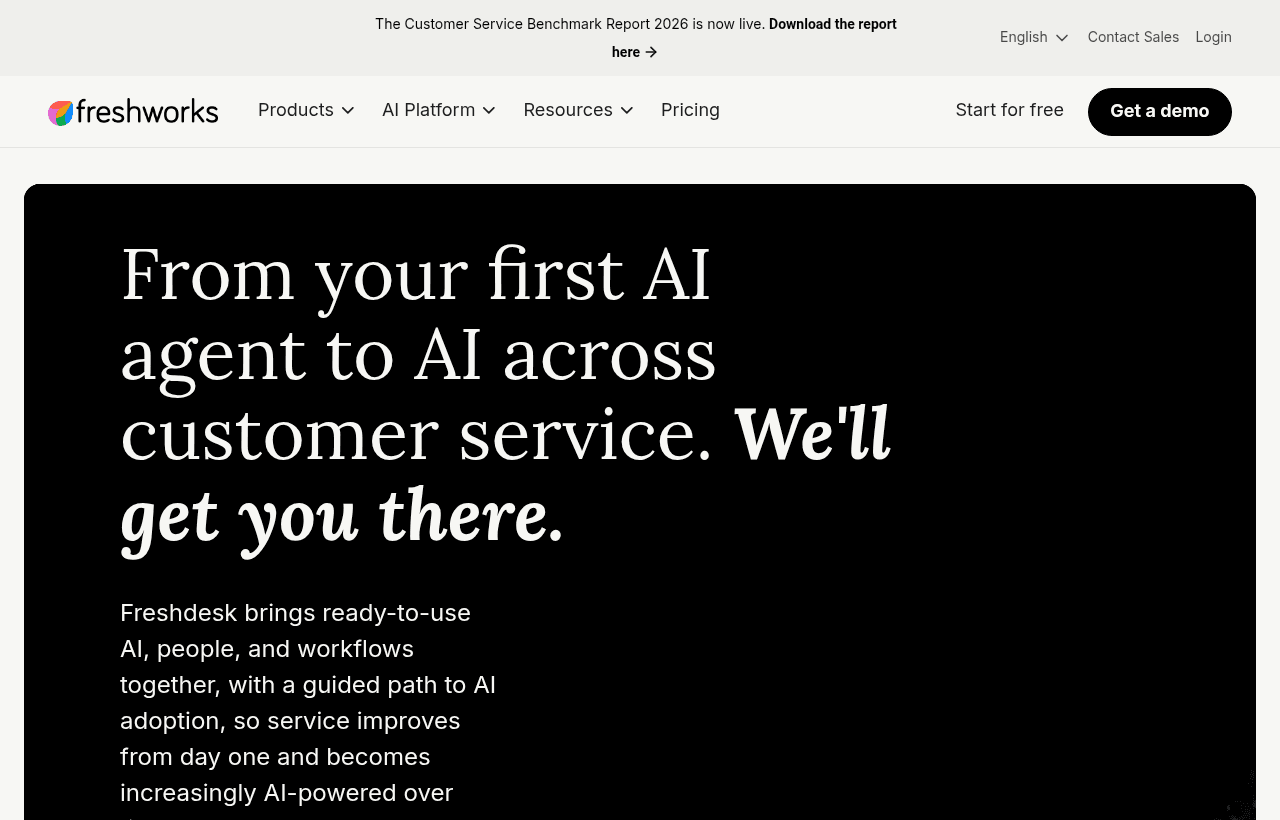
Freshdesk, one of the tools included in this startup deal.
What's Included in This Deal
Six months of the Growth tier covers:
- Unlimited email and social ticketing in a shared queue
- Automation rules for assignment, routing, and repetitive actions
- Knowledge base for self-service documentation
- Collision detection, so two agents do not answer the same ticket
- SLA management with business hours
- Canned responses for recurring questions
- Reporting on volume, resolution time, and agent performance
- Marketplace integrations across the tools you already run
Six months is enough to build the knowledge base and automation that keep paying off after the promotional period, which is the real return here rather than the fee avoided.
Freshdesk Pricing: What You Pay After
| Plan | Annual | What it adds |
|---|---|---|
| Free | $0, limited agents | Core ticketing, knowledge base, basic reports |
| Growth | around $19/agent/mo | Automation, collision detection, SLAs, canned responses |
| Pro | around $55/agent/mo | CSAT surveys, custom roles, round-robin routing, multiple products |
| Enterprise | around $89/agent/mo | Skill-based routing, audit logs, sandbox |
Monthly billing runs roughly 20% above these figures. The omnichannel suite, Freshdesk Omni, is priced higher again at approximately $29, $79, and $119 per agent across its tiers.
Two cost mechanics are worth planning around.
Feature gating is aggressive between Growth and Pro. CSAT surveys, custom agent roles, round-robin routing, and support for multiple products all sit at Pro. Teams frequently pick Growth on price and then discover a required capability one tier up, which roughly triples the per-agent cost. Write down the specific features your process needs before choosing.
Freddy AI is a separate line item. The agent-side copilot runs around $29 per agent per month, and the automated resolution agent is session-based: Pro and Enterprise include an initial allocation, after which sessions cost roughly $49 per hundred. If AI resolution is central to your plan, model it separately rather than assuming it is bundled.

A closer look at Freshdesk.
Freshdesk vs Zendesk vs Zoho Desk vs Help Scout
| Platform | Entry cost | Strength | Trade-off |
|---|---|---|---|
| Freshdesk | around $19/agent/mo | Balance of affordability and structure, clean interface | Key features gated at Pro |
| Zendesk | from around $55/agent/mo | Deepest omnichannel and analytics, the enterprise standard | Most expensive, no free plan, heavier to configure |
| Zoho Desk | around $14/agent/mo | Cheapest at every tier, strong inside the Zoho ecosystem | Best value only if you use other Zoho products |
| Help Scout | around $25/user/mo | Feels like email, near-zero learning curve | Less suited to complex routing and escalation |
The decision usually resolves on two questions.
Do you want tickets or conversations? Freshdesk, Zendesk, and Zoho Desk are ticketing systems: queues, statuses, SLAs, escalation. Help Scout is a shared inbox where customers receive ordinary email replies. For a small team selling a relationship-driven product, the shared inbox often fits better. For a team where volume and accountability matter more than intimacy, ticketing wins.
Are you already in an ecosystem? Zoho Desk is meaningfully cheaper at every tier and integrates natively with Zoho CRM and Analytics. If you run Zoho elsewhere, that combination is hard to beat on cost. If you do not, the saving is smaller than the table suggests once you account for the ecosystem you are not using.
Zendesk is the most capable and the most expensive. It earns its price at scale, with genuine omnichannel depth and analytics, and it is overbuilt for a five-agent team.
Setting It Up Without Creating Bureaucracy
The failure mode with ticketing software is configuring a process heavier than your team needs, then spending more time maintaining the system than answering customers.
Start with one ticket queue. Resist splitting by product, region, or type on day one. Add separation when a specific routing problem exists, not in anticipation of one.
Use three or four statuses. Open, pending, resolved, and perhaps waiting on customer. Elaborate status taxonomies look organized and mostly generate arguments about which status applies.
Automate assignment before anything else. Unassigned tickets are the ones that get dropped. A single rule that assigns by rotation or availability removes the most common failure.
Set SLAs you can actually meet. An SLA promising a one-hour first response, breached daily, is worse than an honest four-hour target consistently hit. Your team stops trusting the alerts.
Write canned responses from real replies. After two weeks, look at what you typed repeatedly and turn those into templates. Writing them in advance produces answers to questions nobody asks.
The Metrics That Actually Matter
Helpdesk reporting offers dozens of numbers, and most are noise at startup scale.
First response time is what customers feel. Silence causes more dissatisfaction than a slow fix. Track it and protect it.
Resolution time matters, but read it alongside ticket type. Averaging a password reset with a complex bug produces a number that means nothing.
Ticket volume per customer is the health metric nobody watches. If total volume grows in step with customers, your product and documentation are keeping pace. If volume per customer is rising, something is getting harder to use.
Recurring themes are the highest-value output. Tag tickets by topic and review monthly. The same question appearing fifty times is a product, onboarding, or documentation problem, and fixing it removes that volume permanently rather than resolving it faster.
CSAT is useful once you have enough responses to mean something, and it sits behind the Pro tier, which is worth knowing before you plan around it.
Where AI Actually Helps in Support
AI features are the loudest part of every helpdesk pitch right now, and worth separating into what reliably works and what disappoints.
Drafting replies works well. An assistant that reads the ticket and proposes an answer for the agent to edit saves genuine time, and the agent remains accountable for what goes out. This is the lowest-risk, highest-return application.
Summarizing long threads works well. A ticket that has bounced between three people over a week takes minutes to read. A summary makes handover practical, which matters most for the tickets that are already going badly.
Automated resolution works within limits. Deflecting genuinely common, factual questions is effective, and it is where the session-based pricing goes. It works when your knowledge base is good, because that is what the AI draws on. Teams expecting AI to compensate for missing documentation are disappointed, since there is nothing for it to answer from.
Sentiment detection and prioritization are mixed. Useful as a signal for triage, unreliable as a decision-maker. An angry customer is not always the most urgent one.
The pattern across all of it: AI amplifies the quality of your documentation and process. Applied to a well-documented product with clear answers, it removes real volume. Applied to a chaotic support operation, it produces confident wrong answers faster than a human could produce them. Build the knowledge base first, then automate against it.
Common Setup Mistakes
Importing every historical ticket. Old tickets clutter search and rarely get opened. Bring across what is genuinely open and keep the previous system readable for a quarter.
Creating a rule for every scenario. Automation rules interact in ways nobody predicts, and a workspace with forty rules becomes impossible to debug when a ticket routes somewhere strange. Start with three.
Giving everyone an agent seat. Billing is per agent. People who occasionally need to read a ticket usually do not need a paid seat, and reviewing this quarterly reliably finds waste.
Turning on every channel at once. Adding social and chat before email is running smoothly multiplies the queue without adding capacity. Sequence the rollout.
Who Should Use Freshdesk?
Use it if you have two or more people handling support, volume is high enough that tickets get lost in a shared inbox, and you want structure without enterprise cost or complexity. That is the profile Freshdesk fits best.
Use it if you need multichannel support in one queue. Consolidating email, chat, and social into a single view is where ticketing systems earn their keep over an inbox.
Look elsewhere if you are one or two people answering a handful of emails daily, where a shared inbox is faster and friendlier. Also look elsewhere if you are heavily invested in Zoho, where Zoho Desk is cheaper and better connected, or if you need genuine enterprise omnichannel depth, where Zendesk remains the standard.
Real Startup Use Cases
A SaaS company with three support agents moved off a forwarded support address after repeatedly discovering that two people had answered the same customer with different information. Collision detection and assignment rules eliminated that within a week, and the reporting revealed that most volume came from two onboarding steps nobody had documented.
An ecommerce brand consolidated email, Instagram messages, and website chat into one queue. Before, social messages sat unanswered for days because nobody owned them. Afterward, response times converged across channels because everything appeared in the same place.
A growing startup used the six-month promotional period deliberately: it published twenty knowledge base articles and built assignment and escalation automation. When the paid period began, ticket volume per customer had fallen enough that the subscription cost less than the support hours saved.
How to Claim This Deal
- Follow the link on this page to Freshdesk.
- Sign up with your company email on your own domain.
- Confirm the promotional terms and the Growth tier appear before completing signup.
- Connect your support email address so real tickets flow in.
- Invite only the people who will actually handle tickets, since billing is per agent.
- Note the promotional end date and review your plan a month before it arrives.
Tips to Get Value Fast
- Build the knowledge base during the free period. It is the only investment that permanently reduces volume, and six months is enough to cover your top questions properly.
- Audit agent seats monthly. Per-agent billing means an inactive account is pure waste. Deactivate promptly.
- Check the Growth-to-Pro feature list before committing. Discovering that CSAT or round-robin routing sits a tier up is the most common budget surprise here.
- Model Freddy AI separately. Session-based pricing beyond the included allocation adds up quickly at volume.
- Tag every ticket by theme. The monthly pattern tells you what to fix in the product, which is worth more than any efficiency gain in the helpdesk itself.
- Choose annual billing once headcount is stable. Roughly 20% is a meaningful saving, but only commit when you are confident about agent count.
- Export your knowledge base periodically. The articles you write are a genuine company asset and the part hardest to recreate. Keeping your own copy makes any future platform change a formatting exercise rather than a rewrite.
Who Is This Deal For?
Early-Stage Startups
Seed and pre-seed companies looking to move fast without overspending on tools.
Growing SaaS Teams
Series A+ companies scaling their stack and optimizing software costs.
Solo Founders
Indie hackers and bootstrapped founders who need enterprise tools at startup prices.
Get 6 months free Growth off Freshdesk
Free for all startups. Claim instantly.
!Eligibility Requirements
Early-stage startup, new Freshdesk account
Frequently Asked Questions
Everything you need to know about this startup deal.
Freshdesk has a permanent free plan for up to 10 agents with basic ticketing and knowledge base. The startup deal provides 6 months of the Growth plan ($18/agent/month) free, which adds automations, SLA management, and CSAT surveys. After 6 months, you can continue on Growth or downgrade to free.
Get the weekly deals digest
New verified startup deals every week. No spam, ever. Unsubscribe anytime.
Related Offers

Freshchat
Used by 2,031 members
Free Plan
Modern messaging platform for customer engagement across web, mobile, and social channels.
View offer
Tawk.to
Used by 1,920 members
Free Forever
Free live chat application for websites with unlimited agents and chat history.
View offerTidio
Used by 499 members
Free Plan
AI-powered customer service platform with live chat, chatbots, and helpdesk features.
View offer
LiveChat
Used by 1,774 members
Free Trial
Premium live chat and helpdesk software for customer service and online sales.
View offer
Intercom
Used by 2,591 members
$1,000 in credits
Get $1,000 in Intercom credits to power your customer support and engagement with AI-first messaging that converts and retains users.
View offer
800.com
Used by 380 members
30-day money-back guarantee
Get a 30-day money-back guarantee on 800.com, the toll-free and vanity-number platform that gives small businesses an instant national-brand phone presence with no PBX, no hardware, and no contracts.
View offerDeal Summary
Looking for more startup deals?
Browse all offers