
LiveChat Coupon: 14-day free trial
Premium live chat and helpdesk software for customer service and online sales.
Free · No account required
Free · No account required.
Deal Highlights
Our LiveChat listing: a 14-day Free Trial, with no free plan behind it
Offer: Free Trial. Our listing sets no requirements and there is no promo code. You start the trial through the LiveChat link on our deal page.
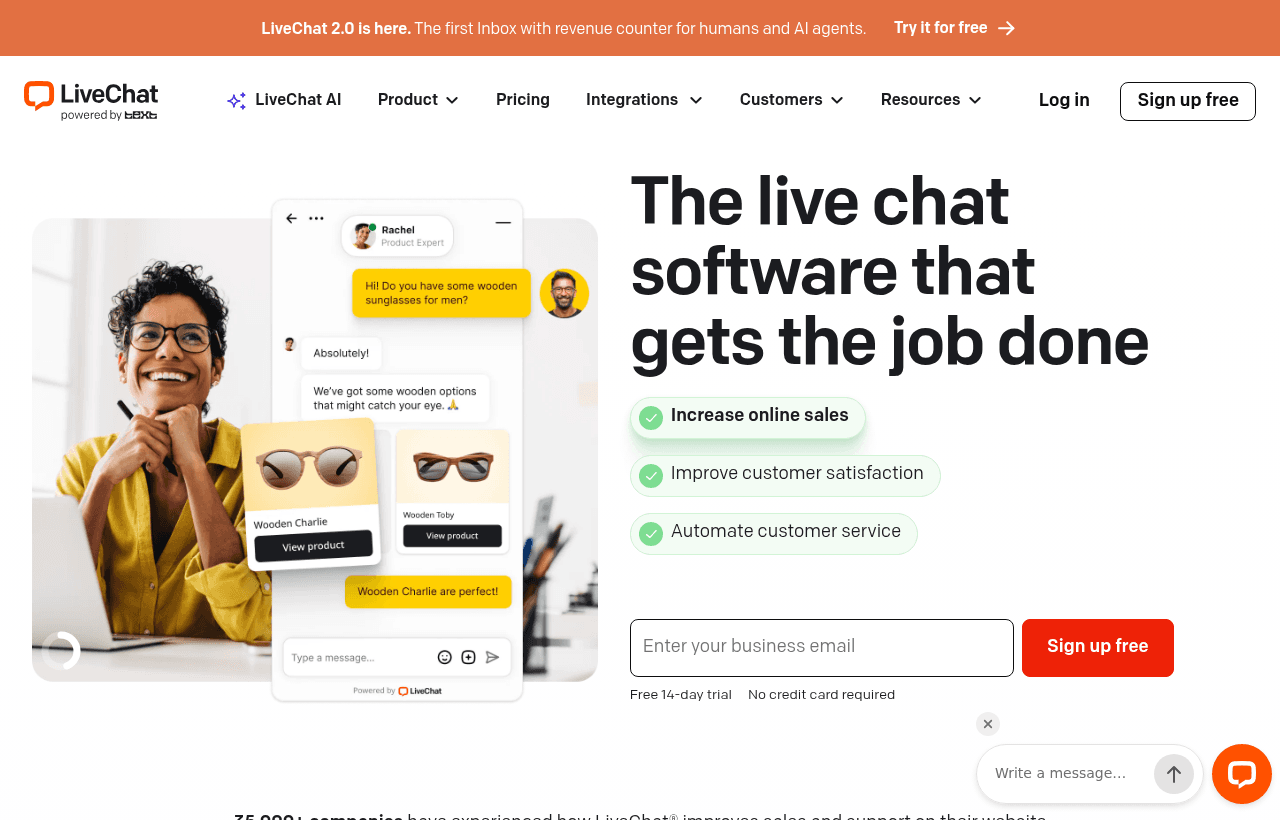
We checked these plans and prices against LiveChat's official pricing, features and integrations pages in November 2026.
LiveChat puts a chat widget on your website and gives your team an inbox to answer it, with ticketing, automations and an AI agent built around that inbox. The "Free Trial" in our listing matches what LiveChat shows everyone: its startups page says "Get 14 days of affordable live chat for startups completely free" and "No credit card required." The trial covers all features, AI capabilities, file sharing and customer support tools.
That page describes no startup discount, no eligibility test and no application. So the deal is a trial, not a cheaper price. You can start the same 14-day trial without us. What our page adds is a short, honest summary of what you would pay when the 14 days end.
What the 14 days cover, and what happens after
LiveChat's pricing page says the trial runs 14 days on both Essential and Growth, with no credit card, and you are not charged automatically when it ends. That is long enough to cover two full work weeks. It is not long enough to see a seasonal pattern, so plan the test around your normal traffic.
There is no permanent free plan on LiveChat's pricing page. The page lists three plans: Essential, Growth and Enterprise. When the trial ends, you either pick a paid plan or stop using the product. If you need a $0 tier to keep running indefinitely, look at the alternatives table further down.
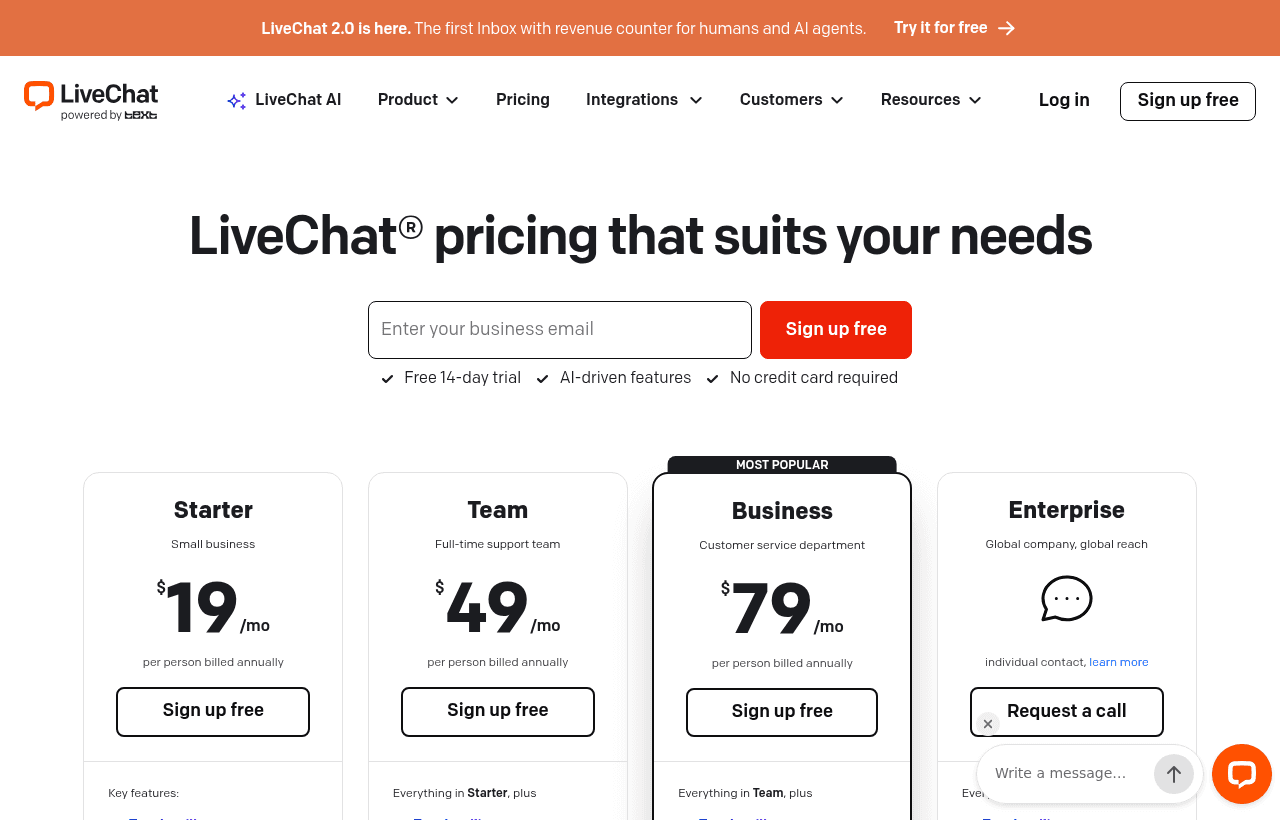
LiveChat pricing: $19 or $25 for the entry plan
LiveChat prices per user. The pricing page uses the word "user", and the figures below are per user per month.
| Plan | Price billed yearly | Price billed monthly | Annual cost per user | Key limits |
|---|---|---|---|---|
| Essential | $19 | $25 | $228 | 60 days of chat history, 50 live visitors tracked, 1 team, 1 AI Agent |
| Growth | $79 | $99 | $948 | Unlimited chat history, 400 live visitors tracked, 10 teams, 10 AI Agents |
| Enterprise | Custom | Custom | Custom | Custom limits, SSO, audit logs, SLAs |
LiveChat says annual billing saves about 24% on Essential and about 20% on Growth. The numbers agree: $19 against $25 is 24% off, and $79 against $99 is about 20% off.
Where Essential stops
Essential is cheap per seat, but its caps are low. The pricing page lists these limits for Essential, with Growth in brackets:
- 50 live visitors tracked (400)
- 3 proactive campaigns (30), with 1,000 campaign impressions (10,000)
- 10 AI resolutions a month (200)
- 5 reply suggestions per user a month (50)
- 5 AI text edits per user a month (100)
- 10,000 API calls a month (20,000)
- 3 workflow rules and 300 executions (10 rules, 1,000 executions)
- 3 ticketing rules (10) and 5 custom ticket fields (20)
- 1 forwarding address and 1 email template (10 each)
- 2 GB of storage plus 50 MB per user (15 GB plus 100 MB per user)
- 10 custom skills on both plans
The 60-day history on Essential matters most for support teams. Older chats drop out of reach, so a customer who wrote to you three months ago has no visible thread. Growth keeps history unlimited.
What Growth adds
Growth adds chat supervision and takeover, shared canned responses, team performance reports, chat topic insights, and chat and ticket summaries. Those are the features a team lead uses once more than two or three people share the inbox.
What Enterprise adds
Enterprise adds custom AI Agents, SSO and audit logs, SOC 2 Type 2 reporting, SLAs, a white-label widget, a dedicated team and custom usage limits. No Enterprise price is published.
Paid add-ons
The pricing page lists two add-on packages for Essential and Growth:
- Extra AI resolutions, 50 per package: $49.50
- API calls, 100,000 per package: $29.50
The page does not say whether a package is bought per month or once, so we do not do math on a recurring basis. Check this in the billing screen.
LiveChat's sister products ChatBot and HelpDesk are sold separately. The LiveChat pricing page does not publish their prices, so we do not quote them.
Worked math: 5 agents and 10 agents
These examples use only the published list prices. Our listing gives no discount, so the trial is the only thing we add.
5 agents on Essential. Billed yearly, 5 x $19 x 12 = $1,140 a year. Billed monthly, 5 x $25 x 12 = $1,500 a year. Paying yearly saves $360, or 24%. The trial itself costs $0 for the first 14 days.
10 agents on Growth. Billed yearly, 10 x $79 x 12 = $9,480 a year. Billed monthly, 10 x $99 x 12 = $11,880 a year. Paying yearly saves $2,400, or about 20%.
Moving 5 agents from Essential to Growth. Yearly billing goes from $1,140 to 5 x $79 x 12 = $4,740. That is $3,600 more, or 4.2 times the price. Growth makes sense only if you need its limits or unlimited history, not by default.
AI resolution overage. Essential includes 10 AI resolutions a month. If your AI Agent needs 60 resolutions, you are 50 over, which is one extra package at $49.50, if the package applies per month. Growth includes 200, so the same load fits with no add-on.
Annual billing asks you to commit for a year. LiveChat's pricing page does not describe a refund rule for the yearly term in the part we read, so confirm that before paying.
The inbox, widget and AI Agent
The chat widget
You can match the widget to your brand with colors, position and a greeting. You choose a language, write a first automatic message, and decide whether it shows always or only while agents are online. There is a pre-chat form and a post-chat feedback request. Chats can route by page, topic or channel.
The agent inbox
LiveChat lists five inbox views: assigned, queued, unclaimed, supervised and archived. Inside a chat, an agent sees chat history, a composer with emoji and file sharing, canned responses with keyboard shortcuts, chat tags and chat transfers. A details panel shows contact info, pre-chat answers, website activity, recent orders, visits and referral source. For shops it also shows cart contents.
AI Agent and AI toolkit
The AI toolkit offers reply suggestions grounded in a knowledge base, chat summaries, weekly insights, text enhancement and tag suggestions. The AI Agent takes instructions for role, tone and response length. You give it intent-based skills, each with triggers and action sequences. It hands over to a human with the chat context attached. Knowledge sources can be websites, files or articles.
The limits in the table apply here. An AI "resolution" is the unit LiveChat counts. Essential includes 10 a month, which is a demo level, not a support workload.
Automation and tickets
Playbook automations run on a trigger, condition, delay and action. Ticket rules handle assignment, prioritization and follow-up. Both are capped per plan, as listed above.
Campaigns, goals and segments
A traffic view shows live visitors and the pages they view. Campaigns send proactive chat invitations by page or visitor. Goals link orders or page visits back to chats. A customer directory supports segments, including shoppers with active carts. Essential allows 3 campaigns, so a store testing several invitations will hit that cap fast.
Reports
LiveChat lists four report categories: Chats, Agents, AI Agents and Ecommerce. They cover chat volume, missed chats, customer satisfaction, response times, AI Agent outcomes and ecommerce sales.
Integrations and channels
LiveChat's features page says the catalog holds more than 200 apps. Its integrations page we read shows 17 apps in its "All Apps" list.
Named integrations include Shopify, WooCommerce, WordPress, Webflow, BigCommerce, Squarespace, Klaviyo, Magento, Adobe Commerce, Salesforce Commerce Cloud, SAP Commerce Cloud, commercetools, Medusa, Swell and Mailchimp. WhatsApp, Messenger and Instagram are listed as apps, and the Instagram app covers DMs and story replies.
Slack, HubSpot and Zapier did not appear on the integrations page we read. That does not prove they are unsupported, only that we could not confirm them there.
Security and compliance LiveChat publishes
LiveChat's features page lists SOC 2 Type 2, GDPR, CCPA, PCI DSS SAQ A, WCAG 2.2 AA, a Data Privacy Framework listing and a BBB Accredited Business badge. The pricing page places SOC 2 Type 2 under Enterprise. We could not tell whether the report is available to Essential and Growth customers, so ask if your buyers require it.
What the trial does not give you
- A permanent free tier. After 14 days you pay or leave.
- A startup discount. LiveChat's startups page lists none.
- Unlimited history on Essential, which keeps 60 days.
- A proven answer on your real traffic if you test during a quiet fortnight.
- Prices for ChatBot or HelpDesk, which are separate products.
Who it is for
LiveChat suits teams whose main support channel is a website chat and that want a human inbox first and AI second. It fits an online store on Shopify, WooCommerce or BigCommerce, where cart contents and recent orders show next to the chat. It fits a SaaS team of two to ten people that wants routing by page, so pricing-page chats go to sales and docs-page chats go to support.
It fits teams that can pay $19 to $25 per agent from day 15 without a second thought. At 5 agents that is $1,140 to $1,500 a year.
When LiveChat is the wrong pick
- Pre-revenue teams that need a $0 tier. Chatwoot lists a self-hosted Community Edition at $0 and a cloud Hacker plan at $0 for up to 2 agents.
- Teams with one part-time person answering chats. Per-user billing and a 14-day test favor teams with real volume.
- Teams that need long history on a small budget, since Essential keeps only 60 days.
- Teams that want heavy AI deflection on the cheapest plan. 10 resolutions a month is small.
LiveChat against three alternatives
| LiveChat | Chatwoot | Crisp | Intercom | |
|---|---|---|---|---|
| Free option | 14-day trial, no card | Self-hosted Community Edition $0; Cloud Hacker $0 for up to 2 agents | Free plan, $0, 2 agents, 100 profiles | 14-day trial, no card |
| Entry paid price | Essential $19 per user yearly, $25 monthly | Startups $19 per agent monthly | Mini $45 a month for 4 agents | Essential $29 per seat yearly, $39 monthly (Intercom currently shows $19 for new customers) |
| Pricing model | Per user | Per agent | Per workspace tier | Per seat |
Chatwoot, Crisp and Intercom figures come from our pages on those tools. Crisp's Mini is priced per workspace, so it works out differently from per-seat plans. Four agents at LiveChat Essential cost $76 a month billed yearly, against $45 at Crisp Mini for four agents. Price is not the only factor, because plan limits differ.
Setup tips for the trial
- Install the widget on your pricing and checkout or signup pages first. Those pages hold the buying questions.
- Set the widget to show only while agents are online if nobody covers nights. Otherwise, write a clear first automatic message.
- Add a pre-chat form with one or two questions, so each chat arrives with context.
- Invite agents by email or link and set shifts before the first live day.
- Build a short set of canned responses with keyboard shortcuts for your top five questions.
- Connect your store or site app (Shopify, WooCommerce, WordPress and others) to see orders and carts in the chat.
- Test the AI Agent on a small knowledge source before you trust it with customers. Count how many resolutions you use in the 14 days, because Essential includes only 10 a month.
- Set a goal, an order or a page visit, so chats link to outcomes you can count.
- On day 10, review the Chats and Agents reports. Compare missed chats and response times with what you expected.
- Decide before day 14 which plan and which billing cycle you will pick.
Claiming the LiveChat offer, step by step
- Go to the LiveChat link on our deal page and start the Free Trial. No promo code is needed.
- Create your account. LiveChat says no credit card is required for the trial.
- Install the widget and invite your agents.
- Run real conversations for the 14 days.
- Before day 14, pick Essential or Growth, and monthly or yearly billing, or walk away.
If your plan is already chosen, check the plan limits against your traffic first. Our listing gives no discount on top of the trial.
Questions to ask LiveChat before paying
- Whether the trial limits the number of seats.
- Whether the add-on packages renew monthly.
- Whether yearly billing is refundable.
- Whether SOC 2 Type 2 is available on Essential and Growth.
- Prices for ChatBot and HelpDesk.
- The size of LiveChat's integration catalog, 200 apps on one page and 17 on another.
Who Is This Deal For?
Early-Stage Startups
Seed and pre-seed companies looking to move fast without overspending on tools.
Growing SaaS Teams
Series A+ companies scaling their stack and optimizing software costs.
Solo Founders
Indie hackers and bootstrapped founders who need enterprise tools at startup prices.
Get 14-day free trial off LiveChat
Free for all startups. Claim instantly.
Frequently Asked Questions
Everything you need to know about this startup deal.
Get the weekly deals digest
New verified startup deals every week. No spam, ever. Unsubscribe anytime.
Related Offers

LiveAgent
6 months free + 50% off for 6 months
Any LiveAgent plan free for 6 months, then 50% off for 6 months, for qualifying startups. One help desk for email, live chat, phone and social media, with AI agents on every plan.
View offer
Tidio
Used by 499 members
25% off all monthly and annual plans
AI-powered customer service platform with live chat, chatbots, and helpdesk features.
View offer
Vinci AI
Free trial + startup credits
Vinci AI deploys AI agents that resolve customer support tickets end to end across chat, email, voice and your helpdesk. Startups get a two-week free trial with unlimited AI resolutions plus startup credits, then pay $29 per seat per month plus $0.59 per completed resolution.
View offer
Intercom
Used by 2,591 members
93% off + 1 year of Fin free
Get 93% off Intercom plus a free year of Fin AI Agent through Intercom's Early Stage program to power your customer support and engagement with AI-first messaging that converts and retains users.
View offer
800.com
Used by 380 members
30-day money-back guarantee
Get a 30-day money-back guarantee on 800.com, the toll-free and vanity-number platform that gives small businesses an instant national-brand phone presence with no PBX, no hardware, and no contracts.
View offer
Tawk.to
Used by 1,920 members
Free forever + 15% off add-ons
Free live chat with unlimited agents and chat history, plus 15% off tawk.to add-ons for SaaSOffers members, including branding removal and the AI Assist chatbot.
View offerDeal Summary
Looking for more startup deals?
Browse all offers