
Copper Promo Code
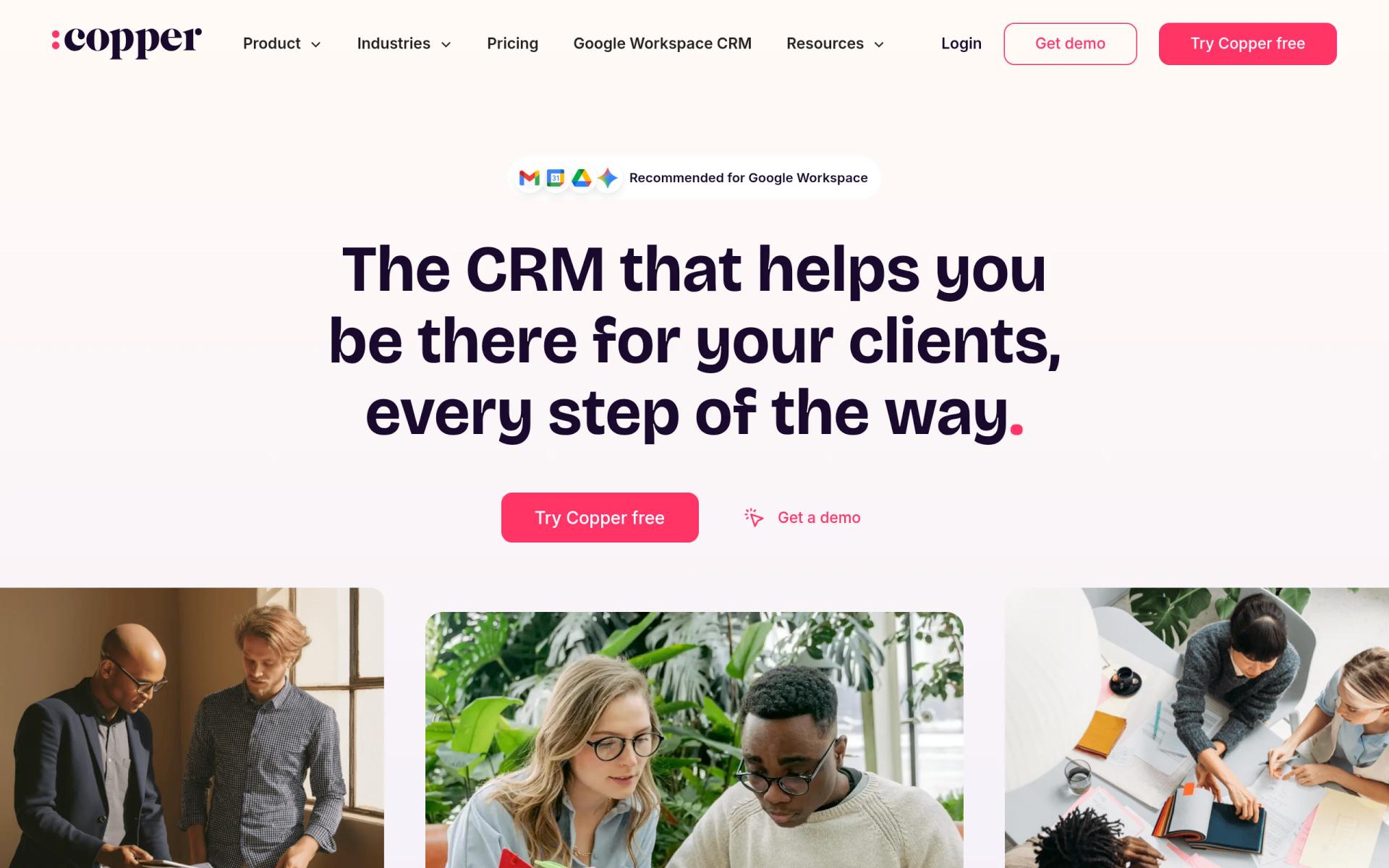
There is currently no promo code for this product. CRM built for Google Workspace, manage relationships directly from Gmail and Calendar.
No deal for Copper right now
Leave your email and we will let you know the moment we add a Copper deal.
See Copper alternatives with real dealsNo deal for Copper right now
Leave your email and we will let you know the moment we add a Copper deal.
See Copper alternatives with real dealsOur Copper listing: the Free Trial
We checked these plans and prices against Copper's official pricing and help pages in November 2026.
Copper is a CRM that runs inside Google Workspace. A Chrome extension puts contact records, deals and tasks next to your Gmail inbox, and Copper syncs with Google Calendar, Google Drive and Google Sheets. It is not a free plan. Copper's pricing page shows three paid tiers and no free tier, and a third-party comparison on Copper's own site says plainly that "Copper doesn't have a free plan."
The trial is the point of this listing. Copper's homepage says "Free 14-day trial" with "No credit card required," and its FAQ says each plan starts with a 14-day trial. Our listing does not add a discount on top of that, so anyone can start the same trial from copper.com. Copper's pages do not mention a startup program or startup discount.
Three plans, and the contact cap decides which one you need
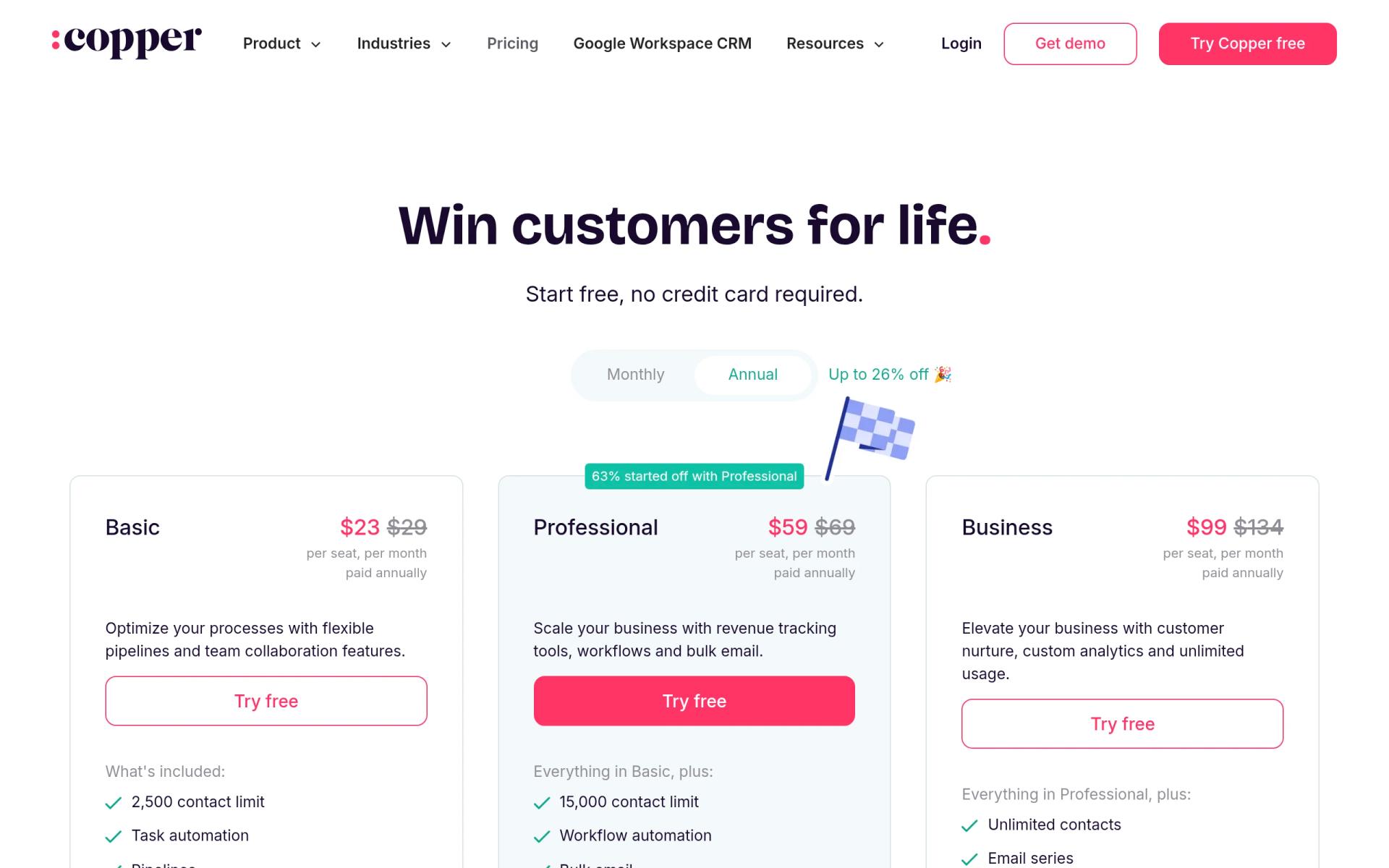
Copper bills per seat per month in US dollars. Prices exclude taxes and fees where they apply. The pricing page shows two columns, one labeled "paid annually" and one monthly.
| Plan | Price billed yearly (per seat / month) | Billed monthly (per seat / month) | Key limits |
|---|---|---|---|
| Basic | $23 | $29 | 2,500 contacts, pipelines, project management, task automation; no integrations, bulk email or reporting |
| Professional | $59 | $69 | 15,000 contacts, workflow automation, bulk email, integrations, pipeline and activity reports |
| Business | $99 | $134 | Unlimited contacts, email series, custom reports |
The comparison table on the pricing page also lists company limits of 25, 50 and unlimited. The labels in the text we read are not clearly paired with those numbers, so we have not assigned them to plans. The page does not state a pipeline count for any plan either.
The 2,500 contact cap on Basic is the first thing to check. A startup that imports an old spreadsheet, a newsletter list and a set of conference leads can pass 2,500 quickly. Moving up to Professional raises the cap to 15,000 and adds workflow automation, but it also raises the seat price from $23 to $59 on yearly billing, an increase of $36 per seat per month.
Copper's own Streak comparison page describes the Gmail extension as showing deal context beside your inbox, letting you create follow-up tasks, and giving access to email templates while you reply. That page lists Basic as including pipelines, project management and task automation, and says Professional adds pipeline and activity reports plus workflow automation.
What the 14-day trial does and does not give you
The trial is time-limited, not feature-limited as far as Copper's pages say. Copper does not publish which plan the trial runs on, so we cannot tell you whether you will see Professional or Business features during the 14 days. Ask at signup or check the plan shown in your account on day one.
What the trial does not include:
- Anything after day 14 without a paid plan. There is no free tier to fall back to.
- A published contact import limit for the trial. The pricing page gives contact caps per paid plan only.
- Any information about whether the trial converts to a paid plan by itself. With no credit card required, it should not charge you, but Copper's pages do not spell out what happens on day 15, so confirm at signup.
Treat the 14 days as calendar days. If you start on a Friday, you have used up part of the window before your team logs in on Monday. Start the trial when your team is ready to work in Gmail that same day.
What it costs after the trial: two worked examples
These examples use Copper's published seat prices. Our Free Trial is $0 for the first 14 days. After that, the math below applies, with no discount assumed.
A 5-person team
| Plan | Billed yearly | Billed monthly | Difference |
|---|---|---|---|
| Basic | $23 x 5 x 12 = $1,380 a year | $29 x 5 x 12 = $1,740 a year | $360 |
| Professional | $59 x 5 x 12 = $3,540 a year | $69 x 5 x 12 = $4,140 a year | $600 |
| Business | $99 x 5 x 12 = $5,940 a year | $134 x 5 x 12 = $8,040 a year | $2,100 |
On Basic, five people cost $115 a month billed yearly, or $145 a month billed monthly. If your five sellers share a single list of under 2,500 contacts and need only pipelines and tasks, Basic is the plan to test.
A 10-person team
| Plan | Billed yearly | Billed monthly | Difference |
|---|---|---|---|
| Basic | $23 x 10 x 12 = $2,760 a year | $29 x 10 x 12 = $3,480 a year | $720 |
| Professional | $59 x 10 x 12 = $7,080 a year | $69 x 10 x 12 = $8,280 a year | $1,200 |
| Business | $99 x 10 x 12 = $11,880 a year | $134 x 10 x 12 = $16,080 a year | $4,200 |
At ten seats, the yearly Business plan costs $11,880, which is $9,120 more than yearly Basic. The jump from Professional to Business on monthly billing is $7,800 a year ($16,080 minus $8,280). Business buys unlimited contacts, email series and custom reports. If you need none of those, you are paying for capacity you will not use.
Built for Google Workspace, and not for anything else
Copper's homepage says it is "built to work inside Google Workspace." It shows Google Partner and Chrome Enterprise recommended badges and the label "Recommended for Google Workspace." A Copper resource page also describes it as a "Recommended for Google Workspace app."
The integrations Copper names natively are Gmail, Google Calendar, Google Drive, Google Sheets and Looker Studio. Beyond Google, it lists Slack, QuickBooks, DocuSign, PandaDoc, Mailchimp and Zendesk. Copper says that through Zapier it connects to more than 5,000 other apps, and it offers an API for custom integrations. The pricing page lists "API & Embedded integration SDK" without assigning it to a plan, so check which plan includes API access before you plan an integration. Integrations such as Slack and QuickBooks start on Professional.
The Copper pages we read do not describe Outlook support. If your team uses Outlook or another mail client, Copper's own positioning suggests you should look elsewhere. The comparison table below has options that do not depend on Google.
The mobile app runs on iOS and Android. Copper's pages say it can log calls and SMS automatically, scan business cards, and take speech-to-text notes.
What teams say about setup time
Copper's homepage quotes Exit Design: "It took us 3 months at HubSpot and it took us 3 days to get up and running in Copper." Another customer quote says there was "almost no setup time since it worked with Gmail." Those are testimonials chosen by Copper, not measured results, so treat them as a claim of what is possible, not a promise.
Copper's homepage says it is trusted by 30,000+ companies. Its FAQ says help is available through live chat and weekly office hours, and personal onboarding is offered on eligible Professional and Business annual plans, per the pricing page. The homepage links to a Trust Center at trust.copper.com. We did not read that page, so we have no verified claims about security certifications to report. The homepage text itself does not mention SOC 2 or GDPR.
Who Copper fits
Copper fits a small team that already works out of Gmail all day and wants contact history, deals and follow-ups beside the inbox. Concrete cases:
- A services agency that lives in Gmail threads with clients and wants every email tied to a deal without copying anything by hand.
- A founder-led sales team of two to ten that tracks deals in a spreadsheet and keeps losing context between inboxes.
- A consultancy that sells projects and wants deals and project tasks in the same tool. Basic lists project management.
- A team with a shared sales inbox where several people reply to the same prospects and need to see who said what.
Who Copper is not for
- Teams on Outlook. Copper's pages describe a Gmail and Google Workspace product.
- Teams that need a free plan. Copper has none. Zoho CRM and HubSpot both list free plans, as the table below shows.
- Teams with a large contact list from day one. Basic caps at 2,500 contacts and Professional at 15,000.
- Teams that need heavy phone and SMS dialing. Copper's pages describe call and SMS logging in the mobile app, not a built-in dialer. Close lists calling and SMS as built-in features.
- Teams that want a startup discount. We found none on Copper's pages. HubSpot has a startup program with published discounts.
Copper against four other CRMs
Prices below are per user per month. The rival figures come from our own checked pages for each tool.
| CRM | Free plan | Entry paid price, billed yearly | Entry paid price, billed monthly | Notes |
|---|---|---|---|---|
| Copper | No, 14-day trial | Basic $23 | Basic $29 | Built for Google Workspace, 2,500 contact cap on Basic |
| Zoho CRM | Yes, 3 users | Standard $14 | Standard $20 | Free plan has 5,000 records and the default pipeline only |
| Close | No, 14-day trial | Essentials $35 (Solo $9 for 1 user) | Essentials $49 (Solo $19) | Calling, SMS and email built in |
| Attio | Yes, up to 3 seats | Plus $35 | Plus $44 | Free plan has 50,000 records |
| HubSpot for Startups | Yes, up to 2 users | Sales Hub Starter $7 for new customers | Starter $10 for new customers | Startup program discounts in year one |
On yearly billing, Copper Basic ($23) costs more than Zoho Standard ($14) and Close Solo ($9) and less than Close Essentials ($35) and Attio Plus ($35). Zoho's Standard plan lists 100,000 records, against Copper Basic's 2,500 contacts. The unit is not identical, since Zoho counts records and Copper counts contacts, so compare them carefully.
For a 5-person team on yearly billing, Zoho Standard comes to $14 x 5 x 12 = $840 a year, against $1,380 for Copper Basic. The gap is $540. You pay that difference for the Gmail-native design, if that design matters to your team.
Setup tips for the 14 days
- Start with a clean list. Import only the contacts you will contact in the next 90 days. If you plan to stay on Basic, the 2,500 cap makes this a rule and not a preference.
- Install the Chrome extension on every trial user's browser on day one. The Gmail sidebar is where Copper earns its place, and a team that skips the extension is testing a different product.
- Build one pipeline that mirrors how you sell now. Do not design the ideal process first.
- Use real deals. Log each real prospect that emails you during the trial.
- Note which tasks you create by hand. At the end of the trial, those are what Professional's workflow automation would take over, and that tells you whether $59 a seat is worth it.
- Check the contact count in your account on day 10. If you are near 2,500 on a Basic plan, price Professional before the trial ends.
- Decide on billing before day 14. Yearly billing on Basic saves $6 a seat per month against monthly, which is $72 a seat per year.
Questions to ask before you buy
- Which plan does the 14-day trial run on, and does it let you test workflow automation and bulk email?
- What happens to your data if you do not pay on day 15?
- Which plan includes API access?
- Can you switch from monthly to yearly billing mid-term, and does the yearly price apply from the start?
What to verify in the Copper account itself
We could not confirm from Copper's pages: the plan used during the trial, the pipeline limits per plan, whether the company limits of 25, 50 and unlimited map to Basic, Professional and Business, the API plan, and the security certifications. Our listing's term is a Free Trial, and Copper's own site confirms a 14-day trial with no credit card. Prices and limits can change, so check copper.com/pricing on the day you sign up.
Who Is This Deal For?
Early-Stage Startups
Seed and pre-seed companies looking to move fast without overspending on tools.
Growing SaaS Teams
Series A+ companies scaling their stack and optimizing software costs.
Solo Founders
Indie hackers and bootstrapped founders who need enterprise tools at startup prices.
Get No deal right now off Copper
Free for all startups. Claim instantly.
Frequently Asked Questions
Everything you need to know about this startup deal.
Get the weekly deals digest
New verified startup deals every week. No spam, ever. Unsubscribe anytime.
Related Offers

ZoomInfo
Used by 2,014 members
14-day free trial
B2B data platform for sales and marketing intelligence with contact databases.
View offer
Attio
Used by 1,730 members
$500 in credits
Next-generation CRM built on your data, flexible data model, real-time syncing, and powerful automations.
View offer
Freshsales
Used by 333 members
No deal right now
There is currently no promo code for this product. AI-powered CRM with built-in phone, email, chat, and lead scoring.
View offer
Emailchaser
Free 7-day trial
Cold email software that finds leads, checks every address with two providers and sends follow-ups from unlimited Google and Microsoft mailboxes.
View offer
PartnerStack
Used by 1,303 members
Free Demo
Partner ecosystem platform, manage affiliate, referral, and reseller programs at scale.
View offer
Instantly
Used by 2,530 members
No deal right now
There is currently no promo code for this product. Get 20% off Instantly monthly and annual plans. The cold email outreach platform with unlimited inboxes, built-in warmup, and deliverability tools.
View offerDeal Summary
Looking for more startup deals?
Browse all offers