
Descript Promo Code: 6 months free Pro
Video and podcast editing powered by AI, edit video by editing text, auto-transcribe, and generate clips.
Free · Opens in new tab
Free · No account required. Sign up to track your deals.
Deal Highlights
Traditional video editing asks you to scrub a timeline looking for the exact frame where someone said the wrong thing. Descript asks you to delete the sentence. It transcribes your recording, then lets you cut, rearrange, and trim the video by editing the words in the transcript. Delete a paragraph, the footage goes with it.
For a startup producing demo videos, podcasts, or founder content without a video editor on payroll, that change is the whole value. Anyone who can edit a document can edit video, which means content stops being blocked on the one person who knows a timeline editor.
What Is Descript?
Descript is an all-in-one video and podcast production tool built around text-based editing. You import or record media, Descript generates a transcript, and the transcript becomes the edit surface.
Around that core it bundles the tasks that normally require separate software: screen recording, filler-word removal, AI voice generation, background noise cleanup, subtitles, clip generation for social, and direct publishing to YouTube, TikTok, and LinkedIn. For a small team, replacing four tools with one is often worth more than any individual feature.
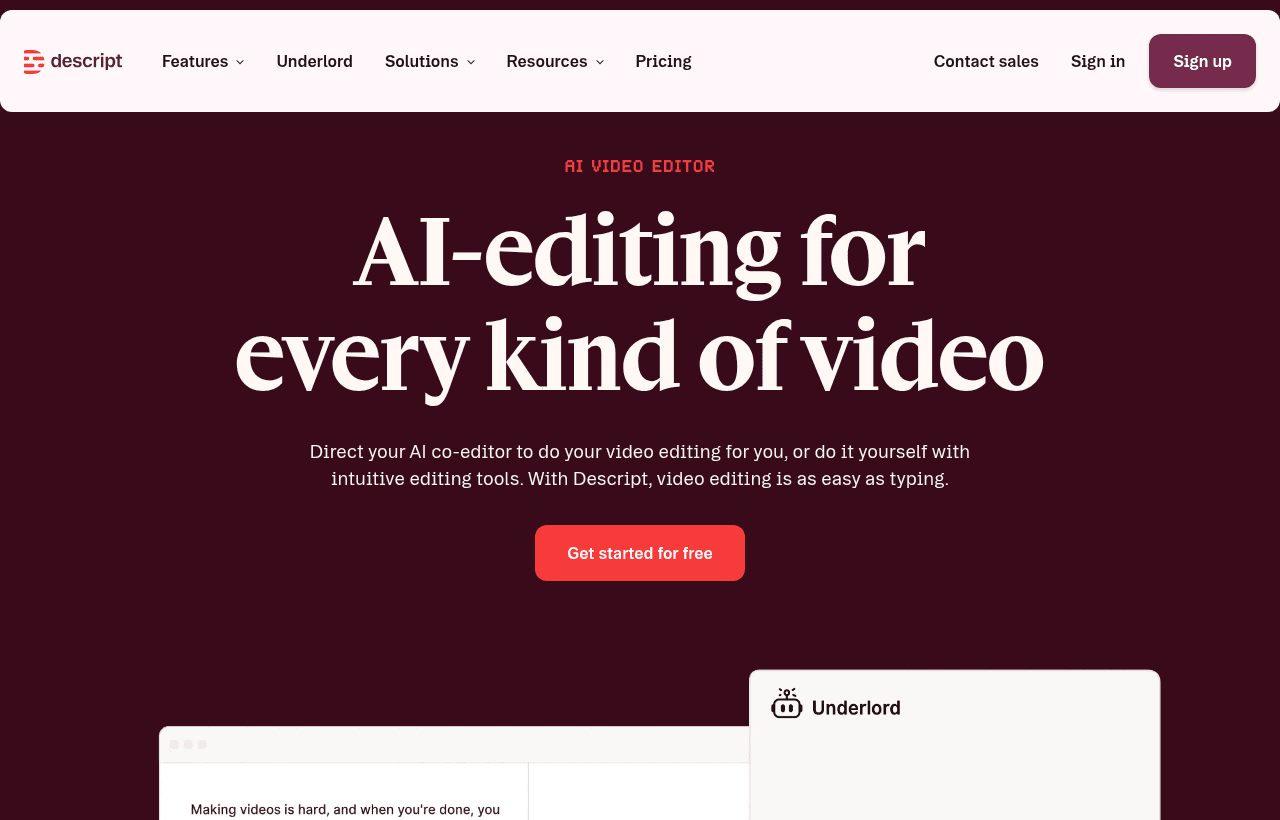
Descript, one of the tools included in this startup deal.
What's Included in This Deal
This offer provides six months of Descript Pro at no cost, which covers the tier where the genuinely useful capabilities live:
- Watermark-free exports at high resolution
- A substantial monthly transcription allowance, enough for regular publishing
- Full AI feature access, including filler-word removal and Studio Sound
- Screen recording for demos and tutorials
- Multitrack editing for interviews and multi-speaker recordings
- Publishing and export to the platforms you actually distribute on
Six months is long enough to establish a real content habit. That matters more than the dollar value, because the cost of video content is rarely the software; it is the friction that stops you publishing consistently.
Descript Pricing: What You Pay Without This Deal
| Plan | Annual | Monthly | What you get |
|---|---|---|---|
| Free | $0 | $0 | ~1 hour transcription/mo, 720p exports with watermark, 5GB storage |
| Hobbyist | ~$16/user/mo | ~$24/user/mo | No watermark, 1080p exports, ~10 transcription hours |
| Creator | ~$24/user/mo | ~$35/user/mo | ~30 transcription hours, 4K exports, unlimited AI features |
| Business | ~$50/user/mo | ~$65/user/mo | ~40 transcription hours, team collaboration, priority support |
The free tier is a trial rather than a working plan. The watermark alone rules it out for anything customer-facing, and one hour of transcription per month covers roughly a single podcast episode.
Note how steeply monthly billing is priced against annual, commonly 40% or more. If you intend to keep publishing after the promotional period, annual billing is the obvious choice.
The metric that determines your plan is transcription hours, not exports or seats. Estimate your monthly recorded hours, including the takes you discard, because those consume the allowance too. Teams routinely underestimate this by recording an hour of raw footage for a ten-minute finished video.
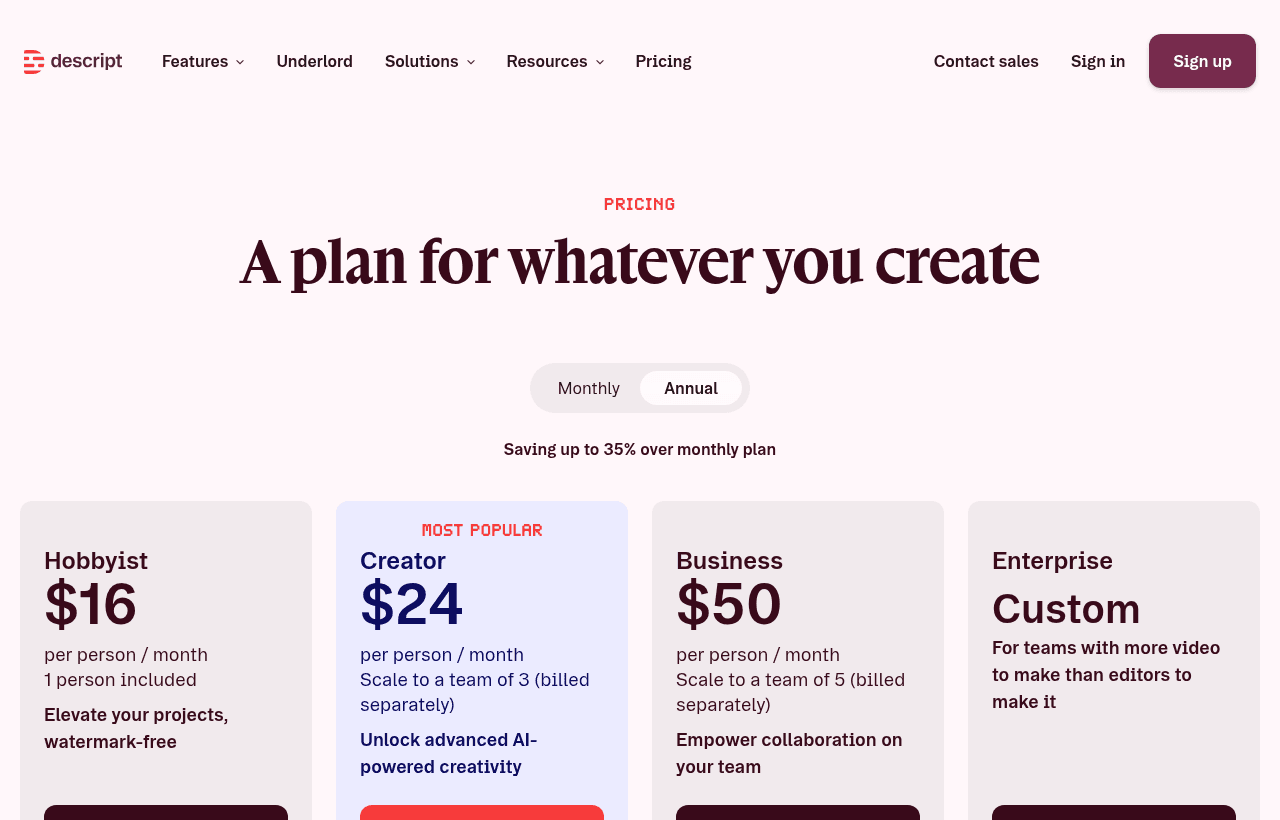
A look at Descript before the discount, so you can see what the deal saves you.
Key Features for Startups
Text-based editing. The core capability. Removing a rambling answer means deleting a paragraph. Reordering a section means cut and paste. It collapses the learning curve from weeks to about an hour.
Filler word removal. One click strips every "um", "uh", and "you know" across the entire recording. On a founder talking unscripted, this alone transforms the perceived production quality.
Studio Sound. Cleans up audio recorded on ordinary equipment in ordinary rooms, reducing echo and background noise. It will not match a treated studio, but it makes a laptop microphone acceptable, which is the relevant comparison for most startups.
Overdub and AI voice. Generate speech in a cloned voice to fix a misspoken word without re-recording. Correcting a single wrong number in a demo video without setting up the shot again saves hours.
Screen recording. Built in, which matters because product demos are the most common video a startup needs.
Clip generation and subtitles. Turn a long recording into short vertical clips with burned-in captions. Most social video is watched without sound, so captions are not optional.
Descript vs CapCut vs Riverside
These three get compared constantly and they solve genuinely different problems.
| Tool | Built for | Strength | Weakness |
|---|---|---|---|
| Descript | Dialogue-heavy content: podcasts, demos, tutorials | Transcript editing, AI audio cleanup, all-in-one | Not a visual effects tool |
| CapCut | Short-form social video | Templates, trends, mobile-first, free | Weak for long-form and transcript workflows |
| Riverside | Remote interview recording | Records locally at high quality, survives bad connections | Recording studio more than an editor |
Descript versus CapCut comes down to content type. If you make talking-head content where the words carry the message, Descript. If you make fast visual social edits with trending templates, CapCut, which is also free.
Descript versus Riverside is not really a competition. Riverside solves capture: it records each participant locally at full quality, so a guest whose connection drops mid-interview still produces clean audio. Descript solves editing. Plenty of podcast teams use Riverside to record and Descript to edit, and that combination is the standard professional setup rather than an either-or decision.
The Limits Worth Knowing
Descript is excellent within its lane and frustrating outside it.
It is not a motion graphics or VFX tool. Complex animations, keyframed effects, and detailed color grading belong in Premiere, Final Cut, or DaVinci Resolve. Descript handles titles, basic transitions, and simple layouts.
Performance degrades on very long projects. Multi-hour, multitrack projects can become sluggish. Splitting a long recording into segments is the usual workaround.
Transcription accuracy sets your editing speed. Heavy accents, technical jargon, product names, and crosstalk produce errors, and since the transcript is your edit surface, fixing them is part of the workflow. Clean audio input pays off twice, once in quality and once in editing time.
AI voice has an uncanny threshold. Overdub is convincing for a word or a short phrase and noticeably synthetic across whole paragraphs. Use it for corrections, not for generating content wholesale.
Ethical use matters. Voice cloning should only ever be applied to your own voice or with explicit permission. Generating speech in someone else's voice without consent is a serious problem regardless of what the tool allows.
A Realistic Weekly Content Workflow
The reason most startup video efforts die is not tooling, it is that nobody scoped how long the work takes. Here is a workflow that survives contact with a real week.
Record in one block. Batch two or three pieces in a single sitting while the lighting, microphone, and your energy are already set up. Setup is the fixed cost; recording once a week means paying it every week.
Do not script word for word. Scripted delivery reads as stiff, and rewriting the script is where the hours disappear. Work from five bullet points and speak. Filler-word removal and transcript editing exist precisely so unscripted speech becomes usable.
Edit in one pass, not three. Read the transcript top to bottom, delete what does not earn its place, and stop. The temptation to polish repeatedly is what turns a 30-minute edit into an afternoon and eventually kills the habit.
Publish before it is perfect. A published video at 80% beats a perfect one still in drafts. Audiences forgive rough edges far more readily than founders expect.
Repurpose in the same session. While the transcript is open, pull two short clips and paste the text into a draft blog post. Doing this later requires reopening the project, and it therefore does not happen.
A realistic budget for a weekly ten-minute video, once you are past the first few, is around 30 minutes recording and 30 minutes editing. If your process takes materially longer than that, the problem is scope rather than software.
Who Should Use Descript?
Use it if you produce podcasts, demo videos, customer tutorials, or founder-led content and nobody on the team is a trained video editor. This is the profile Descript was designed for and where it is clearly the best answer.
Use it if your bottleneck is consistency rather than polish. Descript's speed advantage means publishing weekly becomes realistic instead of aspirational.
Look elsewhere if you need cinematic production values, heavy visual effects, or precise color work. Also look elsewhere if your output is exclusively short-form social video, where CapCut is both better suited and free.
Real Startup Use Cases
A B2B SaaS founder recorded a weekly product update. Editing in a timeline editor had taken most of an afternoon, so the updates stopped after three weeks. In Descript, removing filler words and cutting the rambling section took about twenty minutes, and the series survived past six months, which is the only reason it produced any pipeline at all.
A two-person podcast recorded remotely with Riverside for capture quality, then edited in Descript. The transcript doubled as show notes and as a blog post, so one recording produced three assets with almost no additional work.
A developer tools company produced onboarding tutorials with the built-in screen recorder. When the UI changed, they re-recorded only the affected section and spliced it in by editing the transcript, rather than reshooting the entire video. That single workflow made maintaining a tutorial library realistic.
What Video Actually Does for a Startup
Before investing six months in a content habit, it helps to be clear about which videos return something and which are vanity.
Product demos convert. A prospect who watches a three-minute demo arrives at a sales call already understanding what you do. Embedding one on your pricing page and sending it before calls shortens cycles more reliably than any other video you can make.
Onboarding tutorials cut support load. Every question answered in a video is a question your team stops answering individually. For a self-serve product, a small tutorial library is often the highest-return content that exists, and it compounds as you grow.
Founder content builds distribution slowly. Weekly commentary in your category rarely produces immediate pipeline. What it produces, over quarters rather than weeks, is inbound: candidates who already respect the work, investors who have been following, customers who arrive pre-sold. It is a long game and should be budgeted as one.
Customer stories persuade better than claims. A customer describing their problem in their own words outperforms any pitch. These are also the easiest videos to make, because the customer supplies the content.
Feature announcements age immediately. A polished launch video for a feature you will change in two months is the least durable content you can produce. Announce in writing, and save video for things that stay true.
The practical order for most startups: demo first, onboarding tutorials second, customer stories third, and founder content only if you can genuinely sustain it. Starting with the last of these, which is what most teams do, is why so many video efforts show nothing for the effort.
How to Claim This Deal
- Follow the link on this page to Descript and create an account.
- Sign up with your company email on your own domain.
- Apply the offer during checkout when selecting the Pro plan, and confirm the discount appears before completing signup.
- Verify the plan and the promotional end date in your billing settings.
- Set a calendar reminder before the six months expire so the renewal is a decision rather than a surprise.
Tips to Get Value Fast
- Record the best audio you can afford. A basic USB microphone improves transcription accuracy, which directly reduces editing time. This is the highest-leverage purchase in the entire workflow.
- Edit the transcript, not the timeline. New users default to old habits and lose the main advantage. Read the transcript, delete what does not belong, and let the video follow.
- Run filler word removal before anything else. It cleans the transcript first, making everything after it faster to read and cut.
- Build a template. Set intro, outro, captions, and branding once and reuse. Consistency is what makes a small operation look established.
- Cut clips as you go. When you hear a strong 30-second answer while editing, export it immediately. Going back later to find it never happens.
- Track your transcription hours. The allowance covers everything you record, including discarded takes. Check usage mid-month rather than discovering the cap during a deadline.
Who Is This Deal For?
Early-Stage Startups
Seed and pre-seed companies looking to move fast without overspending on tools.
Growing SaaS Teams
Series A+ companies scaling their stack and optimizing software costs.
Solo Founders
Indie hackers and bootstrapped founders who need enterprise tools at startup prices.
Get 6 months free Pro off Descript
Free for all startups. Claim instantly.
!Eligibility Requirements
Startup creating video or podcast content
Frequently Asked Questions
Everything you need to know about this startup deal.
Descript has a free plan with 1 hour of transcription/month and basic features. The Pro plan ($24/month) adds unlimited transcription, AI features, and higher export quality. The 6-month deal saves $144–$198.
Get the weekly deals digest
New verified startup deals every week. No spam, ever. Unsubscribe anytime.
Related Offers

Drip
Used by 1,080 members
Free Trial
Email marketing automation platform built for e-commerce and direct-to-consumer brands.
View offer
SurveyMonkey
Free plan
Free SurveyMonkey Basic plan: unlimited surveys, 10 questions per survey and AI survey building. Upgrade only when you need more responses.
View offer
Tally
Used by 908 members
Free forever
Free form builder, unlimited forms, responses, and features with no paywall. The anti-Typeform.
View offer
Klaviyo
Used by 3,980 members
Free Plan
Get the Klaviyo Free Plan, the email and SMS marketing platform that powers most of the top Shopify stores, with deep ecommerce data, predictive analytics, and pre-built revenue flows.
View offer
SpyFu
Used by 458 members
Free Trial
Competitive intelligence tool for SEO and PPC, analyze competitor keywords and ads.
View offer
Sprout Social
Used by 947 members
Free Trial
Enterprise social media management platform with analytics and engagement tools.
View offerDeal Summary
Looking for more startup deals?
Browse all offers