
Excalidraw: Free and Open Source Tool
Virtual whiteboard for sketching hand-drawn diagrams and collaborating in real-time.
Premium: $79/year for unlimited deals
Already have an account? Log in
Deal Highlights
The Excalidraw Offer
Offer: Free & Open Source. Requirement: none listed.
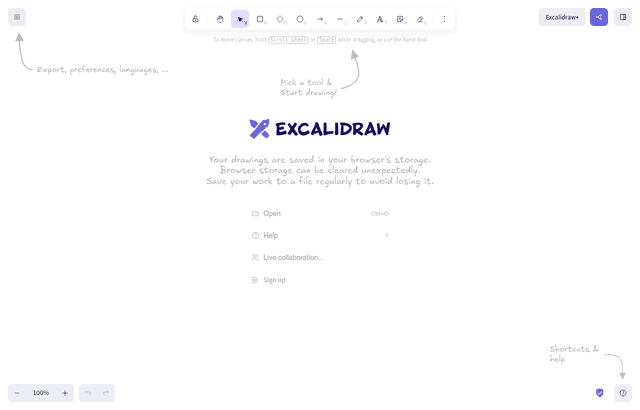
There is no promo code and no special discount. Excalidraw is free for everyone at excalidraw.com, and its source code is published on GitHub under the MIT license. This listing points you to that free tool and explains when the paid Excalidraw+ plan is worth $6 to $7 per user a month.
We checked these plans and prices against Excalidraw's official pricing and help pages in November 2026.
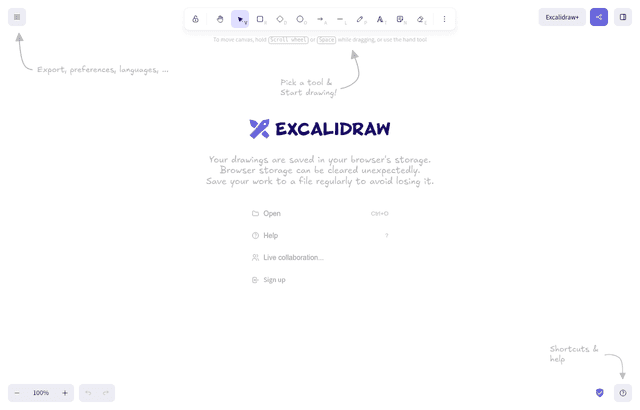
Excalidraw is a whiteboard with a hand-drawn look. You draw boxes, arrows, text and freehand lines on an infinite canvas, share a link, and draw together in real time. Engineers use it for architecture sketches, product teams for user flows and wireframes, and founders for quick plans in a call. The GitHub repository had 135k stars and 15.9k forks when we checked. The editor is also published as an npm package, @excalidraw/excalidraw, so you can embed it in your own React app.
Excalidraw Pricing in November 2026
There are 2 plans: the free app and Excalidraw+ (shown as "Plus" on the pricing page). All prices are in USD. The pricing page toggle says annual billing saves 14%.
| Plan | Per user, billed yearly | Per user, billed monthly | Key limits |
|---|---|---|---|
| Free (excalidraw.com) | $0 | $0 | 1 infinite scene, unlimited collaborators, 10 AI requests a day, PNG/SVG/file export, libraries stored in your browser, compressed image uploads |
| Excalidraw+ (Plus) | $6 a month | $7 a month | Unlimited scenes and folders, cloud saving, workspaces and teams, 100 AI requests a day or your own key, PDF and PPTX export, voice and screen sharing, comments, images up to 4k |
The pricing page also lists a 14-day free trial of Plus. The pricing page shows no Team tier. A separate Excalidraw Enterprise page asks large companies to contact sales and lists no prices. The FAQ says you can ask for a price quote by stating how many seats you need.
What Plus adds over Free
From the pricing page's comparison table and plan list:
- Unlimited scenes and folders. Free keeps 1 scene in the browser. Plus syncs every scene to the server and gives you a dashboard.
- Workspaces and teams. User accounts, user management, collections to organize scenes.
- Sharing controls. Edit or view rights, read-only links and embeds.
- Presentations. Turn frames into slides, run live presentations, export frames to PDF and PPTX.
- Voice hangouts and screen sharing inside the scene, plus comments.
- AI. 100 AI requests a day instead of 10, or bring your own key. Text to diagram, wireframe to code and Mermaid to Excalidraw are unlimited on both plans.
- MCP server and REST API, both in public beta, Plus only.
- Libraries saved on the server instead of in the browser. The comparison table marks shared workspace libraries and search inside libraries as "soon", so they are not available yet.
- Security. SOC 2 Type 2, and encryption at rest and in transit.
What the free plan doesn't include
- More than 1 scene saved in the app. You can still save as many
.excalidrawfiles to your disk as you want. - Cloud storage. Free scenes live in your browser's local storage, so clearing site data or switching laptops loses them unless you saved a file.
- Accounts, workspaces or user management
- View-only access for collaborators
- Comments, voice hangouts, screen sharing and live presentations
- PDF and PPTX export
- More than 10 AI requests a day
- Image uploads at full quality (Free compresses them; Plus allows up to 4k)
Guests do not need an account on either plan. The comparison table lists sharing with guests as free on both.
What a Team Pays: Two Worked Examples
The FAQ says you pay for every seat in a workspace. If you create 2 workspaces with only yourself in each, you pay for 2 seats.
Example 1: 5 people on Plus
| Billing | Math | Total for 12 months |
|---|---|---|
| Yearly | $6 x 5 x 12 | $360 |
| Monthly | $7 x 5 x 12 | $420 |
Yearly saves $60, which is 14.3% and matches the "save 14%" on the toggle.
What the free plan saves: if the same 5 people only need live sketching and file exports, they pay $0 and keep the $360. For comparison, Miro's Starter plan is $8 per member billed yearly on its pricing page, so 5 people would pay $8 x 5 x 12 = $480 a year.
Example 2: 10 people, only 4 need Plus
| Setup | Math | Total for 12 months |
|---|---|---|
| All 10 on Plus, yearly | $6 x 10 x 12 | $720 |
| All 10 on Plus, monthly | $7 x 10 x 12 | $840 |
| 4 editors on Plus yearly, 6 on Free links | $6 x 4 x 12 | $288 |
The FAQ says you can share a scene through a shareable link with people who are not workspace members. That makes the mixed setup work: the 4 people who own diagrams get Plus seats, and the other 6 join scenes by link. The saving against all 10 on yearly Plus is $720 - $288 = $432 a year.
Billing Rules Worth Knowing
These come from the Excalidraw+ pricing FAQ:
- Card only. "The only supported payment method is credit card payment." Bank transfer is not available.
- No refunds. All charges are non-refundable under the Terms of Use. Excalidraw sends email reminders before the trial ends and before renewal.
- Cancelling keeps your scenes. Cancelling removes access to the workspace, but scenes stay unless you delete the workspace. Subscribing again restores access.
- Multiple workspaces cost multiple seats. Each workspace you belong to counts its own seats.
- Discounts. Excalidraw says it is piloting an education price for students and teachers. Pricing is the same for everyone else. We found no startup program.
Privacy, Encryption and Open Source
Excalidraw's blog post on encryption, from March 21, 2020, explains how shareable links work on excalidraw.com. The scene is encrypted in your browser and uploaded. The key is added to the link after the #, and the part after # is never sent to the server. So the server stores data it cannot read, and anyone with the full link can open it. The pricing page lists "E2EE locally in your browser" on the Free plan.
Plus works differently because scenes are saved to the cloud. For Plus, the pricing page lists SOC 2 Type 2 and encryption at rest and in transit. The site footer links a Data Processing Agreement and a DORA addendum for regulated customers.
The GitHub README says the hosted app supports offline use as a PWA and autosaves to the browser. The repository includes a Dockerfile and a docker-compose.yml file, so a team can run its own copy. The README also says some hosted-app features, like collaboration, will come to the npm package later as drop-in plugins, so a basic self-hosted or embedded editor does not include everything excalidraw.com does.
AI, Mermaid and the Developer Packages
The pricing page lists 3 AI tools on both plans with no monthly cap of their own: text to diagram, wireframe to code, and Mermaid to Excalidraw. The cap is on generative AI requests: 10 a day on Free and 100 a day on Plus, or bring your own API key on Plus.
Mermaid import has a real limit. Excalidraw's docs for the @excalidraw/mermaid-to-excalidraw package say "Currently only flowcharts are supported." Every other Mermaid type, for example erDiagram or gitGraph, is placed on the canvas as an image, so you cannot edit its boxes and arrows. If you keep architecture diagrams as Mermaid in your repo, convert flowcharts and redraw the rest.
For developers embedding the editor:
- Install with
npm install react react-dom @excalidraw/excalidraw(oryarn add). The@nexttag gives unreleased changes. - The editor fills 100% of the width and height of its container, so the container needs a non-zero size or nothing shows.
- By default the editor downloads its fonts from a CDN. To self-host them, copy
dist/prod/fontsfrom the package to a public folder and setwindow.EXCALIDRAW_ASSET_PATHto that path. - The MIT license lets you ship it inside a commercial product.
On Plus, the MCP server and REST API (both public beta) let an AI assistant or a script create and read scenes in your workspace. Free has neither.
Where Excalidraw fits best
- Engineers sketching system design. Boxes and arrows in under a minute, with a style that reads as a draft, so people feel free to change it.
- Teams in video calls. Paste a link in the chat and everyone draws on the same canvas without creating an account.
- Writers of docs and blog posts. Export PNG or SVG, or use the Notion and Obsidian integrations listed on the pricing page.
- Developers building a product with a canvas. The MIT license and the npm package let you embed the editor in your own app.
- Small teams that present diagrams. Plus turns frames into slides and exports PDF and PPTX, which saves rebuilding a diagram in a slide tool.
When Excalidraw is the wrong pick
- Teams that need precise, formal diagrams such as detailed BPMN or UML with strict notation. A hand-drawn style is not what an auditor or enterprise architect expects.
- Teams that need SSO, SCIM or audit logs on a self-serve plan. Plus does not list them, and the Excalidraw Enterprise page does not list them either.
- Companies that must pay by invoice or bank transfer. Plus is card only.
- Workshops with heavy facilitation. There is no voting, timer or template marketplace on the pricing page. A full whiteboard like Miro covers that.
Excalidraw vs Alternatives
| Tool | Free plan | Paid entry (billed yearly) | Notes |
|---|---|---|---|
| Excalidraw | Free forever: 1 scene, unlimited collaborators, 10 AI requests a day | Plus $6 per user a month ($7 monthly) | MIT open source, hand-drawn style, E2EE links |
| Miro | 3 editable boards, unlimited members | Starter $8 per member a month | Workshops, templates, Business plan at $20 yearly or $25 monthly |
| Whimsical | Up to 50 board objects and 50 doc blocks a month, watermark on exports, 7-day history | Pro $10 per editor a month | Flowcharts, wireframes and docs; Business $20 per editor a month |
Miro figures are from miro.com/pricing and its Business plan page. Whimsical's pricing page shows Pro at $10 and Business at $20 per editor a month with annual billing, which it says saves 17%.
Setting up Excalidraw well
- Save a file before you close the tab. On Free, use "Save to file" to keep a
.excalidrawcopy. Browser storage is not a backup. - Use libraries. Load a public library (AWS icons, UI kits, flowchart shapes) instead of drawing the same shapes again.
- Keep links private. On excalidraw.com, anyone with the full share link can open the scene, because the key is in the link.
- Try Plus for presentation week. The 14-day trial is long enough to build a deck from frames and export it to PPTX.
- Buy seats for editors only. Viewers and occasional contributors can join by shareable link.
- Embed instead of screenshot. Plus gives read-only links and embeds, so diagrams in your docs stay current.
Claiming the Excalidraw offer, step by step
- Open the Excalidraw deal page on SaaSOffers and click through to Excalidraw.
- Start drawing at excalidraw.com. No account and no payment are needed.
- Click the share button to start a live session and send the link to your team.
- If you need cloud storage, workspaces or presentations, start the 14-day Excalidraw+ trial from the pricing page.
- Pick yearly billing at $6 per user a month, or monthly at $7, before the trial ends.
Who Is This Deal For?
Early-Stage Startups
Seed and pre-seed companies looking to move fast without overspending on tools.
Growing SaaS Teams
Series A+ companies scaling their stack and optimizing software costs.
Solo Founders
Indie hackers and bootstrapped founders who need enterprise tools at startup prices.
Get Free & Open Source off Excalidraw
Premium deal. Upgrade once, unlock everything.
How to get the Excalidraw deal
- The offer: Free & Open Source.
- Create a free SaaSOffers account, then upgrade to Premium ($79 a year, or $250 once for lifetime access). Premium unlocks every Premium deal on the site.
- Open the Excalidraw claim page from this deal. It shows the partner link, any promo code and the exact steps Excalidraw asks for.
- Apply or sign up through that link before you pay Excalidraw directly, since most startup offers only apply to new accounts.
Frequently Asked Questions
Everything you need to know about this startup deal.
Get the weekly deals digest
New verified startup deals every week. No spam, ever. Unsubscribe anytime.
Related Offers

Retool
Used by 1,559 members
1 year free, up to $60K
Build internal tools 10x faster with the low-code platform used by companies like Amazon, DoorDash, and Mercedes-Benz.
View offer
Replicate
Used by 1,772 members
$500 in credits
Run open-source ML models in the cloud, deploy Llama, Stable Diffusion, and custom models via API without GPU management.
View offer
ZoomInfo
Used by 2,014 members
Free Trial
B2B data platform for sales and marketing intelligence with contact databases.
View offer
Chore
15% off your first month
Chore runs your startup's back office for you: payroll, HR, bookkeeping, compliance and equity, inside the tools you already use. 15% off your first month through SaaSOffers.
View offerDeal Summary
Looking for more startup deals?
Browse all offers