
Framer Coupon: 1 year of Framer Pro free
Get 1 year of Framer Pro free, worth $360. The AI-powered web builder where designers publish fast, interactive websites without writing code.
Free · Opens in new tab
Already have an account? Log in
Deal Highlights
What Is Framer?
Framer is the leading visual website builder for design-savvy teams and founders who want to build stunning, responsive websites without writing HTML/CSS, while still having the full flexibility to add custom code, animations, and CMS content. Originally a prototyping tool, Framer evolved into a production website platform that has taken significant market share from Webflow in 2025–2026 with its more intuitive design system, built-in AI capabilities, and better developer experience.
In 2026, Framer powers the websites of thousands of startups, design agencies, and SaaS products, particularly in the design and tech communities. It's the tool of choice for founders who want their website to look as good as the best-designed products in Silicon Valley without hiring a dedicated web developer.
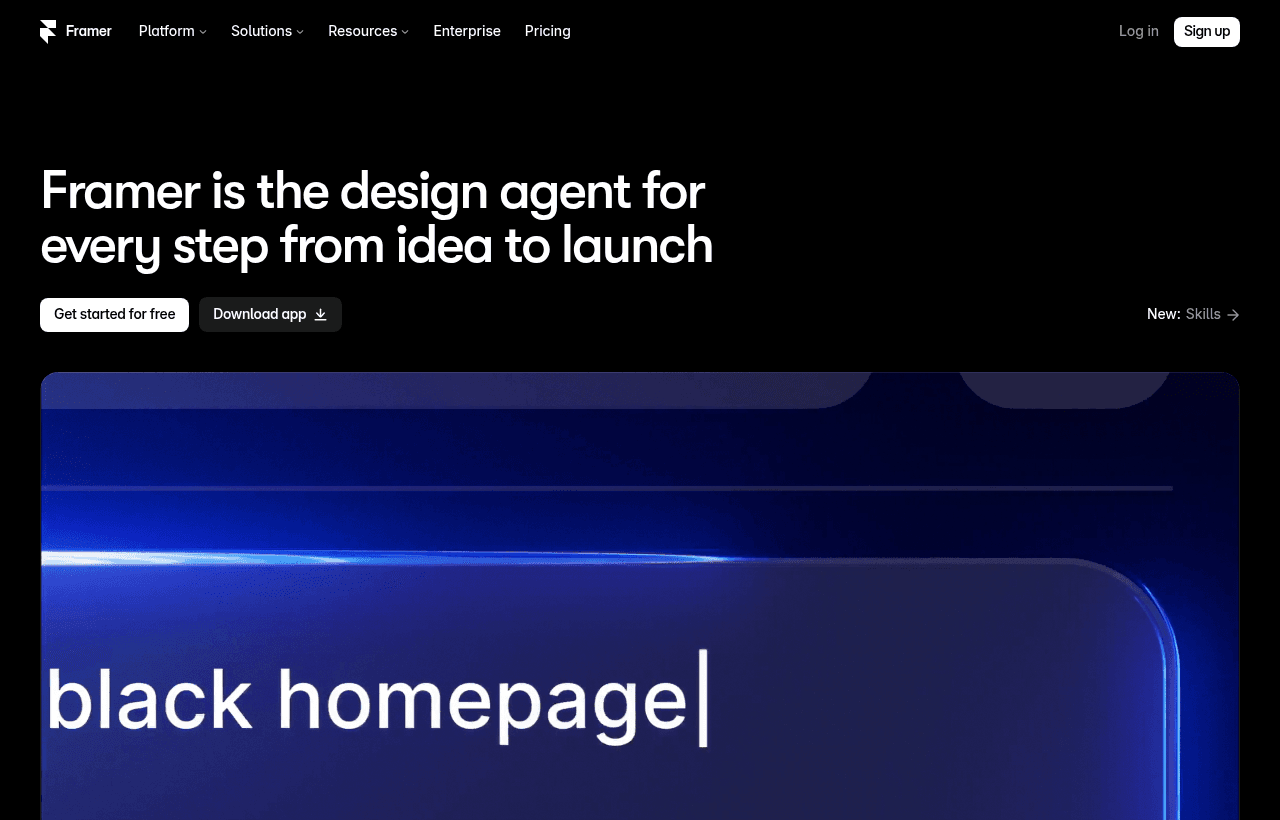
Framer, one of the tools included in this startup deal.
Why This Deal Matters for Startup Marketing
Your website is your #1 sales asset. In 2026, a slow, outdated, or poorly designed website costs you more in lost conversions than almost any other business problem. Investors form opinions about your company's execution quality the moment they land on your site. Potential customers decide within seconds whether your product looks credible.
Framer's startup deal gives teams professional design tools and hosting for a marketing site that competes visually with companies 10x their size without a full-time web developer on staff.
What's Included in the Framer Startup Deal
Through SaaSOffers, qualifying startups receive:
- Framer Pro plan free for 1 year (value: $360)
- Custom domain connection: Your own domain with free SSL
- CMS for blog and dynamic content: Create and manage blog posts without code
- Unlimited pages: No page count restrictions
- Advanced animations: Scroll-triggered animations, parallax effects, interactive components
- Custom code: Add JavaScript, React components, or custom HTML blocks
- Analytics: Built-in page view and visitor analytics
- SEO tools: Meta tags, Open Graph, sitemap, robots.txt management
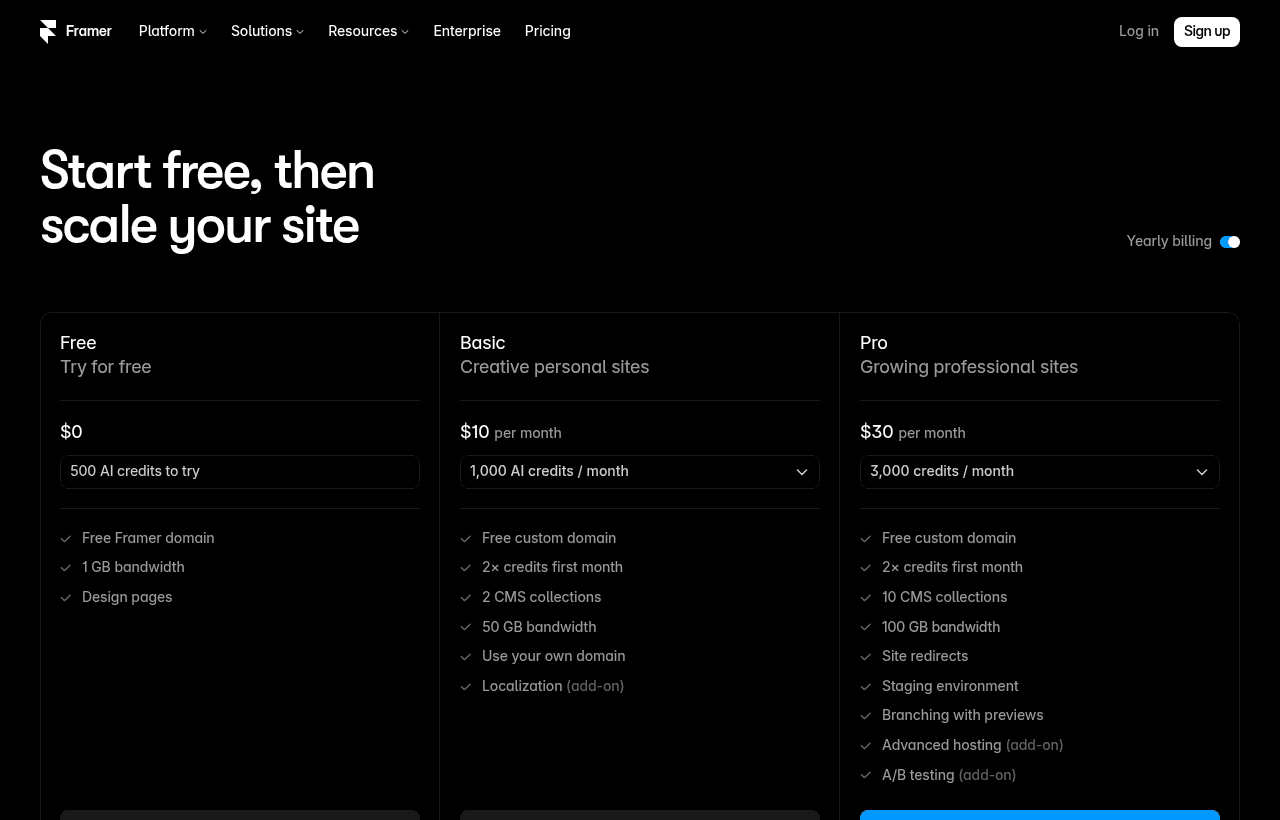
A look at Framer before the discount, so you can see what the deal saves you.
Eligibility Requirements
Framer startup program:
- Early-stage startup (pre-Series B)
- New Framer account or existing free plan user
- Building a commercial website or product landing page
- Not a current Framer paid customer
How to Claim This Framer Deal. Step by Step
Step 1: Create a free account on SaaSOffers at saasoffers.tech to access the verified Framer deal link.
Step 2: Click "Get Deal" on the Framer offer page and follow the link to Framer's startup program application.
Step 3: Create your Framer account and start a new project. Choose a template from Framer's gallery (templates are the fastest path to a polished result) or start from blank canvas.
Step 4: Customize your design. Framer's design system works like Figma, components, auto-layout, color styles, and text styles. If you already use Figma for product design, the mental model transfers directly.
Step 5: Add your content. Use Framer's CMS to manage blog posts, case studies, or any repeating content. Connect CMS collections to page templates so new blog posts automatically inherit your design.
Step 6: Set up SEO. In the page settings, configure your meta title, meta description, Open Graph image, and canonical URL. Enable the Framer sitemap (auto-generated) and submit it to Google Search Console.
Step 7: Connect your custom domain and publish. In Framer settings, add your custom domain, update your DNS records as instructed, and click Publish. Your site goes live on your domain with free HTTPS.
Key Features That Make Framer the Best Choice for Startup Sites
Design Freedom Without Code
Framer's canvas editor supports any layout, from standard grid-based designs to complex overlapping elements, asymmetric layouts, and creative hero sections that would require custom CSS in any other tool. Auto-layout (equivalent to CSS Flexbox) handles responsive behavior. Components with variants and interaction states replace complex CSS class management.
Built-in AI Design Tools
In 2026, Framer's AI features let you generate page sections from text descriptions, remix existing design styles, and generate copy variations for A/B testing, all inside the editor. For startups without a dedicated designer, Framer's AI substantially reduces the design skill barrier to creating a polished website.
Advanced Animation Without Code
Framer's interaction and animation system is the most powerful among no-code tools. Scroll-triggered animations, mouse parallax effects, entrance animations, and interactive hover states are configured visually. No JavaScript required. The result is the kind of motion design that used to require a senior frontend developer.
CMS for Content Teams
Framer's built-in CMS handles blog posts, case studies, changelog entries, team member profiles, and any repeating structured content. Non-technical team members can publish new content through a simple editing interface without touching the visual canvas. CMS collections connect to page templates automatically.
Custom Code for Developers
Framer lets developers add custom HTML, CSS, and JavaScript components anywhere in a design. React components can be imported directly into Framer and used like native design elements. This hybrid model, design-tool simplicity for most pages, code flexibility for complex components, makes Framer genuinely useful for technical teams.
Framer vs. Other Website Builders
| Platform | Design Flexibility | Animations | CMS | Custom Code | Developer Support |
|---|---|---|---|---|---|
| Framer | Excellent | Best-in-class | Built-in | Yes (React) | Strong |
| Webflow | Excellent | Very good | Built-in | Yes (custom JS) | Strong |
| Squarespace | Limited | Basic | Limited | Limited | Minimal |
| WordPress | Good (with themes) | Plugin-based | Excellent | Full | Excellent |
| Wix | Good | Good | Built-in | Limited | Moderate |
| Vercel + Next.js | Full (code) | Full (code) | No (custom) | Full | Developer-only |
Framer wins for design-quality-first marketing sites where the team has design sensibility but limited frontend coding time. Webflow is a strong alternative with more CMS features. For pure technical teams, Next.js on Vercel offers more control.
Who Is the Framer Startup Deal For?
Design-conscious founders who want a standout website: If you've admired the websites of Loom, Linear, or Vercel and wanted something similar without a $50K custom development budget, Framer is how those teams build websites in 2026. The design quality ceiling is very high.
Marketing teams that need to iterate quickly: Framer's visual editor means marketing can update the homepage, launch new landing pages, and run A/B tests without waiting for engineering time. Teams using Framer report 5–10x faster website iteration speed compared to code-based sites.
Pre-launch startups building their first impression: Your first 1,000 potential customers will judge your company on your website. A Framer site built well signals design taste, product polish, and attention to detail, qualities investors and customers associate with execution quality.
Real Startup Use Cases
SyncFlow (workflow automation SaaS, pre-launch): SyncFlow's non-technical founder built their entire marketing site in Framer in 2 weeks without any design or development background. Using a premium template as a starting point and customizing colors, copy, and components, the result was a website that generated 500 waitlist signups from a single Product Hunt launch.
DevPortal (developer tools startup, Series A): DevPortal rebuilt their marketing site in Framer after outgrowing a Squarespace template. The new site had scroll-triggered animations, an interactive product demo section built with React components embedded in Framer, and a CMS-driven changelog. The redesign increased trial signups from organic traffic by 38% in the first 60 days.
GrowthCo (B2B growth consultancy): GrowthCo uses Framer to build custom landing pages for each service offering and A/B test headline variations. The speed of creating new pages in Framer, under 2 hours per page, allows them to test 3–4 messaging variations per month without engineering support. The winning page variants have improved their consultation booking rate by 52%.
Tips to Maximize Your Framer Deal
- Start with a template and customize, don't start from scratch. Framer's premium templates are designed by world-class designers and implement best practices for SaaS marketing sites. Starting from a template is 3–5x faster than a blank canvas and almost always produces a better result for non-designers.
- Master auto-layout before touching complex designs. Auto-layout is Framer's most powerful layout tool and mirrors Figma's behavior exactly. Understanding it deeply (horizontal stacks, vertical stacks, padding, gap, fill vs. fixed width) gives you control over 90% of layout behavior without any CSS.
- Use the CMS from day one for the blog. Even if you don't plan to publish frequently, setting up the blog with Framer CMS from the beginning means future content is always correctly structured. Retrofitting a CMS-driven blog onto a page-based structure later is painful.
- Submit to Google Search Console on launch day. In Framer settings, copy the auto-generated sitemap URL and submit it to Google Search Console the day your site goes live. Early sitemap submission means Google indexes your content faster, especially important for SEO-focused startups.
- Use Framer Analytics to find high-exit pages. Framer's built-in analytics shows page views and visit paths. Identify pages with high traffic but high exit rates. These are pages where your messaging or CTA isn't landing. Prioritize improving these pages over creating new ones.
Framer Alternatives
Looking for Framer alternatives? While Framer is a strong choice for design, it is not always the right fit for every team. Compare Framer against the top alternatives in our category. Each with verified startup deals and credits. See all Framer alternatives →
Many startups end up using a combination of tools, and there are no restrictions on claiming multiple deals through SaaSOffers. Whether you need a cheaper option, different features, or a better startup deal, there is an alternative worth considering.
Design and Publish in One Place
Framer is an AI-powered web builder that lets you design and publish a site in one tool, and its distinctive value is collapsing the usual separation between designing a site and building it: you create the design and it becomes a live, published website directly, without a handoff to development. For a startup or designer wanting a polished, custom site without engaging developers, that combination of design freedom and direct publishing is a genuine efficiency.
The appeal is design-led site building with real creative control, plus AI features that speed up creating the site, aimed at people who want their site to look distinctive rather than templated. It sits toward the design-forward end of web builders, suited to teams for whom the look and feel of the site matters and who want to control it directly, which is often a startup wanting to stand out rather than accept a generic template.
Marketing Independence and the Right Use
As with any capable web builder, a large part of the value for a startup is that a design-and-publish tool lets your team create and update the site without waiting on engineering, which frees developers for the product and lets marketing and design move at their own pace. A new landing page, a design refresh, a campaign page become self-service rather than engineering tickets, and that independence is often worth as much as any feature because it removes a recurring bottleneck.
The practical guidance is to use Framer for the marketing site and content pages where design control and independence matter, while keeping the actual product in your application stack, since the two have different needs. Investing a little in learning the tool pays off in a distinctive site your team owns and can evolve directly, and the AI features lower the effort of creating and updating it. The free period is the window to build that site and establish the workflow, and for a startup that wants a polished, custom web presence its own team controls, without either accepting a generic template or dedicating developer time, a design-forward builder that publishes directly is exactly the combination of quality and independence that a design-conscious, fast-moving company wants from its website.
The final point is that a website is often the first impression a company makes, and for a startup trying to look credible and distinctive against larger competitors, a polished, custom site that the team can keep current itself is a real asset rather than a cost. A design-forward builder that publishes directly lets a small team present as well as a much larger one, without either the constraint of a generic template or the expense of dedicated development, and the free period lowers the cost of establishing that presence during the stage when looking established matters most and resources are tightest.
Who Is This Deal For?
Early-Stage Startups
Seed and pre-seed companies looking to move fast without overspending on tools.
Growing SaaS Teams
Series A+ companies scaling their stack and optimizing software costs.
Solo Founders
Indie hackers and bootstrapped founders who need enterprise tools at startup prices.
Get 1 year of Framer Pro free off Framer
Premium deal. Upgrade once, unlock everything.
Frequently Asked Questions
Everything you need to know about this startup deal.
Framer and Webflow are both excellent for high-quality marketing sites. Framer has a more intuitive design system (closer to Figma), better built-in animations, and a cleaner interface. Webflow has more mature CMS features, stronger e-commerce support, and a larger template marketplace. In 2026, design-focused teams tend to prefer Framer; teams with complex content management needs tend to prefer Webflow.
Get the weekly deals digest
New verified startup deals every week. No spam, ever. Unsubscribe anytime.
Related Offers

UserTesting
Used by 1,757 members
$1,000 off first package
On-demand user research, get video feedback from real users testing your product within hours, not weeks.
View offer
UserWay
Used by 640 members
Free accessibility audit + trial
Make your website ADA and WCAG compliant with an accessibility widget, automated scanning, and AI-powered remediation. Trusted on over a million sites and now part of Level Access.
View offer
Figma
Used by 7,430 members
6 months free Professional
Get Figma Professional free for 6 months. The collaborative design tool used by Airbnb, Twitter, Uber, and 4M+ design teams worldwide.
View offer
Shutterstock
Used by 320 members
10% off any plan
10% off any Shutterstock plan or purchase. Stack it with the 30-day free trial on Flex subscriptions and get up to $600 a year off the 350-image tier.
View offer
Webflow
Used by 1,019 members
40% off annual plans
Get 40% off Webflow annual plans, build production-ready websites visually without writing code, and launch 10x faster.
View offerMaze
Used by 1,416 members
6 months free
User testing platform, run unmoderated usability tests, prototype tests, and surveys to validate design decisions.
View offerDeal Summary
Looking for more startup deals?
Browse all offers