
Webflow Discount Code: 40% off annual plans
Get 40% off Webflow annual plans, build production-ready websites visually without writing code, and launch 10x faster.
Premium deal
Already have an account? Log in
Deal Highlights
Does Webflow have a Black Friday deal?
Webflow hasn't announced its Black Friday 2026 deal yet. Last year it offered 3 months free on a new annual Site or Workspace plan (12 months for the price of 9) (Nov 17 - Dec 2, 2025). We add the 2026 offer as soon as it's announced. The SaaSOffers deal is available now: 40% off annual plans. See all Black Friday SaaS deals.
Our Webflow listing: 40% off annual plans
Offer: 40% off annual plans. Requirements in our listing: a new Webflow account, and a startup with fewer than 50 employees. There is no promo code. This is a Premium deal on SaaSOffers.
We checked these plans and prices against Webflow's official pricing and help pages in November 2026.
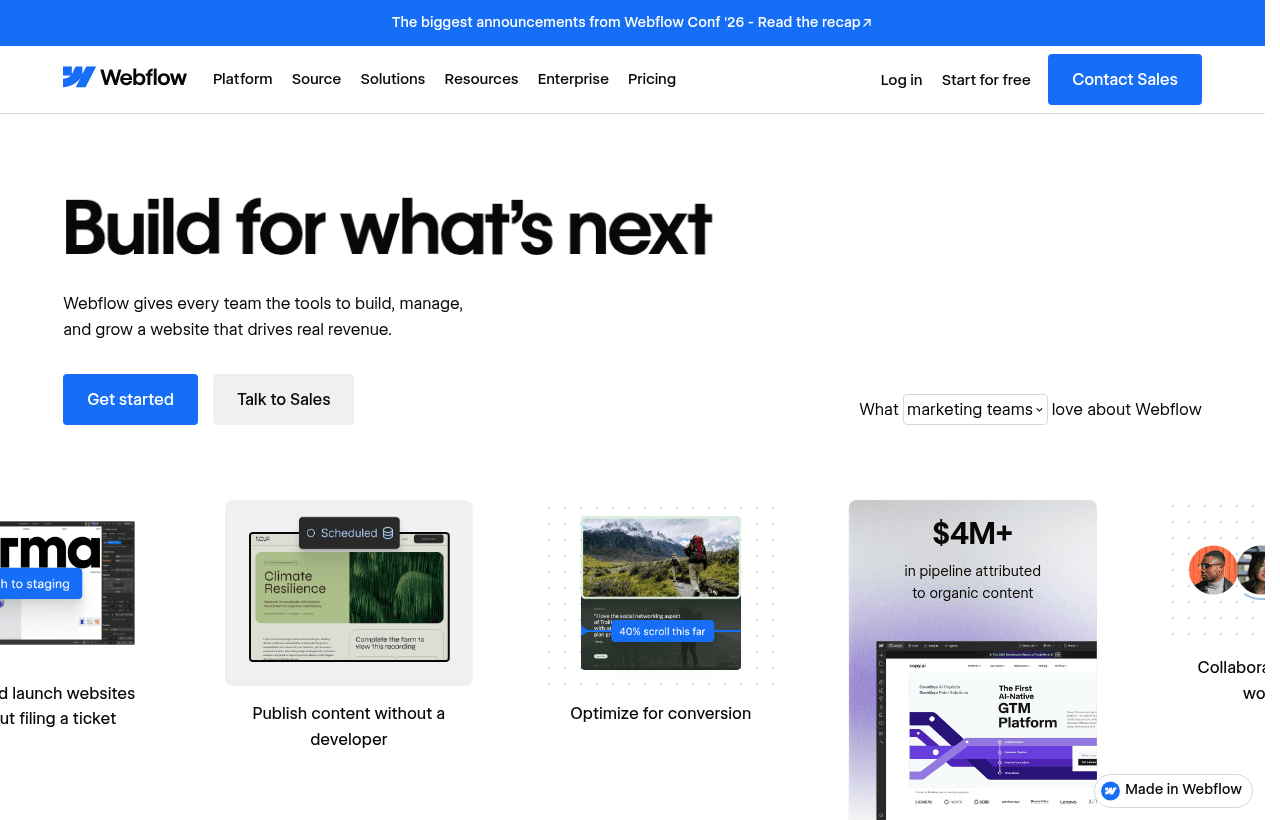
Webflow is a visual website builder. You lay out pages on a canvas that maps to HTML and CSS, hook up a CMS for blog posts and other repeating content, and publish to Webflow's hosting. It sits between template tools like Wix and a hand-coded site.
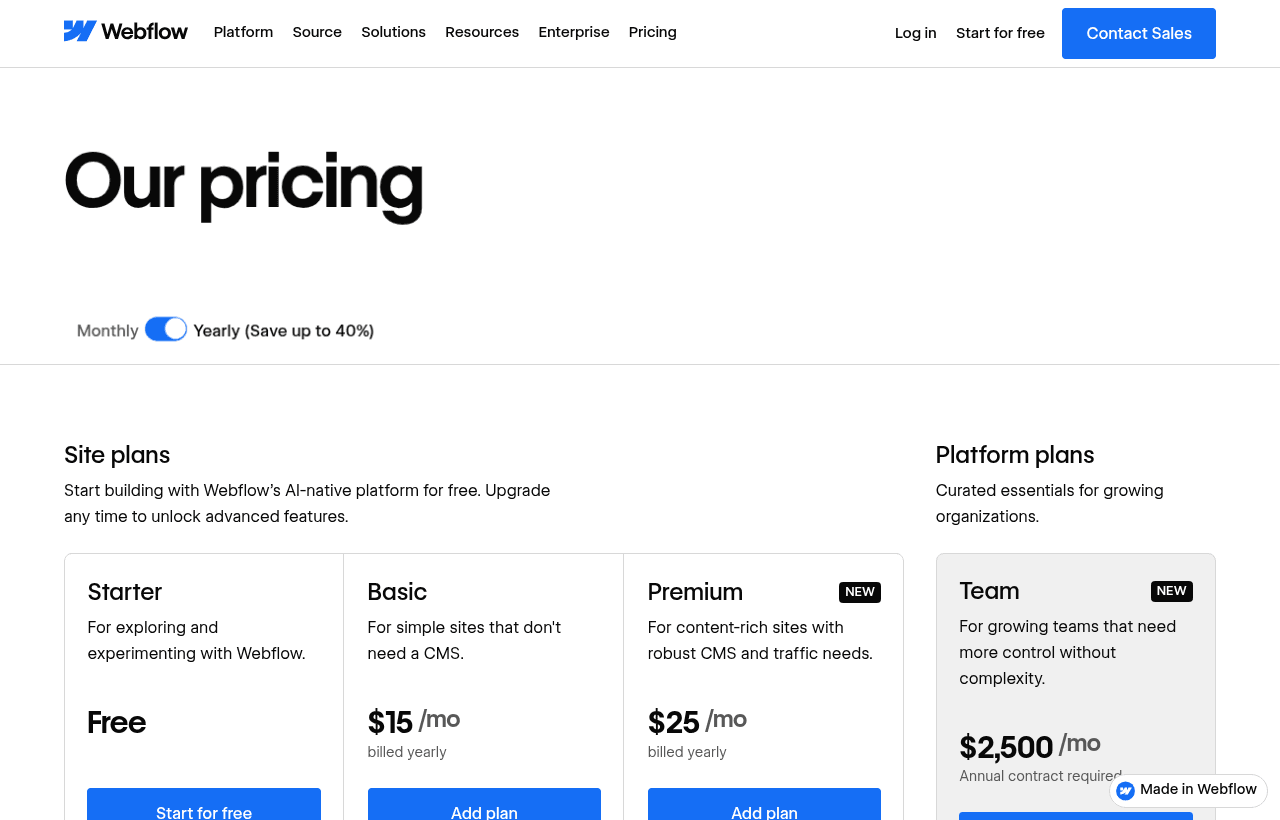
The 40% is Webflow's own public yearly saving. The pricing toggle reads "Yearly (Save up to 40%)": Basic is $15 yearly against $25 monthly, and Premium is $25 against $39 (36% lower). There is no extra SaaSOffers-only discount on top. Webflow for Startups closed to new applications on June 30, 2026. Accepted members keep their benefit.
Site plans: Starter is free, Basic is $15, Premium is $25
Webflow sells plans per site, in USD, plus tax. Our table uses the pricing page's own data for both billing cycles. The page does not say whether Premium's $25 includes any seat; seats are priced separately and covered below.
| Plan | Billed yearly (per month) | Billed monthly | Key limits |
|---|---|---|---|
| Starter | Free | Free | webflow.io domain, 2 static pages, 50 CMS items, 20 CMS collections, 1 GB bandwidth, 50 form submissions |
| Basic | $15 | $25 | Custom domain, 300 static pages, 10 GB bandwidth, unlimited form submissions, password protection, no CMS |
| Premium | $25 | $39 | Webflow CMS with 20,000 items and 40 collections, 50 GB bandwidth to start, code components, site search, form file upload |
| Team | $2,500 | Annual contract required | 20,000 CMS items, 100 collections, 500 static pages, up to 30 TB a year, 5 full and 5 limited seats |
| Enterprise | Custom | Custom | Custom limits, SLAs, dedicated account manager |
Bandwidth is the Premium add-on to watch
Premium starts at 50 GB. Webflow's FAQ lists steps up to 2.5 TB, each priced as an extra on top of the $25. Selected rows:
| Added bandwidth | Billed yearly | Billed monthly |
|---|---|---|
| +50 GB | +$20 a month | +$30 a month |
| +100 GB | +$40 a month | +$60 a month |
| +250 GB | +$100 a month | +$150 a month |
| +450 GB | +$174 a month | +$260 a month |
| +950 GB | +$374 a month | +$560 a month |
Webflow's pricing tooltips say 1 GB on Starter covers about 250 page views a month, and 10 GB on Basic covers 1,000 to 5,000. Most early marketing sites sit well inside 50 GB. If a launch on a big site sends you over, Webflow says it will let you know, and two consecutive months over the limit triggers an automatic plan upgrade.
What the free Starter plan leaves out
Starter lets you build and test for as long as you like. Webflow's own wording: "Try Webflow for as long as you like with our free Starter plan." It cannot run a business site. Compared with a paid plan it lacks:
- A custom domain. Starter publishes only to yourname.webflow.io.
- Removal of the "Made in Webflow" badge.
- More than 2 static pages. Basic allows 300.
- More than 50 form submissions, and any form file upload.
- Custom code and password protection (Basic and up).
- Site search, code components and per-item or scheduled CMS publishing (Premium).
- 301 redirects.
- Webflow's SEO and AEO audit tools, copy generation and sitemap controls, unless you also have a paid Workspace plan.
A site under construction on Starter does not expire. That is useful: build the whole thing for free, then buy the plan the day you publish.
Seats and Workspaces cost extra
Webflow separates the site plan from the Workspace where your team builds. Every customer gets one free Workspace. A free Workspace supports 2 Starter sites, Core supports 10, and Growth supports an unlimited number. Any Workspace tier can hold unlimited paid sites.
Workspace plans on the pricing data:
- Starter: free, 1 full seat.
- Core: $19 a month billed yearly, $28 billed monthly.
- Growth: $49 a month billed yearly, $60 billed monthly.
Seat prices in the same data:
- Full seat (design full sites, manage admin settings): $39 a month billed yearly, $45 billed monthly.
- Limited seat (edit content or build pages with components): $15 a month billed yearly, $19 billed monthly.
- Free seats for reviewers and commenters: $0.
Webflow also says clients can publish content through client seats on some Workspace plans. We did not verify the exact seat counts per Workspace tier, so check them when you choose.
Worked math with Webflow's list prices
The yearly prices below already include Webflow's saving.
Example 1: a 3-person team, about 20 pages plus a blog
A designer builds, a founder writes blog posts, an engineer reviews. One Premium site and one Limited seat for the founder. The designer uses the included Full seat. The engineer takes a free reviewer seat.
- Billed yearly: Premium $25 + Limited seat $15 = $40 a month, $480 a year.
- Billed monthly: $39 + $19 = $58 a month, $696 a year.
Yearly billing saves $216 against monthly ($696 minus $480).
Example 2: a 10-person team, 3,000 CMS items, more traffic
Two designers (one Full seat included, one extra), three content editors on Limited seats, and one Premium site with an extra 50 GB of bandwidth.
- Site: $25 + $20 bandwidth = $45 a month, $540 a year.
- Seats: 1 extra Full at $39, 3 Limited at $15 each ($45) = $84 a month, $1,008 a year.
- Total billed yearly: $1,548 a year.
- Total billed monthly: Premium $39 + bandwidth $30 + Full $45 + 3 x $19 ($57) = $171 a month, $2,052 a year.
The other four review on free seats. 3,000 items is well inside Premium's 20,000-item limit, so no add-on is needed for the CMS itself.
Add-ons and commerce
Webflow prices each of these separately.
| Add-on | Billed yearly | Billed monthly | Limit |
|---|---|---|---|
| Analyze | from $9 | from $12 | 2,000 sessions a month |
| Localize Essential | $9 per locale | $12 per locale | Up to 3 locales, 10,000 words per locale a month |
| Localize Advanced | from $29 | from $35 | Up to 10 locales, 50,000 words a month |
| Optimize | from $299 | from $379 | 25,000 page views, up to 5 concurrent tests |
Ecommerce plans are separate site plans. Standard is $29 a month billed yearly ($42 monthly) with 500 items and a 2% transaction fee. Plus is $74 ($84) with 5,000 items and 0% fees. Advanced is $212 ($235). Every site plan includes Webflow Cloud, its app hosting: 5 apps on Starter and Basic, 15 on Premium, with overages billed at $2 per million requests and similar small units.
What the Team plan adds
Team costs $2,500 a month on an annual contract, so it is far outside early-stage budgets. For reference, Webflow lists these items in it: 5 full seats and 5 limited seats, up to 100 free seats, 100 CMS collections, 500 static pages, 600 requests a minute on the content management API, 100,000 AI credits a year, two Localize locales, publishing workflows and a 99.00% hosting uptime figure. Enterprise lists 99.99% hosting uptime and a 1 hour response to major support incidents, against 12 hours on Team.
What you can and cannot take with you
Webflow says any paid Workspace plan lets you export your site and host it anywhere, with no attribution required. The catches, in its own words: dynamic content must be exported collection by collection, and forms will stop working. You also cannot import an exported site back. If you plan an eventual move, keep your CMS data in a separate spreadsheet.
Cancellation: Webflow says you can cancel, but you still pay the remainder of the term you signed up for. That matters on a yearly plan. Support is by email with a stated aim of replying within 48 hours; Team customers get priority support. A Webflow Practitioner Certification exam costs $100.
Who it's for
- A marketing team that wants to change the homepage, launch landing pages and publish posts without an engineering ticket.
- A designer or design-minded founder who wants control over layout and animation, and is willing to learn how Webflow maps to CSS.
- A content site that needs structured collections, such as blog posts, case studies and a team page, with up to 20,000 items.
- A business with one site and one or two builders, where per-site pricing stays predictable.
Who should skip it
- Anyone who needs a product app. Webflow is for marketing and content sites. Webflow Cloud exists, but this is not a general app builder.
- A single landing page with no CMS. Carrd costs far less, and a free Starter site may be enough until you publish.
- A team of many editors on a tight budget. Seats at $15 to $45 a month add up faster than the site plan.
- Founders who qualified for the old Webflow for Startups year. Use that program's code.
- Anyone who expects a discount beyond Webflow's yearly price.
Webflow against Framer, Carrd and Ghost
| Tool | Entry paid price | What it is built for |
|---|---|---|
| Webflow | Basic $15 a month yearly, Premium $25 (CMS) | Custom marketing sites with a CMS and animations |
| Framer | Basic $10 a month, Pro $30 on yearly billing | Design-led sites, React code components, AI credits |
| Carrd | Standard $19 a year (10 sites, custom domain) | One-page sites and simple landing pages |
| Ghost | Starter $15 a month yearly, $18 monthly | Publications, newsletters and paid memberships |
Framer's Pro plan and Webflow's Premium both cover a CMS site, but they price differently. Framer charges for pages, collections, items and bandwidth beyond set tiers. Webflow charges per site, then per seat, then per bandwidth step. Framer also has a startup year-of-Pro offer for pre-seed and seed companies backed by an approved partner, so check it before you buy Webflow.
Carrd costs a fraction of Webflow but gives you one-page sites. Ghost is the better fit if the site is mostly a blog with a newsletter and paid subscribers.
Setup tips
- Build on Starter first. You pay nothing until you connect a domain.
- Pick Basic if your site has no blog and fewer than 300 static pages. Pick Premium when you need the CMS.
- Set global styles for colors, fonts and spacing before building pages. Changing a brand color later is then one edit.
- Add the SEO basics on every page: title, description and Open Graph image. Paid Workspace plans add SEO and AEO audit tools.
- Test forms before launch. Starter caps submissions at 50 and cannot take file uploads.
- Choose billing deliberately. A yearly plan cannot be cancelled early, and the monthly rate on Premium is $14 higher.
- Keep a copy of your CMS content outside Webflow.
How to claim the deal
- Upgrade to SaaSOffers Premium, then open this deal's claim link on SaaSOffers.
- Create a new Webflow account. Our listing requires a new account, so do not use an existing one.
- Confirm your company has fewer than 50 employees, as our listing requires.
- Build on the free Starter plan first.
- When you are ready to publish, pick a yearly site plan.
- Choose Yearly billing at checkout. That is where the 40% saving comes from.
Who Is This Deal For?
Early-Stage Startups
Seed and pre-seed companies looking to move fast without overspending on tools.
Growing SaaS Teams
Series A+ companies scaling their stack and optimizing software costs.
Solo Founders
Indie hackers and bootstrapped founders who need enterprise tools at startup prices.
Get 40% off annual plans off Webflow
Premium deal. Upgrade once, unlock everything.
!Eligibility Requirements
New Webflow account, startup with fewer than 50 employees
Frequently Asked Questions
Everything you need to know about this startup deal.
Get the weekly deals digest
New verified startup deals every week. No spam, ever. Unsubscribe anytime.
Webflow guides
- What $79/Year Gets You: SaaSOffers Premium. The Honest BreakdownSaaSOffers Premium costs $79/year and claims to unlock $200,000+ in startup deals. Here's the transparent breakdown. Every deal included, what you actually save, and whether it's worth it for your startup.
- Do You Need to Be VC-Backed to Get Startup SaaS Deals? (The Truth)The most common reason bootstrapped founders don't apply for startup credits: they assume they won't qualify without VC funding. They are almost always wrong. Here's which programs actually require funding and the 40+ that don't.
- The Complete Startup Tech Stack in 2026. Every Tool With Free or Discounted DealsThe definitive startup tech stack for 2026, 40+ tools across 12 categories, every one available free or discounted through startup programs. Build your entire company without paying full price for a single tool.
Related Offers

UserTesting
Used by 1,757 members
$1,000 off first package
On-demand user research, get video feedback from real users testing your product within hours, not weeks.
View offer
UserWay
Used by 640 members
Free accessibility audit + trial
Make your website ADA and WCAG compliant with an accessibility widget, automated scanning, and AI-powered remediation. Trusted on over a million sites and now part of Level Access.
View offer
Figma
Used by 7,430 members
Up to 1 year free Professional
Up to 1 year of Figma Professional free via Figma for Startups (approved VC or accelerator partner, under $10M raised, new customers).
View offer
Shutterstock
Used by 320 members
10% off any plan
10% off any Shutterstock plan or purchase. Stack it with the 30-day free trial on Flex subscriptions and get up to $600 a year off the 350-image tier.
View offer
Maze
Used by 1,416 members
6 months free
User testing platform, run unmoderated usability tests, prototype tests, and surveys to validate design decisions.
View offer
Canva Pro
Used by 410 members
1 year free Pro
Design platform for marketing graphics, social media, presentations, and brand assets. No design skills required.
View offerDeal Summary
Looking for more startup deals?
Browse all offers