
UserTesting Discount Code: $1,000 off first package
On-demand user research, get video feedback from real users testing your product within hours, not weeks.
Premium: $79/year for unlimited deals
Already have an account? Log in
Deal Highlights
Our UserTesting listing: $1,000 off the first package
Offer: $1,000 off first package. Requirement in our listing: product team needing user feedback. There is no promo code, and our listing has no SaaSOffers tracking link for this deal. To redeem, go to usertesting.com, request pricing, and mention the SaaSOffers offer when you talk to sales.
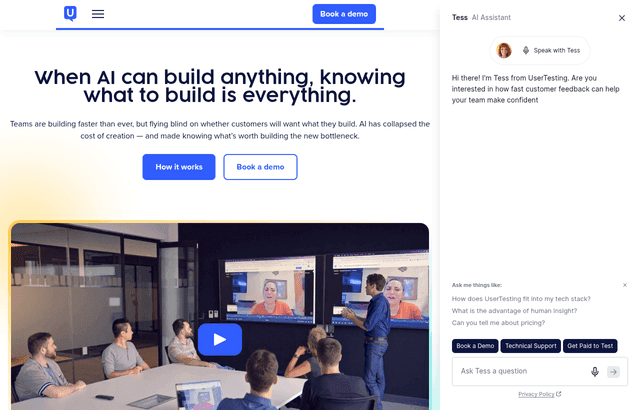
We checked these plans and prices against UserTesting's official pricing and help pages in November 2026.
UserTesting does not publish a single dollar price. Its pricing page shows "Request pricing" on every edition, and the FAQ says the price "varies depending on the number of users, types, and features." That matters for the offer. The $1,000 is our listing's term, and UserTesting's own site does not mention it or any startup program. Treat it as something to confirm in writing before you sign, and do not assume it applies to every edition or contract length.
The company is now called Auros
The platform still runs under the UserTesting name, but the parent company has changed its own. Thoma Bravo's portfolio page and UserTesting's newsroom confirm the change. Thoma Bravo's page says "In 2026, the company rebranded as Auros" and lists a September 29, 2026 announcement titled "UserTesting Announces Rebranding as Auros, Providing the Human Network Behind AI." It describes Auros as the company behind UserTesting and User Interviews.
UserTesting's own homepage shows the same change in small ways. Its sign-in options read "UT by Auros," "UZ by Auros" and "EHQ by Auros," and the About us links go to auros.ai.
Some history from Thoma Bravo's page. Thoma Bravo invested in UserZoom in January 2023, and UserZoom merged with UserTesting in April 2023. A separate press release dated January 7, 2026 is titled "UserTesting Acquires User Interviews." The "UZ" sign-in is a leftover of the UserZoom merger, so if you used UserZoom before, you may land in the same company.
For a buyer, this means you may see two brand names on invoices or contracts. Ask which legal entity signs the order form.
Two ways to pay, three editions, no price tags
UserTesting's pricing page splits plans into two billing models and three editions.
Billing models
- Test-based Consumption: "Pay based on test usage across your team." The page lists unlimited users and no per-seat charges. It is aimed at teams getting started or with variable research needs.
- Team-based Unlimited: Unlimited testing, described as "Predictable pricing for scaling across teams and geographies." It includes the UserTesting for Figma plugin automatically.
Editions
| Edition | Described as | Notable inclusions | Price |
|---|---|---|---|
| Advanced | For teams ready to use human insights | AI insight summaries, panel in 60+ countries, moderated and unmoderated tests, sentiment analysis, transcripts, unlimited workspaces, Slack, Teams, Jira, Figma, FigJam and Miro integrations | Request pricing |
| Ultimate (labeled Popular) | "For organizations comfortable running research and assimilating fast feedback" | Everything above plus AI test creation, AI analysis, smart tags, Insights Hub, card sorting, tree testing, custom audiences, secure prototype hosting, approval flow, Premier Support | Request pricing |
| Ultimate+ | "For enterprises who want to scale outcomes beyond their constraints" | Everything in Ultimate, the Team-based Unlimited plan, the Figma plugin, custom insights services, Premier Support+ with a dedicated consultant | Request pricing |
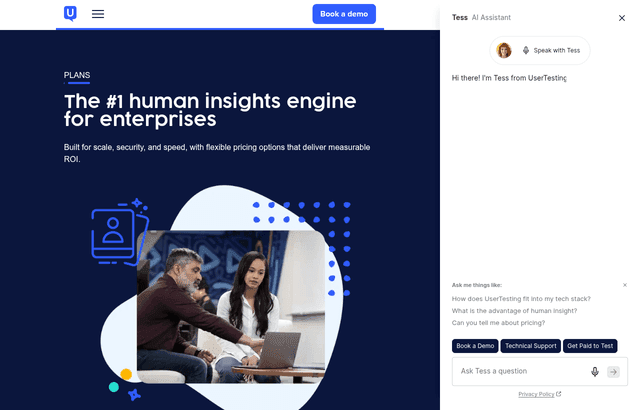
The FAQ says trials lead toward "an annual subscription," so expect a yearly contract, but we could not confirm the contract length for each edition.
Flexible roles are listed on Test-based plans and "coming soon" for Team-based Unlimited. The Figma plugin is an add-on on other plans.
How sessions are counted: the rate card
The best public number set is the session rate card. It gives costs in session units (SU), not dollars. The page says "Each session unit consumed has an associated monetary value" and does not state the value. So the card tells you relative cost, and you need a quote to turn it into money.
| Session type | UserTesting panel | Custom Network (Ultimate only) | Invite Network (your own people) |
|---|---|---|---|
| Survey, up to 10 minutes, no video | 2 SU | Not available | 0 SU (introductory offer) |
| Interaction test, up to 20 minutes | 5 SU | Not available | 1 SU |
| Short think out loud test, up to 5 minutes | 5 SU | 3 SU | 1 SU |
| Standard think out loud test, up to 20 minutes | 10 SU | 5 SU | 2 SU |
| Moderated Live Conversation, first 30 minutes | 20 SU | 10 SU | 5 SU |
| Moderated, each extra 15 minutes | 5 SU | 2 SU | 1 SU |
Live Conversation is available on Advanced and Ultimate plans only. Custom Network is Ultimate only. Live Conversations get a one-time 15-minute grace period, so a 45-minute session is billed as 30 minutes. Past the grace period you pay in 15-minute steps counted from the scheduled end. The card gives no effective date; its footer reads 2026.
The rate card carries one more useful rule. The vendor's own example: "1 Standard Test with 8 participants from the UserTesting Participant Network is 80 SUs."
Worked examples in session units
- A first round of think-out-loud tests. 5 participants, standard test, UserTesting panel: 5 x 10 SU = 50 SU. Running the same test with 8 participants gives the vendor's 80 SU.
- A one-hour interview round. One 60-minute Live Conversation on the UserTesting panel costs 20 SU for the first 30 minutes plus 2 x 5 SU for the next 30 minutes, which is 30 SU. Five interviews cost 150 SU.
- Your own customers. A standard think-out-loud test with 20 people from your Invite Network costs 20 x 2 = 40 SU, against 20 x 10 = 200 SU on the panel. That is 160 SU less. This assumes you have a list of customers or leads to invite.
- A survey. 100 panel participants on a 10-minute survey: 100 x 2 = 200 SU.
If our $1,000 off applies, it comes off the package price, not off any one test. You will want to know how many SU the package contains before you judge it. Ask for the SU total, the price per SU, and the contract length in the quote.
What a test gets you
UserTesting runs the same basic flow for most studies. You write tasks or questions, choose an audience, and participants record their screen and voice while they work through the tasks. You get video, transcripts, sentiment analysis on Advanced and above, and AI summaries.
UserTesting's help center (seen via search results) says its best-practices guidance is to keep unmoderated tests to 15 to 20 minutes per participant. That is guidance, not a hard cap. The rate card sets the actual maximum: a standard test is billed up to 20 minutes and an interaction test up to 20 minutes.
Moderated tests use Live Conversation. The rate card bills the first 30 minutes, then 15-minute steps. UserTesting's help center (seen via search results) lists 30, 60, 90 or 120 minutes on the Advanced or Ultimate edition of the Flex plan, while another article describes different options, so confirm the length you need. On Test-based plans, a Live Conversation caps at 100 participants by default, per the help center.
AI moderation is listed in UserTesting's help center (seen via search results) as a closed beta with a three-minute limit per exchange and up to three follow-ups. It is not generally available, so do not plan around it.
Panel size: three numbers on one site
UserTesting's pages disagree on panel size, so we show all of them.
| Where | What it says |
|---|---|
| Homepage | "7M+ authenticated participants across 34 countries" |
| Pricing page, Advanced edition | Panel across 60+ countries |
| Our old listing FAQ | 2M+ testers |
We would use the homepage figure for the size of the panel and ask sales which countries your edition can actually reach. The homepage also says "Every participant is vetted to ensure they are who they say they are." The pricing page says the free test returns a video "typically in less than an hour," and the homepage says "in hours, not weeks." Speed depends on your audience. A narrow B2B filter will take longer than a general consumer one.
Mobile and prototype testing
UserTesting's mobile page says you can "test iOS, Android, and TestFlight links across a broad range of device types and countries." No SDK is needed. You upload an IPA or APK file directly, which means you can test an app before it is released. Full-screen recording shows everything that can be shared on the mobile screen. The page also lists camera-based tests, including AR and VR and in-home tests with voice devices.
For prototypes, the Figma integration links a Figma prototype to an interaction test so you can test with a larger sample. Each person must connect their own Figma and UserTesting accounts. The separate UserTesting for Figma plugin creates and launches tests from inside Figma. UserTesting's help center (seen via search results) says it officially supports test generation in English. We could not confirm its current availability. On Team-based Unlimited it is included; elsewhere it is an add-on.
What you do not get without a quote
- A public price for any edition.
- A published startup or early-stage discount from the vendor. The pricing page says no startup offer is listed.
- A published free trial. The FAQ says "Sign up to request a trial," and gives no length or scope.
- A published test quantity per edition.
What UserTesting does publish is a free test: you can "run a test for free" and receive a video of a real person reviewing your website. The page does not say how many you can run. It also lists an Education Partner Program with free access for qualifying institutions, and a OneWorld program with free and discounted research for qualifying charities.
Who it is for
- Product teams with a research habit. If you will run tests every week, a consumption or unlimited plan can make sense and the SU math above becomes a budget line.
- Teams that need live interviews and recorded sessions in one tool. Live Conversation, panel recruiting and transcripts sit in one product on Advanced and above.
- Teams that sell into several countries. The pricing page cites a panel across 60+ countries on Advanced.
- Teams with a security review. The pricing page lists SOC 2, ISO 27001, GDPR and HIPAA on Advanced.
- Teams with their own customer list. The Invite Network rates are far lower than panel rates in the rate card.
Reasons to pass on UserTesting
- Solo founders with a first prototype. You need a quote and probably a yearly contract. A lighter tool with a free plan, like Maze below, fits better.
- Teams that want a price before a call. There is none to find.
- Teams that only need heatmaps or session replay. That is a different product category.
- Teams who plan to run one study. A $1,000 discount on a package you only use once may not cover the cost of a sales cycle.
UserTesting next to two alternatives
| Tool | Free option | Paid pricing | Fits best |
|---|---|---|---|
| UserTesting | A free test on the pricing page; trial by request | Quote only, Advanced, Ultimate, Ultimate+ | Video feedback and live interviews with a vendor-run panel |
| Maze | Free plan, 1 study a month, 5 seats | Panel credits at $5 each (50 credits for $250); plan prices not published on its pricing page | Prototype tests, surveys and card sorts |
| Hotjar | New accounts go through Contentsquare Free, which lists 200k sessions a month | Contentsquare Growth from $39 a month billed yearly ($49 monthly) at 7k sessions | Heatmaps and recordings on a live site |
Maze's figures come from Maze's own pricing and help pages, and its panel credits cost $5 each: a 3-credit unmoderated response on the Core network is $15. UserTesting's SU price is unknown, so we cannot compare cost per participant directly.
Hotjar is now part of Contentsquare, and Hotjar says it is no longer possible to create a new account there. Contentsquare also appears on UserTesting's integrations page. The two tools answer different questions: Hotjar shows what users did on a live site, and UserTesting shows what a recruited person said while doing it.
Setup tips for the first month
- Ask for the SU total. Get the package size in session units and the price per unit in writing.
- Run the free test first. It costs nothing and shows what a recorded session looks like.
- Start with standard tests of 5 to 8 people. The vendor's own example, 8 participants, is 80 SU.
- Invite your own users for the cheap rounds. The rate card puts a standard test at 2 SU on the Invite Network.
- Keep tests to 15 to 20 minutes. That is the vendor's best-practices advice, and it matches the 20-minute billing caps.
- Book Live Conversations in 30-minute blocks. The 15-minute grace period means a 45-minute call is billed as 30.
- Connect Jira or Slack early. Clips can go into issues and channels so findings reach engineers.
Claiming the UserTesting offer, step by step
- Go to usertesting.com and open the Plans and pricing page.
- Choose Request pricing for the edition you want. Ask for a trial if you want to try first.
- Tell sales you are coming from SaaSOffers and ask them to confirm the $1,000 off the first package in the quote. Our listing has no code and no tracking link, so the discount depends on what they confirm.
- Check the quote for the SU total, the price per SU, the contract length and the edition. Confirm whether the $1,000 comes off the package price.
- Sign only after you have the discount in writing.
Who Is This Deal For?
Early-Stage Startups
Seed and pre-seed companies looking to move fast without overspending on tools.
Growing SaaS Teams
Series A+ companies scaling their stack and optimizing software costs.
Solo Founders
Indie hackers and bootstrapped founders who need enterprise tools at startup prices.
Get $1,000 off first package off UserTesting
Premium deal. Upgrade once, unlock everything.
!Eligibility Requirements
Product team needing user feedback
How to get the UserTesting deal
- The offer: $1,000 off first package, for product team needing user feedback.
- Create a free SaaSOffers account, then upgrade to Premium ($79 a year, or $250 once for lifetime access). Premium unlocks every Premium deal on the site.
- Open the UserTesting claim page from this deal. It shows the partner link, any promo code and the exact steps UserTesting asks for.
- Apply or sign up through that link before you pay UserTesting directly, since most startup offers only apply to new accounts.
Frequently Asked Questions
Everything you need to know about this startup deal.
Get the weekly deals digest
New verified startup deals every week. No spam, ever. Unsubscribe anytime.
Related Offers

UserWay
Used by 640 members
Free accessibility audit + trial
Make your website ADA and WCAG compliant with an accessibility widget, automated scanning, and AI-powered remediation. Trusted on over a million sites and now part of Level Access.
View offer
Webflow
Used by 1,019 members
40% off annual plans
Get 40% off Webflow annual plans, build production-ready websites visually without writing code, and launch 10x faster.
View offer
Figma
Used by 7,430 members
Up to 1 year free Professional
Up to 1 year of Figma Professional free via Figma for Startups (approved VC or accelerator partner, under $10M raised, new customers).
View offer
Shutterstock
Used by 320 members
10% off any plan
10% off any Shutterstock plan or purchase. Stack it with the 30-day free trial on Flex subscriptions and get up to $600 a year off the 350-image tier.
View offer
Maze
Used by 1,416 members
6 months free
User testing platform, run unmoderated usability tests, prototype tests, and surveys to validate design decisions.
View offer
Framer
Used by 374 members
1 year of Framer Pro free
Get 1 year of Framer Pro free, worth $360. The AI-powered web builder where designers publish fast, interactive websites without writing code.
View offerDeal Summary
Looking for more startup deals?
Browse all offers