
Insomnia Coupon: Free Plan
API client for REST, GraphQL, gRPC, and WebSocket testing and debugging.
Premium: $79/year for unlimited deals
Already have an account? Log in
Deal Highlights
Our Insomnia listing: the Free Plan
Offer: Free Plan. Our listing sets no requirements and there is no promo code. This is a Premium deal on SaaSOffers.
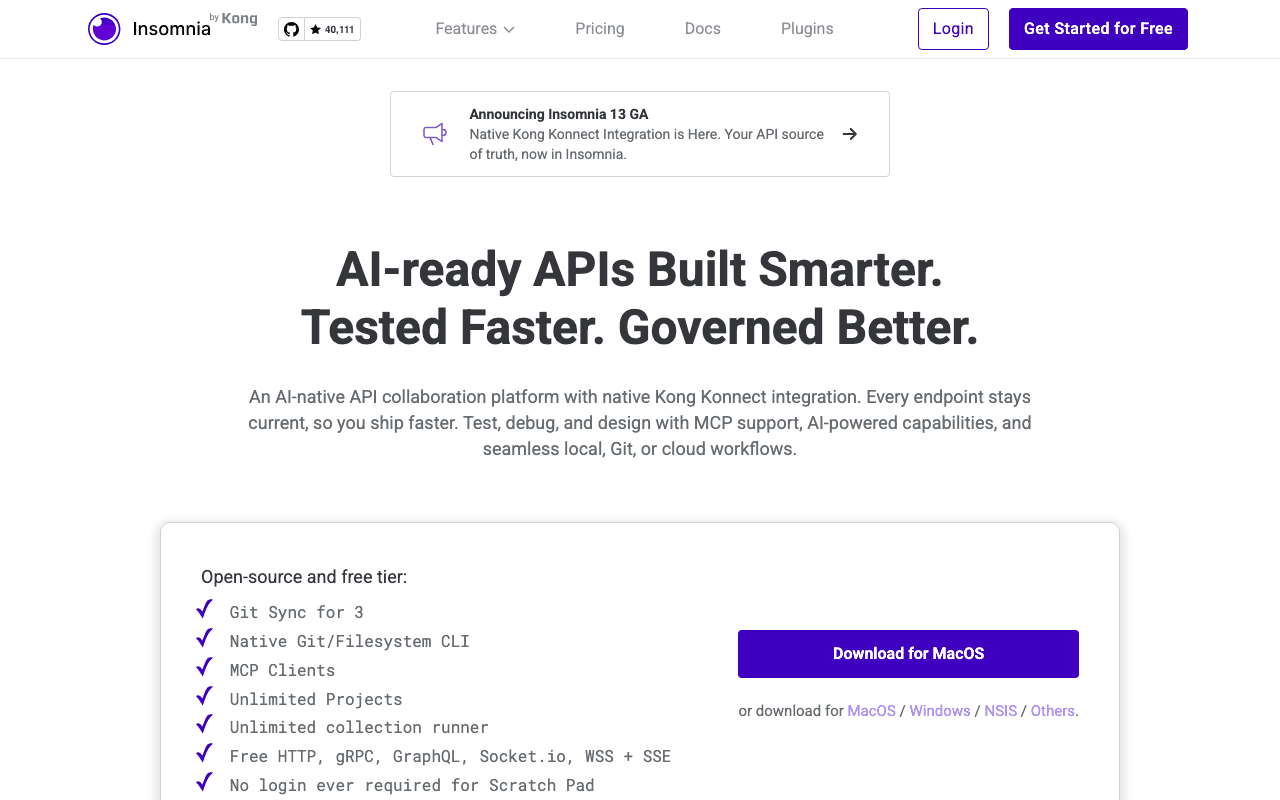
We checked these plans and prices against Insomnia's official pricing and documentation pages in November 2026.
Insomnia is an API client made by Kong. You build a request, send it, and read the response, for REST, GraphQL, gRPC, WebSocket, Socket.IO, SSE and SOAP. It also edits OpenAPI specs, runs collections, mocks servers and, more recently, acts as an MCP client.
The Free Plan in our listing is the plan Insomnia calls Essentials. Insomnia's pricing page shows it at $0 per user per month with a "Get Started" button, so anyone can sign up for it directly at insomnia.rest. Our listing does not add a discount on top, and Premium members claim it through this deal's link: upgrade to SaaSOffers Premium, then open the claim link.
What the Essentials plan includes
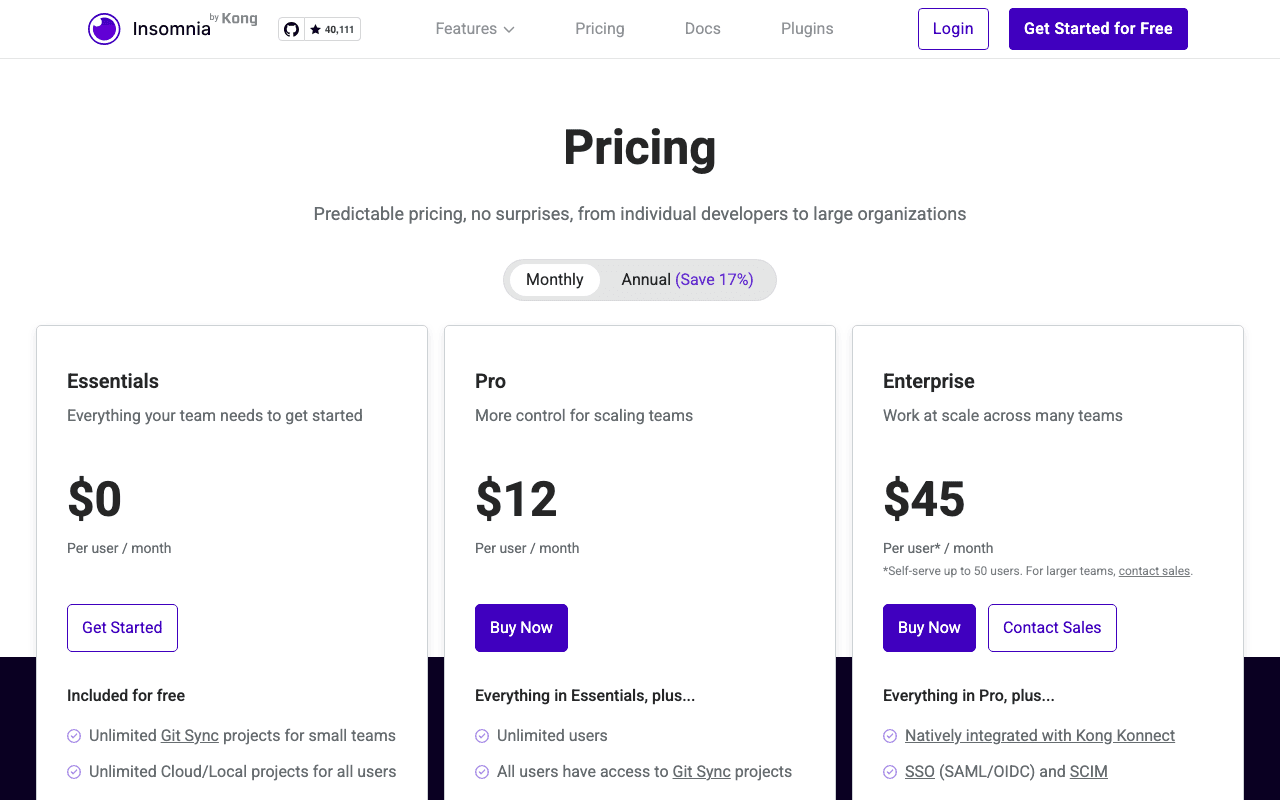
The pricing page lists these items under "Included for free":
- Unlimited Git Sync projects for up to 3 users
- Unlimited Cloud and Local projects for all users
- Access to the Inso CLI for CI/CD automation
- Unlimited collection runs
- Unlimited environments
- 1,000 mock server requests per month
- End-to-end encryption (E2EE)
- Custom linting rules
- Unlimited access to plugins, or build your own
- AI-powered quality-of-life features
The comparison table adds that every plan covers the REST, gRPC, GraphQL, SOAP, WebSocket, Socket.IO and SSE clients, pre-request and after-response scripting, global and collection environments, the collection runner, an API spec editor with live preview, OpenAPI linting, JavaScript API testing and test suites, and MCP clients with OAuth and Dynamic Client Registration. Support on Essentials is by email according to the table.
Three people on Git Sync, then the plan changes
The 3-user number is the one to plan around. Essentials gives you unlimited Git Sync projects, but only for up to 3 users. Pro says "All users have access to Git Sync projects". So a team of four that wants everyone on Git Sync is above the free line.
What Git Sync is, per Insomnia's documentation: Insomnia acts as a Git client inside the app. Project data is stored as YAML files in your own repository, and Insomnia does not host it. You get branches, commits, push and pull, merging and a merge view for conflicts. GitHub, GitLab and Bitbucket are supported, and other providers work with manual credentials. Branch protections set at your Git provider still apply, so a protected branch cannot be pushed to from Insomnia.
Insomnia's docs list four storage types: Local Vault, Scratch Pad, Cloud Sync and Git Sync. You can change a project's storage type after you create it, for example turning a Local Vault project into a Cloud Sync project when it needs collaboration. Cloud Sync stores project data in Insomnia's cloud with commits, branches and E2EE, and a project created with Cloud Sync in an organization is available to all users in that organization.
The comparison table has a Collaborators row. For Essentials it reads "Unlimited collaborators for 1 project". For Pro and Enterprise it reads "Per seat". We read that as: on the free plan, one shared project can have any number of collaborators, and beyond that you pay per seat. The page does not explain the row further, so treat our reading as an inference and confirm it in the app before you rely on it.
Pro is $12 monthly or $10 yearly per user
Insomnia has three plans on its pricing page, with a Monthly and Annual toggle. The page's own script lists the prices below. Enterprise costs the same either way.
| Plan | Annual toggle (per user/month) | Monthly toggle (per user/month) | Key limits |
|---|---|---|---|
| Essentials | $0 | $0 | Git Sync for up to 3 users, 1,000 mock requests/month |
| Pro | $10 | $12 | Unlimited users, Git Sync for all users, unlimited organizations, RBAC, 10,000 mock requests/month |
| Enterprise | $45 | $45 | Self-serve up to 50 users, SSO and SCIM, vault integrations, unlimited mock requests |
The page shows an "Annual (Save 17%)" toggle. $10 against $12 is a saving of about 16.7%, which matches. The Pro card itself carries a "15% savings" tag, which does not match the toggle label. We use the actual dollar figures.
The Enterprise card carries a footnote: "Self-serve up to 50 users. For larger teams, contact sales." Optional add-ons are listed per plan. Essentials and Pro both show mock requests beyond the free allowance at $10 per 25,000 requests.
What Pro adds over Essentials
- Unlimited users
- Git Sync for every user, not only three
- Unlimited organizations
- Role-based access control (RBAC)
- 10,000 mock server requests per month instead of 1,000
What Enterprise adds over Pro
- Native integration with Kong Konnect
- SSO (SAML and OIDC) and SCIM
- Control over where projects are stored: local, Git or cloud
- Domain capture, lock and invite control
- Enterprise support
- Access to SOC 2 compliance and the latest security testing results
- Native vault integrations with AWS, GCP, HashiCorp and Azure
- Unlimited mock server requests
- Custom payment options
Payments on Essentials and Pro are by credit card only, per the comparison table. Kong also lists professional services as an optional Enterprise add-on, with no price shown.
What Essentials does not include
- Git Sync for a fourth user and beyond
- RBAC and organization role management
- More than one organization
- More than 1,000 mock requests a month without paying the add-on
- SSO, SCIM and domain capture
- Vault integrations and storage control
- Support beyond email
Insomnia also offers a 14-day Enterprise trial with no credit card required, which covers SSO, SCIM and vault integrations. The page states the trial length and the card requirement. It does not state what happens to your data when the trial ends, so check that before you put real specs in a trial workspace.
Worked examples
All math uses the per-user prices on the pricing page. Our listing's Free Plan has no price to subtract, so these show the cost of leaving it.
Team of 3. Everyone fits inside Essentials. Git Sync, the Inso CLI, unlimited environments and collection runs cost $0. Pro would cost 3 x $10 x 12 = $360 a year on the annual price, or 3 x $12 x 12 = $432 monthly. Staying free saves that, and you give up RBAC and 9,000 mock requests a month.
Team of 5. Two people are beyond the Git Sync limit. Pro costs 5 x $10 x 12 = $600 a year on the annual price, or 5 x $12 x 12 = $720 monthly. The yearly price is $120 lower. A cheaper path is to keep two people on Cloud Sync or Local projects, which are unlimited on Essentials, and use Git Sync for three.
Team of 10. Pro costs 10 x $10 x 12 = $1,200 a year at the annual price, or 10 x $12 x 12 = $1,440 monthly. The difference is $240. Enterprise would cost 10 x $45 x 12 = $5,400, which is $4,200 more than annual Pro. You would only pay that for SSO, SCIM, vault integrations or storage control.
Mock server traffic. A staging mock that receives 30,000 requests in a month would exceed Essentials' 1,000 included by 29,000. At $10 per 25,000 requests, that is two blocks, so $20 if the add-on is billed in whole blocks of 25,000. The page does not say how partial blocks are charged, so this is our reading. On Pro, 10,000 requests are included, which leaves 20,000 over: one block at $10 if whole blocks apply.
Where Insomnia fits
Solo developers and small teams
Install the app, work in a Local Vault or Scratch Pad project, and never create an account. Insomnia's login screen has a "Use the local Scratch Pad" link, and the pricing page says the Scratch Pad is local-only and free forever. Scratch Pad works with API Collections that hold requests and one OpenAPI spec each. That is enough for a freelancer, a hackathon team or an engineer testing a single service.
Teams that already live in Git
Git Sync is the closest fit. The files are YAML in your repo, reviewed in pull requests, and branch rules come from GitHub, GitLab or Bitbucket. Up to 3 people do this free. A 3-person founding team with a monorepo is the cleanest case.
Backend teams that need API design and tests together
The spec editor, live preview and OpenAPI linting sit next to the request client. You can write custom lint rules on the free plan. The Inso CLI runs collections and tests in CI, and it is included on Essentials according to the pricing page.
Teams building with AI agents
Insomnia has an MCP client, which lets you create and test MCP server connections with OAuth, including Dynamic Client Registration. The comparison table lists it for all plans. The Cloud Sync documentation also says it can store MCP Client configuration as part of the project.
Reasons to pass on Insomnia
- Teams of 4 or more that want everyone on Git Sync and do not want to pay per seat. Compare the free tiers of other clients below.
- Teams that need SSO or SCIM on a budget. Those start at Enterprise, $45 per user a month on Insomnia's page.
- Teams that want a large hosted platform for monitoring, API catalogs and governance in one product. Insomnia is a client, a spec editor and a mock tool, with Konnect integration on Enterprise.
- Anyone who needs a published free-startup-credit program. We did not find one on Insomnia's pricing or documentation pages.
Comparing Insomnia with Postman and Bruno
Prices come from each vendor's pricing page, checked in November 2026.
| Insomnia | Postman | Bruno | |
|---|---|---|---|
| Free tier | Essentials, $0 | Free, $0 | Open Source, $0 |
| First paid tier | Pro, $10/user/month yearly, $12 monthly | Solo $9/month billed annually (one person) | Pro, $6/user/month billed annually |
| Team tier | Pro (same) | Team, $19/user/month billed annually | Ultimate, $11/user/month billed annually |
| Top tier | Enterprise $45/user/month | Enterprise, contact sales | Enterprise $18/user/month billed annually |
| Git | Git Sync, free for 3 users | Native Git on Free | Native Git integration, public Git providers on Open Source |
Postman has a free tier with the API client, specs, mock servers and native Git. Postman's Team plan is $19 per user per month billed annually, and its comparison table lists 400 AI credits per user per month. Postman's price for monthly billing is not shown in the text we could fetch, so we only compare billed-annually numbers. Our Postman page covers it in more detail.
Bruno's pricing page lists Open Source at $0, Pro at $6, Ultimate at $11 and Enterprise at $18, each per user per month billed annually. Bruno's Open Source tier limits workspaces to 2 and public Git providers only. Pro, Ultimate and Enterprise list public and private Git providers.
On the billed-annually numbers above, Insomnia Pro at $10 sits below Postman Team at $19 and Bruno Ultimate at $11 is within a dollar of it. Bruno Pro at $6 is the lowest of these entry paid prices. The tiers do not line up feature for feature, so check the feature rows you depend on, not only the headline price. The tools also differ in what is in the free tier: Insomnia gives 3 Git Sync users, Bruno gives 2 workspaces.
Setting it up well
- Pick the storage per project, not per team. Use Local Vault for anything sensitive, Git Sync for specs that live next to code, and Cloud Sync for shared collections that non-developers touch.
- Use environments for dev, staging and production, and keep secrets in private sub-environments. The pricing table lists global environments, collection environments and local and private sub-environments.
- Put the Inso CLI in CI so the same collection you run by hand runs on every pull request.
- Add your own lint rules early. Custom linting is included on Essentials, so a team style guide costs nothing.
- Add plugins one at a time. Plugins are unlimited on every plan.
How to claim the Insomnia deal
- Upgrade to SaaSOffers Premium, then open this deal's claim link on SaaSOffers.
- Create or sign in to your Insomnia account.
- Choose the Essentials plan. It is the $0 plan on the pricing page.
- Create an organization if you want Cloud Sync projects shared with teammates, or choose Git Sync to work from your own repository.
- Invite teammates. Stay within 3 users if you want everyone on Git Sync without a paid plan.
- If you outgrow Essentials, compare the Pro annual price of $10 per user per month with the monthly price of $12 before you buy.
Who Is This Deal For?
Early-Stage Startups
Seed and pre-seed companies looking to move fast without overspending on tools.
Growing SaaS Teams
Series A+ companies scaling their stack and optimizing software costs.
Solo Founders
Indie hackers and bootstrapped founders who need enterprise tools at startup prices.
Get Free Plan off Insomnia
Premium deal. Upgrade once, unlock everything.
Frequently Asked Questions
Everything you need to know about this startup deal.
Get the weekly deals digest
New verified startup deals every week. No spam, ever. Unsubscribe anytime.
Related Offers

Replicate
Used by 1,772 members
$500 in credits
Run open-source ML models in the cloud, deploy Llama, Stable Diffusion, and custom models via API without GPU management.
View offer
ZoomInfo
Used by 2,014 members
Free Trial
B2B data platform for sales and marketing intelligence with contact databases.
View offer
Chore
15% off your first month
Chore runs your startup's back office for you: payroll, HR, bookkeeping, compliance and equity, inside the tools you already use. 15% off your first month through SaaSOffers.
View offerDeal Summary
Looking for more startup deals?
Browse all offers