
Sprout Social Promo Code
There is currently no promo code for this product. Enterprise social media management platform with analytics and engagement tools.
No deal for Sprout Social right now
Leave your email and we will let you know the moment we add a Sprout Social deal.
See Sprout Social alternatives with real dealsNo deal for Sprout Social right now
Leave your email and we will let you know the moment we add a Sprout Social deal.
See Sprout Social alternatives with real dealsThe Sprout Social Offer
Requirements: none listed beyond creating a new Sprout Social account.
There is no promo code. You start the trial by signing up through the SaaSOffers link. Sprout Social's own trial page describes the standard trial as 30 days on the Professional plan, with no credit card required. Our listing and Sprout's public trial are the same thing: this is the trial anyone can start, and we do not have a longer or discounted version.
We checked these plans and prices against Sprout Social's official pricing and help pages in November 2026.
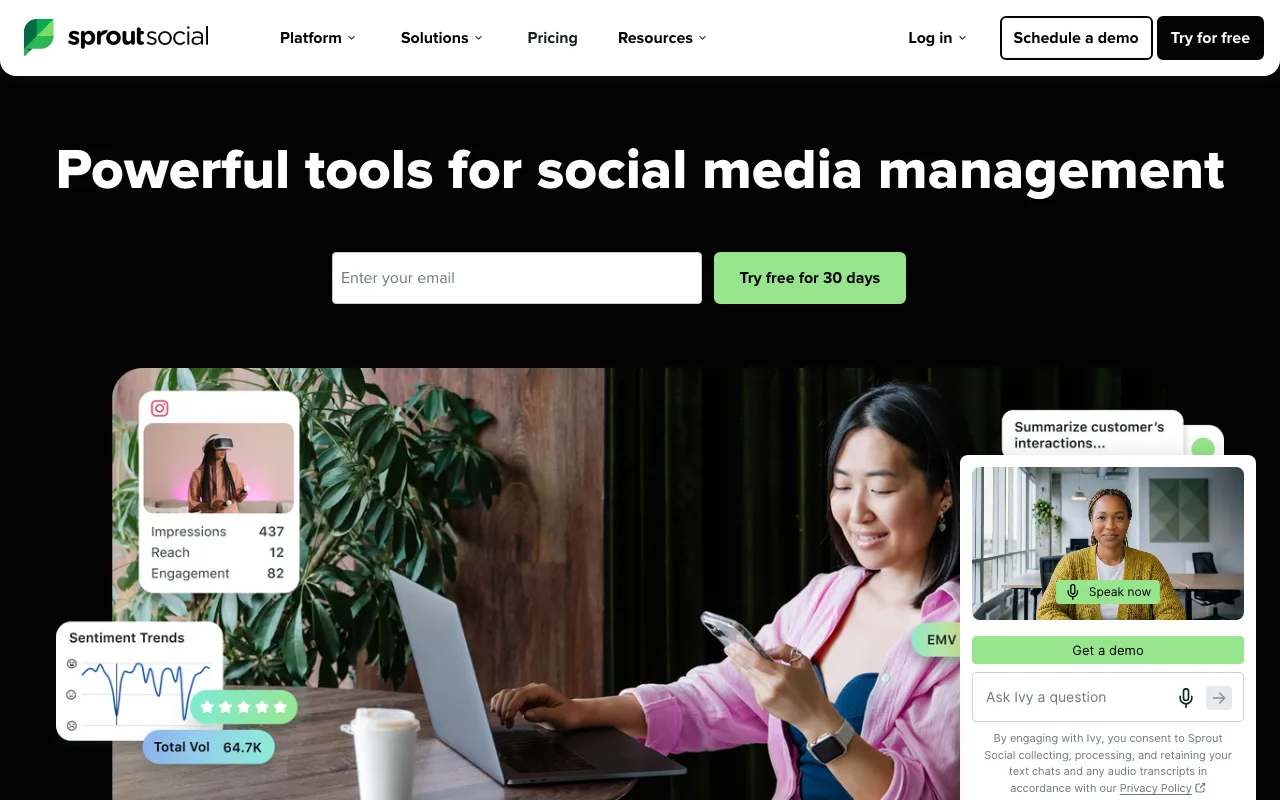
Sprout Social is a social media management platform for teams. It combines a publishing calendar, a shared inbox for comments and messages (Smart Inbox), reporting, review management and, as paid add-ons, social listening and employee advocacy. It is priced per seat, and it is one of the more expensive tools in its category. Sprout Social has no free plan. After the 30 days you either pay or the account stops working.
Sprout Social Pricing in November 2026
Prices are per seat, per month, in USD. Each person who logs in needs a seat.
| Plan | Per seat, billed yearly | Per seat, billed monthly | Key limits and what it adds |
|---|---|---|---|
| Essentials | $79 | $99 | Up to 5 social profiles, publishing and content calendar, profile and post reports, SproutLink, image editor, no Smart Inbox |
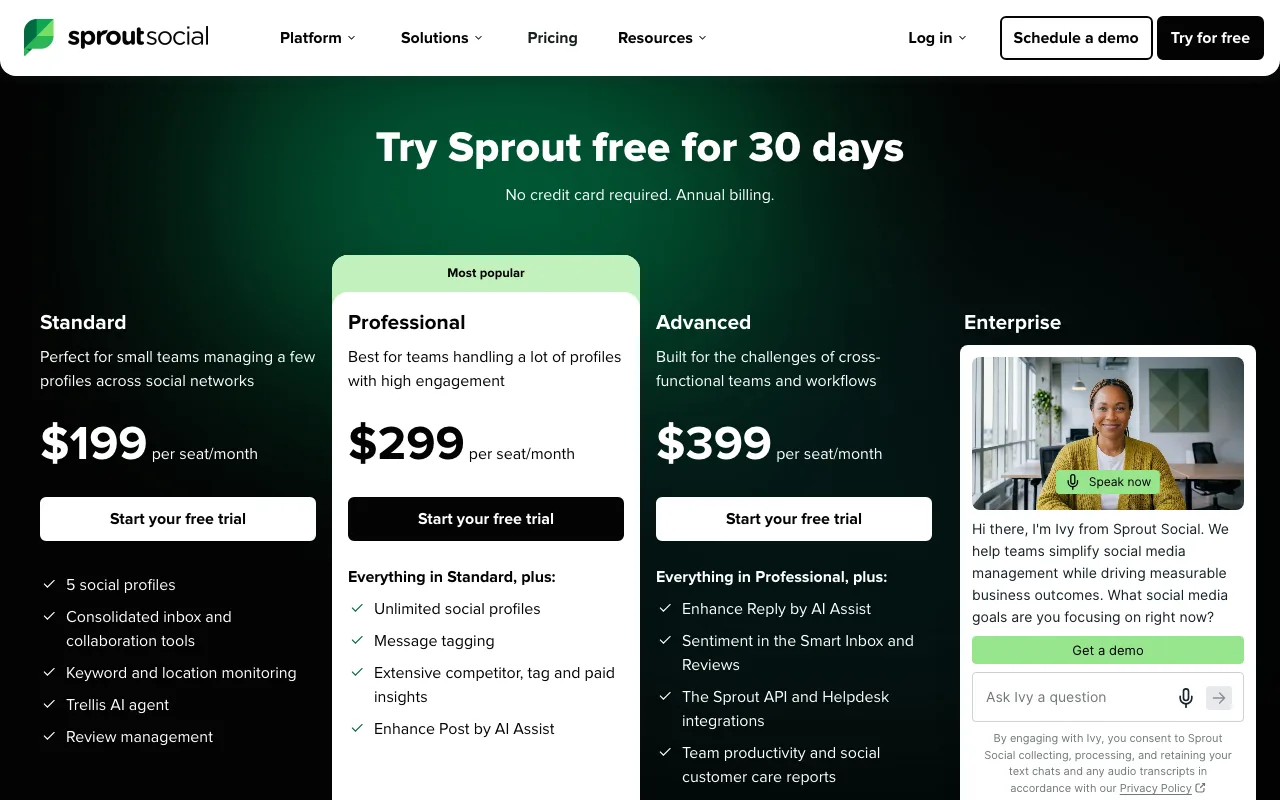
| Standard | $199 | $249 | Up to 5 social profiles, Smart Inbox, keyword and location monitoring, review management, 10 brand keywords per group |
| Professional | $299 | $399 | Unlimited social profiles, message tagging, competitor, tag and paid insights, approval workflows, Enhance Post by AI Assist |
| Advanced | $399 | $499 | Everything in Professional, sentiment in Smart Inbox and Reviews, Message Spike Alerts, Sprout API, Salesforce and Zendesk helpdesk integrations, 20 brand keywords per group |
| Enterprise | Custom | Custom | White-glove onboarding, dedicated SSO setup, tailored plan configuration, priority support |
The yearly rate on Professional is $100 less per seat each month than the monthly rate. Over a year that is $1,200 per seat. On Essentials the gap is $20 a month, or $240 a year per seat.
AI credits
Every plan from Essentials to Advanced includes Trellis, Sprout's AI agent, with 100 credits per seat each month. Trellis Plus raises that to 1,000 credits per seat a month for $28 per seat billed yearly or $35 billed monthly. Sprout calls this one flat price per seat with no overage charges. Credits reset on your billing date. Trellis Chat and Skills use credits. The AI Assist features (Enhance Post, Enhance Reply) do not.
Add-ons
These are sold on top of a plan. Sprout does not publish prices for them, and each needs a demo with sales:
- Listening: available on Standard and up
- Premium Analytics: available on Standard and up
- Employee Advocacy: available on Standard and up
- Influencer Marketing: no Sprout plan required
- Professional Services: available on Standard and up, in several package levels
Social listening is not part of any base plan. If listening is the reason you are looking at Sprout, budget for an add-on quote on top of the seat price.
What the free trial doesn't include
- A free plan afterward. Sprout Social has none, so there is no fallback tier once the 30 days end.
- Publishing after expiry. Per Sprout's help center, once a trial expires all scheduled posts stop, including the Sprout Queue.
- Connected profiles after expiry. All social profiles are disconnected automatically, and you reconnect them if you later subscribe.
- Unlimited data retention. Trial data is permanently deleted 30 days after the trial ends. Subscribe inside that window to keep drafts, queued posts and reports.
- Listening, Premium Analytics and Employee Advocacy, which are separate add-ons sold through sales.
- Advanced plan features on the default trial, such as sentiment analysis, Message Spike Alerts and the Sprout API. The trial runs on Professional. Sprout's help center has an article on changing the trial plan level, so ask support if you need to test Advanced.
What a Solo Marketer Pays
One seat, one person managing the company's channels.
| Plan | Billed yearly | Billed monthly for 12 months | Yearly saves |
|---|---|---|---|
| Essentials | $79 x 12 = $948 | $99 x 12 = $1,188 | $240 |
| Standard | $199 x 12 = $2,388 | $249 x 12 = $2,988 | $600 |
| Professional | $299 x 12 = $3,588 | $399 x 12 = $4,788 | $1,200 |
What the trial is worth: 30 days of Professional for 1 seat. At the yearly rate that month is worth $299. At the monthly rate it is worth $399. You pay nothing for it and give no card.
The jump from Essentials to Standard is the big decision for one person. Standard costs $2,388 a year against $948 on Essentials, a gap of $1,440. What you get for that is the Smart Inbox and review management. If you only schedule posts and pull reports, Essentials covers it.
What a 3-Person Team Pays
Three seats on Professional, the plan the trial runs on. A typical setup is a marketing lead, a content person and someone handling customer replies.
| Plan | Billed yearly | Billed monthly for 12 months | Yearly saves |
|---|---|---|---|
| Standard | $199 x 3 x 12 = $7,164 | $249 x 3 x 12 = $8,964 | $1,800 |
| Professional | $299 x 3 x 12 = $10,764 | $399 x 3 x 12 = $14,364 | $3,600 |
| Advanced | $399 x 3 x 12 = $14,364 | $499 x 3 x 12 = $17,964 | $3,600 |
What the trial is worth for this team: 3 seats of Professional for 30 days, which is $299 x 3 = $897 at the yearly rate or $399 x 3 = $1,197 at the monthly rate.
Note one oddity in the table. Professional billed monthly ($14,364) costs exactly the same as Advanced billed yearly. If you are sure you will stay a full year, yearly billing on Advanced gets you the Sprout API and sentiment analysis for the money a monthly Professional customer pays.
Adding seats for occasional users
Seats are per person. A founder who logs in once a week to approve posts still takes a seat. On Professional yearly that is $3,588 a year for one approver. Before the trial ends, list who actually needs to log in, and route occasional approvals through the person who already has a seat.
Which Plan Fits a Startup
Essentials ($79 yearly, $99 monthly) suits one person scheduling posts to up to 5 profiles. It has the calendar, Optimal Send Times, post reporting and integrations with Canva, Adobe, Google Drive, Dropbox and Bynder. It has no shared inbox.
Standard ($199 yearly) adds the Smart Inbox, which pulls comments, mentions and messages into one queue. Pick it if you answer customers on social. It still caps you at 5 social profiles.
Professional ($299 yearly) removes the profile cap and adds approval workflows and competitor reports. This is the plan for a team that needs sign-off before posts go out, or that runs more than 5 profiles across brands or regions.
Advanced ($399 yearly) is for teams that use social as a support channel. It adds sentiment, spike alerts, the Sprout API and helpdesk integrations with Salesforce and Zendesk.
Who gets the most from Sprout Social
- B2C startups that run support on social. If customers DM you on Instagram and complain on X, the Smart Inbox on Standard and up puts every message in one queue with assignment.
- Teams that need an approval step. Regulated products (fintech, health) often need a second person to approve each post. Approval workflows start on Professional.
- Marketing teams that report to investors or a board. Sprout's reports are downloadable, and Professional adds competitor and paid insights.
- Companies running more than 5 profiles. Two brands across LinkedIn, Instagram, Facebook, TikTok and YouTube is 10 profiles. That needs Professional or higher.
- US 501(c)(3) nonprofits. Sprout offers Professional at $239 and Advanced at $299 per seat a month, billed yearly, with a minimum of 2 seats.
Reasons to pass on Sprout Social
- Solo founders who only schedule posts. Essentials at $948 a year buys what many cheaper schedulers do. See the comparison below.
- Teams that want a free plan to fall back on. Sprout has none. When the trial ends, profiles disconnect and scheduled posts stop.
- Startups that want listening on a small budget. Listening is a sales-quoted add-on on top of at least Standard.
- Agencies that want many low-cost logins. Every login is a paid seat. Tools priced per channel cost less when many people touch a few accounts.
- Anyone not sure they will stay a year. The best prices need yearly billing. Monthly billing costs 25% more on Essentials ($99 vs $79) and 33% more on Professional ($399 vs $299).
Supported Networks and Integrations
Sprout's help center lists these profile types you can connect: Facebook, X, Instagram, LinkedIn, TikTok, Pinterest, YouTube, Threads, Bluesky and WhatsApp. Instagram must be a business profile, and YouTube must be a brand account. Personal Facebook profiles cannot be published to from Sprout or any third-party app because of Facebook's 2018 policy change.
Video uploads work for Facebook, Instagram, Threads, Bluesky, X, LinkedIn, TikTok, YouTube, Pinterest, Reddit and Snapchat. A Bluesky post can carry text only, 1 to 4 images, one video or a single link. Publishing to Bluesky, Reddit and Snapchat is not available from the iOS and Android apps.
Sprout's FAQ lists integrations including Google My Business, Glassdoor, Shopify, Facebook Shops, Zendesk, Salesforce, Microsoft Dynamics 365, HubSpot, Slack, Microsoft Teams, Google Analytics, Bitly, Feedly, Canva, Trustpilot and the Apple App Store and Google Play Store for reviews. The Sprout API is listed on Advanced. Sprout's FAQ describes API access as an add-on, so confirm with sales what Advanced includes.
Sprout Social vs Alternatives
| Sprout Social | Buffer | Hootsuite | Later | |
|---|---|---|---|---|
| Free plan | None | Yes: 3 channels, 10 scheduled posts per channel, 1 user | None | None |
| Free trial | 30 days | 14 days | 14 days | 14 days |
| Pricing model | Per seat | Per channel | Per user | Per plan |
| Entry paid plan | Essentials $79 a seat yearly, $99 monthly | Essentials $5 a channel yearly ($60 a year), $6 monthly | Standard, starts at $99 | Starter $18.75 a month billed yearly |
| Entry plan limit | 5 social profiles | 1 user | 10 social accounts | 1 social set (8 profiles), 1 user |
| Team plan | Professional $299 a seat yearly | Team $10 a channel yearly ($120 a year), $12 monthly, unlimited users | Professional, starts at $199 | Growth $37.50 a month billed yearly, 2 users |
Buffer is the cheapest way to schedule for a team. Its Team plan has unlimited users, so 5 channels cost $600 a year on yearly billing no matter how many people log in. Three Sprout Professional seats cost $10,764 a year. Buffer has no social listening and no competitor benchmarking.
Hootsuite is the closest like-for-like option. Its Standard plan allows 10 social accounts against Sprout Essentials' 5, and its trial is 14 days against Sprout's 30.
Later is built around visual planning for Instagram and TikTok. Its Starter plan covers one profile per platform (8 profiles) for 1 user at $18.75 a month on yearly billing.
Setup Tips for the 30 Days
- Connect real profiles on day one. Sprout's trial page lists connecting at least one profile as the first step after signup. Connect every brand account on day one so you use all 30 days.
- Invite the whole team. You want to see how assignment and approvals work with real people before you decide how many seats to buy.
- Test the Smart Inbox with live traffic. Tag messages for a week and check whether the inbox is worth the $120 a month gap between Essentials and Standard on yearly billing.
- Build one approval workflow. Approvals are a Professional feature. If your team never uses them in the trial, Standard may be enough.
- Export your reports before day 30. Sprout recommends exporting as PDF or CSV. Reports deactivate when the trial ends, and data is deleted 30 days after that.
- Watch AI credit use. Count how many of the 100 monthly Trellis credits each seat burns. If you need more, Trellis Plus adds $28 per seat a month on yearly billing.
Cancelling or Letting the Trial Lapse
If you never add a payment method, the trial expires on its end date and you have nothing to cancel. If you did add one and do not want a plan, go to the gear icon, then Settings, then Billing & Plan, and click Deactivate my Account. Sprout's help center says some accounts are routed to an account representative instead of a self-serve cancel. For help, email successteam@sproutsocial.com.
Who Is This Deal For?
Early-Stage Startups
Seed and pre-seed companies looking to move fast without overspending on tools.
Growing SaaS Teams
Series A+ companies scaling their stack and optimizing software costs.
Solo Founders
Indie hackers and bootstrapped founders who need enterprise tools at startup prices.
Get No deal right now off Sprout Social
Free for all startups. Claim instantly.
Frequently Asked Questions
Everything you need to know about this startup deal.
Get the weekly deals digest
New verified startup deals every week. No spam, ever. Unsubscribe anytime.
Related Offers

OmniSEO
Used by 1,361 members
Free Trial
All-in-one SEO platform for keyword research, rank tracking, and site optimization.
View offer
Flipsnack
10% off Flipsnack plans
10% off Flipsnack Pro and Business. Turn PDFs into interactive flipbooks for catalogs, pitch decks and proposals, with lead forms and reader analytics.
View offer
ConvertKit
Used by 2,045 members
20% off annual Creator
Get 20% off the annual Creator plan on Kit (ConvertKit) for your first year. The email marketing platform built for creators and startups.
View offer
SurveyMonkey
20% off Team plans
20% off SurveyMonkey Team plans with code Saasoffers, plus the free Basic plan: unlimited surveys, AI survey building and 200+ integrations on paid plans.
View offer
Zoom
Used by 1,090 members
$20 off per user
Get $20 off per user on Zoom, the video conferencing platform used by hundreds of thousands of businesses for meetings, webinars, and team collaboration.
View offerDeal Summary
Looking for more startup deals?
Browse all offers