
Mixmax Promo Code: 3 months free Growth
Sales engagement platform for Gmail, email sequences, scheduling, and tracking built into your inbox.
Premium: $79/year for unlimited deals
Already have an account? Log in
Deal Highlights
Our Mixmax listing: 3 months free Growth
Offer: 3 months free Growth. Requirement in our listing: Startup with Gmail-based sales. There is no promo code. This is a Premium deal: upgrade to SaaSOffers Premium once, then open this deal's claim link on SaaSOffers.
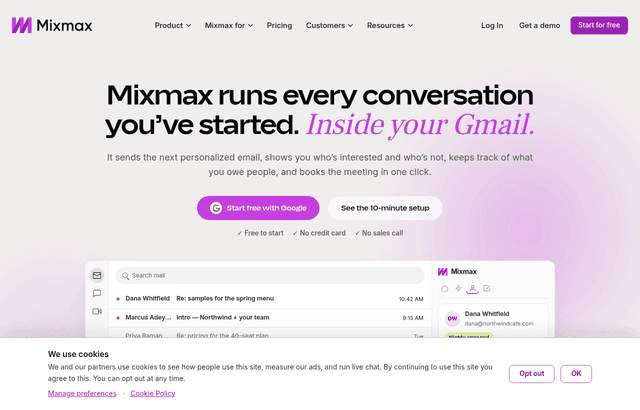
We checked these plans and prices against Mixmax's official pricing and help pages in November 2026.
Mixmax is a sales engagement tool that runs inside Gmail. You write, track and schedule email from the inbox, and you can send automated sequences that mix emails, calls, tasks and LinkedIn steps until someone replies. Mixmax also lists Salesforce, HubSpot, Slack, Zapier, LinkedIn, Dialpad and its own API among its integrations.
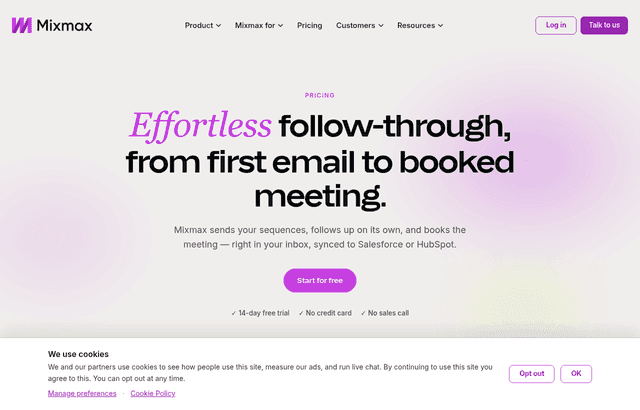
The plan name in our listing, "Growth", does not appear on Mixmax's current pricing page. The page now says "Why is there only one plan?" and answers: "Because the only thing that should change your price is how much automated outreach you run." Every paid tier has the same features, and the price depends on the number of recipients you pay for. Treat "3 months free Growth" as our listing's term, and confirm which recipient tier the three free months cover when you redeem. The Mixmax site does not mention a startup program or a three-month offer.
One plan, priced by recipients
Mixmax's pricing page shows four tiers, each described by how many recipients you can add to sequences each month. A recipient is a person you add to automated email outreach. Mixmax's FAQ says every follow-up in a sequence is included, so a five-step sequence to one person counts once.
| Tier (Mixmax's label) | Recipients a month | Price per user per month |
|---|---|---|
| I follow up now and then | 50 | $0, Mixmax Free with limited features |
| I reach out every week | 100 | $29 |
| Outreach is my job | 1,500 | $89 list price, free for 14 days |
| We run outreach at scale | 3,000 | $129 list price, a lower figure is also shown but its digits are scrambled on the page |
The page says "Prices are per user per month, billed yearly." The FAQ confirms it for the entry tier: "$29/month billed yearly." So the figures above are yearly-billing prices. The monthly-billing price for each tier is not readable on the page, and we did not guess it. Mixmax says an annual plan "represents a 15 to 25% cost savings depending on your tier, paid up front for the year," and its calculator shows 15%. Use those percentages only as a rough guide. The saving differs by tier, so check the exact yearly total in Mixmax's calculator at checkout before you commit to a team-wide purchase.
Recipients decide everything
Recipients are the only price lever. Mixmax's FAQ sets these rules.
- Unused recipients do not roll over. Mixmax answers "No, unused recipients cannot be rolled over for future use."
- Recipients cannot be pooled. The FAQ says "No, recipients are purchased per user."
- Each person on a team can have a different tier. Pick one for the whole team at checkout, then move anyone up or down later.
- Going over the limit is not a hard stop for contacts already in a sequence. You can wait until the end of the calendar month, when usage resets, or upgrade. Contacts already in a sequence keep receiving their follow-ups.
- Upgrades take effect at once and are prorated. Moving down takes effect at renewal.
The practical effect: a team of five where one person does all the outreach should not buy 1,500 recipients for everyone. Put the heavy sender on 1,500 and the rest on 100 or Free.
The feature table also says "Up to 15,000 recipients" a month for automated outreach. That is higher than the 3,000 top tier on the cards, and the page does not explain the gap. For teams larger than the calculator covers, the page says to talk to sales.
What every paid tier includes
Mixmax lists these features for all paid tiers and for the trial:
- Automated outreach (sequences) of emails, calls, tasks and LinkedIn steps
- Email tracking, listed as unlimited on paid plans: opens, clicks and more
- One-click scheduling with booking pages, meeting reminders and booking for teammates
- Templates, polls and snippets
- AI in your inbox: AI Compose, Smart Send, Signals and Inbox Categorization
- AI meeting notes
- Sidechat
- Follow-up reminders
- CRM sync, reporting and analytics
- Basic rules, which are personal automation
- Delegated sending, so you can run outreach for a teammate from their address
- No "Sent with Mixmax" signature
- The ability to run Mixmax from Claude or ChatGPT
Add-ons cost extra
Four add-ons are available on paid plans only: custom branding and domains, advanced workspace rules, the Salesforce Insights Package, and a Dialer. Each is $9 per member per month on the add-on table. The Dialer also bills usage, with per-minute calling rates charged separately. The FAQ says add-ons are "$9 per member a month billed annually or $12 monthly," and they apply to each paid member.
What the free tier and trial leave out
Mixmax Free is the 50-recipient tier with "limited features." The pricing page does not say which features Free keeps and which it drops, so we cannot list them. What we can say:
- Free caps automated outreach at 50 recipients a month, compared with 100 on the cheapest paid tier.
- The page states that unlimited tracking applies on paid plans, so do not assume it on Free.
- Add-ons are only available on paid plans.
- The 14-day trial has all features and needs no credit card. Its recipient limit is 1,500. When it ends, you either pick a paid tier or move to Mixmax Free. Mixmax says your workspace and data stay intact.
If you plan to send to more than 50 people a month, Free is a trial of the inbox features, not a place to run outreach.
Worked math with Mixmax's list prices
Both examples use the yearly-billing prices from the pricing page. "If the listing applies" means our three free months are honoured at the tier you choose. The Mixmax site does not confirm the offer, so ask what it covers before you rely on the numbers.
Example 1: five people, all on the 100-recipient tier
- Price: 5 x $29 = $145 a month
- Yearly: $145 x 12 = $1,740
- If the listing applies to the full price for three months: 3 x $145 = $435 saved, leaving 9 x $145 = $1,305 for the first year
One sender can only add 100 people a month to sequences at this tier. Five senders give the team 500 recipients a month in total, since recipients are not pooled.
Example 2: ten people, with two heavy senders
- Two senders on 1,500 recipients: 2 x $89 = $178 a month
- Eight people on 100 recipients: 8 x $29 = $232 a month
- Total: $178 + $232 = $410 a month, or $4,920 a year
- If the listing applies to the whole bill for three months: 3 x $410 = $1,230 saved
Now add the branding and domains add-on for all ten paid members: 10 x $9 = $90 a month billed annually, or 10 x $12 = $120 monthly. The total becomes $500 a month on annual add-on billing. The listing's terms on add-ons are not stated, so assume they are not covered.
For comparison, putting all ten on 1,500 recipients costs 10 x $89 = $890 a month, or $10,680 a year. That is $5,760 more than the two-heavy-senders setup over a year, which shows how much the per-user tier choice matters.
Example 3: the trial as a sizing test
Say a three-person team tries Mixmax for the 14-day trial at 1,500 recipients and finds that two people each add about 200 contacts a month and one adds about 40. The 100-recipient tier cannot cover the two 200-contact senders, so they need the 1,500 tier: 2 x $89 = $178 a month. The third fits on Free at $0. The bill is $178 a month, or $2,136 a year, against 3 x $89 = $267 a month ($3,204 a year) if everyone took the trial tier. If the listing applies, three free months of that $178 would save $534.
Who Mixmax fits
- Founders and small sales teams that live in Gmail. Tracking, scheduling, templates and sequences run in the compose window, so there is nothing new to open.
- Teams on Salesforce or HubSpot. Both are named as integrations, and a Salesforce Insights add-on adds dashboards and activity fields.
- Teams where outreach volume varies by person. Per-user tiers let a founder who sends 1,500 contacts a month sit beside an advisor who sends a few.
- Security reviews. Mixmax's security page lists SOC 2 Type II, audited annually, a public SOC 3 report, GDPR compliance, CPRA compliance, and AES-256 encryption at rest.
Reasons to pass on Mixmax
- Teams on Outlook or another mail client. Mixmax is built around Gmail.
- High-volume cold senders using many mailboxes. Mixmax prices per user and per recipient, so volume gets expensive. A tool built around many sending accounts may fit better.
- Anyone who needs monthly billing at the listed prices. The prices shown are yearly, and the monthly figure is not readable.
- People who only want tracking. Tracking is unlimited on paid plans, but you would pay $29 a user or more for features you may not use. Mixmax's own FAQ says tracking and scheduling work without sequences.
Mixmax next to Outreach and Instantly
| Mixmax | Outreach | Instantly | |
|---|---|---|---|
| Where it runs | Inside Gmail | Separate platform | Separate platform |
| Entry price | $29 per user a month, billed yearly, 100 recipients | No public prices | Growth $47 a month, or $37.60 billed yearly, 5,000 emails, 1,000 uploaded contacts |
| Free option | Mixmax Free, 50 recipients | No free trial listed | "Start free" on the site, trial length not stated |
| Pricing meter | Recipients per user | Customized | Emails per month and contacts |
Outreach's pricing page publishes no prices and points to a demo request, so we cannot compare cost. Instantly Growth is $47 a month billed monthly, or $37.60 a month billed yearly, which compares more fairly with Mixmax's yearly $29. Instantly meters emails and uploaded contacts, while Mixmax meters recipients. Mixmax runs in the Gmail compose window. Instantly and Outreach are separate apps you log into.
Getting set up on Mixmax
- Start the trial before choosing a tier. The 14-day trial runs at 1,500 recipients, so you will see how many you really use. Mixmax suggests this itself.
- Count recipients per person, not per email. A five-step sequence counts once for each contact.
- Pick tiers per user. Move only the heavy senders up.
- Skip add-ons at first. At $9 per member a month each, four add-ons cost $36 per person, more than the $29 tier.
- Check the end of the month. Usage resets with the calendar month, so a late-month spike can wait for the reset.
- Check what ends when the trial does. You drop to Mixmax Free with your data intact, so nothing is deleted.
Claiming the Mixmax offer, step by step
- Upgrade to SaaSOffers Premium, then open this deal's claim link on SaaSOffers.
- Create your Mixmax account with your Gmail address and install the Chrome extension.
- No promo code is needed and none exists for this listing.
- Before you pay anything, ask which recipient tier the three free months cover, because the Mixmax pricing page no longer has a plan called Growth.
- Set a calendar reminder for the end of the third month, so you can pick a tier or move to Free deliberately.
Who Is This Deal For?
Early-Stage Startups
Seed and pre-seed companies looking to move fast without overspending on tools.
Growing SaaS Teams
Series A+ companies scaling their stack and optimizing software costs.
Solo Founders
Indie hackers and bootstrapped founders who need enterprise tools at startup prices.
Get 3 months free Growth off Mixmax
Premium deal. Upgrade once, unlock everything.
!Eligibility Requirements
Startup with Gmail-based sales
How to get the Mixmax deal
- The offer: 3 months free Growth, for startup with Gmail-based sales.
- Create a free SaaSOffers account, then upgrade to Premium ($79 a year, or $250 once for lifetime access). Premium unlocks every Premium deal on the site.
- Open the Mixmax claim page from this deal. It shows the partner link, any promo code and the exact steps Mixmax asks for.
- Apply or sign up through that link before you pay Mixmax directly, since most startup offers only apply to new accounts.
Frequently Asked Questions
Everything you need to know about this startup deal.
Get the weekly deals digest
New verified startup deals every week. No spam, ever. Unsubscribe anytime.
Related Offers

ZoomInfo
Used by 2,014 members
Free Trial
B2B data platform for sales and marketing intelligence with contact databases.
View offer
PartnerStack
Used by 1,303 members
Free Demo
Partner ecosystem platform, manage affiliate, referral, and reseller programs at scale.
View offer
Attio
Used by 1,730 members
$500 in credits
Next-generation CRM built on your data, flexible data model, real-time syncing, and powerful automations.
View offer
PandaDoc
Used by 1,337 members
Free eSign plan + 14-day trial
Free PandaDoc eSign plan plus a 14-day free trial of paid plans. Document automation to create, send, sign, and track proposals, contracts, and quotes.
View offer
Freshsales
Used by 333 members
21-day free trial
AI-powered CRM with built-in phone, email, chat, and lead scoring.
View offer
Emailchaser
Free 7-day trial
Cold email software that finds leads, checks every address with two providers and sends follow-ups from unlimited Google and Microsoft mailboxes.
View offerDeal Summary
Looking for more startup deals?
Browse all offers