
PandaDoc Coupon: Free eSign plan + 14-day trial
Free PandaDoc eSign plan plus a 14-day free trial of paid plans. Document automation to create, send, sign, and track proposals, contracts, and quotes.
Free · No account required
Free · No account required.
Deal Highlights
The SaaSOffers PandaDoc deal
Offer: Free eSign plan + 14-day trial of PandaDoc's paid plans.
Who qualifies: public offer, no startup eligibility requirements.
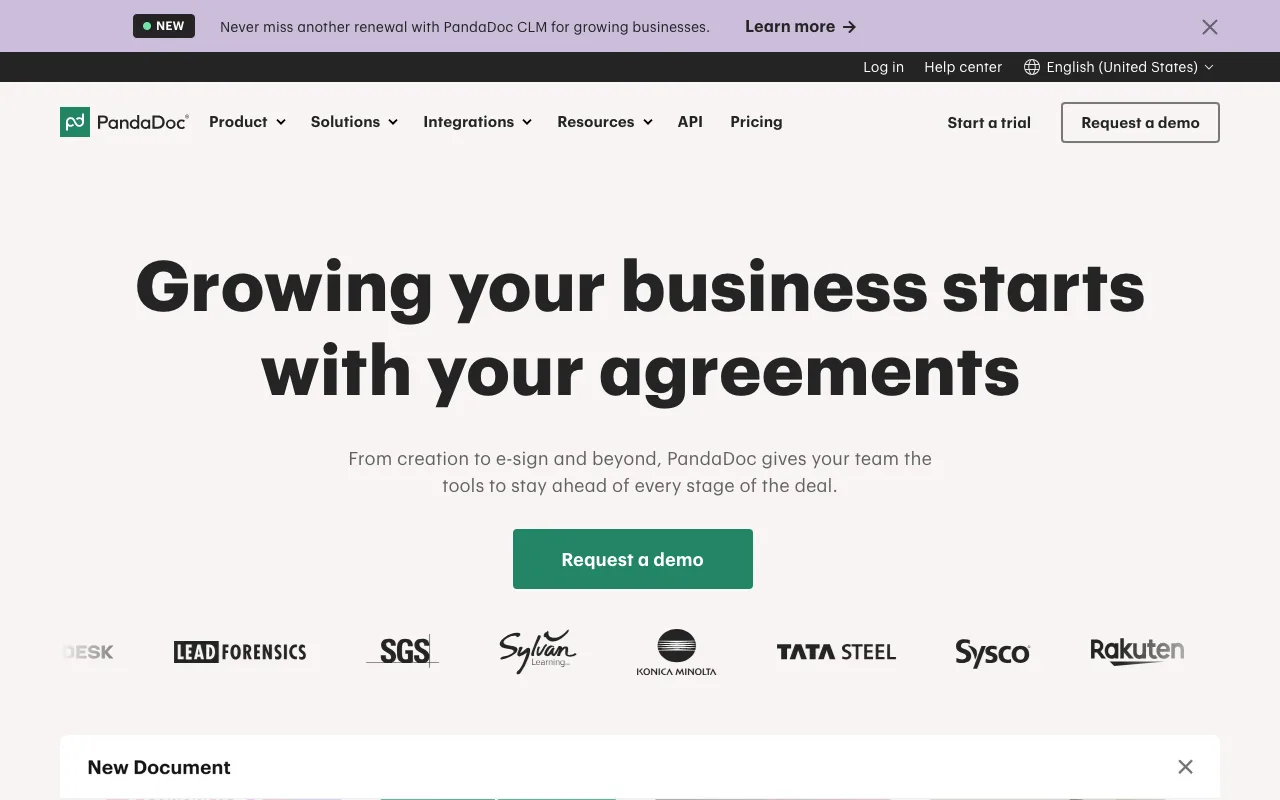
You sign up through the SaaSOffers partner link. There is no promo code. PandaDoc gives the same Free plan and the same 14-day trial to anyone who signs up on its own site, so this listing does not add a discount. It points you to the right plan and shows what each one costs.
We checked these plans and prices against PandaDoc's official pricing and help pages in November 2026.
PandaDoc is document software for sales and operations teams. You build proposals, quotes and contracts in an editor, send them for e-signature, see when recipients open them, and collect payment after signing. It replaces a mix of Word templates, PDF exports and a separate e-signature tool.
PandaDoc plans and prices
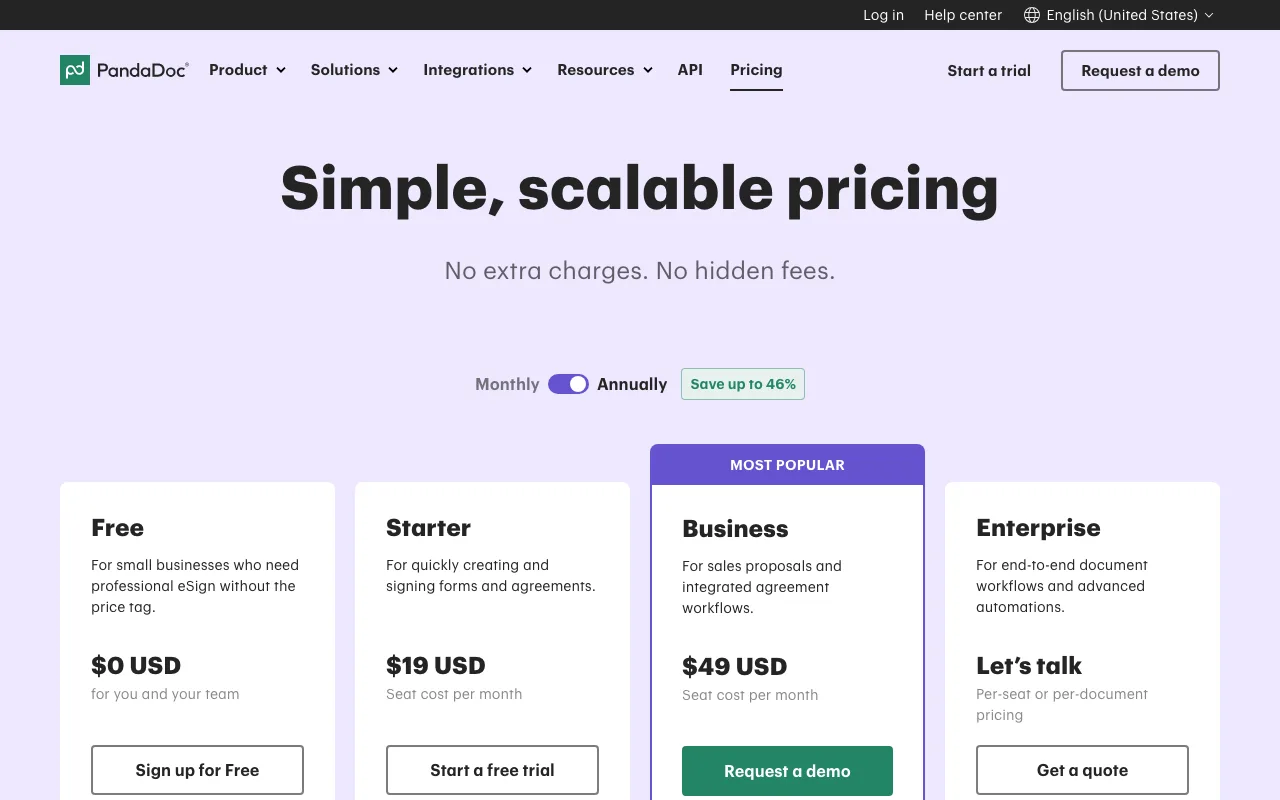
PandaDoc sells four plans. Prices are per seat, and a seat is any internal user with an assigned license. People you send documents to can view and sign without a seat.
| Plan | Billed yearly | Billed monthly | Key limits |
|---|---|---|---|
| Free (Free eSign) | $0 | $0 | 5 documents per month, 2 recipients per document, up to 5 templates |
| Starter | $19 per seat per month | $35 per seat per month | Unlimited document uploads and e-signatures, up to 5 templates, no CRM integrations |
| Business | $49 per seat per month | $65 per seat per month | Unlimited templates, CRM integrations, approval workflows, content library, up to 3 rooms |
| Enterprise | Contact sales | Contact sales | Per-seat or per-document pricing, SSO, Notary, smart content, custom roles |
PandaDoc says yearly billing saves up to 46%. That figure is the Starter plan: $19 instead of $35 is 46% less. On Business, $49 instead of $65 is about 25% less.
The Business plan is sold through a demo request on the pricing page. Starter and Business both say no credit card is required to start a trial.
Free
The Free plan is aimed at small businesses that need e-signatures without a subscription. You can create 5 documents a month in the PandaDoc UI. That limit is shared across the account, not per user. Each document can go to 2 recipients. Older annual Free accounts had 60 documents a year instead.
The plan includes real-time tracking and notifications, 24/7 email and chat support, limited API access, and AI assistants through MCP (ChatGPT and Claude). Free plan users are added at no charge.
Starter
Starter is the first paid plan. It removes the monthly document cap and gives unlimited document uploads and e-signatures. Templates stay capped at 5. Starter has no CRM integrations, no approval workflows, no content library, no web forms and no bulk send. It fits a solo founder or a small team that sends the same few contracts again and again.
Business
Business is where PandaDoc becomes a proposal tool. You get custom quotes and sales agreements, CRM integrations, custom branding and a content library, deal rooms (up to 3), approval workflows, and the ability to collect payments. Web forms and bulk send are on Business too, but they need Usage Credits.
Enterprise
Enterprise adds smart content, Notary, SSO, custom user roles and unlimited rooms. HIPAA is optional on Enterprise only. Data residency in the US or EU is also Enterprise only.
What the free plan doesn't include
PandaDoc's comparison table marks these as not included on Free:
- Themes, custom branding and the content library
- Smart content and approval workflows
- Rooms
- Web forms and bulk send
- Collecting payments
- CRM integrations (HubSpot, Salesforce, Pipedrive and Monday are all Business and up)
- More than 5 documents a month or more than 2 recipients per document
The pricing page is not fully consistent on the editor. The Free plan card lists a "rich media drag and drop document editor", while the comparison table marks the document editor as not included. Test it during signup before you plan your workflow around it.
What the 14-day trial includes
PandaDoc's FAQ says the free trial lasts 14 days. You are not charged when you start it, only if you choose to keep a paid plan after it ends. The help center sets trial limits: with a business email you can send up to 50 documents, with up to 5 recipients each. With a personal email the limit is 5 documents with up to 3 recipients each.
Fifty documents is enough to run real proposals through a full sales cycle. Use the trial to test the features you would pay for: templates with pricing tables, CRM sync and approval workflows on Business.
Add-ons and usage charges
Some costs sit outside the seat price:
| Item | Price | Plans |
|---|---|---|
| Usage Credits | Price not published on the pricing page | Needed for API document creation on Starter and Business, and for web forms, bulk send and workflow tools such as Zapier |
| Document overage on integrations | Up to $5 per document if your order form lists no per-unit price | Starter, Business |
| Salesforce integration | Paid add-on, price not published | Business, Enterprise |
| HubSpot External Automation | $39 per month per account | Business add-on |
| Qualified Electronic Signature (QES) | Paid, annual plans only | Business, Enterprise |
| Recipient verification | Paid add-on | Listed in the help center |
API document creation on Starter and Business pauses when credits run out. There is no automatic per-document overage for the API.
Integrations, security and compliance
Slack and the other productivity integrations work on all 4 plans. Payment collection connects to Stripe, Square, PayPal, Authorize.net, QuickBooks Payments and FreshBooks, and collecting payments is a Business and Enterprise feature. Zapier and other workflow automation tools are optional on Business and Enterprise and draw on Usage Credits.
On compliance, PandaDoc lists SOC 2 Type 2, GDPR, the US ESIGN Act of 2000 and eIDAS on every plan, including Free. HIPAA and US or EU data residency are Enterprise options only.
Worked examples
All figures use PandaDoc's published per-seat prices.
Example 1: a 5-person sales team on Business
- Billed yearly: 5 seats × $49 × 12 months = $2,940 per year
- Billed monthly: 5 seats × $65 × 12 months = $3,900 per year
- Yearly billing saves $3,900 − $2,940 = $960
The 14-day trial lets the team test Business before paying. On monthly billing, one month of Business for 5 seats costs 5 × $65 = $325.
Example 2: a 10-person team on Starter vs Business
- Starter, billed yearly: 10 × $19 × 12 = $2,280 per year
- Starter, billed monthly: 10 × $35 × 12 = $4,200 per year
- Business, billed yearly: 10 × $49 × 12 = $5,880 per year
- Business, billed monthly: 10 × $65 × 12 = $7,800 per year
Moving 10 seats from Starter to Business on yearly billing adds $5,880 − $2,280 = $3,600 a year. That is the price of CRM integrations, unlimited templates and approval workflows. If only 3 of the 10 people build proposals, buy 3 Business seats: 3 × $49 × 12 = $1,764 a year. People who only sign need no seat.
Example 3: staying on Free
A founder who sends 4 contracts a month, each to one client, fits inside the Free plan: 4 documents is under the cap of 5, and 1 recipient is under the cap of 2. Compared with one Starter seat billed yearly, that saves $19 × 12 = $228 a year.
Who gets the most from PandaDoc
- B2B startups that send proposals with pricing. Business gives you quotes, a content library and payment collection on the signed document.
- Founders who sign a few documents a month. The Free plan covers 5 documents a month at $0.
- Teams on HubSpot, Pipedrive or Monday. CRM integrations on Business pull deal data into documents.
- Agencies and consultancies. Templates and approval workflows keep scopes and rates consistent across the team.
- Teams that sell to the EU. PandaDoc lists eIDAS compliance on all plans, and QES on annual Business and Enterprise plans.
Who PandaDoc is not for
- Teams that only need signatures at volume. Starter gives unlimited e-signatures, but a dedicated e-signature tool may be cheaper if you never build documents in PandaDoc.
- Salesforce-first teams on a tight budget. The Salesforce integration is a paid add-on even on Business.
- Healthcare companies that need HIPAA on a small plan. HIPAA is only an option on Enterprise.
- Startups that need 6 or more templates but no CRM. Starter caps templates at 5, so you jump to Business at $49 a seat.
PandaDoc vs alternatives
| PandaDoc | DocuSign | Dropbox Sign | |
|---|---|---|---|
| Free option | Free plan, 5 documents a month, 2 recipients each | No free plan listed on the pricing page we checked | Free plan for signing only, plus a 30-day trial of paid features |
| Entry paid plan | Starter $19 per seat per month yearly, $35 monthly | Personal $11 per month on an annual commitment ($132 a year), 5 envelopes a month | Essentials $15 per month on monthly billing, 1 user |
| Team plan | Business $49 per seat yearly, $65 monthly | Standard $30 per user per month on an annual commitment ($360 a year) | Standard $25 per user per month on monthly billing |
| Higher tier | Enterprise, custom | Business Pro $45 per user per month on an annual commitment ($540 a year) | Premium, custom quote, 5 or more users |
| Sending limits | Unlimited on paid plans | 100 envelopes per user per year on annual plans, 10 per user per month on monthly plans | Unlimited signature requests listed |
| Proposal builder | Yes, Business and up | eSignature plans focus on signing | Signing focused |
DocuSign is the default when signing is the whole job, but its envelope caps matter. A rep who sends 15 contracts a month (180 a year) would go past the 100-envelope yearly allowance on Standard. PandaDoc paid plans have no envelope cap. For a single user who only signs, Dropbox Sign Essentials at $15 a month costs less than PandaDoc Starter at $35 on monthly billing.
Setting up PandaDoc well
- Start on Free and count your documents. If you hit 5 a month in the first weeks, start the 14-day trial.
- Start the trial when you have real deals to send. 14 days and 50 documents go fast if you test with dummy files.
- Build your 5 most-used templates first. Starter caps you at 5, so pick the ones that cover most of your volume.
- Connect your CRM during the Business trial. That is the feature that decides whether Business is worth $49 a seat.
- Buy seats only for document creators. Signers and reviewers do not need a seat. Collaborators can view and comment.
- Pick yearly billing once you are sure.
- Check Usage Credits before you automate. API documents, web forms and bulk send draw on credits on Starter and Business.
Claiming the PandaDoc offer, step by step
- Click the Get deal button on this page. It opens PandaDoc through the SaaSOffers partner link.
- Create your PandaDoc account in the same browser session. Use a business email. It raises the trial limit from 5 documents to 50.
- Use the Free plan right away, or start the 14-day trial of a paid plan from the pricing page. No credit card is required to start the trial.
- During the trial, send real documents and test the features of the plan you are considering.
- Before day 14, decide whether to keep a paid plan on yearly or monthly billing. PandaDoc says it only charges you once you choose to keep using a paid plan after the trial.
There is no promo code. The Free plan and the 14-day trial are PandaDoc's public offers, open to any company with no funding or startup requirement.
Who Is This Deal For?
Early-Stage Startups
Seed and pre-seed companies looking to move fast without overspending on tools.
Growing SaaS Teams
Series A+ companies scaling their stack and optimizing software costs.
Solo Founders
Indie hackers and bootstrapped founders who need enterprise tools at startup prices.
Get Free eSign plan + 14-day trial off PandaDoc
Free for all startups. Claim instantly.
!Eligibility Requirements
Public offer, no startup eligibility requirements
Frequently Asked Questions
Everything you need to know about this startup deal.
Get the weekly deals digest
New verified startup deals every week. No spam, ever. Unsubscribe anytime.
Related Offers

ZoomInfo
Used by 2,014 members
Free Trial
B2B data platform for sales and marketing intelligence with contact databases.
View offer
Attio
Used by 1,730 members
$500 in credits
Next-generation CRM built on your data, flexible data model, real-time syncing, and powerful automations.
View offer
Freshsales
Used by 333 members
21-day free trial
AI-powered CRM with built-in phone, email, chat, and lead scoring.
View offer
Emailchaser
Free 7-day trial
Cold email software that finds leads, checks every address with two providers and sends follow-ups from unlimited Google and Microsoft mailboxes.
View offer
PartnerStack
Used by 1,303 members
Free Demo
Partner ecosystem platform, manage affiliate, referral, and reseller programs at scale.
View offer
Phantom Buster
Used by 1,028 members
Free Trial
Cloud-based automation tool for lead generation across LinkedIn, Twitter, and more.
View offerDeal Summary
Looking for more startup deals?
Browse all offers