Pagerduty Promo Code: 6 months of PagerDuty free for 20 seats
Incident management and response platform for DevOps and IT operations.
Premium deal
Already have an account? Log in
Deal Highlights
PagerDuty's startup program: 6 months free for 20 seats
Offer in our listing: 6 months of PagerDuty free for 20 seats. For new PagerDuty customers at Seed, Series A or Series B. Includes 20 seats, 20,000 events and 1,000 AI actions. No credit card needed. There is no promo code. This is a Premium deal on SaaSOffers.
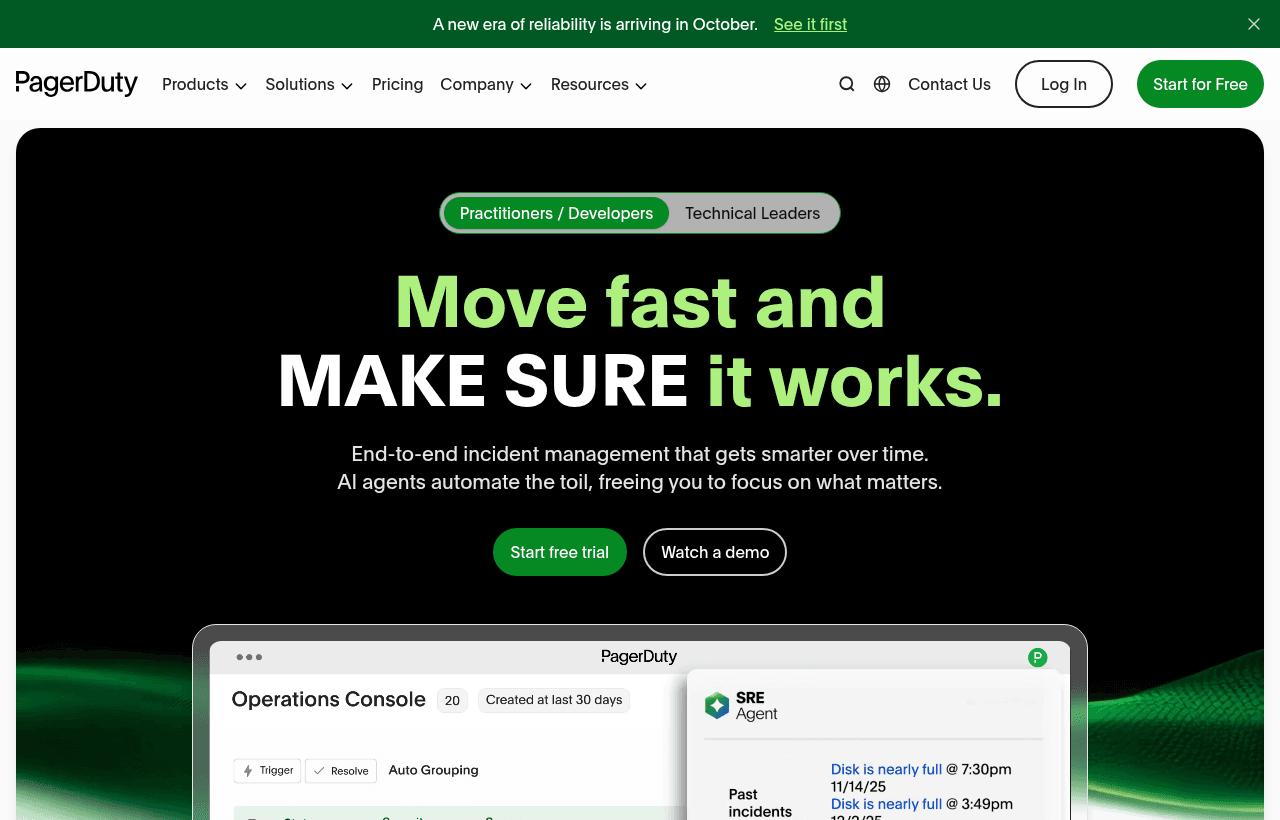
We checked these plans and prices against PagerDuty's official pricing and help pages in November 2026.
PagerDuty is an on-call and incident response product. A monitoring tool sends it an alert, PagerDuty decides who is on call, notifies that person by push, email, SMS or phone call, and escalates if nobody acknowledges. The deal here is PagerDuty's own startup program, not its public Free plan. Per PagerDuty's startup page, you get 6 months of the PD Reliability Platform at $0, with 20 seats, 20,000 events and 1,000 AI actions. The page calls it "Not a discount. Not a demo" and says no credit card and no sales call are required.
Two conditions apply, and both must be true. You must be a new PagerDuty customer, and your company must be at Seed, Series A or Series B funding. The application form asks for a work email, company name, funding stage (Seed, Series A, Series B or Other), country and, for US companies, state. The page does not say how long review takes. It also does not say which plan you move to when the six months end, or what that costs. Plan for that date before you rely on the tool.
What the program covers, and what it does not say
The startup page lists three allowances:
- 20 seats
- 20,000 events
- 1,000 AI actions
The page also describes the platform features the program is built around: alert grouping to cut noise, autonomous agents for triage and root-cause suggestions, auto-generated post-mortems and runbooks, and on-call scheduling. It cites a 91% alert noise reduction and marks the number with an asterisk pointing to a total economic impact study. Treat it as a vendor claim.
Here is what we could not confirm from the page. It does not name the plan tier behind the 20 seats. It does not say whether events or AI actions reset monthly or count across the six months. It does not say what happens when you exceed 20,000 events. It lists "20 seats per year" in one place and "20 Seats" in another, so confirm the seat count in your approval email.
PagerDuty's pricing page shows platform plans with similar shapes: Starter has 5 seats, 5,000 events and 1,000 AI Actions, and Essential has 25 seats, 25,000 events and 5,000 AI Actions. The program's 20 seats, 20,000 events and 1,000 AI actions match neither exactly, so do not assume it equals one of them.
Professional costs $25 per user monthly, $21 yearly
This is the list pricing you would otherwise face. The pricing page labels the $21 figure as annual billing and says that is 16% off with "Save $48/user annually."
| Plan | Billed monthly | Billed yearly | Key limits |
|---|---|---|---|
| Free | $0 | $0 | 5 users, 1 schedule, 1 escalation policy, 100 SMS and phone per month, 3 months of data |
| Professional | $25 per user per month | $21 per user per month | No user cap shown on the page, 2 teams, 1 year of data, email and chat support, post-incident reviews |
| Starter (Reliability Platform) | Not listed | $2,800 per year platform fee | 5 seats plus 5 bonus seats for a limited time (30-seat cap), 5,000 Signal Intelligence Events, 1,000 AI Actions |
| Essential | Not listed | $12,000 per year | 25 seats, 25,000 events, 5,000 AI Actions, 2,000 incident workflows |
| Plus | Not listed | $48,000 per year | 50 seats, 150,000 events, 16,000 AI Actions |
| Ultimate | Custom | Custom | 500 seats, 1,500,000 events, 160,000 AI Actions |
The platform rows are listed as yearly fees. The page does not show a monthly option for them.
Worked math: what six months of the program is worth
The program page gives no dollar value for the offer, so these figures price the seats at PagerDuty's published Professional rates. They are a reference point, not PagerDuty's own valuation of the program, and they assume the program seats are comparable to Professional seats. We could not confirm that.
A 20-person team using all 20 seats:
- Monthly rate: 20 x $25 = $500 per month, so 6 months = $3,000.
- Yearly rate: 20 x $21 = $420 per month, so 6 months = $2,520.
- Range: $2,520 to $3,000 of license cost avoided.
A 10-person team using half the seats:
- Monthly rate: 10 x $25 = $250 per month, so 6 months = $1,500.
- Yearly rate: 10 x $21 = $210 per month, so 6 months = $1,260.
- Range: $1,260 to $1,500. The other 10 seats add nothing unless you grow into them.
Add-ons are extra. The pricing page names AIOps, PagerDuty Advance, Runbook Automation, Status Pages and Live Call Routing as add-ons without prices. After month six, your cost depends on the plan you choose and the add-ons you need.
The public Free plan you can fall back on
The startup program is time-limited. The public Free plan is not, so it is your fallback. PagerDuty's pricing page gives these Free limits for Incident Management:
- 5 users
- 1 on-call schedule
- 1 escalation policy
- 5 users per escalation level
- 100 SMS and phone notifications per month
- 3 months of historic data access
- A basic chat experience and limited email, push, SMS and phone notifications
PagerDuty's billing documentation repeats the notification cap: "Free accounts can use 100 SMS and phone notifications per month." The same page says all modern plans include unlimited worldwide push and email notifications.
The one-schedule, one-policy limit is the number that shapes how you use the plan. A five-person team can run one weekly rotation with one fallback chain. It cannot run a separate rotation for the backend and another for the mobile app. If you want that, you are looking at Professional.
Schedules, services, integrations and teams do not affect billing, according to the billing docs. We did not find a cap on the number of services for Free on the pages we read, so we are not stating one. Check the plan page when you sign up.
What the Free plan leaves out
According to the pricing page, Free does not include:
- Enhanced chat experience and post-incident reviews
- Contextual search and tagging
- Round robin scheduling
- Adding responders dynamically during an incident
- Incident custom fields, service custom fields and incident priority
- Incident types, workflows, roles and tasks
- Internal and external status pages, and status dashboards
- Analytics dashboard, reports and on-call readiness analytics
- Single sign-on, teams and audit trail reporting
- Standard email and chat support
- Live Call Routing
The missing status page and SSO hurt a startup most. No status page means customers learn about an outage from you on social media or email, not from a page. No SSO means every engineer has a separate PagerDuty login. If your company already requires SSO for every tool, Free will not pass that review. The program's seats and allowances are the way around those limits for six months.
A single noisy night with a flapping alert and a retry policy that calls every few minutes can use that allowance fast. Push and email are not capped, so route low-urgency alerts there and keep phone for the pages that matter.
When the paid platform makes sense
The Reliability Platform plans charge a flat yearly platform fee, not a rate per person. Starter at $2,800 a year includes 5 seats. For five people, Professional on yearly billing costs 5 x $21 x 12 = $1,260 per year, so Starter costs $1,540 more at list prices. The extra money buys event and AI allowances, GenAI agents, Slack and Microsoft Teams chat, and status pages.
Essential at $12,000 a year covers 25 seats. 25 Professional users on yearly billing cost 25 x $21 x 12 = $6,300 a year, before add-ons. Essential also requires the Expert Services add-on, which has no published price, so we cannot say which wins.
Integrations and noise reduction
PagerDuty's integrations page says "750+ platform integrations" in its body text and "over 370 native integrations" in its description. The featured list names AWS, Slack, Microsoft Teams and Datadog. The full library did not load for us, so we cannot confirm other specific names such as Grafana or New Relic from that page. Check the library for your own stack before you commit.
The AIOps page describes Signal Intelligence as PagerDuty's approach to AIOps, event correlation and event orchestration. It claims you can "Cut alert noise by 91%." The page gives no method or sample behind that number, so treat it as a vendor claim. It also advertises a 14-day free trial with no credit card needed, with SMS and phone free during the trial. It does not say which plan the trial covers.
Security and compliance
PagerDuty's security page lists three certifications: SOC 2 Type II examinations, ISO 27001 certification, and FedRAMP Authorization at the Low baseline. HIPAA is not mentioned on that page. If you handle health data and need a business associate agreement, ask the vendor in writing before you pick a plan.
Who the program suits
- A seed or Series A startup with a real on-call rotation. Twenty seats cover a full engineering team, not five people.
- A team with more than one service. The Free plan caps you at one schedule and one escalation policy. The program removes that squeeze for six months.
- A team that wants noise reduction and AI triage. The page centres the offer on alert grouping and AI actions.
- A team replacing Opsgenie. Atlassian stopped selling Opsgenie on June 4, 2025, and ends support on April 5, 2027.
Who should skip Pagerduty
- Companies past Series B, or bootstrapped companies. The page lists Seed, Series A and Series B as the stages. It offers "Other" in the form, but we cannot say whether those applications qualify.
- Existing PagerDuty customers. The offer is for new customers only.
- Anyone who cannot budget for month seven. The page does not state post-trial pricing.
- Teams that need a status page without add-ons. Status Pages is a paid add-on on the pricing page.
PagerDuty compared with two other options
| PagerDuty Free | Better Stack free tier | Jira Service Management | |
|---|---|---|---|
| Free tier | Yes, $0 | Yes, $0 | Yes, $0 |
| People on free tier | 5 users | Free for personal projects | See Atlassian's pricing page |
| On-call on free tier | 1 schedule, 1 escalation policy | Slack and email alerts | See Atlassian's pricing page |
| Paid per-person price | $21 yearly, $25 monthly (Professional) | $29 yearly, $34 monthly (responder license) | Per agent, see Atlassian |
| Other limits | 100 SMS and phone per month | 10 monitors and heartbeats, 1 status page | Not compared here |
The Better Stack figures come from its own pricing page. See Better Stack for its full breakdown. Better Stack's responder license includes on-call, monitoring, status pages and unlimited phone and SMS, so its per-person price covers more than PagerDuty Professional's license alone. For five responders on yearly billing, that is 5 x $29 = $145 a month, against 5 x $21 = $105 for PagerDuty Professional licenses without add-ons.
Jira Service Management is the Atlassian route for teams that already live in Jira. Compare its agent-based pricing on Atlassian's site, since it is priced per agent and changes by band.
Pagerduty setup tips
- Apply before you wire anything critical. Keep your current alerting live until you have your confirmation.
- Put your most expensive service on first. The six months are the time to learn whether escalation and grouping work for you.
- Watch the 20,000 events. Check usage in the first month so you know whether grouping keeps you under the allowance.
- Test a page. Trigger a test incident, acknowledge it from your phone and check that escalation fires when you do not.
- Set a calendar date for the end of the program. Six months from your approval date is when billing or a downgrade decision arrives. Ask PagerDuty in writing what happens then.
- Count your users. Anyone who needs to be paged takes a seat. Stakeholder pricing comes from sales.
Steps to get the Pagerduty deal
- Upgrade to SaaSOffers Premium, then open this deal's claim link on SaaSOffers.
- On PagerDuty's startup page, click "See if you Qualify" or "Check your eligibility".
- Fill in the form: work email, company name, funding stage (Seed, Series A or Series B), country and state.
- Submit it and wait for PagerDuty to confirm your eligibility. The page gives no review time.
- After approval, create the account with your work email and add your monitoring tool to your first service.
- Build your schedules and escalation policies, invite your team and send a test incident.
There is no promo code. You must be a new PagerDuty customer, so do not create a PagerDuty account with the company email before you apply.
Bottom line
PagerDuty's startup program gives eligible Seed, Series A and Series B startups 6 months of the platform at $0 with 20 seats, 20,000 events and 1,000 AI actions, no credit card. At published Professional rates, that seat count is worth about $2,520 to $3,000 over six months, though PagerDuty does not state a value itself. The unknowns are the plan behind the seats and the price after month six. Apply, use the six months to build the rotation properly, and get the post-program price in writing before the end date. If you fall outside the stage rules, the public Free plan still covers five people.
Who Is This Deal For?
Early-Stage Startups
Seed and pre-seed companies looking to move fast without overspending on tools.
Growing SaaS Teams
Series A+ companies scaling their stack and optimizing software costs.
Solo Founders
Indie hackers and bootstrapped founders who need enterprise tools at startup prices.
Get 6 months of PagerDuty free for 20 seats off Pagerduty
Premium deal. Upgrade once, unlock everything.
!Eligibility Requirements
New PagerDuty customers at Seed, Series A or Series B. Includes 20 seats, 20,000 events and 1,000 AI actions. No credit card needed.
How to get the Pagerduty deal
- The offer: 6 months of PagerDuty free for 20 seats, for new PagerDuty customers at Seed, Series A or Series B. Includes 20 seats, 20,000 events and 1,000 AI actions. No credit card needed.
- Create a free SaaSOffers account, then upgrade to Premium ($79 a year, or $250 once for lifetime access). Premium unlocks every Premium deal on the site.
- Open the Pagerduty claim page from this deal. It shows the partner link, any promo code and the exact steps Pagerduty asks for.
- Apply or sign up through that link before you pay Pagerduty directly, since most startup offers only apply to new accounts.
Frequently Asked Questions
Everything you need to know about this startup deal.
Get the weekly deals digest
New verified startup deals every week. No spam, ever. Unsubscribe anytime.
Related Offers

Retool
Used by 1,559 members
1 year free, up to $60K
Build internal tools 10x faster with the low-code platform used by companies like Amazon, DoorDash, and Mercedes-Benz.
View offer
Replicate
Used by 1,772 members
$500 in credits
Run open-source ML models in the cloud, deploy Llama, Stable Diffusion, and custom models via API without GPU management.
View offer
ZoomInfo
Used by 2,014 members
Free Trial
B2B data platform for sales and marketing intelligence with contact databases.
View offer
Chore
15% off your first month
Chore runs your startup's back office for you: payroll, HR, bookkeeping, compliance and equity, inside the tools you already use. 15% off your first month through SaaSOffers.
View offerDeal Summary
Looking for more startup deals?
Browse all offers