
Revealbot Coupon: Free Trial
AI-powered ad automation for Facebook, Google, TikTok, and Snapchat campaigns.
Free · No account required
Free · No account required.
Deal Highlights
The Revealbot Offer
Offer: Free Trial. Requirements: none listed.
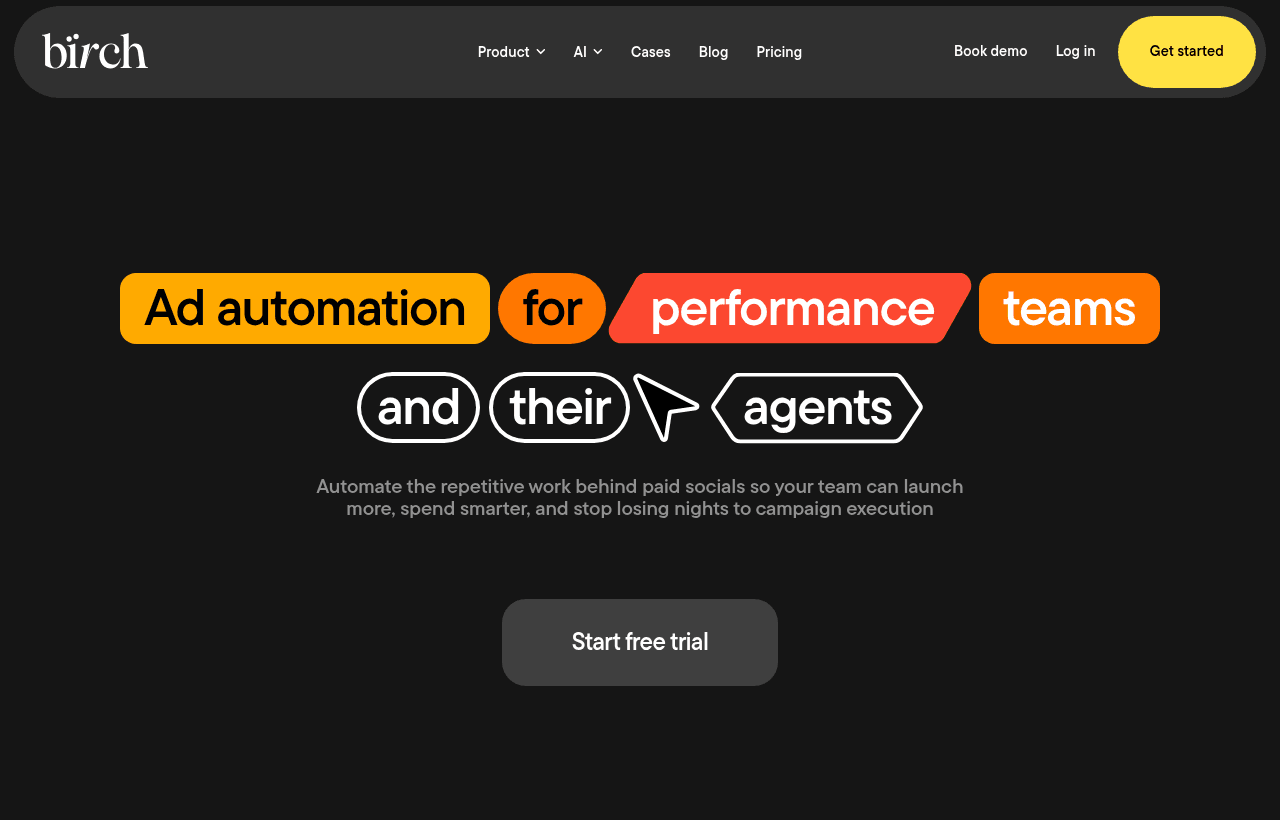
There is no promo code. You start the trial by signing up through the SaaSOffers link. Revealbot now operates as Birch (written Bïrch in its logo, at bir.ch), and its own pricing page describes the standard trial as 14 days with unlimited access to all features and no credit card required. That same trial is open to anyone who signs up directly on bir.ch, so the SaaSOffers link gives you the vendor's standard terms, not an extra discount.
We checked these plans and prices against Birch's official pricing and help pages in November 2026.
Birch is an ad automation tool. You connect your ad accounts, write rules ("if CPA is above $40 after $100 spend, pause the ad set"), and Birch checks them on a schedule and acts for you. It also builds ads in bulk, flags tired creatives and sends reports to Slack or email. It supports 4 ad platforms: Meta (Facebook and Instagram), Google Ads, TikTok Ads and Snapchat Ads.
Birch (Revealbot) Pricing in November 2026
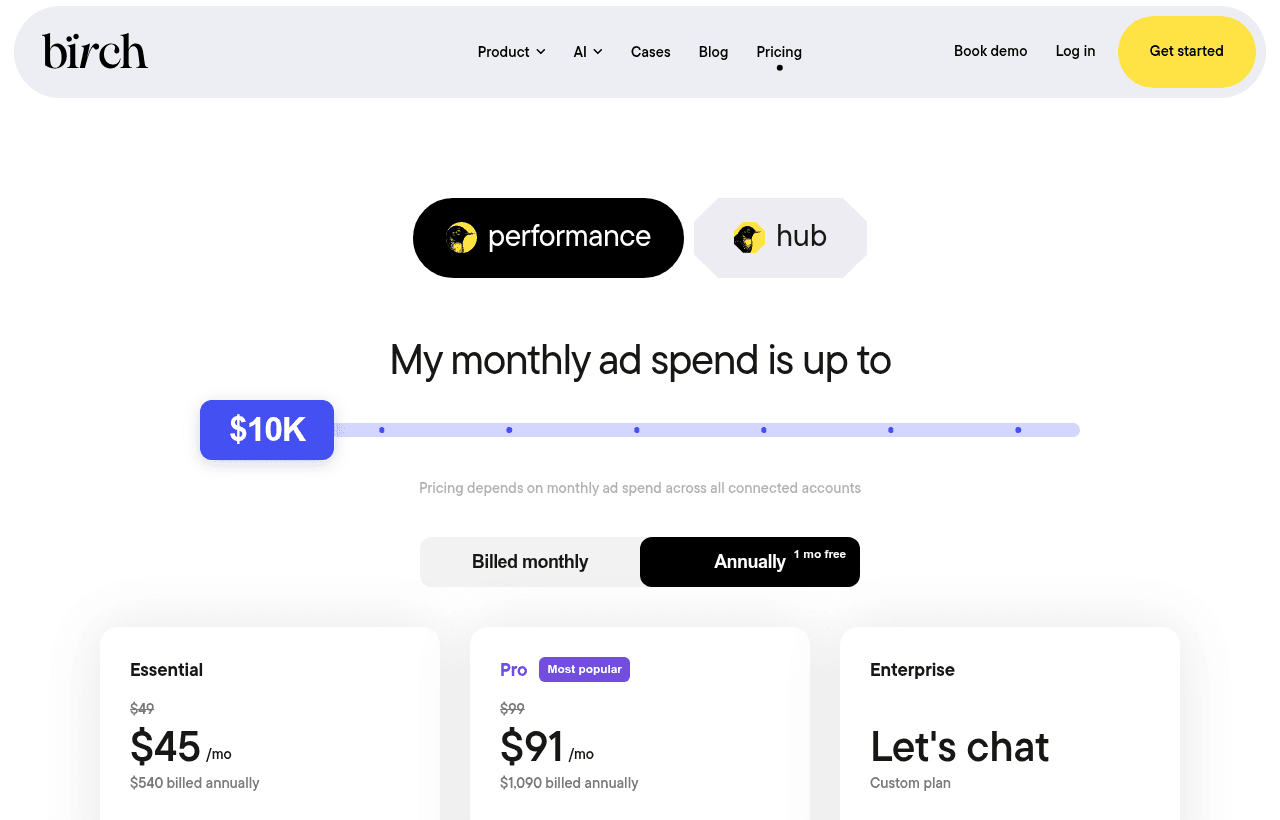
Birch does not price per seat. The price depends on your monthly ad spend, added up across every ad account you connect. The pricing page has a spend slider with 7 steps: up to $10K, $30K, $75K, $150K, $300K, $500K, and above $500K. Paying yearly gets you 12 months for the price of 11.
Prices below are in USD. Birch says the final price and currency are confirmed at checkout and can vary by billing country.
| Monthly ad spend (up to) | Essential, billed yearly | Essential, billed monthly | Pro, billed yearly | Pro, billed monthly |
|---|---|---|---|---|
| $10K | $540/yr ($45/mo) | $49/mo | $1,090/yr ($91/mo) | $99/mo |
| $30K | $1,640/yr ($137/mo) | $149/mo | $2,740/yr ($228/mo) | $249/mo |
| $75K | $3,290/yr ($274/mo) | $299/mo | $5,490/yr ($458/mo) | $499/mo |
| $150K | $5,490/yr ($458/mo) | $499/mo | $8,790/yr ($733/mo) | $799/mo |
| $300K | Not offered | Not offered | $14,290/yr ($1,191/mo) | $1,299/mo |
| $500K | Not offered | Not offered | $19,790/yr ($1,649/mo) | $1,799/mo |
| Above $500K | Enterprise, custom price | Enterprise, custom price |
Essential stops at $150K of monthly spend. Pro runs up to $500K. Above that, Enterprise is the only option and you talk to sales.
What each plan includes
| Plan | Key features | Support |
|---|---|---|
| Essential | Workspaces with Overview, post boosting, reports, activity page, Slack integration | |
| Pro | Everything in Essential, plus automated rules and strategies, Explorer, Launcher, Stage (free version), top audiences, custom metrics and timeframes, custom and lookalike audience builder, integrations with Slack, Google Sheets, AppsFlyer, Hyros and others | Live chat |
| Enterprise | Everything in Pro, plus Stage with a custom limit, onboarding help, tech setup help | Premium |
Birch's plan cards list automated rules under Pro, not Essential. If you want Birch for its rules engine, which is what Revealbot was known for, budget for Pro. Birch's pricing FAQ also says all features are available on every plan, so confirm with Birch before you buy.
Overages
On yearly billing, the pricing page says "No overages apply" for Essential and Pro. On monthly billing, it lists overage fees if your ad spend passes your tier's limit. The rates shown on the page:
- Essential: 0.49% at the $10K and $30K tiers, 0.39% at $75K, 0.33% at $150K
- Pro: 1% at $10K, 0.83% at $30K, 0.67% at $75K, 0.53% at $150K, 0.43% at $300K, 0.36% at $500K
The FAQ adds that Stripe charges the extra fee and Birch emails you when it happens. All plan features stay on.
Hub pricing (server-side tracking)
Hub is a separate product for server-side tracking on Meta, priced per gateway by tracked events:
| Events per month | Price |
|---|---|
| 10,000 | Free |
| 500,000 | $10 |
| 5,000,000 | $49 |
| 20,000,000 | $149 |
| 50,000,000 | $249 |
| 150,000,000 | $499 |
Birch says Hub has no overage fees. Past your plan, you keep paying the same rate per extra event.
What the trial doesn't include
The 14-day trial gives access to all features, so the limits are about what happens around it:
- No free plan. Birch has no free tier for the ad automation product. When the trial ends, automated rules and reports are switched off until you pick a plan.
- No AI trial. The Birch AI page FAQ says there is no free trial of Birch AI specifically.
- No extension on the pricing page. The page offers an upgrade link (bir.ch/upgrade) so you can move to paid before the trial ends without a gap. It does not mention extensions.
- Only Hub's first tier is free. Server-side tracking is free up to 10,000 events a month per gateway.
What It Costs: Two Worked Examples
Example 1: a store spending $8,000 a month on Meta
At $8K of spend you sit in the "up to $10K" tier.
| Plan | Billed monthly for 12 months | Billed yearly | Yearly saves |
|---|---|---|---|
| Essential | $49 x 12 = $588 | $540 | $48 |
| Pro | $99 x 12 = $1,188 | $1,090 | $98 |
The yearly Pro plan costs $1,090 against $96,000 of annual ad spend ($8,000 x 12). That is about 1.1% of spend. The trial covers 14 days. At the monthly Pro rate, 14 days is worth about $99 x 14 / 30 = $46. The real value is two full weeks of rules running on live campaigns before you pay anything.
Example 2: an agency spending $25,000 a month across Meta and TikTok
Both accounts count toward one total, so $25K lands in the "up to $30K" tier.
| Plan | Billed monthly for 12 months | Billed yearly | Yearly saves |
|---|---|---|---|
| Essential | $149 x 12 = $1,788 | $1,640 | $148 |
| Pro | $249 x 12 = $2,988 | $2,740 | $248 |
Pro yearly is $2,740 against $300,000 of yearly spend ($25,000 x 12), about 0.9%.
The tier jump
If that agency grows to $31K a month, it moves into the $75K tier. Pro goes from $249 to $499 a month on monthly billing, a jump of $250 for $6,000 more spend. If your spend sits just above a tier line, check whether yearly billing at the lower tier (no overages) is cheaper than monthly billing at the higher one. Ask Birch support how yearly plans handle sustained spend above the tier before you commit.
How the Rules Engine Works
Rules are the core of the product. Birch's features page lists:
- More than 20 actions a rule can take, such as pausing, changing budgets or bids, and sending alerts
- Nested conditions grouped with AND and OR
- Metric-to-metric comparisons across the same or different time periods (for example, today's CPA against the last 7 days)
- Ranking conditions based on an item's performance compared with others
- Pre-built rule bundles called Strategies
- Automation logs for checking what each rule did and why
Frequency. Birch's help center says rules can run as often as every 15 minutes, which is the highest frequency the ad platform APIs allow. A rule cannot check every 5 minutes. Frequency options run from 15 minutes up to 72 hours. You can also set a custom schedule so a rule only checks in set time slots, or apply a frequency to a date range.
Other Tools in the Product
- Explorer: tracks ad performance, flags fatigued ads and surfaces top assets. It ships with preset views: Last Week's Top Ads, Best Video Ads, Fatigued Ads and Downtrend Ads.
- Launcher: bulk-launches multiple ad sets, each with up to 50 ads. Macros auto-tag new campaigns, ad sets and ads. A validation step flags ads likely to fail before launch.
- Stage: builds ads from Google Drive media by copying your existing setups. It works on 3 platforms: Meta, TikTok and Snapchat. Drive access is read-only. Google Drive and Google Sheets are supported now, and Dropbox is planned. Each sheet connects to 1 platform. Ads can launch active, paused or on a set start date.
- Post boosting: turns organic Facebook and Instagram posts into ads when they meet conditions on impressions, engagement, click rate or keywords in the post.
- Reports and alerts: scheduled daily updates, cross-platform reports with white-label branding, and alerts by Slack and email.
- Birch AI: an assistant inside the app that drafts rules from a plain-language goal, audits existing rules and analyzes performance across Meta, Google, TikTok and Snap accounts. Birch says it does not train on your account data. It works only inside Birch.
- Birch MCP: a connector that brings Birch data into Claude and other AI clients, so you can check what your automations did without opening Birch.
Integrations
Birch's integrations page lists 8: Slack, Google Analytics, Google Drive, Google Sheets, Adjust, Hyros, Wicked Reports and AppsFlyer. The attribution tools (Adjust, Hyros, Wicked Reports, AppsFlyer) feed their metrics into rules and custom metrics for Meta Ads. Google Sheets data can drive rules and build Meta custom audiences from customer lists that update automatically.
Who Revealbot is for
- E-commerce brands spending $5K to $150K a month on Meta. Rules that pause losing ad sets at 2 a.m. and scale winners save money every night. The Loop Earplugs case on Birch's site reports 90 hours saved a month and over 20,000 automation triggers monthly.
- Agencies running many client accounts. White-label reports and one spend total across accounts suit agency work. The AdParlor case reports up to 50 hours saved monthly on TikTok Ads.
- Media buyers who launch creatives in volume. Launcher (up to 50 ads per ad set) and Stage (ads from Drive folders) cut the manual work in Ads Manager.
- Mobile app marketers. AppsFlyer and Adjust data in rules lets you act on install and in-app event data, not just platform-reported conversions.
When Revealbot is the wrong pick
- Teams spending under $1,000 a month on ads. Pro at $99 a month would be about 10% of a $1,000 budget. At that budget, manual checks in Ads Manager cost less than the tool.
- LinkedIn, Pinterest, Reddit or Amazon advertisers. Birch supports Meta, Google, TikTok and Snapchat only.
- Teams that only want reports. Essential has reports, but a reporting tool like AgencyAnalytics covers more channels if you don't need ad changes.
- Anyone who wants a free plan. There isn't one. After 14 days you pay or your rules stop.
Birch vs Alternatives
| Birch (Revealbot) | Madgicx | AdCreative.ai | AgencyAnalytics | |
|---|---|---|---|---|
| Main job | Rules, bulk launching, reporting | Meta ad automation and analytics | AI-generated ad creatives | Client reporting dashboards |
| Pricing basis | Monthly ad spend | Ad spend ranges (7 options) | Credits per month | Per client |
| Entry price | Essential $49/mo, Pro $99/mo (up to $10K spend) | Shown only inside the app | Starter $39/mo, $20/mo billed yearly, 20 credits | Core $20 per client/mo billed yearly |
| Free trial | 14 days, no card | 7 days | 7 days | 14 days, no card |
| Changes your ads | Yes | Yes | No | No |
Madgicx is the closest competitor. Its pricing page also asks for your monthly ad spend (from under $1K to $30K+) but shows the Pro Complete price only inside the app. Its trial is 7 days, half of Birch's 14. Its Tracking Pro add-on is $49 a month.
AdCreative.ai does a different job. It makes the creatives; Birch decides which ones keep running. Some teams use both.
AgencyAnalytics is reporting only, with 90+ integrations at $20 per client a month billed yearly. Pick it if clients need SEO, social and PPC in one report and you manage bids by hand.
Getting set up on Revealbot
- Connect every ad account you will automate, then check the spend total. Your tier is set by the sum. A forgotten test account can push you up a tier.
- Start rules in notify-only mode. Have each rule send a Slack alert for the first days before you let it pause or change budgets. Read the automation log to confirm it fires when you expect.
- Use a minimum spend condition. A rule like "pause if CPA > $40" should also require spend above a floor (for example $50) so it doesn't kill ad sets after one sale.
- Use 15-minute checks only where they matter. Budget caps and broken-ad alerts need speed. Scaling rules usually work better on hourly or daily checks with a 3 to 7 day lookback.
- Load a Strategy first. The pre-built rule bundles show how Birch expects conditions to be combined. Copy one and change the numbers.
- Hook up attribution early. If you use Hyros, AppsFlyer, Adjust or Wicked Reports, connect it during the trial and build at least 1 rule on that data.
- Decide on billing before day 14. Rules and reports turn off when the trial ends. Upgrade through bir.ch/upgrade before then to avoid a gap.
Billing and cancellation
Birch prefers card payments. Other methods are available for Enterprise clients. You can cancel any time with the Cancel subscription button at the bottom of the billing page, and the plan runs until the end of the current billing cycle.
How to get the Revealbot offer
- Open the Revealbot deal on SaaSOffers and click the claim button. It takes you to Birch's signup through our partner link.
- Create your account. No promo code is needed, and Birch says no credit card is required for the trial.
- Connect your Meta, Google, TikTok or Snapchat ad accounts.
- Build and test your rules during the 14 days, starting with alerts before actions.
- Before the trial ends, pick Essential or Pro at your spend tier, monthly or yearly, so your rules keep running.
Who Is This Deal For?
Early-Stage Startups
Seed and pre-seed companies looking to move fast without overspending on tools.
Growing SaaS Teams
Series A+ companies scaling their stack and optimizing software costs.
Solo Founders
Indie hackers and bootstrapped founders who need enterprise tools at startup prices.
Get Free Trial off Revealbot
Free for all startups. Claim instantly.
Frequently Asked Questions
Everything you need to know about this startup deal.
Get the weekly deals digest
New verified startup deals every week. No spam, ever. Unsubscribe anytime.
Related Offers

OmniSEO
Used by 1,361 members
Free Trial
All-in-one SEO platform for keyword research, rank tracking, and site optimization.
View offer
Surfer SEO
Used by 772 members
Free Trial
AI-powered content optimization and SEO planning tool for organic growth.
View offer
Planable
Used by 747 members
Free Plan
Social media collaboration platform for planning, approving, and scheduling content.
View offer
Sprout Social
Used by 947 members
Free Trial
Enterprise social media management platform with analytics and engagement tools.
View offer
SurveyMonkey
20% off Team plans
20% off SurveyMonkey Team plans with code Saasoffers, plus the free Basic plan: unlimited surveys, AI survey building and 200+ integrations on paid plans.
View offer
Replicate
Used by 1,772 members
$500 in credits
Run open-source ML models in the cloud, deploy Llama, Stable Diffusion, and custom models via API without GPU management.
View offerDeal Summary
Looking for more startup deals?
Browse all offers