
Zoom: $20 off per user
Get $20 off per user on Zoom, the video conferencing platform used by hundreds of thousands of businesses for meetings, webinars, and team collaboration.
Free · No account required
Free · No account required.
Deal Highlights
Our Zoom listing: $20 off per user
Offer: $20 off per user. Our listing's requirement is a startup with a remote team. There is no promo code. You claim it by signing up through the SaaSOffers link on this page.
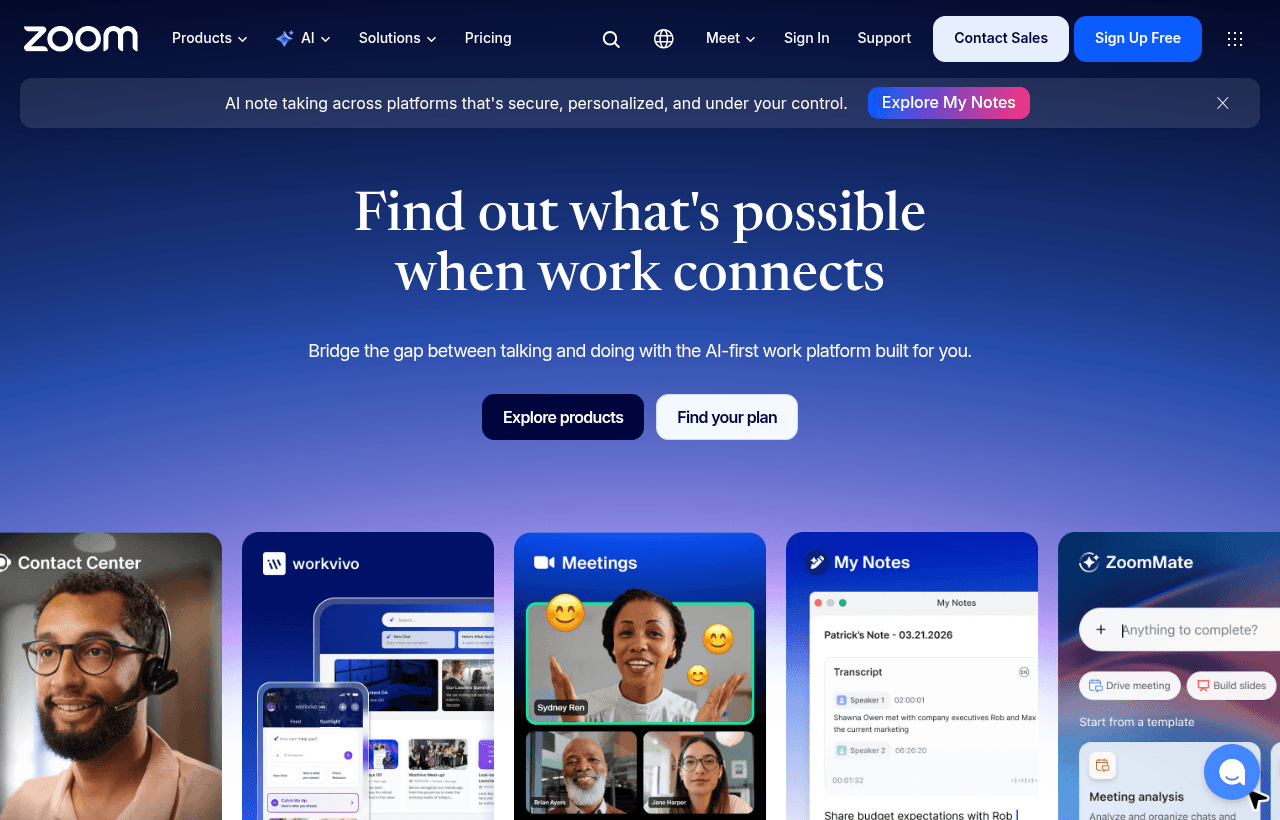
We checked these plans and prices against Zoom's official pricing and product pages in November 2026.
Zoom Workplace is the current name for what most people still call Zoom. It bundles Meetings, Chat, Mail, Calendar, Docs, Whiteboard, Clips, Tasks and Notes in one app, with a paid phone system and webinar product available on top.
Zoom's own pages do not describe a "$20 off per user" discount, so we cannot tell you from Zoom's side whether it applies once, per year or to a specific plan. That is our listing's term. Confirm the final price at checkout before you pay, and treat the worked examples below as "if our $20 applies" figures. Zoom also runs its own startup program, which may beat our listing if you qualify. We cover it in its own section.
Basic is free, but meetings stop at 40 minutes
Zoom Workplace Basic costs $0 for one user. Zoom's free video conferencing page says you can host an unlimited number of meetings for up to 100 participants, with each group meeting of 3 or more people capped at 40 minutes. Zoom's pricing card describes the cap the same way, as 40 minutes max per meeting.
The free plan is more than meetings. Zoom lists Chat, Mail, Calendar, Docs (share up to 10 docs), Whiteboard (3 editable boards), Clips (5 two-minute videos), Tasks with manual entry and Notes. Its AI is limited: ZoomMate Basic gives you meeting summaries and in-meeting questions for 3 hosted meetings per month, 3 uses of My Notes, 20 AI queries a month and 10 workflow runs a month.
Recording on Basic is local only. Zoom's free page says paid plans add cloud recording and toll-based telephone dial-in. Breakout rooms work on Basic: Zoom's page lets you assign rooms at random, in advance, or let people pick, and a meeting can split into up to 50 sessions.
What Basic leaves out
- Meetings longer than 40 minutes, up to the 30-hour limit on paid plans
- Cloud recording (10 GB per license on Pro, per Zoom's pricing card)
- Unlimited AI note-taking and unlimited meeting summaries
- Unlimited Docs sharing (Basic stops at 10 shared docs)
- Unlimited Clips videos (Basic stops at five two-minute clips)
- Unlimited whiteboards (Basic stops at 3 editable boards)
- End-to-end encryption on Mail and Calendar
- Live chat support
A founder who only runs short one-to-one calls may never hit the 40-minute cap. A team that holds hour-long demos and investor calls hits it on day one.
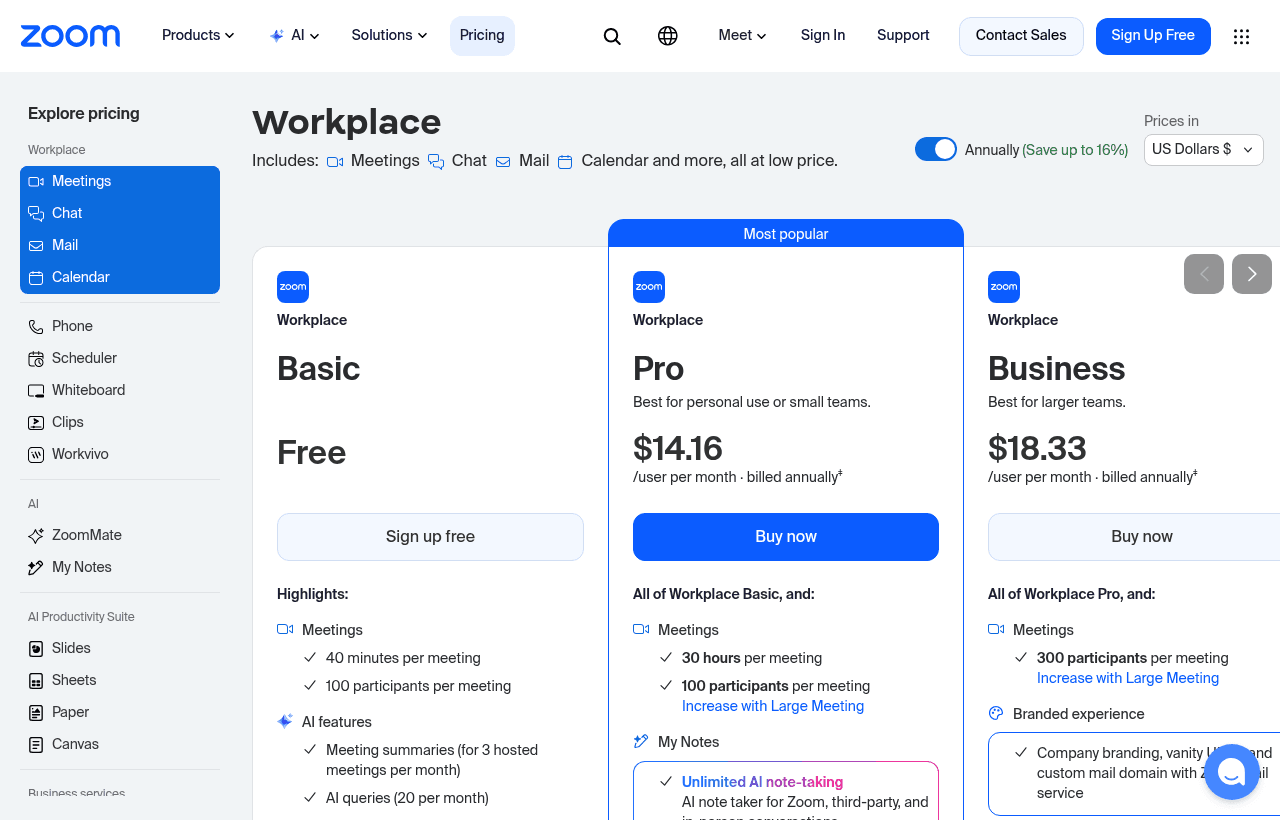
Pro costs $14.16 a user on a yearly plan
Zoom Workplace has three public tiers. The prices below come from the price data that Zoom's own pricing pages load, in US dollars per user.
| Plan | Billed yearly | Billed monthly | Key limits |
|---|---|---|---|
| Basic | $0 | $0 | 1 user, 40 minutes per meeting, 100 participants, local recording only |
| Pro | $169.90 a year ($14.16 a month) | $16.99 a month | 30 hours per meeting, 100 participants, 10 GB cloud storage per license, AI Companion included |
| Business | $219.90 a year ($18.33 a month) | $21.99 a month | 30 hours per meeting, 300 participants, unlimited whiteboards, end-to-end encryption in Scheduler |
| Enterprise | Contact sales | Contact sales | Larger meetings, custom terms |
Two seat ranges appear on Zoom's pages. The main pricing card shows Pro for 1 to 99 users and Business for 1 to 250 users. The dedicated Pro page says Pro is for 1 to 9 users. We could not reconcile the two, so check how many Pro licenses your account can buy before you plan a ten-person rollout.
One more mismatch. The Pro product page shows $15.99 for monthly billing, while the price data behind Zoom's pricing cards says $16.99. The table uses $16.99 because it matches the number the pricing cards use. If you pay monthly, look at the checkout total.
Yearly billing saves 16.7% on both paid plans. A Pro seat costs $203.88 over twelve months billed monthly and $169.90 billed yearly, a gap of $33.98. A Business seat costs $263.88 monthly and $219.90 yearly, a gap of $43.98.
What each paid plan adds
Pro adds meetings up to 30 hours, 10 GB of cloud recording storage per license, unlimited Docs sharing, unlimited Clips, AI-first Tasks, end-to-end encryption in Mail and Calendar, and live chat support. Zoom says AI Companion is included at no additional cost on paid plans. Zoom's Pro page also lists free premium apps for one year.
Business keeps everything in Pro and raises the participant cap from 100 to 300. It adds unlimited whiteboards and end-to-end encryption in Scheduler.
What "$20 off per user" could save you
We do not know from Zoom's site whether the $20 is a one-time credit per user, a yearly reduction or something else. A monthly $20 cannot be right on Pro, because Pro is $16.99 a month. So the examples below treat it as $20 off per user, once, off the first year's bill. If your checkout shows something different, use the real number.
Three users on Pro
- Billed yearly: 3 x $169.90 = $509.70. With $20 off each seat: $509.70 minus $60 = $449.70. That is 11.8% off.
- Billed monthly: 3 x $16.99 x 12 = $611.64. With the same $60 off: $551.64.
- Yearly billing alone saves $101.94 against monthly billing, which is more than the $60 deal. Take yearly billing first, then the deal.
Ten users on Business
Ten people means you may be past Pro's 1 to 9 seat range, so we price Business.
- Billed yearly: 10 x $219.90 = $2,199.00. With $200 off: $1,999.00. That is 9.1% off.
- Billed monthly: 10 x $21.99 x 12 = $2,638.80. With $200 off: $2,438.80.
- Yearly billing alone saves $439.80, more than twice the $200 deal.
If Pro is allowed for ten users on your account, ten Pro seats cost 10 x $169.90 = $1,699.00 a year, which is $500 less than Business before any discount. Pick Business only if you need meetings above 100 participants.
Zoom's own startup program is the better route if you qualify
Zoom runs a program called Zoom for Startups. Its page says eligible startups get one year of Zoom Workplace Business Plus for up to 25 seats, with limited spots. Zoom lists the eligibility rules as follows:
- Pre-seed to Series A companies
- Fewer than 50 employees
- Affiliated with select startup partners
- Not an existing paid customer
The application form asks for a startup partner. The dropdown names Andreessen Horowitz (spelled "Andressen Horowitz" on the form), Sequoia, NEA, Kleiner Perkins, Lightspeed, Pear VC, Khosla Ventures, Y Combinator, Emergence Capital, Maven, Redpoint and Basis Set, plus an "Others" option. Zoom says it reviews each application individually. Questions go to startups@zoom.com.
For scale, 25 Business seats on a yearly plan list at 25 x $219.90 = $5,497.50. We could not find a published price for Business Plus, so we cannot size the program's value exactly. Compare: our $20 off per user saves $500 on 25 seats if it is a yearly credit. A free year of 25 seats is a different order of magnitude.
The catch is the paid-customer rule. If your team already pays Zoom, the program is aimed at teams that are not already paid customers. Apply to the program first, and use our listing if you do not qualify or are turned down.
The add-ons that change the bill
Zoom prices several things outside the seat fee. These figures come from the same Zoom price data.
| Add-on | Billed yearly | Billed monthly | What you get |
|---|---|---|---|
| ZoomMate (paid AI tier) | $200 per user a year ($16.67 a month) | $20 per user a month | 2,200 AI credits per user per month, agents, deep research, workflows, Slides, Sheets, Paper, Canvas, voice translator |
| Webinars, up to 500 attendees | $1,000 per user a year ($83.33 a month) | $129 per user a month | Polls, Q&A, reactions, AI smart chapters on recordings |
Zoom's webinar page says its platform supports up to 100,000 attendees. We did not price the larger tiers.
Phone is another paid product. Zoom lists a business phone system with call routing, business hours and AI call notes, but its page did not show a price we could confirm. We left it out of the maths.
A team of ten on Business at $219.90 a seat that also buys ZoomMate at $200 a seat adds $2,000 a year, nearly doubling the bill.
Zoom AI: what is included and what costs extra
Zoom says AI Companion is included at no additional cost with paid plans in your Zoom account. The Pro page lists meeting summaries, answering what you missed when you join late, help writing messages and AI virtual backgrounds. Zoom also states that it does not use customer audio, video, chat, screen sharing, attachments or other communications-like content to train its own or third-party AI models. Account owners and admins decide whether the AI features are enabled.
Free users get a taste, not the full feature. Basic caps meeting summaries at 3 hosted meetings per month. Paid plans lift that to unlimited AI note-taking and unlimited meeting summaries.
Heavier AI work sits in the ZoomMate add-on, with 2,200 credits per user per month for tasks such as document creation and slide generation. Zoom says some ZoomMate features work without spending credits.
Who Zoom is for
- A remote team that runs meetings longer than 40 minutes. The first reason to pay is dropping the Basic cap.
- A founder who records customer calls. Cloud recording and AI summaries live on Pro.
- A team that regularly hosts calls above 100 people. That points to Business, which allows 300.
- A company that wants chat, phone, whiteboards, docs and clips in one bill instead of five.
Reasons to pass on Zoom
- A team that lives in Google Workspace and only needs meetings up to 100 people. Google Meet comes with it. See the comparison below.
- A startup that qualifies for the Zoom for Startups program. Apply there first.
- A team whose meetings are short enough for Basic. Free Basic covers 40 minutes and 100 people.
Zoom against other tools your team may already pay for
| Tool | Starting price | Meeting limits | Fit |
|---|---|---|---|
| Zoom Pro | $14.16 per user a month billed yearly | 100 participants, 30 hours | Teams that mostly need video, chat and recording |
| Google Workspace | Business Starter $7 per user a month on an annual plan, $8.40 flexible | Meet for 100 participants on Starter; 150 on Standard with recordings | Teams that also need email, Docs and Drive |
| Slack | See Slack's page | Uses Zoom for calls through the /zoom command | Teams that mostly chat and add video |
Google's price comes from its Workspace pricing and edition pages. Starter does not include recording. Standard adds recordings, breakout rooms and 150 participants. If your team already pays for Workspace, Meet may cover the calls you make and you can skip Zoom.
Slack and Zoom pair well rather than compete. Zoom's Slack integration lets you start an instant meeting with /zoom and post join links in a channel. Slack's Workflow Builder, which has a "New Zoom meeting" template, is only available on paid Slack subscriptions.
Google Workspace Starter costs $7 a user on an annual plan and bundles Meet with email and storage. Zoom Pro costs $14.16 billed yearly, twice that, but includes cloud recording and 30-hour meetings.
Setting up Zoom for a small team
- Create the account with a work email and invite teammates from the admin page.
- Decide on yearly billing at the start. It is 16.7% cheaper than monthly on both paid plans.
- Turn on AI Companion settings as an admin. Zoom says account owners and admins control which AI features run.
- Pick where recordings go. Basic records locally. Pro adds 10 GB of cloud storage per license, so decide early what you keep and what you delete.
- Set a default for waiting rooms. Zoom's waiting room lets hosts screen and admit participants one by one.
- Connect Zoom to your calendar and to Slack if you use it.
- Try Scheduler for customer booking links. It supports one-to-one and group appointments, reminders and follow-ups.
Claiming the Zoom offer, step by step
- Check Zoom for Startups first. If you meet the rules, apply there.
- If you do not qualify, open the SaaSOffers Zoom link on this page. It is the affiliate link in our listing.
- Sign up and choose Pro or Business. Pick yearly billing if you can.
- There is no promo code. Look for the $20 off per user at checkout and confirm it before you pay.
- If the discount does not show up, contact SaaSOffers through our contact page so we can check the listing.
Prices move
Zoom's own pages disagreed with each other in three places when we checked on 2026-11-08: the Pro seat range, the monthly Pro price and the cloud storage figure (the free-video page says 5 GB per license, the pricing card says 10 GB). Re-check the checkout total before you commit.
Who Is This Deal For?
Early-Stage Startups
Seed and pre-seed companies looking to move fast without overspending on tools.
Growing SaaS Teams
Series A+ companies scaling their stack and optimizing software costs.
Solo Founders
Indie hackers and bootstrapped founders who need enterprise tools at startup prices.
Get $20 off per user off Zoom
Free for all startups. Claim instantly.
!Eligibility Requirements
Startup with remote team
Frequently Asked Questions
Everything you need to know about this startup deal.
Get the weekly deals digest
New verified startup deals every week. No spam, ever. Unsubscribe anytime.
Related Offers

Google Workspace
Used by 860 members
20% off first year
Get 20% off Google Workspace for 1 year. Gmail, Meet, Drive, Docs, Sheets, and Slides for your entire team under your company domain.
View offer
Monday.com
Used by 3,110 members
30 days free
Get 30 days free on monday.com, the visual Work OS for project management, CRM, dev sprints, and team workflows.
View offer
Grammarly
Used by 1,637 members
6 months free Business
AI-powered writing assistant for your entire team, catch errors, improve clarity, and maintain brand voice across all communications.
View offer
Superhuman
Used by 1,937 members
1 year free Business (up to 5 seats)
Superhuman for Startups: 1 year free of the Business plan for up to 5 teammates. The fastest email client, with AI triage, shortcuts, split inbox and snooze.
View offer
ZoomInfo
Used by 2,014 members
Free Trial
B2B data platform for sales and marketing intelligence with contact databases.
View offerDeal Summary
Looking for more startup deals?
Browse all offers