
Buildkite Promo Code: 6 months free
Scalable CI/CD pipeline runner, run builds on your own infrastructure with Buildkite's orchestration layer.
Premium: $79/year for unlimited deals
Already have an account? Log in
Deal Highlights
Our Buildkite listing: 6 months free
Offer: 6 months free. Requirement in our listing: engineering team needing fast CI/CD. There is no promo code, and our listing has no SaaSOffers tracking link for this one, so step 1 is to go to buildkite.com yourself.
We checked these plans and prices against Buildkite's official pricing and help pages in November 2026.
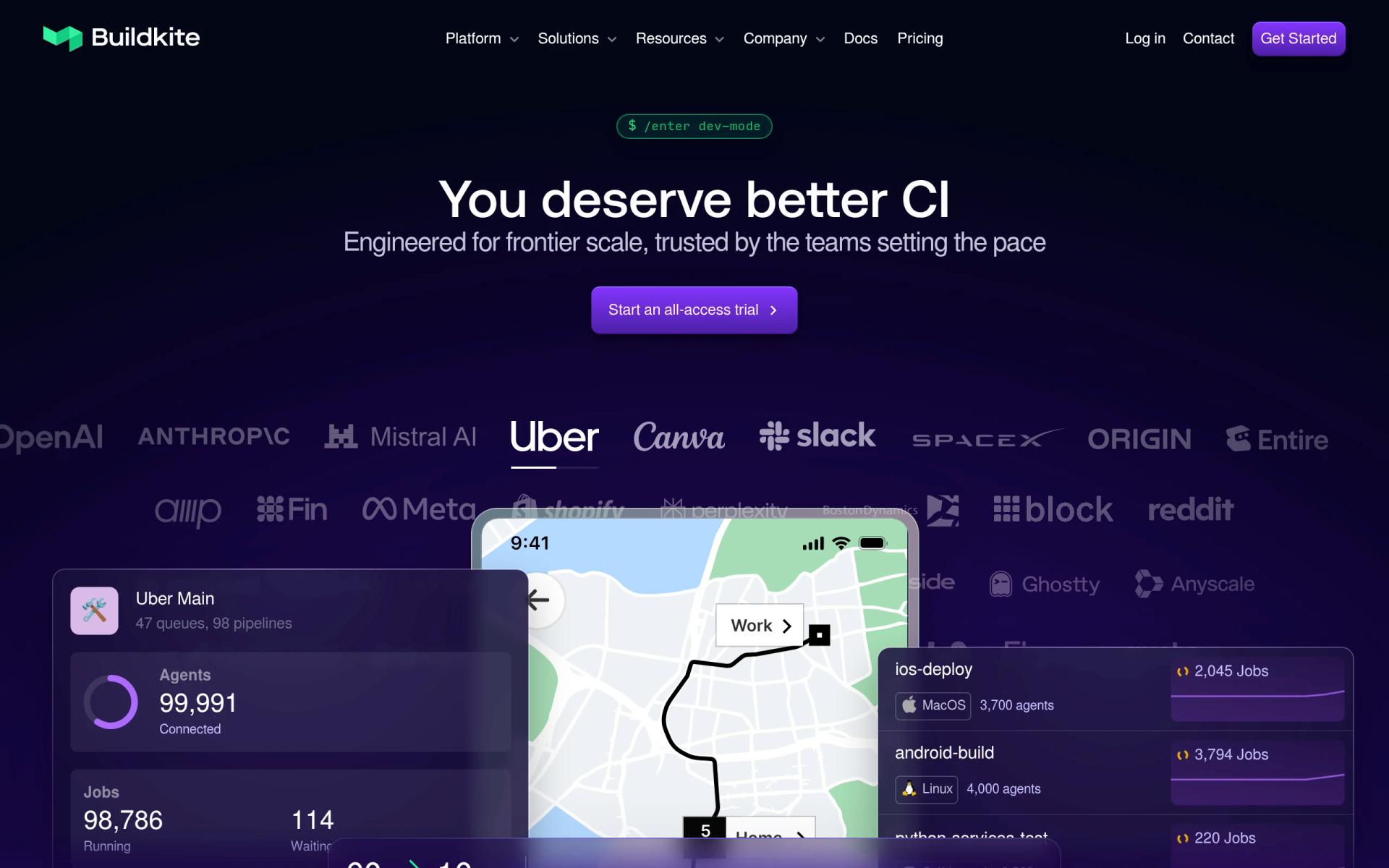
Buildkite is a CI/CD platform with a split design. Buildkite hosts the dashboard, the pipeline definitions and the job queue. The jobs themselves run on agents, which are small programs you install on your own machines (AWS, GCP, Azure, Kubernetes or bare metal) or run as Buildkite-hosted agents that Buildkite bills by the minute.
Here is the part to read first. Buildkite's pricing page does not mention a startup program or a 6 month free period. It lists a Free plan, a Pro plan at $30 per active user per month, a custom Enterprise plan and a 30-day trial with no credit card. The "6 months free" in this listing is our listing's term. We could not confirm it on Buildkite's site, so every worked example below says "if it applies". Ask Buildkite to confirm the free period, what it covers (seats only, or seats plus hosted minutes) and when it starts, before you move a pipeline over.
The Free plan already covers a five-person team
Many startups will not need the free period at all for the first months. Buildkite's pricing page says the Free plan costs $0, needs no credit card and includes:
- Up to 5 users
- Up to 10 concurrent jobs
- 2,000 Linux AMD64 vCPU minutes a month, Small hosted agents only
- 250k test executions a month
- Dynamic pipelines and test splitting
- Git mirror volumes, custom agent images, cache volumes and an internal container registry
- GitHub authentication
- Private package registries, 1 GB indexed and distributed a month
- Community support
Build retention on Free is 30 days. Artifact retention is 30 days, artifact storage is 50 GB a month and artifact downloads are 250 GB a month. The test history window is 24 hours. Linux AMD64 concurrency is capped at 20 vCPU.
That is a real plan, not a demo. A team of five that runs its own agents on a cloud account can use it with no seat cost. The catch is the headcount cap. The page says "up to 5" users, so the sixth engineer pushes you to Pro.
Pro is $30 per active user, with 10 agents included
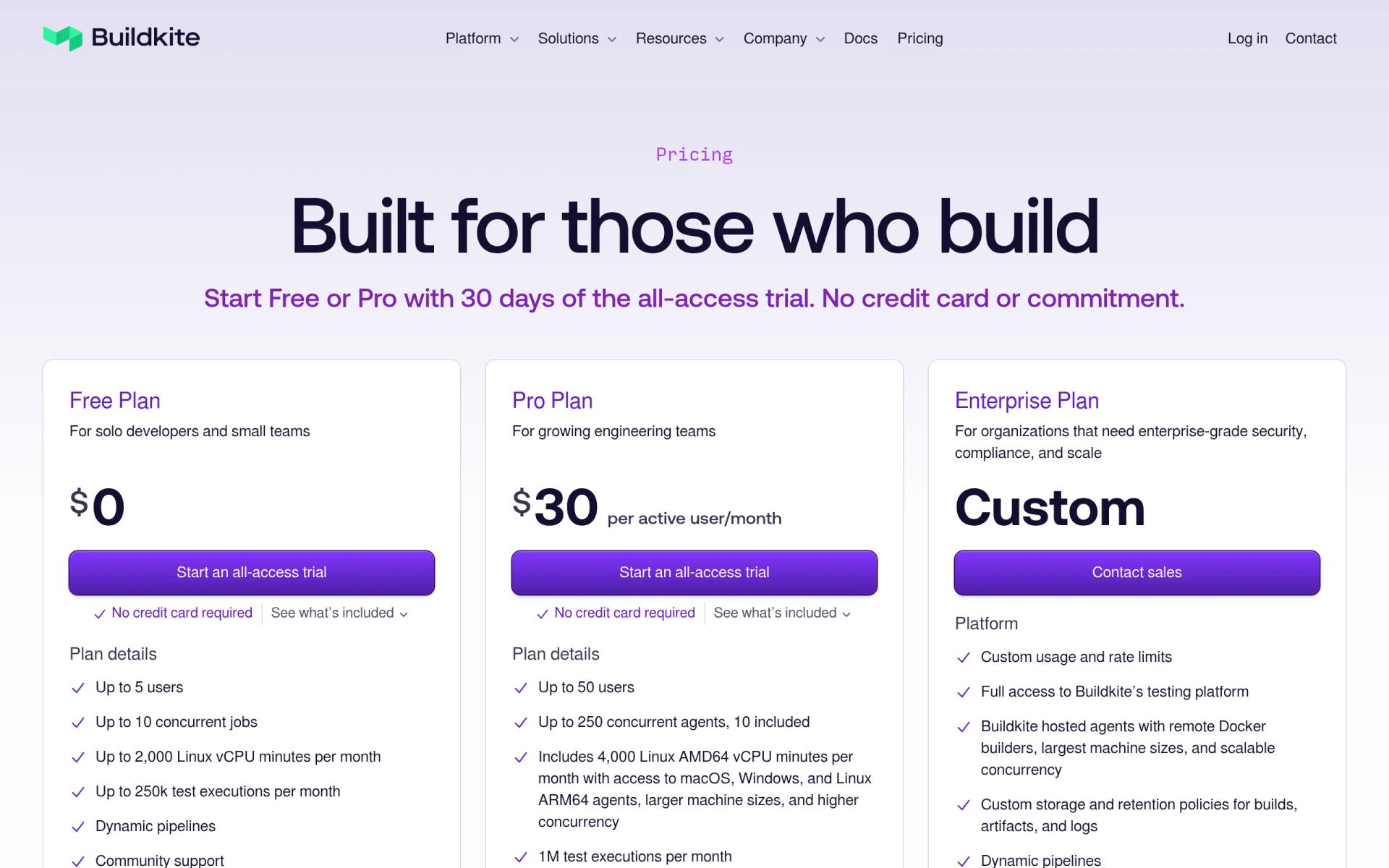
Buildkite's pricing page shows these three plans. All prices are in USD. The page gives no separate yearly price and no yearly discount, so we cannot say whether $30 is billed monthly or yearly. The columns below show what the page says and nothing more.
| Plan | Price | Users | Concurrency | Key limits |
|---|---|---|---|---|
| Free | $0 | Up to 5 | Up to 10 concurrent jobs, up to 20 Linux vCPU | 2,000 Linux vCPU min, Small only; 250k test executions; 30-day build retention |
| Pro | $30 per active user per month | Up to 50 | Up to 250 agents, 10 included; up to 256 Linux AMD64 vCPU | 4,000 Linux vCPU min included; 1M test executions; 90-day build retention |
| Enterprise | Custom | Unlimited, 30-user minimum | Unlimited | 1 year build retention plus historical export; volume discounts |
Pro adds Linux ARM64 concurrency (up to 64 vCPU), Mac M4 concurrency (up to 48 vCPU) and Windows concurrency (up to 64 vCPU). Free has none of those three. Pro also adds priority email support, signed pipelines, single sign-on, arbitrary files in registries and larger hosted machine sizes.
Pro quotas beyond the bundle are metered:
- Agents past the 10 included: $3.50 per agent per month
- Test executions past 1M: $15 per million
- Artifact storage past 250 GB: $0.05 per GB-month
- Artifact downloads past 2.5 TB: $0.10 per GB
- Artifact retention stays at 30 days on Pro
Buildkite's docs page on plans says each plan has default service quotas, and admins can see their own under Organization Settings, then Quotas. Its Inclusions report, for managed Enterprise customers, tracks: active users, concurrent agents, hosted agent minutes, test executions, artifact storage and downloads, and package storage and transfer. The docs page does not define "active user", so check with Buildkite whether a user who never triggers a build still counts.
Hosted agents are billed by the vCPU minute
If you do not want to run machines, Buildkite's hosted agents run the jobs for you. The pricing page bills them per vCPU minute, metered to the second, on Pro.
| OS | Rate per vCPU minute | Shapes and per-minute price |
|---|---|---|
| Linux | $0.004 | Small (2 vCPU, 4 GB) $0.008; Medium (4 vCPU, 16 GB) $0.016; Large (8 vCPU, 32 GB) $0.032 |
| Mac | $0.02 | M4 Medium (6 vCPU, 28 GB) $0.12; M4 Large (12 vCPU, 56 GB) $0.24 |
| Windows | $0.008 | Small (2 vCPU, 8 GB) $0.016; Medium (4 vCPU, 16 GB) $0.032; Large (8 vCPU, 32 GB) $0.064 |
Mac costs 5 times Linux per vCPU minute ($0.02 against $0.004). A 20-minute iOS build on M4 Medium is 20 x $0.12 = $2.40. The same 20 minutes on a Linux Medium is 20 x $0.016 = $0.32. If you ship a mobile app, price the Mac line before you decide hosted is cheap.
Self-hosted agents have no per-minute Buildkite charge on the pricing page. You pay your cloud provider for the machines, and Buildkite for seats and for agents beyond the included 10 on Pro. Hosted agents also depend on the plan: Free gets 2,000 Linux vCPU minutes a month on Small only. Pro includes 4,000 vCPU minutes a month, and the page lists additional minutes at the per-minute rates above.
Worked math: five people and ten people
These examples use Buildkite's list prices. "If the free period applies" means our listing's 6 months free, which Buildkite's site does not confirm.
Five engineers, hosted Linux Small agents
Say the team runs 60 builds a day, 20 working days a month, with each build taking 10 minutes on a Small agent.
- Build minutes: 60 x 20 x 10 = 12,000 Small minutes a month
- vCPU minutes: 12,000 x 2 = 24,000
- Free plan: the cap is 2,000 vCPU minutes, which is 1,000 Small minutes. 12,000 is 12 times that, and the pricing page does not say what happens past the cap on Free, so assume you need Pro or your own agents
- Pro seats: 5 x $30 = $150 a month
- Pro hosted minutes: 24,000 minus 4,000 included = 20,000 vCPU minutes x $0.004 = $80 a month
- Pro total: $150 + $80 = $230 a month, or $2,760 over 12 months
If the free period applies to seats only, six months saves 6 x $150 = $900. If it also covers hosted minutes, it saves 6 x $230 = $1,380. Ask which one it is.
The same team on its own agents on Free pays Buildkite $0 and its cloud provider for the machines. At five users it stays inside the seat cap.
Ten engineers, 25 self-hosted agents
Self-hosted agents mean you pay for the servers separately. Buildkite's part of the bill on Pro:
- Seats: 10 x $30 = $300 a month
- Agents: 25 minus 10 included = 15 x $3.50 = $52.50 a month
- Buildkite total: $300 + $52.50 = $352.50 a month, or $4,230 over 12 months
- Free plan is not an option: 10 users is past the 5 user cap and 25 agents is past 10 concurrent jobs
If the free period applies to seats only, six months saves 6 x $300 = $1,800. If it also waives the extra agent fee, it saves 6 x $352.50 = $2,115. After that the same team pays $4,230 over the next 12 months at list price.
What happens after month six
If the 6 months run out and you stay at five engineers, you can drop to Free and keep a $0 Buildkite bill, subject to the 2,000 vCPU minute and 10 job caps. If you have hired a sixth person, Pro starts at 6 x $30 = $180 a month, which is $2,160 a year before any agents or hosted minutes. Plan that step before you hire.
What the Free plan and the trial leave out
The Free plan lacks several things that matter to a growing team. Based on the pricing page's feature lists:
- Single sign-on (Pro and up)
- Signed pipelines (Pro and up)
- Priority email support. Free has community support only
- Arbitrary files in package registries
- Linux ARM64, Mac and Windows hosted concurrency
- Larger hosted machine sizes than Small
- More than 5 users or 10 concurrent jobs
- Build retention past 30 days. Pro gives 90 days
- A test history window past 24 hours. Pro gives 7 days
The Enterprise plan adds things Pro does not have: GitHub Enterprise support, pipeline templates, SCIM and custom SAML or ADFS, private log storage, an activity log, API token revocation, SSO IP pinning, SLSA provenance, a 99.95% uptime commitment, support with SLA credits and invoice payment. If you sell to regulated buyers and need SCIM or SLSA provenance, Pro will not be enough.
The 30-day trial is separate from our listing. Buildkite's pricing page says it gives full access to the whole platform, needs no credit card and includes a dedicated Developer Success Engineer. You choose a plan afterward or walk away. If our 6 months cannot be confirmed, the trial is the way to test Buildkite for a month at no cost.
Open source and startup programs
The pricing page says Buildkite offers special pricing for open source projects. You contact them, they confirm the project is open source and they enable your account. The page does not say what the pricing is. It does not mention a startup program, and our search of Buildkite's site did not find one.
If you are an open source project, ask about the open source route first, since it is the one Buildkite publishes.
Who it fits
Buildkite suits teams where build speed or control matters more than setup simplicity.
- A team with a test suite that takes 20 minutes or more on one machine. Buildkite's test splitting and agent concurrency are built for this
- A company that must keep source code and secrets on its own infrastructure, with Kubernetes or a cloud account to run agents on
- A company that expects to grow past 5 engineers and wants Pro's SSO and signed pipelines
Reasons to pass on Buildkite
- A one-person project that only needs to run tests on push. A hosted CI with a simpler setup will take less time to configure
- A team of six or more that wants a free tier. Free stops at 5 users
Buildkite next to GitHub Actions and GitLab
Our directory also lists GitHub, GitLab and CircleCI. The figures below for GitHub and GitLab are the list prices we recorded on those pages in November 2026. We did not compare CircleCI's numbers here.
| Buildkite | GitHub | GitLab | |
|---|---|---|---|
| Entry paid plan | Pro $30 per active user per month | Team $4 per user per month | Premium $29 per user per month, billed annually |
| Free plan | 5 users, 10 concurrent jobs, 2,000 Linux vCPU min | Free: 2,000 Actions minutes ($12 compute) | Free: 5 users per top-level group, 400 compute minutes a month |
| Self-hosted runners | Self-hosted agents, 10 included on Pro, then $3.50 each a month | Free everywhere | You register your own runner |
| Where jobs run | Your machines or Buildkite-hosted | GitHub-hosted or self-hosted | GitLab-hosted or your runner |
Buildkite's Pro seat price is $26 higher per user than GitHub Team's $4 and $1 higher than GitLab Premium's $29. A fair comparison depends on what you pay for minutes and runners, not seats alone. GitHub and GitLab bundle source hosting, issues and code review with CI. Buildkite does not host your repositories, it authenticates through GitHub and runs your pipelines. If you want one product that covers code and CI, GitHub or GitLab is simpler. If your pain is a slow pipeline, Buildkite's agent model is the point.
Setup tips for the first month
- Start on the Free plan or the 30-day trial and install agents on one machine before you commit.
- Connect GitHub authentication and add a pipeline from the repository. Pipelines can be dynamic, so one step can generate the rest.
- Set spend alerts. Buildkite's docs say Pro plans with spend alert eligibility get a notice when the estimated next invoice reaches a threshold you set.
How to claim the Buildkite deal
- Go to buildkite.com and create an account. Our listing has no SaaSOffers link for this deal, and there is no promo code.
- Tell Buildkite you are claiming the 6 months free listed on SaaSOffers, and ask in writing what it covers and when it starts.
- Pick your plan. If you are five people or fewer, Free may already do the job. If you are more, you will be on Pro at $30 per active user.
- Install an agent, or choose hosted agents, and run your first pipeline.
- Put the end date of the free period in your calendar. Our listing does not give a calendar date, and Buildkite's site does not state one.
What we could not confirm
We could not confirm the 6 month free period, the "no venture funding required" claim in our older FAQ, the definition of an active user, or whether billing is monthly or yearly. Treat all four as open questions for Buildkite.
Who Is This Deal For?
Early-Stage Startups
Seed and pre-seed companies looking to move fast without overspending on tools.
Growing SaaS Teams
Series A+ companies scaling their stack and optimizing software costs.
Solo Founders
Indie hackers and bootstrapped founders who need enterprise tools at startup prices.
Get 6 months free off Buildkite
Premium deal. Upgrade once, unlock everything.
!Eligibility Requirements
Engineering team needing fast CI/CD
Frequently Asked Questions
Everything you need to know about this startup deal.
Get the weekly deals digest
New verified startup deals every week. No spam, ever. Unsubscribe anytime.
Related Offers

Retool
Used by 1,559 members
1 year free, up to $60K
Build internal tools 10x faster with the low-code platform used by companies like Amazon, DoorDash, and Mercedes-Benz.
View offer
ZoomInfo
Used by 2,014 members
Free Trial
B2B data platform for sales and marketing intelligence with contact databases.
View offer
Chore
15% off your first month
Chore runs your startup's back office for you: payroll, HR, bookkeeping, compliance and equity, inside the tools you already use. 15% off your first month through SaaSOffers.
View offerDeal Summary
Looking for more startup deals?
Browse all offers