
Fider Coupon: Free Self-Hosted
Open-source customer feedback platform for collecting and prioritizing ideas.
Premium: $79/year for unlimited deals
Already have an account? Log in
Deal Highlights
Our Fider listing: Free Self-Hosted
Offer: Free Self-Hosted. Our listing sets no requirements and there is no promo code. There is no SaaSOffers link to click, because you get Fider straight from fider.io and its GitHub page.
We checked these plans and prices against Fider's official pricing, documentation and GitHub pages in November 2026.
Fider is an open-source feedback portal. Customers post feature requests, vote on each other's ideas and comment, and your team sorts the list by demand. The code is on GitHub under the AGPL-3.0 license, and the same team also runs a hosted version at fider.io.
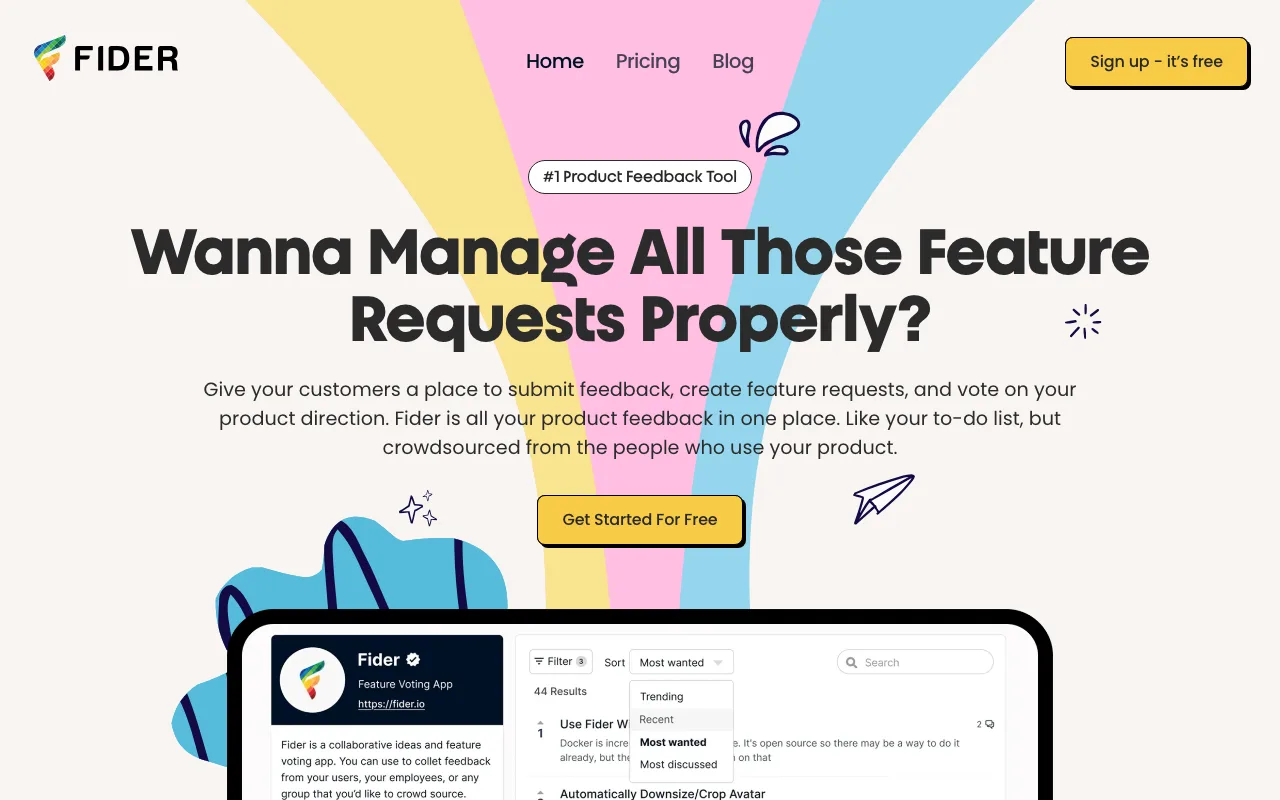
Fider has paid tiers: the hosted service has a Free plan and a $25 per month Pro plan. And self-hosting is free for everyone, so this is not a perk that needs a startup badge. The README says so itself: self-hosted is "totally free, but of course you're responsible for everything."
The software is AGPL-3.0, and it is not abandoned
GitHub lists the repository (getfider/fider) under the GNU Affero General Public License v3.0. It was created on 17 January 2017, so it is almost ten years old. At the time of our check it had about 4,600 stars and was not archived.
Maintenance looks active. These are the latest GitHub releases and their dates:
| Release | Date |
|---|---|
| v0.39.0 | 3 November 2026 |
| v0.38.2 | 5 October 2026 |
| v0.38.1 | 1 October 2026 |
| v0.38.0 | 28 September 2026 |
| v0.37.0 | 23 September 2026 |
| v0.36.1 | 3 July 2026 |
The most recent commit we saw was on 6 November 2026, two days before this page was written. Five releases in about six weeks is a busy stretch, though the gap between v0.36.1 in July and v0.37.0 in September shows it does not ship on a fixed schedule. The version numbers are still below 1.0, so expect some change between releases and read the notes before upgrading.
Release v0.39.0 is a useful sample of what maintenance means here. Its notes list a security fix (a blocked administrator's API key still worked when combined with an impersonation header), a fix for Fider hanging when several image requests used up the database connection pool, and a new switch under Site Settings > Privacy that stops visitors creating their own accounts. It also changes LOG_SQL to default to false, because the logs table was never pruned and could grow to many GB.
What AGPL means for you
If you run Fider unmodified for your own customers, you owe nobody anything. The license matters if you change the code and offer it to users over a network: you then have to make your modified source available to those users. We are not lawyers, so check the license text if you plan to fork it.
Self-hosting needs a database, an email provider and Docker
Fider's Docker guide lists four prerequisites:
- Docker. Fider does not distribute Linux or Windows binaries, so Docker is required. The guide uses Docker Compose.
- PostgreSQL 12 or newer. The sample Compose file runs Postgres 17 in a container. You can point Fider at an external database instead.
- An email sender. The docs say Fider "cannot start without an email provider," because sign-in links go out by email. You pick SMTP, a Mailgun account or Amazon SES.
- A public URL.
BASE_URLmust be the exact address people use, with http or https, because Fider builds every link from it, including emailed sign-in links.
Four settings are required: BASE_URL, DATABASE_URL, JWT_SECRET and EMAIL_NOREPLY. The image is getfider/fider. The stable tag always points to the latest release, and you can pin a version such as getfider/fider:v0.39.0 if you want to control upgrades. Migrations run on start-up, and the docs recommend a database backup first.
The docs also cover hosting on Coolify, AWS, Azure and Heroku. The "no cost" part is the licence. You still pay for a server, a database and outgoing email, and our sources do not give a price for those because it depends on your provider.
Storage, HTTPS and other knobs
By default, uploaded images and logos are stored inside PostgreSQL. You can move them to disk (fs) or to S3-compatible storage such as MinIO or Cloudflare R2. The docs warn that changing this setting does not move files already stored, so choose before you upload anything.
For HTTPS you can set SSL_AUTO to get Let's Encrypt certificates, but then Fider must be reachable directly on ports 80 and 443, not behind a proxy. Otherwise terminate TLS at your own reverse proxy. Other documented options include a CDN host, Prometheus metrics on a separate port (off by default), JSON-structured logs, a maintenance page, a Google Analytics 4 ID, and a default language through LOCALE.
Sign-in options and multiple boards
Fider has built-in sign-in with Google, GitHub and Facebook. On a self-hosted install you turn those on with environment variables. Any other OAuth2 provider, such as Microsoft, Keycloak or Authentik, is added by an administrator under Site Settings > Authentication. The form asks for a display name, client ID and secret, authorize URL, token URL, scope, and JSON paths for the user's ID, name and email.
For an internal board:
- Allowed Roles can restrict sign-in to users whose provider profile carries a certain role.
- Fider blocks webhooks and custom OAuth providers from calling private network addresses by default. If your identity provider sits on your own network, set
ALLOW_PRIVATE_NETWORK_TARGETSto true.
This is OAuth login, not enterprise SAML. If your company needs SAML single sign-on, SCIM or an audit log, Fider's docs do not describe them.
Setting HOST_MODE to multi lets one deployment serve several feedback boards on subdomains. That suits an agency running a board per client. SIGNUP_DISABLED stops strangers creating new boards afterward.
The hosted version: Free and Pro
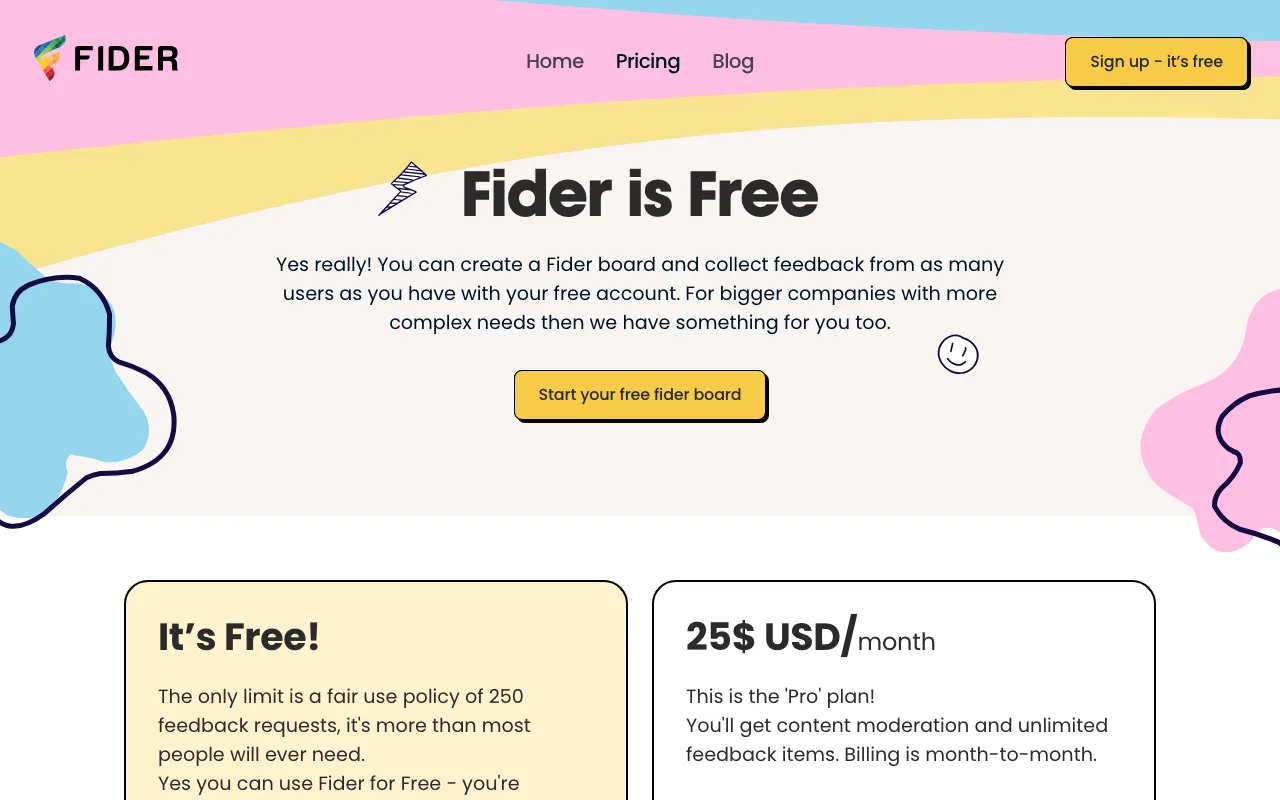
If you do not want to run Postgres and SMTP, the hosted service at fider.io has two plans.
| Plan | Price | Limits and additions |
|---|---|---|
| Free | $0 | Fair-use cap of 250 feedback items; unlimited customers, voting and members; customization, multiple languages, integrations |
| Pro | $25 a month, billed month to month | Unlimited feedback items; content moderation and SEO indexing on top of the Free features |
The pricing page shows no yearly price, no free trial and no per-seat charge, and says there is no long-term contract and you can cancel at any time. It also says no card is needed to start. We could not tell whether $25 is flat or scales with anything, because the page does not say. The company behind it is Northern App Labs Ltd.
One wording quirk: the page calls the cap "250 feedback requests" in one place and "250 feedback items" in its FAQ. We treat them as the same limit.
What the hosted Free plan leaves out
- Content moderation.
- SEO indexing of your public board.
- More than 250 feedback items under the fair-use rule.
What self-hosting leaves out
- Someone else running it. You handle updates, backups, uptime, certificates and email deliverability.
- Support beyond the docs, the GitHub issues and the community.
- Clarity on Pro features. We did not find a statement on whether hosted Pro extras such as moderation exist in the self-hosted build, so check before you commit.
Worked examples
All figures use prices from the pages above. Server costs are left out because none of our sources give them.
A two-person startup collecting early requests. Self-hosted Fider costs $0 in licence fees. The hosted Free plan also costs $0 until you pass about 250 items. If you only expect a few dozen requests in the first year, the hosted Free plan removes the Docker and Postgres work and costs the same.
A team that has outgrown 250 items. Hosted Pro at $25 a month is $300 a year. Compare that with the entry paid plans of two rivals:
- Canny Pro: from $79 a month billed yearly, or $948 for the year. That is $648 more than Fider Pro.
- Featurebase Growth: $29 per seat a month billed yearly. A team with 5 seats pays $145 a month, or $1,740 a year, which is $1,440 more than Fider Pro. Billed monthly it is $37 a seat, so $185 a month for 5 seats.
These are not like-for-like products. Featurebase also covers help articles, surveys and a live chat inbox, and Canny prices by tracked users. The gap reflects what each tool includes as well as price.
A team that self-hosts anyway. Say you already run Postgres and a container host. Adding Fider adds one container and one database. Your cost is a share of that infrastructure plus an email provider, and your gain over hosted Pro is no 250-item cap and no monthly fee. Your loss is the time you spend on upgrades.
Who Fider is for
- Teams that already run Docker and Postgres and want customer feedback on their own domain with data in their own database.
- Open-source projects and developer tools whose users are comfortable voting on a GitHub-style board.
- Agencies that want one install serving several client boards through multi-tenant mode.
- Companies that need customer data to stay inside their own infrastructure.
- Small teams that want a simple board and are happy to start on the hosted Free plan, then decide later.
Who should skip Fider
- Teams without anyone to maintain a server. Upgrades, backups and email problems fall on you, and a bad
BASE_URLbreaks every emailed link. - Companies that need SAML SSO, SCIM, an audit log or a security attestation. We found none in Fider's docs.
- Anyone who wants feedback tied to help articles, surveys or a support inbox. Featurebase covers those; Fider is a focused board.
- Teams that need a product roadmap, changelog and CRM integrations from one vendor. Look at the alternatives below.
- People who cannot accept pre-1.0 software. Fider's latest tag is v0.39.0.
Compared with Canny and Featurebase
| Tool | Free plan | Entry paid price | Pricing basis | Hosting |
|---|---|---|---|---|
| Fider | Hosted Free, 250 items; or self-hosted at $0 | $25 a month, month to month | Single price shown | Hosted or self-hosted |
| Canny | 25 tracked users, unlimited feedback | From $79 a month, billed yearly | Tracked users | Hosted |
| Featurebase | 1 seat, 1 board, 1 roadmap | $29 per seat a month billed yearly | Seats | Hosted |
Canny's pricing page says a tracked user is anyone who has given feedback. It auto-upgrades you to the next tier if you pass the limit unless you set a spend limit. Among these three rows, Fider has the lowest entry paid price shown and is the one you can self-host. We did not check other tools such as Nolt, whose pricing page blocked our automated fetch.
Tips for your first weeks on Fider
- Decide your public URL first and set
BASE_URLto it. Fider's FAQ lists a wrong value as the reason links in emails point to the wrong address. - Test email with MailHog before going live. The docs give a Compose snippet for it.
- Choose blob storage (
sql,fsors3) before users upload images. - Pin an image version for production instead of
stableif you do not want surprise upgrades. - Back up Postgres before each upgrade. Migrations run automatically.
- Turn on
SIGNUP_DISABLEDafter setup so no one else can create a board on your install. - If you want invite-only boards, v0.39.0 added a Privacy setting that stops visitors creating their own accounts.
- Point
LOG_LEVELand Prometheus metrics at your monitoring if the board becomes customer-facing.
Claiming the Fider offer, step by step
- Go to fider.io. For the hosted route, click Sign up and start a free board. No card is required.
- For the self-hosted route, open the docs at docs.fider.io and follow the Hosting on Docker guide, or pull the code from github.com/getfider/fider.
- Create the Compose file with PostgreSQL, set the four required variables, and pick an email provider.
- Run
docker compose pullthendocker compose up -d, and open yourBASE_URL. Complete the install form; a confirmation email arrives only if your mail settings are right. - Add your first few ideas to the board, then share the link with customers.
There is no code to enter and no SaaSOffers link in this listing.
What we could not confirm
We could not verify the hosting cost of a typical self-hosted install, whether the hosted Pro price changes with usage, or the exact feature list of the Pro plan beyond moderation and SEO indexing. The pricing page says Pro has "a few more features," and we only list what it names.
Who Is This Deal For?
Early-Stage Startups
Seed and pre-seed companies looking to move fast without overspending on tools.
Growing SaaS Teams
Series A+ companies scaling their stack and optimizing software costs.
Solo Founders
Indie hackers and bootstrapped founders who need enterprise tools at startup prices.
Get Free Self-Hosted off Fider
Premium deal. Upgrade once, unlock everything.
How to get the Fider deal
- The offer: Free Self-Hosted.
- Create a free SaaSOffers account, then upgrade to Premium ($79 a year, or $250 once for lifetime access). Premium unlocks every Premium deal on the site.
- Open the Fider claim page from this deal. It shows the partner link, any promo code and the exact steps Fider asks for.
- Apply or sign up through that link before you pay Fider directly, since most startup offers only apply to new accounts.
Frequently Asked Questions
Everything you need to know about this startup deal.
Get the weekly deals digest
New verified startup deals every week. No spam, ever. Unsubscribe anytime.
Related Offers

Retool
Used by 1,559 members
1 year free, up to $60K
Build internal tools 10x faster with the low-code platform used by companies like Amazon, DoorDash, and Mercedes-Benz.
View offer
Replicate
Used by 1,772 members
$500 in credits
Run open-source ML models in the cloud, deploy Llama, Stable Diffusion, and custom models via API without GPU management.
View offer
ZoomInfo
Used by 2,014 members
Free Trial
B2B data platform for sales and marketing intelligence with contact databases.
View offer
Chore
15% off your first month
Chore runs your startup's back office for you: payroll, HR, bookkeeping, compliance and equity, inside the tools you already use. 15% off your first month through SaaSOffers.
View offerDeal Summary
Looking for more startup deals?
Browse all offers