
Grain Promo Code: 6 months of Grain Business free
AI-powered meeting recording with highlights, notes, and CRM integration.
Premium deal
Already have an account? Log in
Deal Highlights
Our Grain listing: 6 months of Grain Business free
Offer: 6 months of Grain Business free, for up to 50 seats. Requirements: under $10M raised, fewer than 50 employees, backed by a Grain partner VC or accelerator, and new to Grain. There is no promo code. This is a Premium deal: upgrade to SaaSOffers Premium, open the claim link, and then apply through Grain's startup form.
We checked these plans and prices against Grain's official pricing, startup and help pages in November 2026.
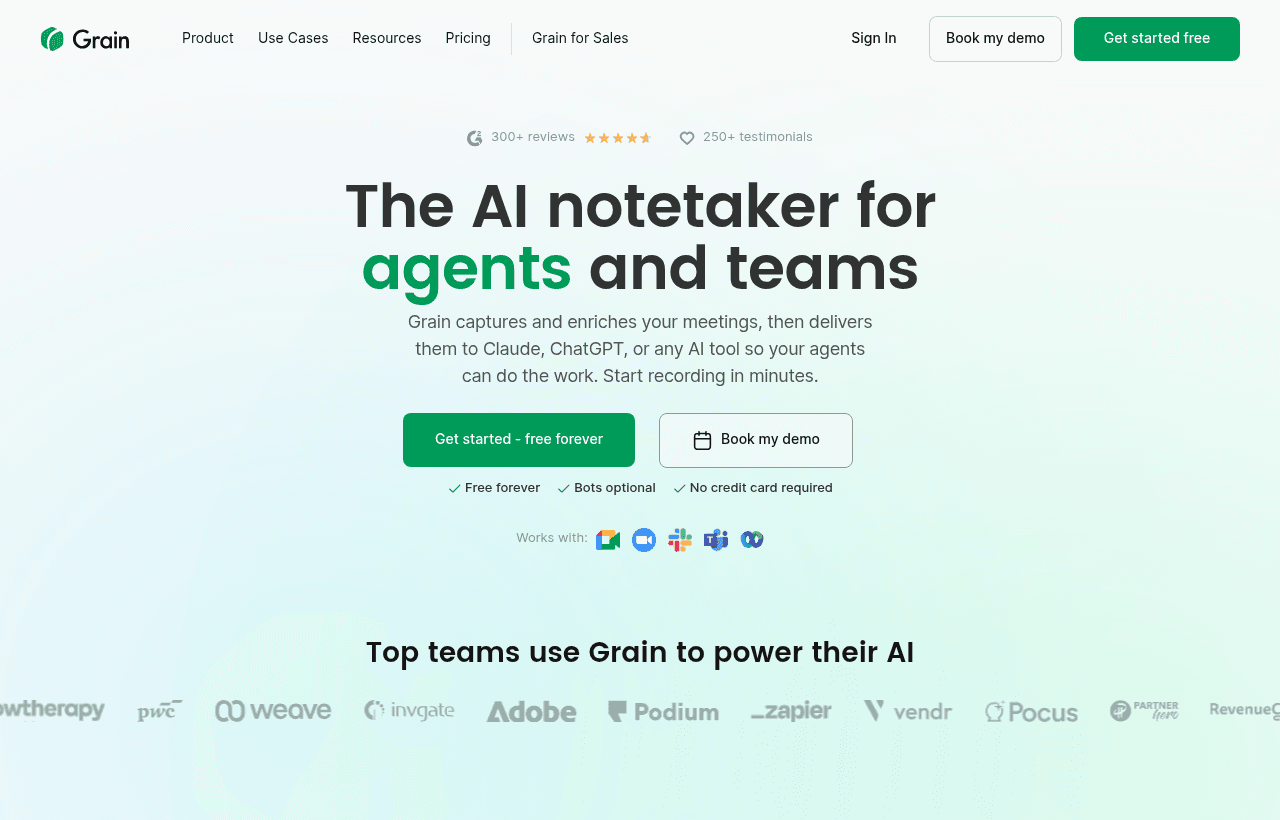
Grain records video calls, transcribes them and writes AI notes, next steps and recaps. It works with Zoom, Google Meet, Microsoft Teams, Webex and Slack huddles, and it does not need a bot to join the call. Grain says it is built for every team, not just sales, and its integrations page lists HubSpot, Salesforce, Aircall, Slack, Productboard and Zapier.
The deal is Grain's own startup program. The page at grain.com/startups says "Grain FREE for 6 months for your whole team" and lists the Business plan as the one you get. Its FAQ says the Business plan comes with unlimited meetings, transcriptions, free viewer seats, integrations and advanced APIs. The program covers up to 50 paid seats. Grain's own page is not consistent about the price, which we explain in the next section.
What Grain's startup page says, and where it disagrees with itself
Grain's startup page gives the offer in three different ways.
- The headline says "Apply now to get Grain FREE for 6 months for your whole team."
- The Benefits box says "Get a Starter or Business plan for 6 months at a 50% discount."
- The FAQ says you get "our Business plan for free for 6 months," and then values the offer at "up to 50 paid seats for 6 months, at 50% discount (worth $5.8k)."
Those cannot all be true at once. Free and 50% off are different prices, and the $5.8k figure does not match either. The math from Grain's own numbers works out like this:
- Business at $29 per seat per month, 50 seats, 6 months, at list price: 50 x $29 x 6 = $8,700.
- The same seats at 50% off: $4,350.
- The same seats free: $0, with $8,700 of list value.
Our listing says the six months are free, and the headline and the "what's included" answer agree. Grain's "50% discount" lines and its $5.8k figure point the other way. Treat the discount as unconfirmed until Grain's reply to your application states the price. If you get approved, ask Grain to confirm in writing whether the 6 months cost nothing.
Who qualifies for the program
Grain lists four criteria:
- Raised under $10M in venture funding.
- Under 50 employees.
- Affiliated with Grain's Partnership Network.
- A new Grain customer.
Our listing reads these as all required, and so should you. Grain's page does not say whether network affiliation is a hard requirement or just one way in, so do not assume an exception exists.
The Partnership Network is a list of investors and accelerators. Grain's venture partners are Tiger Global, Unusual Ventures, Peterson Ventures, Founder Collective, Slack Fund, Zoom Apps Fund, Freestyle VC, Acrew Capital, Kickstart Seed Fund and TenEleven. The accelerators are YC, TechStars and 500 Start-ups. If your investor is not on that list, Grain says investors can ask to become a partner by writing to help@grain.com.
Existing customers are out. Grain's FAQ says "We are currently not onboarding existing customers" and points them to the sales team for discounts instead. If anyone on your team has already opened a Grain workspace that you plan to keep, read that line carefully before you apply. A new workspace, created for the application, is the clean route.
How the application works on Grain's side
Grain's FAQ describes a short process. You submit the application form with your email address and your Grain workspace name. If you qualify, Grain onboards the entire team to your workspace and applies the offer. The page gives no review time and no start date for the six months, so ask when the period begins and ends when Grain replies, and write down both dates.
The page does not say what happens when month six ends. Grain's pricing FAQ says billing starts when you first subscribe to a paid plan, and that you can pay monthly or annually. Put a reminder in your calendar a few weeks before the end date, and decide then whether to keep Business, move to a cheaper plan or drop to Free.
Grain's plans and what they cost
Grain's pricing page headline reads "Free forever for individuals. Upgrade to Pro for longer meetings and full history, or to Business for shared workspace meeting memory in Claude, ChatGPT, and Grain." Enterprise sits above Business.
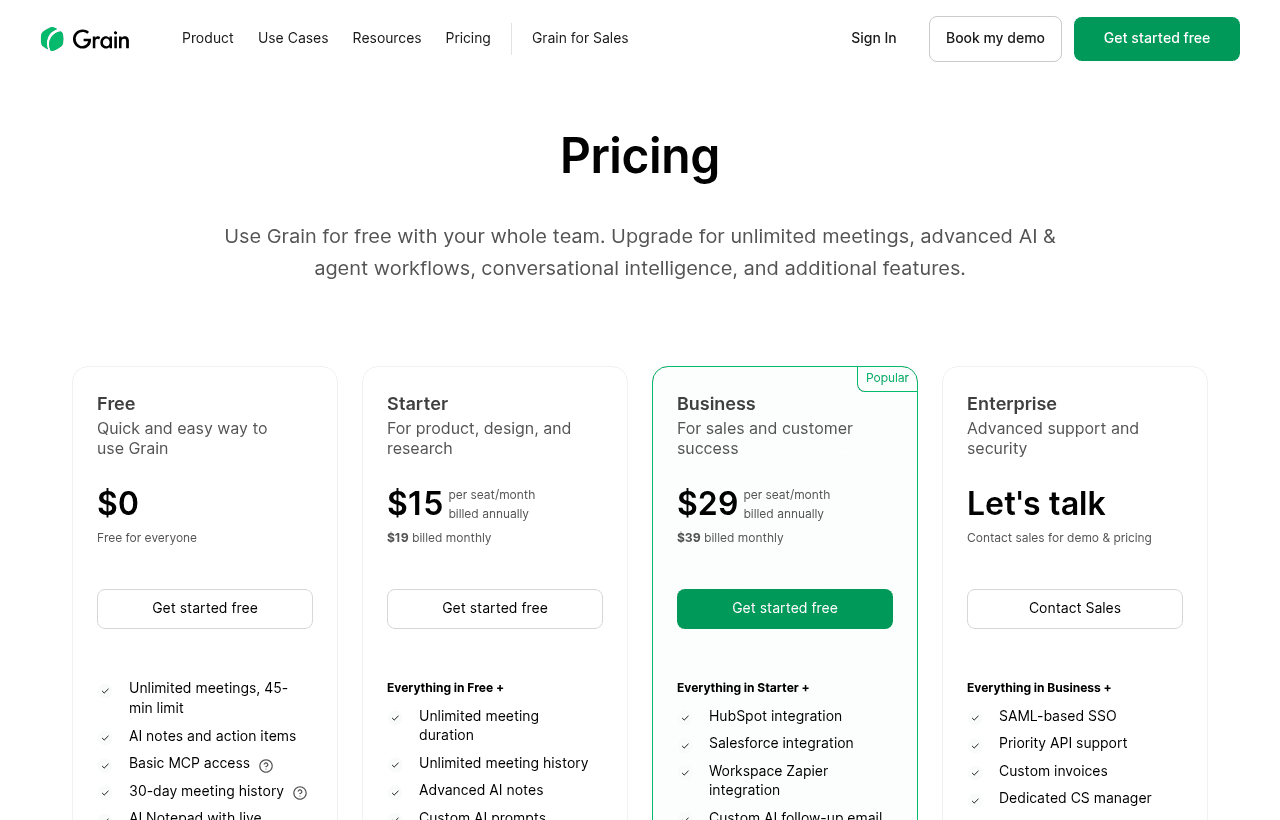
The pricing page text we could read shows the following. Grain's page loads its plan cards with a script, so several prices are not in the text we fetched, and we mark what we could not confirm.
| Plan | Price per seat per month | Key limits |
|---|---|---|
| Free | $0, billed annually | 20 meetings; free forever for individuals |
| Pro | Not confirmed from the text | Longer meetings, full history, custom AI prompts and note templates |
| Business | $29 (stated on the startup page) | Unlimited meetings; at least 2 paid seats; AI coaching, custom follow-up emails, team interaction insights |
| Enterprise | Not listed | All seats must be on Enterprise; SAML for enterprise clients |
The pricing page also shows a paid card at $19 per seat per month. The text around it is ambiguous, so we do not attach that figure to a plan name. Check the live page for the current Pro and Business prices, and whether they are monthly or annual.
The pricing page also shows these points:
- A 14-day free trial.
- A 30-day money-back guarantee on paid plans. If a plan does not work for you in the first 30 days, you can contact support for a full refund.
- You can switch plans at any time without canceling first.
- Grain says it does not require annual contracts. You can pay monthly or annually.
- Billing is pro-rated when you upgrade seats or plans mid-cycle, and downgrades take effect at the next billing cycle.
Paid seats, free viewer seats and the two-seat minimum
Grain splits a workspace into Paid seats and Free viewer seats. This matters for the program math, because only people who record need to be on a Paid seat.
- Paid seats can record, upload and import meetings. They get every feature the plan includes.
- Free viewer seats can view and collaborate on meetings shared with them and read AI meeting notes. They cannot record, upload or import.
- Free viewer seats are unlimited on Business and Enterprise.
- Business and Enterprise need at least two Paid seats.
- New members default to Free viewer seats unless you assign a Paid seat while inviting them.
- When you move someone from a Paid seat to a Free seat, the Paid seat stays until the billing period ends and you can reassign it to someone else.
The program covers up to 50 paid seats. Most startups with fewer than 50 employees will not need that many. A 12-person company where 4 people take customer calls needs 4 Paid seats and 8 Free viewer seats. The 8 viewers see the notes and share links without costing a seat.
Worked math: what the six months are worth
All three examples use the $29 per seat per month Business price Grain states on its startup page. If Grain's live pricing page shows a different Business price when you apply, redo the sums with that number. These are list values. They show what you avoid paying if the free six months applies. If Grain applies the 50% discount version instead, halve each result.
Example 1: a 3-seat sales and founder team. 3 Paid seats x $29 x 6 months = $522 at list price. With a 50% discount it would be $261.
Example 2: a 10-seat team that records everything. 10 Paid seats x $29 x 6 months = $1,740 at list price. With a 50% discount it would be $870.
Example 3: a 50-seat company at the program's cap. 50 x $29 x 6 = $8,700 at list price. The 50% version is $4,350. Grain's own $5.8k figure does not match either number.
After the six months. If you keep 5 Paid seats on Business at $29, that is 5 x $29 = $145 a month, or $1,740 over a year, assuming the price stays the same and is billed monthly. If you stay on the Free plan, you get 20 meetings and nothing else we could confirm from Grain's page. Decide which of those two you want before the end date.
What the Free plan leaves out
The reason to take the program, rather than staying on Free, is the gap between the plans. From Grain's pricing page and FAQ:
- Free is capped at 20 meetings. Business has unlimited meetings.
- Pro and above add custom AI prompts and custom note templates. Free does not list these.
- Business and above add AI coaching, custom AI follow-up emails and team interaction insights.
- Workspaces, with Teams and shared auto-record rules, are Business and Enterprise features.
- The startup page lists integrations and advanced APIs under Business.
- Free is described as a plan for individuals. It is not built for a shared team workspace.
Every plan, Free included, gets AI meeting notes, next steps and automatic recaps with no bot required, plus the option to ask Grain's AI questions about your recordings. Admins can add company context so the AI gets names and jargon right.
Security and privacy
Grain publishes a clear security position, which helps if your customers send you security questionnaires.
- SOC 2 Type II certified. The report is available through Grain's Trust Center.
- Hosted on Amazon Web Services in the USA, inside Grain's own virtual private cloud.
- Customer data, including recordings and transcripts, is encrypted at rest and in transit.
- Third-party penetration testing at least once a year.
- An A+ grade from Qualys SSL Labs.
- Sign-in with Google, Microsoft or SSO. SSO enforcement is an Enterprise feature.
- Grain states that it never trains AI with your meeting data on any plan.
If you record calls with people in the EU or UK, the hosting is in the USA only. Check that against your own data rules before you roll it out.
Who should take this deal
This fits a seed or Series A team with a backer on Grain's partner list and a habit of talking to customers. Concretely:
- A founder-led sales team with 2 to 6 people on calls, who want notes pushed to HubSpot or Salesforce without typing them.
- A product team running customer interviews who want searchable transcripts and clips instead of a shared folder of recordings.
- A customer success team that wants every call logged, and viewers on free seats for everyone else.
- Agencies and consultants who bill for call time and need a record of what a client said.
Who Grain is not for
- Teams without a backer on the partner list. The program is built around that affiliation.
- Anyone who already has a Grain workspace. Grain is not onboarding existing customers.
- Teams that need recording on a single call a week. The Free plan's 20 meetings may be enough, and you avoid the application.
- Companies with 50 or more employees or over $10M raised.
- Teams with strict non-US data hosting needs.
- Teams that do not want to record calls at all. Tell participants you record, and follow local consent rules.
How Grain compares with three alternatives
| Tool | What it is | What we confirmed |
|---|---|---|
| Grain | Meeting recording and AI notes for any team | Free plan with 20 meetings; startup program with Business for 6 months |
| tl;dv | Meeting recorder with a free plan | Free plan with unlimited recordings and transcripts, AI notes on the first 10 meetings |
| Gong | Revenue intelligence for sales teams | No free plan, no published prices, custom proposal only |
| Loom | Screen and camera video messages | Records your screen, not your meetings; free Starter plan |
Grain sits between tl;dv and Gong. tl;dv is the closer match if you want a free plan with no application. Gong is aimed at sales teams that run a revenue process and want deal tracking. Loom solves a different problem: asynchronous video you record yourself, not live meetings. Grain's pricing page names Gong, Clari and Jiminny as its comparison set, which tells you where Grain thinks it competes.
Steps to get the Grain deal
- Upgrade to SaaSOffers Premium, then open this deal's claim link on SaaSOffers.
- Check you meet all four criteria on Grain's startup page: under $10M raised, under 50 employees, a Grain partner investor or accelerator, and no existing Grain account.
- Create a new Grain workspace if you do not have one, and note its exact name.
- Fill in Grain's application form with your email address and the workspace name.
- Wait for Grain to confirm. If you qualify, Grain onboards the whole team to your workspace and applies the offer.
- Ask Grain for the exact start and end dates of the six months and whether any charge applies.
- Connect your calendar, set auto-record rules for external meetings and invite your team. Assign Paid seats only to people who record.
Who Is This Deal For?
Early-Stage Startups
Seed and pre-seed companies looking to move fast without overspending on tools.
Growing SaaS Teams
Series A+ companies scaling their stack and optimizing software costs.
Solo Founders
Indie hackers and bootstrapped founders who need enterprise tools at startup prices.
Get 6 months of Grain Business free off Grain
Premium deal. Upgrade once, unlock everything.
!Eligibility Requirements
Under $10M raised, fewer than 50 employees, backed by a Grain partner VC or accelerator, and new to Grain. Covers up to 50 seats.
How to get the Grain deal
- The offer: 6 months of Grain Business free, for under $10M raised, fewer than 50 employees, backed by a Grain partner VC or accelerator, and new to Grain. Covers up to 50 seats.
- Create a free SaaSOffers account, then upgrade to Premium ($79 a year, or $250 once for lifetime access). Premium unlocks every Premium deal on the site.
- Open the Grain claim page from this deal. It shows the partner link, any promo code and the exact steps Grain asks for.
- Apply or sign up through that link before you pay Grain directly, since most startup offers only apply to new accounts.
Frequently Asked Questions
Everything you need to know about this startup deal.
Get the weekly deals digest
New verified startup deals every week. No spam, ever. Unsubscribe anytime.
Related Offers

Retool
Used by 1,559 members
1 year free, up to $60K
Build internal tools 10x faster with the low-code platform used by companies like Amazon, DoorDash, and Mercedes-Benz.
View offer
Replicate
Used by 1,772 members
$500 in credits
Run open-source ML models in the cloud, deploy Llama, Stable Diffusion, and custom models via API without GPU management.
View offer
ZoomInfo
Used by 2,014 members
Free Trial
B2B data platform for sales and marketing intelligence with contact databases.
View offer
Chore
15% off your first month
Chore runs your startup's back office for you: payroll, HR, bookkeeping, compliance and equity, inside the tools you already use. 15% off your first month through SaaSOffers.
View offerDeal Summary
Looking for more startup deals?
Browse all offers