
Loom Promo Code: 6 months free Business
Record and share video messages to replace meetings, free Business plan for startup teams.
Premium deal
Already have an account? Log in
Deal Highlights
Loom: 6 months free Business, but the vendor's own startup program is bigger
Offer: 6 months free Business. Requirements in our listing: Early-stage startup, new Loom workspace. There is no promo code. The link in our listing goes to Atlassian's Loom page at atlassian.com/software/loom, because Atlassian now owns and sells Loom.
We checked these plans and prices against Loom's and Atlassian's official pricing and help pages in November 2026.
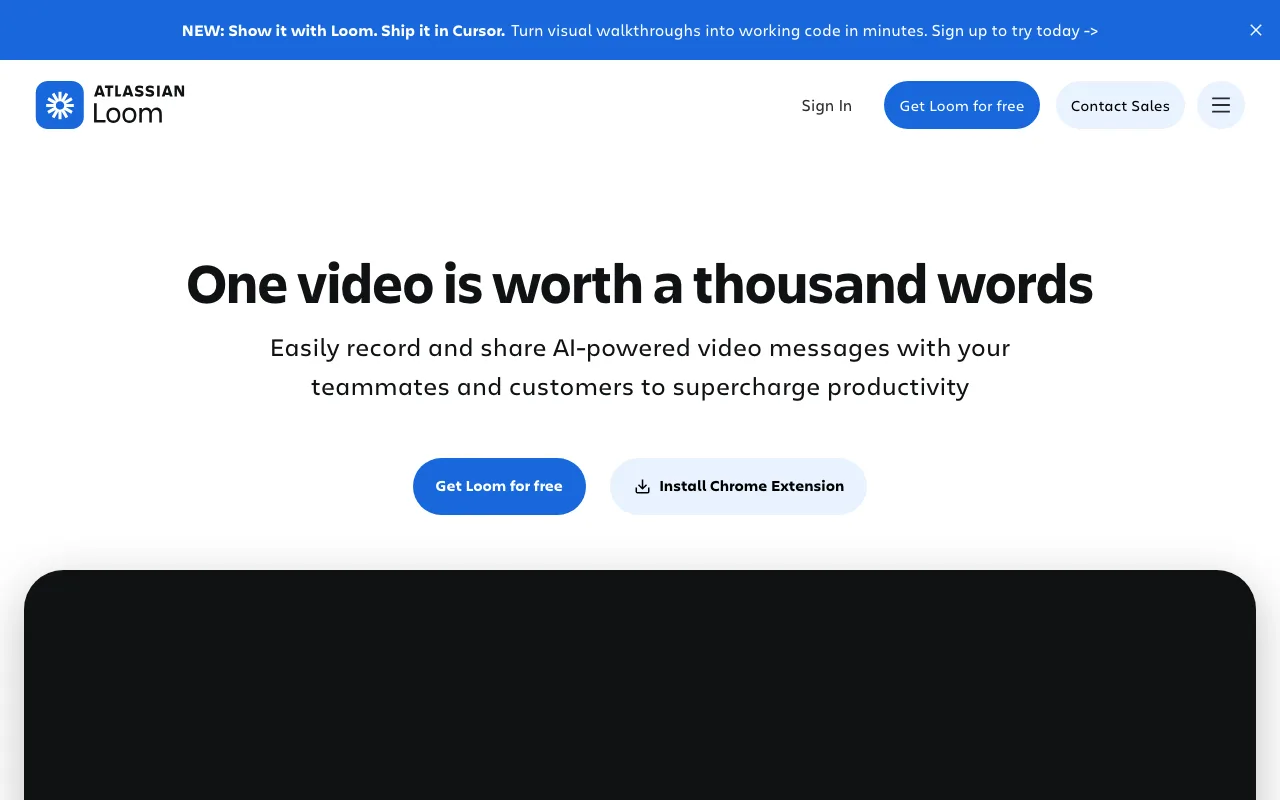
Loom records your screen, camera and voice and gives you a share link. Atlassian owns it, and Loom's help center says an account counts as integrated with Atlassian if you signed up after February 2026 or if a legacy account has been migrated. A workspace you open today is therefore an Atlassian-integrated one.
Loom's pricing pages show no six-month Business offer. The six months are our listing's term, so confirm them when you redeem, and treat every "free" figure below as "if it applies". Atlassian also runs a public program called Atlassian for Startups that lists Loom Business + AI for up to 50 seats at $0 for 12 months. That is a longer period and a higher plan than our listing, so check it first if you can qualify.
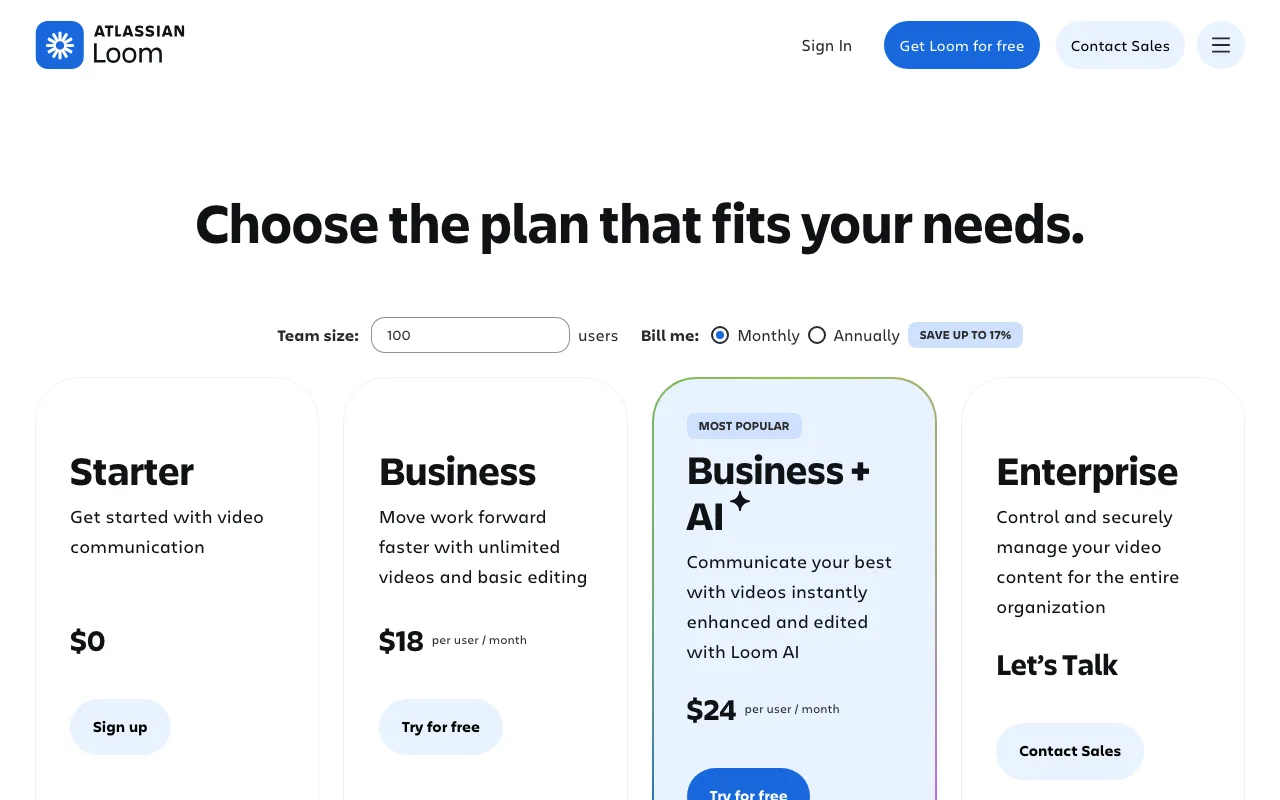
Loom's prices: $0, $18, $24 and custom
Loom sells four plans. The pricing pages show a Monthly and Annually toggle with "SAVE UP TO 17%". $18 and $24 are monthly rates. Paid annually, they are $180 and $240 per user per year ($15 and $20 a month).
| Plan | Monthly price per user | Billed annually | Videos | Recording length | Notable features | |---|---|---|---|---| | Starter | $0 | $0 | 25 | 5 minutes per video | 720p, transcription in 50+ languages, comments and emoji reactions | | Business | $18 | $180 per year ($15 a month) | Unlimited | Unlimited | Up to 4K, remove Loom branding, upload and download, basic waveform editing, custom recording dimensions, priority support | | Business + AI | $24 | $240 per year ($20 a month) | Unlimited | Unlimited | Everything in Business, plus meeting notes and recaps, auto titles, summaries and chapters, filler word and silence removal, record for agents, admin insights | | Enterprise | Contact sales | Annual only | Unlimited | Unlimited | SSO, SCIM, Salesforce integration, 99.95% uptime SLA, dedicated account manager |
The Loom Billing FAQ says monthly plans charge you the following month based on your exact user count. Annual plans charge the tier that most closely matches your user count, and you can pay by credit card, bank transfer or check. Annual subscriptions can be refunded within 30 days of payment.
Creators pay, Creator Lite is free
Loom prices by Creator. The Business plan FAQ says "Creator Lite accounts are always free" and that a Business workspace can hold up to 50 of them. When an admin invites someone, they choose Creator or Creator Lite. Pricing is based on the number of Creators.
Loom's pages do not define Creator Lite in one sentence. The Starter FAQ names the account type without describing it, so check in the admin screen what a Lite member can do before you assign seats. The practical idea is that people who mostly watch and comment cost nothing, and people who record are the ones you pay for. For a 10-person startup where 3 people record walkthroughs and 7 watch, the paid seat count could be 3 rather than 10.
The Starter plan stops you at 25 videos
The free plan is real and useful for a trial run, but the limits are tight.
- 25 videos and screenshots in total, and archived videos count toward it.
- 5-minute recording limit.
- Up to 720p quality.
- Meeting recording length is listed as unlimited.
- Up to 50 Creator Lite members, though the Starter FAQ also says accounts integrated with Atlassian are limited to 10 users on the free plan.
When you hit 25, nothing is deleted. The Starter FAQ says "we won't delete them - you just won't be able to record more." To record again you upgrade to Business or delete older videos. Starter lacks Loom AI and the option to remove Loom branding.
Business removes these ceilings. The Business plan FAQ also lists up to 3 customizable spaces per workspace, a drawing tool and mouse emphasis, trim and stitch, custom branding, calls to action, engagement insights and video downloads. That FAQ gives a recording length of up to 6 hours on Business, while the pricing page says unlimited, so treat 6 hours as the figure from the help article.
Trial: 14 days of Business + AI without a card
Every new workspace can try Business + AI free for 14 days. The trial FAQ says you are not billed during the trial. If you add no payment method and the workspace has 10 or fewer users, it moves to Starter automatically. If you have more than 10 users and no payment method, you must cut the workspace to 10 or fewer, or the account is deactivated after a 14-day grace period.
That is the baseline any team gets for free. Our listing's six months only matter if they beat 14 days by enough to change how you work, and they can, because a habit of recording updates needs weeks to form.
Worked math: what six months of Business is worth
All figures use the $18 per Creator list price and assume our six free months apply. Confirm the final invoice before you rely on them.
Five-person team, everyone a Creator. 5 seats x $18 x 6 months = $540 at list price. On Business + AI the same team would pay 5 x $24 x 6 = $720.
Ten-person team, three Creators. 3 x $18 x 6 = $324. Seven Creator Lite members are free. If all ten recorded, it would be 10 x $18 x 6 = $1,080.
After the six months. A 5-Creator team on Business pays 5 x $18 = $90 a month, which is $1,080 a year paid monthly, or $900 on annual billing (5 x $180). Business + AI for the same team is 5 x $24 = $120 a month, or $1,200 a year on annual billing (5 x $240).
Atlassian for Startups: 12 months of Loom Business + AI
Atlassian's own startup page lists Loom Business + AI as a screen recording tool with advanced video editing, up to 50 seats. Accepted startups get the included Atlassian Cloud products for $0 for 12 months. The same bundle lists Jira Premium, Confluence Premium and Bitbucket Premium for up to 50 seats each, Jira Service Management for up to 10 seats and Jira Product Discovery Premium with up to 10 creator seats.
Eligibility, from the program FAQ, requires all of the following.
- Your company is not an existing Atlassian paid customer.
- The company is VC funded or associated with a partner accelerator or incubator.
- You have not raised more than US$10 million in external funding.
Atlassian may ask for proof of funding such as a Crunchbase or PitchBook profile. Each startup can enroll for one 12-month period. Before the period ends you can renew or cancel each product. If you grow past 50 users you move to a paid version of the app. The Atlassian Marketplace apps are not included.
At list price, 5 seats of Business + AI for 12 months is 5 x $24 x 12 = $1,440. That is twice the length and the higher plan compared with six months of Business, so a funded or accelerator-backed team should apply there first. A bootstrapped team with no accelerator is outside the criteria on that page, which is where our listing's "early-stage startup" wording may be the easier route.
Annual billing and seat changes
Annual plans are billed for the tier that most closely matches your user count, and you can pay by credit card, bank transfer or check. Annual subscriptions can be refunded within 30 days of payment. Monthly plans charge the following month based on your exact user count. On Business, the annual rate of $180 per Creator saves $36 a year against $216 paid monthly, which is the 17% the pricing page mentions. On Business + AI, $240 a year against $288 saves $48. Enterprise is sold only as an annual subscription.
Program terms to read before applying
Atlassian says every application is reviewed for accuracy and eligibility. The program is ongoing, so there is no application deadline on the page. Atlassian says the list of included products may change over time, and the Cloud products supplied count as "Free or Beta Products" under Section 17 of the Atlassian Customer Agreement. Usage-based pricing can apply in certain situations. Atlassian also runs a Startups group in its Community and gives program members access to a customer success team during the 12 months.
Who Loom suits
- Founder-led sales. A 90-second recorded walkthrough of a prospect's own site fits in an email, and Business adds engagement insights so you see who watched.
- Remote engineering teams. Showing a bug on screen saves a long message thread. Loom's help center covers embedding videos in Confluence pages and a beta feature that turns a video into a Confluence document.
- Customer support and onboarding. Password protection and sharing with specific people are documented in the help center, which helps when a recording shows customer data.
- Teams on Atlassian tools. Loom now sits in Atlassian's Teamwork Collection beside Jira and Confluence.
When Loom is the wrong pick
- A team that records fewer than 25 short videos in total can stay on Starter at $0 and never need Business.
- A team that needs a video editor for polished content will find Loom's editing basic. Business has waveform editing, and the stronger tools sit in Business + AI.
- A company of more than 10 people that wants to stay free should read the 10-user note for Atlassian-integrated Starter accounts first.
- A team that already pays for a meeting suite with clip recording may not need a second tool.
Loom next to Zoom and Descript
| Tool | Where it fits | Our deal |
|---|---|---|
| Loom | Quick screen and camera messages, async updates, share link with insights | 6 months free Business, if it applies |
| Zoom | Live meetings first | $20 off per user |
| Descript | Editing a recording like a text document, podcasts and long-form video | 6 months free Pro |
Pick Loom when the goal is a short message to one or a few people. Pick Zoom when the group needs to talk live and the recording is a by-product. Pick Descript when the finished video needs real editing.
Security and admin
The help center points to a downloadable Loom SOC 2 report, a GDPR compliance article, a HIPAA question page and a data residency article. Enterprise adds SSO, SCIM and a 99.95% uptime SLA, and the Enterprise FAQ covers advanced privacy controls. Business workspaces can set data retention rules and disable downloads for the workspace. We did not confirm which of these controls sit on Business and which need Enterprise, so ask the vendor before you rely on one for a compliance review.
Setup tips for a new workspace
- Create the workspace with the work email that will own billing, then decide which members are Creators and which are Creator Lite.
- Install the desktop app or the Chrome extension. The help center lists both, plus mobile apps for iOS and Android.
- Set a default recording quality. Business supports up to 4K, which makes bigger files.
- Make three spaces on day one, such as Product, Sales and Company, since Business allows up to 3 customizable spaces.
- Turn on a password for any video that shows customer data.
- Set a rule that updates under 3 minutes go in Loom and live calls are for decisions.
Claiming the Loom offer, step by step
- Open the link in our listing, which goes to Atlassian's Loom page.
- Create a new Loom workspace. The listing requires a new workspace for an early-stage startup.
- Pick the Business plan, or start the 14-day Business + AI trial if you want to test AI features first.
- Look for the six free months at checkout or ask Atlassian support to apply them. Loom's public pages do not describe this offer, so keep a screenshot of the terms shown.
- Note the end date. If you start on November 8, 2026, six months runs to May 8, 2027, and 12 months in the Atlassian program would run to November 8, 2027.
- Before the end date, review seat counts and move recorders to Creator and viewers to Creator Lite.
Who Is This Deal For?
Early-Stage Startups
Seed and pre-seed companies looking to move fast without overspending on tools.
Growing SaaS Teams
Series A+ companies scaling their stack and optimizing software costs.
Solo Founders
Indie hackers and bootstrapped founders who need enterprise tools at startup prices.
Get 6 months free Business off Loom
Premium deal. Upgrade once, unlock everything.
!Eligibility Requirements
Early-stage startup, new Loom workspace
How to get the Loom deal
- The offer: 6 months free Business, for early-stage startup, new Loom workspace.
- Create a free SaaSOffers account, then upgrade to Premium ($79 a year, or $250 once for lifetime access). Premium unlocks every Premium deal on the site.
- Open the Loom claim page from this deal. It shows the partner link, any promo code and the exact steps Loom asks for.
- Apply or sign up through that link before you pay Loom directly, since most startup offers only apply to new accounts.
Frequently Asked Questions
Everything you need to know about this startup deal.
Get the weekly deals digest
New verified startup deals every week. No spam, ever. Unsubscribe anytime.
Related Offers

Google Workspace
Used by 860 members
20% off first year
Get 20% off Google Workspace for 1 year. Gmail, Meet, Drive, Docs, Sheets, and Slides for your entire team under your company domain.
View offer
Slack
Used by 4,760 members
25% off first year
Get 25% off Slack Pro for your first year. The messaging platform that has replaced email for 750,000+ organizations worldwide.
View offer
Monday.com
Used by 3,110 members
30 days free
Get 30 days free on monday.com, the visual Work OS for project management, CRM, dev sprints, and team workflows.
View offer
Superhuman
Used by 1,937 members
1 year free Business (up to 5 seats)
Superhuman for Startups: 1 year free of the Business plan for up to 5 teammates. The fastest email client, with AI triage, shortcuts, split inbox and snooze.
View offer
Grammarly
Used by 1,637 members
6 months free Business
AI-powered writing assistant for your entire team, catch errors, improve clarity, and maintain brand voice across all communications.
View offer
Replicate
Used by 1,772 members
$500 in credits
Run open-source ML models in the cloud, deploy Llama, Stable Diffusion, and custom models via API without GPU management.
View offerDeal Summary
Looking for more startup deals?
Browse all offers