
Meilisearch Coupon: Free Cloud Plan
Lightning-fast open-source search engine with typo tolerance and filtering.
Premium deal
Already have an account? Log in
Deal Highlights
Our Meilisearch listing: a "Free Cloud Plan" that Meilisearch's pricing page does not show
Offer: Free Cloud Plan. Our listing sets no extra requirements and there is no promo code.
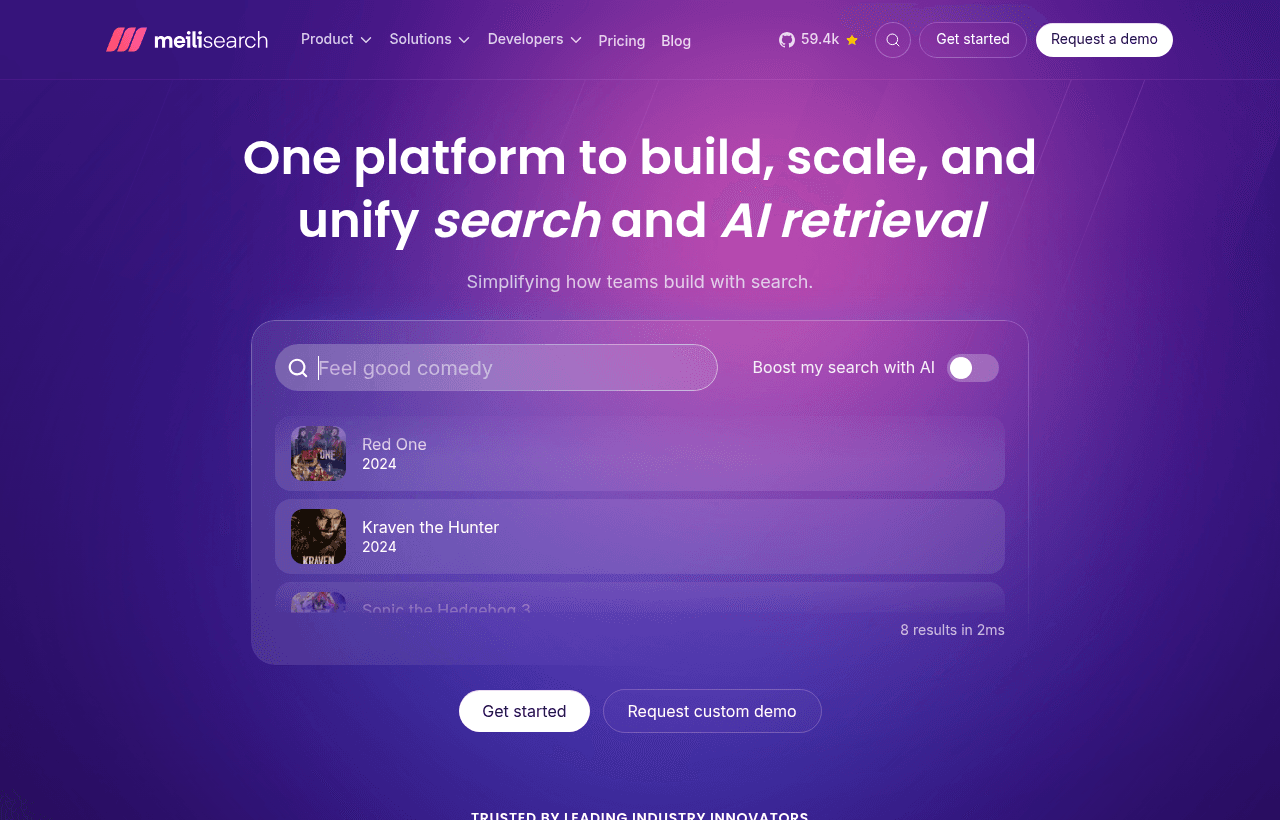
We checked these plans and prices against Meilisearch's official pricing and help pages in November 2026.
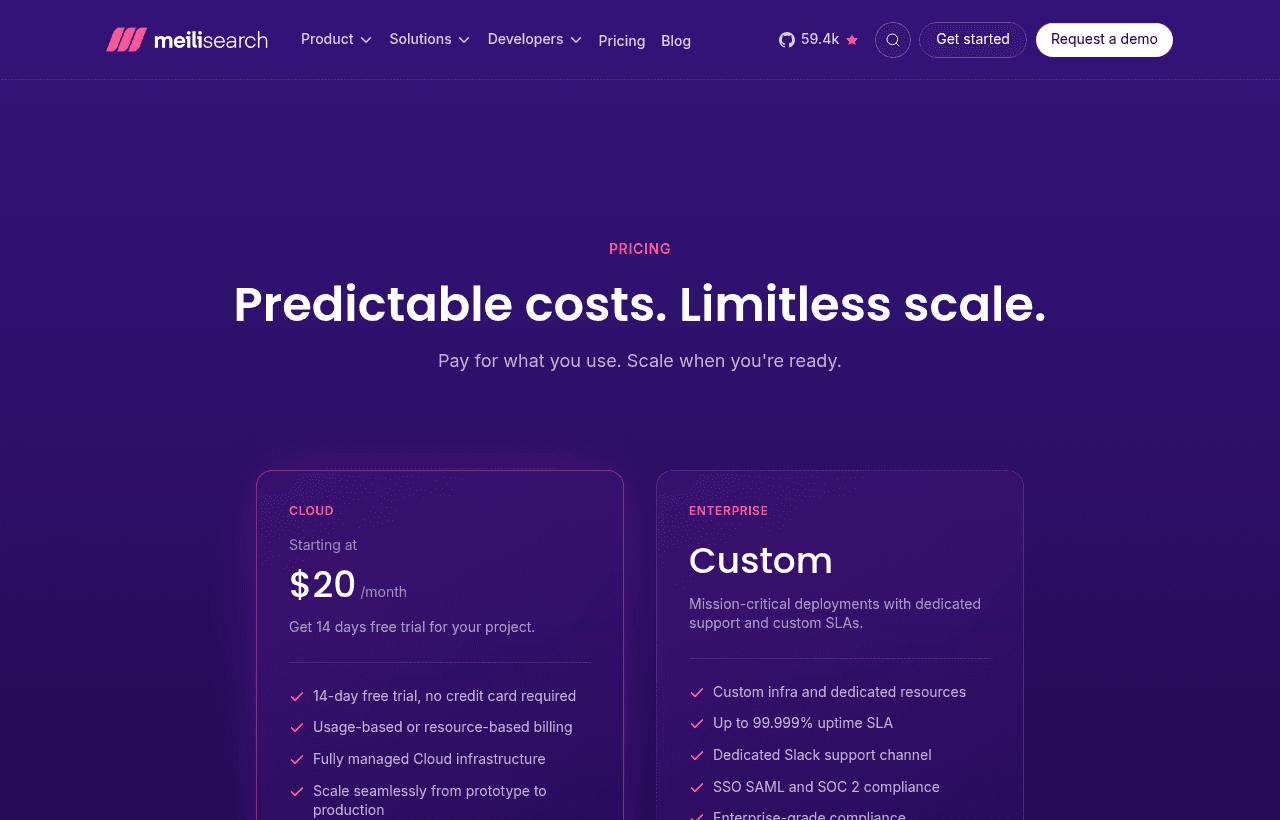
Here is the part you should know before signing up. The "Free Cloud Plan" is our listing's term. Meilisearch's pricing page, as of 8 November 2026, shows two plans: Cloud, "Starting at $20/month", and Enterprise, custom. Cloud comes with a 14-day free trial and no credit card is required. The page does not describe a permanent free cloud tier. What is free forever is the open-source engine, which you run on your own server under the MIT license.
So treat this listing as two real things: a 14-day Cloud trial, and a free self-hosted search engine. If a free Cloud tier applies to your account when you sign up, confirm it in the dashboard before you build on it.
Meilisearch is a search engine for apps and sites. You send it JSON documents, it indexes them, and your front end queries it as the user types. It handles typos, filters, facets, and vector and hybrid search.
What is free: the MIT engine, and a 14-day Cloud trial
Meilisearch's pricing FAQ answers the self-hosting question directly. The engine is open source under the MIT license, and you can deploy it on your own infrastructure "with no usage limits". The same FAQ says self-hosting is free and gives you full control, but you manage updates, backups and scaling yourself. Cloud removes that work.
The trial is the other free path. The pricing page says Cloud includes a 14-day free trial, and no credit card is needed to start. The page does not say what the trial's size limits are, and it does not say what happens on day 15. Ask support or read the trial screen in the dashboard before you load a large dataset.
Two ways to read the free options:
- Self-host if you have someone who can run a server, patch it and restore backups. The software costs $0. The server does not.
- Use the trial if you want to test relevance and speed on your real data before deciding between self-hosting and paying.
Cloud has two ways to pay: usage or resources
Meilisearch Cloud bills each project on its own. You pick one of two models for a project.
Usage-based: the Build plan
The self-serve usage plan is called Build. The billing docs list it like this:
| Item | Build |
|---|---|
| Base fee | $30 a month (the pricing page's estimator example for 100K documents and 50K searches) |
| Included searches | 50,000 a month |
| Extra searches | $0.40 per 1,000 |
| Included documents | 100,000 |
| Extra documents | $0.30 per 1,000 |
| Resources | Shared, scale automatically, you do not choose a tier |
The docs say the base fee is charged upfront at the start of each billing cycle. Extra searches and documents are charged at the end of the cycle, once the total is known. If you cancel before the month ends, the unused part of the base fee is prorated and returned as a credit.
The docs do not publish a yearly price or a yearly discount.
Resource-based: pay for the server
Resource-based projects are billed for the capacity you provision, however many searches you run. The bill has three parts:
- Compute (memory and vCPU): an hourly rate for the tier you select, prorated.
- Disk: 32 GB minimum, $0.165 per GiB.
- Bandwidth: $0.15 per GB.
The docs add that you can multiply the hourly rate by 730 for a full-month estimate. Prices vary slightly by region, and the Cloud UI shows the exact rate for the region you pick. The pricing page's own example is the XS instance (0.5 vCPU, 1 GB RAM) at $18 a month for the instance plus $5 for disk (32 GiB billed), which totals $23 a month. The "Starting at $20/month" headline on the Cloud card is lower than that example, and the page does not say which plan it refers to.
The server tiers
| Tier | vCPU | RAM | Docs say it suits |
|---|---|---|---|
| XS | 0.5 | 1 GB | Development and testing |
| S | 1 | 2 GB | Up to about 80K small documents |
| M | 2 | 4 GB | Up to about 80K medium or 160K small documents |
| L | 2 | 8 GB | Up to about 400K medium documents |
| XL | 4 | 16 GB | Up to about 800K medium or 300K AI documents |
| 2XL | 8 | 32 GB | Up to about 1.6M medium or 600K AI documents |
| 4XL | 16 | 64 GB | Up to about 3M medium or 1.2M AI documents |
Tiers 2XL and above are not self-serve. You contact sales to provision them. Tiers L and below share CPU resources, while XL and above get dedicated cores.
Sizing: RAM is the number to get right
Meilisearch keeps its indexes in memory, so the docs tell you to pick the smallest tier whose RAM exceeds your estimated index size, with headroom for cache and peaks. The docs give this formula: index size is roughly the number of documents times the average document size times 5. The 5 covers the inverted index, facet data and prefix structures.
Typical document sizes from the docs:
- Small, about 1 KB: SaaS records, simple product listings.
- Medium, about 3 KB: products with descriptions and around 10 filterable fields.
- Large, about 8 KB: articles and blog posts.
- AI, about 12 KB: any document with vector embeddings.
The docs' own examples: 100K medium documents come to about 1.4 GB, 500K medium to about 7 GB, 100K AI documents to about 5.7 GB, and 1M large documents to about 37 GB.
This is why the $23 XS example does not fit every project. By the formula, 100K small documents are about 0.5 GB, but the docs size S for up to about 80K small documents and keep XS for development and testing. 100K medium documents come to about 1.4 GB, which is over 1 GB, so you would start at S. The pricing page does not show S's price in its example, so check the estimator for your region.
For heavy traffic the docs say RAM is almost always the bottleneck, but sustained high query rates (hundreds of searches per second) call for more vCPUs.
Worked costs with the published numbers
All figures below are monthly. They use only prices stated on the pages we checked.
A small help-center search: 20,000 documents, 30,000 searches. On Build, both numbers sit inside the included 100K documents and 50K searches, so the bill is the $30 base. On resources, the docs label XS for development and testing and S for up to about 80K small documents, so a production project would start at S. The pricing page does not print S's price, so compare it with the $30 in the estimator.
A growing product catalog: 100,000 documents, 200,000 searches. Documents are inside the Build quota. Searches go 150,000 over: 150 x $0.40 = $60. Total: $30 + $60 = $90 a month. Resource-based would start at S (check its price in the estimator), and the docs say searches do not change the resource bill. The catch is the traffic: the docs suggest more vCPUs when query rates are sustained and high, so test it during the trial.
A larger index: 500,000 documents, 1,000,000 searches. On Build: extra searches 950 x $0.40 = $380, extra documents 400 x $0.30 = $120, total $30 + $380 + $120 = $530 a month, or $6,360 over twelve months. By the docs' formula, 500K medium documents are about 7 GB, which points to a tier with RAM above that. The pricing page does not print those tier prices, so run the estimator before deciding. At this size the resource model is the one to price first.
Team size does not change any of this. The docs say there are no per-seat fees, and team members do not affect billing. Charges roll up per team into one bill.
What the trial and self-hosting do not give you
Compared with a paid Cloud project or an Enterprise contract, these free routes leave out:
- Managed upgrades and backups on self-hosting. The pricing FAQ says you manage updates, backups and scaling yourself.
- Email support. The Cloud card lists email support as included with Cloud. Self-hosters can buy a support agreement.
- Enterprise features. The Enterprise section lists a 99.999% uptime SLA, a dedicated Slack channel, SSO with SAML, SOC 2 compliance, analytics, merchandising, personalization, sharding and replication, dynamic search rules and volume discounts. Self-host plus a support agreement is possible, per the FAQ, but you contact the team for it.
Limits that apply on every plan
The docs list hard limits you cannot change:
- Search queries use at most 10 words. Anything after the 10th is ignored.
- An index holds at most 4,294,967,296 documents.
- The engine handles at most 1,000 concurrent search requests. Past that it drops a request and returns a 503 error with a Retry-After of 10 seconds.
- Uploading through the Cloud interface is limited to 20 MB. Larger datasets go through the add documents endpoint or the meilisearch-importer tool.
Typo tolerance is on by default. One typo is accepted for query terms of five or more characters, and two typos for terms of nine or more. The docs give an example: with "seven" in your data, "sevem" matches, but "tow" does not match "two" because it is under five characters. You can change those thresholds with the minWordSizeForTypos setting.
Who it fits, and who should skip it
It fits:
- A SaaS team that needs search-as-you-type on a few hundred thousand records and does not want to tune a Lucene-style cluster.
- A team that wants to prove relevance on real data in 14 days and then pick between Build, a resource tier, and self-hosting.
- A company with data-residency rules that can self-host and still arrange a support agreement and SLA, which the FAQ says is available.
Skip it if:
- You need a free hosted search tier you can leave running indefinitely. Algolia lists one, below.
- You expect a startup credit program. The pricing page does not mention one, and we did not find a Meilisearch startup page when we looked.
- You need sharding, replication or a 99.999% SLA from day one. The pricing page places those under Enterprise.
Meilisearch next to Algolia and Typesense
| Meilisearch Cloud | Algolia | Typesense | |
|---|---|---|---|
| Free hosted tier | 14-day trial, no card | Free plan: 10K searches and 50K records a month, no card | First 720 hours and 10 GB bandwidth, once per account |
| Self-host | Yes, MIT | Hosted service in the pages we checked | Yes, GPL-3.0 |
| Entry paid price | Build $30 base, or resources from $23 in the page example | Grow: from $0, pay per use | Dedicated cluster priced by RAM, CPU and nodes |
| Extra searches | $0.40 per 1,000 beyond 50K | $0.50 per 1,000 beyond 10K (Grow) | Not billed per search |
| Included records | 100K documents on Build | 100K records on Grow | Not capped by plan |
Facts for the rivals come from their own pricing pages, checked in November 2026. Algolia's Grow plan shows 10K search requests and 100K records included, then $0.50 per extra 1,000 searches and $0.40 per extra 1,000 records. Run the middle example on Algolia Grow: 200,000 searches means 190 x $0.50 = $95 a month, with 100K records inside the quota. That is $5 above the $90 Meilisearch Build total for the same workload. At 1M searches and 500K records, Algolia Grow comes to 990 x $0.50 + 400 x $0.40 = $495 + $160 = $655, against $530 on Build.
Algolia's free plan beats our Meilisearch listing if you only need a small hosted index forever: 10K searches a month on a free plan with no card. In the first worked example (30,000 searches), Algolia Grow would cost 20 x $0.50 = $10 a month, which is below Meilisearch Build's $30 base. So for low volume, Algolia can cost less. Meilisearch's edge shows up when volume grows or when you want the MIT engine on your own hardware.
Typesense Cloud bills by cluster size instead of by search, and its free tier is a one-time allowance of 720 hours, not a monthly one. Its server is GPL-3.0, Meilisearch's is MIT.
Steps to get the Meilisearch deal
- Go to meilisearch.com and sign up.
- Create a Cloud account. The pricing page says no credit card is required for the 14-day trial.
- Create a project and choose usage-based or resource-based billing. Use the cost estimator first.
- Check what your account shows for a free Cloud plan. Our listing calls it a "Free Cloud Plan", but the pricing page we checked lists a trial.
- If you would rather pay nothing, download the MIT engine and self-host it. The pricing FAQ says there are no usage limits.
- Before the trial ends, decide between Build, a resource tier, or staying self-hosted, so your search does not stop.
Who Is This Deal For?
Early-Stage Startups
Seed and pre-seed companies looking to move fast without overspending on tools.
Growing SaaS Teams
Series A+ companies scaling their stack and optimizing software costs.
Solo Founders
Indie hackers and bootstrapped founders who need enterprise tools at startup prices.
Get Free Cloud Plan off Meilisearch
Premium deal. Upgrade once, unlock everything.
How to get the Meilisearch deal
- The offer: Free Cloud Plan.
- Create a free SaaSOffers account, then upgrade to Premium ($79 a year, or $250 once for lifetime access). Premium unlocks every Premium deal on the site.
- Open the Meilisearch claim page from this deal. It shows the partner link, any promo code and the exact steps Meilisearch asks for.
- Apply or sign up through that link before you pay Meilisearch directly, since most startup offers only apply to new accounts.
Frequently Asked Questions
Everything you need to know about this startup deal.
Get the weekly deals digest
New verified startup deals every week. No spam, ever. Unsubscribe anytime.
Related Offers

Retool
Used by 1,559 members
1 year free, up to $60K
Build internal tools 10x faster with the low-code platform used by companies like Amazon, DoorDash, and Mercedes-Benz.
View offer
Replicate
Used by 1,772 members
$500 in credits
Run open-source ML models in the cloud, deploy Llama, Stable Diffusion, and custom models via API without GPU management.
View offer
ZoomInfo
Used by 2,014 members
Free Trial
B2B data platform for sales and marketing intelligence with contact databases.
View offer
Chore
15% off your first month
Chore runs your startup's back office for you: payroll, HR, bookkeeping, compliance and equity, inside the tools you already use. 15% off your first month through SaaSOffers.
View offerDeal Summary
Looking for more startup deals?
Browse all offers