
Publer Promo Code
There is currently no promo code for this product. Social media scheduler and analytics platform for managing multiple accounts.
No deal for Publer right now
Leave your email and we will let you know the moment we add a Publer deal.
See Publer alternatives with real dealsNo deal for Publer right now
Leave your email and we will let you know the moment we add a Publer deal.
See Publer alternatives with real dealsThe Publer Offer on SaaSOffers
Free Plan. Publer's Free plan costs $0 and has no time limit. There are no eligibility requirements and no promo code. Publer gives this plan to anyone who signs up on its site, so the listing points you to a plan you could also find yourself.
We checked these plans and prices against Publer's official pricing and help pages in November 2026.
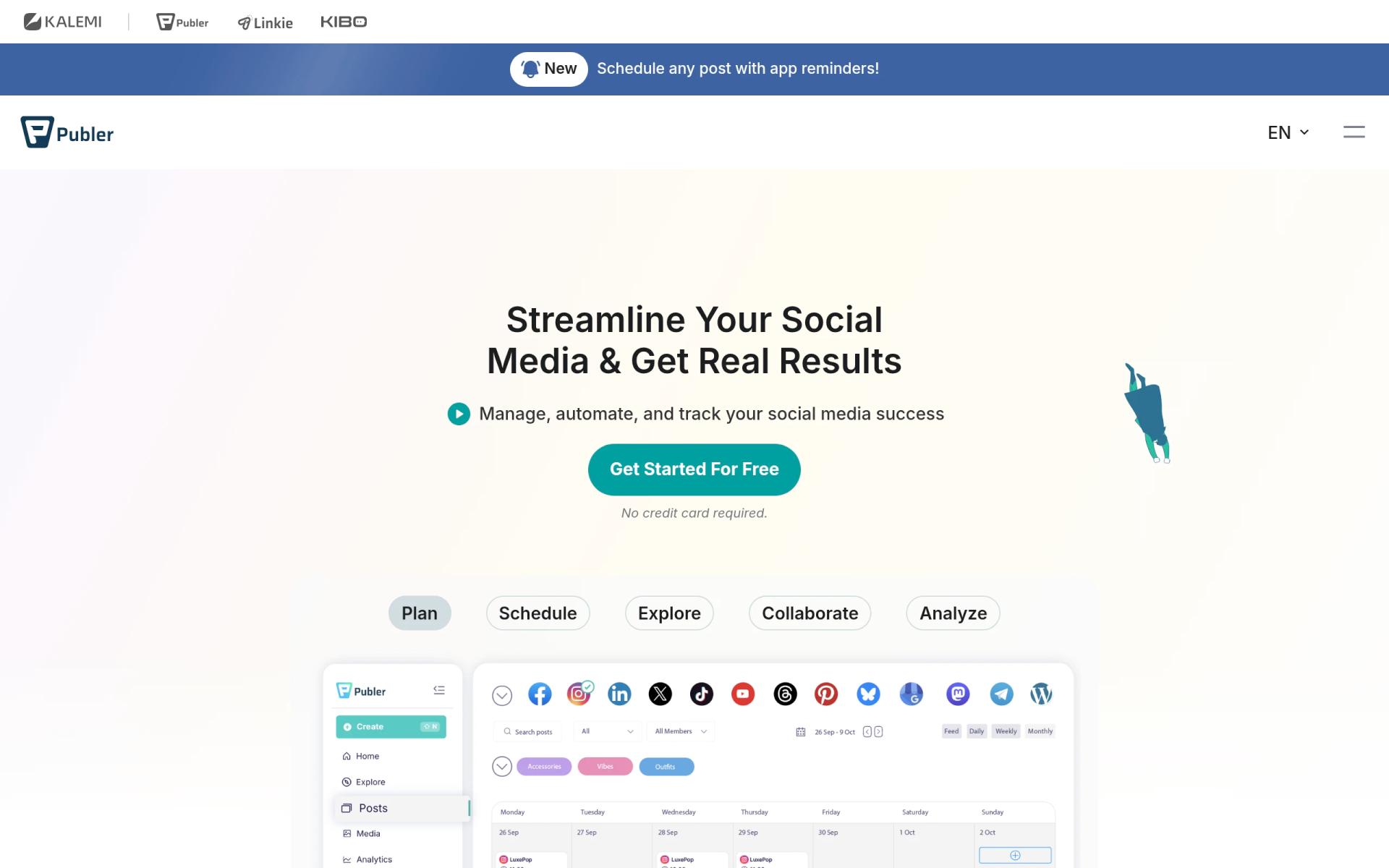
Publer is a social media scheduler. You write a post once, adjust it per network, and Publer publishes it at the time you set. It also handles bulk scheduling, a content calendar, link-in-bio pages, AI writing help, post recycling, and analytics on the paid tiers. The company behind it is Kalemi.
What the Free Plan Includes
The Free plan is "free forever." Its limits, as listed on publer.com/plans:
- 1 user and no additional members.
- 1 workspace, meaning one brand.
- 3 social accounts, except X. Two Facebook pages and one Instagram account count as 3. You cannot connect X (Twitter) on Free.
- 10 scheduled posts per account at a time. Once a post publishes or you delete it, the slot frees up. Publishing right away has no such limit.
- 25 saved drafts, with the same refill rule.
- 24-hour post history. Publer keeps your published posts on its servers for only 24 hours.
- Free trials of paid features without a credit card.
- Linkie, Publer's link-in-bio page that updates from your Publer posts.
Publer's plan comparison table also gives Free the calendar view, feed and post previews, per-network post curation, the add-to-queue scheduler, the mobile app, the browser extension, Canva, the photo editor, media import from Google Drive, Dropbox, OneDrive and Unsplash, shortcodes, link shortening, two-factor authentication, and live chat and email support.
Publer Pricing Table
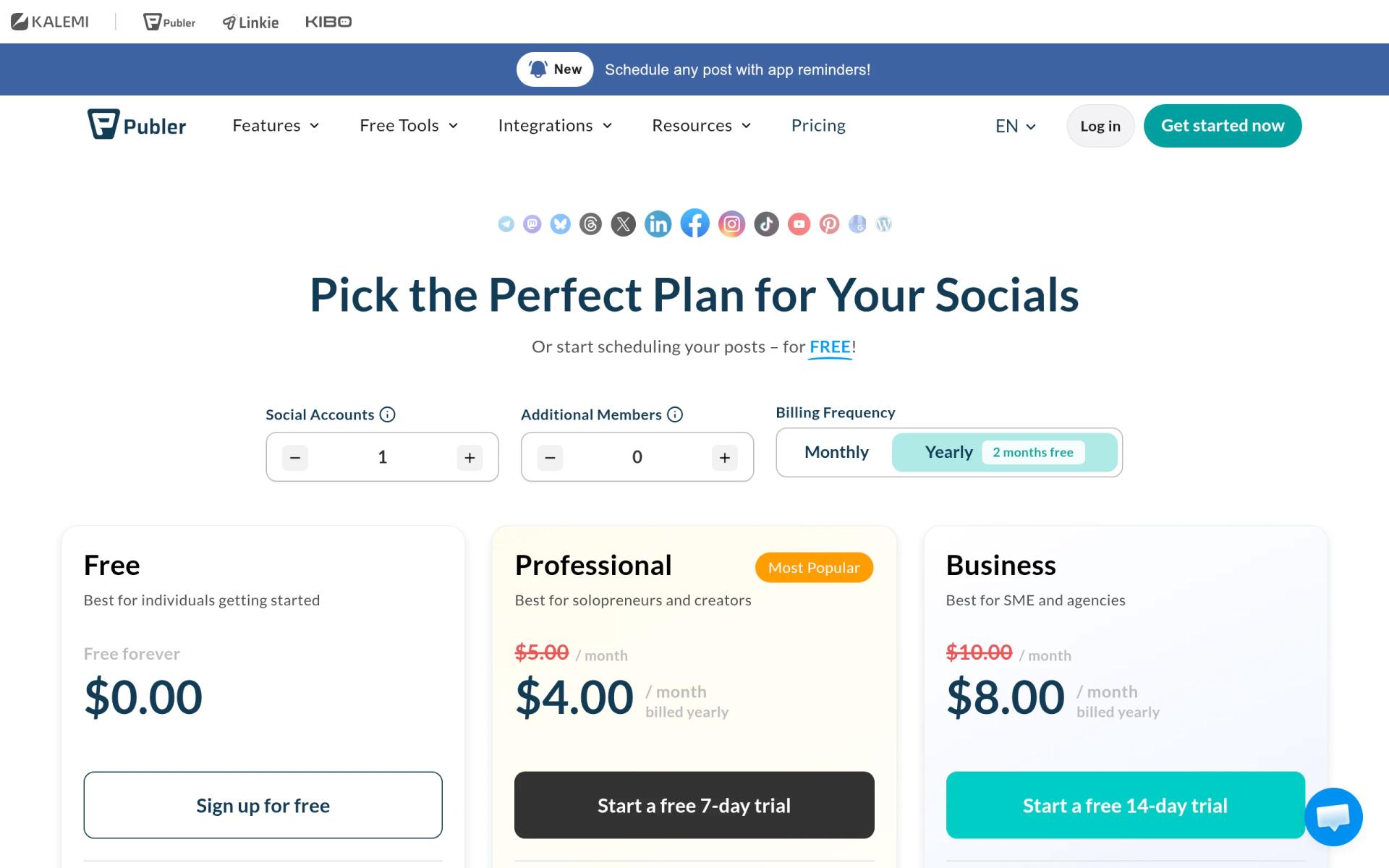
Paid plans are priced by the number of social accounts and extra members. Publer's help center gives the entry prices. The per-account and per-member rates below come from the price calculator on publer.com/plans (the script that builds the price as you move the sliders). Check the final number at checkout.
| Plan | Billed yearly | Billed monthly | Key limits |
|---|---|---|---|
| Free | $0 | $0 | 1 user, 1 workspace, 3 accounts (no X), 10 scheduled posts per account, 25 drafts, 24-hour history |
| Professional | From $4/month (1 account) | From $5/month (1 account) | $4 per account from 3 accounts, $2 per extra member, unlimited scheduling and workspaces, X, bulk scheduling, approvals |
| Business | From $8/month (1 account) | From $10/month (1 account) | $7 per account from 3 accounts, $3 per extra member, unlimited AI prompts, analytics, recycling, API and MCP |
| Enterprise | Custom quote | Not offered | Volume discounts, 1:1 onboarding, priority support, unlimited daily posting, wire transfer |
How the calculator prices accounts:
| Accounts | Professional per month | Business per month |
|---|---|---|
| 1 | $5 | $10 |
| 2 | $9 ($4.50 each) | $17 ($8.50 each) |
| 3 | $12 ($4 each) | $21 ($7 each) |
| 10 | $36 (10th free) | $63 (10th free) |
Discounts and the owner seat:
- The 10th is free. For every 9 social accounts or extra members, the 10th is free.
- Yearly billing is 20% off. That is the help center's figure. The toggle on the plans page reads "2 months free," which would be about 16.7%, so check the yearly total at checkout.
- The owner is included. The plan owner does not count as an extra member.
Payments go through PayPro Global and Paddle. VAT is not included. Publer lists a 14-day money-back guarantee. Professional comes with a 7-day free trial and Business with a 14-day free trial.
What the Free Plan Doesn't Include
- X (Twitter). Publer says the X Enterprise API cost means it can support X accounts only on paid plans.
- More than 3 accounts or more than 1 user. Any team needs a paid plan.
- Unlimited scheduling. You cannot queue a month of daily posts on one account, since only 10 can wait at once.
- Bulk scheduling and the media library. Both are marked as paid features in Publer's comparison table.
- Approval workflows and multiple workspaces. Professional and up.
- Post history. Published posts vanish from Publer after 24 hours, so you cannot review last week's output inside the tool.
- First comments and threads. Scheduling comments and threads starts on Professional.
- RSS automations, trending posts and news, watermarks, auto-share and auto-delete. Professional and up.
- Unbranded link in bio for Instagram. Professional and up.
- AI Assist by default. Publer's help center says AI Assist is supported on the Business plan. On Free and Professional you can connect your own OpenAI key, which needs an OpenAI subscription.
- Analytics, best times to post, competitor analysis, hashtag suggestions, post recycling, recurring posts, spintax, the API and the MCP server. All Business.
- Video design with VistaCreate and video watermarks. Also Business and up.
- Pinterest without conditions. On Free, a Pinterest account needs at least 100 followers or a claimed website.
Daily posting limits rise with each plan. Publer enforces them to prevent spam, even where scheduling is "unlimited":
| Post type | Free | Professional | Business | Enterprise |
|---|---|---|---|---|
| Facebook posts and reels (per profile per day) | 12 | 24 | 36 | Unlimited |
| Instagram posts and reels | 15 | 20 | 25 | Unlimited |
| TikTok videos | 15 | 20 | 25 | Unlimited |
| LinkedIn page posts | 12 | 18 | 24 | Unlimited |
| X posts | 25 | 50 | 100 | Unlimited |
| Threads posts | 150 | 200 | 250 | Unlimited |
| Google Business updates | 5 | 10 | 15 | Unlimited |
| YouTube videos and Shorts | 5 | 10 | 15 | Unlimited |
The Free column for X shows the table's number even though Free cannot connect X. Social networks can still apply their own limits on top.
Supported Networks
Publer posts to Facebook (profiles, pages, locations, groups), Instagram (business and creator), TikTok (personal and business), X, Threads, LinkedIn (profiles and pages), Pinterest, Mastodon, Google Business Profiles, YouTube, Telegram (groups and channels), Bluesky, and WordPress (hosted and self-hosted). That is 13 networks. Each network account counts as its own slot, so two Instagram accounts use two of the Free plan's three. Post types include Facebook and Instagram stories, YouTube Shorts, Instagram Reels, and LinkedIn PDFs.
Bulk scheduling, a paid feature, takes up to 500 posts at once from a CSV file or other bulk options.
Worked Examples
The Free plan saves the full paid price for as long as it fits your needs. These examples show the cost on the day it stops fitting. They use the calculator rates above and the help center's 20% yearly discount.
Example 1: solo founder, 3 accounts, then adding X
On Free: LinkedIn page, Instagram, and Facebook page cost $0. Against Professional with 3 accounts at $12 a month, Free saves $144 a year on monthly billing.
Adding X as a fourth account forces Professional:
- Monthly: 4 x $4 = $16 a month, or $192 a year
- Yearly: $16 x 0.8 = $12.80 a month, or $153.60 a year
- Yearly billing saves $38.40
Example 2: 3-person team, 8 accounts, needs analytics
The owner plus 2 extra members. Analytics reports require Business.
- Accounts: 8 x $7 = $56 a month
- Members: 2 x $3 = $6 a month
- Monthly: $62 a month, or $744 a year
- Yearly: $62 x 0.8 = $49.60 a month, or $595.20 a year
If you can skip analytics, Professional still includes approval workflows and costs 8 x $4 + 2 x $2 = $36 a month, or $432 a year. Yearly that is $28.80 a month, or $345.60.
For the same 8 channels, Buffer's Team plan (unlimited users, approvals) costs $12 per channel monthly or $120 per channel yearly. That is $1,152 a year monthly or $960 yearly. Publer Business is cheaper for this team on our numbers.
Other Publer Discounts
- Nonprofits: 50% off. Contact Publer by email or live chat with a government document such as a 501(c)(3) letter.
- Bonus system: up to 16% more. Publer gives recurring discounts for submitting feedback or reviewing Publer on listed platforms, shown under Settings > Bonus.
- Volume. Every 10th account or member is free, and Enterprise adds higher volume discounts.
We found no public startup program on publer.com.
Teams that fit Publer
- Founders posting for one brand on 3 networks. LinkedIn, Instagram, and Facebook fit the Free plan at $0.
- Teams that publish in batches. On paid plans, CSV bulk upload takes up to 500 posts at once.
- Agencies and multi-brand teams on a budget. Professional includes unlimited workspaces at $4 per account.
- Local businesses. Google Business Profile updates schedule alongside social posts.
- Bluesky, Mastodon, and Threads users. Publer schedules all three, plus threads on X, Threads, Bluesky, and Mastodon.
Reasons to pass on Publer
- Anyone whose main channel is X and wants $0. The Free plan cannot connect X. Buffer's free plan is the alternative to check.
- Teams that need a shared social inbox. Publer's plans page lists no shared social inbox. Hootsuite includes one from its Standard plan ($99 per user per month, billed annually).
- Users who want post history without paying. Free keeps published posts for only 24 hours.
- Teams that need AI writing without an OpenAI account. Only Business includes AI Assist by default.
Publer vs Buffer vs Hootsuite vs Later
| Publer | Buffer | Hootsuite | Later | |
|---|---|---|---|---|
| Free plan | Yes, 3 accounts (no X) | Yes, 3 channels | No | No |
| Free scheduling limit | 10 per account | 10 per channel | n/a | n/a |
| Entry paid price | $5/month for 1 account | $6 per channel monthly, $5 yearly | $99 per user per month, billed annually | $18.75/month billed yearly |
| Trial | 7 days (Professional), 14 days (Business) | 14 days | 14 days | 14 days |
| Users on entry plan | 1 plus $2 per member | 1 | Priced per user ($99 each) | 1 |
Buffer's Team plan costs $12 per channel monthly or $10 yearly and includes unlimited users. Hootsuite Standard covers up to 10 accounts. Later Starter includes 1 social set of 8 profiles and 30 posts per profile per month.
Publer setup tips
- Pick your 3 accounts carefully. On Free, each Facebook page, Instagram account, or LinkedIn page takes one of the 3 slots.
- Use the queue. Set a posting schedule, then add posts to the queue so Publer picks the times.
- Publish now when slots are full. The 10-post cap applies only to scheduled posts, not immediate ones.
- Export results before 24 hours pass. Free keeps published posts for one day, so record numbers elsewhere.
- Try paid features before paying. Free includes trials of most paid features without a card.
- Turn on two-factor authentication for you and your members.
- Connect a link shortener. Bitly, Rebrandly, PixelMe, Switchy, JotUrl, RocketLink, and RetargetKit are supported.
- Bring your own OpenAI key on Free or Professional if you want AI Assist without Business.
Who Is This Deal For?
Early-Stage Startups
Seed and pre-seed companies looking to move fast without overspending on tools.
Growing SaaS Teams
Series A+ companies scaling their stack and optimizing software costs.
Solo Founders
Indie hackers and bootstrapped founders who need enterprise tools at startup prices.
Get No deal right now off Publer
Free for all startups. Claim instantly.
Frequently Asked Questions
Everything you need to know about this startup deal.
Get the weekly deals digest
New verified startup deals every week. No spam, ever. Unsubscribe anytime.
Related Offers

OmniSEO
Used by 1,361 members
Free Trial
All-in-one SEO platform for keyword research, rank tracking, and site optimization.
View offer
Flipsnack
10% off Flipsnack plans
10% off Flipsnack Pro and Business. Turn PDFs into interactive flipbooks for catalogs, pitch decks and proposals, with lead forms and reader analytics.
View offer
ConvertKit
Used by 2,045 members
20% off annual Creator
Get 20% off the annual Creator plan on Kit (ConvertKit) for your first year. The email marketing platform built for creators and startups.
View offer
SurveyMonkey
20% off Team plans
20% off SurveyMonkey Team plans with code Saasoffers, plus the free Basic plan: unlimited surveys, AI survey building and 200+ integrations on paid plans.
View offer
Zoom
Used by 1,090 members
$20 off per user
Get $20 off per user on Zoom, the video conferencing platform used by hundreds of thousands of businesses for meetings, webinars, and team collaboration.
View offerDeal Summary
Looking for more startup deals?
Browse all offers