Shortcut Coupon: Free Plan
Project management platform built for software teams, intuitive and powerful.
Premium deal
Already have an account? Log in
Deal Highlights
Our Shortcut listing: the Free Plan
Offer: Free Plan. Our listing sets no extra requirements and there is no promo code. This is a Premium deal on SaaSOffers.
Shortcut's Free Plan is a public tier that anyone can start at shortcut.com without a code. Our listing does not add to it. Shortcut also runs a separate startup program that gives eligible companies 12 months of the Business plan, and for many startups that is the better route. Both are covered below.
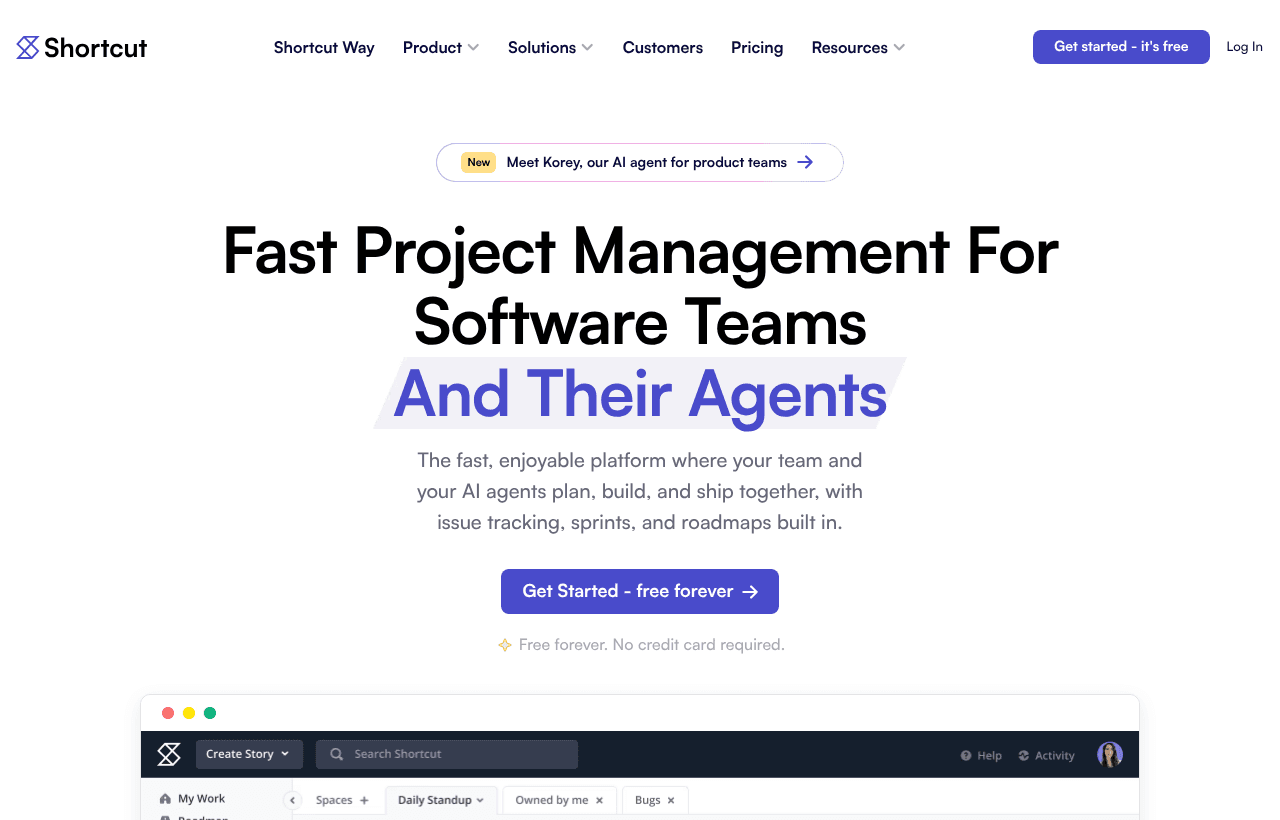
We checked these plans and prices against Shortcut's official pricing and startup pages in November 2026.
Shortcut is a project management tool for software teams. Work lives in stories, grouped into epics, planned in iterations and shown on kanban boards and roadmaps. It connects to GitHub, GitLab, Bitbucket, Slack and Figma. Shortcut also sells Korey, an AI agent for product engineering workflows, and the plans include a Model Context Protocol (MCP) server and AI agent collaboration.
The Free Plan stops at 10 users, 1 team and 1 workflow
Shortcut's comparison table sets these limits on the Free Plan:
- 10 users at most
- 1 team
- 1 workspace
- 1 customizable workflow
- 5 GB of storage
The Team plan allows up to 5 teams and up to 5 workflows, still in 1 workspace, with 250 GB of storage. Business has unlimited teams, workflows and workspaces, also with 250 GB.
The user cap is the one that matters first. Shortcut's FAQ says that when the 14-day trial ends, a workspace with 10 or fewer users can keep using Shortcut free, and a workspace with more than 10 users must subscribe to a paid plan. An eleventh engineer is a purchase decision.
What the Free Plan does include: Kanban views, a Roadmap, Reports, Iterations (sprints), Docs, Stories and Epics, Backlog, the API and webhooks, and GitHub, Slack and Figma integrations. Story Templates and basic Custom Fields are also listed. Google Workspace SSO is also listed on every plan.
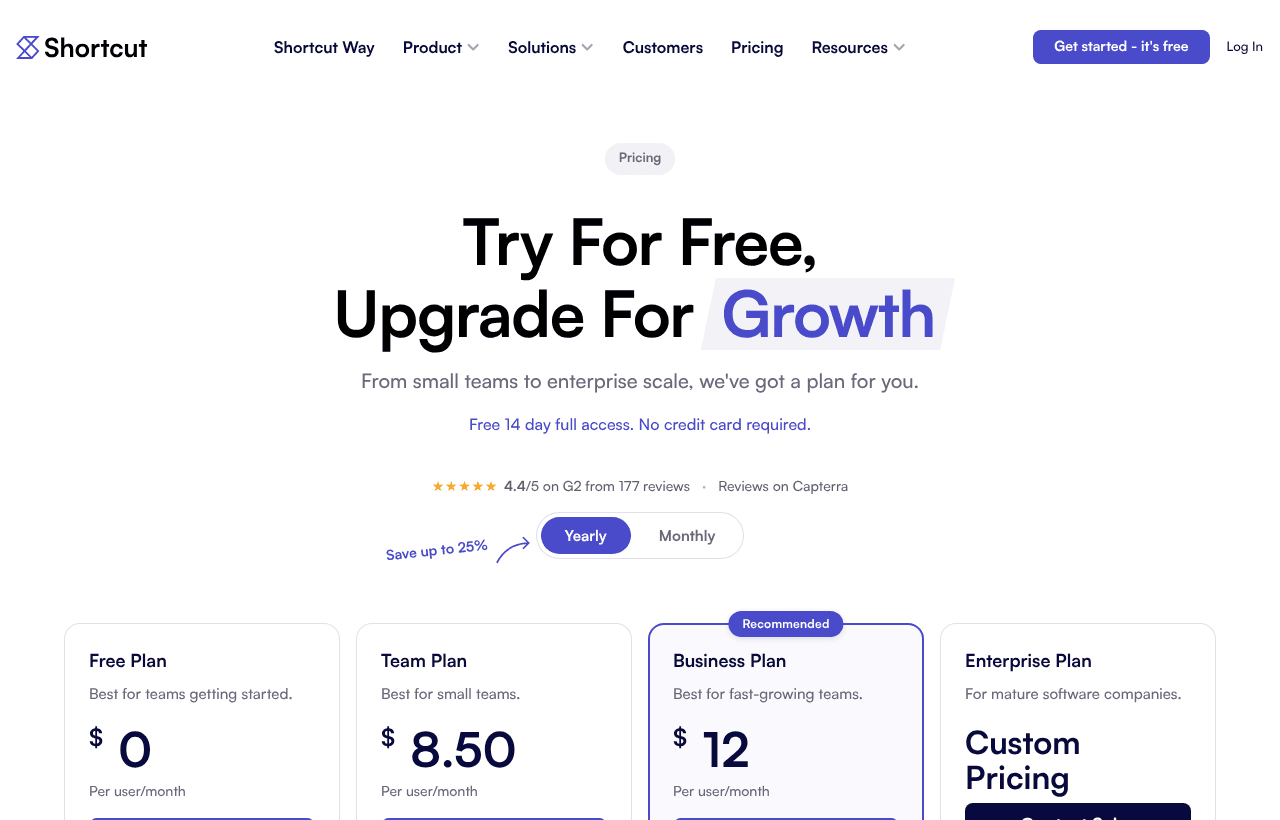
Team costs $8.50 a user yearly or $10 monthly
Shortcut's pricing page has a Yearly and a Monthly toggle. The page says "Save up to 25%" for yearly billing. The prices below come from the page's own yearly and monthly values.
| Plan | Price billed yearly | Billed monthly | Key limits |
|---|---|---|---|
| Free | $0 | $0 | 10 users, 1 team, 1 workflow, 1 workspace, 5 GB |
| Team | $8.50 per user/month | $10 per user/month | Unlimited users, up to 5 teams, up to 5 workflows, 1 workspace, 250 GB |
| Business | $12 per user/month | $16 per user/month | Unlimited users, teams, workflows and workspaces, 250 GB |
| Enterprise | Custom | Custom | Volume discounts, premier support SLAs, SSO and SCIM included, custom terms |
Business at $12 against $16 is where the 25% figure comes from. Team's gap is 15%.
One billing detail from the FAQ: on yearly Team and Business plans, Shortcut uses metered billing. It charges per user, per month, during your yearly cycle. So adding a person mid-year adds a monthly charge rather than a full-year charge. The FAQ also says Shortcut does not offer pro-rated refunds for cancelled subscriptions.
What Team adds over Free
- Work In Progress limits on stories
- A fuller suite of Reports and the Metrics Dashboard (velocity chart, cycle time and lead time, cumulative flow diagram)
- Automations: auto-start and auto-complete an Epic, auto-create future Iterations, move unfinished stories to the next Iteration
- Docs Suggestion Mode, so collaborators can see proposed changes
- Overlapping Pull Requests detection, to avoid merge conflicts when using the GitHub integration
- Read-only seats, up to 5 per paid seat
- Access to all integrations, including Miro, Notion, Sentry, Zendesk and Zapier
What Business adds over Team
- Strategic Objectives and Key Results
- Advanced Custom Fields with user-defined names
- Additional Charts, with reports beyond 100 days and views such as Time Spent in Workflow State and Created vs. Completed
- Multiple workspaces for sandboxing
- Unlimited teams, workflows and workspaces
Enterprise adds SSO and SCIM in the plan, a dedicated Slack channel and onboarding support. HIPAA compliance is listed as available by request on Enterprise only. On Business, SSO and SCIM are add-ons.
What the Free Plan leaves out
Compared with Team and Business, the Free Plan does not include:
- Work In Progress limits
- Automations
- More than 1 workflow, so every story moves through the same states
- More than 1 team, so squads cannot be separated
- The fuller Reports page with the Metrics Dashboard
- Docs Suggestion Mode
- Overlapping Pull Requests detection
- Read-only seats
- Strategic OKRs, advanced Custom Fields and additional charts
- More than 10 users and more than 5 GB of storage
The single-workflow limit hurts first for a team that wants bugs and features to follow different paths. Shortcut allows up to 5 workflows on Team.
The 14-day trial gives full access
Every new workspace starts with a free 14-day trial, and the page says no credit card is required. Shortcut's FAQ says the trial covers everything: an organization with unlimited workspaces and user management, unlimited Observer users, the API and outgoing webhooks. You can add a card at any time and are not charged until the trial ends.
Use the trial to try Teams, Epics, Objectives and custom workflows together. When it ends, the Free Plan applies if you have 10 or fewer users. Anything you built that needs Team or Business features, such as extra workflows, stops being available unless you pay.
The startup program: 12 months of Business plus SSO
Shortcut's startup page, shortcut.com/startups, says: "Get 12 months free if your startup has fewer than 50 employees. Open to all startups, regardless of VC-fund or accelerator affiliation." The benefit is the Business plan plus SAML SSO for 12 months.
The criteria on that page:
- You are a new Shortcut customer
- You have fewer than 50 employees
- You are not a service provider or consulting agency
- You have raised less than $10M USD in external funding (FAQ version) or are at the pre-series A stage (eligibility list version)
- Your business is less than 5 years old
Shortcut's page words the funding rule two ways, so read the current form when you apply. The page does not say whether the program covers a team that already used the Free Plan before applying; it requires a new customer, so ask Shortcut before creating a workspace if you plan to apply.
After 12 months you can renew or cancel. The page does not publish the renewal price for startup program members, so assume list price: Business at $12 per user/month yearly or $16 monthly.
Worked math: 5 people and 12 people
All numbers use the prices on Shortcut's pricing page. "If the startup program applies" means Shortcut approves your application for 12 months of Business.
A 5-person team
- Free Plan: $0 a year. Fits under the 10-user cap, with 1 team, 1 workflow and 5 GB.
- Team yearly: 5 x $8.50 x 12 = $510 a year
- Team monthly: 5 x $10 x 12 = $600 a year, so yearly saves $90
- Business yearly: 5 x $12 x 12 = $720 a year
- Business monthly: 5 x $16 x 12 = $960 a year, so yearly saves $240
- If the startup program applies: Business costs $0 for 12 months. That is $720 of list-price value at the yearly rate, or $960 at the monthly rate.
A 12-person team
At 12 users the Free Plan is out, because the cap is 10.
- Team yearly: 12 x $8.50 x 12 = $1,224 a year
- Team monthly: 12 x $10 x 12 = $1,440 a year
- Business yearly: 12 x $12 x 12 = $1,728 a year
- Business monthly: 12 x $16 x 12 = $2,304 a year
- If the startup program applies: the first year of Business is $0, against $1,728 at the yearly rate. Year two returns to list price unless you renegotiate.
The Free Plan is $0 for 10 users, and the 11th seat is the one that moves you to a paid plan. For a team of 11 on Team yearly, that is 11 x $8.50 x 12 = $1,122 a year.
Who Shortcut fits
- Software teams of 3 to 10 people that want stories, epics, iterations and a roadmap without configuring a large system. The Free Plan has all of that, within one team and one workflow.
- Startups with fewer than 50 employees that are new to Shortcut and can apply for the 12-month Business plan.
- Teams on GitHub and Slack, because the Free Plan lists GitHub, Slack and Figma integrations.
- Teams that want a built-in docs space, since Docs is on every plan, including Free.
- Teams already using AI coding agents, because Shortcut lists an MCP server and AI agent collaboration in the product development features.
When to pick something else
- Teams that need more than one workflow or team on a $0 budget. The Free Plan is capped at 1 each, and Team is the next step at $8.50 or $10 per user/month.
- Companies that are already past 50 employees or are service agencies. Both are excluded from the startup program.
- Teams that need SAML SSO and SCIM at a low price. On Business, SSO and SCIM are listed as add-ons, and the page does not publish the add-on prices.
- Non-software teams. Shortcut is built around stories, epics and iterations. Marketing or operations work may fit a general tool better.
How Shortcut compares with Jira, Linear and Plane
| Tool | Free tier | Paid entry price | Startup offer |
|---|---|---|---|
| Shortcut | 10 users, 1 team, 1 workflow, 5 GB | Team $8.50 per user/month yearly, $10 monthly | 12 months of Business plus SSO, under 50 employees |
| Jira | Up to 10 users, 2 GB storage | Standard $9.70 per user monthly, or yearly bands such as $950 for 1 to 10 users | Atlassian runs its own startup program |
| Linear | Unlimited members, 2 teams, 250 issues | Basic $10 per user/month | Up to 6 months of Business via a partner, under 50 employees |
| Plane | 12 seats | Pro $6 per user yearly, $8 monthly | Not covered here |
The Free Plan caps differ in kind. Shortcut limits users, teams and workflows. Linear limits issues. Jira limits users and storage. If you expect lots of old issues, Shortcut's Free Plan has no issue cap on its pricing page. If you expect a team of 11 or more, Plane's 12 free seats go a little further.
Shortcut's yearly Team price of $8.50 is below Jira Standard's $9.70 monthly rate and below Linear's $10. Plane Pro at $6 yearly is lower still. We compared list prices only, and the plans differ in what they include.
Shortcut setup tips
- Apply to the startup program before you create a paid workspace. The program requires a new customer.
- Pick yearly billing if you are staying. The gap is $1.50 per user/month on Team and $4 on Business.
- Plan your workflow before the trial ends. The Free Plan keeps 1 workflow, so decide which states stories should move through.
- Import from Jira or Trello. Shortcut's site links to import guides for both.
- Use Observers for stakeholders. The trial includes unlimited Observer users, and paid seats include up to 5 read-only users each.
- Connect GitHub early. Linking branches and pull requests to stories keeps statuses current without manual updates.
Steps to get the Shortcut deal
- Upgrade to SaaSOffers Premium, then open this deal's claim link on SaaSOffers.
- If you have fewer than 50 employees, check the startup program at shortcut.com/startups before you create a workspace, add a card or subscribe.
- Create your Shortcut workspace and invite up to 10 teammates. The Free Plan caps users at 10.
- Use the 14-day trial to test Team and Business features, then drop to Free or subscribe.
- Set your workflow, connect GitHub and Slack, and import any Jira or Trello backlog.
Shortcut's Free Plan is available to anyone who signs up directly. Premium does not change what the plan contains.
Who Is This Deal For?
Early-Stage Startups
Seed and pre-seed companies looking to move fast without overspending on tools.
Growing SaaS Teams
Series A+ companies scaling their stack and optimizing software costs.
Solo Founders
Indie hackers and bootstrapped founders who need enterprise tools at startup prices.
Get Free Plan off Shortcut
Premium deal. Upgrade once, unlock everything.
How to get the Shortcut deal
- The offer: Free Plan.
- Create a free SaaSOffers account, then upgrade to Premium ($79 a year, or $250 once for lifetime access). Premium unlocks every Premium deal on the site.
- Open the Shortcut claim page from this deal. It shows the partner link, any promo code and the exact steps Shortcut asks for.
- Apply or sign up through that link before you pay Shortcut directly, since most startup offers only apply to new accounts.
Frequently Asked Questions
Everything you need to know about this startup deal.
Get the weekly deals digest
New verified startup deals every week. No spam, ever. Unsubscribe anytime.
Related Offers

Retool
Used by 1,559 members
1 year free, up to $60K
Build internal tools 10x faster with the low-code platform used by companies like Amazon, DoorDash, and Mercedes-Benz.
View offer
Replicate
Used by 1,772 members
$500 in credits
Run open-source ML models in the cloud, deploy Llama, Stable Diffusion, and custom models via API without GPU management.
View offer
ZoomInfo
Used by 2,014 members
Free Trial
B2B data platform for sales and marketing intelligence with contact databases.
View offer
Chore
15% off your first month
Chore runs your startup's back office for you: payroll, HR, bookkeeping, compliance and equity, inside the tools you already use. 15% off your first month through SaaSOffers.
View offerDeal Summary
Looking for more startup deals?
Browse all offers