
Slite Promo Code
There is currently no promo code for this product. Knowledge base and documentation tool for modern teams with AI-powered search.
No deal for Slite right now
Leave your email and we will let you know the moment we add a Slite deal.
See Slite alternatives with real dealsNo deal for Slite right now
Leave your email and we will let you know the moment we add a Slite deal.
See Slite alternatives with real dealsSlite pricing in 2026: the free plan is gone, a 14-day trial replaced it
Our listing's offer: Free Plan. Our listing sets no requirements and there is no promo code. It has no SaaSOffers affiliate link, so you go straight to Slite.
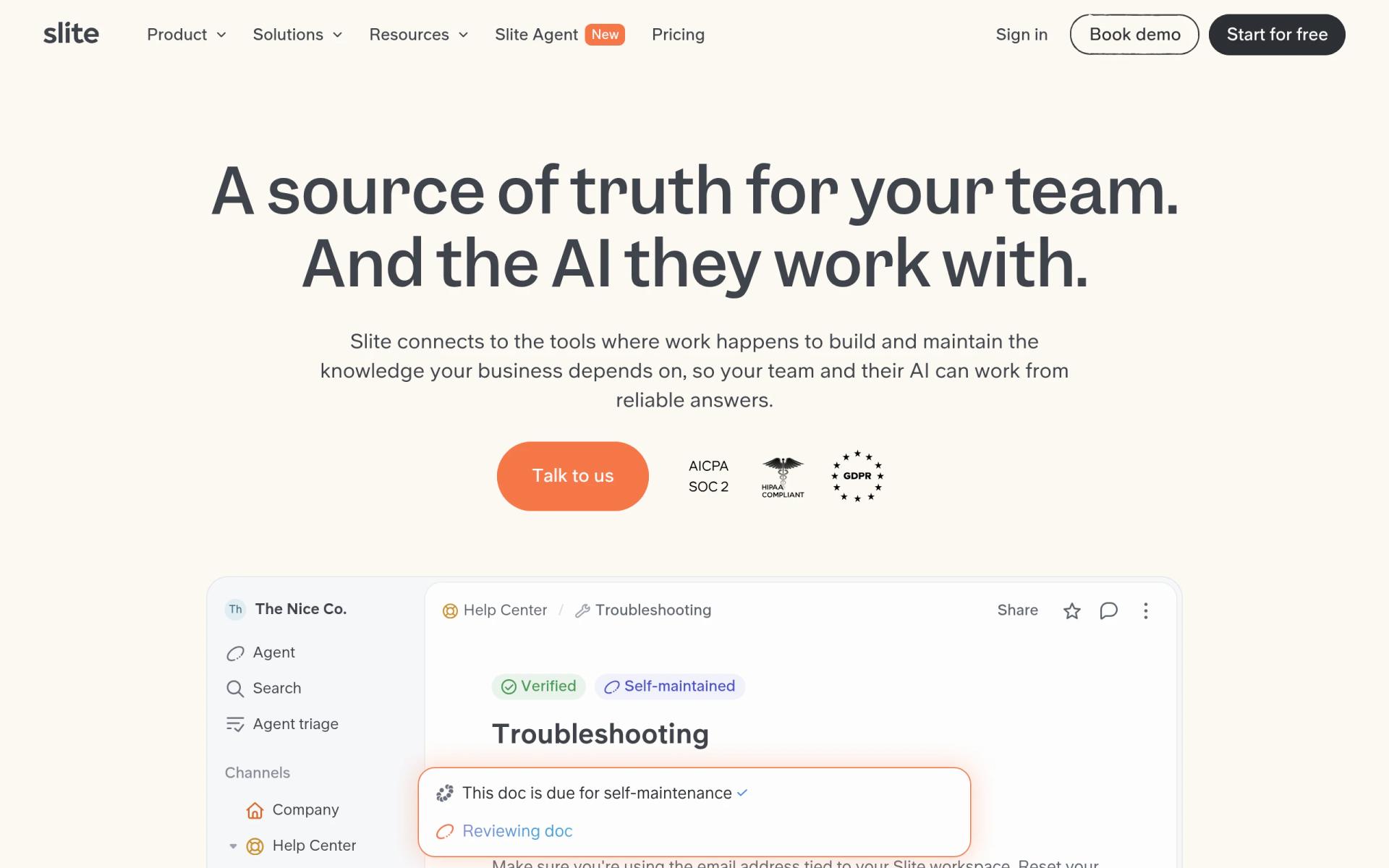
We checked these plans and prices against Slite's official pricing page, homepage and changelog in November 2026.
Slite's changelog entry for the all-new Slite is dated June 10, 2026. It says a "14-day free trial (no credit card required) replaces the old free plan". The pricing page today lists Basic, Pro and Enterprise, and no Free tier. Our listing's older FAQ also says "free plan with up to 50 docs". That limit no longer appears on Slite's pricing page, where docs are listed as unlimited on every paid plan.
So the honest version of this deal is a 14-day trial with no card, then a paid plan from $10 per user per month. If you read an older guide that says Slite is free forever, it describes a plan that was retired.
Slite is a team knowledge base. Its homepage describes it as "a source of truth for your team. And the AI they work with." You write docs, organize them, and ask questions that are answered from them. The June 2026 relaunch added the Slite Agent, which "spots outdated facts in your documentation, and drafts the update for you to approve in one click."
Two paid plans, one trial that includes both
Slite's pricing page shows these plans. Prices are per user per month. The page shows them as billed yearly and lists no monthly rate, so we could not verify what month-to-month billing costs, or whether it exists.
| Plan | Price per user, billed yearly | Billed monthly | Key limits |
|---|---|---|---|
| Free | None, retired June 2026 | None | Replaced by a 14-day trial |
| Basic | $10 | Not listed | Unlimited docs, uploads up to 200 MB, 5 GB storage per user |
| Pro | $20 | Not listed | Unlimited docs, unlimited uploads, 10 GB storage per user, 50 agent credits per seat per month |
| Enterprise | Custom | Custom | Unlimited docs, 10 GB storage per user, custom credits |
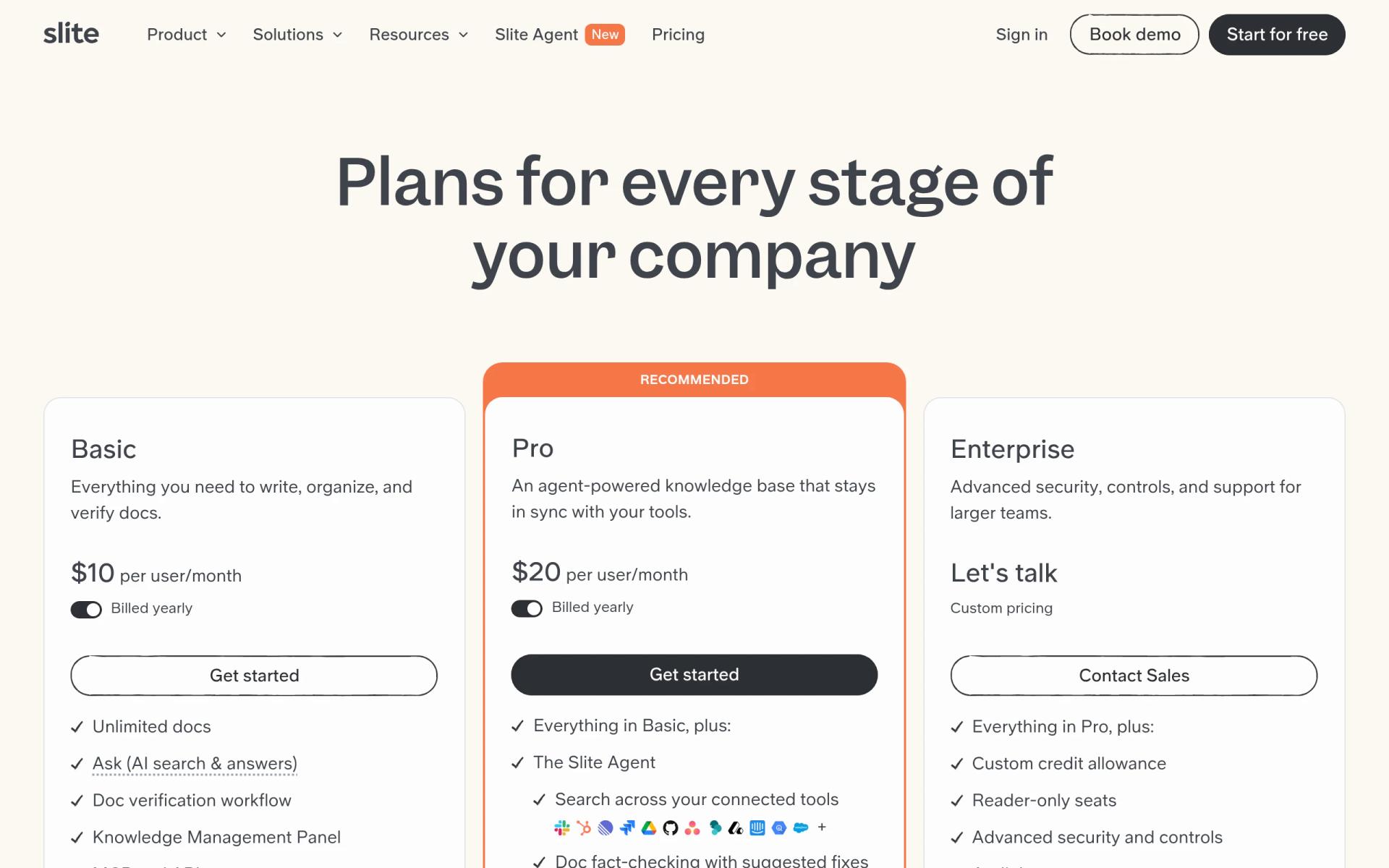
Pro is marked "Recommended" on the page. The changelog says Standard was renamed Basic and Knowledge Suite was renamed Pro.
What the 14-day trial covers
The pricing page says: "Once you sign up for Slite, your 14-day free trial begins." It needs no credit card. The trial includes the features of both Basic and Pro, plus 500 shared credits.
First, the trial is short. Fourteen days is enough to import real docs and test the search, but not enough to see whether a team keeps its pages current. Second, the trial shows you Pro features. When it ends you pick a plan, and if you pick Basic you lose several of the things you tried.
We did not find a page that says what happens to your docs if you let the trial lapse without paying. Export your content before the end date if you are unsure.
What Basic leaves out
Basic is $10 per user and covers the writing side: write, organize and verify docs. Slite's comparison table shows Pro adds these:
- The Slite Agent itself
- Search across connected tools
- Doc fact-checking with suggested fixes
- Agent workflows
- 50 agent credits per seat per month
- OpenID SSO
- A custom domain for public docs
Limits also differ. Basic caps file uploads at 200 MB, where Pro lists unlimited. Basic stores 5 GB per user, Pro 10 GB. Basic allows 30 AI writing edits per user per month, where Pro lists unlimited. The table also gives Basic 30 AI search questions per seat per month. The comparison table's columns are ambiguous for some AI rows, so treat the exact Basic and Pro AI allowances as our best reading and check them before you buy.
One more point from the changelog: MCP access is "now included on all plans, including Basic". That means a Basic workspace can expose its docs to AI tools such as Claude, ChatGPT and Cursor, which the homepage names.
What agent credits cost
Pro includes 50 credits per seat each month, and the changelog says they are pooled at the workspace level. The pricing page lists top-ups at $10 per 100 credits. Slite does not publish on that page how many credits a single agent action uses, so we cannot tell you how far 50 go. A new AI usage screen in settings shows credits spent per user over a date range, which is how you would find out.
Here is the pooled math. A 5-person team on Pro has 5 x 50 = 250 credits a month. A 10-person team has 500. If the 5-person team used 350 credits in a month, it would need 100 extra credits, which is $10 at the listed top-up price. We do not know what usage looks like for your team, so this is arithmetic and not a forecast.
What a team of 5 or 10 pays
Using the yearly prices on the page:
Team of 5
- Basic: 5 x $10 x 12 = $600 per year
- Pro: 5 x $20 x 12 = $1,200 per year
- Pooled Pro credits: 250 per month included
Team of 10
- Basic: 10 x $10 x 12 = $1,200 per year
- Pro: 10 x $20 x 12 = $2,400 per year
- Pooled Pro credits: 500 per month included
The difference between the plans is $10 per user per month, or $120 per user per year. For a 10-person team, that is $1,200 a year to move from Basic to Pro. Whether the agent is worth that depends on how much of your documentation goes stale. If your docs rarely change, Basic may be enough.
Reader-only seats are listed under Enterprise, not Basic or Pro. The page does not say whether anyone can read for free on the lower plans, so assume every person who logs in is a paid seat.
Discounts: none for startups, one for non-profits
We found no startup program on Slite's pricing page. The only discount listed is this: "Yes, we offer discounts to eligible non-profit and academic organizations on the Basic plan." You contact support@slite.com to redeem it. If you are a non-profit or an academic organization, ask. If you are a regular startup, the 14-day trial is what Slite offers directly.
Our listing still shows Slite's old Free Plan. Slite no longer offers it, so the 14-day trial is the only free way in.
Who it is for
- Teams that lose answers in chat. Slite's homepage lists Slack, Linear, GitHub, Jira, Google Drive and HubSpot among its connections, so answers can be pulled from where work already happens.
- Companies that want docs to stay accurate. The verify feature and the Agent's drift detection target stale pages. That is Slite's main pitch in 2026.
- Teams using AI tools every day. MCP on every plan lets Claude, ChatGPT or Cursor read your knowledge base.
- Companies with compliance questions. The homepage states "SOC 2 Type II, HIPAA, GDPR. EU-hosted." and "Your data is never used to train AI models." Audit logs and SCIM are listed under Enterprise.
Reasons to pass on Slite
- Anyone who needs a free tier. There is none. Notion, Confluence and Coda each list one, covered below.
- Solo founders. A $10 seat for one person is a lot for notes that fit in a free tool.
- Teams who want databases, tasks and project tracking in the same workspace. Slite is a knowledge base. It does not try to be a project database.
- Teams who need monthly billing. We could not confirm that Slite offers it.
- Very short evaluations. If you cannot test in 14 days, the trial will end before you decide.
Slite against Notion, Coda and Confluence
All three alternatives below have a free tier, which Slite no longer has. Prices come from each vendor's own pricing page, fetched in November 2026.
| Tool | Free tier | Paid entry price | Notes |
|---|---|---|---|
| Slite | None, 14-day trial | $10 per user per month, billed yearly | Knowledge base with an Agent on Pro |
| Notion | Yes | Plus $10 per member per month billed yearly ($12 monthly) | Free plan limits blocks for 2 or more members; our listing has 3 months free Business |
| Coda | Yes, shared docs capped at 50 objects and 1,000 rows | Pro $12 per member billed yearly ($15 monthly) | Editors and viewers are free; our listing has $500 in credits |
| Confluence | Yes, 10 users and 2 GB | Standard from $7.15 per user per month on monthly billing for 1 to 100 users | Our listing has 1 year free Standard |
Slite's $10 entry price equals Notion Plus on yearly billing. Confluence Standard's listed $7.15 is a monthly-billing rate on different terms, so compare each against your own seat count and billing period. Slite's edge is narrower scope: it does one job, and the AI is built around that job. Notion and Coda do more, with databases and tables, and both give you a free tier to start on.
If your real need is a free place to write things down for a small team, Confluence has a free tier for up to 10 users, and Notion's free plan works for one person. If you want docs that police themselves, Slite is aimed at that.
Setting Slite up in the trial
- Start with five real documents. An onboarding guide, a product overview, and three processes your team asks about most. Do not import everything on day one.
- Connect the tools you already use. Slack and Google Drive are on the homepage list. Search is only as good as what it can see.
- Test the search with questions you already know the answers to. If it cites the right doc, trust grows. If it misses, find out why in week one.
- Use verification on the docs that change. Pricing, process and policy pages go stale first.
- Check the AI usage screen. See how many credits your tests used. Compare that with 50 per seat per month.
- Decide on day 12. Pick Basic or Pro, or export your docs. Do not let the last day decide for you.
Whether Slite imports from Notion, Confluence or Google Docs is something we could not confirm on the pages we checked, so test an import during the trial before you plan a migration around it.
Security and compliance Slite publishes
Slite's homepage lists SOC 2 Type II, HIPAA and GDPR, with EU hosting. It lists SSO, SCIM, granular role-based permissions and reader-only seats, plus audit logs, version history and attribution on every write. The pricing page places SCIM, audit logs, reader-only seats and an SLA under Enterprise, and OpenID SSO under Pro. It also states that your data is never used to train AI models.
If an audit log or SCIM matters to you, you are looking at Enterprise, where pricing is custom and goes through sales.
How to start with Slite
- Go to slite.com and choose "Start for free". There is no SaaSOffers link for this deal.
- Sign up. The 14-day trial begins, with no credit card.
- Invite your team, import or write your first docs, and test the search.
- Before day 14, choose Basic ($10 per user per month, billed yearly) or Pro ($20), or talk to sales for Enterprise.
- If you are a non-profit or academic organization, email support@slite.com about the Basic discount before you pay.
The verdict
Slite is a focused knowledge base, but the deal we list, a free plan, is gone. What you get now is a 14-day trial, then $10 or $20 per user per month. If you can pay that and want docs that stay accurate, it is worth testing. If you need free, use one of the alternatives above and revisit Slite when the team has budget.
Who Is This Deal For?
Early-Stage Startups
Seed and pre-seed companies looking to move fast without overspending on tools.
Growing SaaS Teams
Series A+ companies scaling their stack and optimizing software costs.
Solo Founders
Indie hackers and bootstrapped founders who need enterprise tools at startup prices.
Get No deal right now off Slite
Free for all startups. Claim instantly.
Frequently Asked Questions
Everything you need to know about this startup deal.
Get the weekly deals digest
New verified startup deals every week. No spam, ever. Unsubscribe anytime.
Related Offers

Retool
Used by 1,559 members
1 year free, up to $60K
Build internal tools 10x faster with the low-code platform used by companies like Amazon, DoorDash, and Mercedes-Benz.
View offer
Zoom
Used by 1,090 members
$20 off per user
Get $20 off per user on Zoom, the video conferencing platform used by hundreds of thousands of businesses for meetings, webinars, and team collaboration.
View offer
ZoomInfo
Used by 2,014 members
14-day free trial
B2B data platform for sales and marketing intelligence with contact databases.
View offer
Chore
15% off your first month
Chore runs your startup's back office for you: payroll, HR, bookkeeping, compliance and equity, inside the tools you already use. 15% off your first month through SaaSOffers.
View offerDeal Summary
Looking for more startup deals?
Browse all offers