
StatusPage Coupon: Free Trial
Status page hosting for communicating incidents and maintenance to users.
Premium deal
Already have an account? Log in
Deal Highlights
The SaaSOffers Statuspage deal
Offer: Free Trial. There are no eligibility requirements on this listing. You sign up through the SaaSOffers link on this page. There is no promo code to enter.
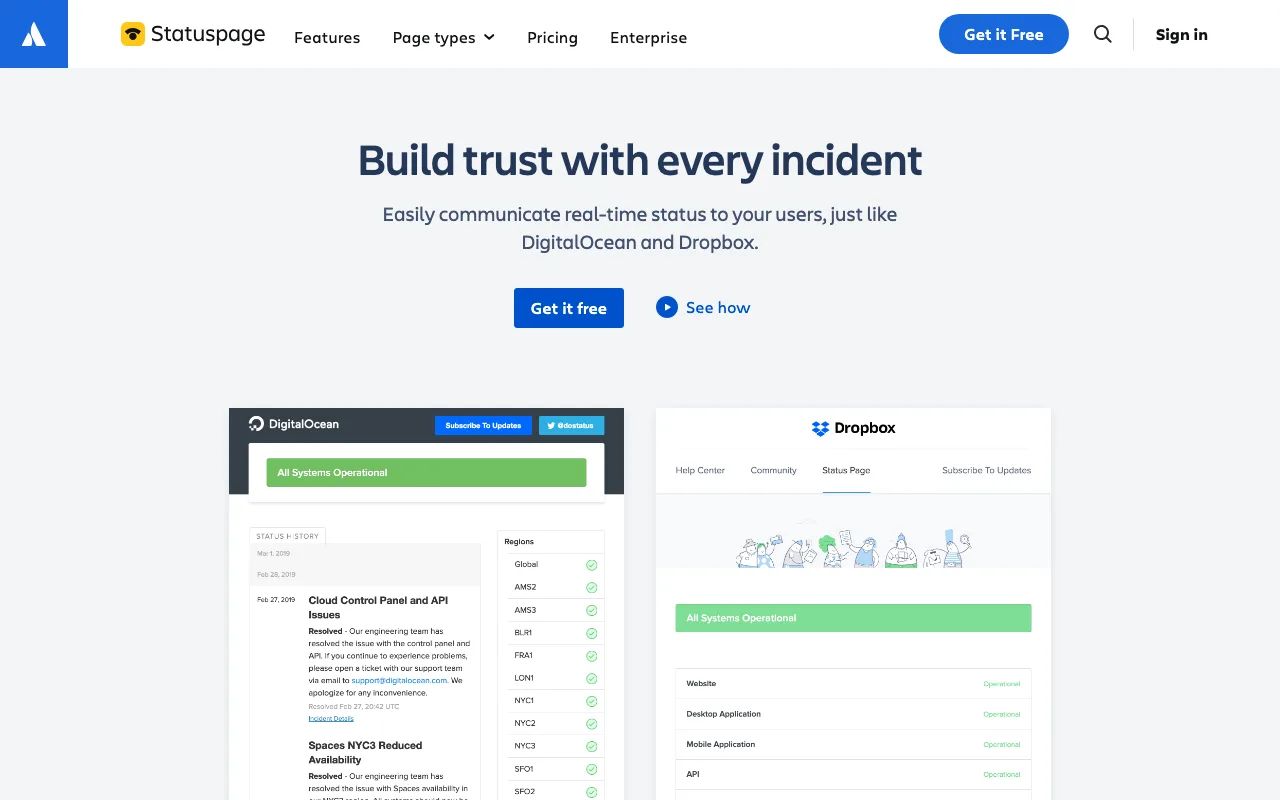
We checked these plans and prices against Statuspage's official pricing and help pages in November 2026.
The free trial is Atlassian's standard trial. Anyone who signs up on atlassian.com gets the same one. It is not a private discount. Atlassian also runs a permanent Free plan for public pages, so you can keep a basic status page at $0 after the trial ends.
Statuspage is Atlassian's hosted status page product. You post incidents and scheduled maintenance, set the status of each component of your product, and notify subscribers by email, SMS, Slack, Microsoft Teams or webhook, depending on the plan. It comes in three page types: public pages for customers, private pages for employees, and audience-specific pages that show different statuses to different customer groups.
How the Statuspage trial works
Trial terms depend on the page type. Atlassian's help center lists them like this.
| Page type | Trial length | What you get during the trial | Main catch |
|---|---|---|---|
| Public page | Unlimited | All Business plan features, up to 10 team members, up to 25 subscribers | Page is visible only to logged-in team members; no SMS |
| Private page | 30 days | All Corporate plan features, up to 10 team members, 1,000 employees, 5 metrics | Ends after 30 days |
| Audience-specific page | 30 days | Base features, 500 users, 10 groups, 10 team members, 5 metrics | Ends after 30 days |
The public trial has no end date, but it is a private sandbox. Your customers cannot see the page until you pick a plan, including the Free plan. Subscribers you add during the trial do receive status notifications. A custom domain can be set up during the trial, but SSL will not work until you activate the page. You can switch page types during the trial.
To go live you switch from trial to the Free plan or a paid plan. For private and audience-specific pages, a banner in the dashboard shows the days left.
Statuspage plans and prices
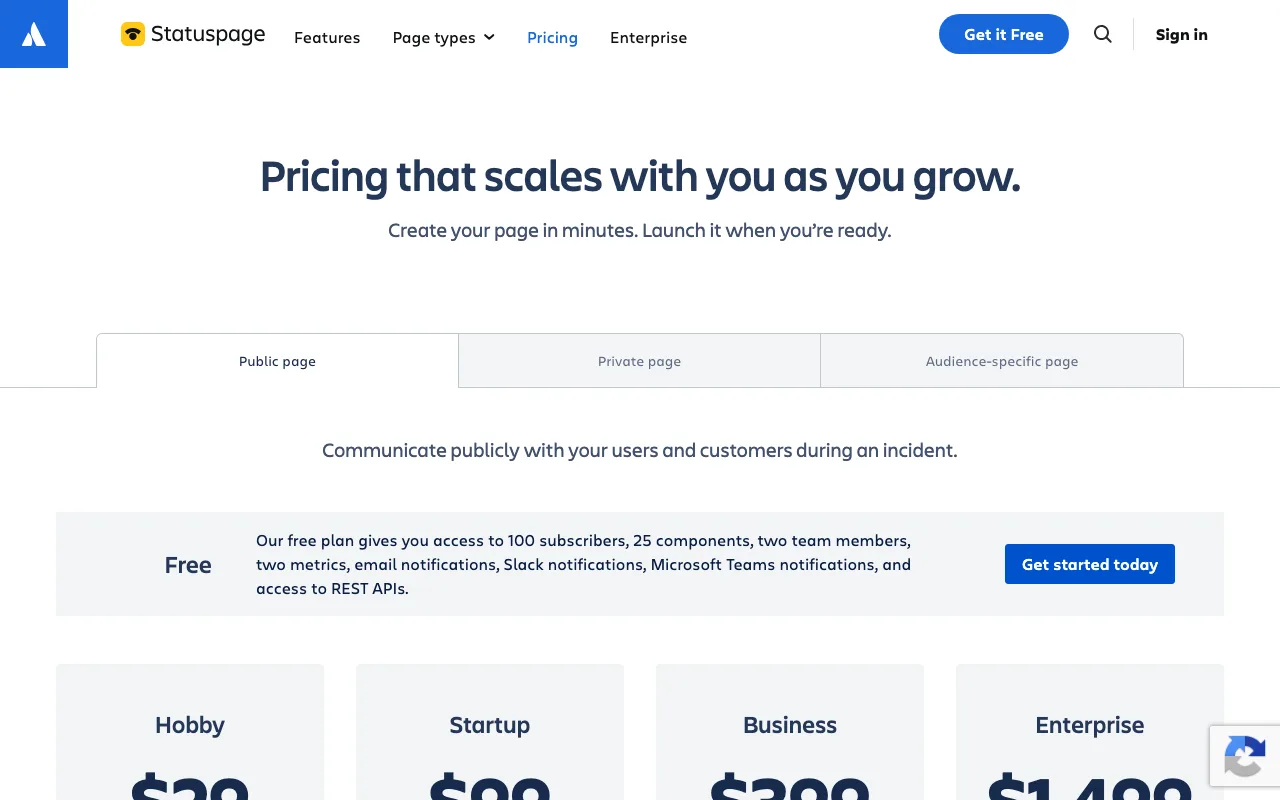
Atlassian publishes monthly prices only. Yearly credit card billing exists, but the setup is manual, needs a signed order form, and goes through support. No yearly discount is listed. Enterprise plans can pay by yearly purchase order and invoice.
Public pages
| Plan | Billed monthly | Billed yearly | Subscribers | Team members | Metrics | Key extras |
|---|---|---|---|---|---|---|
| Free | $0 | $0 | 100 | 2 | 2 | 25 components, email, Slack and Teams notifications, REST API |
| Hobby | $29 | Order form, no published discount | 250 | 5 | 5 | Custom domain, basic customization |
| Startup | $99 | Order form, no published discount | 1,000 | 10 | 10 | SMS and webhook notifications, custom CSS, team SSO with Atlassian Guard |
| Business | $399 | Order form, no published discount | 5,000 | 25 | 25 | Custom CSS, HTML and JS, component subscriptions, role-based access |
| Enterprise | $1,499 | Order form or purchase order | 25,000 | 50 | 50 | Business features, yearly purchase orders and invoicing |
Private pages
Private pages are for internal status, like the health of an internal API or the VPN, shown only to logged-in employees. They are priced by the number of employees who can view them.
| Plan | Billed monthly | Employees | Team members | Metrics | Key extras |
|---|---|---|---|---|---|
| Starter | $79 | 50 | 5 | 5 | Email notifications, custom CSS, incident templates, SSO |
| Growth | $249 | 300 | 15 | 15 | Email, SMS and webhook, component subscriptions, IP allowlisting |
| Corporate | $599 | 1,000 | 35 | 35 | Growth features, role-based access, yearly invoicing for eligible purchases |
| Enterprise | $1,499 | 5,000 | 50 | 50 | Alerting integrations, account representative support |
Audience-specific pages
Audience-specific pages start at $300 per month. The base package includes 25 team members, 10 groups, 500 users and 30 metrics, with email, SMS and webhook notifications, custom CSS, HTML and JS, the Manage API, SSO and component subscriptions. Use this when enterprise customers on different infrastructure need to see only their own status.
What every plan includes
The pricing FAQ lists a core feature set on all public plans: incidents, components, component groups, scheduled maintenance, incident templates, page analytics, basic customization, REST API access, third-party components, automation integrations, chat integrations, status embed, activity log and the Twitter integration. SSL is free on every plan. Notifications are unlimited on all plans. Only the channel changes: Hobby has no SMS or webhooks; Startup adds both.
Billing, refunds and SSO
Monthly plans bill on the same day each month. Monthly subscribers can change plans at any time from the billing section. Annual subscribers must contact support to change plans or get invoices. Cancelling also goes through support. Team members on Startup, Business and Enterprise get SSO with Atlassian Guard Standard at no extra charge. Users on other Atlassian products, like Jira, who are not part of your Statuspage plan are charged for Guard.
What the Free plan and the trial don't include
The Free plan fits a pre-launch startup with these limits.
- No customer-visible page during the trial. The unlimited public trial shows the page only to your team.
- No more than 100 subscribers on Free. A launch with a few hundred users who want email alerts outgrows it fast.
- No more than 2 team members on Free. Your on-call rotation likely has more people than that.
- No custom domain listed on Free. The pricing page lists custom domains from Hobby up.
- No SMS or webhook notifications below Startup. The pricing page lists email, Slack and Teams on Free and Hobby. The Free plan help article lists email only.
- No custom CSS below Startup, and no custom HTML or JS below Business.
- No SSO below Startup on public pages.
- No component subscriptions below Business. Your users cannot subscribe to just the API component on Hobby or Startup.
- No private pages on Free. The Free plan is only available for public pages, up to 2 pages per organization.
- No email support on Free. Free plan support is Atlassian Community.
Worked examples with real math
Example 1: a 5-person B2B SaaS with 800 customer contacts
You want a branded page at status.yourapp.com, and customers who want SMS alerts. Hobby caps subscribers at 250 and has no SMS. You need Startup.
- Startup: $99 per month × 12 = $1,188 a year.
- Hobby would be $29 × 12 = $348 a year, but it does not cover 800 subscribers or SMS.
- Free covers 100 subscribers and 2 team members, so it does not fit either.
What the trial saves you here: you can build the full page with Business features ($399 a month list price) during the unlimited public trial, connect your monitoring, write incident templates and test notifications with up to 25 subscribers. You pay nothing until you go public. If setup takes 3 weeks, that is 3 weeks of Startup you did not pay for, roughly $99 × 0.75 = $74.
Example 2: a 10-person engineering team with an internal page for 120 employees
You want an internal status page for 120 staff, with SMS for the on-call team. Starter caps employees at 50, so you need Growth.
- Growth: $249 per month × 12 = $2,988 a year.
- The 30-day private trial runs on Corporate features ($599 a month list price). Using it for setup saves one month of Growth, which is $249.
- If you also run a public page on Startup, the total is $249 + $99 = $348 a month, or $4,176 a year.
Monthly plans are refundable only within the first paid month. Annual plans are refundable within 30 days of payment. Decide during the trial, not after.
Who StatusPage is for
- B2B SaaS teams already on Jira or Jira Service Management who want incidents, status and on-call tools from one vendor.
- Startups with enterprise customers who ask "where is your status page?" during security reviews. A page on a custom domain with an uptime history answers that question.
- API and developer tool companies that need per-component status for API, dashboard, webhooks and regions.
- Teams that want a free public page today with up to 100 subscribers and 25 components, and room to upgrade later.
Reasons to pass on StatusPage
- Teams that also need uptime monitoring. Statuspage displays status and metrics. It is not an uptime checker. If you have no monitoring yet, a combined tool can cost less.
- Teams of 3 to 5 who need SMS. SMS starts at $99 a month on Startup. That is a lot for a pre-revenue product.
- Anyone who needs yearly billing with a discount. Atlassian publishes none, and annual setup is a manual order form.
- Startups that need custom HTML or per-component subscriptions on a small budget. Those start at Business, $399 a month.
Statuspage vs alternatives
| Tool | Free tier | Paid entry price | Monitoring included | Notes |
|---|---|---|---|---|
| Statuspage | Public page, 100 subscribers, 2 team members, 25 components | Hobby $29/month | No | Monthly list prices; yearly by order form |
| Better Stack | 10 monitors and heartbeats, 1 status page, "for personal projects" | Responder license $34/month, or $29/month billed yearly | Yes | 1,000 subscribers included; extra 1,000 for $40/month |
| UptimeRobot | 50 monitors at 5-minute intervals, 1 status page, personal and commercial use | Solo $10/month, or $9/month billed yearly ($108/year) | Yes | Team $41/month, or $35/month billed yearly ($420/year), adds 100 status pages and 30-second checks |
Better Stack bundles uptime monitoring with status pages, with up to 30-second check frequency. A second public status page costs $15 per month ($12 yearly). Custom CSS and JavaScript is $15 per page per month ($12 yearly), and password-protected pages are $50 per page per month ($42 yearly). Its free tier is labeled for personal projects.
UptimeRobot is the cheapest way to get monitoring and a public status page together. The Free plan allows commercial use and 50 monitors, but checks run every 5 minutes, with only 5 integrations and no SMS or voice credits included. Solo adds 60-second checks and status pages on your own domain.
Statuspage is the better pick if you already monitor with something else and want Atlassian's subscriber notifications, third-party components and private pages. If you need monitoring too, compare the total cost first.
Tips for your first weeks on StatusPage
- Start on the public trial, not the Free plan. You get Business features with no time limit while you build. Switch to Free or a paid plan only when the page is ready.
- Map components to what customers use. Name them after product surfaces like API, Dashboard, Webhooks and EU region. The Free plan allows 25 components, which is plenty.
- Write incident templates before your first outage. Templates are in the core feature set on every public plan. Write one each for degraded performance, partial outage, major outage and scheduled maintenance.
- Connect your alerting tool. The public pages list integrations with PagerDuty, Opsgenie, Jira Service Management, Slack, Microsoft Teams, Zendesk, Intercom and Twitter, plus a REST API.
- Add third-party components. They are in the core feature set, so you can show the status of services you depend on next to your own.
- Embed status in your app. The status embed is in the core feature set, so users see incidents without leaving your product.
- Set up the custom domain before you activate. You can add it during the trial, and SSL starts working once the page is activated on Hobby or higher.
How to get the StatusPage offer
- Click the SaaSOffers link on this page to open Statuspage.
- Create or log in to your Atlassian account.
- Pick a page type: public, private or audience-specific. The free trial starts automatically.
- Build your components, incident templates and integrations during the trial.
- Before the 30 days end on a private or audience-specific page, or whenever your public page is ready, choose the Free plan or a paid plan to activate it.
There is no code to enter. The trial terms are Atlassian's standard terms.
Who Is This Deal For?
Early-Stage Startups
Seed and pre-seed companies looking to move fast without overspending on tools.
Growing SaaS Teams
Series A+ companies scaling their stack and optimizing software costs.
Solo Founders
Indie hackers and bootstrapped founders who need enterprise tools at startup prices.
Get Free Trial off StatusPage
Premium deal. Upgrade once, unlock everything.
Frequently Asked Questions
Everything you need to know about this startup deal.
Get the weekly deals digest
New verified startup deals every week. No spam, ever. Unsubscribe anytime.
Related Offers

Retool
Used by 1,559 members
1 year free, up to $60K
Build internal tools 10x faster with the low-code platform used by companies like Amazon, DoorDash, and Mercedes-Benz.
View offer
Replicate
Used by 1,772 members
$500 in credits
Run open-source ML models in the cloud, deploy Llama, Stable Diffusion, and custom models via API without GPU management.
View offer
ZoomInfo
Used by 2,014 members
Free Trial
B2B data platform for sales and marketing intelligence with contact databases.
View offer
Chore
15% off your first month
Chore runs your startup's back office for you: payroll, HR, bookkeeping, compliance and equity, inside the tools you already use. 15% off your first month through SaaSOffers.
View offerDeal Summary
Looking for more startup deals?
Browse all offers