
Tauri: Free and Open Source Desktop App Framework
Build smaller, faster desktop apps with web technologies and Rust backend.
Free. No credit card required
Free · No account required.
Deal Highlights
The Tauri Offer
Offer: Free & Open Source. Requirement: none listed.
There is no promo code, no application and no startup discount. Tauri is open source under the MIT license or MIT/Apache 2.0 where applicable, and anyone can download it from GitHub for $0. This listing points you to the standard free framework, not to an exclusive deal. The page below covers what Tauri does, what it costs you to ship an app with it (the framework is free, distribution is not always free), and how it compares with Electron and Flutter.
We checked these prices against the Tauri docs and the official store and CI pricing pages in November 2026. Tauri itself has no pricing page because there is nothing to buy. Our sources were the Tauri docs (v2.tauri.app), the tauri-apps GitHub repository, and the official pages of Apple, Google Play, the Microsoft Store, CrabNebula and GitHub Actions.
What Tauri Is
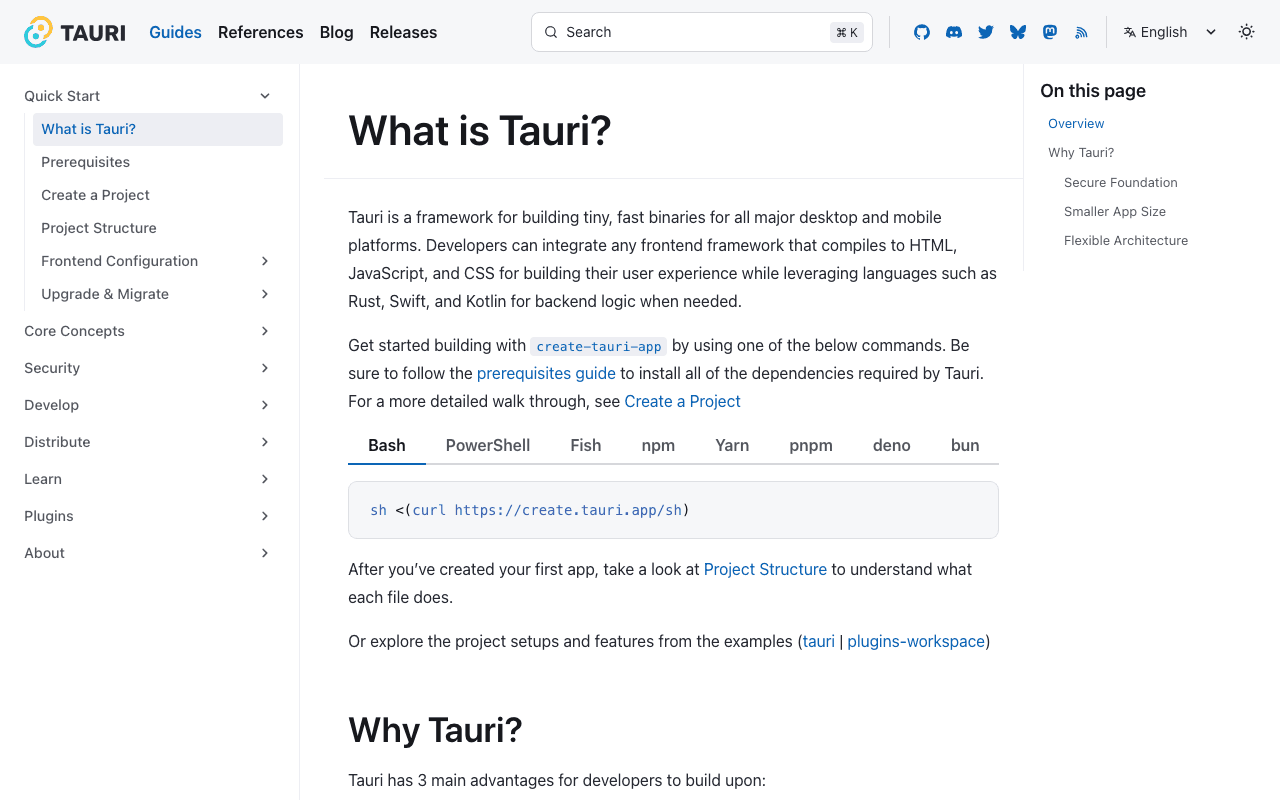
Tauri describes itself as "a framework for building tiny, fast binaries for all major desktop and mobile platforms." You write the interface in HTML, CSS and JavaScript (or a Rust or .NET frontend), and the backend runs in Rust. Swift and Kotlin can also be used for native backend logic and for plugins. JavaScript calls Rust code through the invoke function.
The size claim comes from how Tauri renders. It does not ship its own browser engine. It uses the web view that is already on the user's system:
| Platform | Web view Tauri uses | Minimum version (tauri-apps README) |
|---|---|---|
| Windows | WebView2 (based on Microsoft Edge, Chromium) | Windows 10 or later |
| macOS | WKWebView (WebKit) | macOS 10.15 or later |
| Linux | WebKitGTK | webkit2gtk 4.1 for Tauri v2 (4.0 for v1) |
| iOS / iPadOS | WKWebView (WebKit) | iOS 9 or later |
| Android | System WebView | Android 7 or later (the README notes 8 and above currently) |
The Tauri docs say "a minimal Tauri app can be less than 600KB in size." Your real app will be larger once you add assets and dependencies, but the baseline starts under 1 MB because no Chromium copy is bundled.
WebView2 is preinstalled on Windows 11 and present on Windows 10 version 1803 and later, and Tauri's installer handles it on older systems. On macOS, WebKit updates only with the operating system, so users on old macOS versions keep an old WebKit. Test your CSS and JavaScript against the oldest system you plan to support.
Release history and project size
- Tauri 2.0 went stable on October 2, 2024. It added iOS and Android as targets.
- The 2.0 announcement listed 30 official plugins, from Autostart to Window State. Not every plugin supports mobile yet.
- The tauri-apps/tauri repository shows about 112,000 GitHub stars.
- At the 2.0 launch the project counted about 4,878 closed pull requests, about 3,570 closed issues and a Discord of about 17,700 members.
- CrabNebula, the company that is an official Tauri partner, reported over 2,870 work hours on the project in 2024.
What Shipping a Tauri App Costs in November 2026
The framework is free. The costs come from code signing, app store accounts and CI build minutes. This table lists the official prices we confirmed.
| Item | Price billed yearly | One-time or monthly | Key limits | |---|---|---| | Tauri framework | $0 | $0 | MIT or MIT/Apache 2.0; no paid tier | | CrabNebula Cloud (distribution and updates) | $0 | $0 | Free for everyone since June 19, 2026; fair use, no fixed download cap | | Apple Developer Program | $99 per membership year | Not offered | Needed for App Store, code signing and notarization; prices vary by region | | Apple Developer Enterprise Program | $299 per year | Not offered | In-house distribution only | | Google Play developer account | Not applicable | $25 one-time | Needs government ID and a card in your legal name | | Microsoft Store developer account | Not applicable | $0 | Free for individuals; Microsoft removed the $99 company fee in May 2026 | | GitHub Actions, Linux 2-core runner | Not applicable | $0.006 per minute | Free in public repositories | | GitHub Actions, Windows 2-core runner | Not applicable | $0.010 per minute | Free in public repositories | | GitHub Actions, macOS runner | Not applicable | $0.062 per minute | Free in public repositories |
Windows code signing is the one cost we could not price. Tauri's Windows signing guide covers OV certificates and Azure Artifact Signing (previously called Azure Trusted Signing), but Azure's pricing page shows its prices only through a calculator. The page lists 2 tiers: Basic with 5,000 signatures a month and Premium with 100,000. Get a quote before you budget for it.
What the free framework doesn't include
- App store accounts. Apple charges $99 a year. Google Play charges $25 once.
- Code signing certificates. Tauri's docs say "signing is required on most platforms." macOS apps distributed outside the App Store also need notarization.
- A build machine for every platform. iOS builds need macOS and full Xcode. If you have no Mac, you pay for macOS CI minutes at $0.062 each.
- Paid support. There is no support contract from the Tauri project. Help comes from the docs, GitHub and Discord.
- A hosted update server. The updater plugin needs a server or a static JSON file. You host it yourself (S3 or GitHub releases work) or use CrabNebula Cloud.
Worked Examples With Real Math
GitHub Actions bills included usage in dollars, not minutes. GitHub Free and Free for organizations include $12 a month. GitHub Team includes $18. GitHub Team seats cost $4 per user a month. All build times below are our assumptions, so swap in your own.
Example 1: solo founder, desktop app, private repo
You ship a desktop app for macOS, Windows and Linux. You build twice a week, so 8 releases a month, on GitHub Free in a private repository.
- macOS build, 15 minutes: 15 x $0.062 = $0.93
- Windows build, 15 minutes: 15 x $0.010 = $0.15
- Linux build, 10 minutes: 10 x $0.006 = $0.06
- Per release: $0.93 + $0.15 + $0.06 = $1.14
- Per month: 8 x $1.14 = $9.12, which fits inside the $12 included. CI cost: $0.
- Fixed yearly cost: Apple Developer Program $99.
- Year one: $99 plus your Windows certificate. Tauri itself: $0.
If you make the repository public, standard runners are free and the CI line stays at $0 even at 30 releases a month.
Example 2: 5-person team, desktop plus iOS and Android
You ship to all 5 platforms on GitHub Team, 20 releases a month.
- macOS runner for the Mac and iOS builds, 25 minutes: 25 x $0.062 = $1.55
- Windows build, 15 minutes: 15 x $0.010 = $0.15
- Linux and Android builds, 25 minutes: 25 x $0.006 = $0.15
- Per release: $1.55 + $0.15 + $0.15 = $1.85
- Per month: 20 x $1.85 = $37.00 of compute. Minus $18 included = $19.00 overage.
- Team seats: 5 x $4 = $20 a month.
- Monthly total: $20 + $19 = $39. Yearly: $39 x 12 = $468.
- Store accounts: Apple $99 a year plus Google Play $25 once = $124.
- Year one: $468 + $124 = $592, before Windows signing. Year two drops to $468 + $99 = $567.
The macOS runner is 84% of the compute bill here ($1.55 of $1.85 per release). A Mac mini running a self-hosted runner removes that line, because GitHub does not bill self-hosted runner minutes. An Electron app built on the same CI would pay the same runner and store prices, so the framework choice does not change these numbers. App size, memory use and the backend language are where Tauri and Electron differ.
Where Tauri fits best
- Web teams that need a desktop app. If your product is already a React, Vue, Svelte, Solid, Angular or Preact app, create-tauri-app has a template for it. Any frontend that compiles to HTML, JavaScript and CSS works, including Next.js, Nuxt, Qwik, SvelteKit and Vite setups covered in the docs.
- Apps where download size matters. A baseline under 600KB is a real advantage for tools users install on a whim: menu bar utilities, clipboard managers, note takers, local AI front ends, internal admin tools.
- Teams comfortable with Rust, or willing to learn it. File access, system calls and heavy processing live in Rust. If your backend logic is simple, the Rust part stays small.
- Startups that want one codebase for desktop and mobile. Since 2.0, the same project can target iOS and Android.
- Security-sensitive apps. Tauri's capabilities system lets you grant each window only the commands it needs.
Security background
The Tauri 2.0 architecture was independently audited by Radically Open Security during the beta and release candidate period, funded by NLnet through NGI. The team reports the findings were fixed and verified before the stable release. Only one beta finding, CVE-2024-35222, needed a security advisory. The docs say audits run for major and minor releases.
When Tauri is the wrong pick
- Teams that need pixel-identical rendering everywhere. Your app renders in WebView2 on Windows, WebKit on macOS and WebKitGTK on Linux. These engines differ, and old macOS versions do not get WebKit updates. Electron ships one Chromium build on every platform.
- Teams with a large Node.js backend. Tauri's backend is Rust. Electron embeds Node.js, so existing Node code moves over with fewer changes.
- Teams with no Rust skills and a deadline next month. You can ship a Tauri app with little Rust, but debugging plugin or build issues often means reading Rust.
- Apps that depend on a plugin with no mobile support. Check the plugin list before you promise a mobile release.
Tauri Compared With Alternatives
| Tauri | Electron | |
|---|---|---|
| Price | $0, open source | $0, open source (OpenJS Foundation project) |
| Rendering | System web view per platform | Embeds Chromium and Node.js |
| Backend language | Rust (Swift, Kotlin for native code) | JavaScript on Node.js |
| Desktop targets | Windows 10+, macOS 10.15+, Linux | macOS, Windows, Linux |
| Mobile targets | iOS 9+, Android 7+ | Site lists macOS, Windows and Linux only |
| Size claim | Minimal app under 600KB | No size claim on its site |
| Release cadence | No fixed schedule; three 2.12 patch releases in October 2026, 3.0 in alpha | New major every 8 weeks; latest 3 majors supported |
Electron's site lists Electron 45.2.1 as the current stable release, with Node 24.22.1 and Chromium 156. It names 1Password, Slack, VS Code, Figma, Discord, Notion, Obsidian and Signal among the apps built on it. That track record is the strongest case for Electron. Tauri's case is size and a Rust backend.
Flutter's desktop docs say it compiles "a native Windows, macOS, or Linux desktop app." It suits teams that want one UI toolkit across mobile and desktop and do not need to reuse an existing web frontend.
Tips for your first weeks on Tauri
- Install the prerequisites first. Linux needs the WebKitGTK 4.1 development packages and build tools. macOS needs Xcode (or the Command Line Tools for desktop only). Windows needs the Microsoft C++ Build Tools with "Desktop development with C++" and WebView2. Install Rust with
rustup, and on Windows set the MSVC toolchain as default. Node.js LTS is needed only for a JavaScript frontend. - Scaffold with create-tauri-app. Run
npm create tauri-app@latest, or the pnpm, yarn, bun, deno or Cargo equivalents. The docs suggest pnpm, the Vanilla template and TypeScript for a first project. - Lock down capabilities early. Capability files live in
src-tauri/capabilitiesas JSON or TOML. Every file in that folder is enabled by default until you list specific ones intauri.conf.json. A window covered by 2 capabilities gets the merged permissions of both, so keep window labels distinct. - Be careful with remote URLs. By default only your bundled code can call the Tauri API. If you expose commands to a remote domain, note the docs' warning that on Linux and Android Tauri cannot tell iframe requests from window requests.
- Generate updater keys before your first public release. The updater plugin needs Rust 1.90 or newer. Signatures are required and "cannot be disabled." Losing the private key blocks updates to installed apps, so back it up.
.envfiles are not supported forTAURI_SIGNING_PRIVATE_KEY. - Use the built-in bundler. It produces .app and .dmg for macOS, .deb, .rpm and AppImage for Linux, and NSIS .exe and WiX .msi installers for Windows. VBSCRIPT is needed only for MSI builds.
- Plan code signing per platform. Since 2024, Tauri's Windows guide notes that EV and OV certificates build SmartScreen reputation the same way. Sign every release with the same certificate so reputation carries over.
Claiming the Tauri offer, step by step
- Open the Tauri listing on SaaSOffers and follow the link to the official Tauri site.
- Install the prerequisites for your operating system from the Tauri docs.
- Run
npm create tauri-app@latest(or your package manager's equivalent) and pick a template. - Run the dev command the scaffold prints to open your app window.
- No account, code or approval is needed. The framework is free for commercial use under its open source license.
Who Is This Deal For?
Early-Stage Startups
Seed and pre-seed companies looking to move fast without overspending on tools.
Growing SaaS Teams
Series A+ companies scaling their stack and optimizing software costs.
Solo Founders
Indie hackers and bootstrapped founders who need enterprise tools at startup prices.
Get Free & Open Source off Tauri
Free for all startups. Claim instantly.
Frequently Asked Questions
Everything you need to know about this startup deal.
Get the weekly deals digest
New verified startup deals every week. No spam, ever. Unsubscribe anytime.
Related Offers

Retool
Used by 1,559 members
1 year free, up to $60K
Build internal tools 10x faster with the low-code platform used by companies like Amazon, DoorDash, and Mercedes-Benz.
View offer
Replicate
Used by 1,772 members
$500 in credits
Run open-source ML models in the cloud, deploy Llama, Stable Diffusion, and custom models via API without GPU management.
View offer
ZoomInfo
Used by 2,014 members
Free Trial
B2B data platform for sales and marketing intelligence with contact databases.
View offer
Chore
15% off your first month
Chore runs your startup's back office for you: payroll, HR, bookkeeping, compliance and equity, inside the tools you already use. 15% off your first month through SaaSOffers.
View offerDeal Summary
Looking for more startup deals?
Browse all offers