
Typeform Promo Code: 6 months free Business
Get 6 months free on Typeform Business, the conversational form and survey platform with one-question-at-a-time UX, built-in logic jumps, AI-generated forms, and 200+ native integrations.
Free · Opens in new tab
Free · No account required. Sign up to track your deals.
Deal Highlights
Typeform is the conversational form and survey platform that pioneered the one-question-at-a-time interaction model, replacing the static "page of fields" feel of Google Forms and SurveyMonkey with an experience that feels like a thoughtful conversation. Where most form tools are utilitarian, Typeform is design-led: every form looks polished by default, completion rates run 30-50% higher than legacy alternatives, and the responses arrive in a clean dashboard with logic-driven branching, scoring, and integrations to 200+ tools.
The 6 months free on the Typeform Business plan unlocks the full platform, unlimited forms, custom subdomains, advanced logic jumps, payment collection, AI form generation, integrations with HubSpot/Salesforce/Slack/Mailchimp, and priority support. For a marketing team running lead capture, customer feedback, NPS surveys, or product research at scale, the free window equates to ~$500 in saved subscription fees during a real evaluation period.
What You Get
- 6 months free on the Typeform Business plan
- Unlimited forms and unlimited responses
- 100+ pre-built form templates (lead capture, NPS, customer feedback, employee surveys, quizzes, applications, registrations)
- One-question-at-a-time UX with smooth transitions and conversational tone
- Logic jumps and conditional branching (show different questions based on previous answers)
- Calculator features (scoring, ranking, pricing calculators)
- Custom branding with your logo, colors, fonts, and background
- Custom subdomain (yourcompany.typeform.com → custom domain on Business+)
- Payment collection with Stripe integration (one-time and subscription)
- Hidden fields for passing UTM parameters and pre-filled data
- AI form generation from a single prompt
- Native integrations: HubSpot, Salesforce, Mailchimp, Slack, Google Sheets, Notion, Airtable, Calendly, Zapier (5,000+ apps)
- Real-time analytics: completion rate, drop-off per question, average time per question
- Mobile-optimized, Typeform's design genuinely shines on phone screens
- Multi-language form support
- Priority support on Business+ tiers
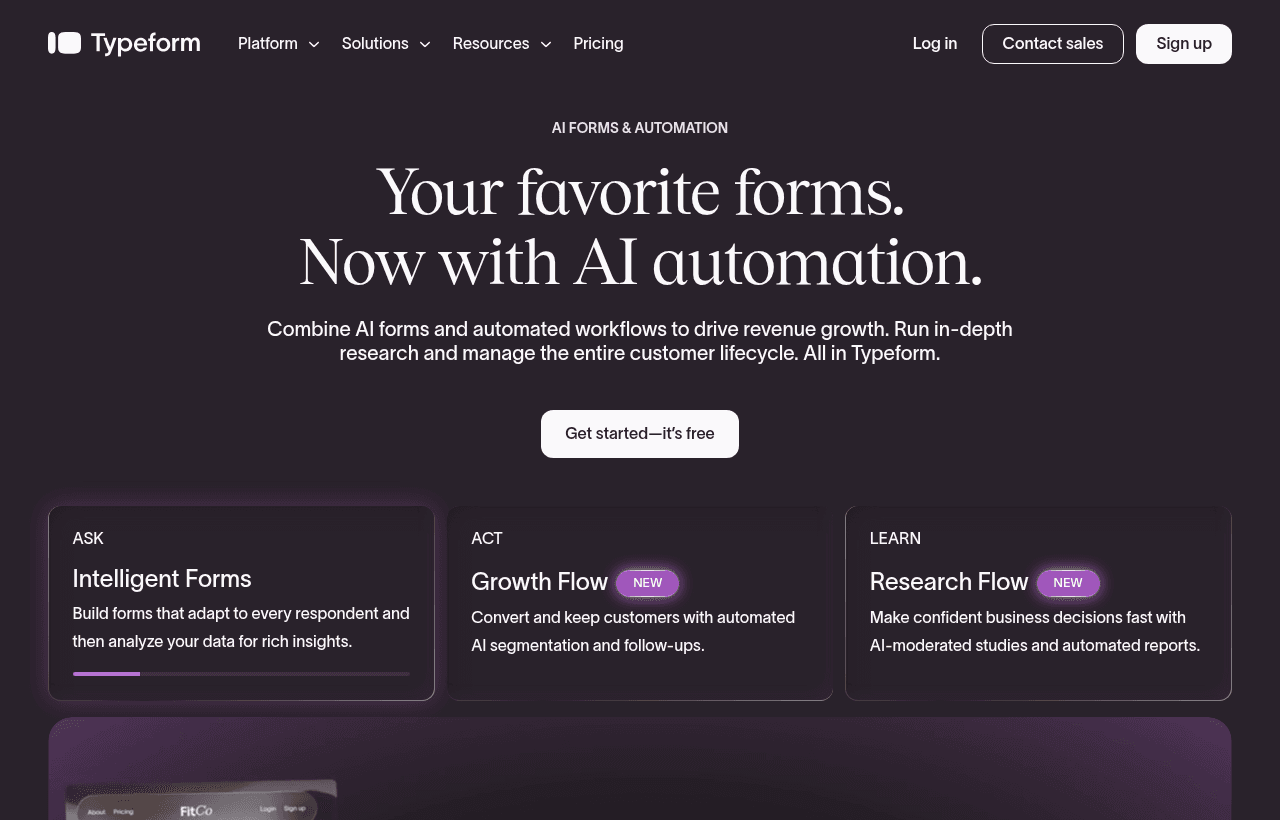
Typeform, one of the tools included in this startup deal.
Why Typeform for Modern Teams
The economics of forms have a structural problem most teams underestimate: completion rate compounds. A form with a 30% completion rate captures 30 leads from 100 visitors. The same audience on a form with 60% completion captures 60 leads, twice the result from identical traffic.
Three reasons Typeform's UX consistently outperforms generic form tools:
- Cognitive load per screen is lower. Showing one question at a time reduces visual overwhelm. Respondents commit to answering each question instead of bailing on a wall of fields.
- Brand perception lifts conversion. A form that looks designed signals the company behind it is competent and trustworthy. A spreadsheet-style form signals the opposite.
- Mobile completion rates are dramatically higher. Over 60% of form traffic is now mobile. Typeform's UX is mobile-first; legacy tools are mobile-tolerated.
For sales-led companies, lead-capture forms are the bottom of the marketing funnel, every percentage point of conversion lift translates directly to pipeline. For product teams running customer research, completion rate determines whether you get statistically meaningful insights or biased data from the few people who finish a tedious survey.
Three patterns where Typeform particularly shines:
- B2B lead capture with logic jumps that route enterprise prospects to one path and SMB prospects to another, sending each segment to the right CRM stage automatically
- Customer feedback and NPS programs where consistent ongoing surveys are part of the operating cadence, not one-off projects
- Application forms for grants, accelerators, jobs, partnerships, where the form itself signals brand quality to the applicant
Pricing Structure
Typeform operates on a tiered subscription model:
- Free: Unlimited forms, but 10 responses per month and 3 questions per form. Suitable only for testing.
- Basic: Higher response volume, custom branding, basic logic.
- Plus: Advanced logic jumps, scheduling, custom thank-you screens, more integrations.
- Business: Custom subdomain, priority support, payment collection, scoring/ranking calculators, advanced integrations, higher response volumes. This is the plan covered by the 6-months-free deal.
- Enterprise: Custom pricing, SSO, advanced security, dedicated CSM.
The Business tier is where Typeform becomes genuinely powerful for sales/marketing teams, calculators enable interactive pricing tools and assessments, custom domains build trust, payment collection turns forms into checkout flows. The 6-month window covers the period most teams need to fully integrate forms into their lead-capture, customer-feedback, and research workflows.
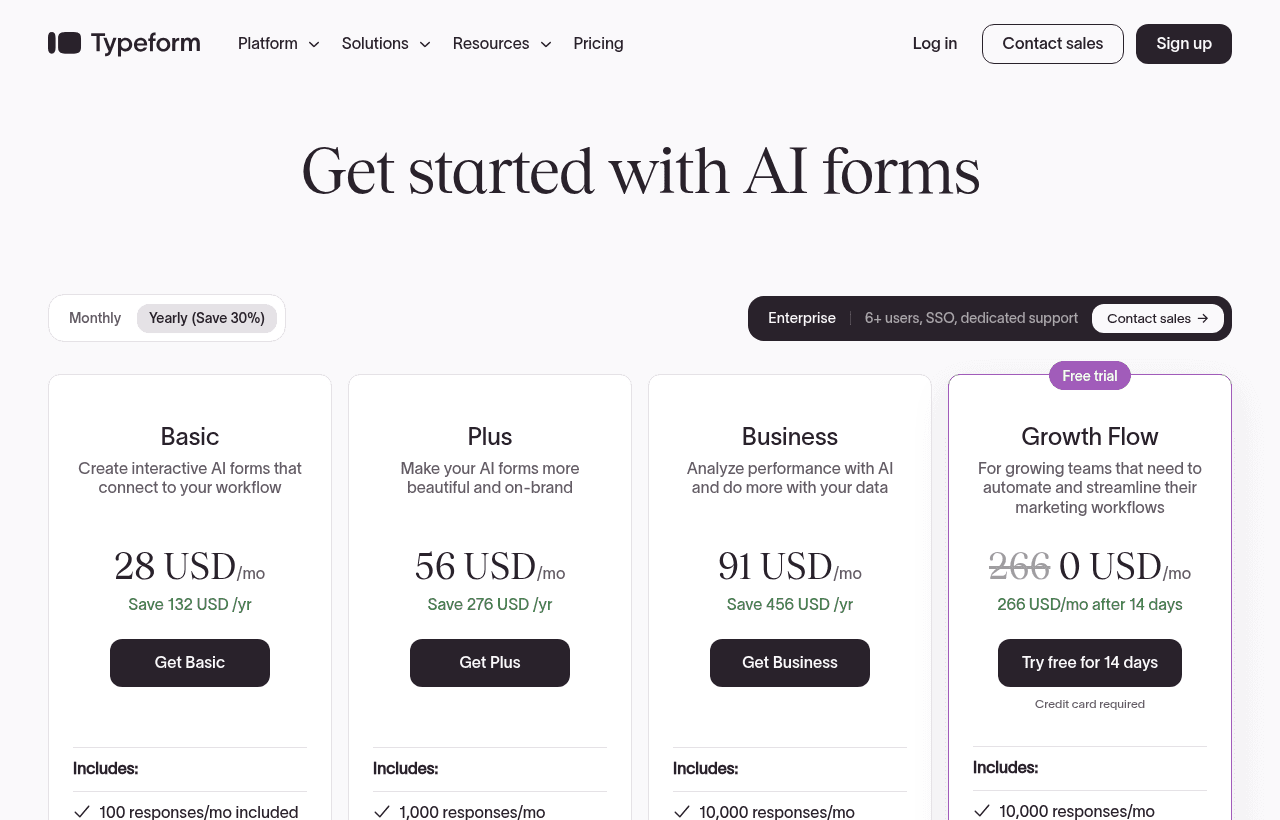
A look at Typeform before the discount, so you can see what the deal saves you.
Side-by-Side: Typeform vs the Main Alternatives
| Dimension | Typeform | Tally | Google Forms | SurveyMonkey | Jotform | Paperform |
|---|---|---|---|---|---|---|
| Design / UX polish | Best-in-class | Strong (improving) | Functional | Dated | Strong | Strong |
| One-question-at-a-time | Native | Native (default) | No | No | Optional | Native |
| Free tier limits | 10 responses/month | Unlimited responses | Unlimited responses | Limited | Limited | Limited |
| Logic jumps | Strong (Plus+) | Yes (free) | Limited | Yes | Strong | Strong |
| Custom domain | Business+ | All tiers | No | Enterprise | Yes | Yes |
| Calculators / scoring | Business+ | Limited | Limited | Yes | Yes | Strong |
| Payment collection | Yes (Business+) | Yes | No | No | Yes | Yes |
| AI form generation | Yes | Yes | Limited | Limited | Yes | Limited |
| Native integrations | 200+ | 50+ | Google Workspace | 100+ | 100+ | 80+ |
| Pricing positioning | Premium | Free / Pro freemium | Free | Mid-to-premium | Mid-market | Mid-market |
| Best fit | Brand-conscious B2B + customer-facing forms | Cost-conscious teams, indie hackers | Internal Google Workspace forms | Enterprise survey research | Feature-rich form builder | Design-led mid-market |
Typeform is the right call when (1) form design quality affects your brand perception, (2) completion rate matters for revenue or research validity, and (3) you want the broadest integration ecosystem. Tally is the budget-friendly direct competitor, its free tier is dramatically more generous (unlimited responses), and its UX has improved meaningfully. Google Forms is fine for internal use cases inside Google Workspace where brand doesn't matter. SurveyMonkey is enterprise-default for academic/market research. Jotform is the most feature-rich at the mid-market price point. short-list Typeform vs Tally for most modern use cases, try both during free tiers and pick based on whether design polish or budget matters more.
Common Use Cases
- B2B lead capture forms with smart routing based on company size, role, or budget
- Customer feedback and NPS surveys integrated into product email cadences
- Job application forms that look designed and pre-screen candidates with logic
- Course / cohort applications for accelerators, bootcamps, and content programs
- Event registration with payment collection for tickets or workshops
- Product research and beta sign-ups for startups validating new ideas
- Customer churn surveys with branching logic to route at-risk accounts to retention
- Internal HR forms for onboarding, benefits enrollment, and employee engagement
How to Claim
- Click "Get Deal", opens the Typeform signup with the SaaSOffers referral
- Create your Typeform account
- Choose the Business plan during signup or upgrade, the 6-months-free promo applies automatically
- Pick a template (lead capture, NPS, customer feedback) or build from scratch
- Customize branding (logo, colors, fonts, background) and add logic jumps
- Connect integrations (HubSpot/Salesforce/Slack/Google Sheets) so responses flow into your stack
- Publish on a custom subdomain (or full custom domain with DNS setup) and share
Best For
- B2B SaaS marketing teams running lead capture forms on landing pages and in newsletters
- Customer success and product teams running ongoing NPS, feedback, and research programs
- Recruiters and HR running application forms for jobs, accelerators, or partnerships
- Founders running customer interviews and product validation at scale
- Course creators and event organizers with registration forms that need payment collection
- Brand-conscious companies where the form is part of the customer journey, not a utility
When Typeform Wins
- Form design and UX matter for your brand or completion rates → Typeform's design language is best-in-class
- You need strong native integrations across your stack → 200+ integrations cover most B2B SaaS tools
- Mobile completion rates matter → Typeform's mobile UX is meaningfully ahead of competitors
- You want one tool covering lead capture, surveys, applications, and payments → Business tier handles all four
- You're running customer-facing forms (vs internal admin) → polish and brand consistency win
When an Alternative Is Stronger
- Budget is the dominant constraint → Tally's free tier is much more generous (unlimited responses on the free plan)
- You're inside Google Workspace and forms are internal-only → Google Forms is sufficient and free
- You need enterprise survey research with academic-grade methodology → SurveyMonkey has deeper research features
- You need extreme form complexity (workflow approvals, multi-step business processes) → Jotform or Formstack are more feature-rich for that
- Your forms are in-app (embedded SaaS surveys) → Userpilot, Sprig, or PostHog Surveys are purpose-built for in-app
Real-World Workflow Example
Imagine you run a B2B SaaS company at Series A. Your homepage has a "Talk to sales" button that currently goes to a Calendly link with no qualification, your AEs are wasting time on unqualified calls. Typeform path:
- Sign up for Typeform Business (6 months free with this deal)
- Build a 5-question qualification form: company size, role, budget, urgency, current solution
- Add logic jumps: enterprise (1000+ employees) → AE calendar; mid-market (100-1000) → BDR calendar; SMB (<100) → self-service onboarding link
- Connect HubSpot integration so every response creates a contact + deal with the right pipeline stage
- Replace the homepage "Talk to sales" link with the Typeform URL on a custom subdomain
- Set up Slack notifications so AEs get pinged when an enterprise lead completes the form
End-to-end: 2-3 hours of setup. Outcome: AE time-on-call shifts from "qualifying basic info" to "selling," AE-meeting-to-deal conversion improves measurably, and SMBs self-serve through onboarding instead of clogging the sales funnel.
Real Cost Comparison Math
- Typeform Business (full price): ~$83/month at standard pricing
- Typeform Business with 6 months free: $0 for the first 6 months
- Tally Pro (alternative): cheaper at similar feature set
- Google Forms: free but design and integration depth limited
- Hiring a designer to make Google Forms look custom: $500-$2,000 one-time + maintenance
- Lost lead conversion at 30% vs 60% completion rate: meaningful pipeline cost at scale
For sales-led B2B companies where lead-capture conversion ties directly to pipeline, the ROI on Typeform usually justifies itself within the first month of better-converting forms. The 6-months-free promo removes the "is it worth $500" question by giving you a real evaluation window before any spend.
Response Rate Is the Metric That Matters
A form is only useful if people finish it, and Typeform's whole design premise is that one-question-at-a-time, conversational forms get completed more often than a wall of fields. That advantage is real, and you amplify or waste it with how you build the form.
Keep it short. Every question you add lowers completion, and the temptation to ask one more thing is what turns a form people finish into one they abandon. Ask only what you will actually use, and cut anything whose answer will not change a decision. A three-question form that gets answered beats a ten-question form that gets started and left.
Use logic to shorten the path. Conditional branching means a respondent only sees the questions relevant to their earlier answers, so nobody wades through fields that do not apply. This is where Typeform's design pays off, and it is worth building rather than presenting everyone the same long sequence.
Put the easy question first. Starting with a low-effort, engaging question builds momentum, and the respondent who has answered one is far more likely to finish. Front-loading a demanding question, an email, a long text field, loses people at the start.
Connect responses to where you work. A form that writes into your CRM, spreadsheet, or email tool automatically turns responses into action rather than a pile of submissions nobody processes. The integration is what makes the form part of a workflow instead of a dead end.
Who Is This Deal For?
Early-Stage Startups
Seed and pre-seed companies looking to move fast without overspending on tools.
Growing SaaS Teams
Series A+ companies scaling their stack and optimizing software costs.
Solo Founders
Indie hackers and bootstrapped founders who need enterprise tools at startup prices.
Get 6 months free Business off Typeform
Free for all startups. Claim instantly.
!Eligibility Requirements
Early-stage startup, new Typeform account
Frequently Asked Questions
Everything you need to know about this startup deal.
Tally is the closest direct competitor and an increasingly credible alternative. Tally's free tier is dramatically more generous (unlimited responses on the free plan vs Typeform's 10/month). Typeform retains the edge on design polish, integration breadth (200+ vs Tally's ~50), mobile UX refinement, and enterprise features (calculators, payment workflows, custom domains on Business). The honest pattern: try both during free tiers — if Tally's UX feels good enough for your use case and budget matters, Tally wins on price. If design polish or integration depth matters, Typeform wins.
Get the weekly deals digest
New verified startup deals every week. No spam, ever. Unsubscribe anytime.
Related Offers

Drip
Used by 1,080 members
Free Trial
Email marketing automation platform built for e-commerce and direct-to-consumer brands.
View offer
SurveyMonkey
Free plan
Free SurveyMonkey Basic plan: unlimited surveys, 10 questions per survey and AI survey building. Upgrade only when you need more responses.
View offer
Tally
Used by 908 members
Free forever
Free form builder, unlimited forms, responses, and features with no paywall. The anti-Typeform.
View offer
Klaviyo
Used by 3,980 members
Free Plan
Get the Klaviyo Free Plan, the email and SMS marketing platform that powers most of the top Shopify stores, with deep ecommerce data, predictive analytics, and pre-built revenue flows.
View offer
SpyFu
Used by 458 members
Free Trial
Competitive intelligence tool for SEO and PPC, analyze competitor keywords and ads.
View offer
Sprout Social
Used by 947 members
Free Trial
Enterprise social media management platform with analytics and engagement tools.
View offerDeal Summary
Looking for more startup deals?
Browse all offers