
Loops Startup Credits: $500 in credits
Email platform built for SaaS, transactional, marketing, and product emails with event-driven automations.
Premium: $79/year for unlimited deals
Already have an account? Log in
Deal Highlights
Our Loops listing: $500 in credits
Offer: $500 in credits. Requirement in our listing: SaaS startup needing email platform. There is no promo code. This is a Premium deal on SaaSOffers.
We checked these plans and prices against Loops's official pricing and help pages in November 2026.
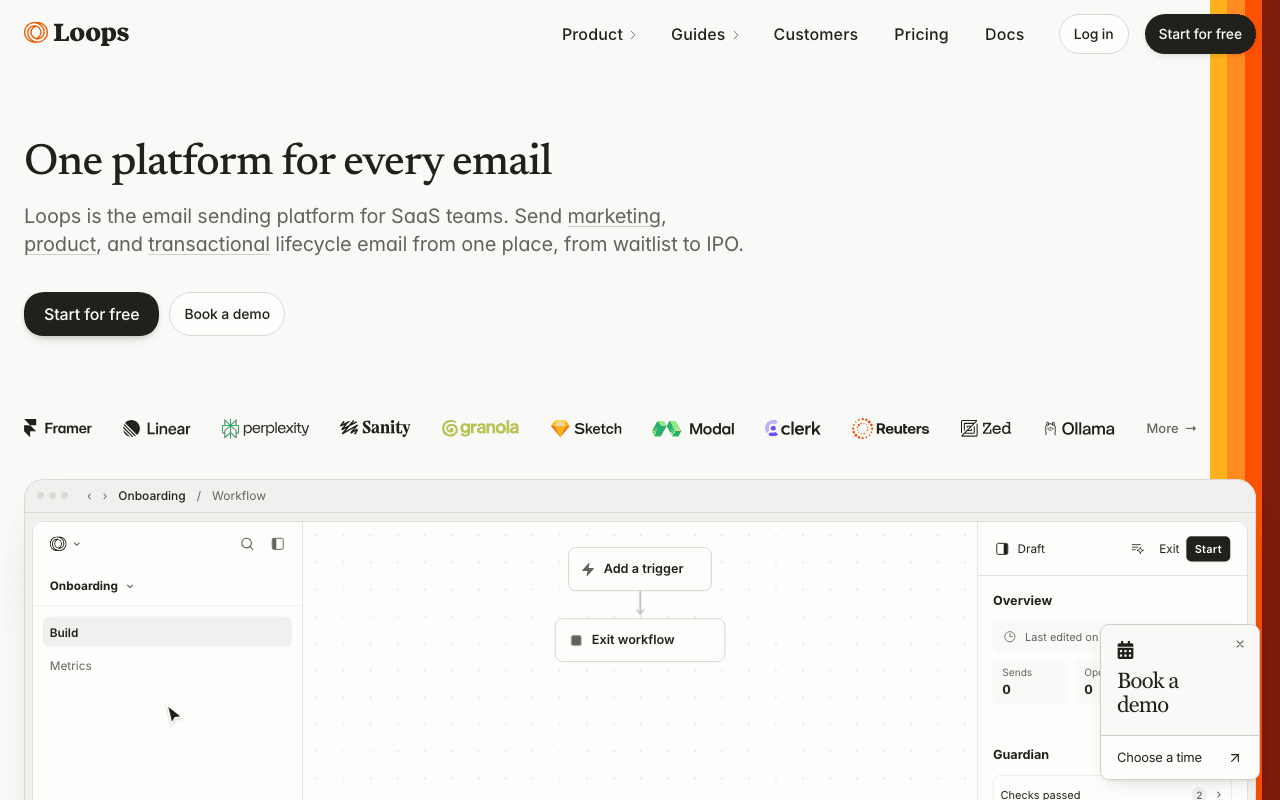
Loops is an email platform for SaaS companies. You send three kinds of email from one contact record: marketing campaigns, automated product emails (called workflows) and transactional email such as password resets. Loops's pricing page says there are no seat fees, no per-send charges and that every feature is on every plan. You pay for the number of subscribed contacts and nothing else.
Loops's own site does not mention a startup program or a credit offer. The $500 is our listing's term. We cannot confirm from Loops's pages how the credit is applied, how long it lasts or which plan it covers, so confirm those details when you redeem it. The math below uses "if the $500 applies" for that reason.
Free is generous on contacts and tight on sends
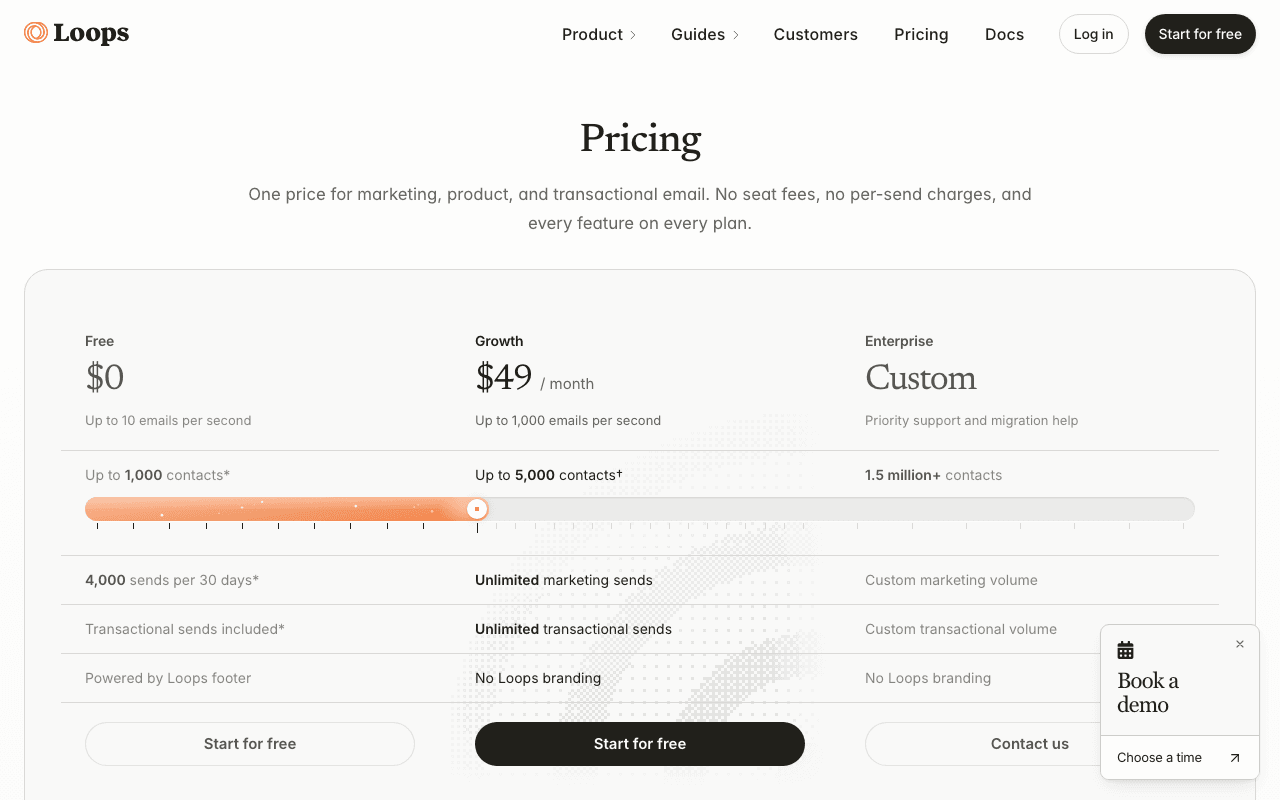
The Free plan costs $0. Loops's pricing page and FAQ describe it like this:
- It stores unlimited contacts. Every plan, Free included, lets you upload as many contacts as you like.
- It includes 4,000 sends in any rolling 30-day window. Marketing and transactional sends are counted together.
- Those 4,000 sends go to your first 1,000 contacts only.
- Emails carry a "Powered by Loops" footer.
- Sending is capped at 10 emails per second.
Read the third bullet twice. The page shows "up to 1,000 contacts" on Free, but the footnote clarifies that the free allowance applies to the first 1,000 of them. A list of 800 subscribers that receives a weekly newsletter uses about 3,200 to 3,500 sends a month. Add a welcome email and a password reset for each new signup, and you can pass 4,000 inside a month.
Free has no daily cap that we could find. The limit is a rolling 30-day count, so a launch week with a big send eats into the rest of the month.
What Free leaves out
- No removal of the Loops footer. The page lists "No Loops branding" for Growth and Enterprise only.
- No sends to contacts beyond the first 1,000.
- A rate limit of 10 emails per second, against 1,000 per second on Growth. Emails over the limit are queued until they can go out.
- Priority support and migration help, which Loops lists on Enterprise.
Loops's pricing page says features are the same on every plan. We saw no feature gate between Free and Growth beyond branding, volume and speed.
Growth is priced by subscribed contacts
Loops's pricing page shows Growth at $49 a month for up to 5,000 contacts, with a slider up to 1.5 million. The page's rendered text only shows the first and last values. The full step table sits in the page's own script, and we read it from there. The page does not state a yearly price, so treat all figures as monthly.
| Subscribed contacts (up to) | Growth price per month |
|---|---|
| 1,000 | $0 (Free plan) |
| 5,000 | $49 |
| 10,000 | $99 |
| 15,000 | $149 |
| 25,000 | $199 |
| 50,000 | $249 |
| 100,000 | $399 |
| 150,000 | $599 |
| 200,000 | $799 |
| 300,000 | $1,199 |
| 500,000 | $1,999 |
| 1,000,000 | $3,999 |
| 1,500,000 | $4,799 |
| Above 1.5 million | Contact Loops (Enterprise) |
The script also lists steps at 400,000 ($1,599), 600,000 ($2,399), 700,000 ($2,799), 800,000 ($3,199), 900,000 ($3,599) and 1,250,000 ($4,399).
From the pricing FAQ:
- Unsubscribed contacts never count toward the price.
- Paid plans do not cap total sends. Each team can send up to 1,000 emails per second.
- Transactional sending is included at no extra charge on paid plans.
The jump from Free to the first paid step is the one to plan for. At 1,001 subscribed contacts you pay $49 a month, which is $588 over twelve months at a flat monthly rate. Between 1,001 and 5,000 contacts the price does not change.
What $500 buys, if it applies
Here is the arithmetic, assuming the $500 credit offsets Growth invoices at the monthly prices above and nothing else is billed. We have not confirmed that from Loops.
| Subscribed contacts | Monthly price | Months covered by $500 |
|---|---|---|
| 5,000 | $49 | 10.2 (ten full months, $10 left) |
| 10,000 | $99 | 5.05 (five full months, $5 left) |
| 15,000 | $149 | 3.36 |
| 25,000 | $199 | 2.5 |
| 50,000 | $249 | 2.0 |
| 100,000 | $399 | 1.25 |
Ten months of cover holds only at the 5,000-contact step ($49).
Example 1: a seed-stage SaaS with 3,000 users
Your app has 3,000 subscribed contacts and sends a welcome sequence, a product update every two weeks and transactional email. You fall on the 5,000 step at $49 a month. If the $500 applies, ten months cost nothing and $10 of credit is left toward month eleven. Without the credit, a year costs 12 x $49 = $588.
Example 2: a product-led SaaS with 12,000 contacts
12,000 contacts lands on the 15,000 step at $149 a month. The $500 covers 3 full months ($447) with $53 left toward month four. A year at $149 is $1,788. The credit shaves off 28 percent of the first year in the best case, since $500 / $1,788 = 0.28.
Contacts who unsubscribe drop out of the count. If 2,500 of those 12,000 are unsubscribed, you have 9,500 subscribed contacts and sit on the 10,000 step at $99 instead. Cleaning a list changes the price directly.
Transactional email: how it works in Loops
Loops's transactional docs describe a simple flow:
- Build the email in the Loops editor, or upload your own MJML.
- Publish it. That gives it a Transactional ID.
- Your app sends a POST to
https://app.loops.so/api/v1/transactionalwith thetransactionalId, the recipientemailand anydataVariables.
Data variables can be strings, numbers or arrays of objects. Booleans and null are not allowed. Names are case-sensitive and can contain letters, numbers, underscores and dashes. A required variable that you leave out makes the send fail.
Other documented behaviors:
- Any address can receive a transactional email. The recipient is added to your Audience only if you set
addToAudienceto true. - Unsubscribed contacts still receive transactional email.
- Transactional emails have no unsubscribe link and no open or click tracking.
- Editing a published email creates a draft. The published version keeps sending until you republish.
- Sending to
@example.comor@test.comreturns a normal success response but delivers nothing, which is useful in tests. - Common 400 errors are a missing verified sending domain, an unpublished email or a missing required field.
On the Free plan, transactional sends count toward the 4,000 monthly sends. On a paid plan they do not add to your bill.
Workflows react to events from your product
Loops calls its automations workflows. The docs list four triggers: Contact added, Contact updated, Contact added to list and Event received. Event received fires when your code or an integration sends an event.
The builder has these building blocks:
- Timers add a fixed delay between two steps, for example three days after signup.
- Audience filters narrow a workflow to contacts with certain properties. A filter can apply to every following step, so a contact who stops matching leaves the workflow, or to the next step only.
- Branches start each path with an audience filter. Filters are checked from left to right, and a contact takes the first match. An empty right-most filter works as a default path.
A typical SaaS setup sends a "signed_up" event from your backend, waits one day, branches on whether the contact has finished onboarding, and sends a different email to each group. The Next.js guide in Loops's docs shows the SDK call, sendEvent, that starts such a workflow.
API, SDKs and integrations
Loops's API lives at https://app.loops.so/api. You authenticate with a Bearer token from Settings, then API. The docs say to keep the key on the server and never expose it to end users.
Rate limits from the API reference:
- 10 requests per second per team as the baseline.
- 60 requests per 60 seconds per team on the content endpoints (campaigns, components, email messages, themes, transactional emails, uploads and workflows).
- Responses carry
x-ratelimit-limitandx-ratelimit-remainingheaders. Going over returns HTTP 429, and Loops recommends exponential backoff. - Support can raise the limits.
Endpoints cover contacts (create, update, find, delete, check and remove suppression), events, mailing lists, contact properties, audience segments, campaigns and their metrics, transactional emails, themes, components and workflow nodes. There is also an endpoint that lists dedicated sending IP addresses.
The docs list SDKs for Go, JavaScript, Nuxt, PHP and Ruby. Named integrations are Stripe, Bubble, Supabase, Zapier, Make, Clerk and Framer. Loops also documents a CLI for managing contacts and sending events from a terminal, skills for coding agents and an MCP server.
Domain setup you cannot skip
Loops requires your own sending domain. Free subdomains from hosting platforms, such as a vercel.app or netlify.app address, cannot be used because you cannot edit their DNS records. The docs suggest a subdomain like mail.yourcompany.com.
DKIM records are shown per domain under Settings, then Domain. DKIM signing is active from your first send. Loops places its SPF record on a subdomain such as envelope.yourdomain.com, so it does not clash with an SPF record on your root domain. A DMARC record is yours to add, and Loops supplies a default one.
The docs state that authentication alone does not guarantee inbox placement. A transactional send fails with a 400 error until a sending domain is verified, so do this before you test the API.
Loops next to Resend, Customer.io and Brevo
Prices below come from each vendor's official pricing page.
| Loops | Resend | Customer.io | Brevo | |
|---|---|---|---|---|
| Free plan | 1,000 contacts, 4,000 sends per 30 days | 1,000 marketing contacts, 3,000 transactional emails a month with a 100-a-day cap | No free plan; a startup program for eligible new accounts | 300 emails a day |
| 5,000 contacts | $49 a month | $40 a month (marketing) | $100 a month (Essentials) | Priced by emails sent |
| 10,000 contacts | $99 a month | $80 a month (marketing) | $145 a month (Essentials) | Priced by emails |
| Pricing basis | Subscribed contacts | Contacts for marketing, emails for transactional | Profiles | Emails sent |
| Seat fees | None | Not a stated fee | Seats included | Seats vary by plan |
Resend's marketing prices are separate from its transactional plans ($20 a month for 50,000 emails on Pro). Loops puts both under one contact-based price. Customer.io's Essentials tier starts at $100 a month for 5,000 profiles and also gives 1 million monthly email sends. Brevo prices by monthly email volume, so a small list that sends often can cost more than a large list that sends rarely.
Pick on how you send. A SaaS that mails a modest list often and wants product events to drive email fits Loops's contact-based model. A team that sends large transactional volume to few contacts should price Resend or Brevo for the same volume, because Loops's price ignores send counts but rises with list size.
Who it suits and who should skip it
Loops fits a SaaS company that:
- has fewer than 5,000 subscribed contacts and wants marketing, onboarding and transactional email in one tool
- sends events from its backend and wants workflows to respond to them
- does not want to pay per seat or per send
- can verify a sending domain and add DNS records
Skip it, or price it carefully, if:
- Your list is above 50,000 contacts and mostly low-engagement. The price follows contacts, not sends, so a large dormant list costs money until you unsubscribe or remove it.
- You need a free plan for a list bigger than 1,000 that you email weekly. The 4,000-send cap goes quickly.
- You need push, SMS or in-app messaging. Loops's pricing and docs pages describe email only.
- You expect a startup program. We found no official one on loops.so.
How to claim the Loops deal
- Upgrade to SaaSOffers Premium, then open this deal's claim link on SaaSOffers.
- Create your Loops account and confirm the offer terms shown at redemption.
- Add and verify your sending domain under Settings, then Domain.
- Check which plan the $500 credit applies to before you pick a contact tier.
Our listing does not publish an expiry date for the credit, and Loops does not confirm the offer on its own pages. Keep a screenshot of the terms you see at redemption.
Setup tips for the first week
Start on Free. It stores unlimited contacts, so you can import your whole list and see which step you would land on before you pay.
Send your first events early. The Event received trigger needs an event name your code sends, so agree on names such as "signed_up" and "trial_ended" with your developers first.
Add the sending domain on day one, because DNS changes can take time to spread. Publish one transactional email and send a test to a test.com address to check your integration returns a success response.
Watch your subscribed count, not your total count. Loops bills on subscribed contacts, so a clean unsubscribe flow is a pricing control as well as a legal one.
Review the Trust (SOC2), DPA and DPF links in Loops's footer if your customers ask for security paperwork. We did not read those documents, so check the details with Loops.
Who Is This Deal For?
Early-Stage Startups
Seed and pre-seed companies looking to move fast without overspending on tools.
Growing SaaS Teams
Series A+ companies scaling their stack and optimizing software costs.
Solo Founders
Indie hackers and bootstrapped founders who need enterprise tools at startup prices.
Get $500 in credits off Loops
Premium deal. Upgrade once, unlock everything.
!Eligibility Requirements
SaaS startup needing email platform
Frequently Asked Questions
Everything you need to know about this startup deal.
Get the weekly deals digest
New verified startup deals every week. No spam, ever. Unsubscribe anytime.
Related Offers

OmniSEO
Used by 1,361 members
Free Trial
All-in-one SEO platform for keyword research, rank tracking, and site optimization.
View offer
Surfer SEO
Used by 772 members
Free Trial
AI-powered content optimization and SEO planning tool for organic growth.
View offer
Planable
Used by 747 members
Free Plan
Social media collaboration platform for planning, approving, and scheduling content.
View offer
Sprout Social
Used by 947 members
Free Trial
Enterprise social media management platform with analytics and engagement tools.
View offer
SurveyMonkey
20% off Team plans
20% off SurveyMonkey Team plans with code Saasoffers, plus the free Basic plan: unlimited surveys, AI survey building and 200+ integrations on paid plans.
View offer
Replicate
Used by 1,772 members
$500 in credits
Run open-source ML models in the cloud, deploy Llama, Stable Diffusion, and custom models via API without GPU management.
View offerDeal Summary
Looking for more startup deals?
Browse all offers