
Superhuman Promo Code: 3 months free
The fastest email client. AI triage, keyboard shortcuts, split inbox, and snooze for founders drowning in email.
Free · Opens in new tab
Already have an account? Log in
Deal Highlights
What Superhuman Gives a Startup
Superhuman is the fastest email client, built for people who live in their inbox. It combines AI triage, a deep set of keyboard shortcuts, a split inbox, and snooze into a single tool designed to get a founder or executive through a punishing volume of email in a fraction of the usual time. This deal gives three months free, and it is aimed at founders and executives managing high email volume, which is to say the people whose time is most expensive and whose inbox is most out of control.
The premise behind Superhuman is that email is not a small part of a founder's day. It is often the biggest single drain on it. Investor updates, customer conversations, hiring, partnerships, vendor negotiations, internal decisions, all of it flows through email, and for the person at the center of a startup the inbox can swallow hours that should go to building the company. Ordinary email clients treat the inbox as a place to visit. Superhuman treats it as a place to get through and get out of, fast.
The three months free is enough time to actually change how someone works. Email habits are ingrained, and a week is not long enough to break them. Three months is. Over that stretch a founder can learn the shortcuts, adopt the triage workflow, and reach the point where the tool has genuinely reclaimed part of their day. That is the real value here: not a faster inbox for its own sake, but hours returned to the person who has the least of them to spare.
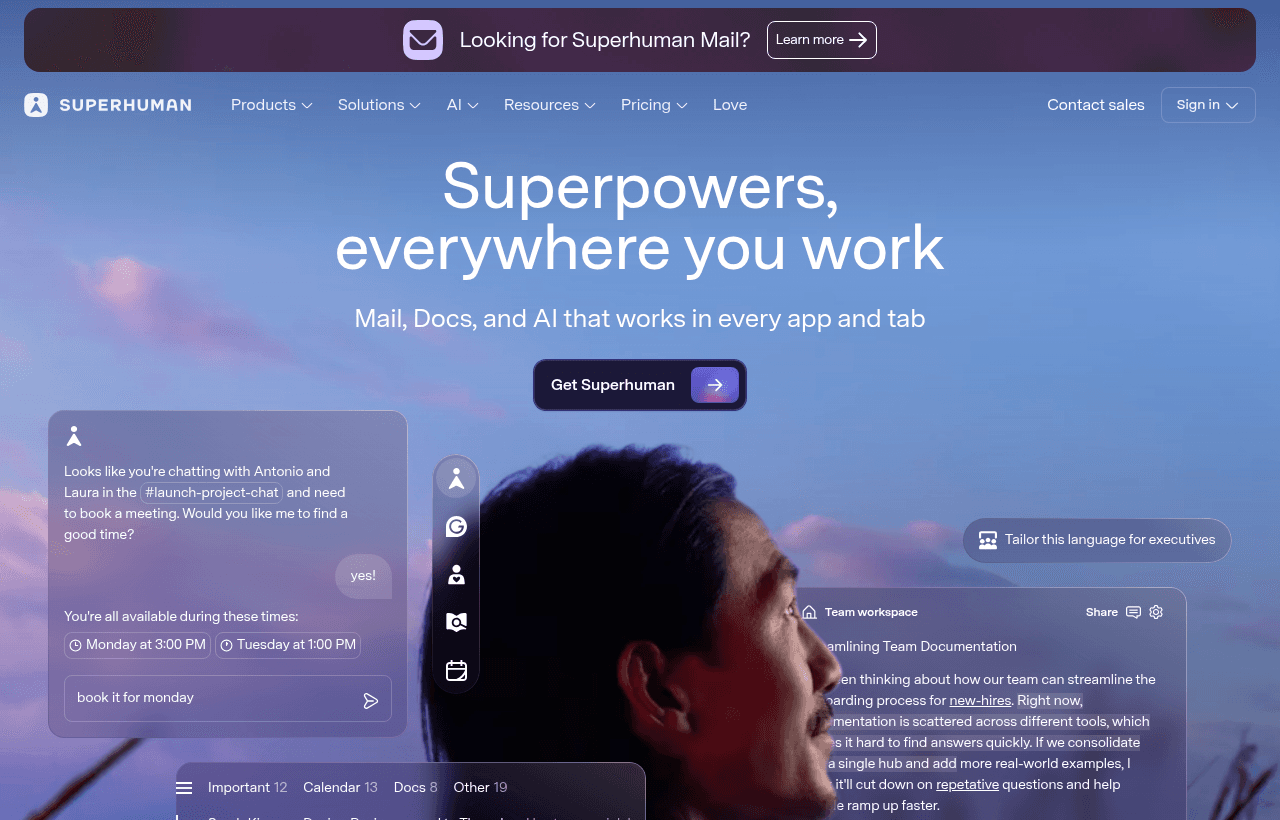
Superhuman, one of the tools included in this startup deal.
Speed as the Core Feature
Everything about Superhuman is built around speed, and speed is the feature that matters most to a busy founder. The application is engineered to feel instant. Opening it, searching it, moving through messages, all of it responds without the lag that makes ordinary email clients feel like wading. When a person processes dozens or hundreds of emails a day, small delays add up into real lost time, and the constant micro-friction is exhausting in a way that is hard to notice until it is gone.
Superhuman removes that friction. The interface responds the instant you act, so the inbox stops being a place where you wait and becomes a place where you move. For a founder whose day is a series of context switches, an email tool that keeps pace with their thinking rather than lagging behind it changes the texture of the work. The inbox stops being a thing to dread and becomes a task to dispatch.
This speed is not a superficial polish. It is the foundation the rest of the tool is built on. Keyboard shortcuts only pay off if the application responds instantly to them. Triage only works if moving through messages is frictionless. The whole design assumes speed, and for the target user, a founder drowning in email, that assumption is exactly right.
Keyboard Shortcuts and Getting Out of the Mouse
Superhuman is built to be driven from the keyboard. Nearly everything, archiving, replying, forwarding, searching, snoozing, moving between messages, has a shortcut, and the tool is designed so that a practiced user rarely touches the mouse. This sounds like a small thing and is actually a large one, because moving a hand between keyboard and mouse hundreds of times a day is both slow and mentally interruptive.
For a founder, learning the shortcuts turns email from a slow, clicking chore into a fast, flowing process. Once the shortcuts are muscle memory, processing the inbox happens at the speed of thought rather than the speed of pointing and clicking. The time saved per email is small, but multiplied across the volume a founder handles, it becomes real hours over a week. And the mental benefit is as large as the time benefit: staying on the keyboard keeps the user in a focused flow rather than breaking concentration to hunt for a button.
The three months free matters here specifically. Keyboard-driven workflows have a learning curve. The first days are slower as the shortcuts are learned. By the end of three months they are automatic, and the payoff is fully realized. A shorter trial would end before the habit formed, leaving the user with the cost of learning and none of the reward. Three months is enough to get all the way through the curve to the other side where the speed compounds.
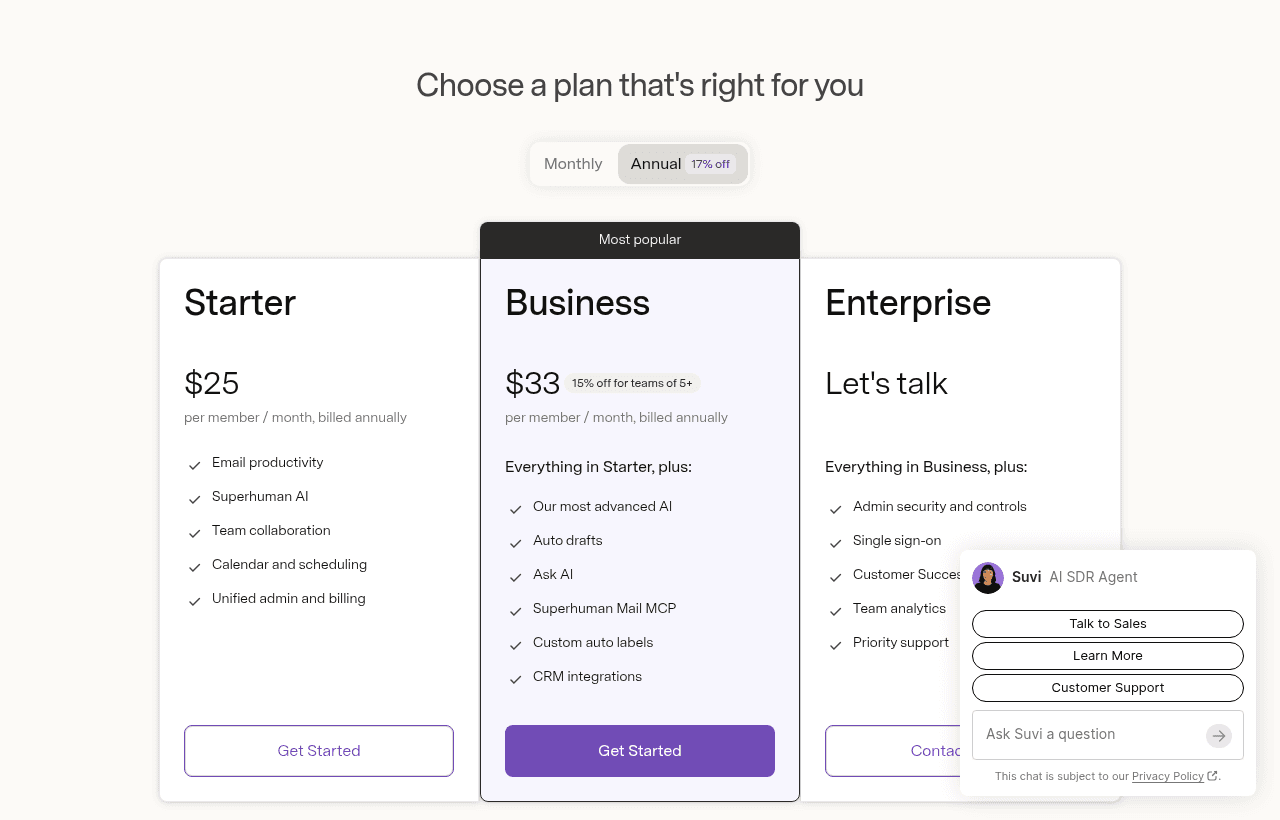
A look at Superhuman before the discount, so you can see what the deal saves you.
AI Triage and Deciding What Deserves Attention
Not every email deserves the same attention, and the hardest part of a high-volume inbox is not answering messages but deciding which ones matter. Superhuman's AI triage helps with exactly this, surfacing what needs a response and letting the noise fall away. For a founder, this is the difference between reacting to whatever arrived most recently and actually attending to what is important.
Triage is where a lot of a founder's email time secretly goes. Scanning the inbox, judging each message, deciding what to handle now versus later versus never, that mental sorting is tiring and constant. AI triage takes on part of that load, helping the inbox present the important things and de-emphasize the rest. The founder spends their attention on the messages that move the company forward rather than on the act of sorting.
For the target user, this is a leverage point. A founder's judgment is valuable, and spending it on triage is a waste of it. Letting the tool handle the first pass of sorting means the founder's attention lands where it counts. Over a high volume of daily email, that reallocation of attention is worth more than the raw minutes saved, because it directs the founder's scarcest resource toward the things that actually need them.
The Split Inbox and Separating the Signal
Superhuman's split inbox divides email into separate streams so that different kinds of messages do not all compete in one undifferentiated pile. Important people, team messages, notifications, and other categories can live in their own sections, which means the founder can look at the stream that matters right now without being distracted by the streams that do not.
A single flat inbox forces every message to compete for attention equally, which means an urgent note from a key customer sits in the same list as a routine notification. The split inbox breaks that false equivalence. The founder can check the stream of important human messages first, handle those, and deal with lower-priority streams when there is time, or not at all. This structure imposes order on chaos, and order is exactly what a high-volume inbox lacks.
For a founder juggling many kinds of relationships, investors, customers, team, partners, the ability to separate those streams is a way of matching attention to importance. The messages that could change the trajectory of the company are not buried under the ones that cannot. That separation makes the inbox feel manageable rather than overwhelming, which for a busy executive is a meaningful improvement in day-to-day sanity.
Snooze and Controlling When Email Demands You
Some emails do not need a response now. They need one later, at the right time, and until then they are just clutter demanding attention they have not earned yet. Superhuman's snooze lets the founder push a message out of the inbox and have it return at the moment it is actually relevant, whether that is this afternoon, tomorrow morning, or next week.
This is a tool for controlling when email demands attention rather than letting every message demand it immediately. A founder can clear the inbox down to only what is truly current by snoozing everything that belongs to a future moment, which keeps the working inbox focused on what needs doing now. When a snoozed message returns, it arrives at a time it can actually be acted on, so it gets handled rather than repeatedly skipped.
For someone managing high email volume, snooze is a way of shaping the flow of work across time instead of being buried by everything at once. It turns the inbox from a static pile into a scheduled queue, where each thing surfaces when it is ready to be dealt with. That control is part of what lets a founder keep an empty or near-empty inbox, which is less about tidiness and more about the clear head that comes from knowing nothing important is lost in the pile.
Superhuman Compared to a Standard Email Client
Most founders already have email that works. It receives messages and sends replies, and it is free or already paid for. The question is whether a faster, more deliberate client is worth the switch, and the answer depends entirely on how much email the person handles and how valuable their time is.
A standard email client is built for everyone, which means it is optimized for no one in particular. It is fine at moderate volume. At the volume a founder handles, its small frictions, the lag, the mouse-driven interface, the flat undifferentiated inbox, the lack of intelligent triage, compound into significant lost time and mental drain. It treats email as a general task rather than as the high-stakes, high-volume workflow it actually is for an executive.
Superhuman is built specifically for the heavy user. Its speed, keyboard control, AI triage, split inbox, and snooze are all aimed at the person for whom email is a major part of the job. For a casual emailer, that focus is overkill. For a founder processing a flood of important messages daily, it is exactly the specialization that matters. The comparison is not really Superhuman versus other clients in the abstract. It is whether the reader's own email volume is high enough that a purpose-built tool pays back its cost in reclaimed time and focus. For the target user of this deal, it is.
Making the Three Months Count
Three months free is enough time to change a habit, and that is how a founder should use it. The goal is not to try Superhuman casually but to switch to it fully and give the new workflow enough time to become second nature. Claim the deal, move email over, and commit to using it as the primary client rather than keeping one foot in the old tool.
Spend the first stretch learning the keyboard shortcuts deliberately. This is the part with a learning curve, and pushing through it is what unlocks the speed. Set up the split inbox to match how the founder actually thinks about their email, separating the streams that matter from the ones that do not. Start using snooze to control the timing of the inbox and to keep it clear of things that belong to the future. Lean on AI triage to reduce the mental cost of sorting.
By the end of the three months, the shortcuts should be automatic, the split inbox tuned, and the daily email routine noticeably faster than it was. That is the point at which the founder can judge the tool honestly, because they are experiencing it as a practiced user rather than a novice fumbling with a new interface. The reclaimed time and the calmer inbox are the real return, and three months is exactly long enough to feel both.
Who Should Claim This Deal
Superhuman fits the person the requirement names: a founder or executive managing high email volume. If email is one of the largest drains on the day, if the inbox is a source of stress rather than a dispatched task, and if the person's time is valuable enough that saving hours a week is meaningful, this deal is aimed squarely at them.
It suits founders who spend real portions of their day in email across investors, customers, hiring, and partnerships, and who feel the inbox pulling time away from building the company. It fits executives whose message volume has outgrown what a general-purpose client handles gracefully. And it fits anyone who has tried and failed to get to a clear inbox with ordinary tools and suspects the problem is the tool, not their discipline.
It is not for the casual emailer whose volume is light, because the specialization would be wasted on them. But for the high-volume founder or executive this deal targets, three months free is enough time to fully adopt the tool, get past the learning curve, and reach the point where a faster, calmer, keyboard-driven inbox has genuinely given part of the day back. Claim it, switch fully, learn the shortcuts, and let the three months do the work of building the new habit.
Who Is This Deal For?
Early-Stage Startups
Seed and pre-seed companies looking to move fast without overspending on tools.
Growing SaaS Teams
Series A+ companies scaling their stack and optimizing software costs.
Solo Founders
Indie hackers and bootstrapped founders who need enterprise tools at startup prices.
Get 3 months free off Superhuman
Premium deal. Upgrade once, unlock everything.
!Eligibility Requirements
Founder or executive managing high email volume
Frequently Asked Questions
Everything you need to know about this startup deal.
No, $30/month. SaaS Offers gives 3 months free.
Get the weekly deals digest
New verified startup deals every week. No spam, ever. Unsubscribe anytime.
Related Offers

Slack
Used by 4,760 members
25% off first year
Get 25% off Slack Pro for your first year. The messaging platform that has replaced email for 750,000+ organizations worldwide.
View offer
Zapier
Used by 2,122 members
$500 in credits
Connect 6,000+ apps and automate workflows without code. The glue that holds your SaaS stack together.
View offer
Monday.com
Used by 3,110 members
6 months free Pro
Get 6 months free on Monday.com Pro, the visual Work OS that powers project management, CRM, dev sprints, and operations workflows for over 225,000 customers worldwide.
View offer
Make
Used by 990 members
10,000 ops free
Get 10,000 free operations on Make. The visual automation platform that connects 1,500+ apps to automate workflows without code.
View offer
Grammarly
Used by 1,637 members
6 months free Business
AI-powered writing assistant for your entire team, catch errors, improve clarity, and maintain brand voice across all communications.
View offer
Loom
Used by 848 members
6 months free Business
Record and share video messages to replace meetings, free Business plan for startup teams.
View offerDeal Summary
Looking for more startup deals?
Browse all offers