
Unicorn Platform Coupon: Free Trial
AI-powered landing page builder for startups, SaaS, and mobile apps.
Premium deal
Already have an account? Log in
Deal Highlights
Does Unicorn Platform have a Black Friday deal?
Unicorn Platform hasn't announced its Black Friday 2026 deal yet. Last year it offered 20% off first payment (Nov 21 - Dec 7, 2025). We add the 2026 offer as soon as it's announced. See all Black Friday SaaS deals.
The Unicorn Platform Offer
Offer: Free Trial on Unicorn Platform. Requirements: none listed.
There is no promo code. You start by signing up through the SaaSOffers link. Unicorn Platform's own help center describes a free plan, not a time-limited trial. Its cancel guide says cancelling a paid plan "reverts to the free plan." We could not confirm a trial length on any Unicorn page we were able to load, so treat the trial as our listing's term and check the length in your account. We checked these plans against Unicorn Platform's official help center in November 2026. Its pricing page blocked our automated check, so this page prints no Unicorn prices.
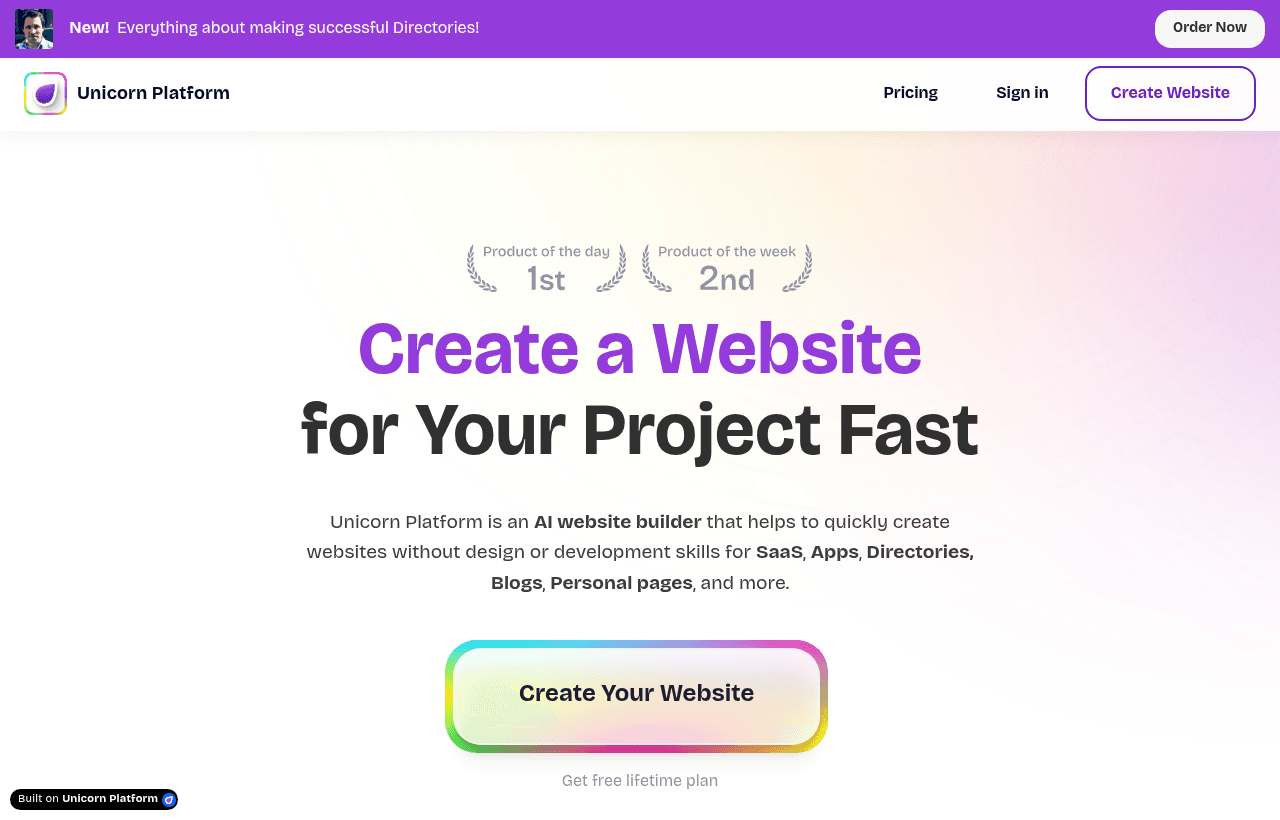
Unicorn Platform is a no-code website and landing page builder. You start from a template, edit components (hero, features, pricing, forms, directory and more), and publish to a free unicornplatform.page subdomain or, on a paid plan, to your own domain. It has a built-in blog, a Google Sheets-powered CMS, forms with email and CRM integrations, and an AI assistant that edits components and fills templates from a prompt.
Prices: Check Unicorn's Own Page
Unicorn Platform's pricing page returned a security check (HTTP 403) to our plain request in November 2026, and we did not try to get around it. Everything below comes from Unicorn's help center at help.unicornplatform.com, so open unicornplatform.com/pricing for the live prices before you upgrade.

Free vs Paid: What the Help Center Confirms
| Plan | Custom domain | Max image and form file size | AI uses | Shared access |
|---|---|---|---|---|
| Free | No (unicornplatform.page subdomain only) | 1 MB | 10 | No |
| Any paid plan | Yes | 5 MB | Unlimited | Startup plan and larger |
The yearly rule comes from Unicorn's upgrade guide: "You can get 2 free months by choosing a yearly plan," billed annually. That makes yearly billing worth 2 / 12 = about 16.7% off the monthly price on any plan.
Billing rules worth knowing
- 30-day refund. Unicorn's cancel guide says you can cancel at any time and "ask for a full refund within 30 days" if you are not satisfied.
- Cancel means back to Free. Unicorn stops charging you at once and calculates the time left on your subscription. After that date, it unpublishes your extra websites and removes attached custom domains.
- Upgrades are prorated. When you switch plans, unspent credit from your current plan pays toward the new one.
- Recurring discounts can vanish. The upgrade guide warns that an active recurring discount disappears when you change plans.
- Currency follows country. You change the billing currency at checkout by picking a different country.
- Student and nonprofit discounts. Unicorn says it offers a discount for students and non-profit organizations on request.
What the Free Plan Doesn't Include
- A custom domain. Unicorn's domain guide lists "an active paid subscription" as the first requirement.
- Files over 1 MB. Free accounts can upload images, and receive form file uploads, up to 1 MB. Paid accounts get 5 MB.
- More than 10 AI uses. Unicorn Platform AI is free to try, but free accounts are limited to 10 uses. Paid accounts get unlimited uses.
- Shared access. Inviting a co-founder or client to edit a site starts on the Startup plan.
- Extra published websites. Larger plans publish more sites. On cancel, extra sites are unpublished.
Unicorn's SEObot guide asks users not to connect a temporary unicornplatform.page domain.
Worked Examples
Because Unicorn's live prices are not verified, these examples use Unicorn's confirmed billing rule and the verified prices of three alternatives. Plug in the live Unicorn price when you check it.
Example 1: one landing page on your own domain for a year
A pre-seed SaaS needs a waitlist page on its .com for 12 months.
- Unicorn Platform: needs a paid plan for the custom domain. Yearly billing costs 10 months of the monthly price. Compare that against the three verified prices below.
- Carrd Pro Standard: $19 a year, with custom domains, forms, 10 sites and no Carrd branding.
- Framer Basic: $10 a month on yearly billing, so $10 x 12 = $120 a year.
- Webflow Basic site plan: $15 a month billed yearly, $15 x 12 = $180 a year, or $25 x 12 = $300 on monthly billing.
Use the 30-day refund as your test window if the free plan or trial is not enough to decide.
Example 2: an agency running 8 client sites
An agency builds 8 small sites and wants clients to edit their own pages.
- Unicorn Platform: shared access starts on the Startup plan, and larger plans publish more websites. You need the plan that covers 8 published sites; check the site count on the live pricing page.
- Carrd Pro Standard: covers 10 sites for $19 a year. Carrd lists Site Transfers and Sharing on its Pro plans.
- Webflow Basic: each site needs its own site plan: 8 x $15 x 12 = $1,440 a year on yearly billing, or 8 x $25 x 12 = $2,400 monthly.
The math favors builders that price per account rather than per site when you run many small sites. Unicorn's help center says you publish more websites by upgrading to a larger plan, so one Unicorn plan covers several sites.
What You Can Build With It
Forms and lead capture
Unicorn's form guides cover Google Sheets (free, about a 1 minute setup), Mailchimp (about 3 minutes), MailerLite, Zapier, webhooks, RapidForms and sending form data to email. Forms can capture UTM and ref parameters and the page URL of every submission, redirect after submit, use input masks and character limits, and use reCAPTCHA.
Blog and SEO
The blog home page publishes itself after your first post, for example at example.com/blog. Posts support authors, a table of contents, estimated reading time, a progress bar, in-post call-to-action buttons and Disqus comments. A public API can create, edit, delete and list blog posts, and SEObot can publish generated posts through a blog API key. Each site has an SEO tab, including a switch to stop robots from crawling the site.
CMS and directories
The CMS builds pages from Google Sheets or from an API source. A directory component connected to a Google Sheet shows structured data, such as a tool list or job board. Airtable works by syncing to Google Sheets.
Payments
Unicorn's help center lists these payment options: Stripe payment links, Paddle links, PayPal HTML buttons, Razorpay payment links and Lemon Squeezy embeds.
Languages
You build a multi-language site by cloning a site, translating it, setting each site's language in SEO settings and linking them as language versions. Unicorn then adds the meta tags Google uses for language targeting, and a language selector widget is available.
Collaboration
Shared access lets you grant full access to another Unicorn user by email. Collaborators can view, edit, publish, clone and delete pages and manage the blog. They cannot delete the website or its blog, or change who has access. Unicorn warns that shared access does not support editing at the same time: only the latest saved changes apply.
Form email delivery and limits
The "Send to email" form integration sends every submission straight to your inbox from no-reply@form.unicornplatform.com. Unicorn suggests adding that address to your contacts so submissions do not land in spam. It limits submissions to 5 per minute per IP address and blocks an IP for a while if it sends more. Unicorn stores submitted data for 5 days for debugging.
Redirects, 404 pages and site moves
Redirects live in the site's SEO settings. The source must be a slug of letters, numbers, underscores or hyphens, and an outside destination needs the full URL with https://. A custom 404 page is any page you publish with the page URL set to 404. If a domain shows as already taken, it is still attached to another Unicorn site: remove it there and save, then connect it to the new site. To move a site to another account, the owner emails Unicorn with the subject "site transferring", and support moves it by hand.
Smaller features in the help center
Unicorn's help center has guides for a custom 404 page, redirects, anchor links that scroll on click, embedded videos, popups that open on scroll or automatically, custom HTML extensions, and user sign-up with Clerk. It also has a section that explains Google Search Console errors, and a guide for moving a site to another Unicorn account.
Who It Fits
- Founders who want a site and blog in one tool. The blog, CMS and forms are built in.
- Startups that run directories or lists. The Google Sheets directory component turns a spreadsheet into pages without code.
- Small agencies. Shared access is built for handing a site to a client for later edits.
Reasons to pass on Unicorn Platform
- Healthcare teams handling patient data. Unicorn's HIPAA help article lists SSL, DDoS protection and security audits but does not mention signing a Business Associate Agreement.
- Teams that edit pages at the same time. Only the last save wins.
- Sites with heavy media. Uploads cap at 5 MB per image even on paid plans.
- Teams that need a native checkout. The payment options in Unicorn's help center are links and embeds from Stripe, Paddle, PayPal, Razorpay and Lemon Squeezy.
Unicorn Platform vs Carrd, Framer and Webflow
| Builder | Free option | Entry paid price | Custom domain from | Notes |
|---|---|---|---|---|
| Unicorn Platform | Free plan on a unicornplatform.page subdomain | Not verified | Any paid plan | 2 free months on yearly billing, 30-day refund |
| Carrd | Free account, plus a 7-day Pro trial with no card | Pro Lite $9 a year (3 sites, no custom domain) | Pro Standard, $19 a year | Pro Plus $49 a year |
| Framer | Free on a Framer domain, 1 GB bandwidth | Basic $10 a month (yearly billing) | Any paid plan | Pro $30 a month, free plan "ideal for non-commercial use" |
| Webflow | Starter on webflow.io, 1 GB bandwidth, 50 form submissions | Basic $15 a month yearly, $25 monthly | Basic | Basic has no CMS; the Premium site plan adds it at $25 yearly or $39 monthly |
Carrd has the lowest verified price for a custom domain in this table at $19 a year. Webflow charges a site plan for each site. Carrd's 7-day Pro trial is the only free trial we could verify for this table.
Tips for your first weeks on Unicorn Platform
- Build on the free subdomain first. Publish to unicornplatform.page while you test layouts, then upgrade when you are ready for your domain.
- Connect the domain with A and CNAME records. Unicorn's guide uses an A record for the root domain and a CNAME for www or a subdomain, with the lowest possible TTL. Propagation can take up to 24 hours.
- Using Cloudflare? Turn off the proxy on the DNS records, or set SSL encryption mode to Full if you keep the proxy on.
- You can't map a subpage as a domain. Unicorn connects domains and subdomains (promo.site.com), not paths like site.com/page.
- Wire forms on day one. Google Sheets takes about a minute and costs nothing.
- Compress images under 1 MB on the free plan, or 5 MB on paid plans.
- Use the 30 days. If you pay, decide within 30 days so the full refund is still available.
Steps to get the Unicorn Platform deal
- Open the Unicorn Platform deal on SaaSOffers and sign up through the SaaSOffers link. There is no promo code.
- Create your account and start a site from a template.
- Check your account's plan menu for the trial length and the current plan prices.
- Upgrade to a paid plan only when you need a custom domain, bigger uploads, unlimited AI uses or shared access.
- Note the date you paid. Unicorn offers a full refund within 30 days.
Who Is This Deal For?
Early-Stage Startups
Seed and pre-seed companies looking to move fast without overspending on tools.
Growing SaaS Teams
Series A+ companies scaling their stack and optimizing software costs.
Solo Founders
Indie hackers and bootstrapped founders who need enterprise tools at startup prices.
Get Free Trial off Unicorn Platform
Premium deal. Upgrade once, unlock everything.
How to get the Unicorn Platform deal
- The offer: Free Trial.
- Create a free SaaSOffers account, then upgrade to Premium ($79 a year, or $250 once for lifetime access). Premium unlocks every Premium deal on the site.
- Open the Unicorn Platform claim page from this deal. It shows the partner link, any promo code and the exact steps Unicorn Platform asks for.
- Apply or sign up through that link before you pay Unicorn Platform directly, since most startup offers only apply to new accounts.
Frequently Asked Questions
Everything you need to know about this startup deal.
Get the weekly deals digest
New verified startup deals every week. No spam, ever. Unsubscribe anytime.
Related Offers

Retool
Used by 1,559 members
1 year free, up to $60K
Build internal tools 10x faster with the low-code platform used by companies like Amazon, DoorDash, and Mercedes-Benz.
View offer
Replicate
Used by 1,772 members
$500 in credits
Run open-source ML models in the cloud, deploy Llama, Stable Diffusion, and custom models via API without GPU management.
View offer
ZoomInfo
Used by 2,014 members
Free Trial
B2B data platform for sales and marketing intelligence with contact databases.
View offer
Chore
15% off your first month
Chore runs your startup's back office for you: payroll, HR, bookkeeping, compliance and equity, inside the tools you already use. 15% off your first month through SaaSOffers.
View offerDeal Summary
Looking for more startup deals?
Browse all offers