
Webiny Promo Code: 6 months free
Open-source serverless CMS, headless CMS, page builder, and file management running on your own AWS account.
Premium deal
Already have an account? Log in
Deal Highlights
What our Webiny listing offers
Offer: 6 months free on Webiny.
Who qualifies: a startup wanting a self-hosted CMS.
There is no promo code. You claim it through the SaaSOffers link on this page, which points to webiny.com/startups. Our listing describes the 6 months as Webiny Business.
We checked these plans and prices against Webiny's official pricing and help pages in November 2026.
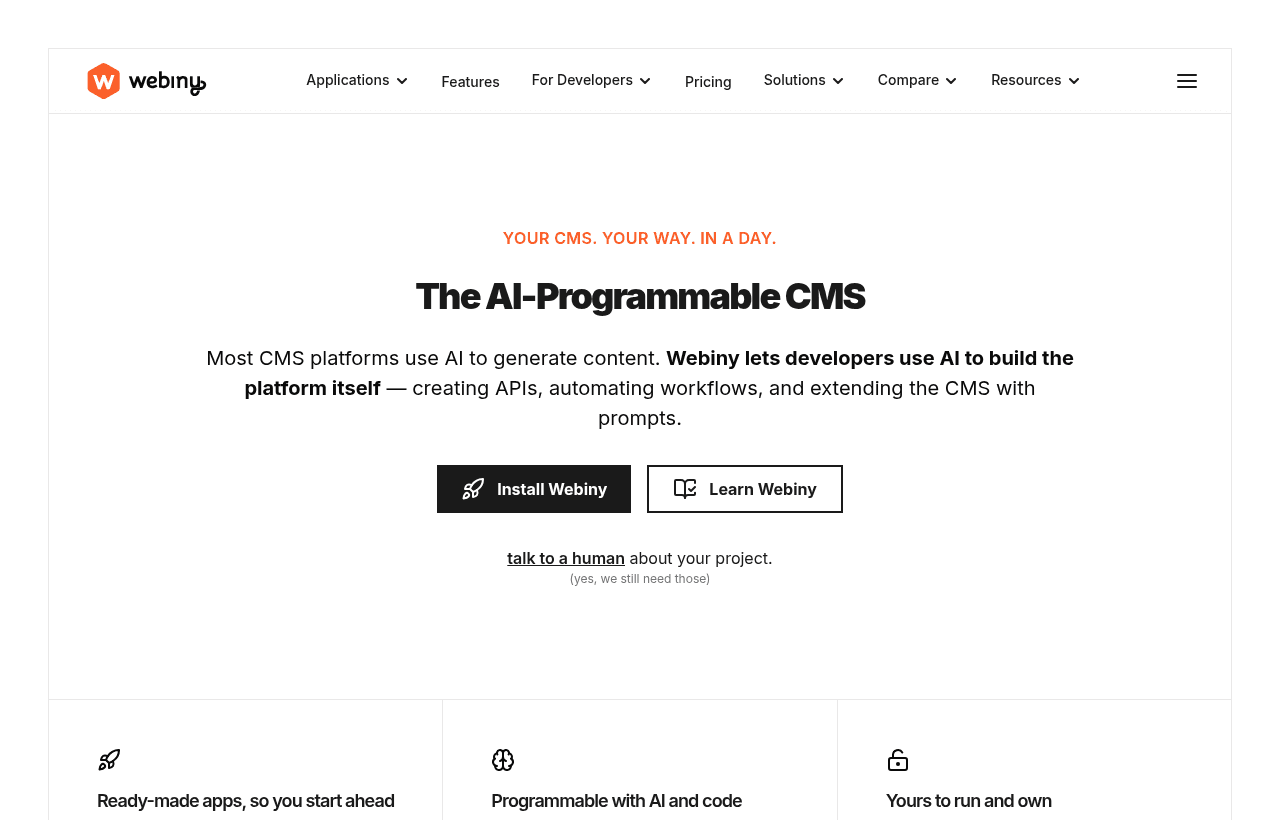
When we loaded webiny.com/startups on November 8, 2026, it returned an empty shell with no program text, and the page is not in Webiny's sitemap. Webiny's pricing page and docs do not mention a startup program either. So we could not confirm the 6 free months on Webiny's own site. Treat it as our listing's term and confirm the plan size and length with Webiny when you redeem.
Webiny is an open source CMS that you run yourself. It bundles a Headless CMS, a Website Builder (the visual page builder), a File Manager and Publishing Workflows behind one Admin panel. You do not rent it from Webiny's cloud. You deploy it into your own AWS account, where it runs on Lambda, DynamoDB, S3, CloudFront and Cognito. Webiny charges a license fee for paid features. AWS bills you separately for the infrastructure. Community is free; Business costs $79, $299 or $599 a month.
The free edition is the full CMS, minus permissions
Webiny has a real free plan. It is called Community, it is free forever, and Webiny's pricing FAQ says the open source edition comes with an MIT license. Community already includes the Headless CMS, the Website Builder and the File Manager. It has no limit on users, no limit on production deployments and no limit on development instances, but only 1 tenant (Webiny's word for a separate project or website).
Webiny also states that every plan includes unlimited content types, pages, entries, assets, API usage, roles and workflows. There is no API metering and no per-site price. That is the main difference from hosted CMSs, which meter API calls, records or bandwidth.
What Community leaves out is control over who can do what:
- Role-based access control. Every Admin user has the same powers.
- Headless CMS field-level permissions.
- Role-based API keys.
- Multi-tenancy. You get 1 tenant.
- Publishing workflows (multi-step review and approval).
- The early-preview AI features: AI content translate, AI version compare, image auto tagging, AI text generation with digital twins (reader and writer personas), and bring-your-own model.
- Creating and populating tenants from code.
- Team management, folder-based permissions, audit logs, record locking, private files, SSO and file antivirus scanning. These are Enterprise only, so Business lacks them too.
Webiny labels Community "for personal or hobby projects" and Business "for commercial projects". The MIT license does not forbid commercial use, but the labels show how Webiny expects teams to buy. A solo developer with one site and no need for roles can stay on Community.
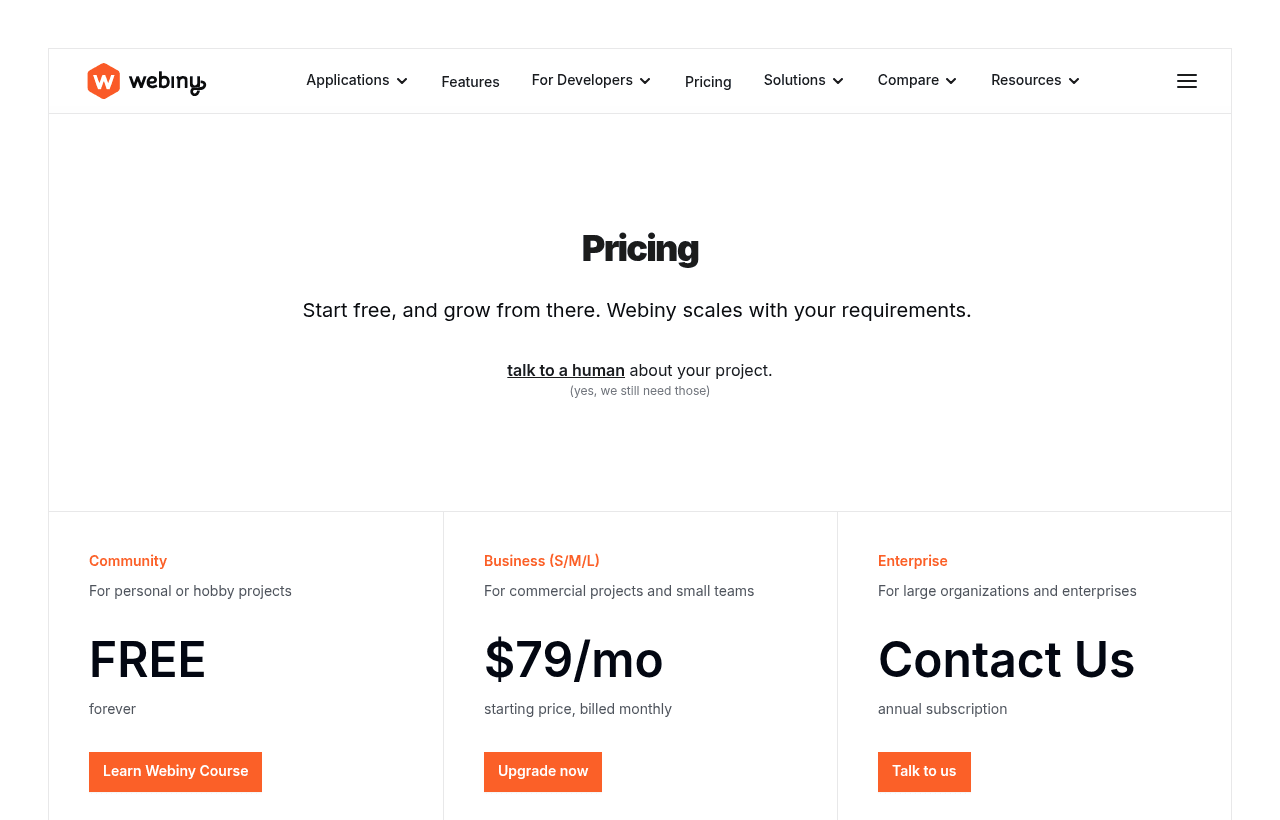
Business comes in three sizes, sold by users and tenants
The paid tier is Webiny Business, sold as Small, Medium or Large. The price depends on how many Admin users and tenants you need, not on traffic. Webiny lists the price as "starting price, billed monthly". It publishes no annual price for Business. Enterprise is quoted and sold as an annual subscription.
| Plan | Price billed yearly | Billed monthly | Key limits |
|---|---|---|---|
| Community | Free | Free | No user limit, 1 tenant, no limit on production deployments, no RBAC, no workflows |
| Business Small | Not published | $79 a month | Up to 8 users, up to 3 tenants, 1 production deployment, unlimited dev instances |
| Business Medium | Not published | $299 a month | Up to 25 users, up to 15 tenants, 1 production deployment, unlimited dev instances |
| Business Large | Not published | $599 a month | Up to 40 users, up to 40 tenants, 1 production deployment, unlimited dev instances |
| Enterprise | Annual, custom | Custom | Custom users and tenants, SSO, audit logs, team management, priority support with SLA, optional managed hosting |
Every Business size lists the same features: role-based access control, field-level permissions, role-based API keys, multi-tenancy, publishing workflows, the AI preview features and a production plus a development license key. The sizes differ only in user and tenant caps. Webiny's upgrade page says you can cancel anytime from the subscription management page.
How Webiny counts a user
A user is anyone with access to Webiny Admin to manage content, whether they work in the interface or through the API. Readers of your website or app are not users. A 20,000-visitor blog with 4 editors needs 4 users, not 20,000.
Support differs by tier
Community gets community support and the free Learn Webiny course. Business support is "Basic" in the comparison table and "Community support" in the upgrade page's feature lists, though the same page describes Medium as including "priority support" and Large "dedicated support". Ask Webiny which applies before you buy. Enterprise adds priority support with an SLA, a dedicated success manager, consultancy and PEN testing support.
Your AWS bill is a second line item
Webiny's hosting FAQ says Webiny is self-hosted on your AWS account, so on top of the license you cover the cloud costs. Because the stack is serverless, you mostly pay for what you use, and Webiny says most smaller projects stay inside the AWS Free Tier.
Webiny publishes a hosting cost calculator. It uses AWS us-east-1 prices as of March 2026 and covers only the Webiny API and Admin, not the website you build on top. Its built-in profiles produce these monthly estimates:
| Calculator profile | Editors | Entries | API calls a month | With AWS Free Tier | Without Free Tier |
|---|---|---|---|---|---|
| Personal / Hobby | 1 | Up to 100 | ~50K | $0.00 | $1.21 |
| Small Business | 2 to 5 | Up to 1,000 | ~500K | $0.16 | $11.23 |
| Medium Business | 5 to 15 | Up to 10,000 | ~2M | $8.98 | $48.35 |
| Large / High-Traffic | 15 to 50 | Up to 100,000 | ~10M | $179.54 | $295.04 |
The calculator's unit prices include $0.20 per million Lambda requests, $3.50 per million API Gateway requests, $0.085 per GB of CloudFront transfer and $0.023 per GB of S3 storage.
Webiny supports two database setups, chosen at install: DynamoDB alone, or DynamoDB plus OpenSearch. OpenSearch is not serverless. Webiny's docs put the smallest cluster at roughly $25 a month, and that cost applies to every environment that runs it. Webiny recommends OpenSearch for projects with hundreds of thousands or millions of records. The choice is permanent: you cannot switch database setups later without recreating the project.
What 6 free months is worth on each Business size
Our listing does not say which Business size the 6 months covers, and Webiny's site does not confirm the offer. So here is the value on each size, if our 6 months free applies:
- Business Small: 6 x $79 = $474.
- Business Medium: 6 x $299 = $1,794.
- Business Large: 6 x $599 = $3,594.
Worked example 1: a 5-person team with 2 sites
A startup has 5 editors and wants a marketing site and a docs site as separate tenants. That fits Business Small: 8 users and 3 tenants. They pick DynamoDB only and their usage matches the calculator's Small Business profile.
- License for 12 months: $79 x 12 = $948.
- AWS without the Free Tier: $11.23 x 12 = $134.76.
- Year one at list price: $948 + $134.76 = $1,082.76.
- If our 6 free months apply to Small: $948 - $474 = $474 in license fees, so $474 + $134.76 = $608.76 for the year.
The license is the larger cost. AWS stays near $11 a month here, and close to $0 while the Free Tier lasts.
Worked example 2: a 12-person team running 6 brand sites
A startup has 12 editors across 6 regional sites. Small caps out at 8 users and 3 tenants, so they need Business Medium: 25 users and 15 tenants. Their traffic matches the Medium Business profile, and they choose DynamoDB plus OpenSearch and run 1 environment.
- License for 12 months: $299 x 12 = $3,588.
- AWS without the Free Tier: $48.35 x 12 = $580.20.
- OpenSearch in 1 environment: about $25 x 12 = $300.
- Year one at list price: $3,588 + $580.20 + $300 = $4,468.20.
- If our 6 free months apply to Medium: $3,588 - $1,794 = $1,794 in license fees, so $1,794 + $580.20 + $300 = $2,674.20 for the year.
A staging environment with OpenSearch adds another $300 a year. The jump from Small to Medium is $220 a month. Count your editors and tenants before you buy, because a ninth editor forces that upgrade.
Who Webiny suits
- Teams that must keep content in their own cloud. Content, assets and metadata stay in your AWS account. Webiny says they are never reused or trained on by third parties.
- Agencies and SaaS products that host many sites. Multi-tenancy is native on Business. Each tenant gets its own content, users, assets and permissions, and global content can be inherited or overridden per tenant.
- Products that embed a CMS for their own users. Webiny supports a white-label Admin UI and embedding the editor inside your app.
- Developer teams that want code-first control. Content models can be defined in code, lifecycle events let you run code on every content change, and Webiny ships an MCP server so coding agents like Claude Code and Cursor can work against the project.
- Marketing teams that want visual pages. Editors compose pages in the Website Builder from developer-defined components.
When Webiny is the wrong pick
- Teams without anyone comfortable in AWS. You need an AWS account with programmatic access, Node.js 24 or later, and Yarn. The first deploy takes about 5 to 15 minutes according to the docs. A non-technical team is better served by a hosted CMS.
- Anyone who needs to run on another cloud today. Webiny announced a Standalone version on September 21, 2026 that runs as a Node process with SQLite or Postgres. Its docs say it is in alpha, runs locally only and is not supported for production. Content does not yet migrate between Standalone and AWS.
- Teams that need SSO or audit logs on a startup budget. Both are Enterprise only, with custom annual pricing.
- Projects that need more than 1 production deployment on Business. Each Business license covers 1 production deployment. Community has no such limit.
How Webiny compares with other CMSs
These figures come from each vendor's own pricing page in November 2026.
| Webiny | Strapi (self-hosted) | Sanity | Storyblok | |
|---|---|---|---|---|
| Free plan | Community, no user limit, 1 tenant | Community, free forever, MIT | Free, up to 20 seats, 10,000 documents | Starter, 1 seat (up to 2) |
| First paid plan | Business Small, $79 a month | Growth, $45 a month | Growth, $15 per seat a month | Growth, $99 a month or $90.75 billed yearly |
| Users on first paid plan | Up to 8 | 3 included, $15 a month each extra | Up to 50, paid per seat | 5 seats (up to 10) |
| Hosting | Your AWS account | Your own servers | Sanity's cloud | Storyblok's cloud |
| API metering | None, every plan | Unlimited usage on Community | 250,000 API requests a month, then $1 per 25,000 | 1M API requests a month on Growth |
| Billing | Business billed monthly, no yearly price published | Monthly, no yearly price listed | Monthly only for self-serve | Monthly, or yearly with 1 month free |
| Visual editing | Website Builder on every plan | Live Preview on Growth | Live preview and visual editing | Visual editor on every plan |
Strapi is cheaper at entry: 5 editors on Growth cost $45 + 2 x $15 = $75 a month, but you run the Node server and database yourself. Sanity at $15 per seat costs $75 a month for 5 editors and is fully hosted, but it meters API requests and includes 25,000 documents on Growth (50,000 with a $299 add-on). Storyblok is hosted with a visual editor at $99 a month for 5 seats. Webiny Small at $79 covers 8 editors with no API metering, and you add a small AWS bill. Webiny's paid tiers also include multi-tenancy, with 3 tenants on Small and 15 on Medium.
Setup tips that save money later
- Pick the database setup carefully. DynamoDB alone is fine for a few thousand records and has no fixed cost. Choose DynamoDB plus OpenSearch only if you expect hundreds of thousands of entries, since you cannot switch later.
- Try it locally first. Standalone runs on your laptop with SQLite and no AWS account. Code you write there carries over to AWS. Content does not, so treat it as a sandbox.
- Stay on Community until you need roles. Upgrading is a license change, not a migration. You add your project in the Webiny Control Panel, set the project ID and API key, and redeploy.
- Use the right license key per environment. Business includes a development key for local and staging, and a production key for your CI/CD pipeline.
- Set an AWS budget alert. Lambda, S3, CloudFront and Cognito all bill on usage, so a traffic spike shows up on your AWS invoice, not Webiny's.
How to get the Webiny offer
- Click the SaaSOffers link on this page. It opens webiny.com/startups.
- Create your Webiny project with
npx create-webiny-projectand deploy it to your AWS account on the free Community edition. - Ask Webiny to apply the 6 months free to your Business subscription. Confirm in writing which size (Small, Medium or Large) and the start date.
- Add the project ID and the development and production API keys to your environment, then redeploy to activate Business features.
- Put a reminder in your calendar 6 months after the start date. After that, Business bills at $79, $299 or $599 a month depending on the size.
- If Webiny does not recognize the offer, contact us before you pay for a Business plan.
Who Is This Deal For?
Early-Stage Startups
Seed and pre-seed companies looking to move fast without overspending on tools.
Growing SaaS Teams
Series A+ companies scaling their stack and optimizing software costs.
Solo Founders
Indie hackers and bootstrapped founders who need enterprise tools at startup prices.
Get 6 months free off Webiny
Premium deal. Upgrade once, unlock everything.
!Eligibility Requirements
Startup wanting self-hosted CMS
Frequently Asked Questions
Everything you need to know about this startup deal.
Get the weekly deals digest
New verified startup deals every week. No spam, ever. Unsubscribe anytime.
Related Offers

Retool
Used by 1,559 members
1 year free, up to $60K
Build internal tools 10x faster with the low-code platform used by companies like Amazon, DoorDash, and Mercedes-Benz.
View offer
Replicate
Used by 1,772 members
$500 in credits
Run open-source ML models in the cloud, deploy Llama, Stable Diffusion, and custom models via API without GPU management.
View offer
ZoomInfo
Used by 2,014 members
Free Trial
B2B data platform for sales and marketing intelligence with contact databases.
View offer
Chore
15% off your first month
Chore runs your startup's back office for you: payroll, HR, bookkeeping, compliance and equity, inside the tools you already use. 15% off your first month through SaaSOffers.
View offerDeal Summary
Looking for more startup deals?
Browse all offers