
Qdrant Coupon: Free Cloud Tier
Open-source vector database for AI applications with filtering and neural search.
Premium deal
Already have an account? Log in
Deal Highlights
Our Qdrant listing: the Free Cloud Tier
Offer: Free Cloud Tier. Our listing sets no extra requirements and there is no promo code.
Qdrant is an open-source vector database written in Rust under the Apache 2.0 license. You store embeddings with a JSON payload on each one, then search by similarity and filter on the payload in one query. The current release is v1.20.0, published on October 22, 2026.
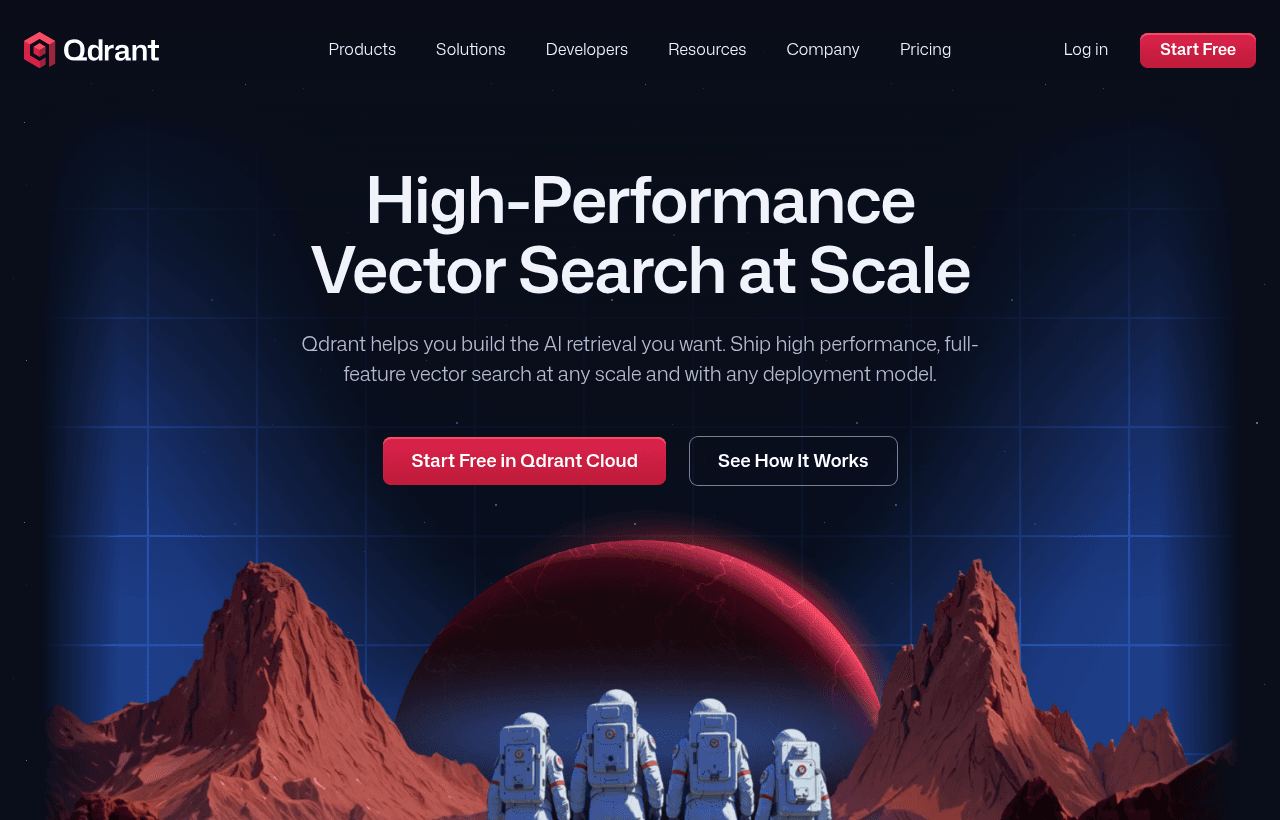
We checked these plans and prices against Qdrant's official pricing and help pages in November 2026.
The Free Cloud Tier in our listing is Qdrant's public free tier, which Qdrant calls "Free forever". Anyone can create a free cluster at cloud.qdrant.io without a credit card. Our listing adds nothing to it.
Our link points to the Qdrant for Startups page. That program is separate: 20% off Qdrant Cloud for the first year, by application. It is not part of our listed offer, but once you move to paid clusters it is worth having. Rules are below.
One free cluster: 0.5 vCPU, 1 GB RAM, 4 GB disk
Qdrant's documentation lists the free cluster as:
- 1 GB of RAM
- 0.5 vCPU
- 4 GB of disk
- 1 node
Qdrant says this supports "about 1 M vectors of 768 dimensions." The choice of cloud providers and regions is limited on free clusters.
A free cluster includes basic monitoring and alerting, manual snapshots through the API, and upgrades with downtime. The free Cloud Inference models, BM25 and all-MiniLM-L6-v2, work on it with no token charges.
If you don't use a free cluster, Qdrant suspends it after 1 week and deletes it after 4 weeks without reactivation.
The 1 million vector figure assumes compression
Qdrant's capacity formula for dense vectors is points x dimensions x bytes per dimension. The default float32 type uses 4 bytes per dimension. One million 768-dimension vectors at float32 need 1,000,000 x 768 x 4 = 3,072,000,000 bytes, about 2.86 GB. That is nearly 3 times the free cluster's RAM.
The same vectors compressed to 1 byte per dimension with scalar quantization take 768,000,000 bytes, about 0.72 GB. That fits. So the "about 1 M vectors" figure holds only with quantization, or with vectors moved to the on-disk cold tier at slower search speed. Out of the box, with no compression, expect a few hundred thousand vectors of that size.
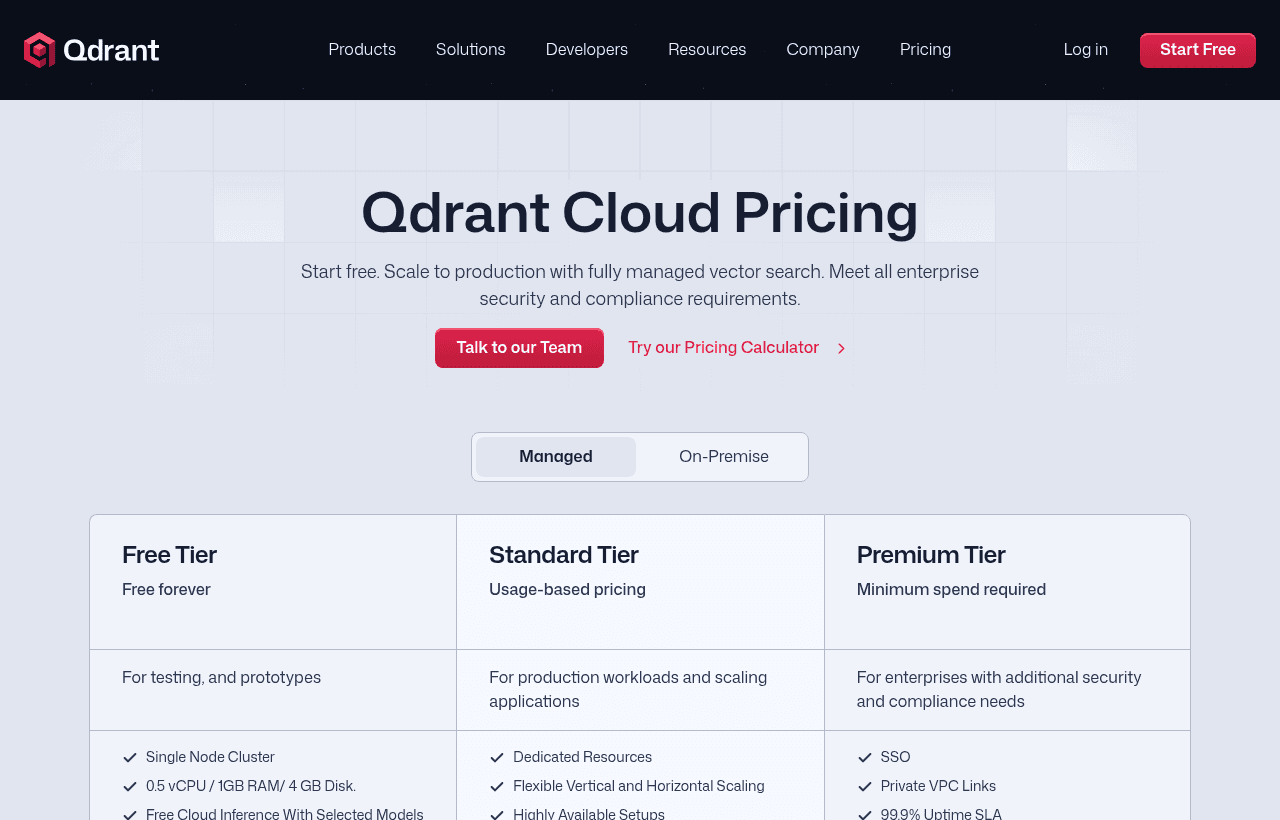
Paid clusters bill by the hour for what you reserve
Qdrant's paid managed tiers have no fixed monthly plans. You pay for the resources your clusters use: vCPU, memory (GB), disk (GB), backup storage (GB) and tokens on paid inference models. Usage is metered hourly and charged at the start of each month for the previous month.
| Plan | Price billed yearly | Billed monthly | Key limits |
|---|---|---|---|
| Free | $0 | $0 | 1 node, 0.5 vCPU, 1 GB RAM, 4 GB disk, no HA, suspended after 1 week idle, community support |
| Standard | No yearly plan; committed-spend contracts available | Usage based, per hour | Dedicated resources, multi-node HA, backups, 99.5% uptime SLA, business-hours support, AWS, Azure or GCP |
| Premium | Committed spend with an annual minimum | Not offered | 99.9% SLA (99.95% multi-AZ), 24/7 for Severity 1 and 2, SSO, private links, customer-managed keys |
| Hybrid Cloud | Talk to sales | Talk to sales | Qdrant manages clusters inside your own Kubernetes |
| Private Cloud | Talk to sales | Talk to sales | On-premise, isolated, air-gapped setups |
Qdrant does not print per-hour rates. It sends you to a pricing calculator at cloud.qdrant.io/calculator. The pricing page's structured data lists Managed Cloud "from 25$" with no billing period. Treat that as a rough floor and price your own cluster in the calculator.
What else shows up on the bill
- Backups. On AWS and GCP they are incremental, so each one stores only what changed. On Azure, a backup costs half of the disk usage at the time it was taken.
- Paid inference models. Billed per 1,000,000 tokens processed. On paid clusters, models such as mxbai and SPLADE get a monthly free allowance of up to 5 million tokens per model. External providers (OpenAI, Cohere, Jina AI, OpenRouter) bill you directly through your own API key.
- Multi-AZ. Premium only, at a higher rate than single-AZ to cover cross-zone traffic. It needs at least 3 nodes, in multiples of 3.
You can pay by card through Stripe or through the AWS, GCP or Azure marketplace, at the same price. On a marketplace, usage arrives as $0.01 units: Qdrant's example is an $85 cluster showing up as 8,500 units. Marketplace billing limits paid clusters to that provider's regions.
The free tier skips what production needs
Compared with Standard, the free cluster does not include:
- Dedicated resources
- More than one node, so no replication and no high availability
- Backup and disaster recovery schedules
- Horizontal and vertical scaling
- An uptime SLA (Standard starts at 99.5%)
- Zero-downtime upgrades
- Audit logging, which Qdrant offers on paid clusters only
- A broad choice of regions
On support, the pricing page shows the free tier on community support through Discord. The cluster documentation lists "Standard support" for free clusters. We went with the pricing page.
Qdrant defines a production-ready cluster as at least 3 nodes, a replication factor of at least 2, a backup schedule and alerts. A single-replica cluster "gets none of the availability guarantees."
Sizing two real workloads
Both examples use the main terms of Qdrant's capacity formulas, 1,536-dimension embeddings (the size of OpenAI's text-embedding-3-small) and a 1 KB payload per point:
- Vectors: points x replicas x dimensions x bytes per dimension (4 for
float32, 1 for 8-bit) - HNSW index: points x replicas x 16 x 2 x 4 bytes x 1.2
- Payload on disk: points x replicas x payload size x 1.5
- Then add about 20% headroom, and keep RAM use under 80% of each node
Example 1: a 200,000-chunk RAG prototype fits the free tier
At full precision, 200,000 x 1,536 x 4 = 1,228,800,000 bytes, about 1.14 GB, more than the 1 GB of RAM.
With scalar quantization, keeping originals on disk:
- Quantized vectors in RAM: 200,000 x 1,536 x 1 = 307,200,000 bytes (0.29 GB)
- HNSW index: 200,000 x 16 x 2 x 4 x 1.2 = 30,720,000 bytes (0.03 GB)
- RAM with 20% headroom: (307,200,000 + 30,720,000) x 1.2 = 405,504,000 bytes, about 0.38 GB
That is under the 0.8 GB ceiling (80% of 1 GB). Disk holds the originals (1.14 GB), the quantized copy (0.29 GB), the index (0.03 GB) and payloads (200,000 x 1,024 x 1.5 = 0.29 GB). With 20% headroom that is about 2.09 GB of the 4 GB disk.
Cost: $0 a month, as long as you query it at least once a week. There is no HA, so treat it as a prototype.
Example 2: 1 million chunks in production needs a paid cluster
Production means a replication factor of 2, so the base is 2,000,000 points.
- Quantized vectors: 2,000,000 x 1,536 = 3,072,000,000 bytes (2.86 GB)
- HNSW index: 2,000,000 x 16 x 2 x 4 x 1.2 = 307,200,000 bytes (0.29 GB)
- RAM with headroom: (3,072,000,000 + 307,200,000) x 1.2, about 3.78 GB across the cluster
- Disk with headroom: originals 11.44 GB + quantized 2.86 GB + index 0.29 GB + payloads 2.86 GB = 17.45 GB, x 1.2 = about 20.9 GB
Without quantization, RAM would be about 14.08 GB. Qdrant's node rule is ceil(total RAM / (node RAM x 0.8)): with 2 GB nodes, ceil(3.78 / 1.6) = 3 nodes, the production minimum.
Qdrant prices this only in its calculator, so we can't give a verified dollar figure. The startup discount we can show. On a cluster costing $85 a month (the figure Qdrant uses in its billing docs), 20% off saves $17 a month, or $204 over 12 months. On the "from 25$" floor it saves $5 a month. Multiply whatever the calculator shows for your cluster by 0.8.
Qdrant for Startups takes 20% off the first year
This is the program on the page our link goes to. It is separate from the free tier. Qdrant's page lists:
- 20% off Qdrant Cloud for the first year, valid for 12 months from the date of acceptance
- Sessions with Qdrant experts for technical advice
- Partner perks from Hugging Face, LlamaIndex and Airbyte (amounts not listed)
You must meet all of these:
- New user of Qdrant Cloud. Existing accounts qualify only if created within the last 30 days.
- Pre-seed, Seed or Series A, under five years old, with less than $5M in funding. As of November 8, 2026, "under five years" means founded after November 8, 2021.
- Building an AI-driven product. Agencies and dev shops are not eligible.
- A live, working website.
- Billing directly with Qdrant through Stripe, with a card on file. Marketplace billing does not qualify.
- No previous participation in the program.
You apply through the web form, not by email. Qdrant reviews applications in 7 to 10 business days. If you are rejected, you can reapply after 2 months.
The 30-day window means you should apply soon after signing up. The 12-month clock starts at acceptance, not at your first paid cluster.
Open source means self-hosting costs only your servers
The engine runs in Docker or on Kubernetes on your own machines with no license fee. The repository has more than 35,000 GitHub stars. You get filtering, hybrid queries and quantization, and you take on backups, upgrades, scaling and monitoring.
Qdrant's migration tool moves a self-hosted deployment to Qdrant Cloud and also imports from Pinecone and Weaviate. During a move, the target needs twice the source collection's disk, and twice the RAM with the migration tool.
Hybrid Cloud keeps vectors inside your Kubernetes
Hybrid Cloud runs clusters on your own EKS, GKE, AKS or other conformant Kubernetes while Qdrant operates the control plane. Qdrant receives metadata only: cluster health, resource usage, and collection names and counts. The agent connects outbound on port 443, with no inbound port. Qdrant's page says Hybrid Cloud "is not a cost shortcut," since you still pay for the infrastructure, and the uptime SLA does not cover it. Private Cloud is fully on-premise, including air-gapped setups, priced through sales.
Features that matter for an AI product
- Hybrid search in one call. The Query API runs dense and sparse retrieval together and fuses the results with Reciprocal Rank Fusion (RRF) or Distribution-Based Score Fusion. v1.20 added BM25 hybrid search without separate sparse vectors.
- Payload filtering. Filters run inside the vector search, by tenant, category or date.
- Quantization. Scalar gives 4x compression, binary up to 32x, product up to 64x, and TurboQuant 4x to 32x.
- Automation. Free, Standard and Premium all support the API, Terraform, Pulumi and a CLI.
Security and compliance
Qdrant holds SOC 2 Type 2 and HIPAA certifications and offers a GDPR Data Processing Agreement. Cloud clusters are encrypted in transit and at rest. Premium adds customer-managed keys, private links and enterprise SSO. Data stays in the cluster's region, but telemetry and logs go to Qdrant's US management plane.
Qdrant, Pinecone, Weaviate and Supabase side by side
| Qdrant | Pinecone | Weaviate | Supabase | |
|---|---|---|---|---|
| Free tier | 1 GB RAM, 4 GB disk, 1 node | Starter: up to 2 GB storage, 2M write units, 1M read units per month | 100,000 objects, 1 GB memory, 10 GB disk, 1 collection | 500 MB database, 2 active projects |
| First paid step | Usage based, hourly ("from 25$" in page metadata) | Builder $20/month flat; Standard $50/month minimum | Flex from $45/month | Pro from $25/month |
| Open-source engine | Yes, Apache 2.0 | No | Yes, BSD-3-Clause | Yes (Postgres with pgvector) |
| Startup offer | 20% off first year, by application | Startup program, credits not quantified | Discounted rate via partner programs | Credits through partners only |
Example 1 is double Weaviate's free cap of 100,000 objects. Pinecone's Starter would hold it: 200,000 x (6,144 vector bytes + 1,024 metadata bytes) is about 1.43 GB (1.34 GiB), under 2 GB. Supabase's 500 MB free database could not. Qdrant fits it only with quantization.
Where Qdrant fits best
- Teams building RAG or semantic search who want filtering and hybrid search in one database
- Developers who want the option to self-host later, since cloud and open source run the same engine
- Teams with data residency needs that already run Kubernetes
- AI startups under five years old with less than $5M raised, who can use the free tier now and the 20% discount later
Reasons to pass on Qdrant
- Teams that want a fixed monthly price on the pricing page. Qdrant meters by the hour and only prices clusters in its calculator.
- Anyone who needs a free tier with uptime guarantees. The free cluster is a single node with no SLA.
- Projects that sit idle for weeks, since idle free clusters are deleted.
Qdrant setup tips
- Turn on quantization when you create the collection. On the free tier it decides how many vectors fit.
- For multi-customer apps, use one collection with a tenant field, as Qdrant recommends, not one collection per customer.
- Index only the payload fields you filter on. Payload indexes sit in RAM.
- Query a free cluster at least weekly, or keep a snapshot.
- Before going live, move to 3 nodes with a replication factor of 2 and a backup schedule.
- For the startup discount, pay by card through Stripe, not a marketplace.
How to claim the Qdrant deal
- Click through the SaaSOffers link on this page.
- Create a Qdrant Cloud account at cloud.qdrant.io. No credit card is needed for a free cluster.
- In the Clusters section, click + Create, select Free, and choose a provider and region.
- Create a database API key and connect on port 6333 (REST) or 6334 (gRPC).
- Optional: if you meet the startup rules above, apply through the Qdrant for Startups form within 30 days of creating your account.
There is no promo code. The free tier applies to every new account.
Who Is This Deal For?
Early-Stage Startups
Seed and pre-seed companies looking to move fast without overspending on tools.
Growing SaaS Teams
Series A+ companies scaling their stack and optimizing software costs.
Solo Founders
Indie hackers and bootstrapped founders who need enterprise tools at startup prices.
Get Free Cloud Tier off Qdrant
Premium deal. Upgrade once, unlock everything.
Frequently Asked Questions
Everything you need to know about this startup deal.
Get the weekly deals digest
New verified startup deals every week. No spam, ever. Unsubscribe anytime.
Related Offers

Replicate
Used by 1,772 members
$500 in credits
Run open-source ML models in the cloud, deploy Llama, Stable Diffusion, and custom models via API without GPU management.
View offer
Consensus
Used by 1,544 members
Free Plan
AI-powered research platform that finds, summarizes, and synthesizes scientific papers.
View offer
Laxis
Used by 2,176 members
Free Plan
AI meeting assistant that records, transcribes, and generates actionable meeting notes.
View offer
ZoomInfo
Used by 2,014 members
Free Trial
B2B data platform for sales and marketing intelligence with contact databases.
View offerDeal Summary
Looking for more startup deals?
Browse all offers