
Todoist Coupon: Free Pro Trial
Powerful task management and productivity app trusted by 30M+ users worldwide.
Free · No account required
Free · No account required.
Deal Highlights
The SaaSOffers Todoist deal
Offer: Free Pro Trial.
Who qualifies: our listing sets no extra requirements.
You sign up through the SaaSOffers link. There is no promo code to enter.
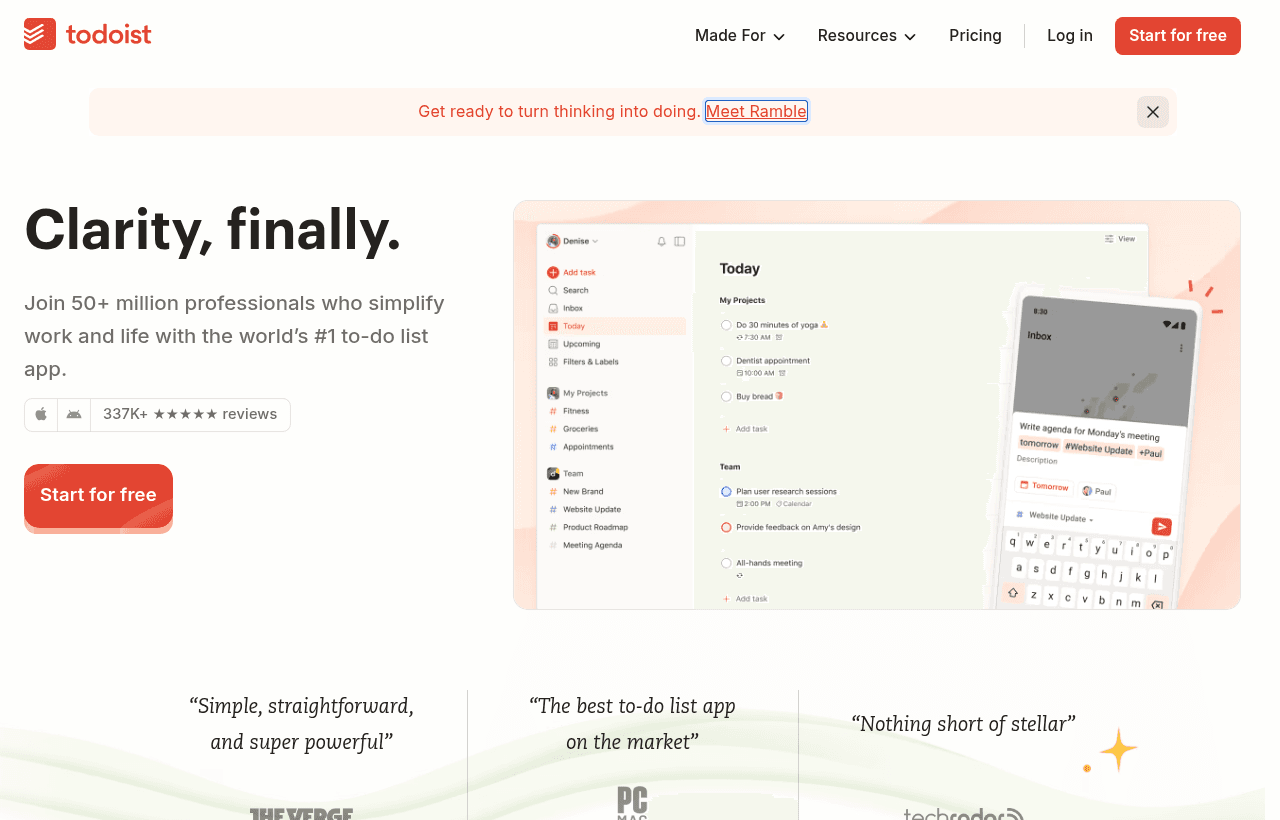
We checked these plans and prices against Todoist's official pricing and help pages in November 2026.
Todoist's help center lists a 7-day free trial of Pro and a 14-day free trial of Business. Todoist offers these trials to anyone who signs up directly, so our link gives you the same trial you would get on todoist.com. We list it because Todoist is a good fit for many founders, and the link is how we track the referral. Each Todoist account gets one Pro trial, and each team gets one Business trial.
Todoist is a task manager for individuals and small teams. You capture tasks in plain language ("pay invoice every 1st"), sort them into projects, and see them in list, board or calendar layouts. It runs on web, Windows, Mac, Linux, iPhone, iPad, Android, Apple Watch and Wear OS, and keeps every device in sync.
Todoist plans and prices
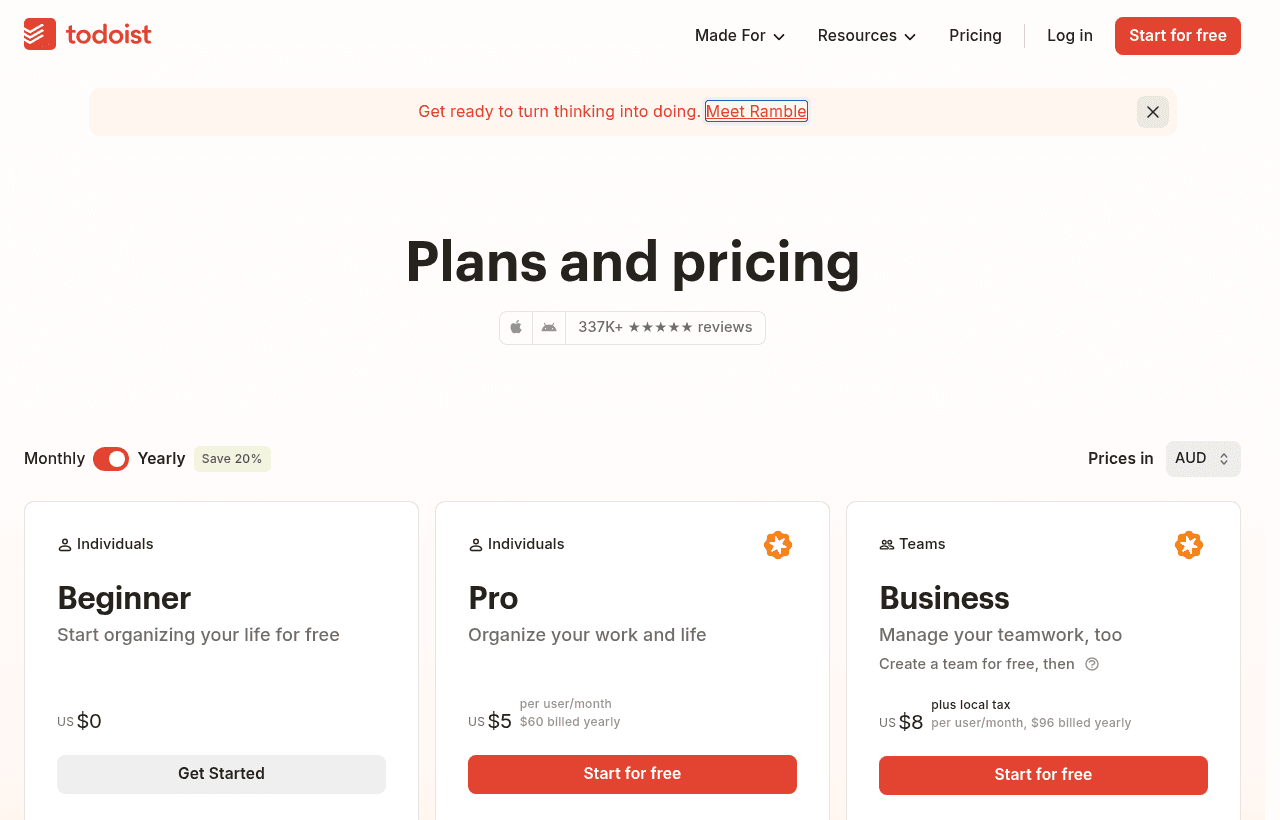
Todoist has three plans. Beginner is free. Pro is for one person. Business is priced per user and adds a shared team workspace.
| Plan | Price billed yearly | Billed monthly | Key limits |
|---|---|---|---|
| Beginner | $0 | $0 | 5 personal projects, 3 filters, 1 week of reporting history, 5 MB uploads |
| Pro | $5/month ($60/year) | $7/month | 300 personal projects, 150 filters, full reporting history, calendar layout, custom reminders |
| Business | $8/user/month ($96/user/year) | $10/user/month | Up to 500 team projects, 1,000 members, 150 team filters, 100 MB uploads, roles and permissions |
Business prices are per user plus local tax. Pro and Business both include task duration, auto backups, Task Assist and Email Assist. All three plans include due dates and times, priority levels, sub-tasks, labels, comments, recurring due dates, task descriptions, 90+ integrations and SOC 2 compliance.
Beginner
Beginner is a real free plan, not a trial. You get 5 active personal projects with up to 5 people in each, 3 custom filters and 4 themes. Reporting history covers 7 days. AI capture tools (Ramble and Task Capture Assist) are limited to 10 sessions a month on the free plan. One free team is allowed, with up to 5 team projects.
Pro
Pro raises the project cap from 5 to 300 and the filter cap from 3 to 150. It adds the calendar layout, custom reminders, task duration, full reporting history, auto backups and 8 themes. Ramble sessions become unlimited, subject to fair use. Pro file uploads go up to 100 MB. Files sent in by email are capped at 25 MB on Pro and 5 MB on Beginner.
Business
Business adds a team workspace with team projects (up to 500), 250 people per team project, team project folders, team activity, centralized billing and three roles. Admins manage members, guests, billing and team settings. Members can create and join visible team projects and invite people. Guests are invited to specific projects only and do not get Business features.
AI features and their limits
Todoist now ships two AI capture tools on every plan. The difference between plans is how often you can use them.
| Feature | What it does | Beginner | Pro and Business |
|---|---|---|---|
| Ramble | Speak and get structured tasks with projects, dates, priorities and labels | 10 sessions a month, shared with Task Capture Assist | Unlimited, fair use |
| Task Capture Assist | Turns pasted text, images and documents into tasks | Same shared 10 sessions | Unlimited, fair use |
| Task Assist and Email Assist | AI help inside tasks and email | Not included | Included |
| Filter Assist | Builds filter queries for you | Included | Included |
Ramble works in 40 languages according to its product page, and you can switch languages mid-session. You start it from the waveform icon in Quick Add or the sidebar.
Task Capture Assist takes up to 25,000 characters of pasted text at once. It reads JPEG, PNG and WebP images up to 10 MB and 4000 x 4000 pixels, and PDF, MD and TXT documents up to 10 MB, one file at a time. You see a preview and can edit it before any task is added. On Beginner, only captures that find at least one task count toward the 10 monthly sessions.
A practical test for the trial: paste a meeting transcript or upload a client brief PDF, and see if the tasks it pulls out are usable. If you do this more than 10 times a month, the free plan will block you and Pro is the cheaper fix at $5 a month billed yearly.
Integrations
Todoist's pricing page lists 90+ integrations on every plan, including the free one. The integrations page features Claude and ChatGPT for AI agents and automation, Reclaim.ai and Sunsama for calendars, Jira for project management and a Habit Tracker extension. Google Calendar, Outlook, Slack and Microsoft Teams also appear on that page. Browser extensions and email add-ons are listed on the downloads page. Developers get Todoist API v1, which replaces the older Sync API v9. The developer hub also lists an MCP server, a CLI, SDKs and webhooks.
Usage limits on every plan
Todoist publishes hard limits that apply on all plans. These matter if you plan to run a big backlog in one project.
| Limit | Value |
|---|---|
| Active tasks per project (sub-tasks and recurring tasks count) | 300 |
| Sections per project | 20 |
| Total active projects, personal and team | 500 |
| Labels per account | 500 |
| Labels per task | 100 |
| Task name | 500 characters |
| Task description | 16,383 characters |
| Task comment | 15,000 characters |
| Templates | 100 |
| Automatic reminders | 700 |
| File attachments per comment | 1 |
The 300-task cap per project is the one people hit first. If a project grows past that, split it by quarter or by area.
What the free plan and the trial don't include
The Beginner plan leaves out:
- Calendar layout. Only list and board layouts are on Beginner.
- Custom reminders. You get automatic reminders, but not reminders at a time you choose.
- More than 5 projects. Projects above the limit become view-only after a downgrade.
- Task duration and auto backups.
- Task Assist and Email Assist.
- Full reporting history. Reporting history stops at 7 days.
The Pro trial lasts 7 days. Todoist's help article says your Pro subscription starts automatically when the trial ends unless you cancel. If the trial expires without a payment, the account drops back to Beginner. You can start the trial from Settings > Subscription on the web, or from the Browse tab on iOS.
What the deal is worth: worked examples
The trial is short, so the real money decision is monthly vs yearly billing after it ends.
Example 1: a solo founder on Pro
- Monthly billing: $7 x 12 = $84 a year.
- Yearly billing: $60 a year.
- Yearly saves $24, or 28.6%.
- The 7-day trial is worth about $1.63 at the monthly rate ($7 / 30 x 7), so its value is the test drive, not the cash.
Example 2: a 5-person team on Business
- Monthly billing: 5 x $10 x 12 = $600 a year.
- Yearly billing: 5 x $96 = $480 a year.
- Yearly saves $120 a year, or 20%.
- The 14-day Business trial lets all 5 people set up shared projects before you pay anything.
Example 3: a 10-person team on Business
- Monthly billing: 10 x $10 x 12 = $1,200 a year.
- Yearly billing: 10 x $96 = $960 a year.
- Yearly saves $240 a year.
- For comparison, 10 seats of Asana Starter billed yearly cost 10 x $10.99 x 12 = $1,318.80. 10 seats of ClickUp Core billed yearly cost 10 x $9 x 12 = $1,080.
Yearly plans are refundable within 30 days of purchase or renewal. Monthly plans are not refundable. That makes yearly billing low risk once the trial convinces you.
Who Todoist is for
- Solo founders and freelancers. Pro at $60 a year covers 300 projects and 150 filters. Natural-language dates like "every Monday" turn routines into recurring tasks.
- Small teams that want tasks, not a project management suite. Business gives shared projects, assignees, comments and roles without Gantt charts or portfolio tools.
- GTD and inbox-zero users. The inbox catches everything, labels act as contexts and filters build saved views like "today and priority 1."
- People who live on their phone and watch. Native apps on Android, iOS, Apple Watch and Wear OS keep capture fast.
- Teams on Slack, Outlook or Microsoft Teams. Todoist lists 90+ integrations, including email add-ons and browser extensions for turning messages and pages into tasks.
Who Todoist is not for
- Teams that need resource planning or portfolios. Asana Advanced at $24.99 per user per month billed yearly adds portfolios, goals and resource management. Todoist has none of these.
- Projects with more than 300 open tasks. The per-project cap forces you to split large backlogs.
- Visual kanban teams with many guests. Trello's free plan already gives boards to 10 collaborators per workspace.
- Anyone who needs heavy custom fields and docs in one tool. ClickUp or Notion cover docs and databases. Todoist sticks to tasks.
Todoist compared with alternatives
| Tool | Free plan | Entry paid plan billed yearly | Billed monthly | Notable limit |
|---|---|---|---|---|
| Todoist | 5 personal projects, 3 filters | Pro $5/month, Business $8/user/month | Pro $7, Business $10/user | 300 active tasks per project |
| Asana | Personal, up to 2 users, unlimited tasks | Starter $10.99/user/month | $13.49/user | Free plan capped at 2 users |
| Trello | 10 boards and 10 collaborators per workspace | Standard $5/user/month | $6/user | Free plan: 250 command runs a month, 10 MB per file |
| ClickUp | Free Forever, 60 MB storage | Core $9/user/month | Not listed ($12 shown as regular price) | AI credits cost $10 per 10K |
Todoist Business costs $8 per user billed yearly. Trello Standard is cheaper at $5 per user but is built around boards, not task lists. Asana Starter ($10.99) and ClickUp Core ($9) cost more and add project management features you may not use.
Tips for your first weeks on Todoist
- Start in the inbox. Dump every open task into the inbox on day 1 of the trial, then sort it into projects.
- Use natural-language dates. Type "every Monday at 9am" or "every 2 weeks" in the task name. Recurring tasks reschedule when you complete them.
- Build 3 filters first. Beginner allows 3, so pick the ones you will use daily, such as today, overdue and priority 1. On Pro you can add up to 150.
- Keep projects under 300 tasks. Use up to 20 sections inside a project before you split it.
- Test the calendar layout during the trial. It is a Pro feature, so decide in the 7 days whether you need it.
- Set a reminder for day 6. The Pro subscription starts automatically when the trial ends. Cancel before then if you want to stay on Beginner.
- For teams, run the Business trial instead. It lasts 14 days and covers the whole team. If you already pay for Pro and start a Business trial, Todoist turns the remaining Pro time into credit for Pro renewals.
Payment and billing details
Todoist takes credit and debit cards (Visa, Mastercard, Amex and more), App Store and Google Play billing, and SEPA in Europe on request. You can switch between monthly and yearly in billing settings. If you cancel, you keep paid features until the end of the current billing period. A downgrade never deletes data. Projects above the new limit become view-only until you archive them or upgrade again. If you upgrade from Pro to Business within 30 days of starting Pro, you can get your Pro payment refunded.
Claiming the Todoist offer, step by step
- Click the Get deal button on this page. It opens Todoist through the SaaSOffers partner link.
- Create your Todoist account from the page that opens, in the same browser session.
- On the web, open Settings > Subscription and start the Pro trial. On iOS, start it from the gear icon in the Browse tab.
- Use the 7 days to test calendar layout, custom reminders and filters.
- Before day 7, choose yearly ($60) or monthly ($7) billing, or cancel to stay on Beginner.
There is no promo code. Each account can use one Pro trial.
Who Is This Deal For?
Early-Stage Startups
Seed and pre-seed companies looking to move fast without overspending on tools.
Growing SaaS Teams
Series A+ companies scaling their stack and optimizing software costs.
Solo Founders
Indie hackers and bootstrapped founders who need enterprise tools at startup prices.
Get Free Pro Trial off Todoist
Free for all startups. Claim instantly.
Frequently Asked Questions
Everything you need to know about this startup deal.
Get the weekly deals digest
New verified startup deals every week. No spam, ever. Unsubscribe anytime.
Related Offers

Retool
Used by 1,559 members
1 year free, up to $60K
Build internal tools 10x faster with the low-code platform used by companies like Amazon, DoorDash, and Mercedes-Benz.
View offer
Replicate
Used by 1,772 members
$500 in credits
Run open-source ML models in the cloud, deploy Llama, Stable Diffusion, and custom models via API without GPU management.
View offer
ZoomInfo
Used by 2,014 members
Free Trial
B2B data platform for sales and marketing intelligence with contact databases.
View offer
Chore
15% off your first month
Chore runs your startup's back office for you: payroll, HR, bookkeeping, compliance and equity, inside the tools you already use. 15% off your first month through SaaSOffers.
View offerDeal Summary
Looking for more startup deals?
Browse all offers